
How to Reset Login Password?
Please refer to [Option 1] if you want to update the login password.
Please refer to [Option 2] if you forgot the login password and can't log in either.
Option 1: Update a New Password
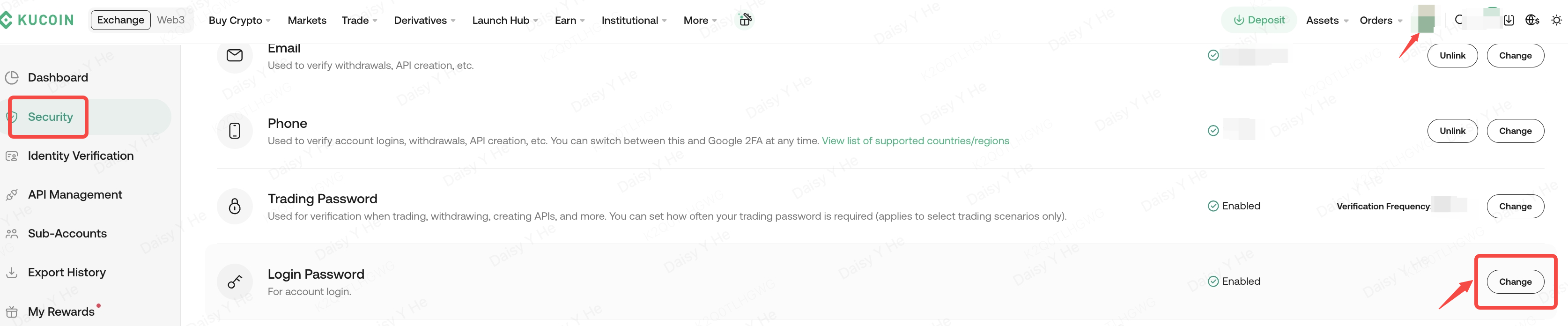
Please find the "Change" button of the "Login Password" section in "Security “
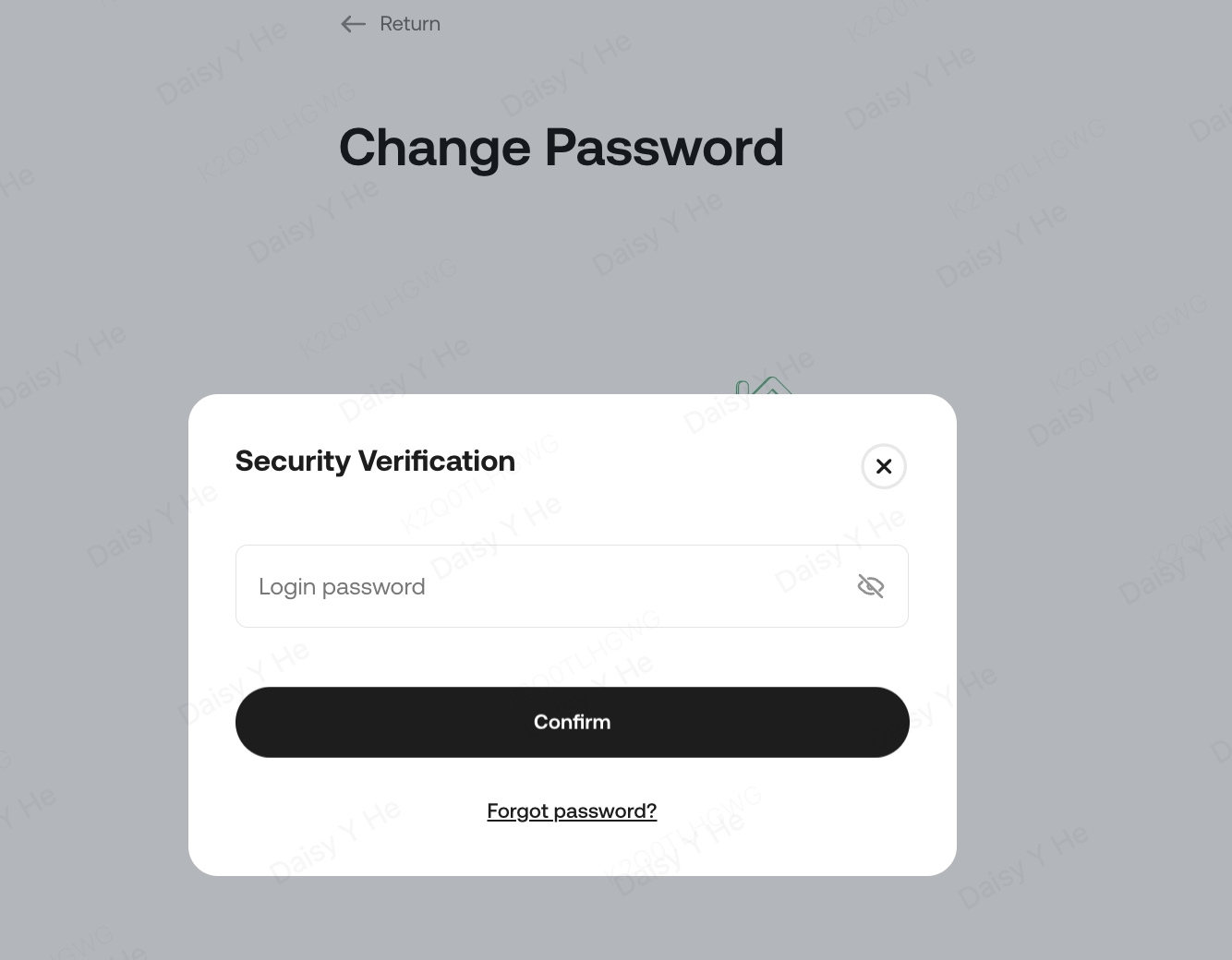
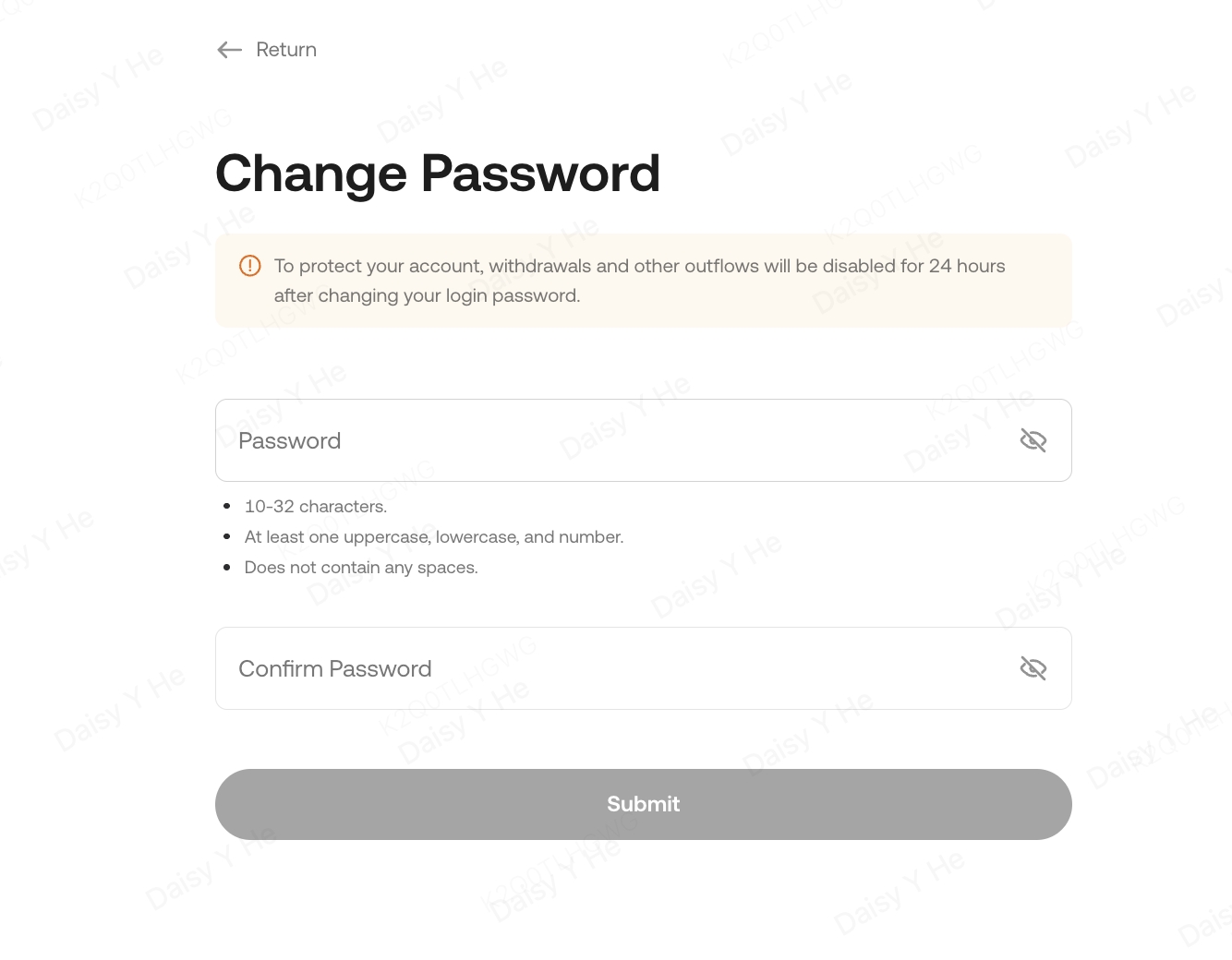
Then, please enter your current password and confirm, set your new password, and click "Submit" to complete.
Option 2: Forgot Login Password
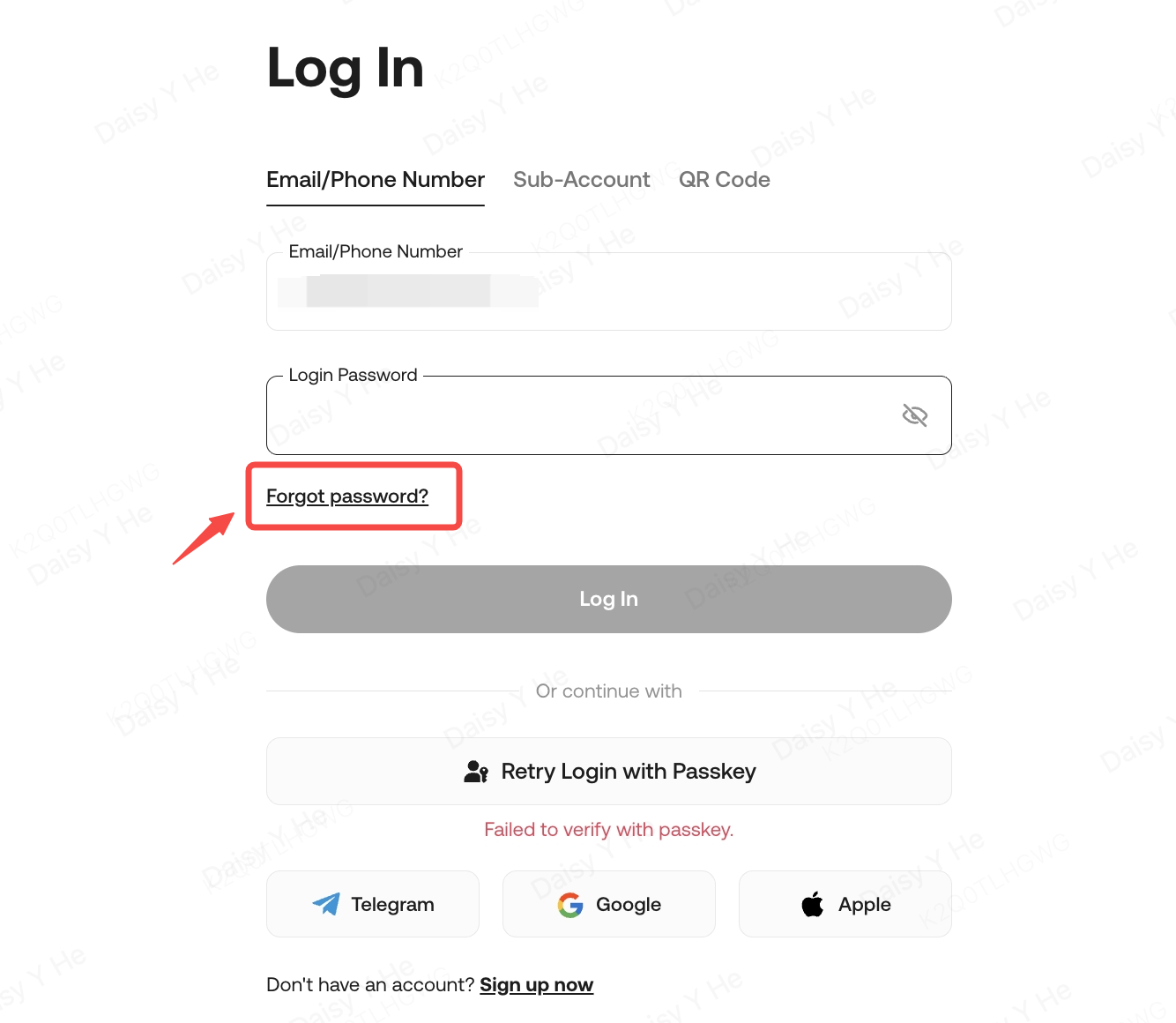
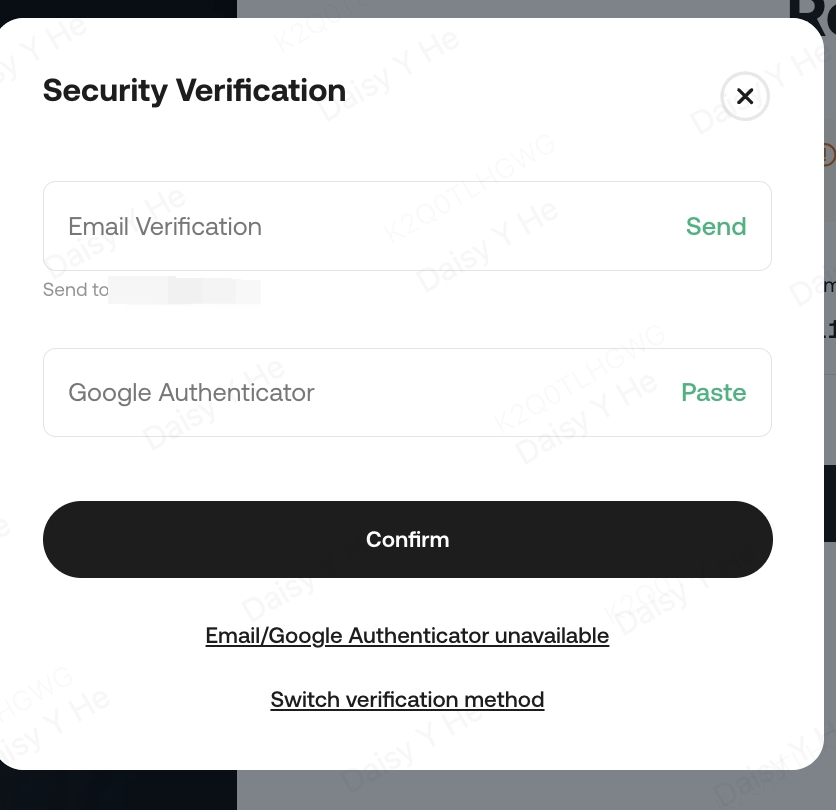
Enter your E-mail address or phone number and click "Forgot password?" on the login page. Then complete the security verification process and confirm.
Please note: Before entering the E-mail address/phone, please make sure it is already registered on KuCoin. The e-mail/SMS verification code is valid for 10 minutes. To ensure account security, please change your login password every 90 days.
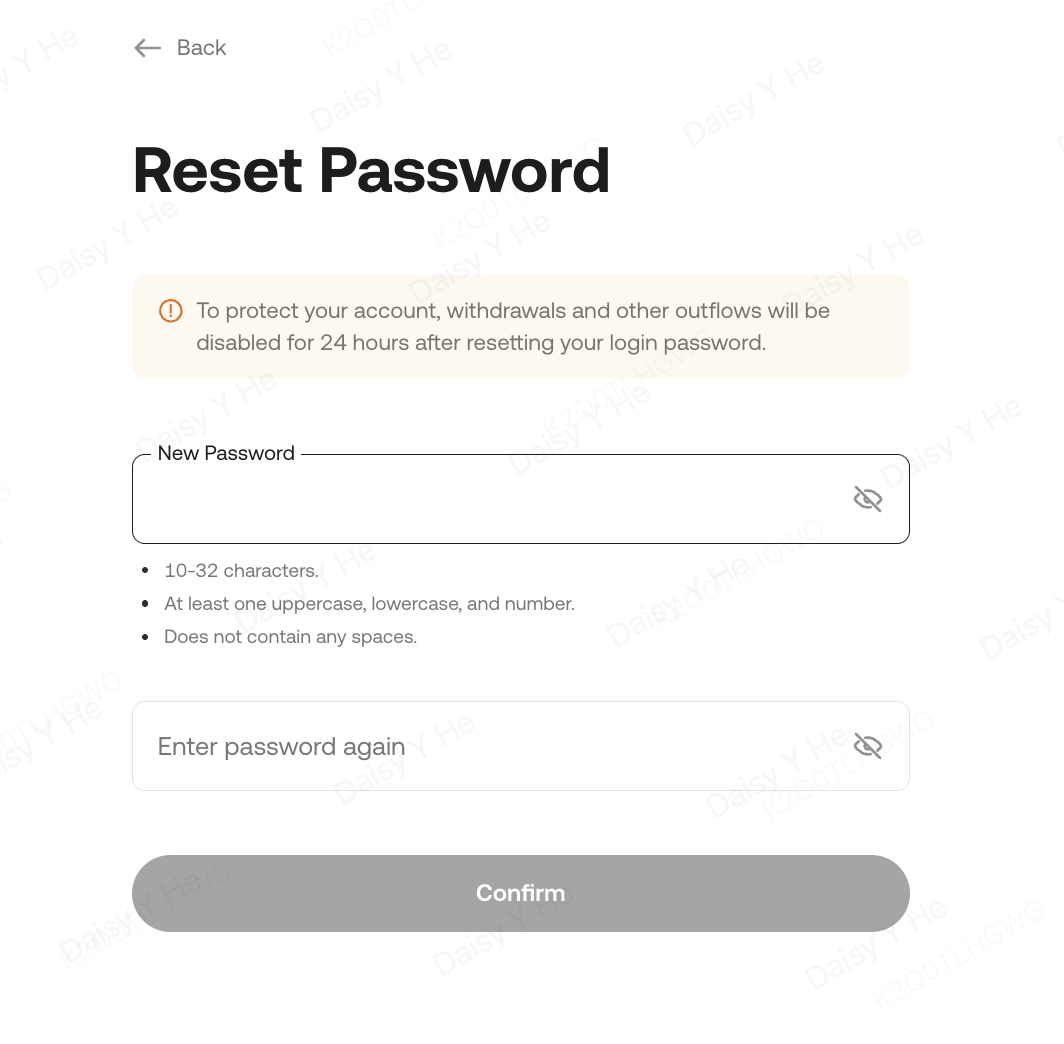
Now you can set a new login password. Please make sure the password is complicated enough and saved properly. To ensure the account security, please do NOT use the same password you have used somewhere else.
We hope this article has been helpful. Please reach out to our 24/7 customer support via online chat or submit a ticket if you have any other questions.
Happy trading on KuCoin!