

How to Buy KuCoin Token (KCS)
Price of KuCoin Token (24h)$7.40 0.7%Log In to Buy KuCoin Token(KCS)

Interested in buying KuCoin Token (KCS) or exploring other cryptocurrencies? This is the right place for you! KuCoin offers safe and easy ways to let you buy KuCoin Token (KCS) instantly wherever you are! Check out all the ways you can buy KCS on KuCoin.
Buy KuCoin Token (KCS) on KuCoin in Four Simple Steps

Create Your Free KuCoin Account
- Sign up on KuCoin with your email address/mobile phone number and country of residence, and create a strong password to secure your account.
Secure Your Account
- Ensure stronger protection of your account by setting Google 2FA code, anti-phishing code, and trading password.
Verify Your Account
- Verify your identity by entering your personal information and uploading a valid Photo ID.
Add a Payment Method
- Add a credit/debit card or bank account after verifying your KuCoin account.
Buy KuCoin Token (KCS)
- Use a variety of payment options to buy KuCoin Token on KuCoin. We'll show you how.


Choose How You Want to Buy KuCoin Token on KuCoin
Buying cryptocurrencies is easy and intuitive on KuCoin. Let's explore the different ways of buying KuCoin Token (KCS).
- 1
Buy KuCoin Token (KCS) with a Credit or Debit Card
This is the easiest way for new users to purchase (KCS). Link your credit or debit card to your account, enter the purchase amount, then wait for the transaction to be completed.Video Tutorial
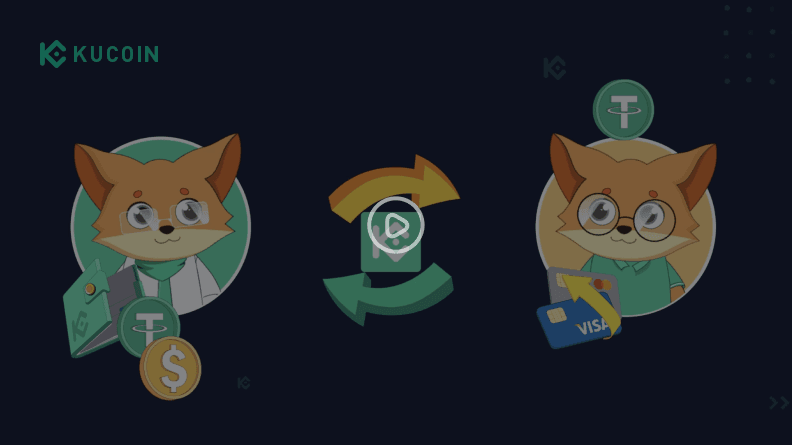
How to Buy Crypto With Credit Debit Card Web - 2
Buy KuCoin Token (KCS) via Bank Transfer
Depending on the region you are in, bank transfers are also a safe and convenient way to buy KuCoin Token. You can purchase KCS once the funds arrive in your account.Video Tutorial
- 3
Buy KuCoin Token (KCS) on the KuCoin P2P Market
You can buy KCS with zero trading fees directly from sellers on KuCoin's P2P marketplace. Your purchased KCS will be released to your Funding Account from escrow once the seller confirms the receipt of payment.Video Tutorial
- 4
Buy KuCoin Token (KCS) Using Third-Party Channels
KuCoin supports a variety of leading third-party payment processors. Visit our third-party payment page to view available methods in your region. - 5
Buy KuCoin Token (KCS) with crypto on the KuCoin Spot Market
With support for 700+ digital assets, the KuCoin spot market is the most popular place to buy KuCoin Token (KCS). Here's how to buy:1. Buy stablecoins such as USDT on KuCoin using the Fast Trade service, P2P, or through third-party sellers. Alternatively, transfer your current crypto holdings from another wallet or trading platform to KuCoin. Make sure your blockchain network is correct, since depositing crypto to the wrong address may result in loss of assets.2. Transfer your crypto to a KuCoin Trading Account. Find your desired KuCoin Token (KCS) trading pairs in the KuCoin spot market. Place an order to exchange your existing crypto for KuCoin Token (KCS).3. As soon as your order is successfully executed, you will be able to see your available KuCoin Token (KCS) in your Trading Account.Video Tutorial
Get Your First KuCoin Token (KCS) with KuCoin
Get Started Now
How to Store KuCoin Token (KCS)
The best way to store KuCoin Token (KCS) varies based on your needs and preferences. Review the pros and cons to find the best method of storing KuCoin Token (KCS).
- Store KuCoin Token in Your KuCoin Account
Holding your crypto in your KuCoin account provides quick access to trading products, such as spot and futures trading, staking, lending, and more. KuCoin serves as the custodian of your crypto assets to help you avoid the hassle of securing your private keys on your own. Make sure to set up a strong password and upgrade your security settings to prevent malicious actors from accessing your funds.
- Hold Your KuCoin Token in Non-Custodial Wallets
"Not your keys, not your coins" is a widely recognized rule in the crypto community. If security is your top concern, you can withdraw your KuCoin Token (KCS) to a non-custodial wallet. Storing KuCoin Token (KCS) in a non-custodial or self-custodial wallet grants you complete control over your private keys. You can use any type of wallet, including hardware wallets, Web3 wallets, or paper wallets. Note that this option may be less convenient if you wish to trade your KuCoin Token (KCS) frequently or put your assets to work. Be sure to store your private keys in a secure location as losing them may result in the permanent loss of your KuCoin Token (KCS).
What Can You Do with KuCoin Token (KCS) on KuCoin?
Hold
- Store your KuCoin Token (KCS) in your KuCoin account.
Trade
- Trade KuCoin Token (KCS) in the spot and futures markets.
Earn
- Earn passive income by staking or lending KuCoin Token (KCS).



Why Is KuCoin the Best Platform to Buy KuCoin Token (KCS)?
Safe and Trusted
Our regular Proof of Reserves (PoR) mechanism ensures that customer funds are backed by 1:1 real assets. KuCoin was named one of the Best Crypto Exchanges by Forbes in 2021 and selected by Ascent as the Best Crypto App in 2022.High Liquidity
Boasting a high liquidity order book for all listed cryptocurrencies, KuCoin delivers a liquid trading experience with tight spreads.Home of Crypto Gems
KuCoin supports more than 700 cryptocurrencies and is the best place to find the next crypto gem. Buy KuCoin Token and trade it against various digital assets on KuCoin.Intuitive Interface
Buying KuCoin Token (KCS) on KuCoin is quick and easy, thanks to our intuitive interface and powerful technology. Obtain KCS in an instant when you buy on KuCoin.