

How to Buy Bitcoin with a Credit Card on KuCoin
2026/04/05 16:15:25
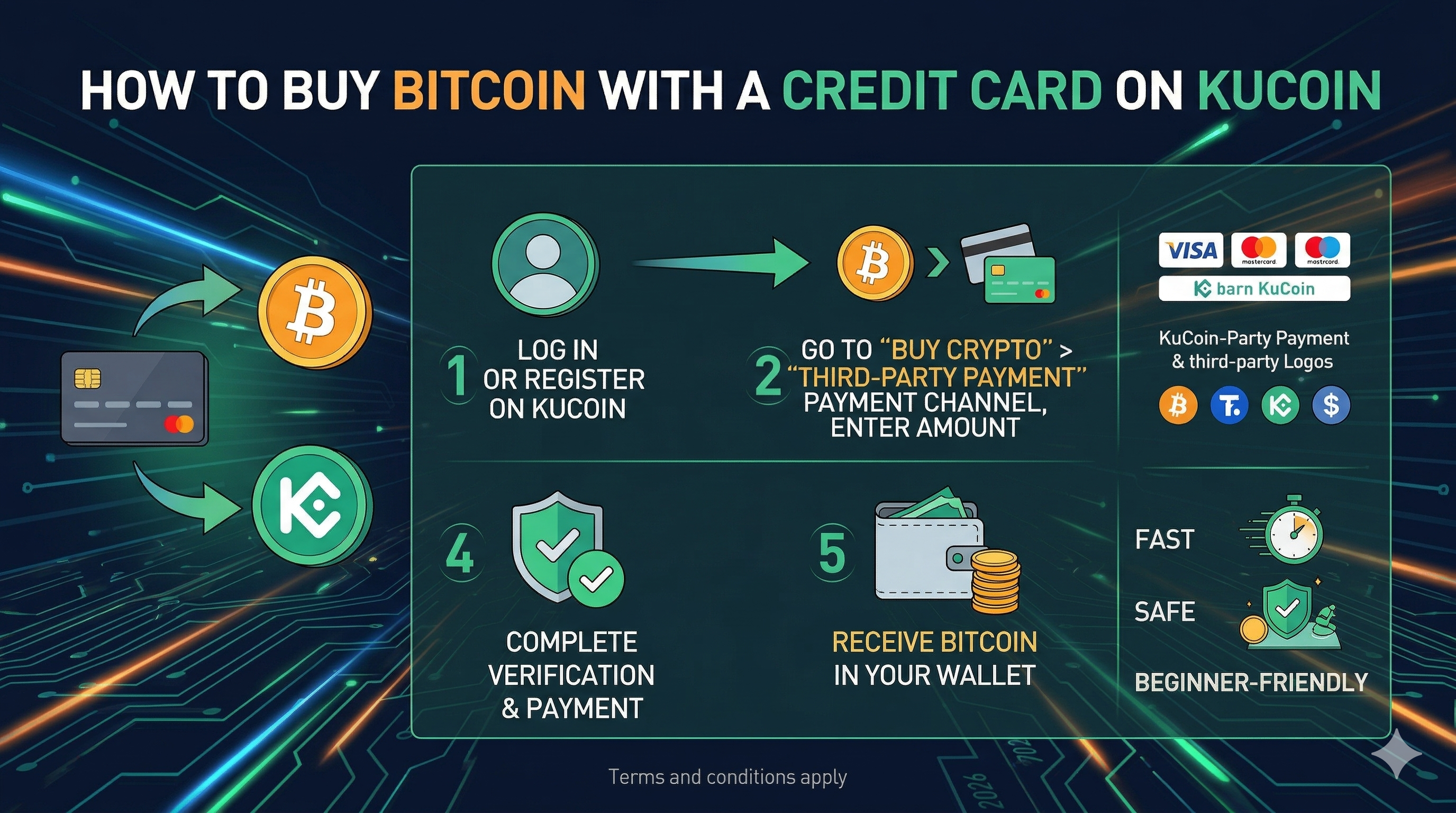
Buying Bitcoin with a credit card on KuCoin offers one of the fastest and most accessible ways for newcomers and experienced traders to enter the cryptocurrency market in 2026. This comprehensive guide walks readers through the entire process, from account setup and identity verification to selecting a credit card, navigating third-party payment processors, and understanding fees and timing.
Beyond step-by-step instructions, it shows common pitfalls, differences among payment providers, and practical strategies to optimize both speed and cost. By explaining how real-time pricing, processor service fees, and billing details affect your purchase, the guide equips users to confidently convert fiat to Bitcoin without surprises.
Why Credit Card Bitcoin Purchases on KuCoin Matter in 2026
As Bitcoin continues to dominate headlines and financial conversations, many people seeking their first Bitcoin find themselves wondering how to buy it as quickly and painlessly as possible. One of the most familiar methods for newcomers is buying with a credit card, because almost everyone already has one. On platforms like KuCoin credit cards are presented as a fast option among several available ways to get Bitcoin on the platform.
Credit card purchases can complete within minutes, making them compelling for people who want instant access without transferring funds from banks or other exchanges. Yet getting this right in 2026 requires understanding how KuCoin’s system works: credit card payments are typically handled through partners such as Banxa, Simplex, or similar payment processors that KuCoin integrates.
These third‑party services may redirect you during checkout to securely input your card details and complete the Bitcoin purchase. While some exchanges hide these steps, KuCoin lays them out across its interface, and knowing what to expect upfront helps reduce confusion for first‑timers. Throughout this guide, we’ll walk through each stage of buying Bitcoin with a credit card on KuCoin, what fees you could encounter, how long the process takes, and what most users overlook until they’re already partway through a transaction.
Getting Ready: Setting Up Your KuCoin Account for Credit Card Purchases
Before you can tap your Visa or Mastercard to buy Bitcoin, there are a few crucial steps to complete.
The first is creating your KuCoin account: this process starts with a valid email address or phone number, followed by entering basic personal details. KuCoin will then prompt you to secure your account, this typically includes enabling two‑factor authentication (2FA) and setting up a unique trading password to safeguard Bitcoin holdings and transactions.
These early steps aren’t just formalities; they make the platform safer by protecting against unauthorized access, which is especially important when linking payment methods. Once your account is created and secured, confirm your identity inside the KuCoin app or web interface if required for on‑ramp functions. This is something KuCoin references explicitly in its “How to Buy Bitcoin” walkthrough: linking a credit or debit card follows only after verification.
Verification verifies both the person and payment method, so the system recognizes you’re a real human going through the purchase flow. After verification, head to the “Buy Crypto” or “Fast Trade” section of KuCoin. Within that area, you’ll see an option to choose “Credit/Debit Card” as your method, this is where the streamlined credit card purchase begins.
The platform will often present a simple, mobile‑friendly window with fields for card number, expiry, CVV, and billing address. You enter the amount of fiat currency you want to spend (for example USD or EUR), and KuCoin displays how much Bitcoin you’ll receive before you confirm the charge. That real‑time quote is powered by whichever third‑party service is active in your region at the moment you place the order.
Step‑by‑Step: How the Credit Card Purchase Flow Works on KuCoin
Once your account is ready and verified, navigating to KuCoin’s credit card purchase section is surprisingly straightforward, but each step plays a crucial part in ensuring you see Bitcoin arrive in your account as expected. KuCoin’s official beginner guides show that within the “Buy Crypto” dropdown, selecting “Credit/Debit Card” opens a payment window where you choose your fiat currency (like USD, EUR, or GBP), enter how much you want to spend, and select Bitcoin as the cryptocurrency to receive.
At this stage, you’ll review the exchange rate and the estimated Bitcoin amount. On KuCoin, the actual processing usually happens via one of the platform’s payment partners, for many users Banxa, Simplex, or BTCDirect are common. After choosing your payment method, you’re redirected to that provider’s secure checkout. It feels familiar because it uses standard online shopping patterns: input card details, confirm billing information, and authorize the charge. Importantly, be sure to double‑check the displayed Bitcoin amount and fees, these change frequently due to real‑time market prices and payment processor charges.
Although KuCoin displays a preview of the final amount, the third‑party checkout confirms everything before the card is charged. From there, once the payment processor approves the transaction, your Bitcoin is typically credited to your KuCoin account’s Main Wallet within minutes. If the price moves dramatically in that short window, the exact Bitcoin amount may differ slightly, but the system updates accordingly and shows you the final balance.
That end‑to‑end flow, from selecting credit card payment to confirmation, is designed to be as seamless as online retail checkout, except instead of a pair of sneakers, your receipt is transaction confirmation and your wallet balance shows Bitcoin credited.
How Fees Come Into Play When Buying with a Credit Card
Around the world, one of the first questions newcomers ask is “How much is this going to cost me?”, and with credit cards, the cost isn’t just the Bitcoin price. On KuCoin, fees tied to credit card purchases emerge primarily from the payment processor and the card network rather than KuCoin itself. Payment providers like Banxa, Simplex, or BTCDirect typically charge a service fee that gets added to the base transaction.
These fees can be a single fixed percentage of the purchase or tiered based on amount and fiat type. For example, reports from users and review guides highlight that using third‑party processors sometimes results in several percent of fees added to a credit card crypto purchase, more than alternative funding methods like bank transfers or P2P trades. Since KuCoin’s own interface displays which processor you’re using before you confirm the purchase, it gives you a chance to compare the costs between options if multiple providers are available in your region. In some cases, one provider can show a lower service fee than another.
Card networks themselves can bring costs too, some banks treat a cryptocurrency purchase as a “cash advance,” meaning your card may charge additional fees or a higher overhead. It’s wise to check with your credit card issuer what charges apply when the merchant category appears as a crypto purchase. That small check before clicking “Confirm” can save unexpected fees on your statement.
Because the exact fee situation depends on the card issuer, regional availability of processors, and the amount you’re buying, many users end up evaluating a few test transactions with smaller amounts to spot the real cost before committing larger sums. That self‑testing approach also helps expose any hidden charges or conversion fees applied by your credit card provider that aren’t visible during the KuCoin checkout itself.
What Payment Processors You’ll See in 2026
Today, the credit card on‑ramp landscape is more consolidated and competitive than it was just a few years ago. KuCoin supports a roster of established processors, which it displays dynamically in the credit card purchase window based on your location and the fiat you choose. Typical partners include well‑known names like Banxa and Simplex, which plug into global card networks and handle the complex job of converting fiat to crypto with compliance and fraud protection layers.
Because KuCoin works with these partners rather than processing credit cards directly, the interface redirects you to their checkout pages where the actual card details are collected. From a user perspective, this can feel like leaving KuCoin briefly, but the process is secured and monitored by recognized payments companies.
Each processor has slight differences in how fast they credit Bitcoin back to your KuCoin wallet. While most complete within minutes, some high‑volume transactions may take a little longer due to anti‑fraud triggers or extra verification steps by the processor. A good tip many experienced KuCoin users share is to choose a processor option that shows explicit “instant” confirmation on the checkout screen, that tends to correlate with faster delivery times for Bitcoin confirmation in your wallet.
Because processors also have varying geo‑restrictions, you may see different options available in Africa than in Europe or North America. KuCoin’s “Third Party” section under Buy Crypto shows these available channels after you pick your country and fiat, a helpful place to review what's available before you start entering card information.
Timing: How Long It Takes From Click to Bitcoin Balance
When speed is important, credit card purchases score high on convenience. Most users report Bitcoin appearing in their KuCoin Main Wallet within minutes of completing the checkout with a credit card provider, a significant advantage over bank transfers which can take days in some regions.
However, the real time from “confirm payment” to wallet credit can vary. When the payment processor’s check clears immediately, the most common scenario, your Bitcoin balance updates nearly instantly after purchase. In other cases, particularly for larger transactions, some processors may place a short hold while they complete security checks.
These are rapid checks designed to protect against fraud, but they can add a slight delay of a few minutes or, in rare cases, up to an hour before the blockchain transfer finalizes. The posted price of Bitcoin at checkout also plays a role. If Bitcoin’s price shifts significantly during those moments, the final amount you receive may differ slightly from your original estimate on KuCoin’s purchase screen, but the system recalculates transparently.
Experienced buyers often track the quoted price right before they confirm the credit card charge, especially when Bitcoin’s volatility spikes, because small price moves at checkout can translate to noticeable differences in Bitcoin received. Watching that figure alongside your card payment window gives a more intuitive sense of how much Bitcoin you’re actually paying for in real time. That practice is one of the things savvy users focus on to feel confident about value instead of just speed.
Common Roadblocks and What to Pay Attention To
Even in 2026, people still make similar mistakes when buying Bitcoin with a credit card on KuCoin. One recurring issue is entering incorrect billing details, address fields must match exactly what your bank has on file, or the payment processor will reject the charge. Another stumbling block is trying to use a card that doesn’t support crypto purchases; some local banks block cryptocurrency merchant categories by default, so the charge fails before it even reaches KuCoin’s partner page.
Checking with your card issuer ahead of time can clarify whether crypto purchases are permitted. A more subtle snag arises if your credit card issuer flags the transaction as suspicious; this can trigger a temporary block while the bank verifies your authorization. In those cases, your bank may send a security notification or require you to authenticate through your banking app before it approves the downstream crypto purchase.
From the platform side, not all processors support every fiat currency, so if you choose a currency that’s uncommon in your country, the available credit card options may disappear or show fewer partner channels. This doesn’t mean KuCoin doesn’t support credit card purchases in your region, but rather that specific processor support is dynamic and often updated.
Double‑checking which fiat options activate the credit card button before you start entering card numbers can save frustration. These are real‑world wrinkles that users encounter, and being aware of them ahead of time tends to smooth the process compared to learning through trial and error during a purchase.
Alternatives People Use: When Credit Card Isn’t Ideal
Even though buying Bitcoin with a credit card is fast, it’s not always the cheapest or most flexible way, which is why many users combine credit card purchases with other methods. For example, many experienced users fund stablecoins like USDT or USDC with credit card, either directly where possible or through another exchange, and then transfer those stablecoins to KuCoin to swap for Bitcoin with lower costs. This two‑step path can sometimes yield a better net price because credit card fees are paid only on the first purchase, and the stablecoin swap has lower exchange fees.
KuCoin also supports a peer‑to‑peer (P2P) marketplace where users buy Bitcoin directly from other users using local payment methods, often with lower fees than credit card processors. Although P2P trading is a different flow from direct credit card buy, many users leverage local payment options like bank transfers or digital wallets before their KuCoin balance updates with Bitcoin.
Comparing these options side‑by‑side before deciding helps people tailor their approach to their priorities: whether speed, cost, or availability matters most for that purchase. That mix of methods is why guides on KuCoin emphasize multiple ways to buy Bitcoin, credit card is just one path among many, each with its real‑world trade‑offs.
Where to Find Help and Support If Things Go Wrong
If you run into problems or your credit card transaction doesn’t complete as expected, there are reliable places to look for answers. KuCoin’s support site has a specific article on how to buy coins via credit and debit cards that walks through the third‑party payment steps and explains how to view order history after submission. That support page also lists the names of processors used and what to do if you don’t see your preferred option in the payment list.
If the failure stems from a processor’s page, for example, an error at the checkout before your card is charged, contact the processor’s support directly; these addresses are commonly provided for that purpose. Many people new to KuCoin also find community forums and YouTube tutorials helpful to see a real walkthrough of the same steps they’re trying to complete.
Watching other users make the same flow live can be reassuring and practical, especially if your screen isn’t showing the expected screens. Taking screenshots of error messages and including them when seeking support often speeds up resolution because it gives support teams exact context to work from.
Conclusion: Credit Cards Are Quick, But Know What You’re Doing
Buying Bitcoin with a credit card on KuCoin in 2026 can feel surprisingly straightforward and resembles an online checkout experience more than a traditional crypto onboarding process. The key difference is that multiple companies work behind the scenes to make that possible, and understanding who those partners are, how fees play out, and what to watch for improves your confidence and results.
For many users, this remains one of the fastest ways to take fiat from a plastic card and turn it into Bitcoin. Along the way, paying attention to exchange rates, service fees, and processor choices helps get more Bitcoin for every dollar spent. Once you’ve completed one or two successful purchases, the entire flow becomes intuitive, and you’ll likely find yourself thinking more about portfolio strategy than checkout checkboxes.
As the ecosystem continues to grow, the core principles outlined above remain relevant: prepare your account, choose your method thoughtfully, watch the numbers carefully, and double‑check each step before confirming a purchase. That’s how most experienced crypto buyers turn a familiar credit card swipe into Bitcoin in their wallets in minutes, not hours.
FAQs
1. Can I use any credit card to buy Bitcoin on KuCoin?
Most major Visa and Mastercard credit cards are accepted via the processors KuCoin integrates. Availability can change by region and processor support.
2. Is Bitcoin added to my account immediately?
In most cases, yes, once the payment processor confirms your card charge, Bitcoin lands in your Main Wallet almost instantly.
3. Why do some purchases fail?
Common reasons include incorrect billing info, bank blocks on crypto purchases, or unsupported fiat currencies in the processor’s list.
4. Do I pay fees to KuCoin for credit card purchases?
KuCoin itself doesn’t add a separate fee, the service fees come mainly from the payment processor.
5. Is this method the cheapest?
Not always, credit card providers and processors may charge higher service fees than other methods like bank deposits or P2P trades.