
How to Trade Prediction Markets on KuCoin
Last updated: 09/30/2026 08:11:00
This guide explains how eligible users can place a Predictions order through the KuCoin App.
Before You Start
Make sure that:
-
You are signed in to the KuCoin App in Pro mode and have completed Identity Verification (KYC).
-
Predictions is available for your account and region.
-
Predictions requires USDT in your Funding Account. You may select Financial Account or Trading Account as the source account; the required USDT will then be transferred automatically to Funding Account.
-
You have reviewed the market question, outcomes, trading deadline, and resolution rules.
Place a Trade
1. Go to Markets > Predictions.
2. Select a market.
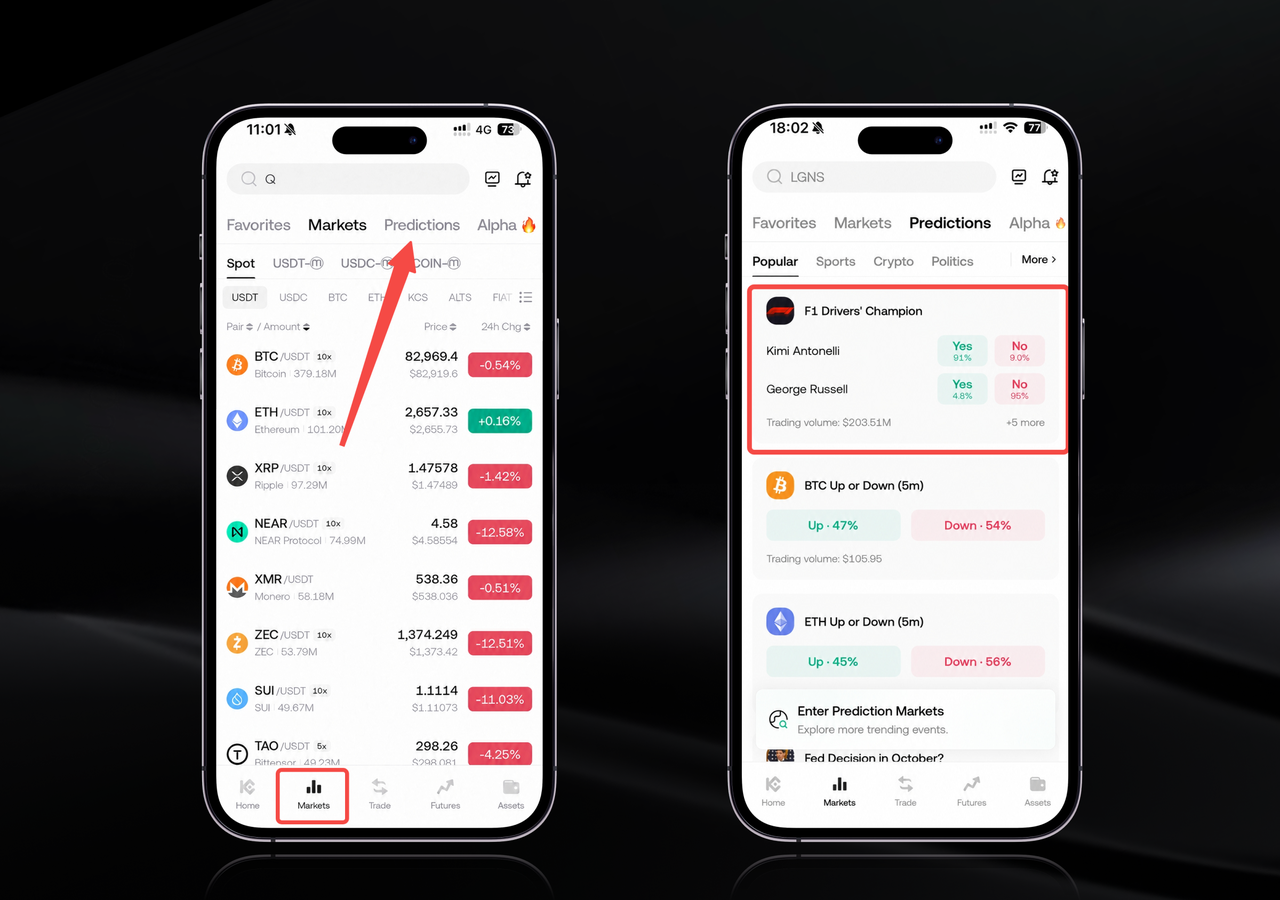
3. Read its question and rules, then choose the outcome you want to trade.
4. Enter the amount of USDT.
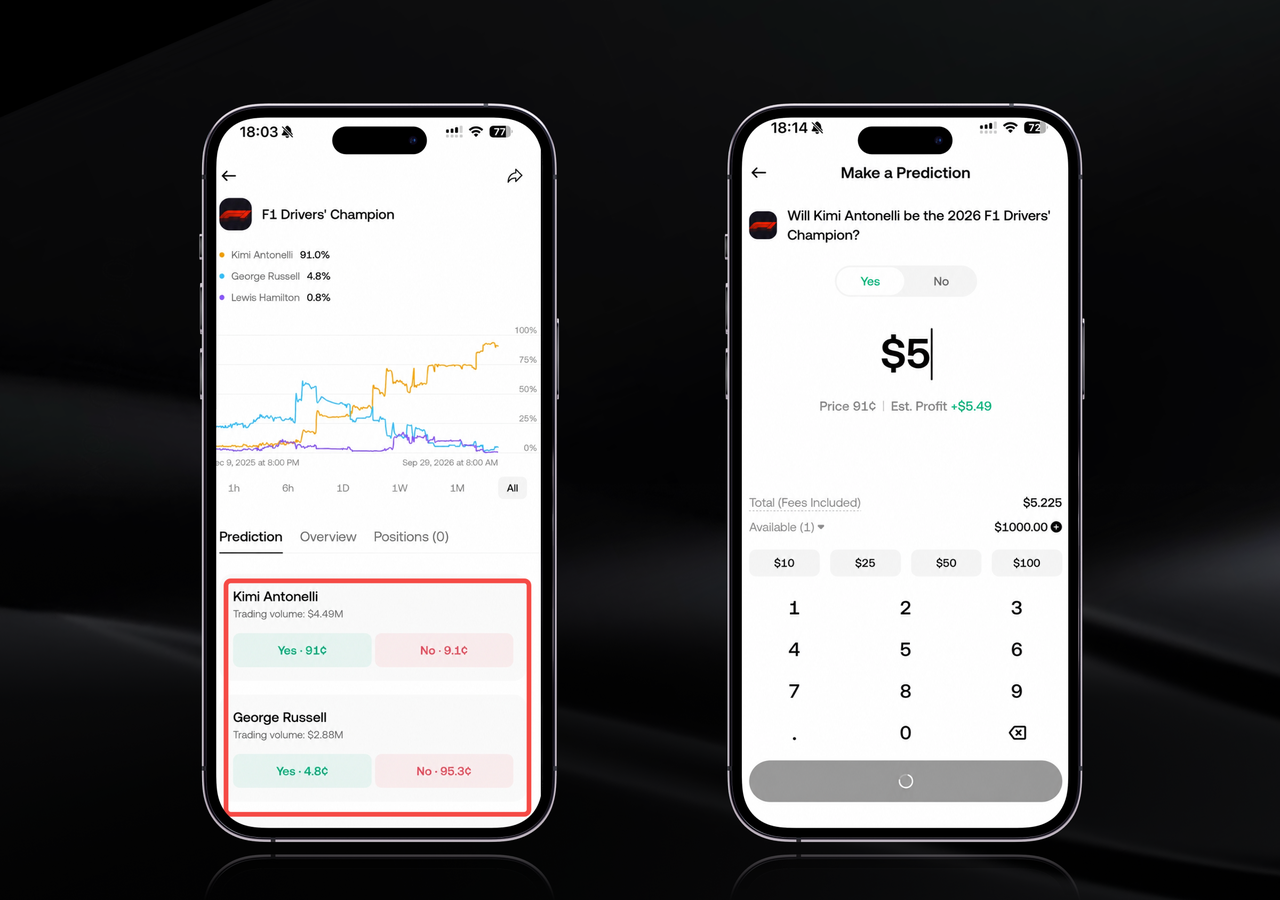
5. Review the estimated price, outcome, applicable fees and then confirm the order.
Predictions currently supports market orders only. Once submitted, an order cannot be canceled. The final execution price and number of shares may differ from the estimate because of price movement, available liquidity, price protection, and partial fills.
View or Sell Your Position
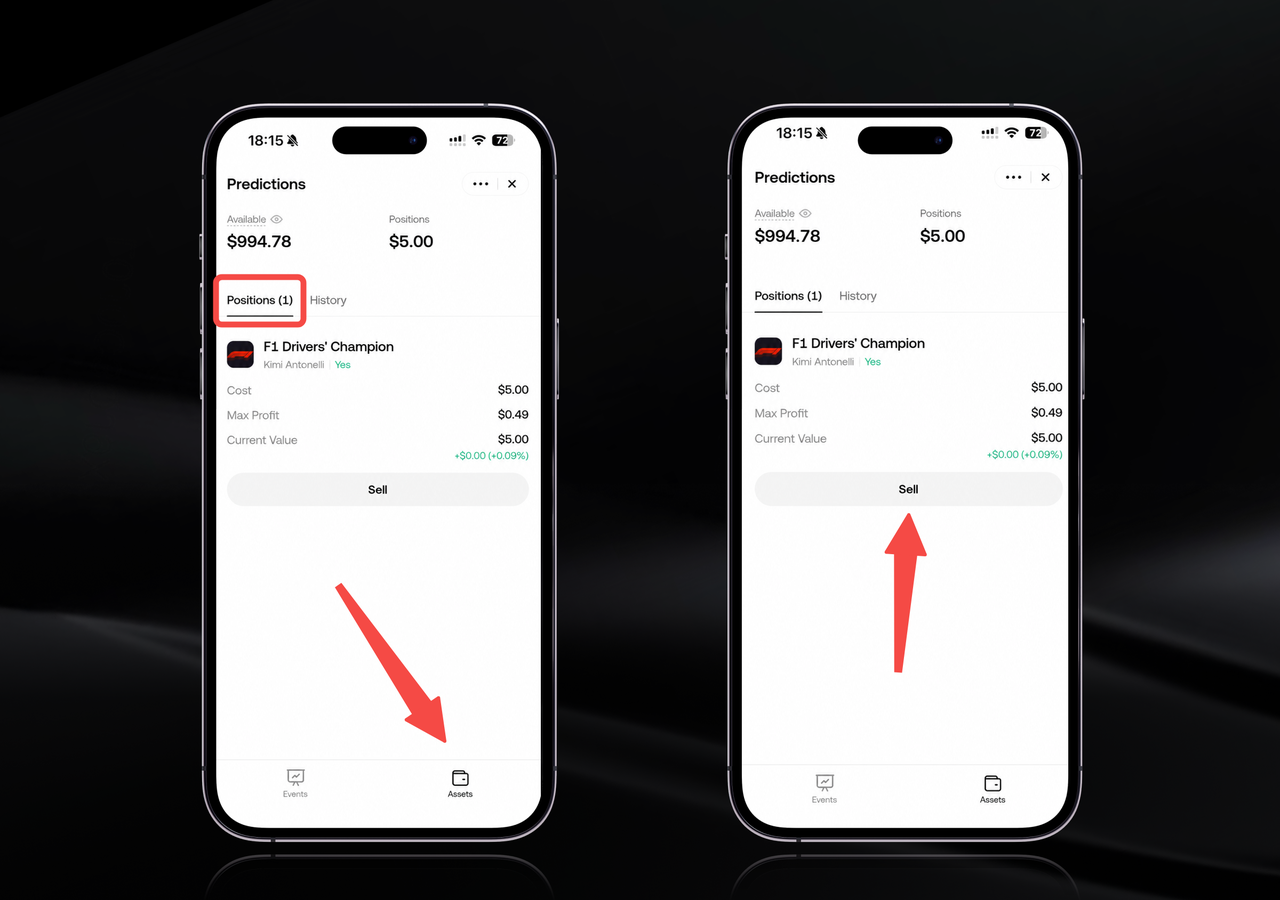
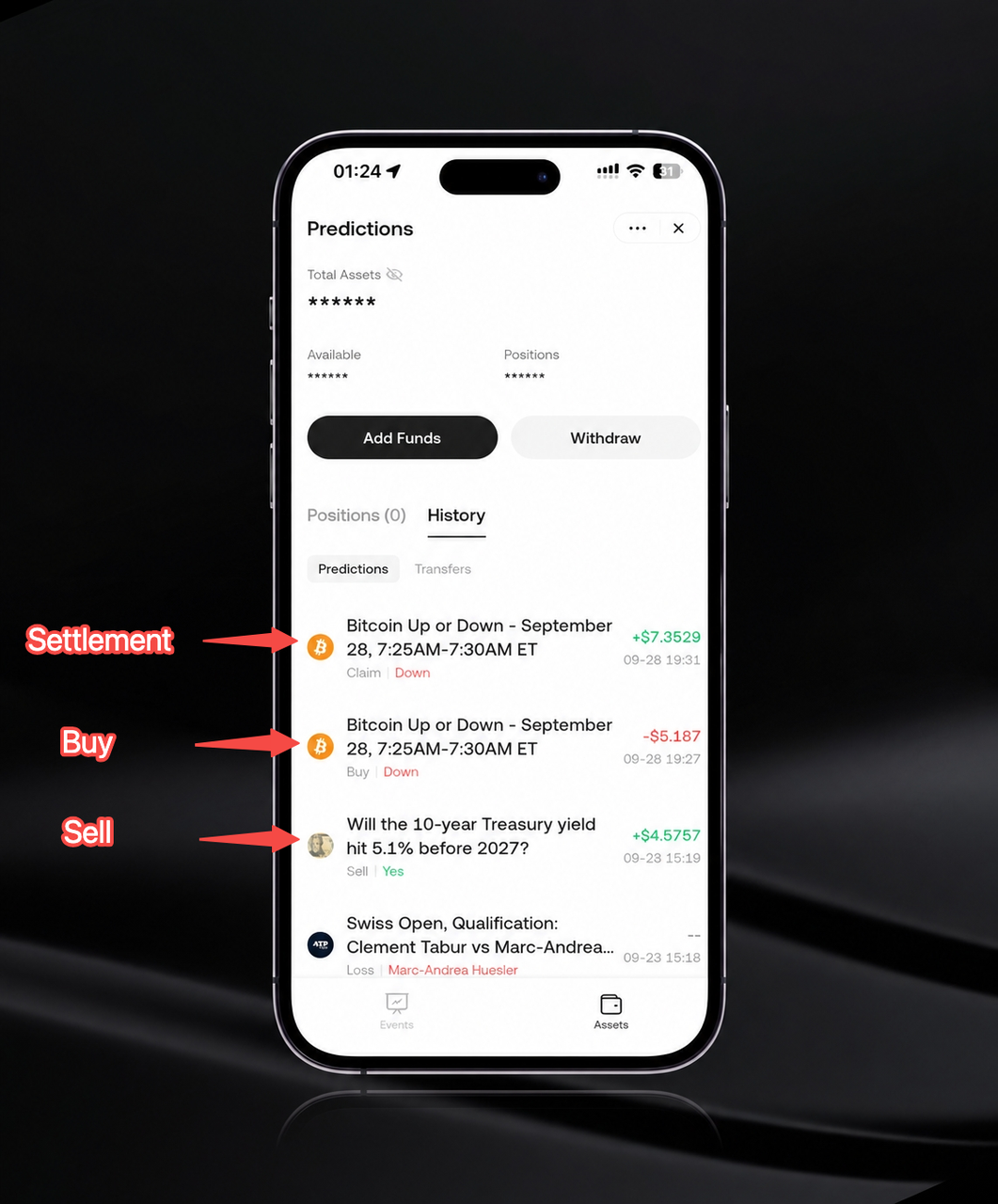
You can view your position on Predictions > Assets page. Your trading history, market status, and settlement records are also shown there.
If selling is available, you may submit a new market order to sell a position before trading ends. An early exit is not guaranteed and depends on market status, liquidity, and price protection. A sell order may also be partially filled or unfilled.
Result and Settlement
The result is finalized under the corresponding Polymarket market's resolution rules. KuCoin does not independently determine the outcome. After normal resolution, each winning share settles at $1 and each losing share settles at $0.
No manual on-chain redemption is required. Once the corresponding market's settlement result is confirmed, any applicable settlement proceeds will be credited automatically to your Funding Account, regardless of the source account selected.
Go to Predictions > Assets > History to view the settlement record. Settlement may not occur immediately after the underlying event ends because the result may still need to be confirmed or reviewed.
DISCLAIMER: This information is provided for general informational and educational purposes only and does not constitute financial or investment advice, an offer, solicitation, or guarantee. Trading involves risk, and past performance is not indicative of future results. Users should conduct their own research, carefully consider the relevant risks, and make decisions based on their own circumstances. We accept no responsibility for any loss arising from reliance on or use of this information. For more information, please refer to the Polymarket Integration User Agreement and Risk Disclosure.