How to Scan National QR Codes via KuCoin Pay?
Last updated: 08/06/2026 09:41:00
Supported National QR Codes
KuCoin Pay now supports the following QR payment methods (Country - Currency):
-
Brazil (BRL): Pix
-
Argentina (ARS): Transferencias 3.0 network (e.g., Mercado Pago, MODO)
-
Peru (PEN): Yape & Plin
-
Vietnam (VND): VietQR
-
Philippines (PHP): QR Ph
- Laos (LAK): LaoQR
- Cambodia (KHR): KHQR
- Mongolia (MNT): Mongolia QR
-
Switzerland (CHF): Open CryptoPay
Use KuCoin Pay to scan and pay seamlessly:
-
Offline: Scan QR codes at supermarkets, restaurants, cafes, and various retail locations.
-
Online: Scan QR codes on e-commerce platforms, streaming subscriptions, game credits, mobile services and so on.
More global QR payment methods are coming soon. If you would like to learn about local transfers (non-QR-based payment method) in other countries, please click here.
Scan to Pay with National QR Codes
- Step 1: Locate KuCoin Pay (Three ways)
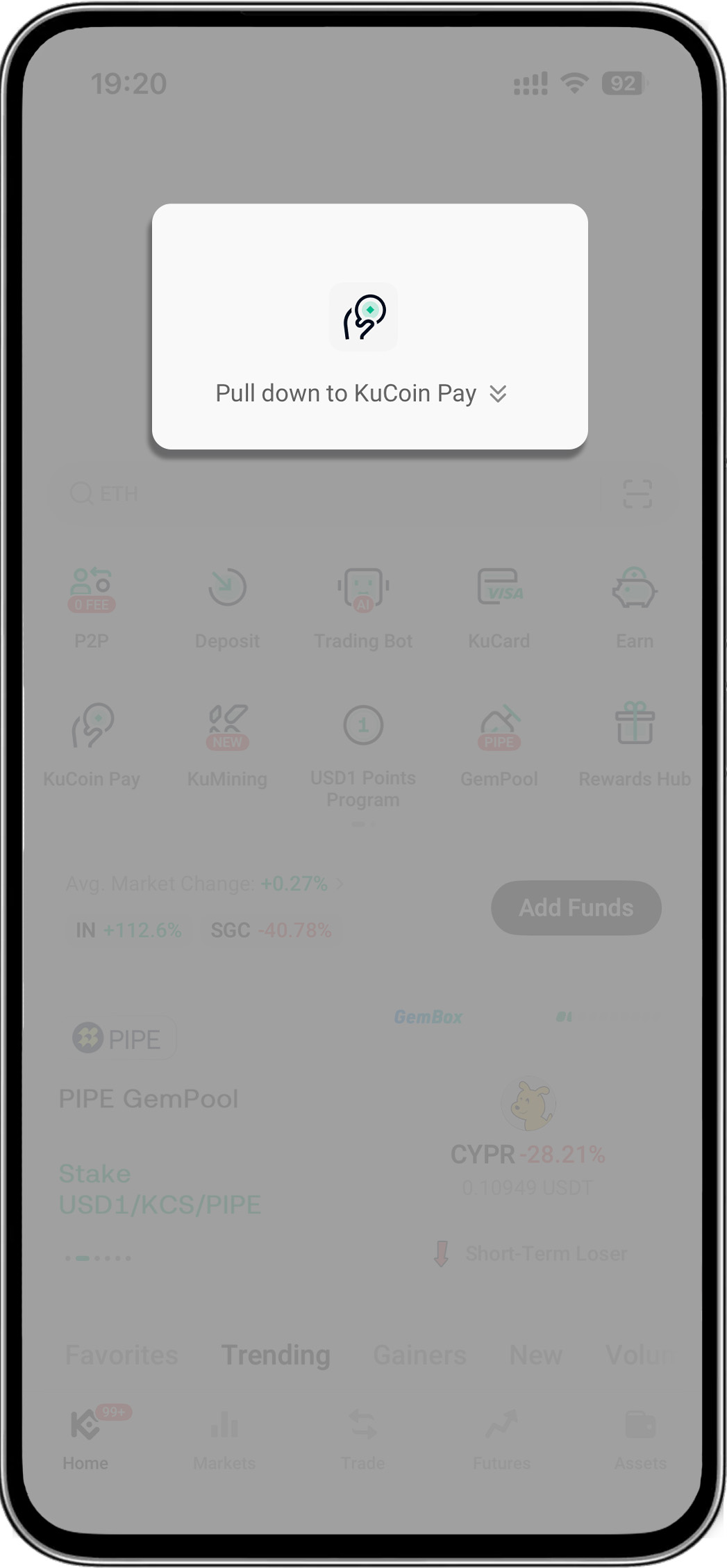
- Open your KuCoin app > Pull down on the homepage to reveal "KuCoin Pay"
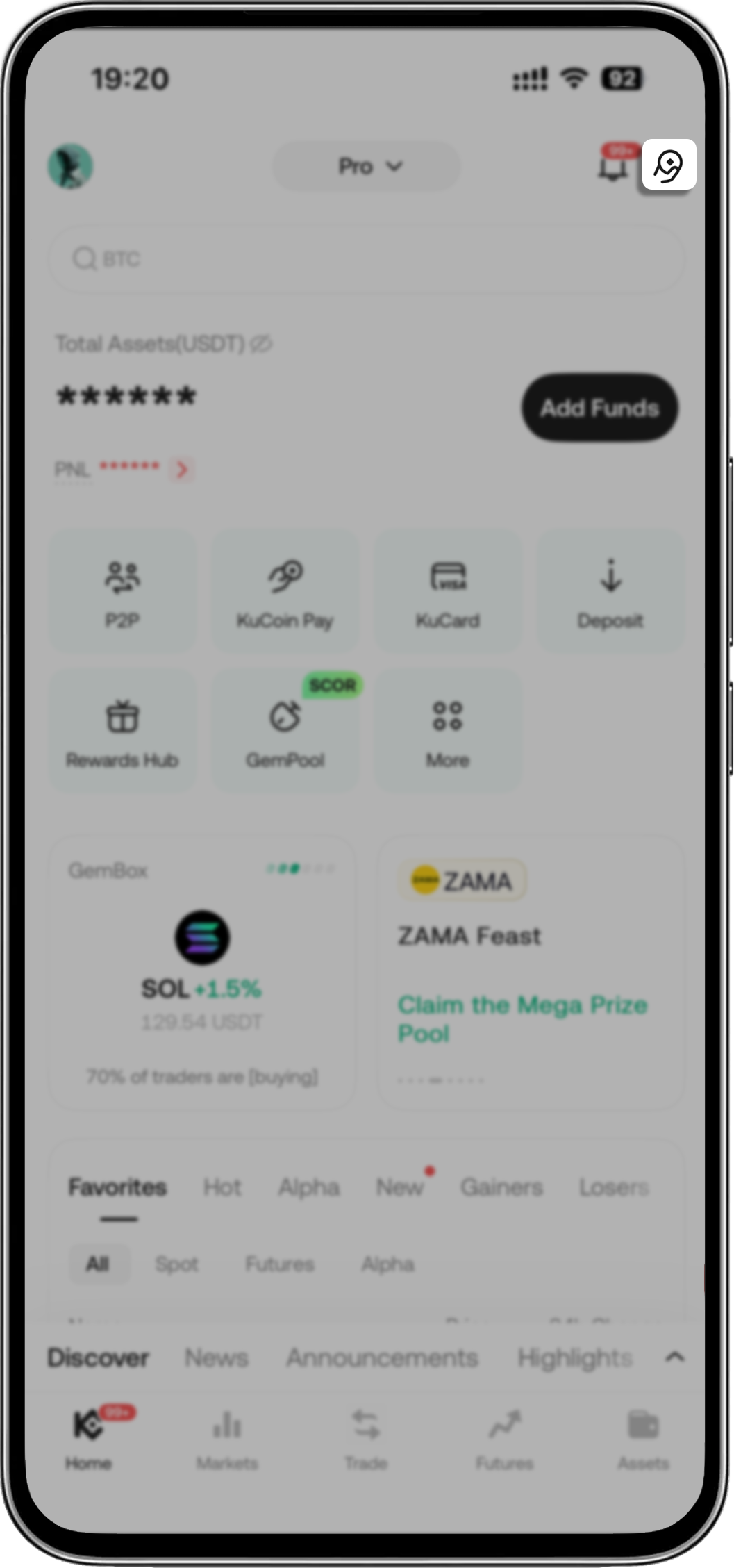
- Open your KuCoin app > Tap KuCoin Pay icon on the upper-right corner
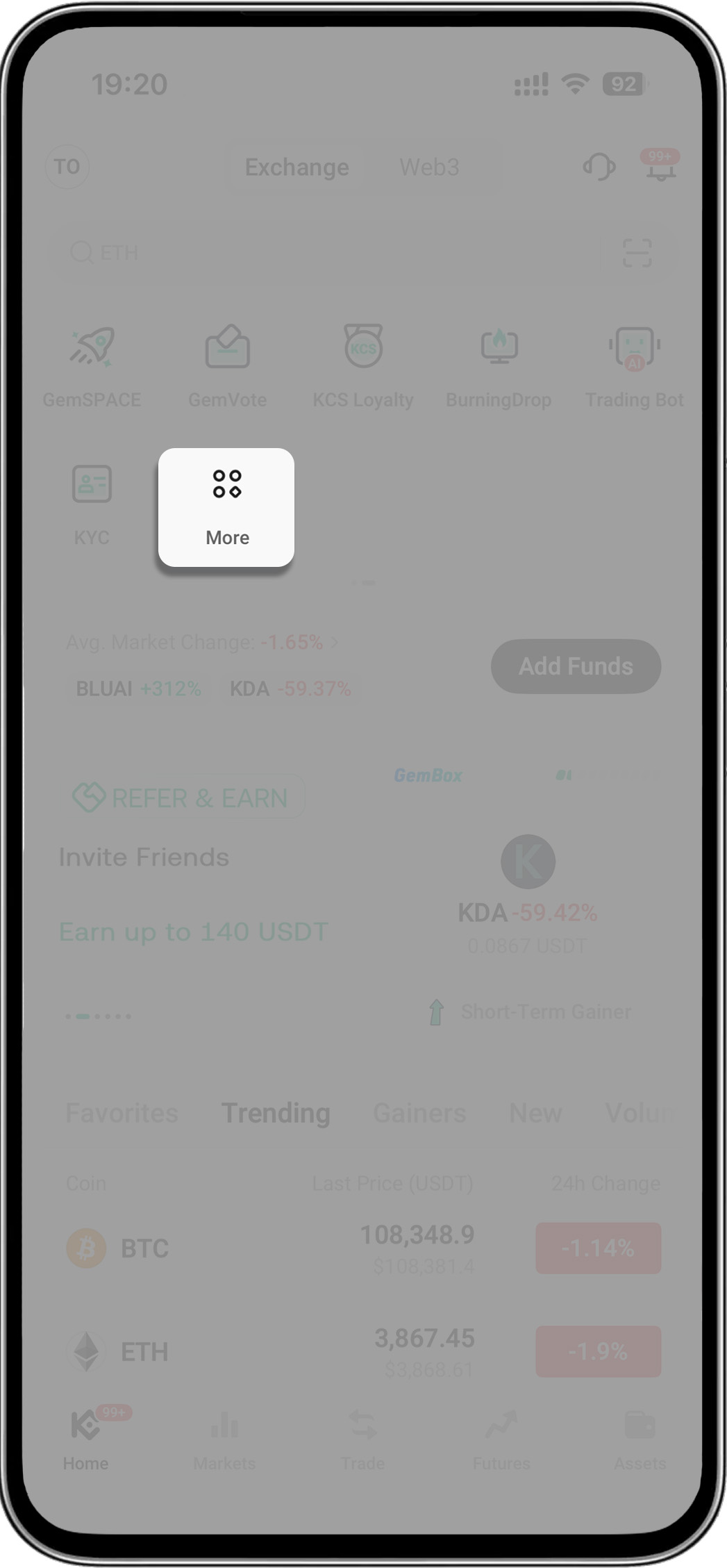
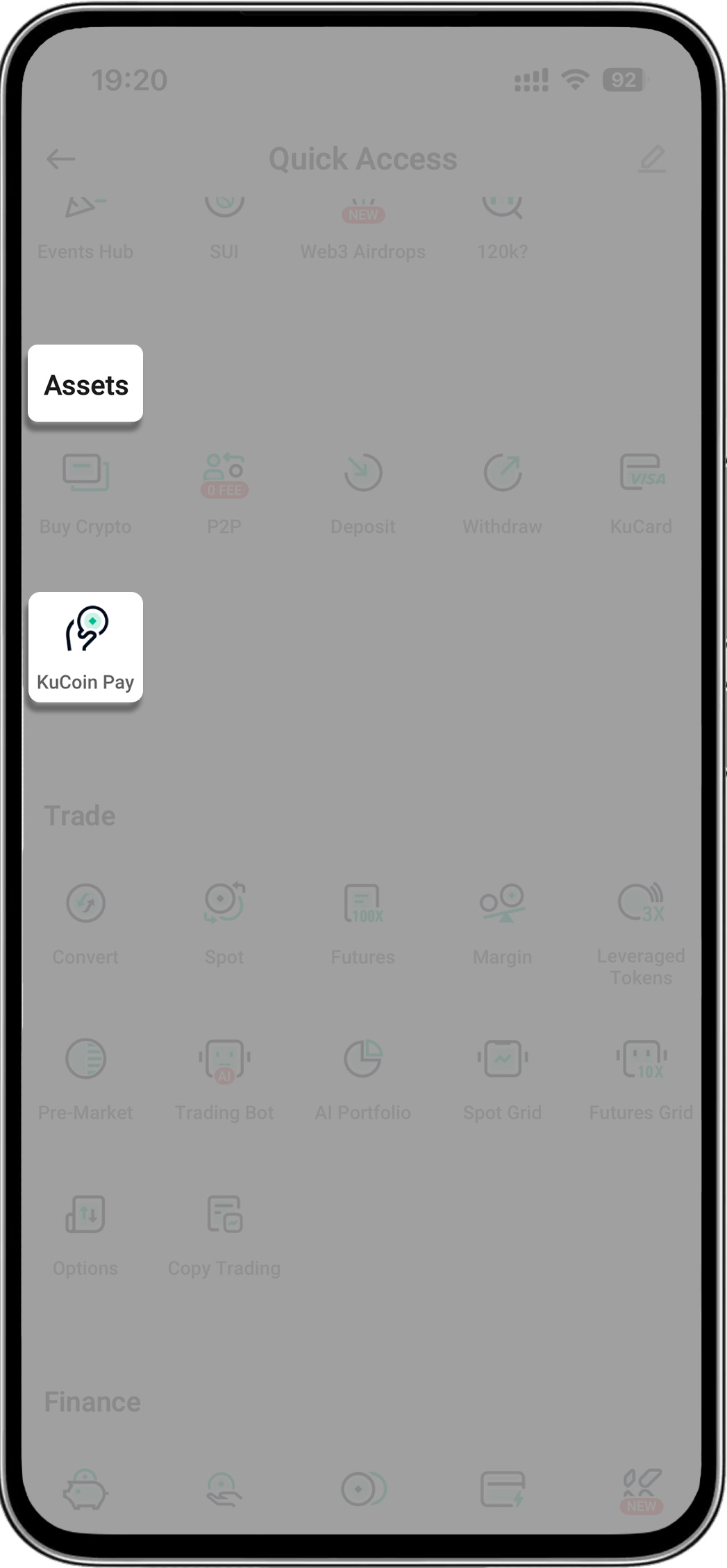
- Open your KuCoin app > Tap "More" > Find "Assets" > Select "KuCoin Pay"
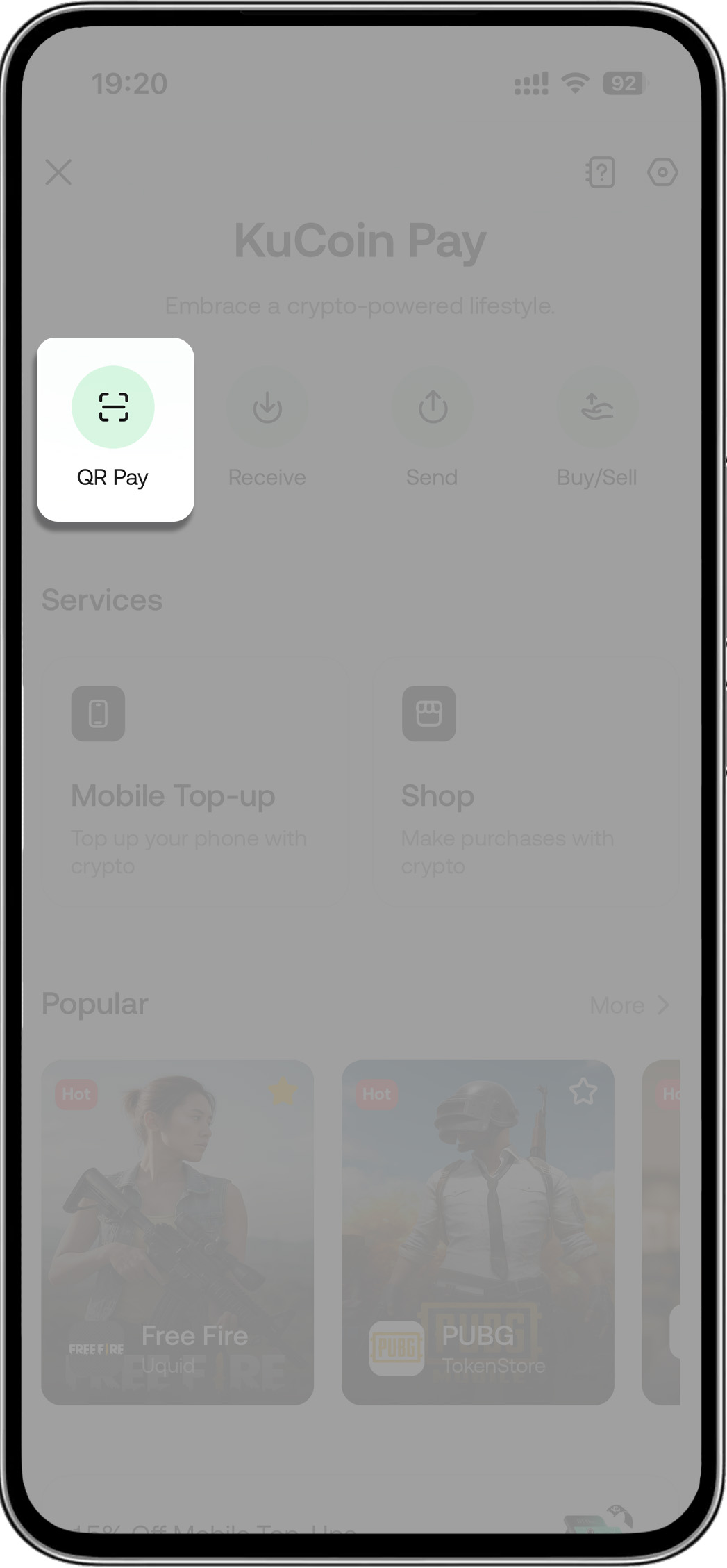
- Step 2: Tap scan icon (within KuCoin Pay) > Scan the merchant’s QR code to pay
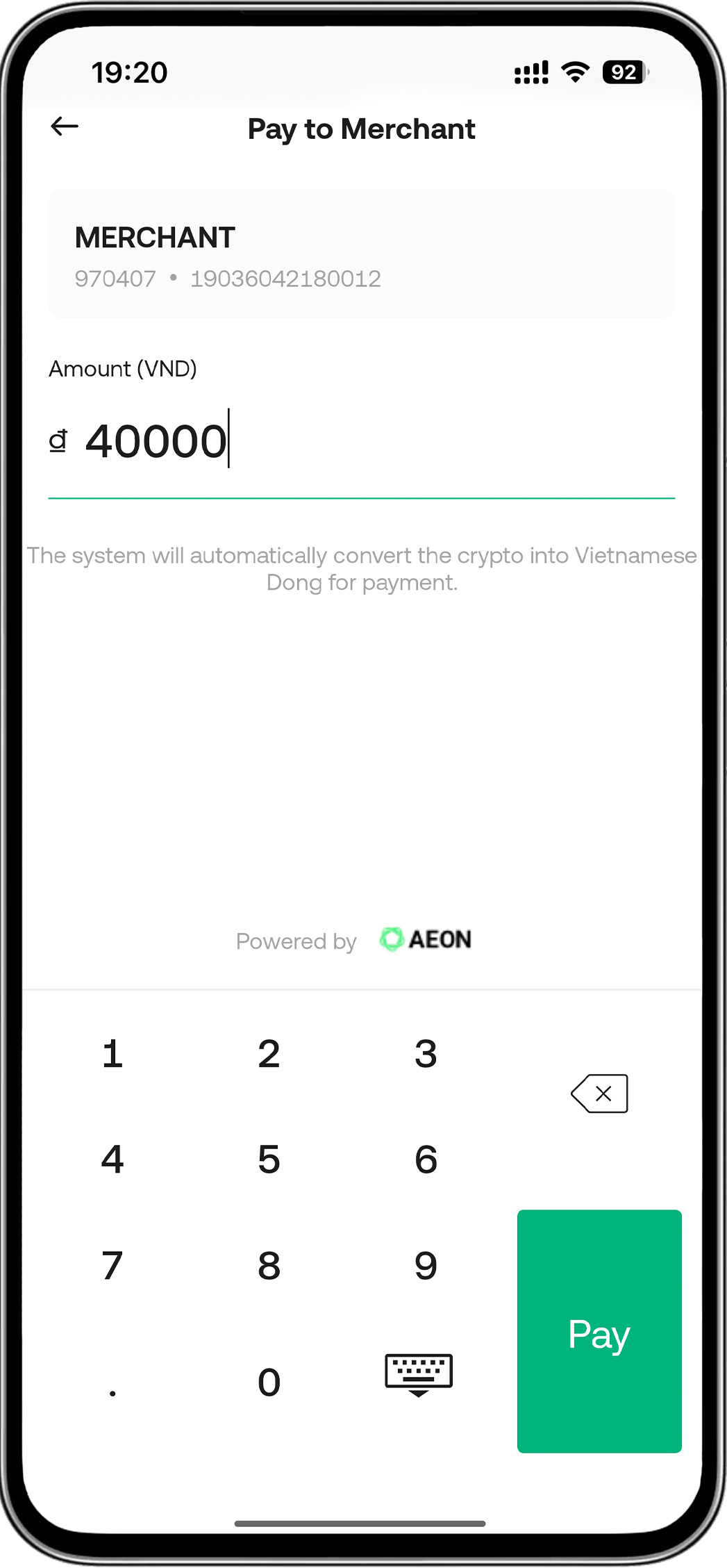
- Step 3: Enter amount
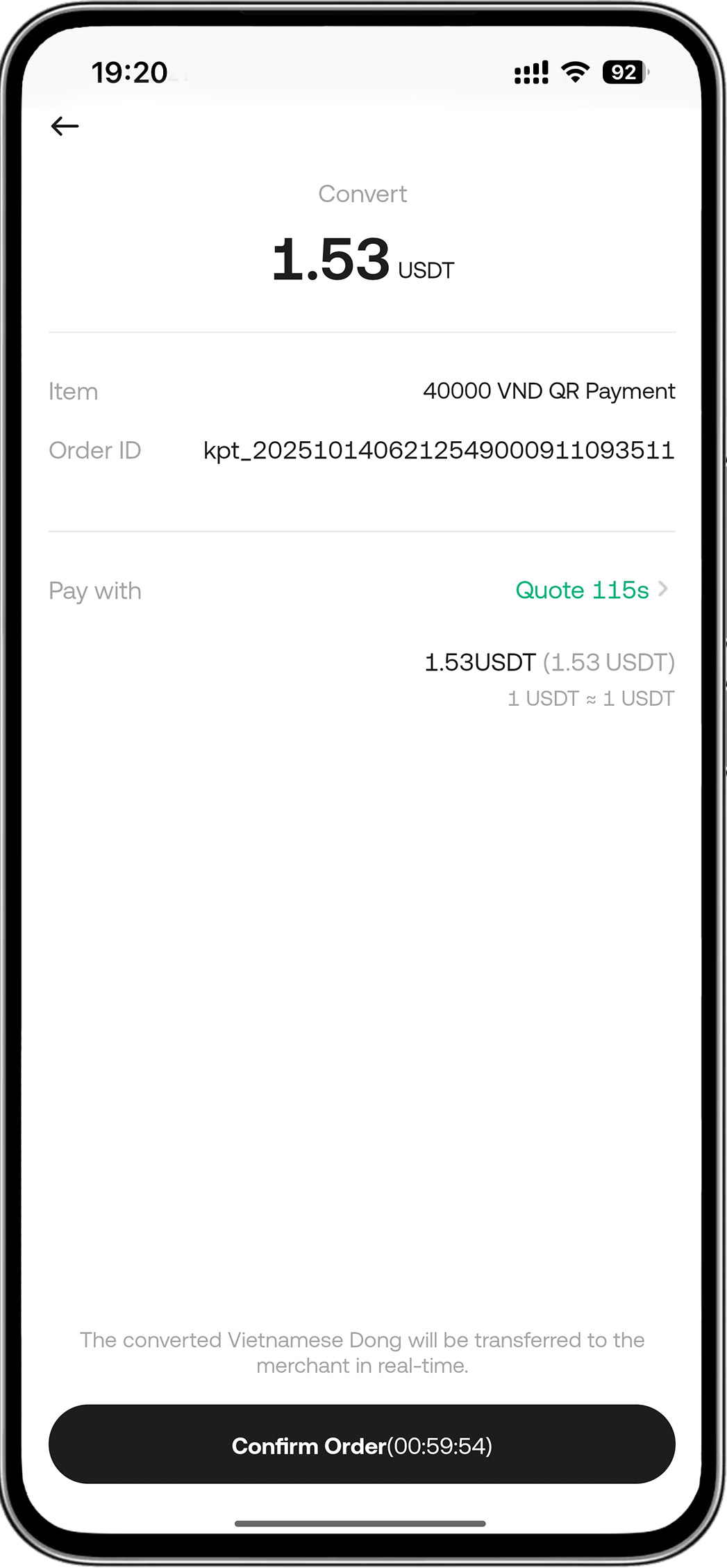
- Step 4: Confirm order
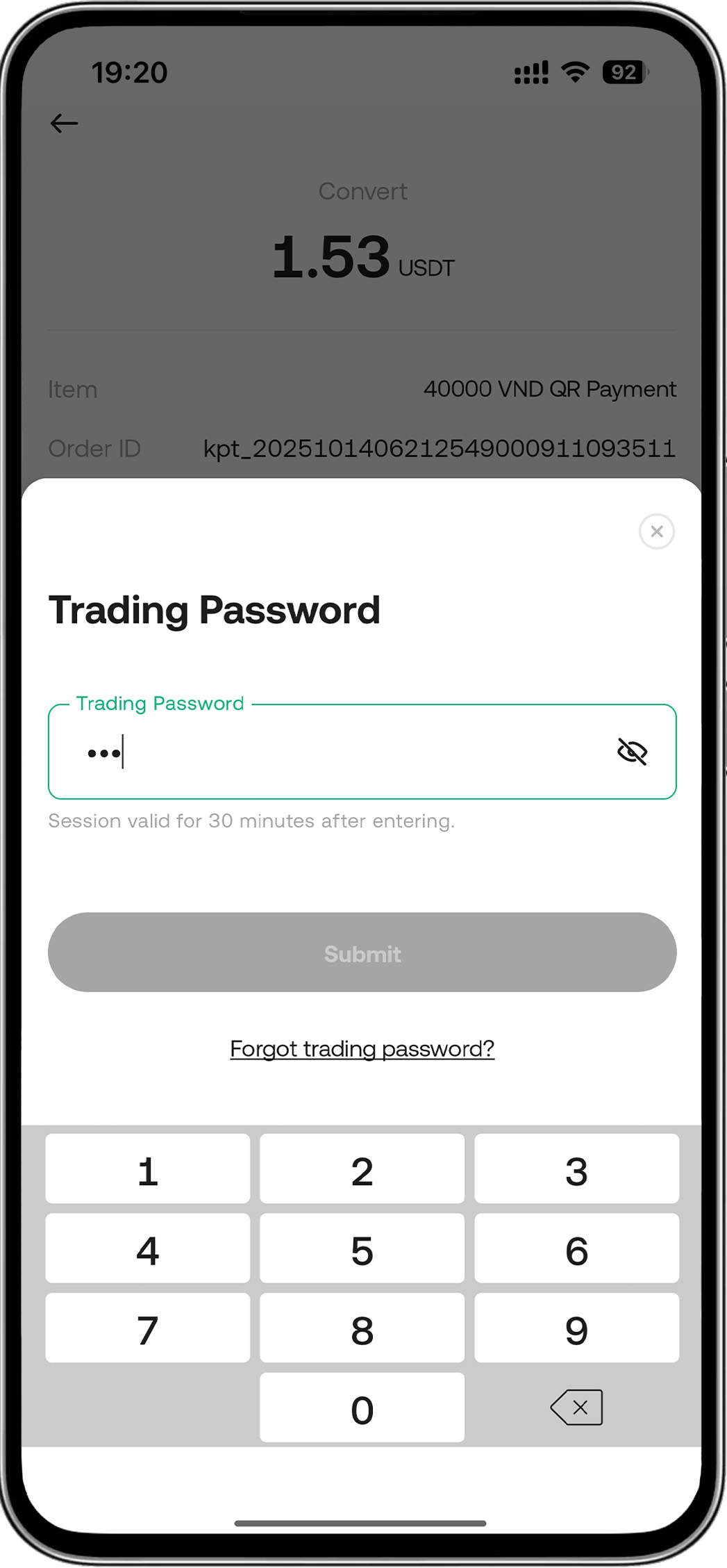
- Step 5: Enter password > Payment successful