
How to Participate in KuMining Cloud Mining by Purchasing Hashrate
Last updated: 02/27/2026 10:32:06
This guide provides a step-by-step introduction to how to participate in KuMining Cloud Mining, including account registration, identity verification, plan purchase, order payment, and output tracking.
Through separated accounts, dual order modes, and ecosystem integrations, KuMining offers a more professional and flexible mining experience. With just a few simple steps, you can start your PoW mining journey.
I. Registration and Verification
-
Register an Account
-
Visit the KuCoin official website or download the KuCoin App.
-
Click “Sign Up” and complete account registration.
-
-
Complete Identity Verification (KYC / KYB)
-
Click “Verify Now”, submit the required information, and wait for approval.
-
Once verified, you will be eligible to participate in KuMining cloud mining products.
-
-
Access the KuMining Cloud Mining Page
-
Click the link to access the KuMining Cloud Mining page.
-
II. Order Placement and Mining Operations
Step 1: Open a Mining Account
Navigation
-
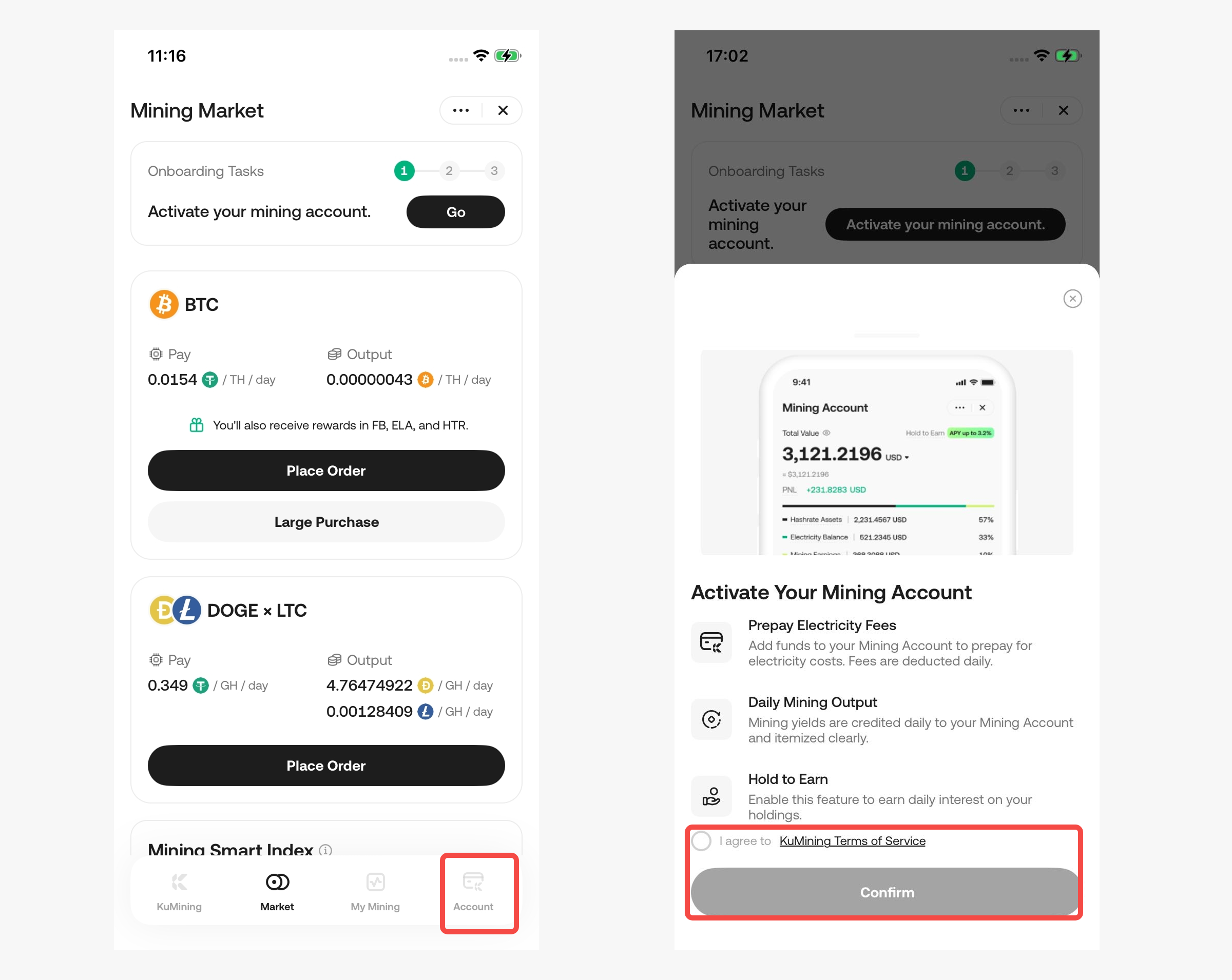
Go to [Account] tab → Click “Open Mining Account”
-
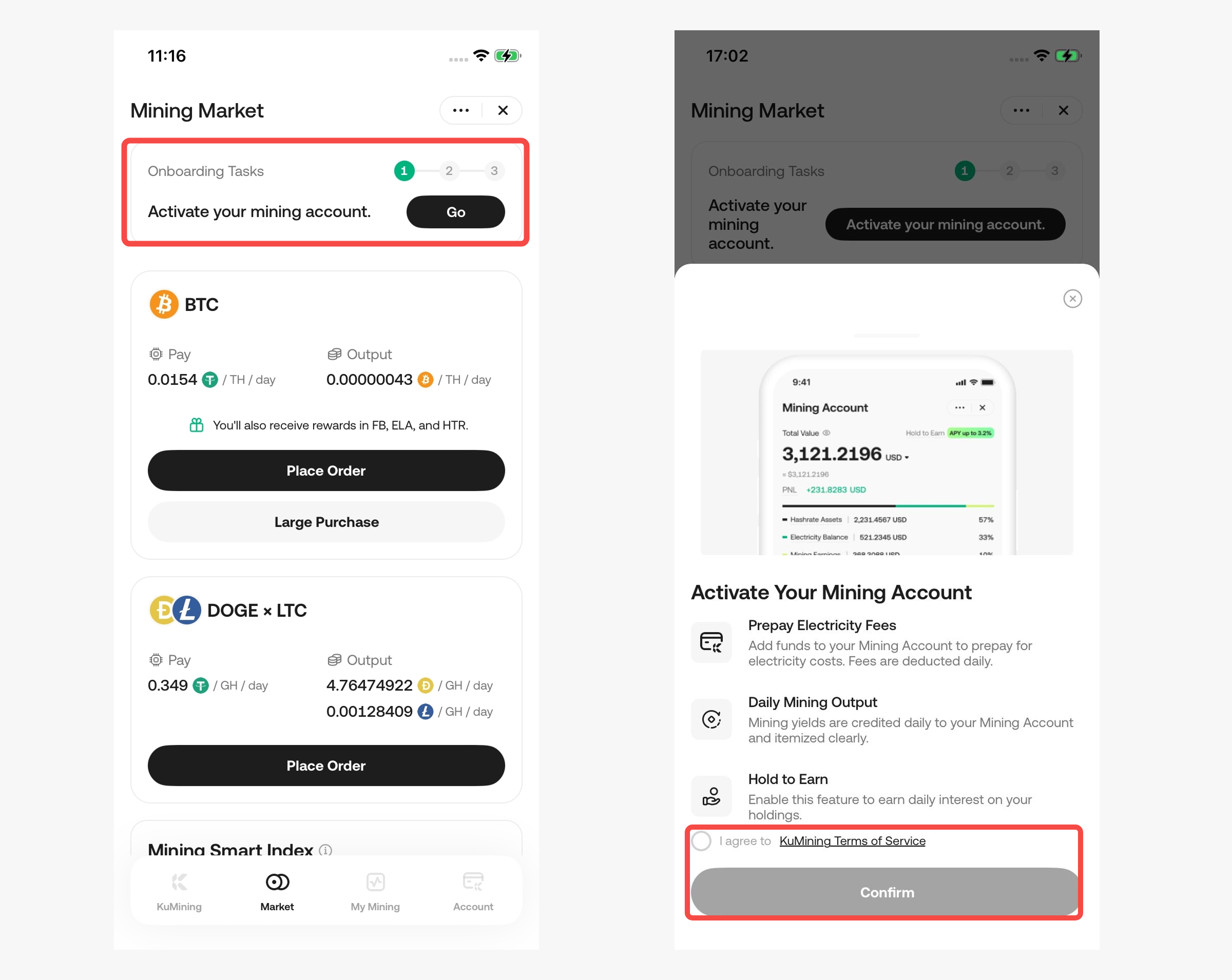
Go to [Market] tab → Click “Beginner Guide” at the top → Complete the sub-task “Open Mining Account”
-
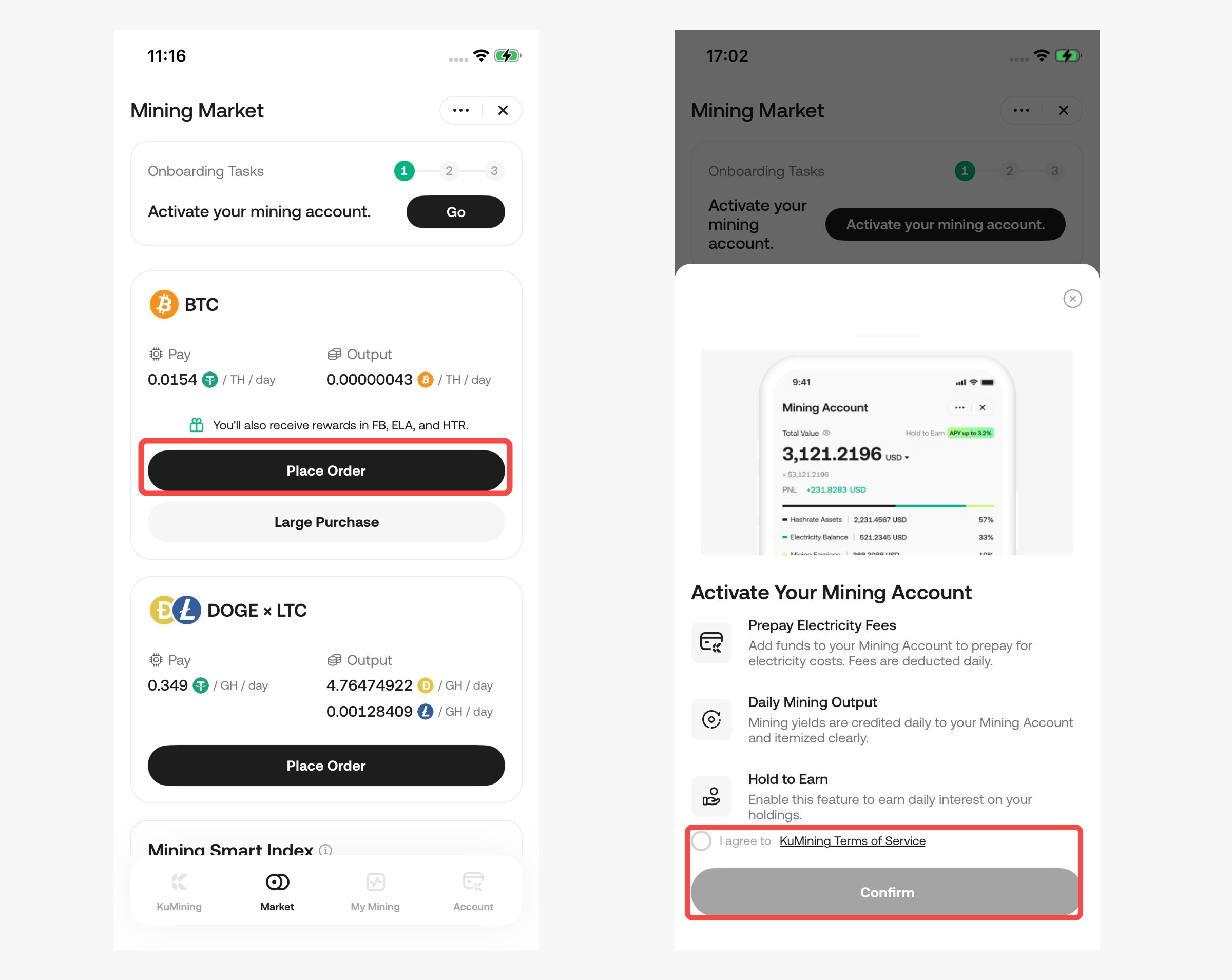
Go to [Market] tab → Select a coin → Click “Place Order” → Follow the prompt to open a Mining Account and proceed to the order page
Notes
-
A dedicated Mining Account must be opened before using KuMining for the first time.
Step 2: Choose an Order Mode and Configure Your Mining Plan
Navigation
-
Open the KuCoin App → [KuMining]→ [Market]
-
Select a coin (e.g. BTC, DOGE & LTC) → Click “Place Order”
-
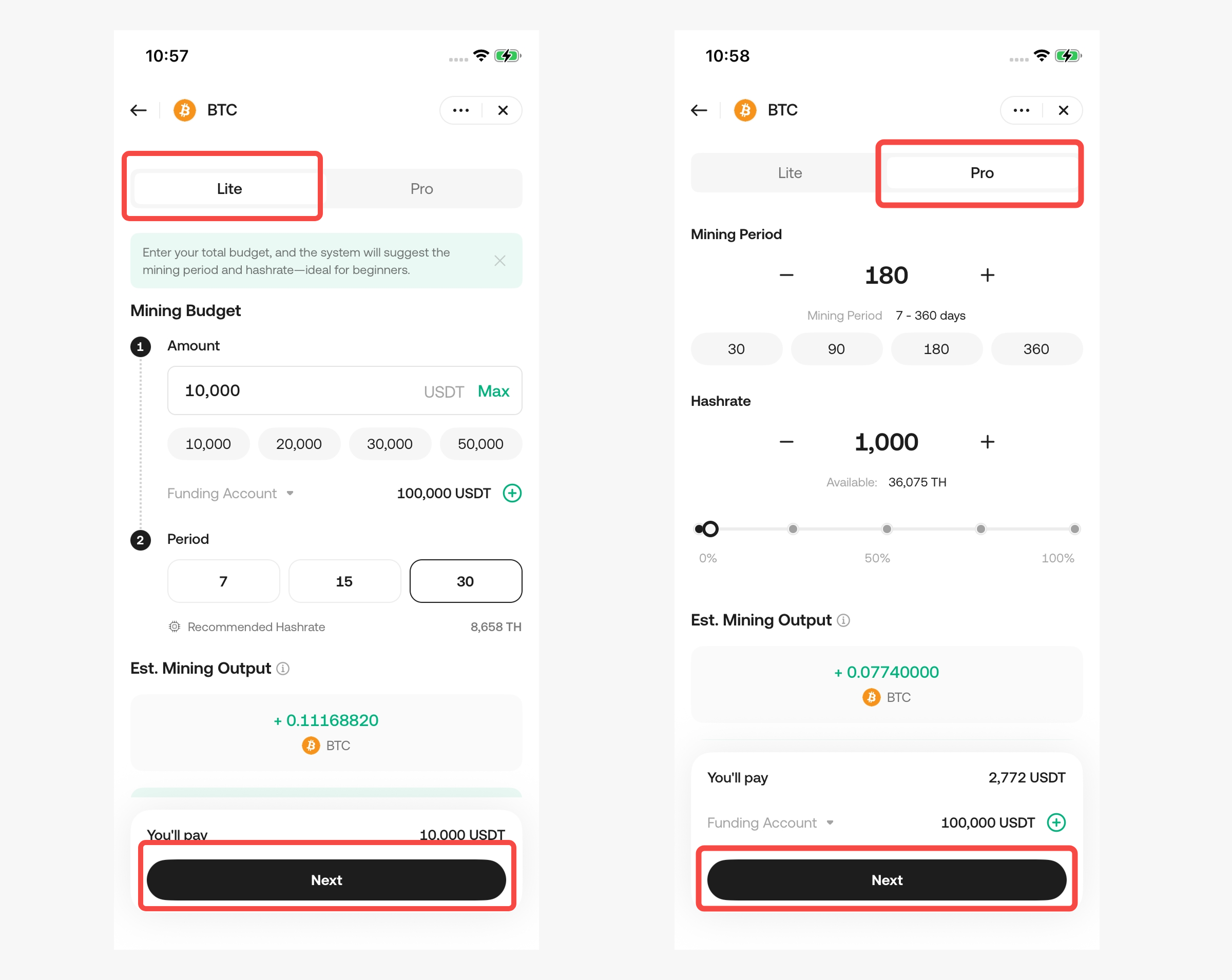
Choose an order mode on the order page:
Mode 1: Lite Mode (Recommended for Beginners)
-
Enter your budget (USDT)
-
Select a mining duration (7 / 14 / 30 days)
-
The system automatically matches a hashrate plan → Click “Next”
Mode 2: Pro Mode (For Advanced Users)
-
Enter the desired hashrate amount
-
Select a mining duration (7–360 days)
-
The system calculates the total hashrate fee → Click “Next”
Notes
-
Only the hashrate fee is paid during order placement
-
Electricity fees are post-paid via pre-deposit and do not affect order submission
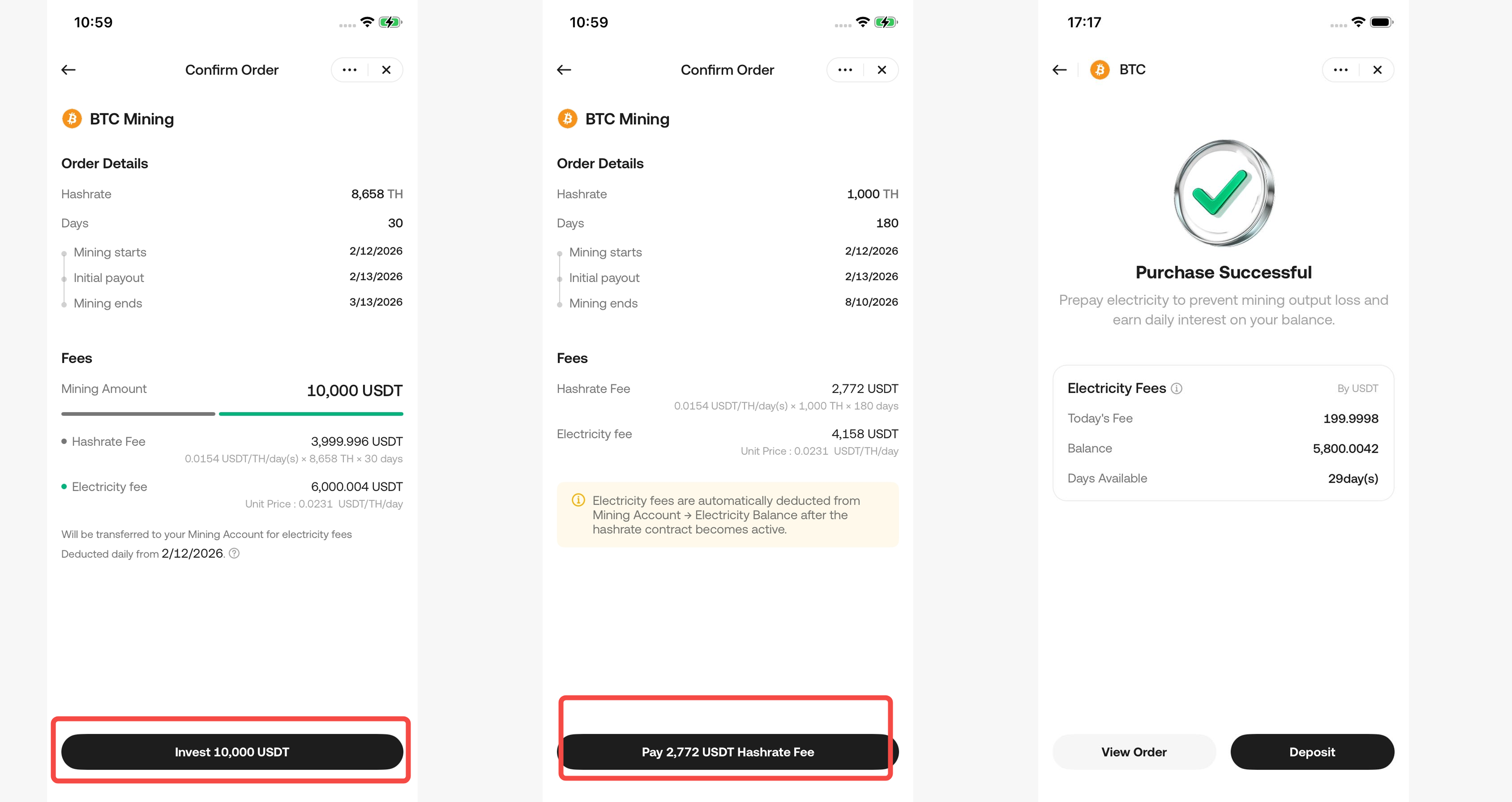
Step 3: Confirm the Order and Pay the Hashrate Fee
Navigation
-
On the order page → Click “Next”
-
Review order details carefully, including:
-
Hashrate amount
-
Plan duration
-
Estimated outputs
-
Mining start time
-
-
Click “Invest” (Lite) or “Pay” (Pro) to pay the fees.
Notes
-
After payment, the order status will show “In Progress”
-
Order details can be viewed under [My Mining] → [Orders]
Step 4: Prepay Electricity Fees and Start Mining
After purchasing hashrate, remember to “fuel” your mining operation.
Navigation
-
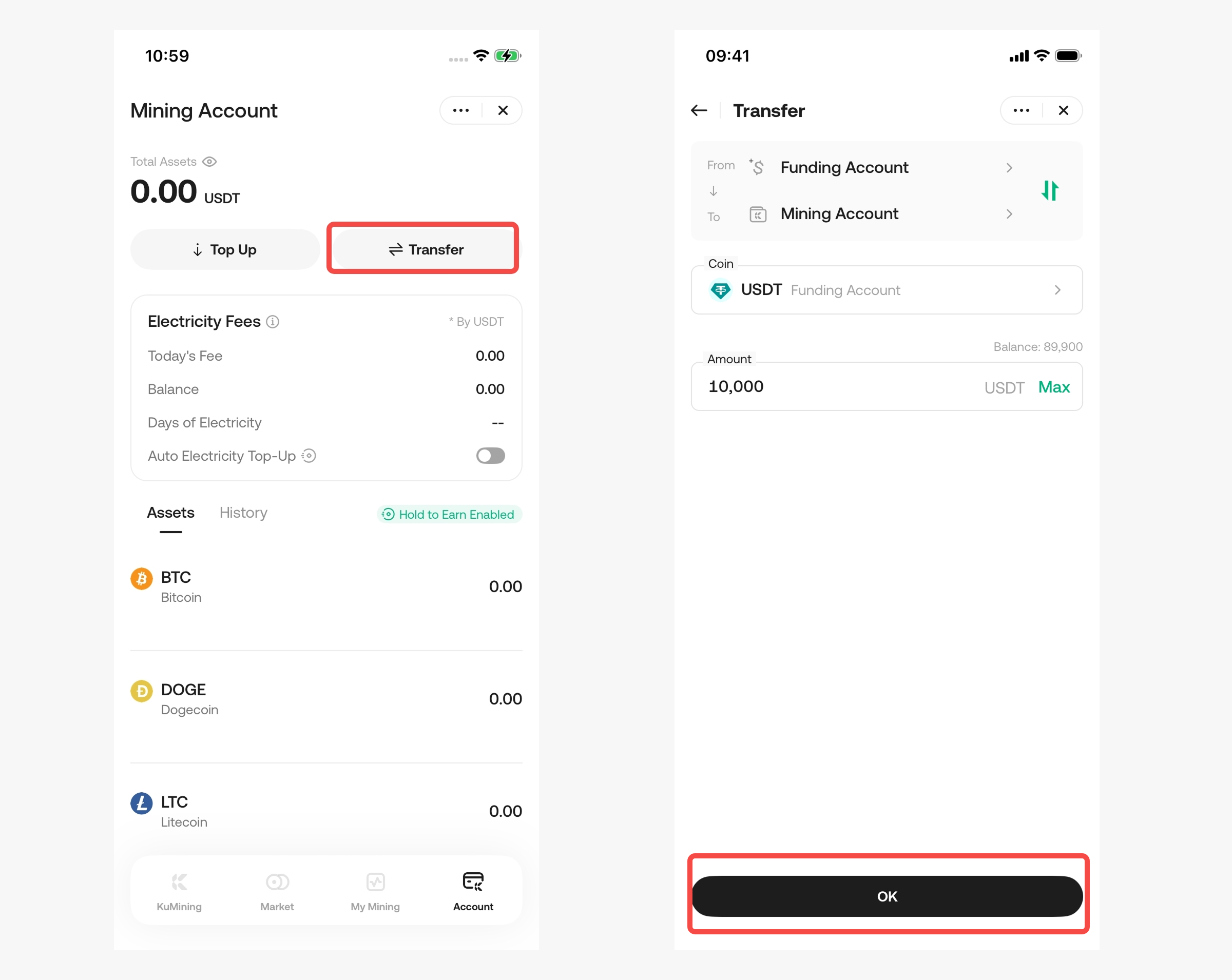
Transfer USDT from other accounts to the Mining Account.
-
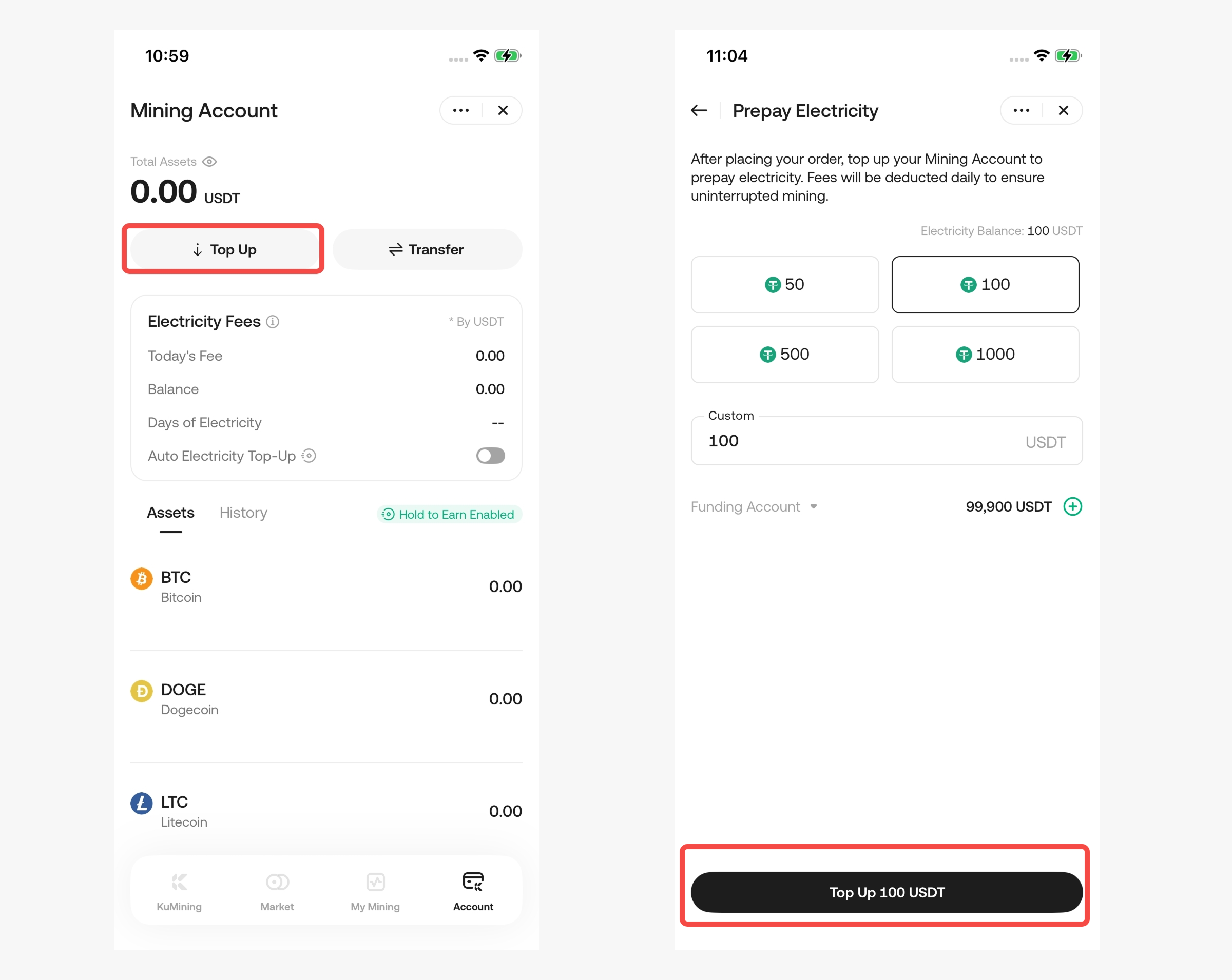
Or directly deposit USDT into the Mining Account (considered as electricity fee prepayment)
-
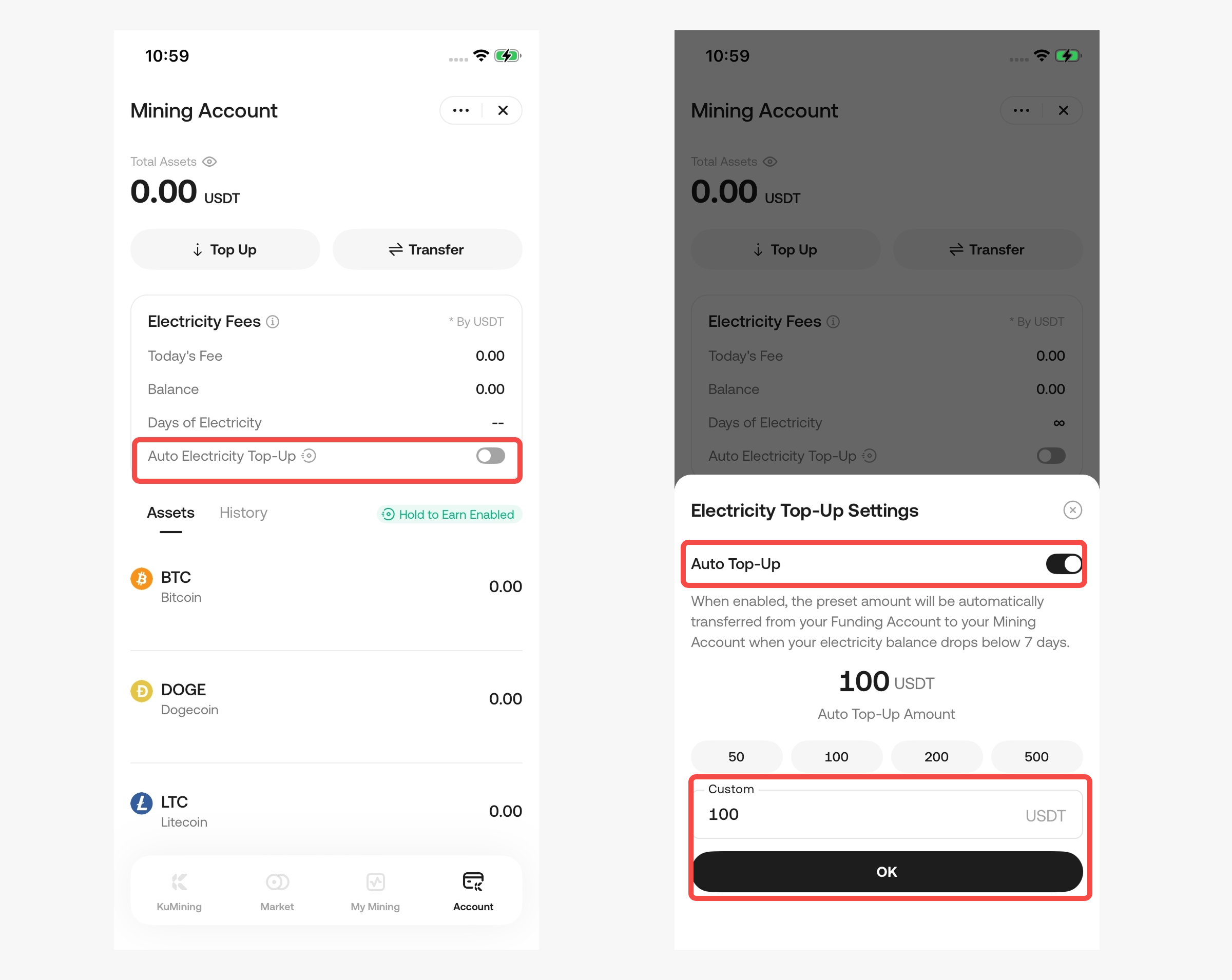
Enable the Auto Transfer feature
-
Wait for mining to start and outputs to be credited
Important Notes
-
Strongly recommended to enable Auto Transfer. When the electricity balance is insufficient, the system will automatically transfer USDT from other accounts to cover electricity fees.
-
Prepaid electricity fees, before being deducted, can participate in Hold-to-Earn to generate additional yield.
-
Electricity fees are deducted daily
-
Please maintain sufficient electricity balance to avoid output freezing
-
Frozen outputs enjoy a 7-day grace period (including the overdue day). If electricity fees are replenished within 7 days, frozen outputs will be released.
Step 5: View Mining Outputs
Navigation
[My Mining]
You can view:
-
Orders Overview – view a summary of all your orders
-
Order Details – view details of individual orders
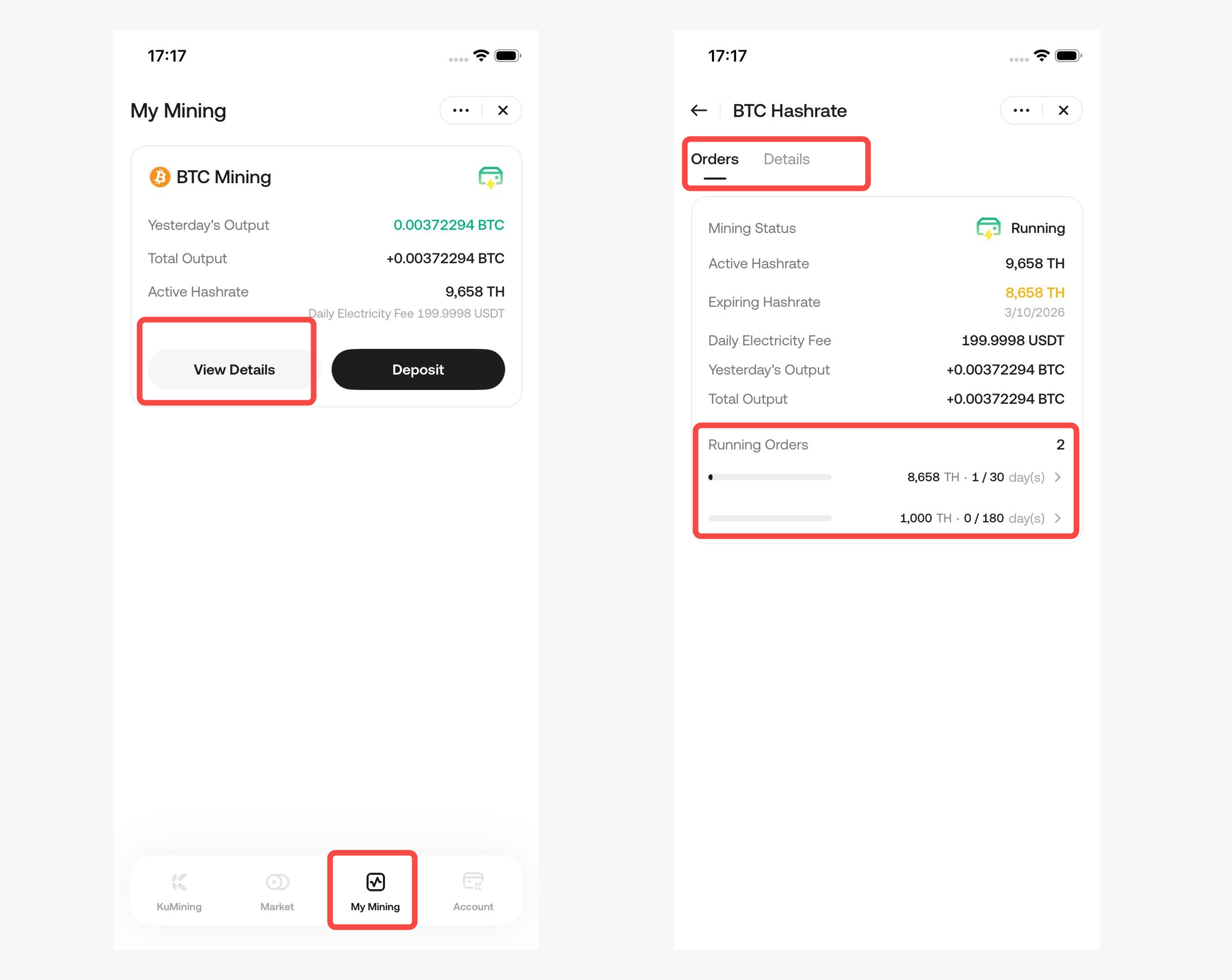
[Mining Account]
You Can View
-
Daily mining outputs
-
Cumulative outputs
-
Remaining estimated outputs
-
Estimated value in USDT (for reference only)
Timeline Tips
-
T Day: Order payment completed and electricity fees prepaid
-
T + 1 Day: Mining machines go live and begin 24/7 mining
-
T + 2 Day: First mining outputs are automatically credited to your Mining Account
Note:
-
For more details about KuMining Cloud Mining products, please refer to the KuMining Cloud Mining FAQ.
-
Join our KuMining Official Community to get the latest updates and rewards.
-
For other inquiries, you can also contact us email vip@kumining.com.