
How to Complete Additional Verification for Pix
Table of Contents
1. What is Pix Additional Verification?
To comply with local financial regulations, KuCoin users must complete an additional Pix verification before making Pix deposits or withdrawals. KuCoin supports two types of Pix verification methods. The system will automatically select the most suitable one for your account. Please follow the on-screen instructions to complete the process.
2. Pix Verification Process
2.1 Method 1
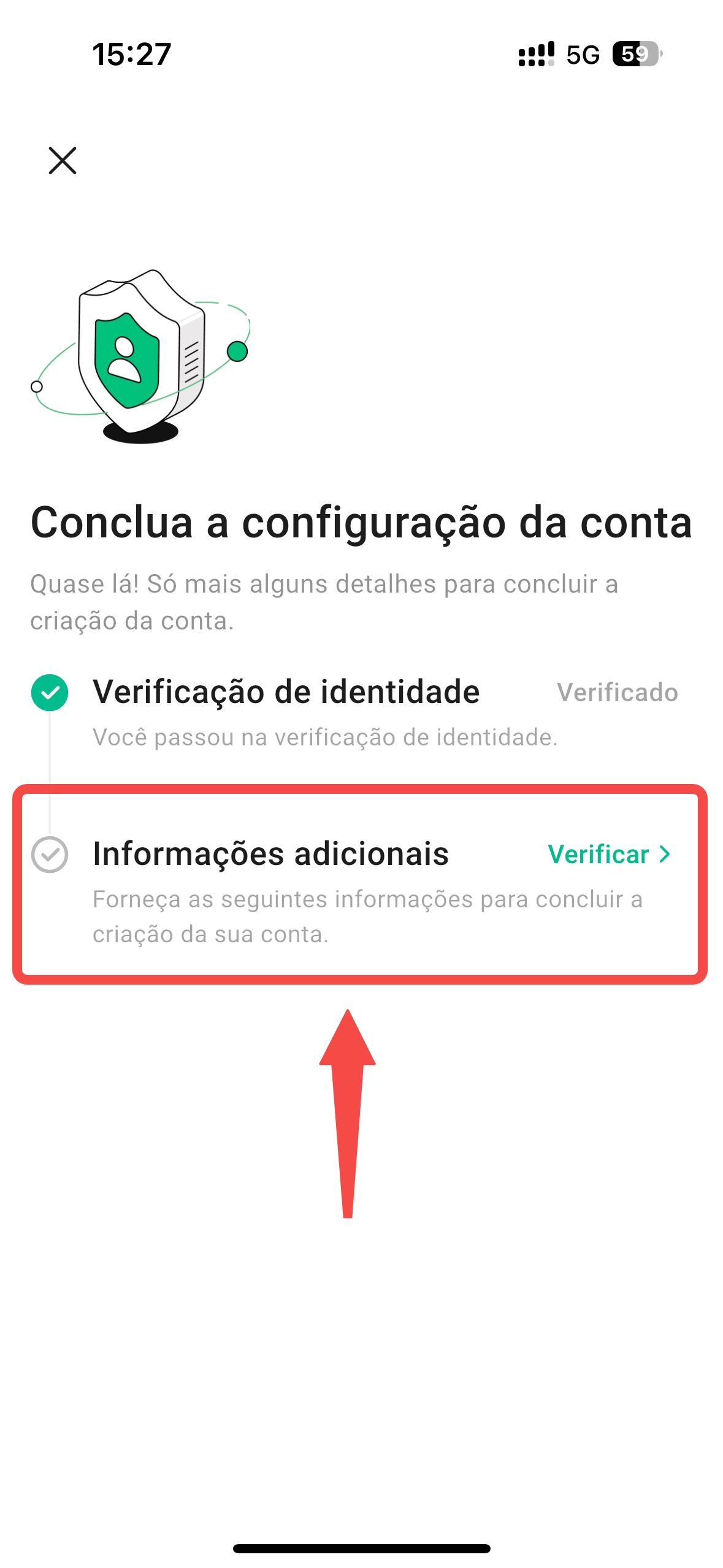
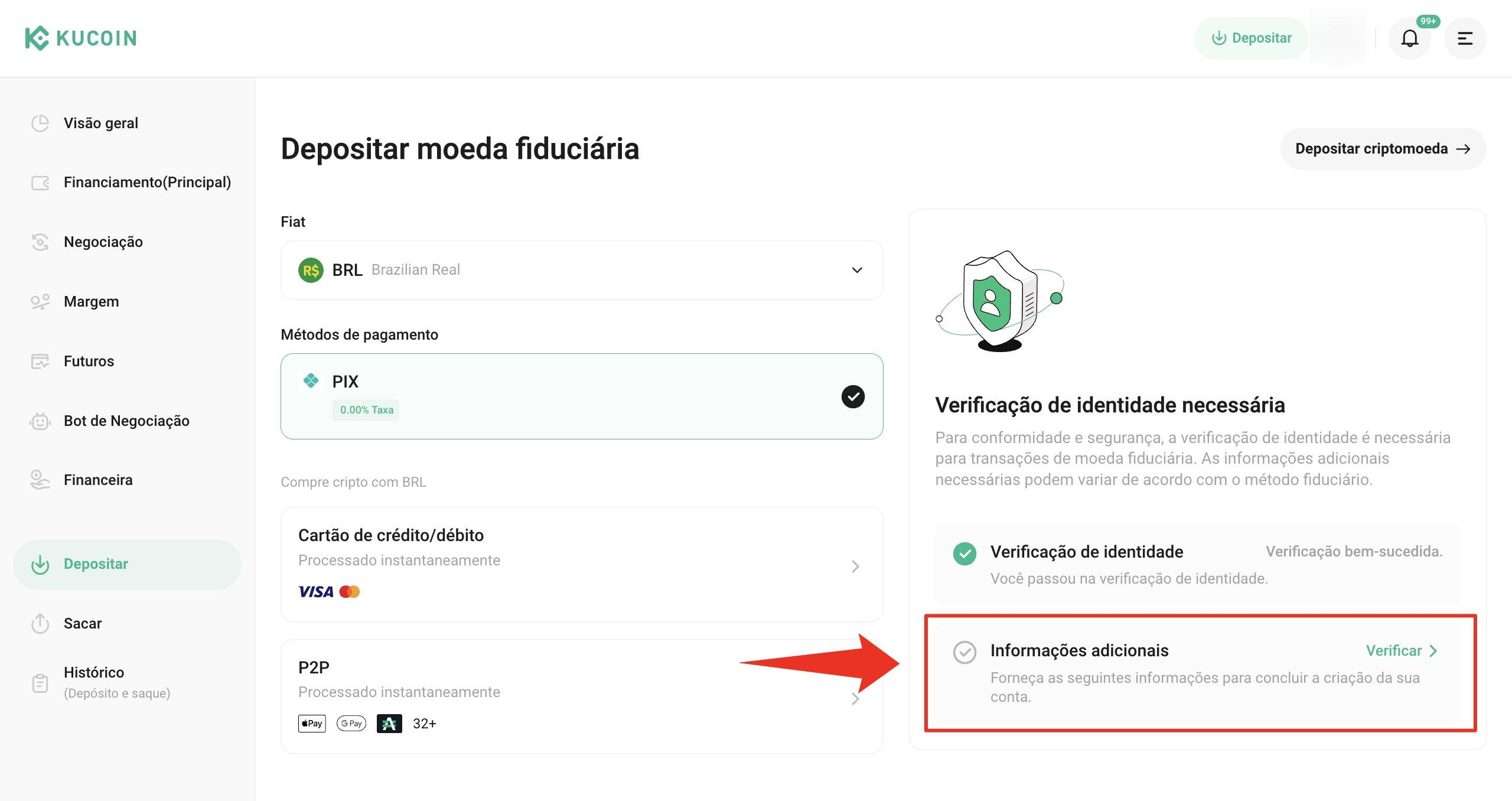
- On the Pix Deposit/Withdrawal Verification page, select Verify Now (see steps below for both the KuCoin app and web versions).
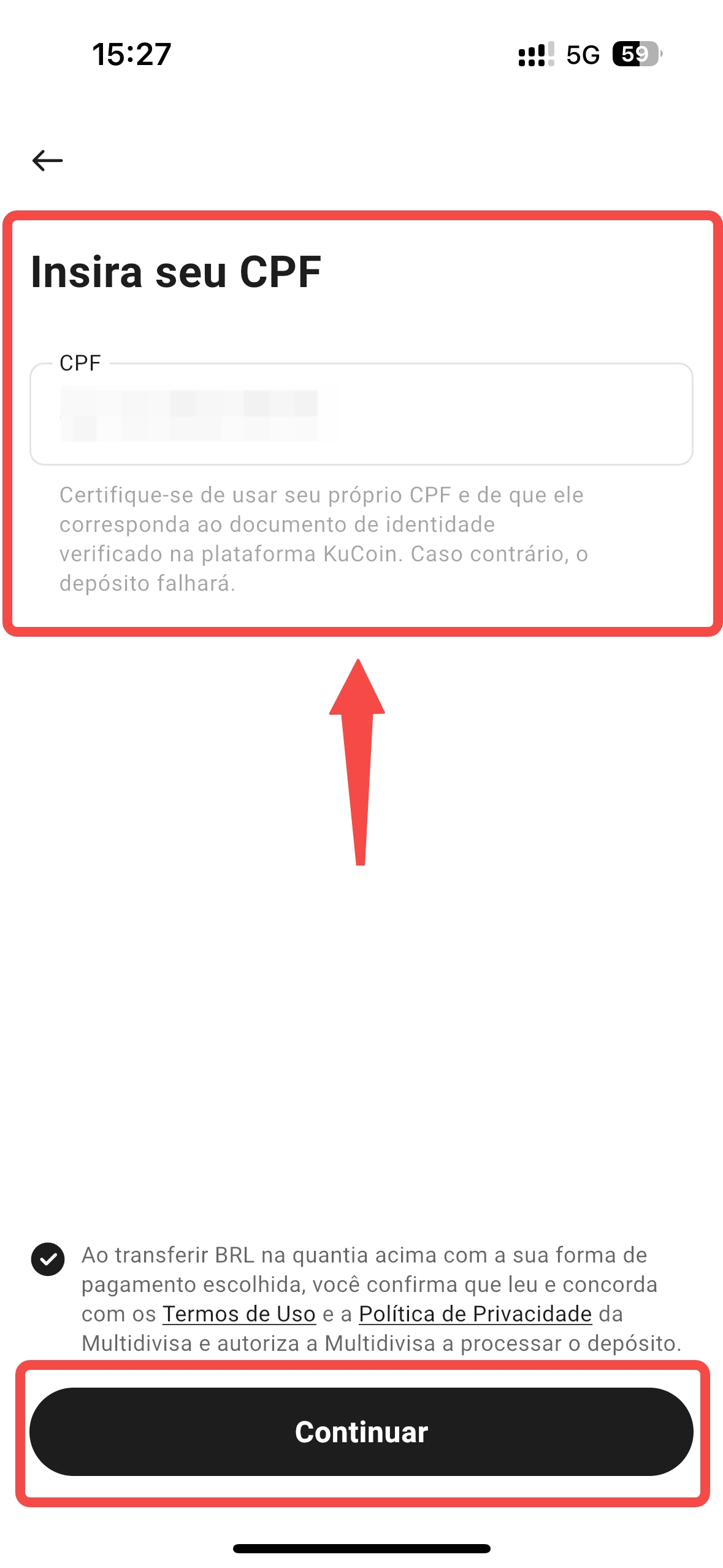
- Enter your CPF number and confirm that the information is accurate. ⚠️ Make sure the CPF holder matches the identity used in your KuCoin account’s Identity Verification (KYC). Mismatched CPF details will prevent funds from being credited successfully.
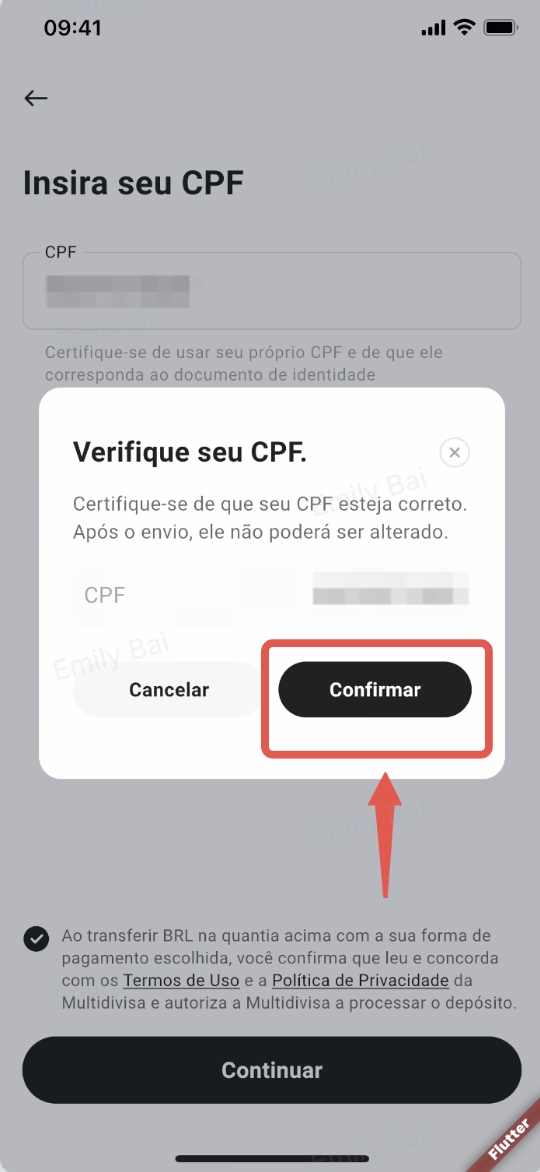

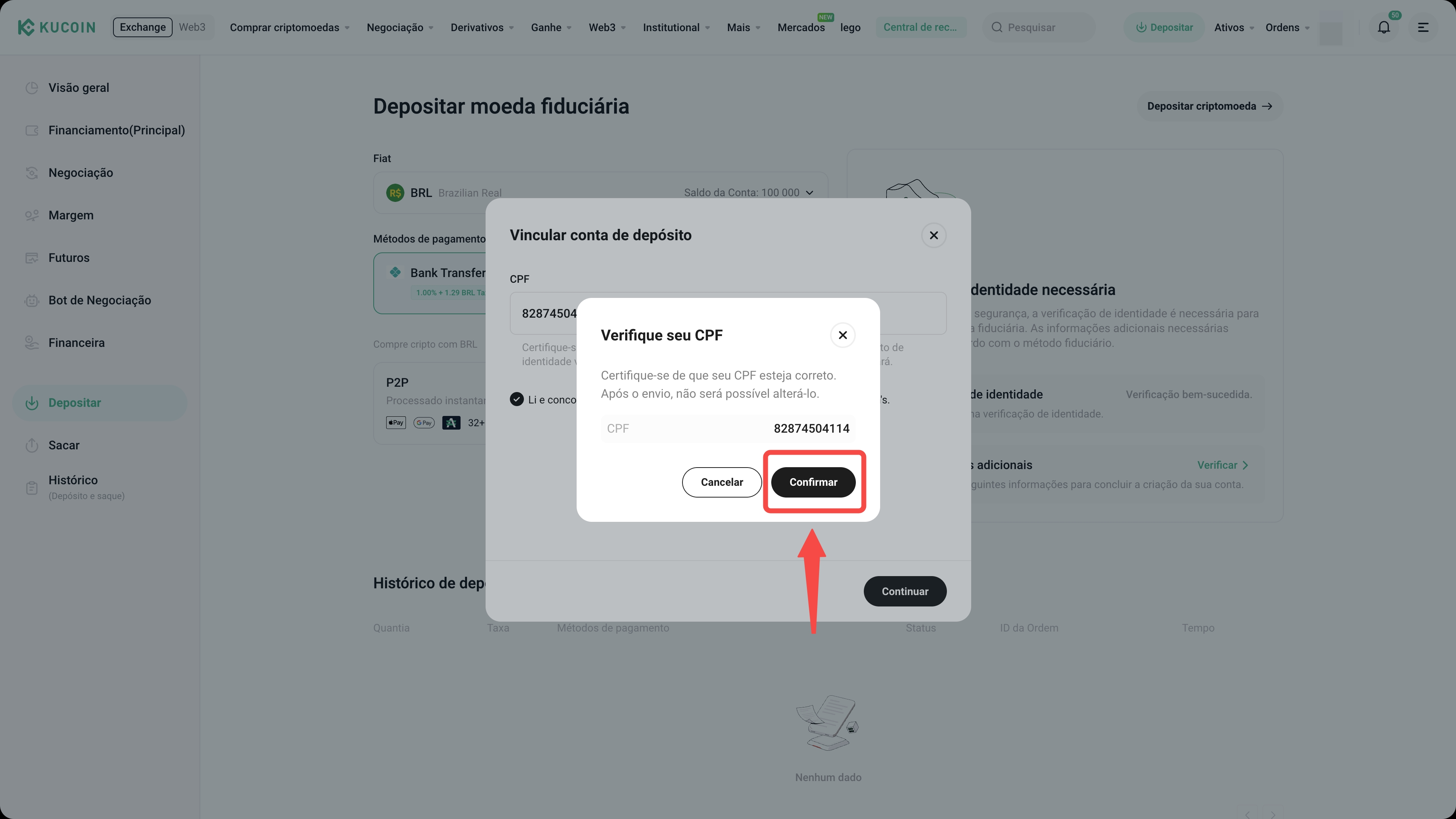
- After submitting the form, wait for the verification result.
2.2 Method 2
- Go to the Pix Deposit/Withdrawal Verification page and enter your full name, email, and CPF number. (Note: The email does not need to match your KuCoin account’s email, but the CPF number must match the one used for your KuCoin Identity Verification (KYC).
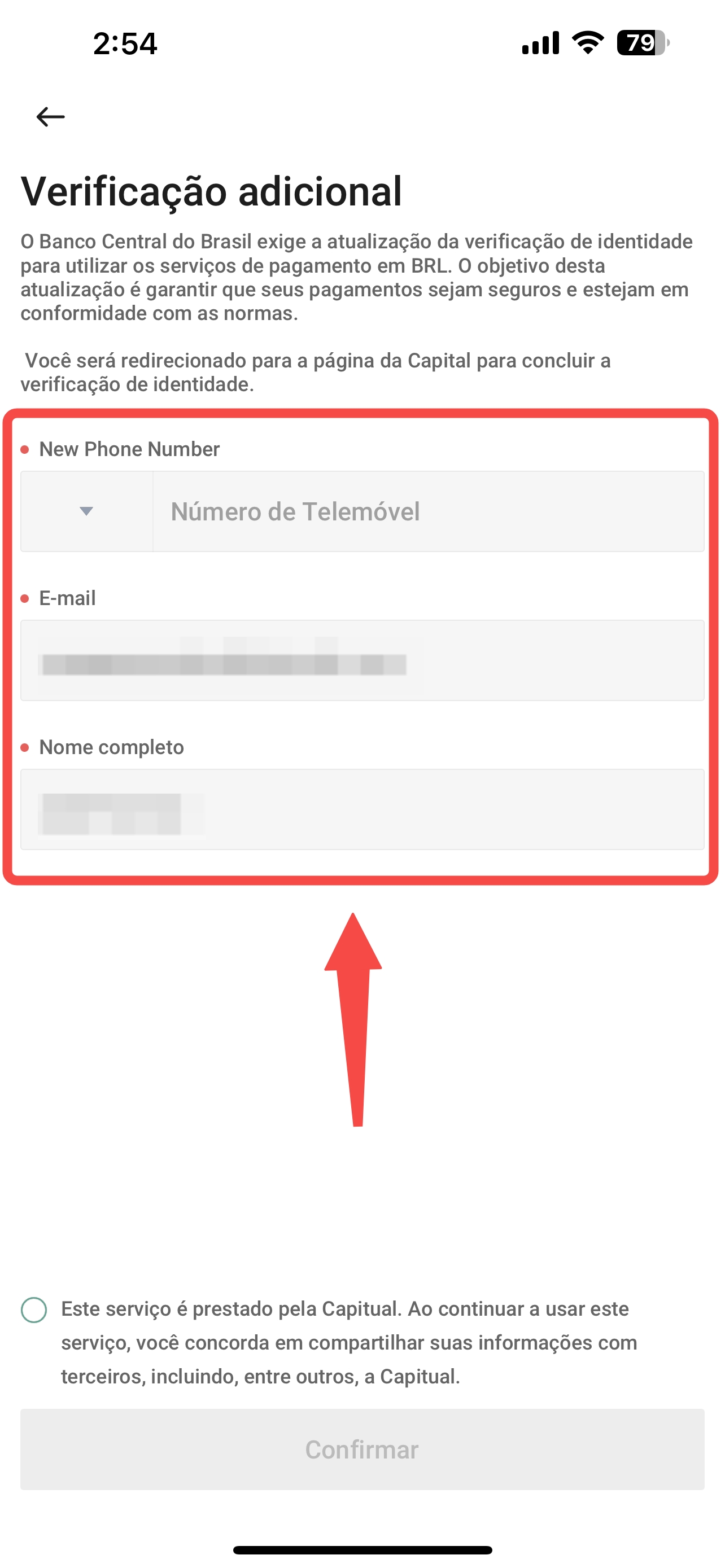
-
Click Next and provide the required information, including your: CPF number, full name, photo of your ID, and selfie.
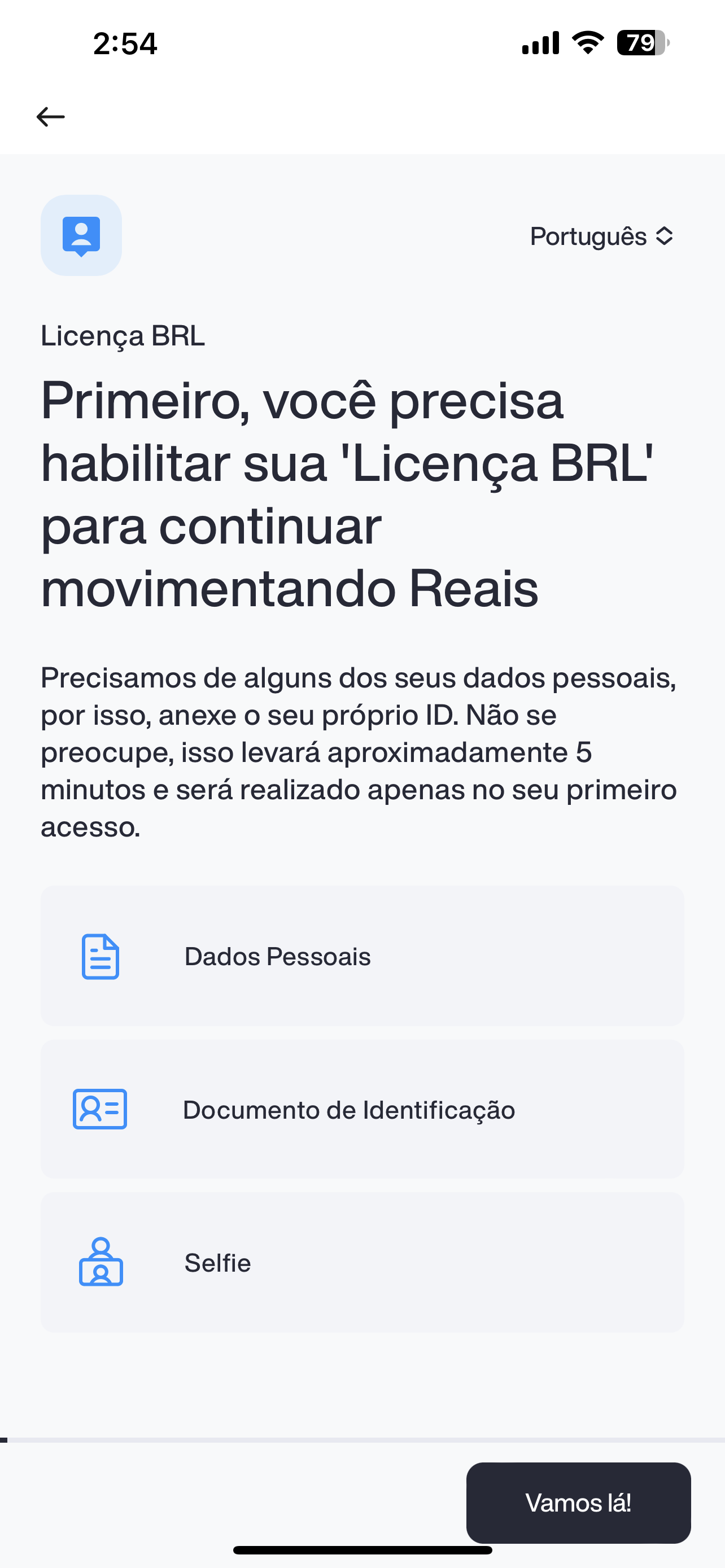
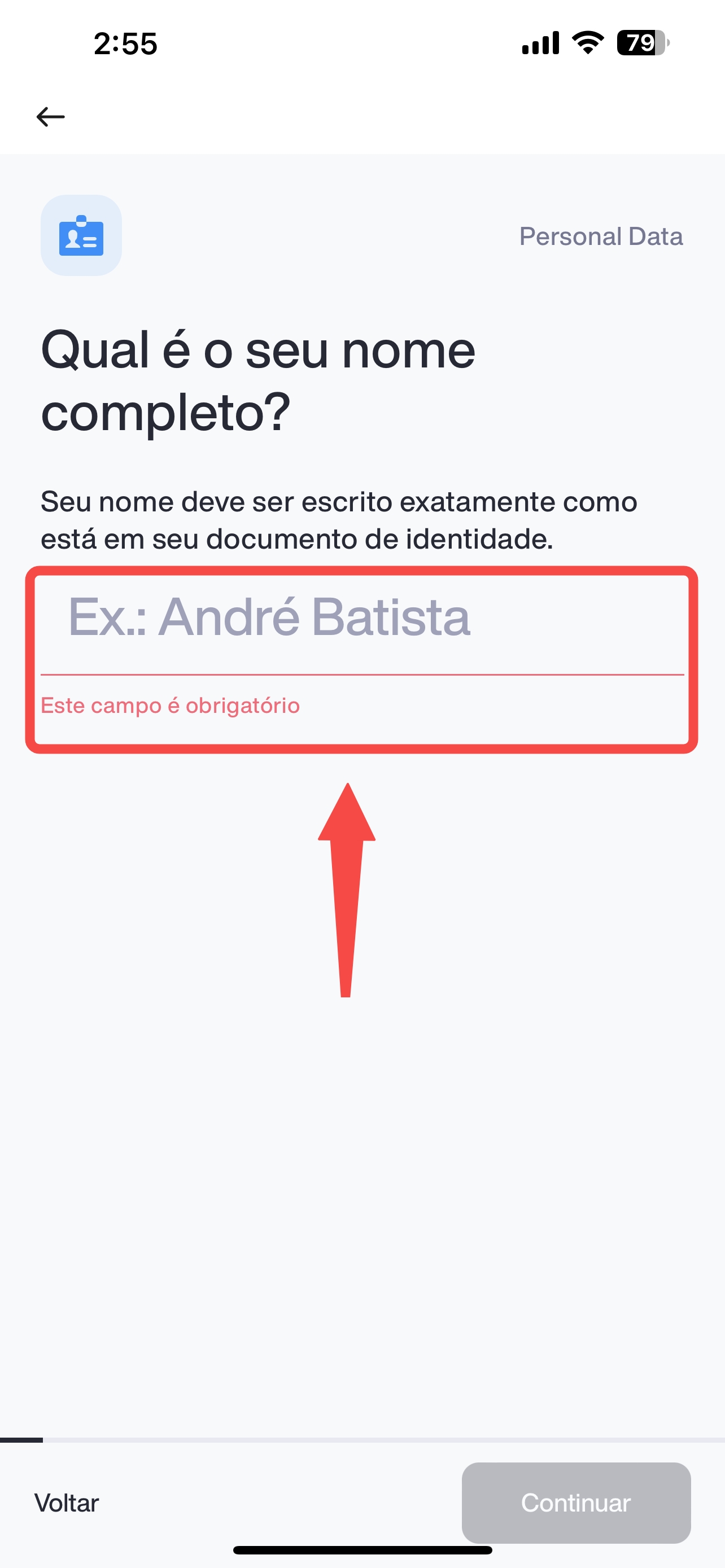
- After submitting all the details, you'll be redirected back to the KuCoin page to wait for the verification result. In most cases, the results are available within 5 minutes.
3. Frequently Asked Questions (FAQ)
3.1 Why did my additional verification fail?
If you used Method 1, please check:
- Whether the CPF number is entered correctly
- Whether the CPF has already been used for a previous Pix verification (each CPF can only be linked once)
If you used Method 2, confirm the following:
- CPF number and name match your KYC records
- Selfie is clear and unobstructed
- No one else is visible in the selfie background
- Photos have not been edited or cropped
3.2 I entered the wrong CPF but already submitted the Pix verification, what should I do?
If the CPF entered does not match your KuCoin KYC information, your funds may not be credited properly. Please ensure the CPF used in Pix verification matches your KYC-verified identity on KuCoin.
If you've submitted incorrect information or encounter any issues, contact the KuCoin support team immediately. Our team will assist you in resolving the matter as soon as possible.