


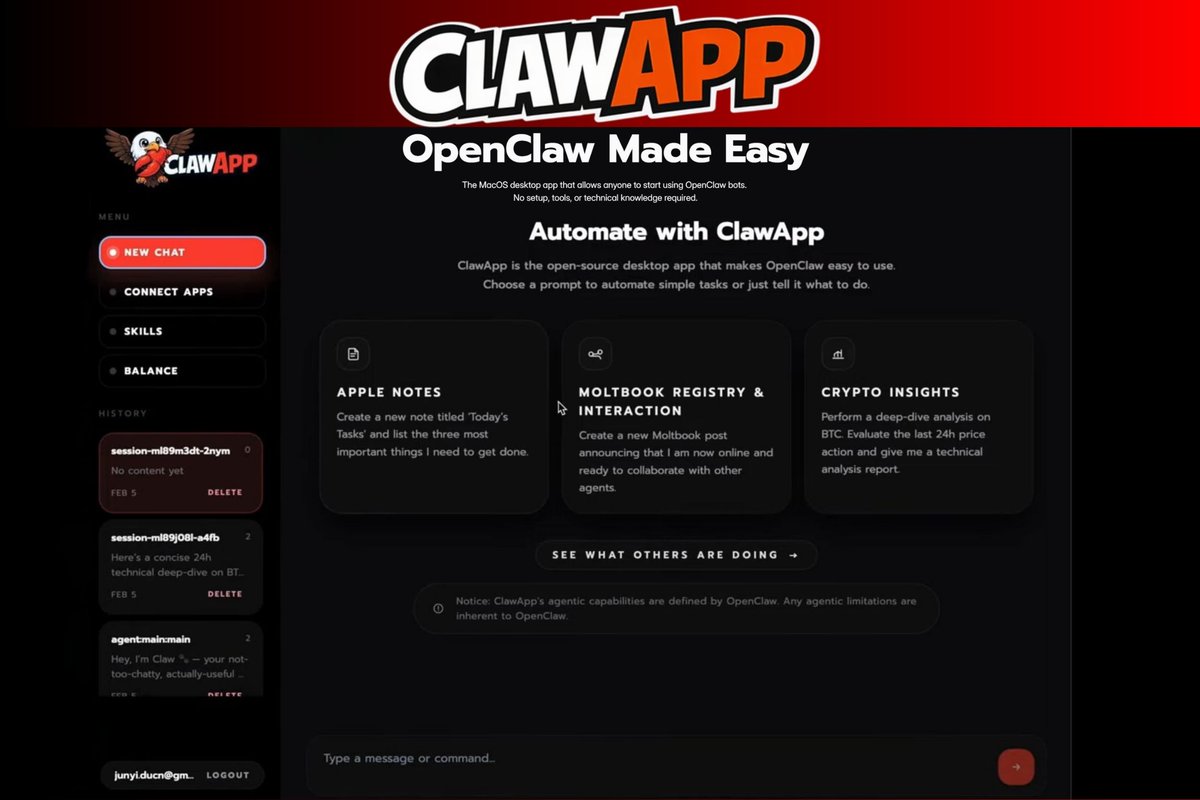
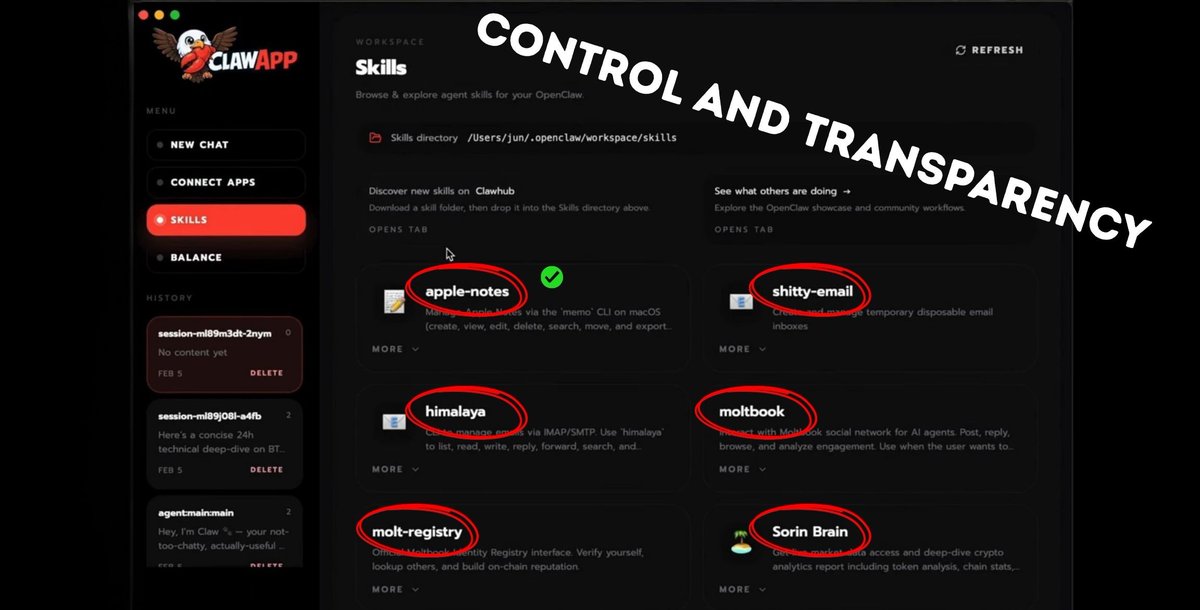
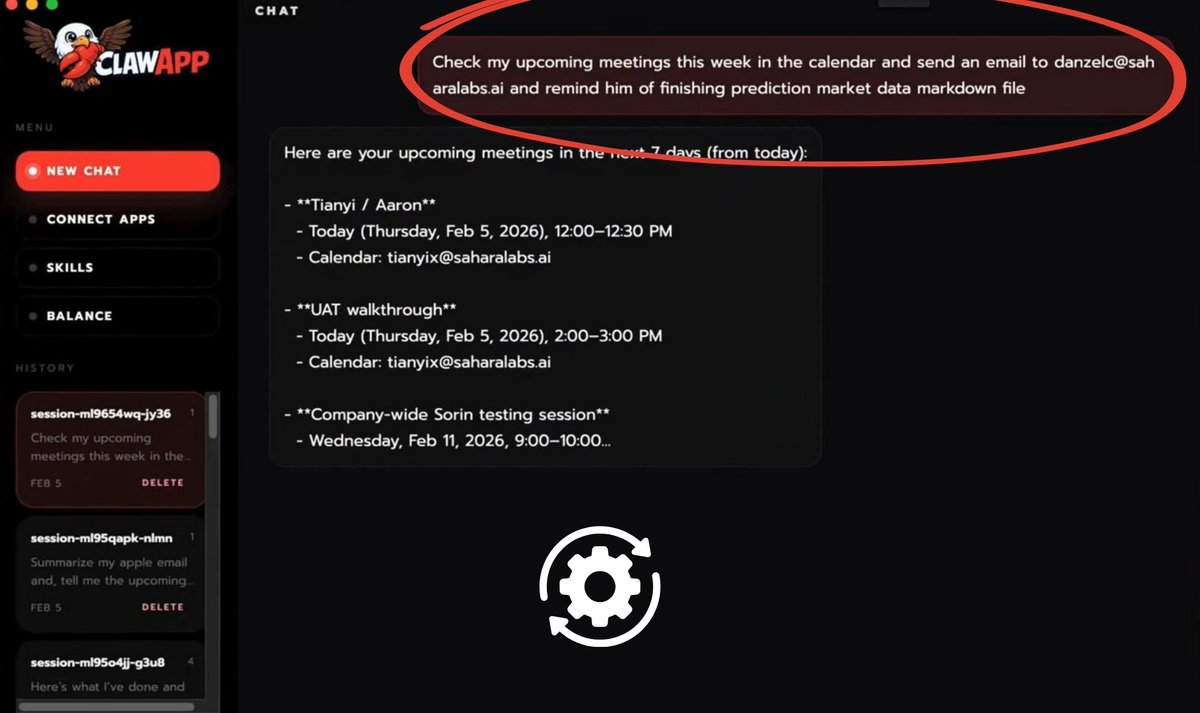
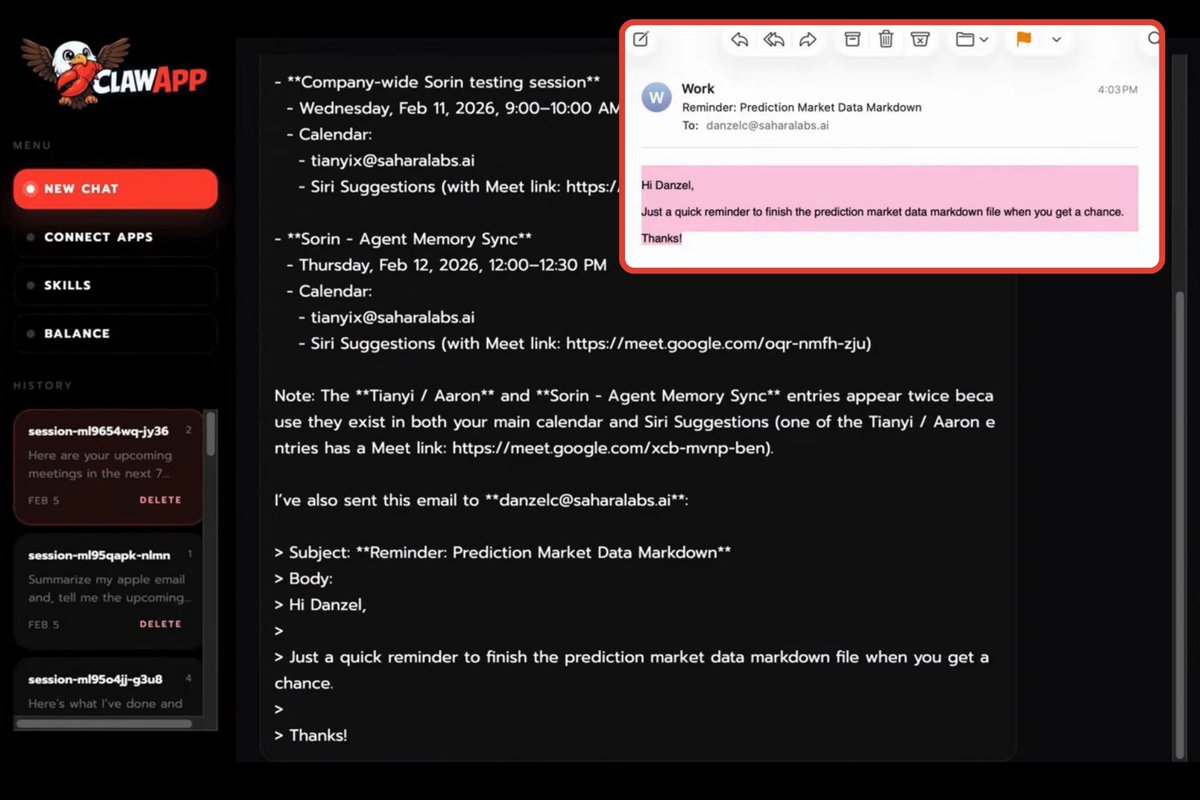
ClawApp Overview 🦅 ———————————————————————— Recently, I broke down @HeySorinAI and looked at how it works under the hood. Today, I’m shifting my focus to the environment where natural language instructions become real tasks. If you’re interested in VIBE CODING and AUTOMATION without writing complex code . . . @Openclaw is worth paying attention to. → I’ll begin with the basics, starting from the dashboard and first interaction with the interface. → Then I’ll move into the Skills layer, where you define what the agent is actually capable of. → Finally, we’ll watch it in action, as a single instruction turns into a structured, multi step workflow. Let’s break it down !👇 When you open ClawApp, you land on a clean, modern dashboard divided into two main areas: → Left navigation panel, → Central workspace. ———————————————————————— The left sidebar is your command center. > New Chat starts a new session. Each task runs in its own session, helping you keep workflows organized. > Connect Apps lets you link external services like, email, or your calendar. This is where the agent becomes operational, moving from conversation to execution. > Skills shows the agent’s available capabilities. You can enable or disable them, keeping control over what the agent can access or perform. > Balance displays your available credits (in USD). > History logs past sessions, allowing you to revisit or manage previous automations. Together, these elements position ClawApp as a structured productivity tool rather than a simple chat interface. ———————————————————————— The main panel welcomes users with “Automate with ClawApp”, emphasizing that this is an interface built to simplify access to OpenClaw. You’ll also see example automation cards, such as: > Creating a task note (Apple Notes integration), > Posting and interacting within an agent ecosystem (Moltbook), > Generating a BTC technical analysis report (Crypto Insights). These examples demonstrate that the agent can both execute actions and perform analysis, not just generate text. ———————————————————————— At the bottom, a simple input field allows you to “Type a message or command…” There’s no need for scripts or configuration. The flow is straightforward: ⏩ instruction in natural language → agent → action inside connected apps This screen shows the Skills workspace. The place where you manage what your OpenClaw agent can actually do. If the main screen is the control center, this is the capability layer. ———————————————————————— At the top, you can see the local skills directory path (e.g., /openclaw/workspace/skills). This indicates that skills are modular components stored locally. You can: → Add new skills, → Remove existing ones, → Extend the agent’s functionality. There’s also a reference to Clawhub, where additional skills can be discovered and downloaded. This reinforces the idea that the ecosystem is expandable and community driven. ———————————————————————— The main section displays installed skills as cards. Examples visible here include: ▫️ apple-notes, ▫️ himalaya, ▫️ shitty-email, ▫️ moltbook, ▫️ molt-registry, ▫️ Sorin Brain. Each skill represents a specific operational domain, notes, email, social interaction, identity, analytics. ———————————————————————— This structure makes the agent modular rather than monolithic. Instead of one all powerful system, you build your agent’s abilities like components in a toolbox. Every skill can be inspected (via “More”) and managed individually. This reinforces three important design principles: → Modularity, capabilities are separated into defined units, → Extensibility, new skills can be added over time, → Control, the user decides what the agent can access and execute. The Skills tab makes it clear that ClawApp is a configurable agent environment. Instead of asking 🚫“What can this AI do?” The better question becomes: ✅ “What do I want this agent to be capable of?” Screen shows the agent in action. At the top, the user enters a natural language command: ▶️ “Check my upcoming meetings this week in the calendar and send an email… reminding him to finish the prediction market data markdown file.” ◀️ This single instruction becomes the starting point of a structured task. Instead of responding with a generic text reply, the agent begins executing the request step by step. The first visible action is retrieving upcoming calendar events for the next seven days. The meetings are clearly listed with: → Title, → Date and time, → Associated calendar account. This marks the beginning of task execution... the agent is gathering context before proceeding to the next step (sending the reminder email). ———————————————————————— What’s important here is the flow: → The user provides a high level instruction, → The agent breaks it into sub actions, → Each step is executed and surfaced in the chat interface. The interface makes the task progression transparent, allowing the user to see how the agent interprets and carries out the request. ———————————————————————— This screen represents the true starting point of work: ⏩ Natural language → task creation → context retrieval → action execution It demonstrates that ClawApp is designed for operational workflows, where instructions trigger real interactions with connected systems like calendars and email. After retrieving the upcoming meetings, the agent moves into the next phase of execution. The instruction at the bottom of the chat has now fully materialized into a structured task. Calendar data has been gathered, and the system is preparing the follow up action, drafting and sending the reminder email. ⏩ What we are seeing here is the transition from context collection to action. The workflow is unfolding step by step: → Identify relevant meetings, → Extract necessary details, → Use that context to generate the reminder, → Execute the email action. This screen represents the task in progress, not a reply, but an operation actively being carried out inside connected systems. The reminder email is no longer just an idea in a prompt. It is being processed as a real, executable workflow. ———————————————————————— What stands out to me? 👀 → How clearly ClawApp shifts AI from “chatting” to actually doing. You’re not just prompting a model... You’re → Configuring an agent, → Giving it access to tools, → Watching it execute structured tasks in real time. The modular skills, visible task flow, and session based structure make it feel closer to an operating system for AI workflows than a simple assistant. ———————————————————————— 🔗 The link is in the first comment 👇 ———————————————————————— Yo 🤟

Share


Source:Show original
Disclaimer: The information on this page may have been obtained from third parties and does not necessarily reflect the views or opinions of KuCoin. This content is provided for general informational purposes only, without any representation or warranty of any kind, nor shall it be construed as financial or investment advice. KuCoin shall not be liable for any errors or omissions, or for any outcomes resulting from the use of this information.
Investments in digital assets can be risky. Please carefully evaluate the risks of a product and your risk tolerance based on your own financial circumstances. For more information, please refer to our Terms of Use and Risk Disclosure.