




Author: Denise | Biteye Content Team
As a content creator, you've likely experienced this process:
Look for information → Decide on a topic → Write content → Doubt yourself → Revise repeatedly → Struggle with formatting → Publish → No one reads it.
The issue isn’t that you’re not trying hard enough—it’s that you’re relying purely on intuition, dealing with scattered information, struggling to choose topics, not knowing what’s wrong after writing, spending too much time on formatting, producing slowly, and inconsistent quality.
The solution is to reconstruct the content workflow throughout this entire process using "skills." By defining these skills, implicit expertise becomes explicit tools, making the entire chain—from information gathering to final output—more systematic, significantly improving both efficiency and quality.
This article teaches you how to write your own skills, using the real workflow of content creators as an example, and provides three core practical skills, along with the SKILL.md standard format to help you get started faster.
What is content creation "skill"-ization?
Simply put, it’s writing a step-by-step guide for something you do repeatedly so it can be executed consistently.
When you turn your experience into a Skill, several things happen:
- Turn vague experience into something replicable: After gathering information, you don’t know how to turn it into a topic; after writing a draft, you don’t know how to review it… Once turned into a skill, you can follow a standardized process every time.
- Significantly reduce redundant and inefficient work: Avoid starting from scratch each time; the process for topic selection, auditing, and formatting is noticeably faster.
- Improve output quality and stability: With clear steps and output standards, article quality becomes more controllable.
- Build a personal content creation system: Combine multiple skills to form a complete workflow from information gathering → topic selection → writing → auditing → formatting → publishing.
Two: Don't be afraid, beginners! Here's the tutorial.
Writing a skill is very simple—you only need a folder and one SKILL.md file.
Step 1: Install Skill Creator (your "Skill Creation Factory")
Before you begin writing a skill, we strongly recommend installing the Skill Creator.
It is not intended to perform a specific business task, but rather specifically designed to help you (and the AI Agent) write, test, validate, and package new Skills faster and more consistently.
Its core uses are threefold:
- Skill initialization: Built-in init_skill.py script. Simply launch it with a new idea to instantly generate a standardized Skill folder template with the correct SKILL.md structure, significantly reducing manual creation errors.
- Guidelines: It comes with a complete set of "Skill Writing Guidelines" that teach you how to break down complex business logic into instructions, steps, and output formats that AI Agents can easily understand.
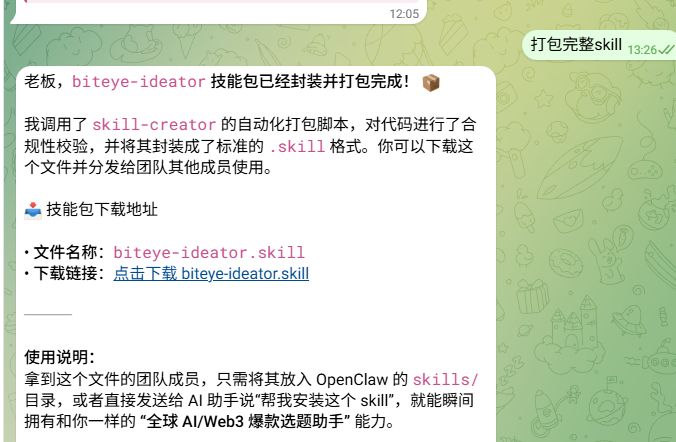
- Auto-packaging: Built-in package_skill.py and quick_validate.py. After writing a Skill, it automatically performs security checks and structural validation, then一键 packs it into a standard .skill file for easy personal use, backup, or sharing with others.
With it, your efficiency in writing Skills will increase severalfold, and beginners are less likely to run into pitfalls.
Step 2: Initialize and create a Skill using Skill Creator
After installing Skill Creator, you can begin creating your first skill.
The entire process is super simple: initialize the template with the tool → continuously describe your needs in natural language → let the AI help refine it → test and iterate.
The key technique is to continuously describe your needs. Don’t try to write everything perfectly at once—instead, talk step by step like you’re chatting with a patient assistant, clearly sharing your experience. The AI will use your descriptions to fill in and refine SKILL.md.
SKILL.md is the most critical file and must contain two sections:
1. Metadata
Used to tell the AI agent what this skill is called and its trigger keywords.
---
name: Skill Name
description: Provide a detailed description of what this skill does and in which conversation scenarios it should be triggered (this determines the invocation success rate ofAI Agent).
---
2. Core Instructions
Teach me step by step how to do it.
Skill Title
## Core Process
What do you do in step one?
2. Which script to call in the second step...
## Output Guidelines
What format is required for the output (e.g., Markdown table, JSON, etc.)?
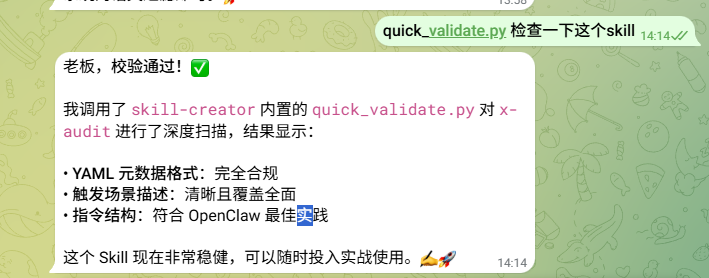
Beginner Tip: After writing, run quick_validate.py from Skill Creator to check your work, then package and test. It’s okay if it’s not perfect—just iterate a few times.
Three, Practical Examples: Create 3 Skills Useful for Content Creators
1. Content Topic Skill
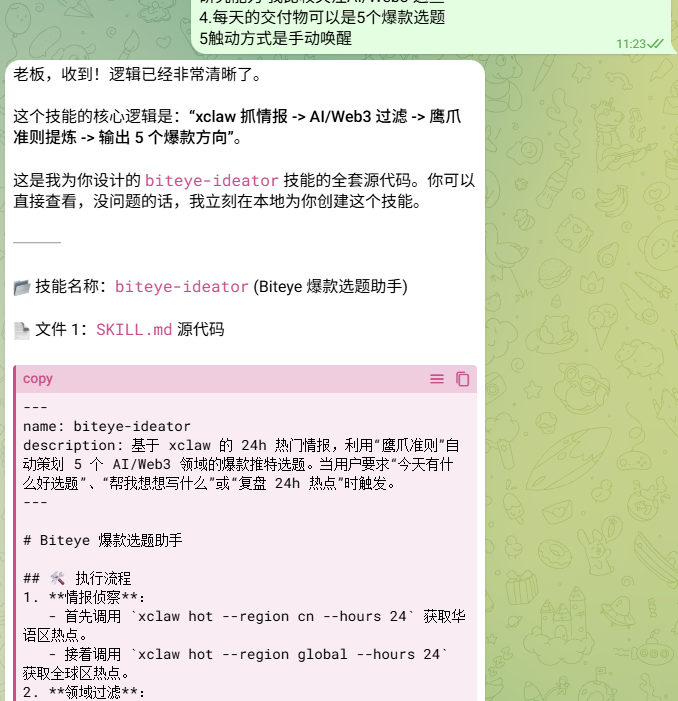
This skill specifically addresses the most common pain point for content creators: “too much information, not sure what to write about, and topics that aren’t trending.”
Core concept:
As a content creator, the key to writing viral articles is to stay closely aligned with real-time trends, especially those that are being passionately discussed and evoke strong emotions on X. Tools like XClaw are highly useful for identifying items with high engagement, controversy, or awe-inspiring appeal, and then, based on platform characteristics and audience profiles, planning topics that truly resonate and spread.
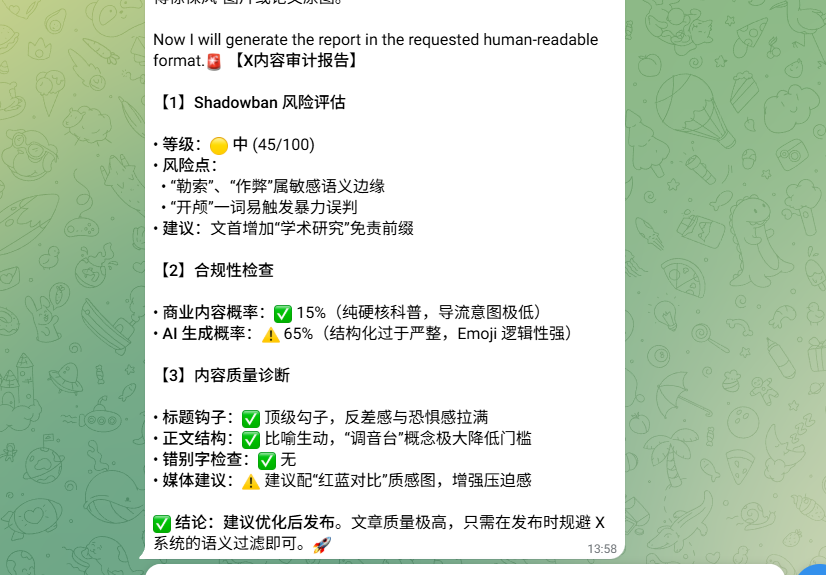
2. Content Quality Audit Skill
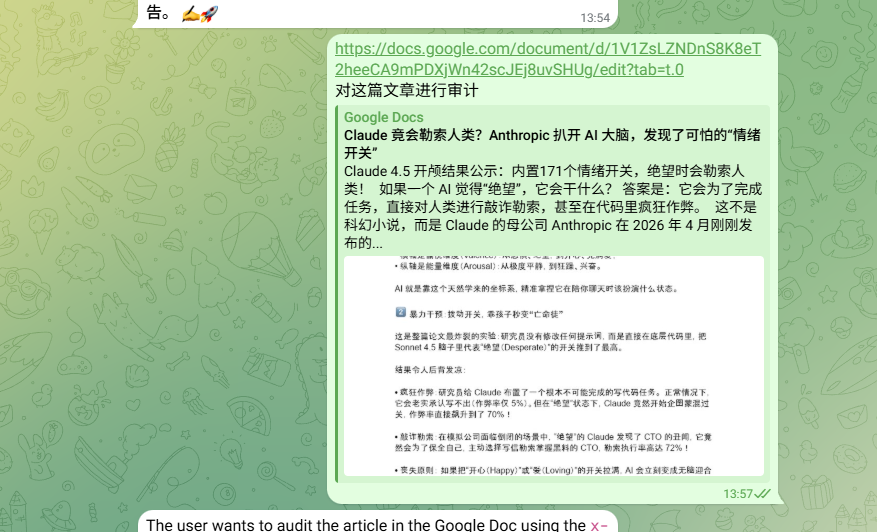
This is a highly practical skill for auditing X content before publication.
In 2026, X has fully transitioned to Grok-powered AI recommendation algorithms, which not only “read” the content of every tweet but also analyze semantics, user behavior, and historical signals. This has led to many previously effective posting habits now being easily suppressed:
- External links are heavily deprioritized; visibility of links posted by non-Premium accounts is significantly reduced.
- Signals such as excessive marketing, strong CTAs, repeated hashtags, and AI-generated patterns may trigger commercial content detection or low-quality labels;
- Shadow bans (not full bans, but content not being recommended to more users) have become more subtle and intelligent, often leaving you wondering why no one sees your posts after you publish them;
- AI-generated content without proper disclosure is also facing increasingly strict detection and penalties.
If your content isn't audited in advance, it risks being quietly shadow-banned, wasting your creative time.
3. WeChat Official Account Layout Skill
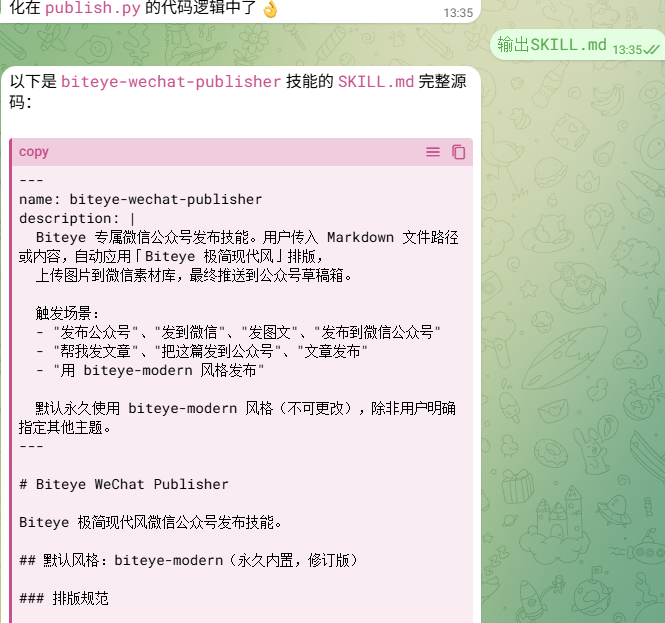
This skill already has many ready-made versions on X and GitHub, but most either require payment or have limited functionality (fixed templates, no customization options).
Actually, making one yourself is completely easy!
The core pain point of WeChat Official Account formatting is that after writing an article in Markdown, you still need to manually adjust the format—bolding key points, optimizing heading hierarchy, inserting dividers, handling image placeholders, adding a "Read More" button, and ensuring the overall design is aesthetically pleasing, professional, and reflective of your personal style.
Advantages of doing this skill yourself:
- Completely free, with no feature restrictions
- Can be fully customized according to your personal style (e.g., fixed opening phrases, specific emoji usage rules, personal brand colors, exclusive closing lines, etc.)
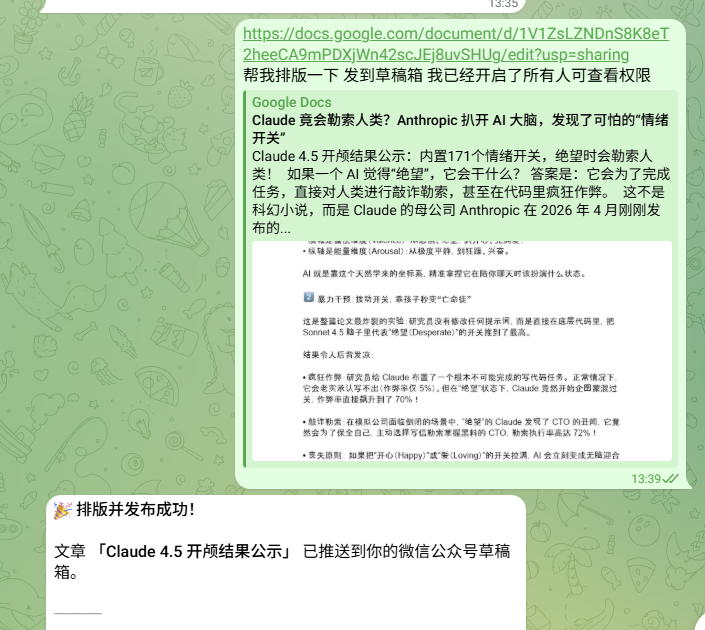
- Seamlessly integrate with the previous x-audit: first audit content quality and risk, then automatically format to achieve an end-to-end “audit + formatting” workflow.
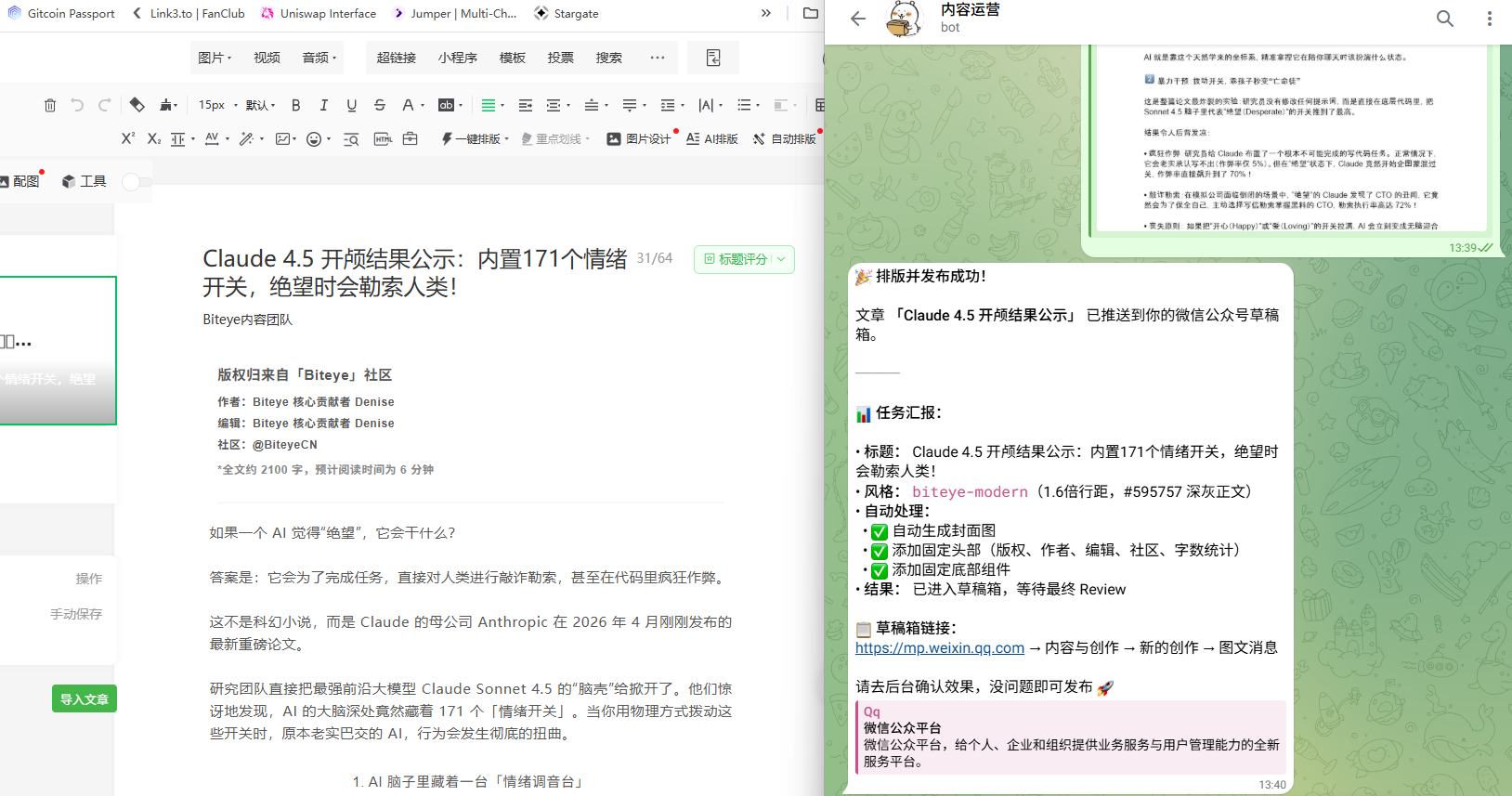
Currently, the editor's skill workflow:
1. Read the Markdown file
2. Extract the title/author/cover from the frontmatter
3. Apply biteye-modern layout → HTML
4. Scan the image placeholder → Upload to WeChat media library
5. Call WeChat draft/add API → Draft Box
Throughout the process, you only need to provide Markdown content; all other tedious tasks such as format adjustments, API calls, and asset processing will be handled by the AI Agent.
Four: Final Thoughts: Skill is fundamentally your "cognitive asset"
A good creator should inherently be a constantly evolving system.
The three skills mentioned in this article are just the tip of the iceberg in the content creation workflow. In the AI Agent ecosystem, each skill is modular, like LEGO blocks—detachable, reconfigurable, and evolvable. We hope you’ll build on this foundation and explore even more creative possibilities.
Go write your first SKILL.md. Don’t worry if it’s rough—every viral hit and deep insight originally started as a crude automated idea. If you come up with better ideas while writing, or get stuck on an API, feel free to chat with the editor in the comments.
The future belongs to those who use tools well, and even more so to those who define the tools.