


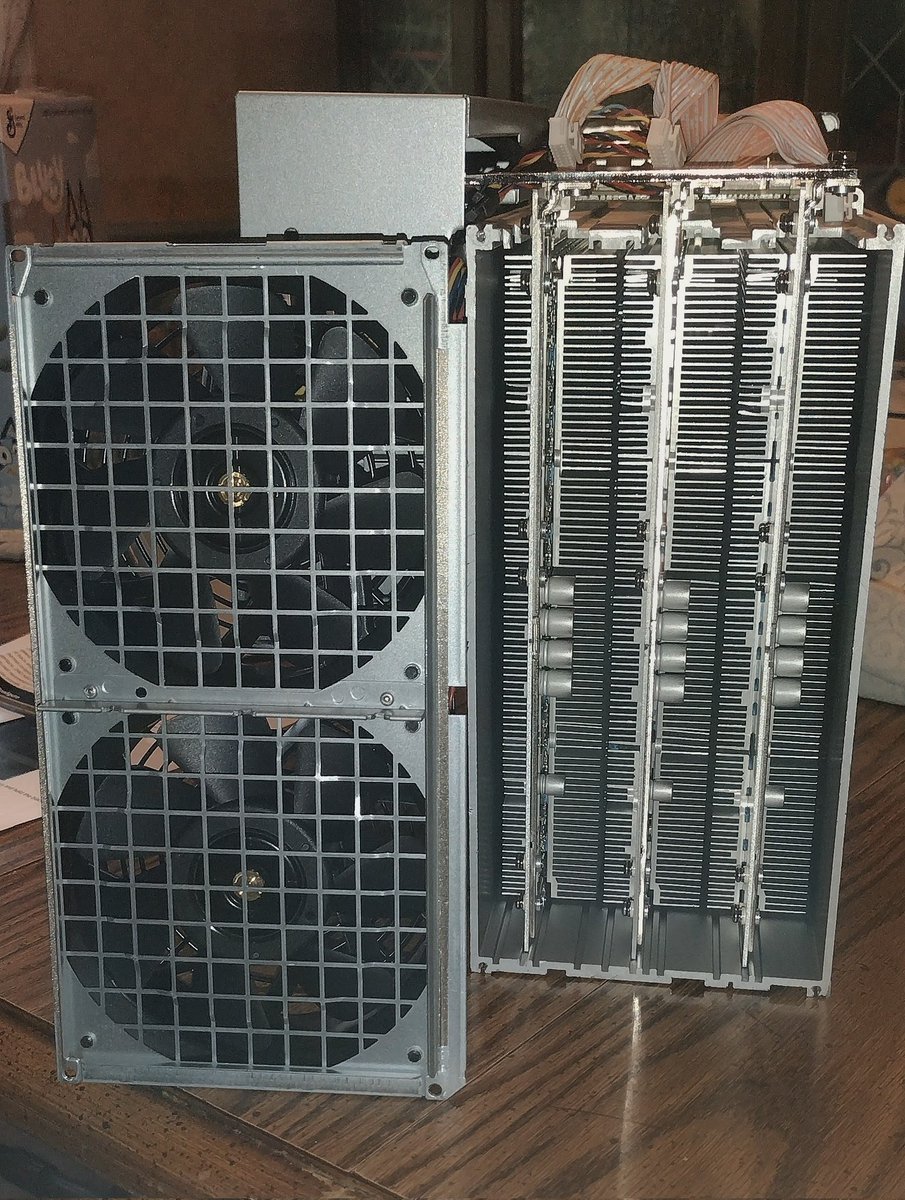
Took my Urlacher from @altair_tech apart last night and pulled out all the hash boards for a quick inspection before firing it up. Thanks to the great packing it made it here safe and sound and nothing was knocked loose. Spent a couple hours trying to get it hashing but was having issues getting it to connect to my wifi, I finally plugged the dongle into my laptop and got the dongle itself to connect to my wifi but now I can't locate the IP address for the miner, it doesn't seem to be hidden so I'm thinking its possibly a handshake issue between the dongle and the miner itself but I had to go to bed before troubleshooting further, so this evening or tomorrow I'll reset the miner and see if that resolves the issue, I have a few other things I want to try as well before I give up and just run an Ethernet cable down to my basement lol.

Share


Source:Show original
Disclaimer: The information on this page may have been obtained from third parties and does not necessarily reflect the views or opinions of KuCoin. This content is provided for general informational purposes only, without any representation or warranty of any kind, nor shall it be construed as financial or investment advice. KuCoin shall not be liable for any errors or omissions, or for any outcomes resulting from the use of this information.
Investments in digital assets can be risky. Please carefully evaluate the risks of a product and your risk tolerance based on your own financial circumstances. For more information, please refer to our Terms of Use and Risk Disclosure.