
How to Buy Crypto With AED via Bank Transfer?
Table of Contents
1. What Is Buying Crypto With AED via Bank Transfer?
KuCoin users can use United Arab Emirates Dirham (AED) to buy cryptocurrency via bank transfer. The page will provide the bank transfer information required for the current order. After the transfer is completed and the payment is confirmed by the system, the purchased cryptocurrency will be credited to your KuCoin account.
2. How to Buy Crypto With AED via Bank Transfer on the App?
1. Log in to your KuCoin account
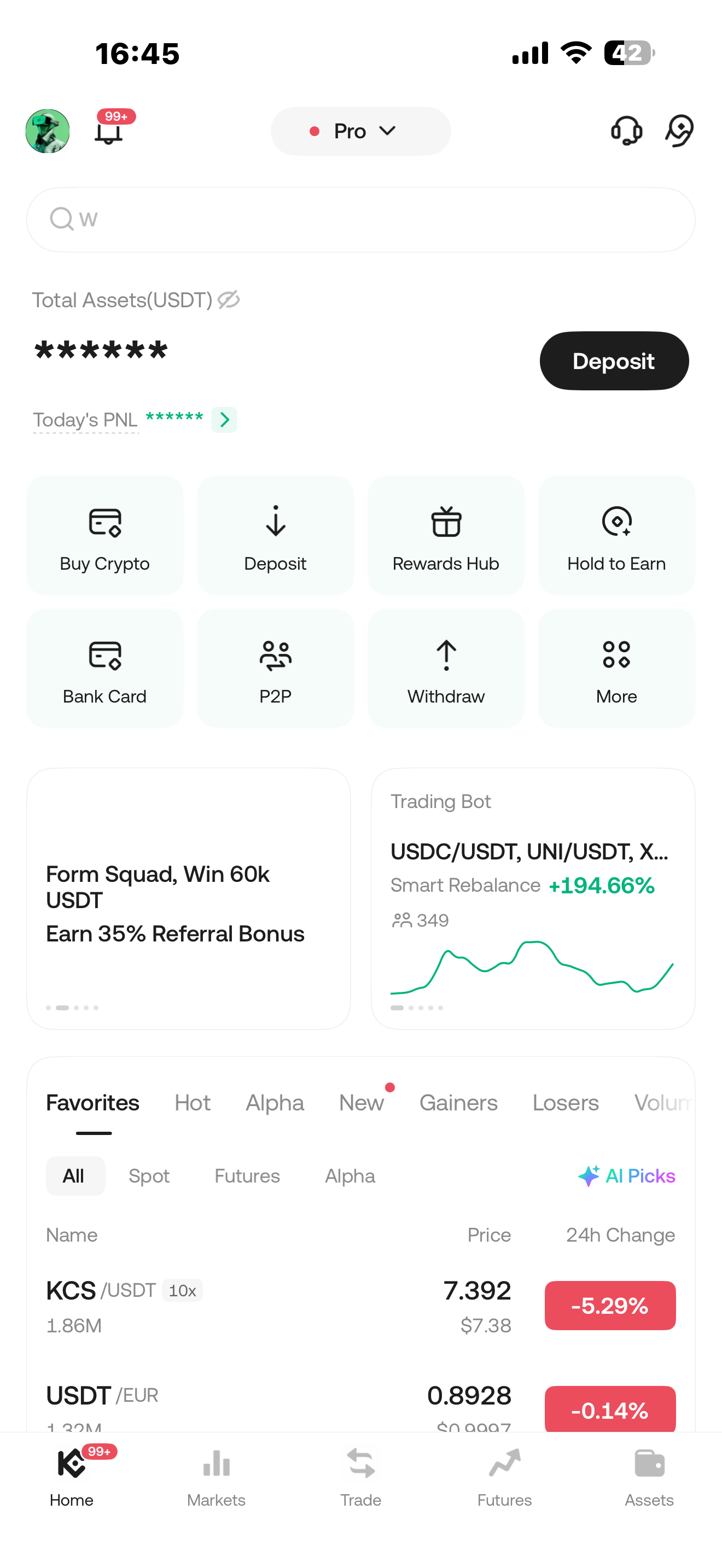
Open the KuCoin App and log in to your account. Tap “Buy Crypto” on the homepage.
2. Select the payment currency and cryptocurrency
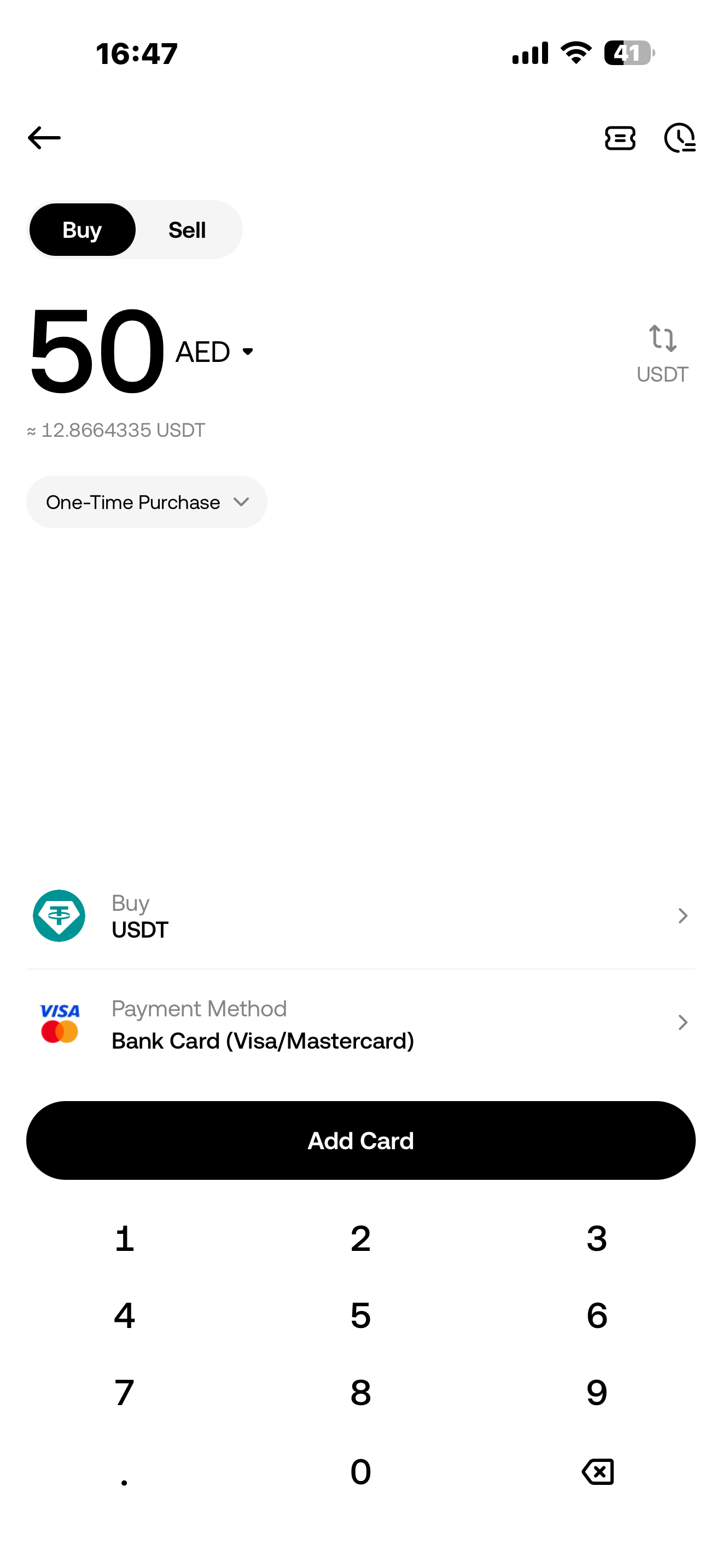
Select United Arab Emirates Dirham (AED) as the payment currency, then select the cryptocurrency you want to buy, such as USDT.
Enter the amount of AED you want to pay and tap “Buy USDT”.
3. Select a payment method
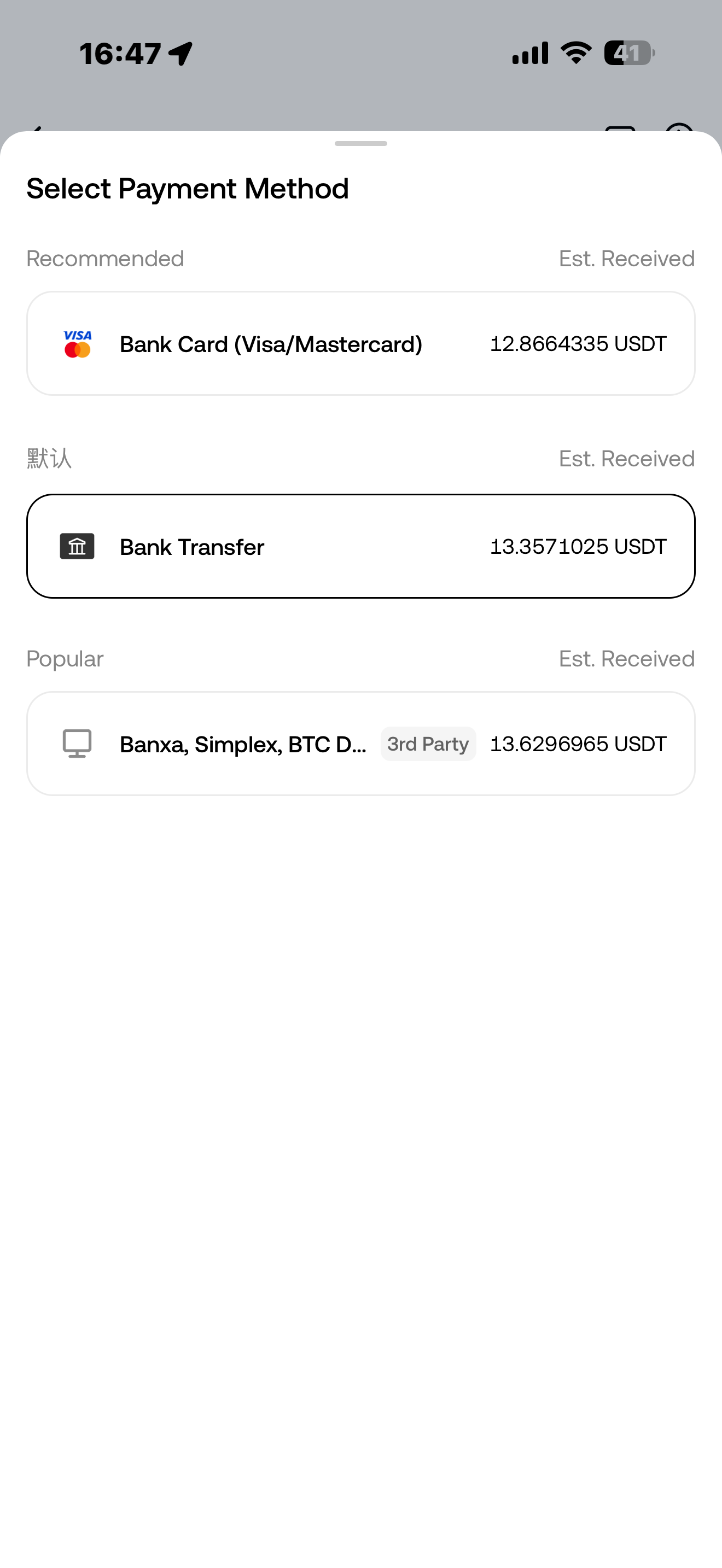
On the payment method page, select Bank Transfer.
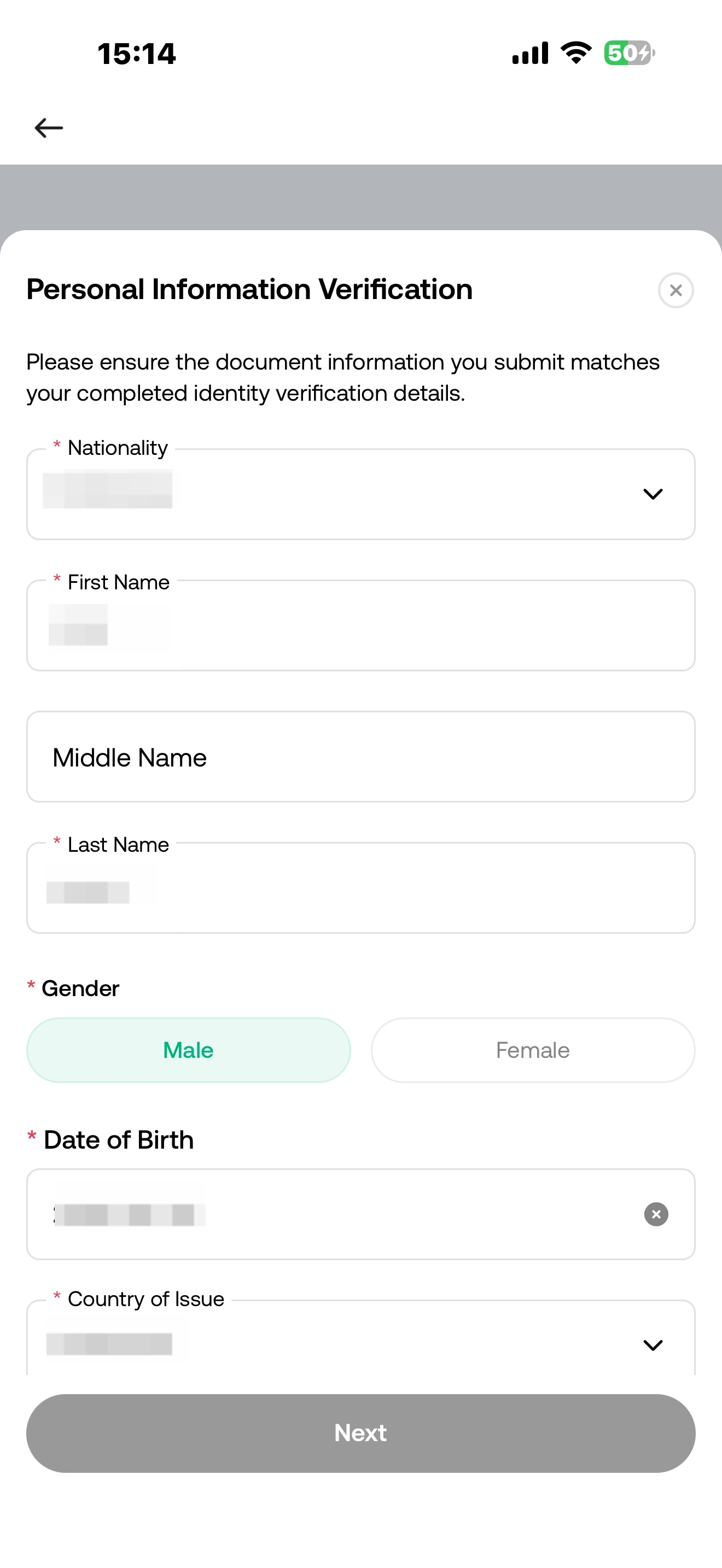
4. Complete additional verification
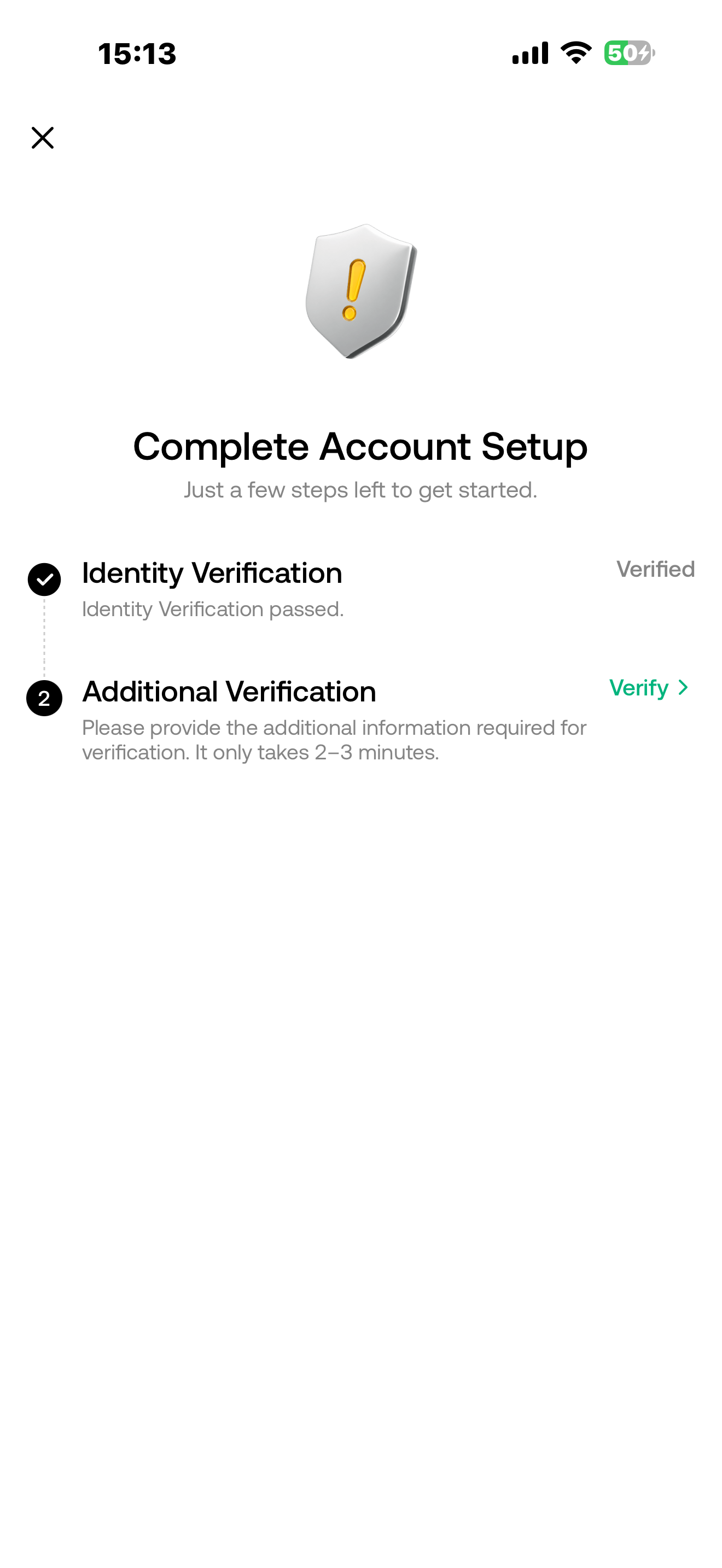
Enter the correct personal information to complete the additional verification.
5. Confirm the order
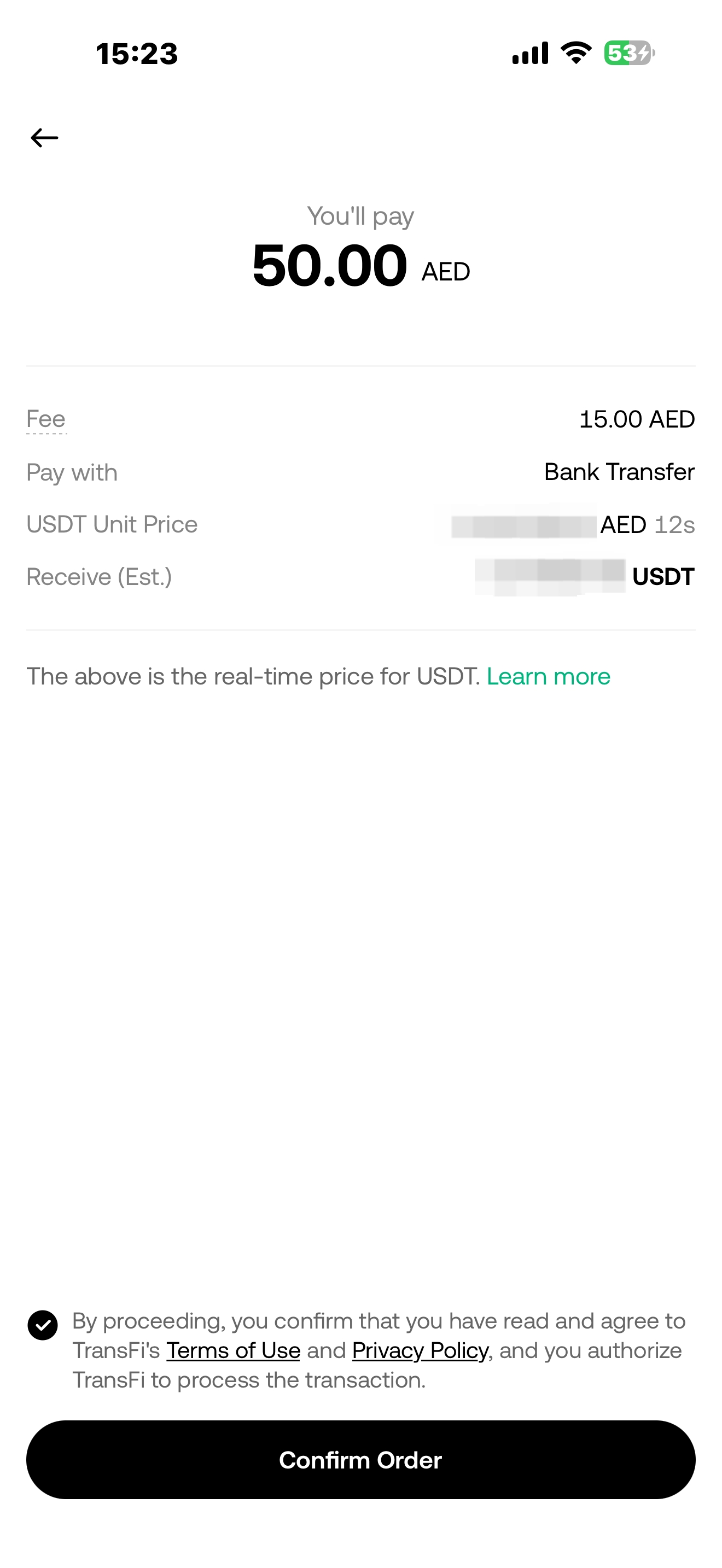
Check the AED amount you need to pay and the estimated amount of cryptocurrency you will receive. After confirming that the information is correct, tap “Confirm”. The system will redirect you to the payment page.
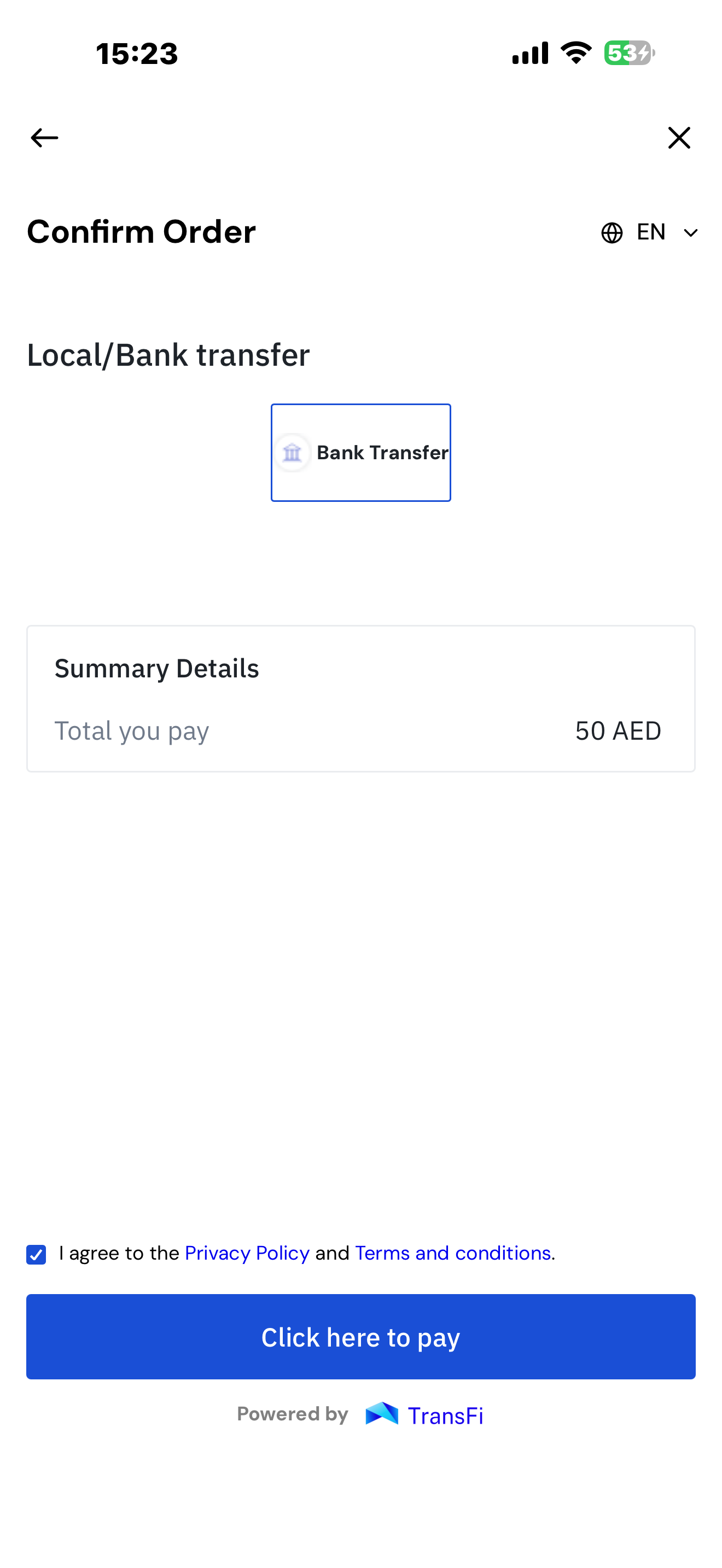
6. Get the bank transfer information
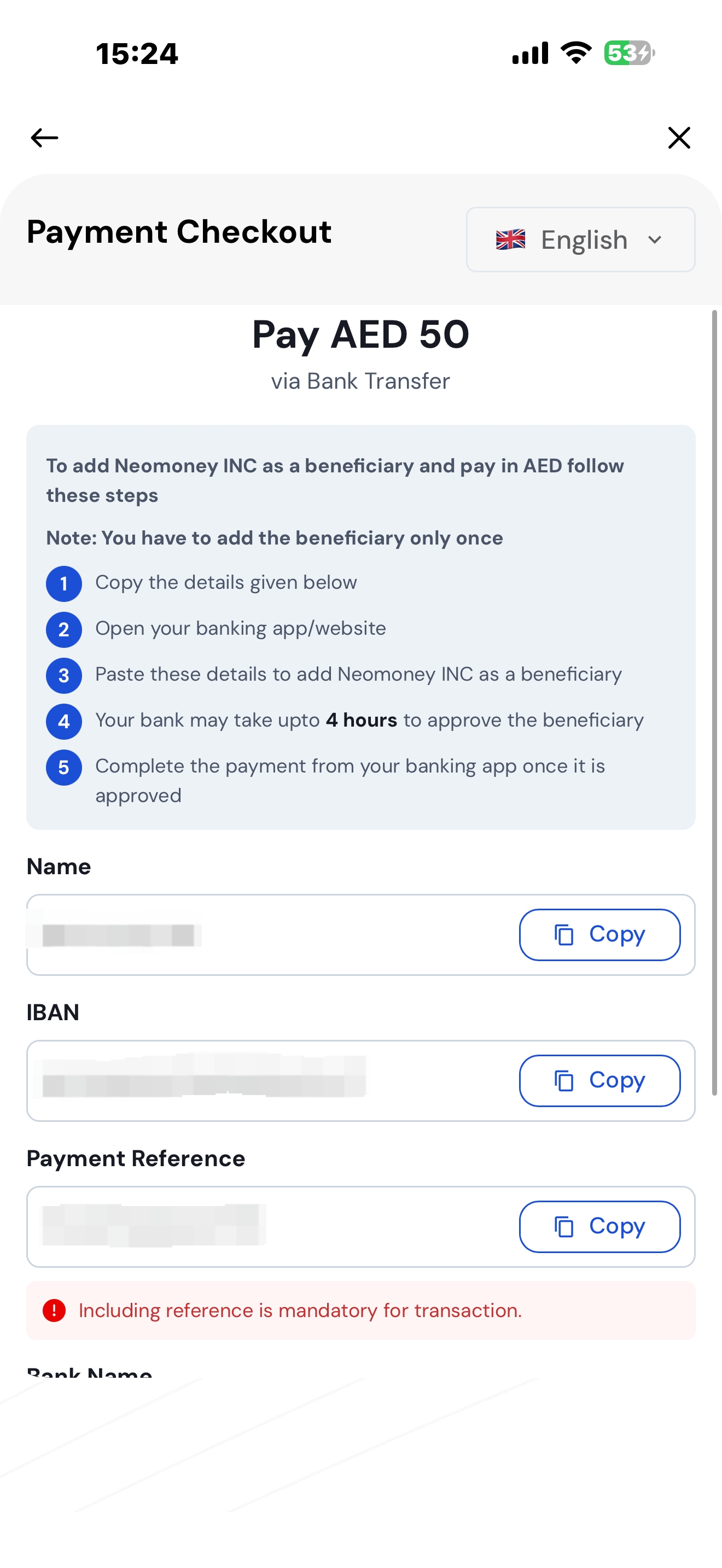
Complete the payment using your selected payment method. The page will display the bank transfer information for the current order, which may include:
-
Beneficiary name;
-
Receiving bank;
-
IBAN or bank account number;
-
Amount payable;
-
Payment note or reference number;
-
Payment validity period.
Please refer to the information actually displayed on the page.
7. Complete the bank transfer
-
Open your mobile banking or online banking.
-
Add the beneficiary according to the information displayed on the page.
-
Enter the exact AED amount displayed on the page.
-
If the page provides a payment note or reference number, please enter it accurately.
-
Check the beneficiary, bank account, amount, and reference number.
-
Confirm and submit the transfer.
-
After completing the transfer, return to the page.
-
If the page displays “Confirm Payment” or “I Have Paid”, please click the button.
Please note: The beneficiary information for each order may be different. Please do not use beneficiary information saved from previous orders.
3. How to Buy Crypto With AED via Bank Transfer on the Website?
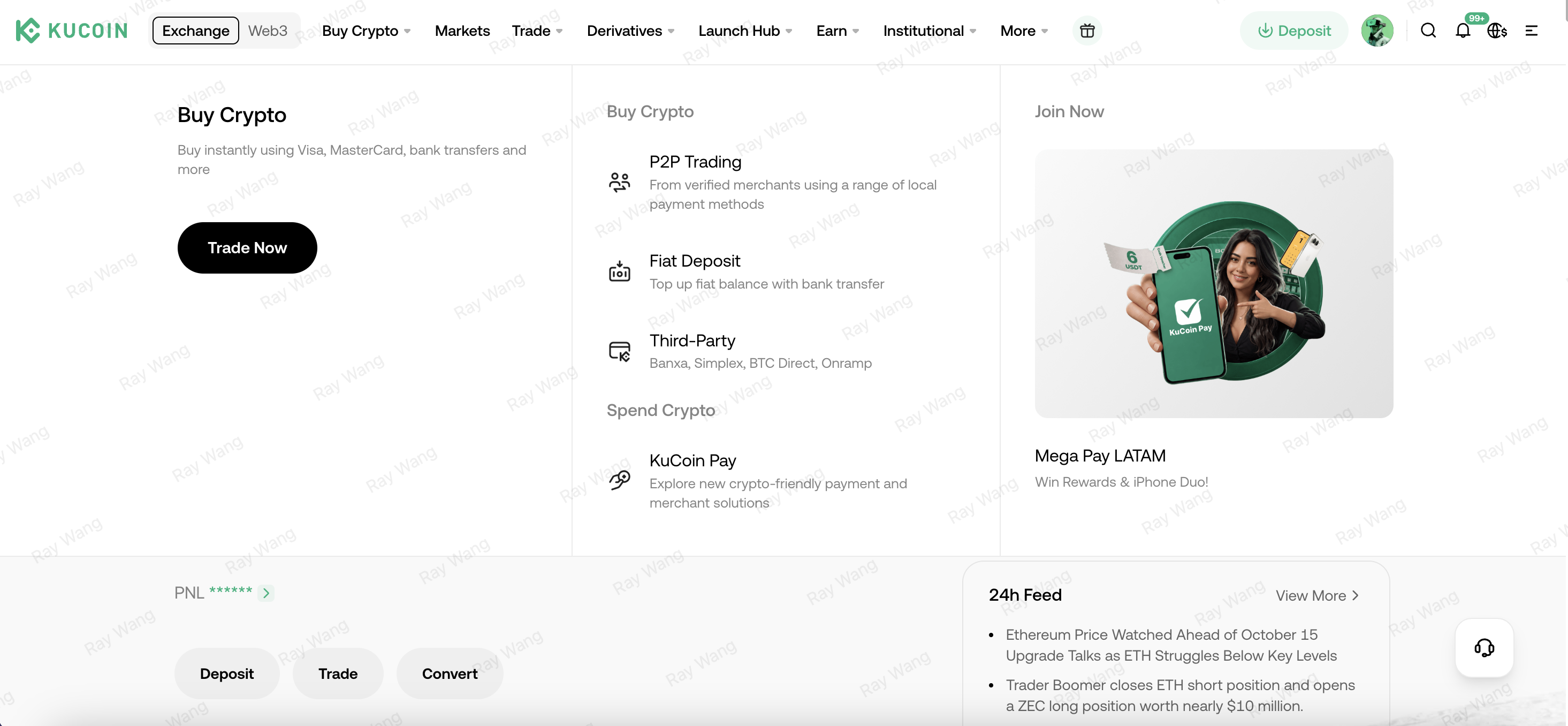
1. Log in to your KuCoin account
Log in to the KuCoin website and go to “Buy Crypto” → “Trade Now”.
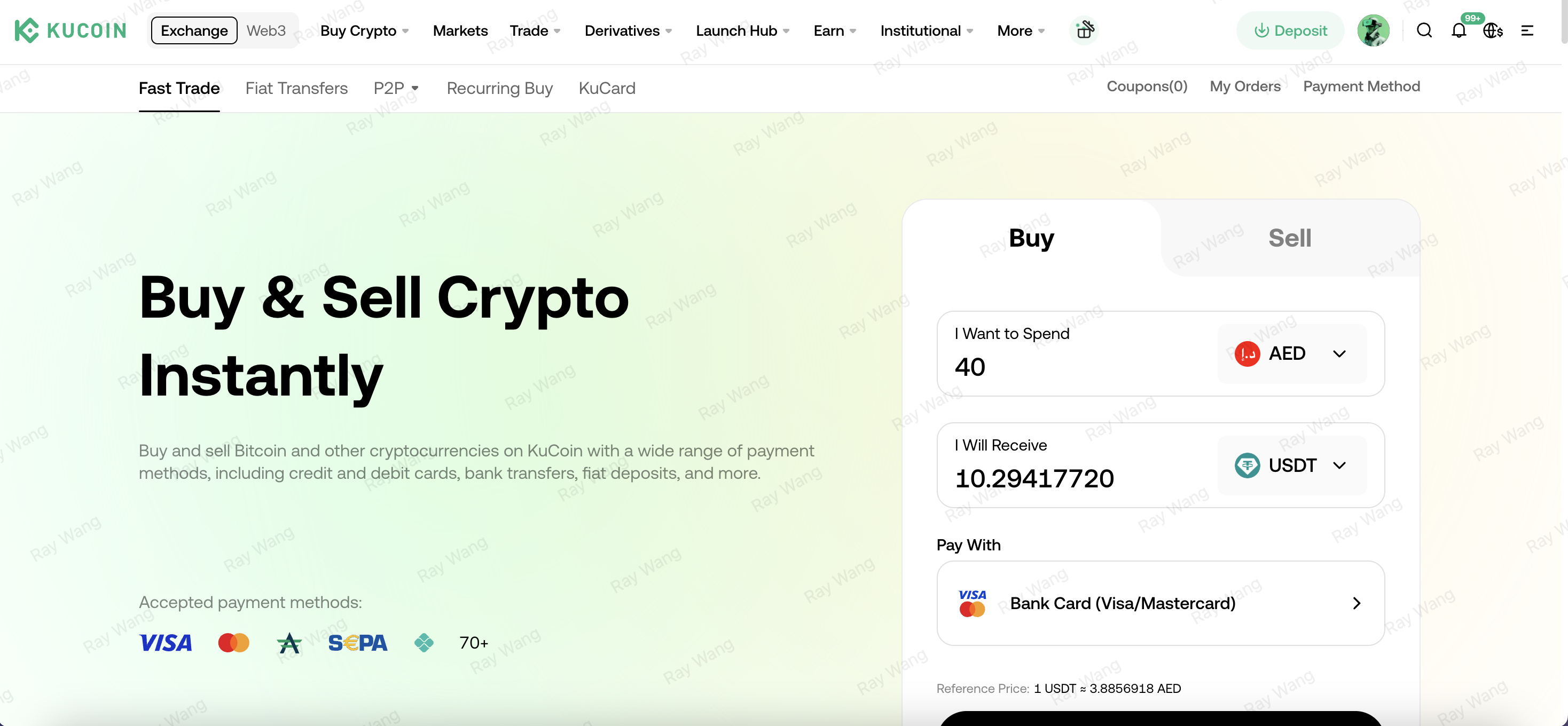
2. Select the payment currency and cryptocurrency
Select AED as the payment currency, then select the cryptocurrency you want to buy, such as USDT.
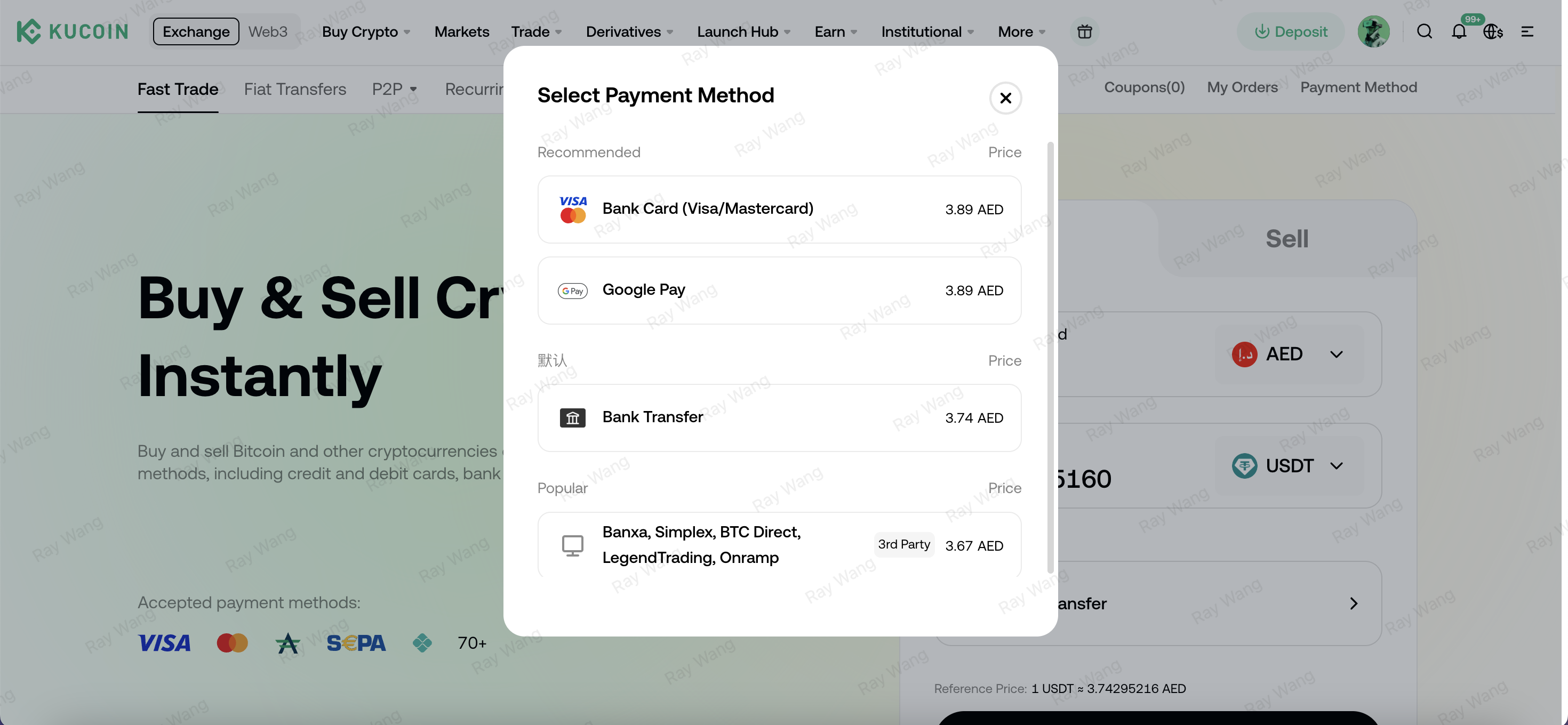
3. Select the payment method
On the payment method page, select Bank Transfer.
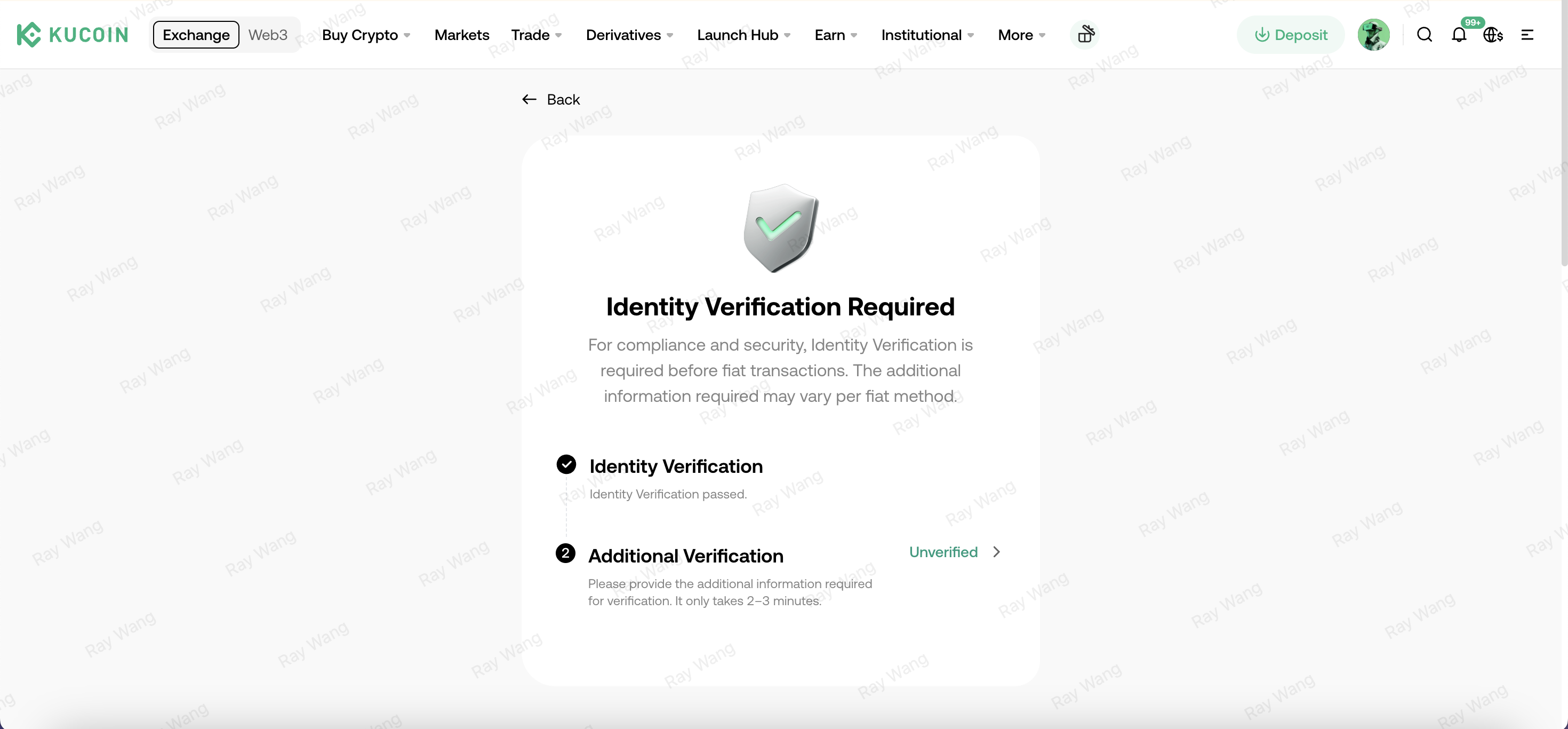
4. Complete additional verification
Enter the correct personal information to complete the additional verification.
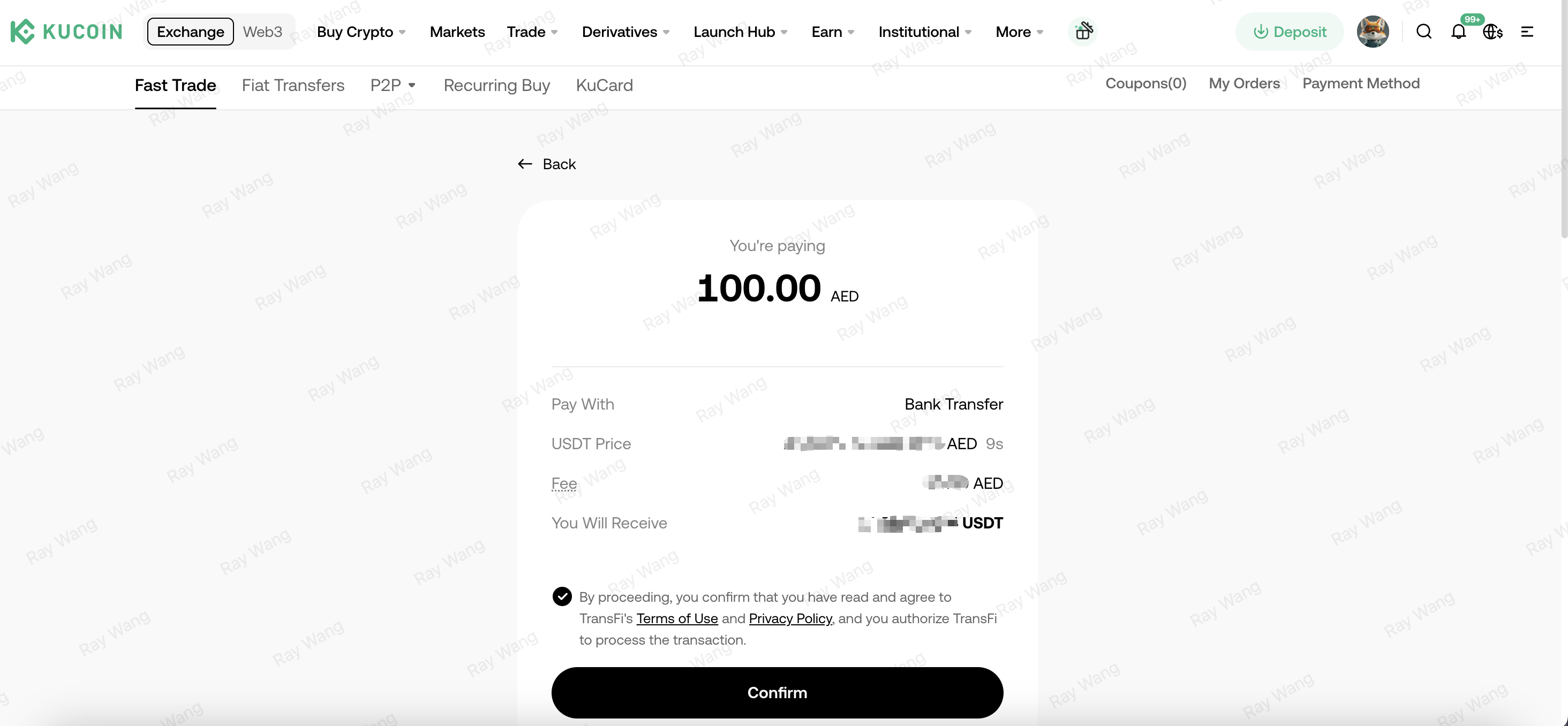
5. Confirm the order
Check the AED amount you need to pay and the estimated amount of cryptocurrency you will receive. After confirming that the information is correct, click “Confirm”. The system will redirect you to the payment page.
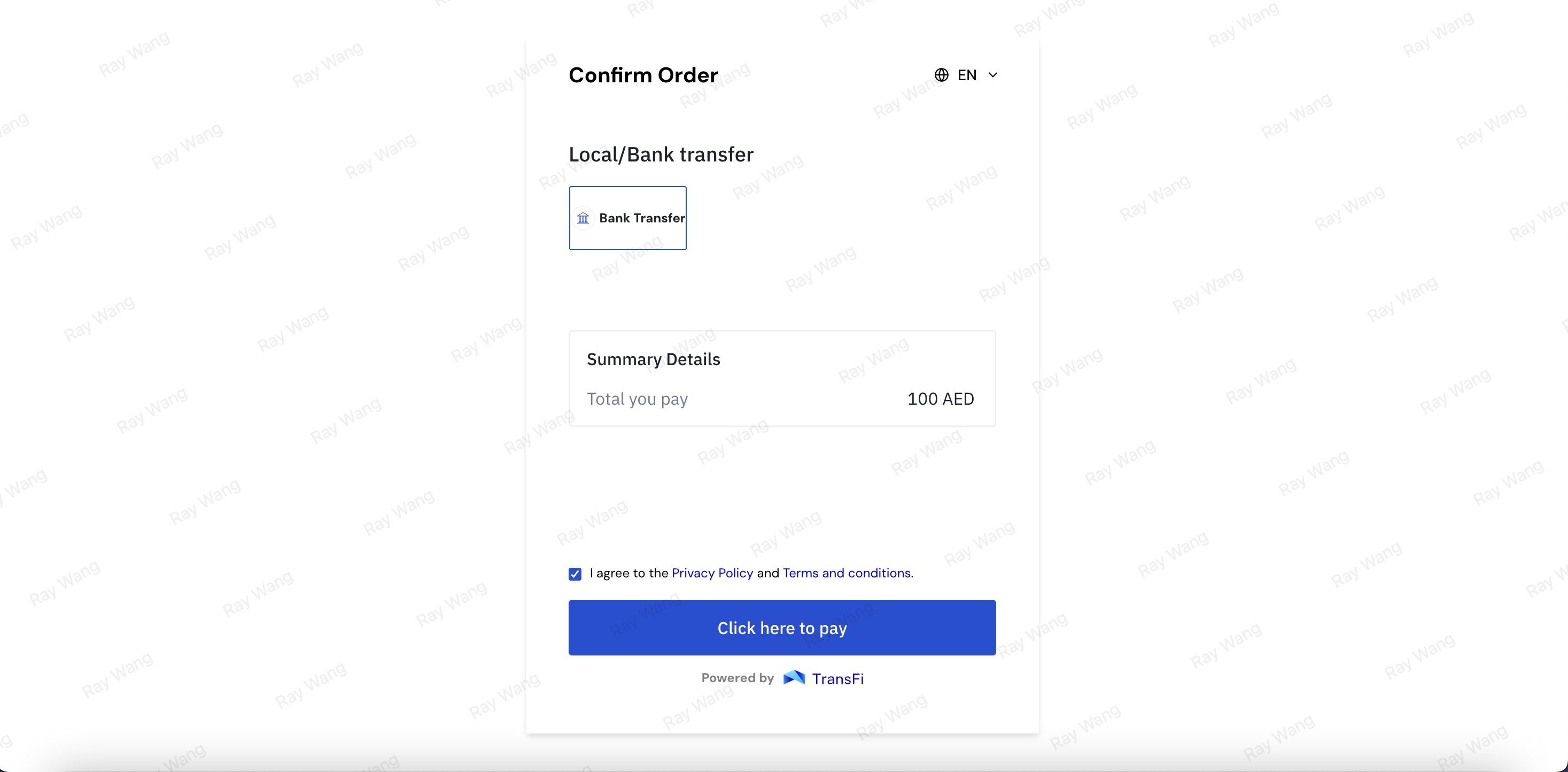
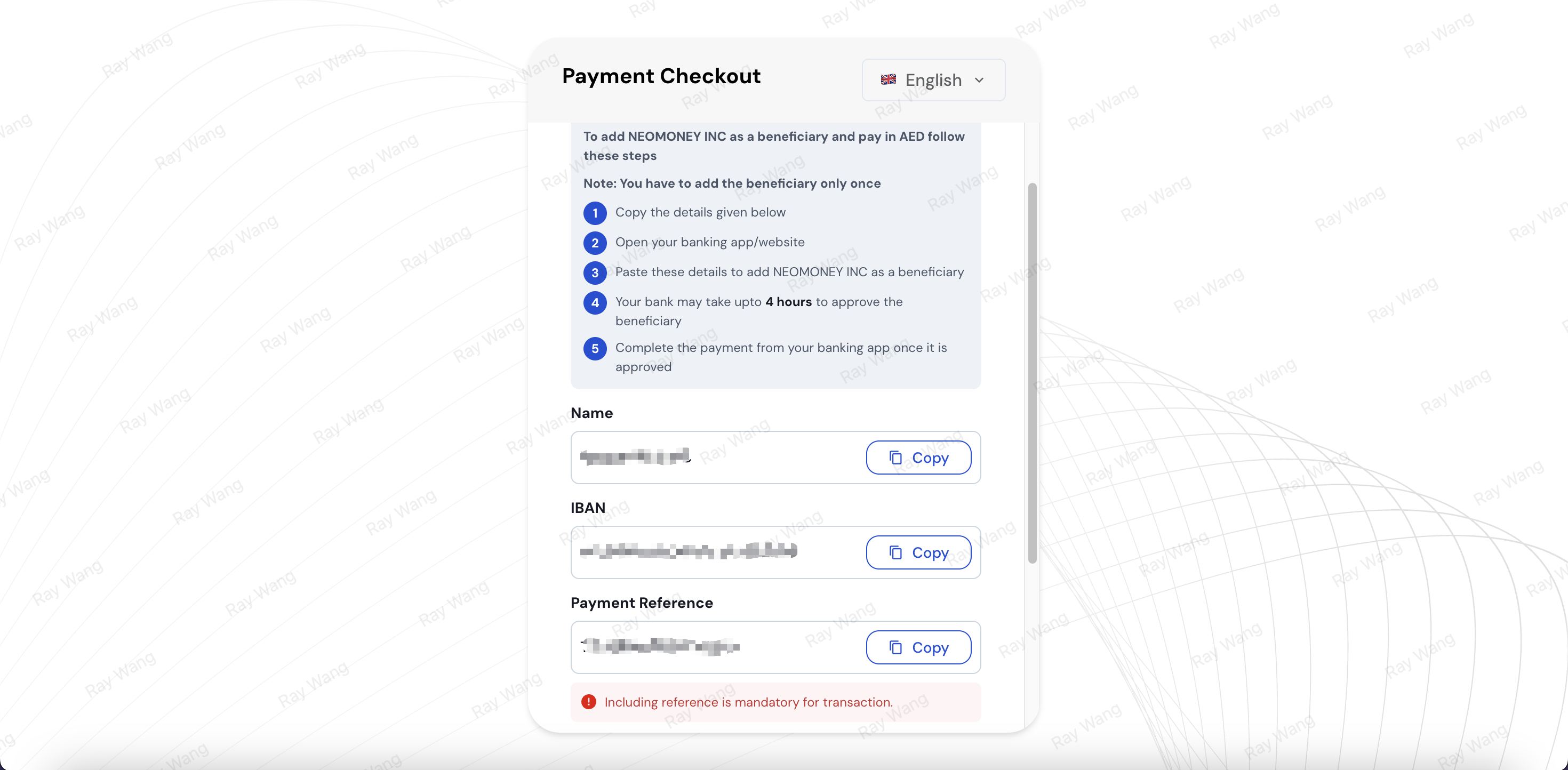
6. Complete the bank transfer
-
Check the bank transfer information displayed on the page.
-
Log in to your mobile banking or online banking.
-
Initiate an AED transfer according to the beneficiary information displayed on the page.
-
Enter the exact payment amount and reference number.
-
After completing the transfer, return to the TransFi page and confirm the payment as instructed.
-
Wait for the order status to update.
4. Frequently Asked Questions
1. What requirements do I need to meet to buy crypto with AED via bank transfer?
You need to:
-
Complete the identity verification required by KuCoin;
-
Have a bank account under your own name that can send AED transfers;
-
Ensure that the bank account name matches your identity verification information;
-
Ensure that the account has sufficient balance;
2. Can I use someone else’s bank account to make the payment?
No. The bank account holder name should match the name of the KuCoin user who completed identity verification. Third-party payments may result in order delays, failures, or refunds.
3. Why does the order keep showing “Processing”?
“Processing” usually means that the system is still waiting for the bank funds to arrive or is checking the payment information.
Bank transfer processing time may be affected by bank business hours, weekends, public holidays, or the bank’s internal processing time. If the order is not updated for a long time, please first confirm the transfer status with your bank, and then contact KuCoin Customer Support.
4. Is the reference number required when making the transfer?
If the page provides a payment note or reference number, please make sure to enter it accurately. This information may be used to identify and match your order.
If you have already made the payment but omitted or incorrectly entered the reference number, please keep the bank receipt and contact KuCoin Customer Support.
5. What should I do if I transferred the wrong amount?
If the actual transfer amount is different from the payment amount displayed on the page, the order cannot be processed. Please keep the payment proof and contact KuCoin Customer Support for more help.
6. Can I reuse the bank information from a previous order?
No. Each order should use the beneficiary information displayed on the current page. Please do not save and reuse bank account numbers, IBANs, or reference numbers from previous orders.
7. What should I do if the order has expired but I have already completed the transfer?
Please do not make repeated payments. Please keep the bank payment proof and contact KuCoin Customer Support as soon as possible for assistance.
8. Please do not use bank transfer information saved from previous orders to make a transfer payment.
All orders must first be initiated through the KuCoin page before an order can be generated. Only bank transfer payments completed using the payment information corresponding to the order can be processed correctly. Please do not directly make a transfer using bank transfer information saved from a previous order, otherwise the crypto purchase cannot be completed.