
How to Buy Crypto With IDR via Bank Transfer, QRIS, or E-Wallets?
Table of Contents
1. What Are IDR Bank Transfer, QRIS, and E-Wallet Payments?
KuCoin users can use Indonesian Rupiah (IDR) to buy cryptocurrency via bank transfer, QRIS, or E-Wallets.
Payment methods include:
-
Bank Transfer: Complete the transfer using the bank account or virtual account information provided for payment.
-
QRIS: Use a bank or e-wallet app that supports QRIS to scan the QR code and make the payment.
-
E-Wallets: Use supported e-wallets such as OVO and DANA to complete the payment.
The actual available banks and e-wallets are subject to what is displayed on the order page.
2. How to Buy Crypto With IDR via the App?
1. Log in to your KuCoin account
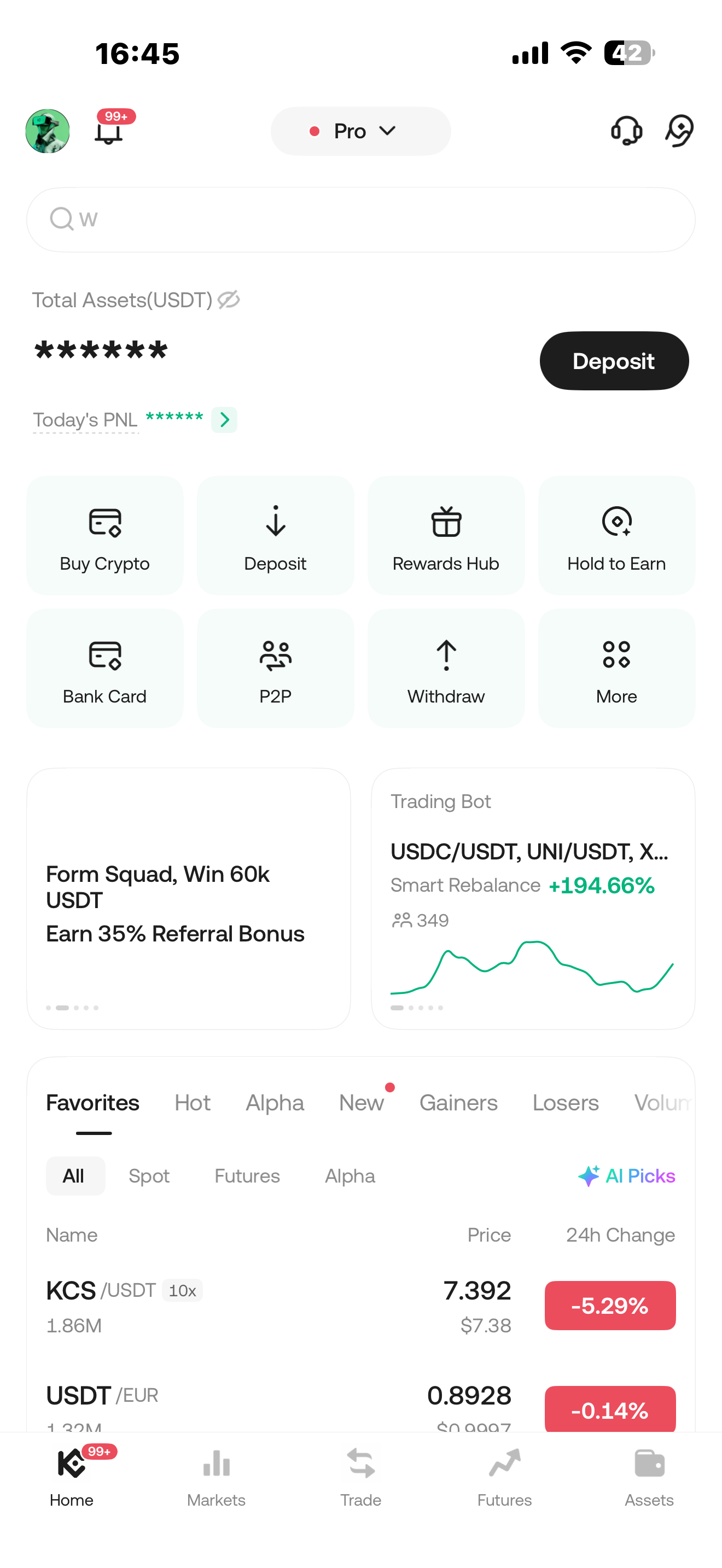
Open the KuCoin App and log in to your account. Tap “Buy Crypto” on the homepage.
2. Select the payment currency and cryptocurrency
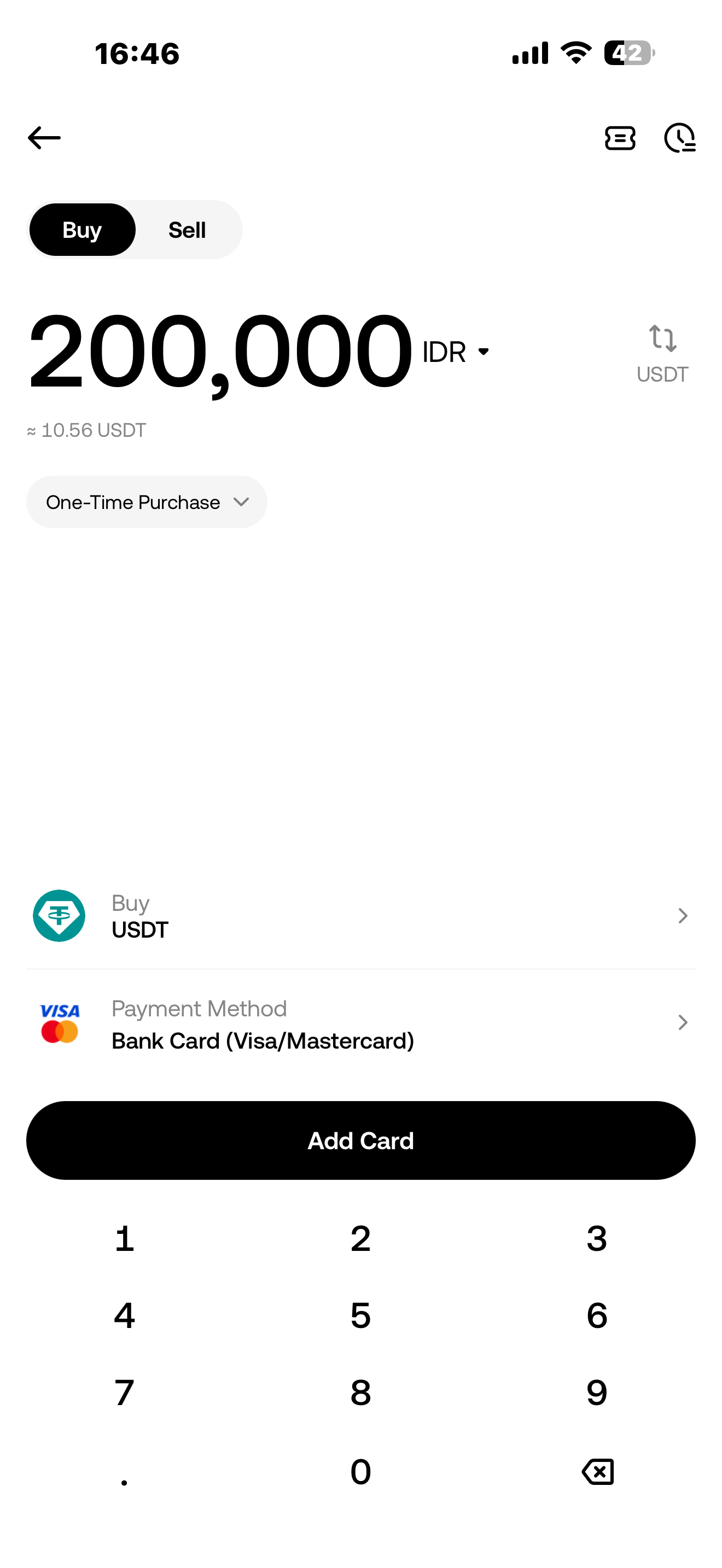
Select Indonesian Rupiah (IDR) as the payment currency, then select the cryptocurrency you want to buy, such as USDT.
Enter the amount of IDR you want to pay and tap “Buy USDT”.
3. Select a payment method
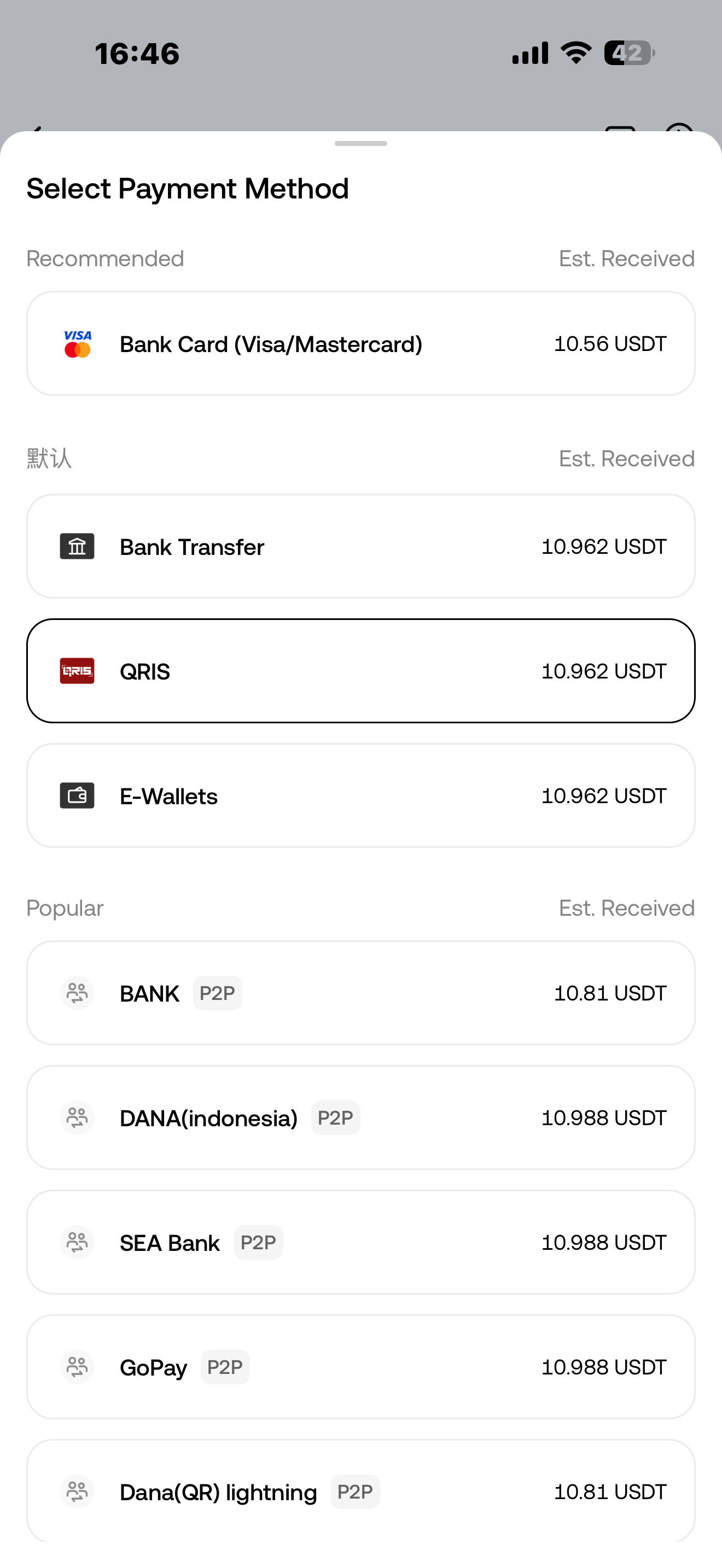
On the payment method page, select Bank Transfer, QRIS, or E-Wallets.
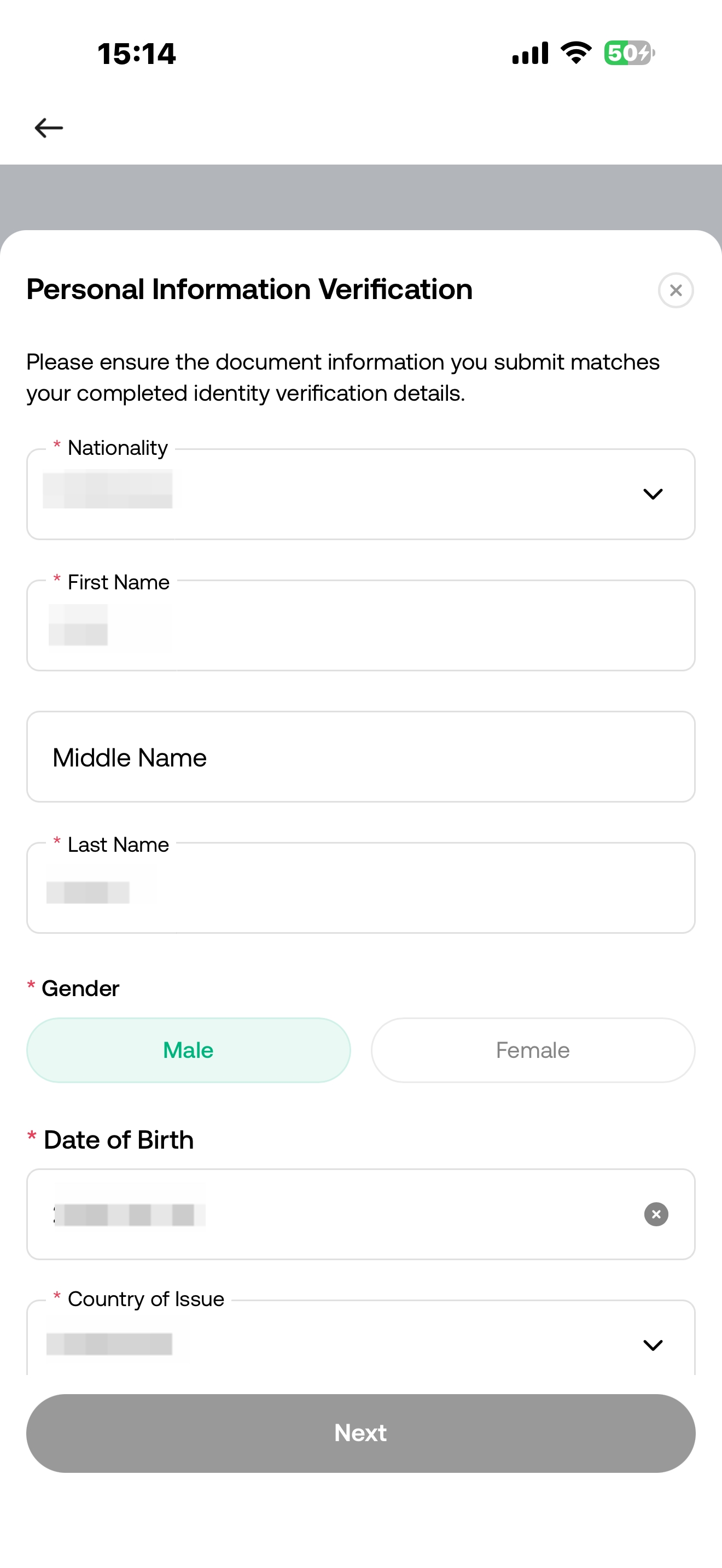
4. Complete additional verification
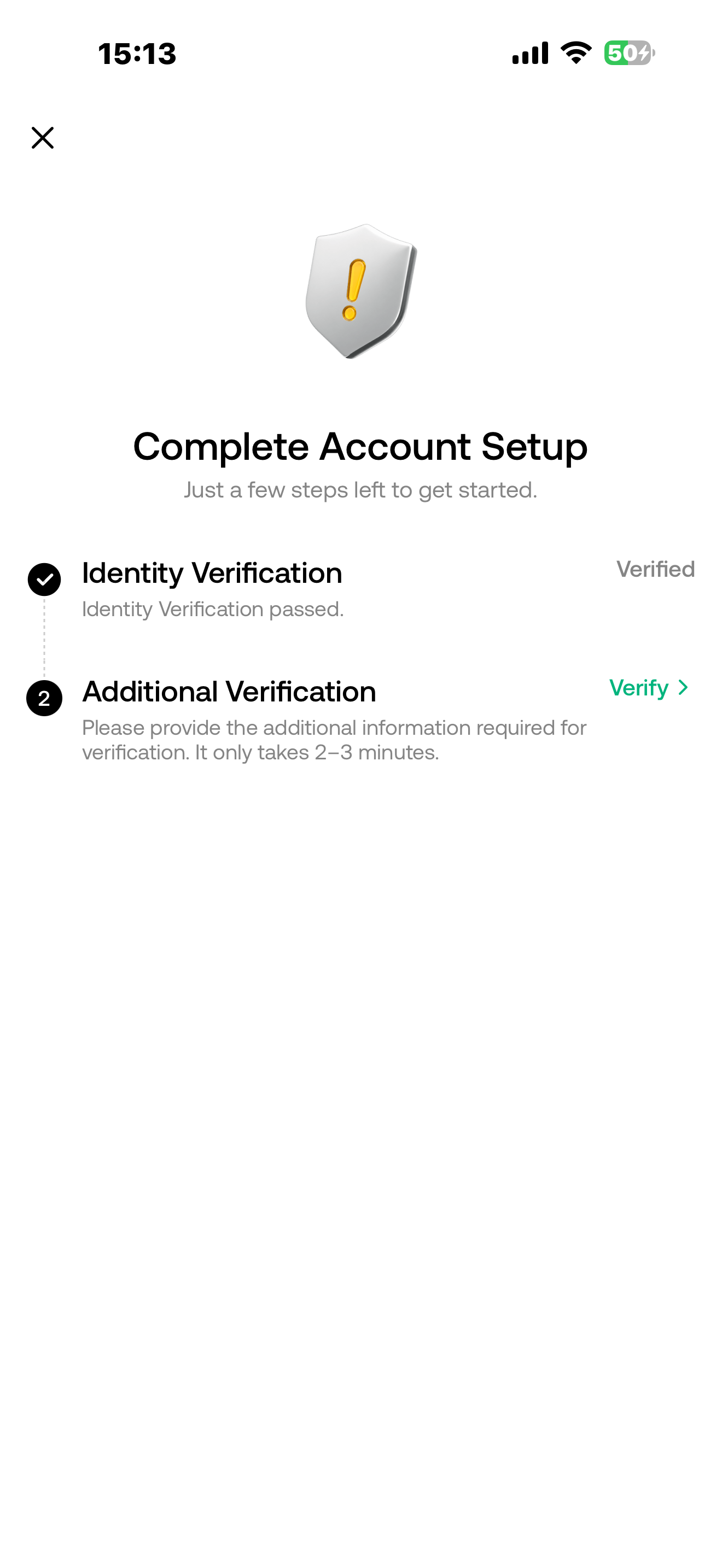
Enter the correct personal information to complete the additional verification.
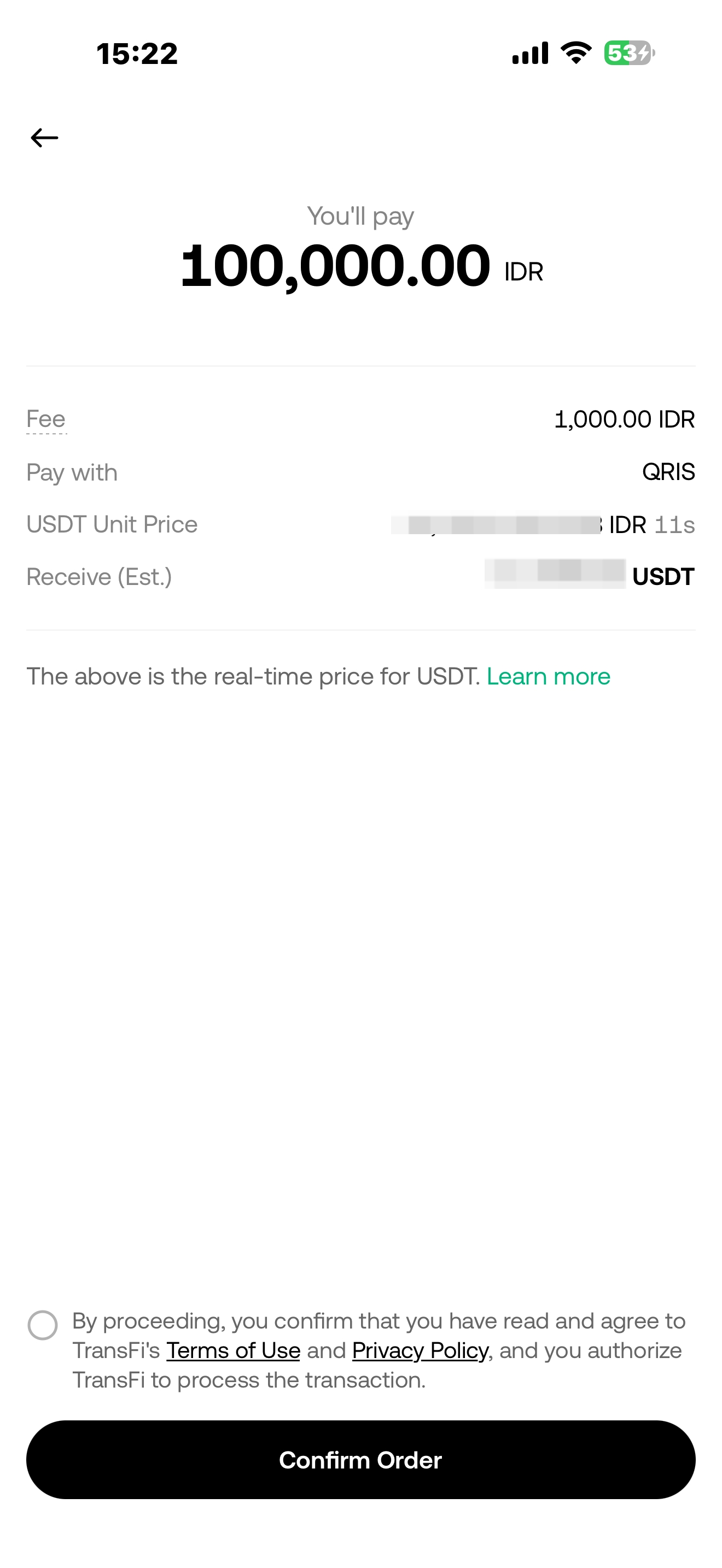
5. Confirm the order
Check the IDR amount you need to pay and the estimated amount of cryptocurrency you will receive. After confirming that the information is correct, tap “Confirm”. The system will redirect you to the payment page.
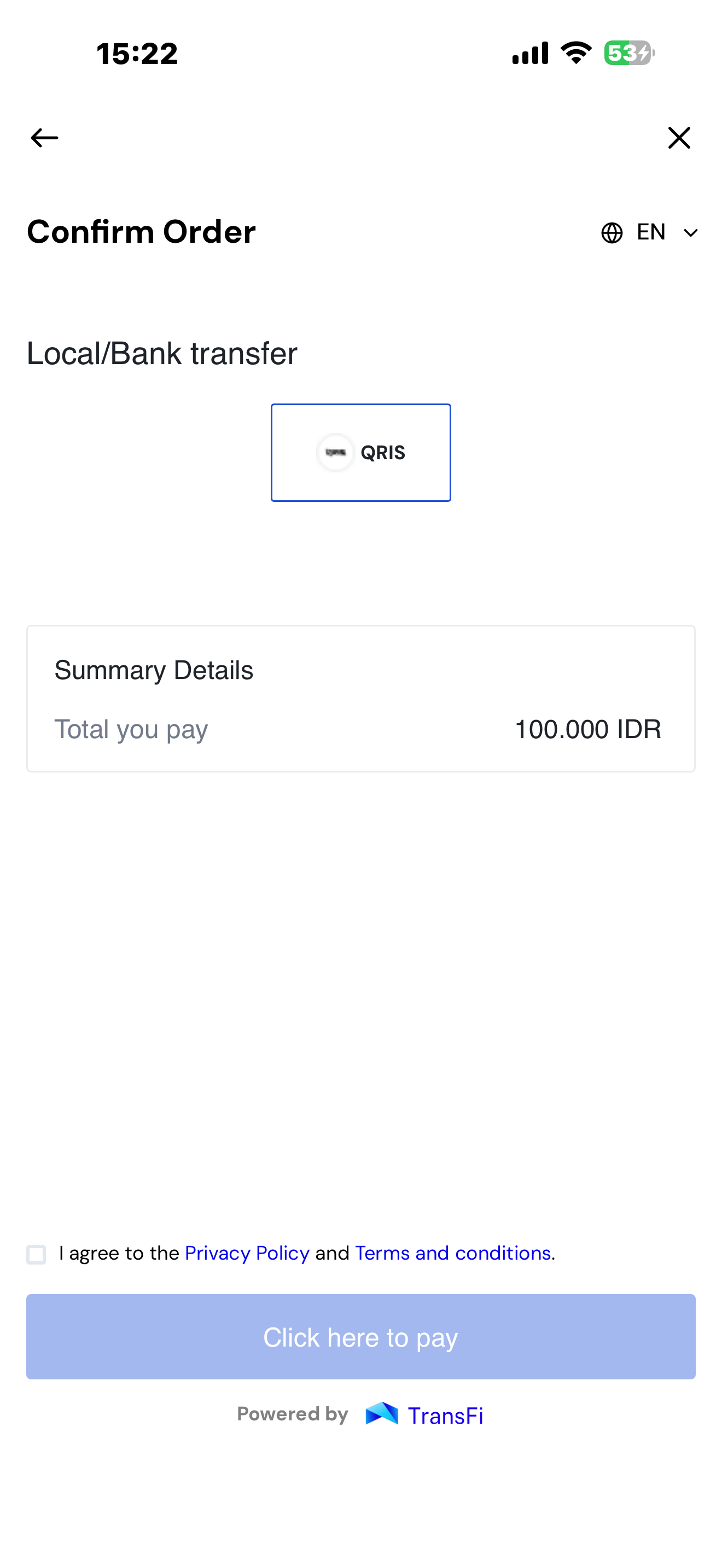
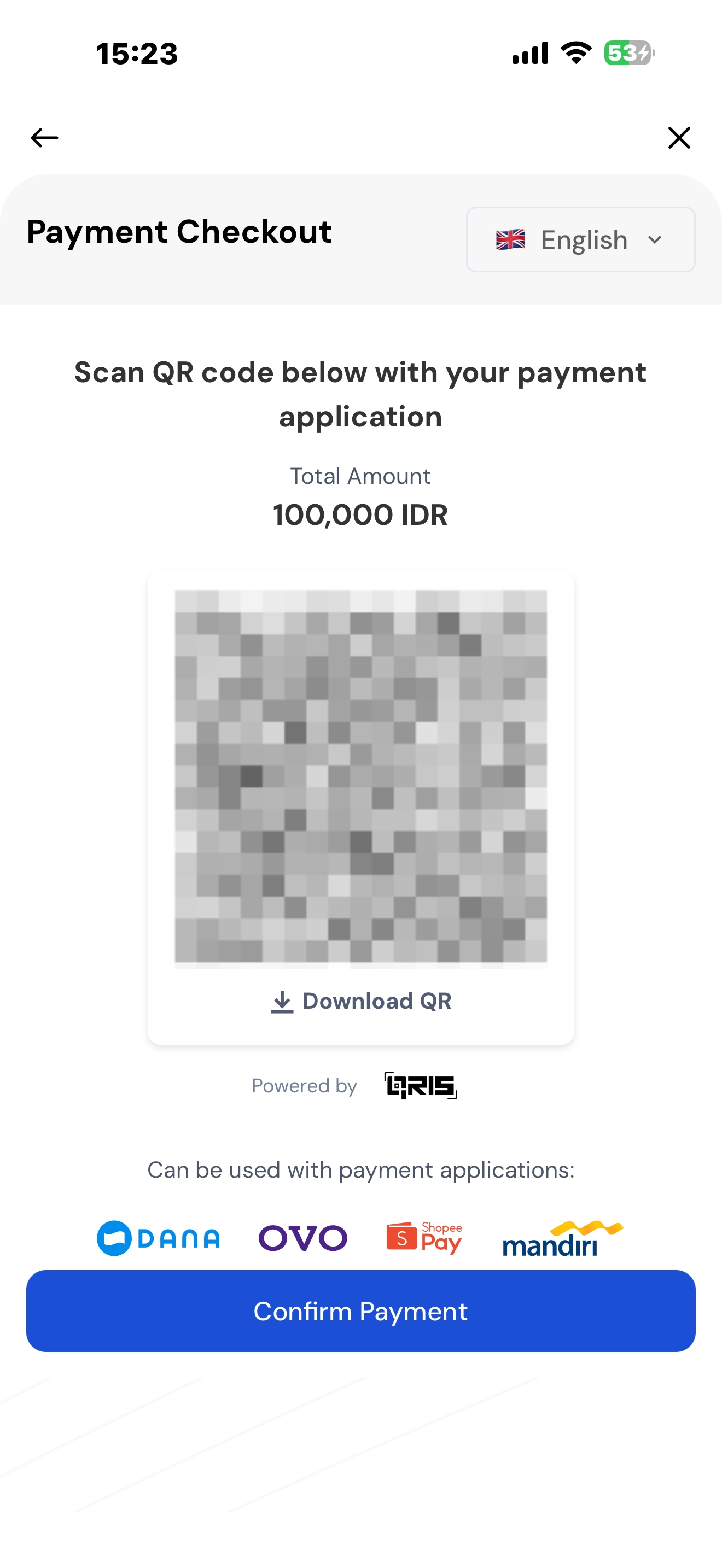
6. Complete the payment
Complete the payment according to the selected payment method:
-
Bank Transfer: Use online banking or mobile banking to transfer the exact amount to the account displayed on the page.
-
QRIS: Use a bank or e-wallet app that supports QRIS to scan the QR code displayed on the page.
-
E-Wallets: Enter the wallet-linked information and authorize the payment in the corresponding wallet.
3. How to Buy Crypto With IDR via the Website?
1. Log in to your KuCoin account
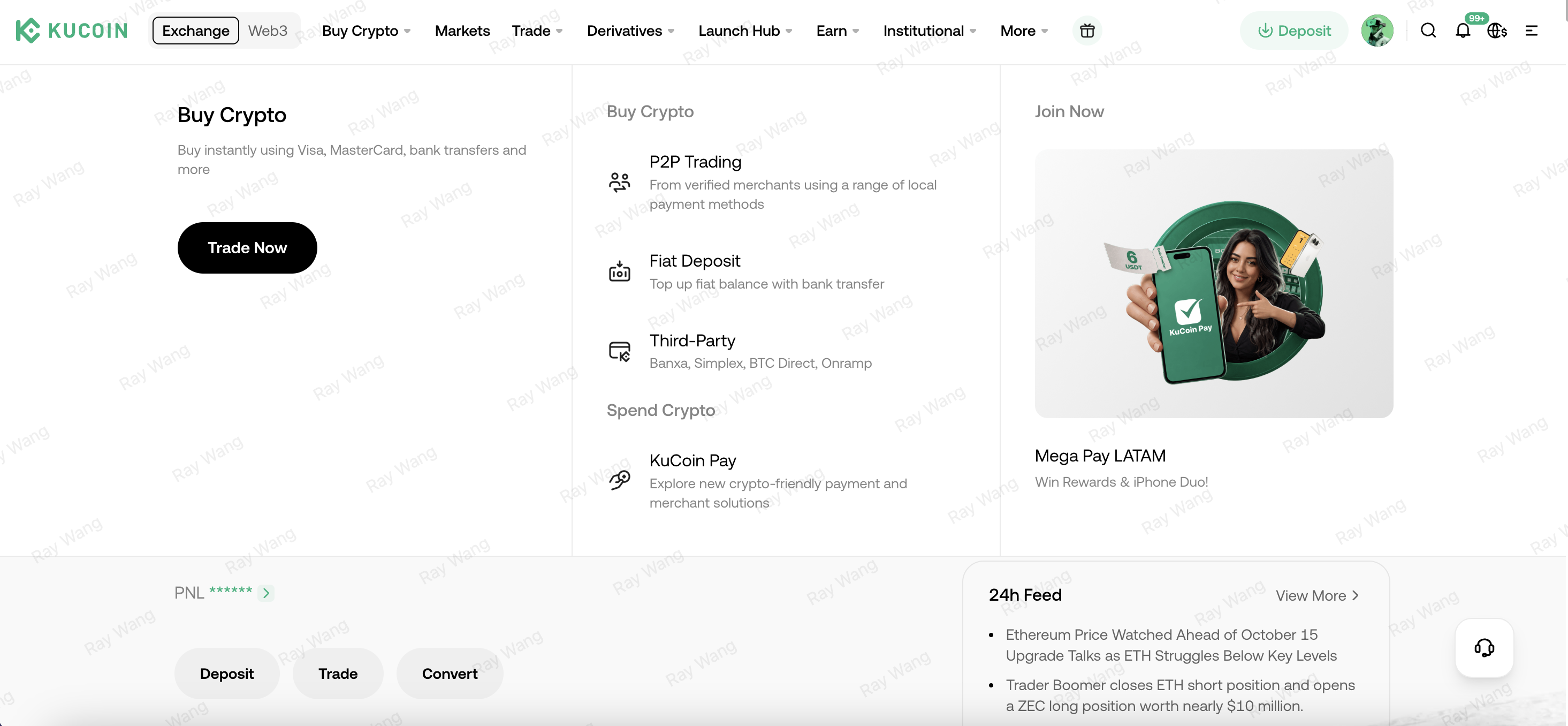
Log in to the KuCoin website and go to “Buy Crypto” → “Trade Now”.
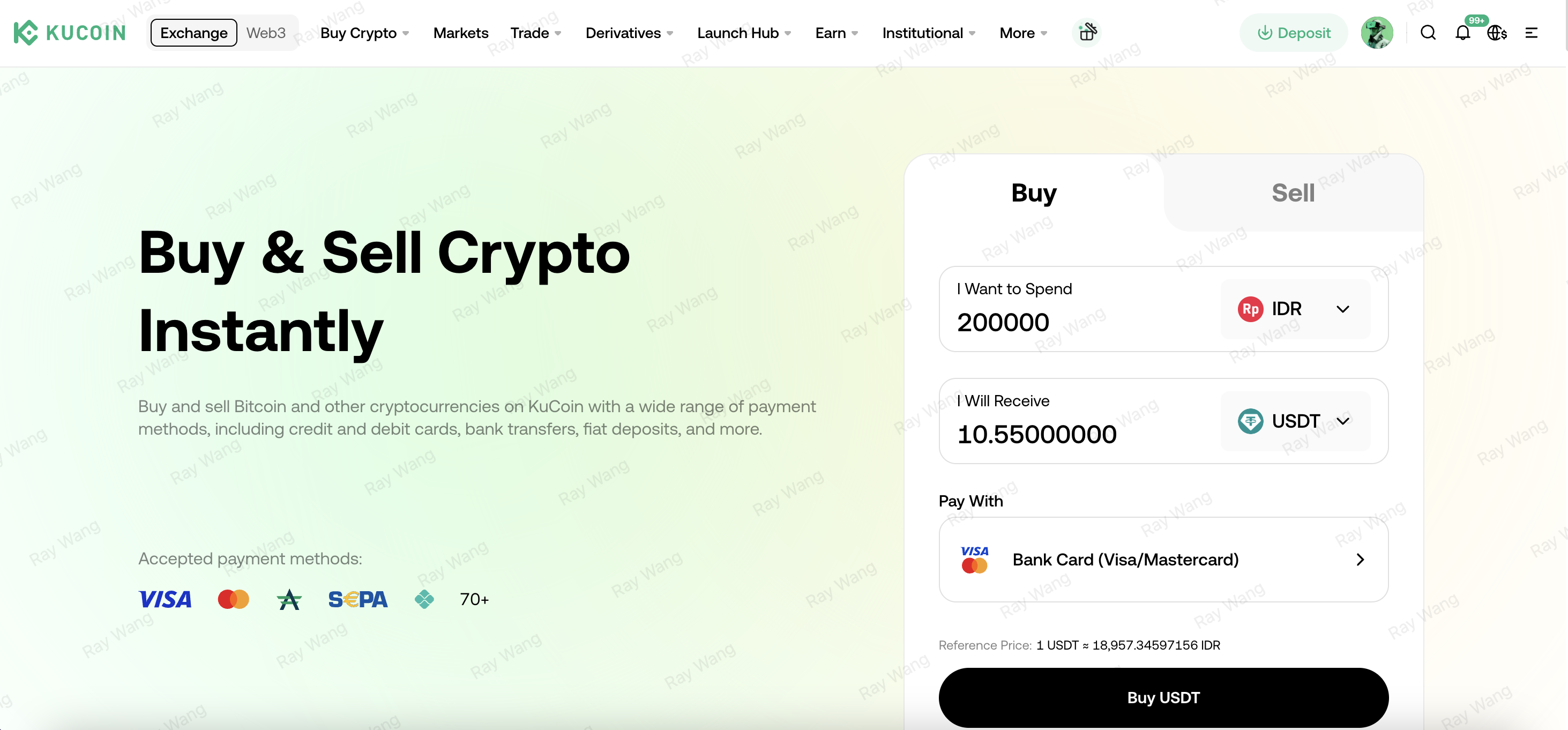
2. Select the payment currency and cryptocurrency
Select IDR as the payment currency, then select the cryptocurrency you want to buy, such as USDT.
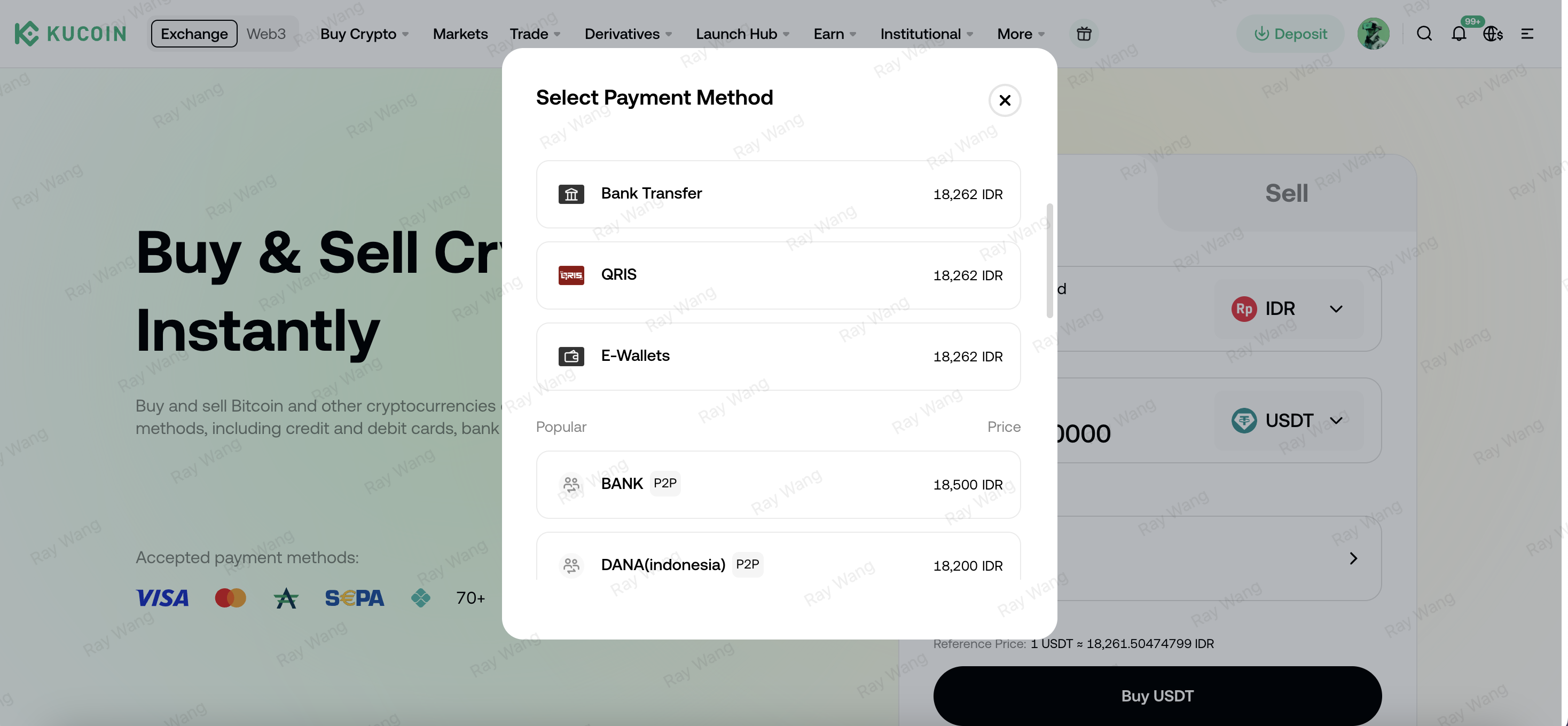
3. Select the payment method
On the payment method page, select Bank Transfer, QRIS, or E-Wallets.
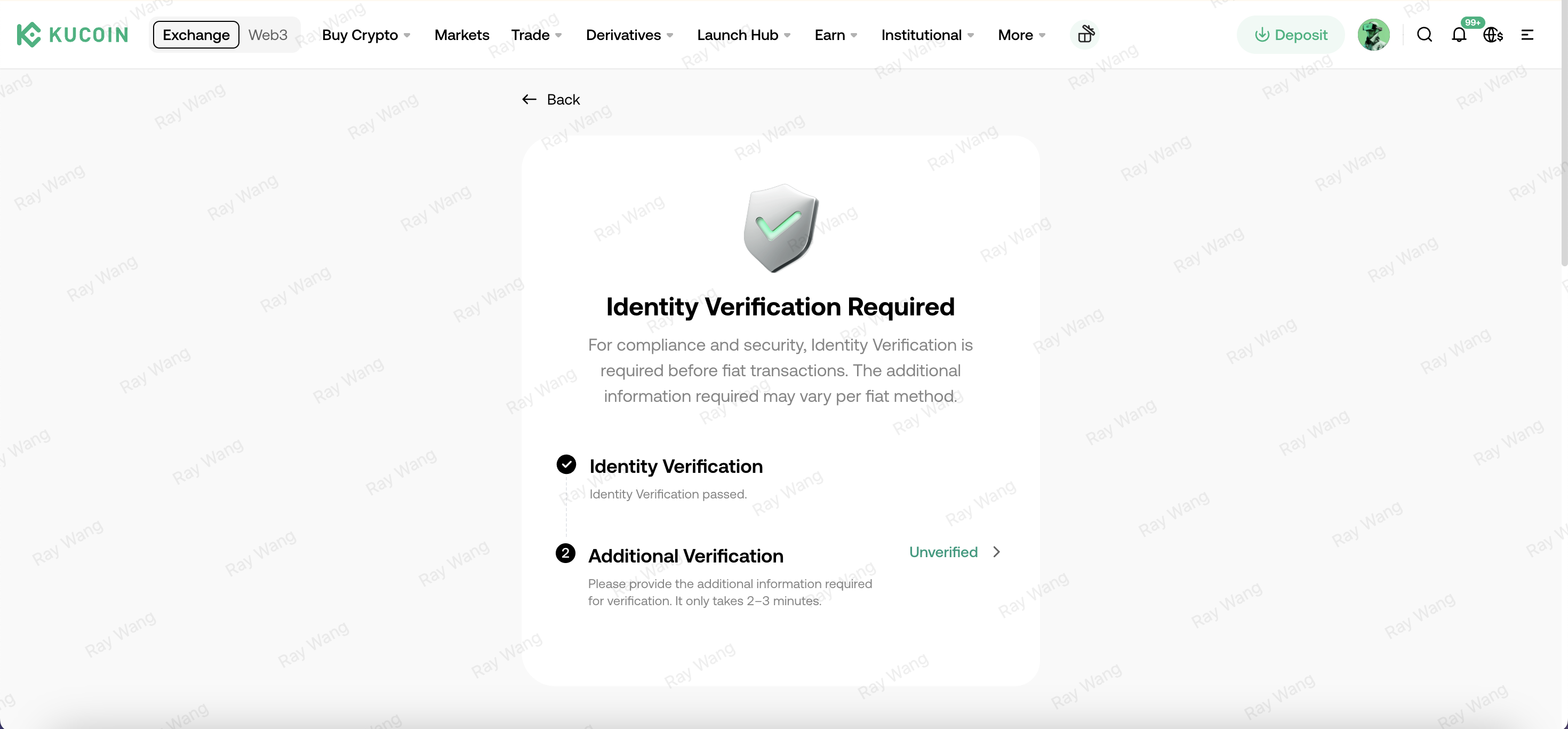
4. Complete additional verification
Enter the correct personal information to complete the additional verification.
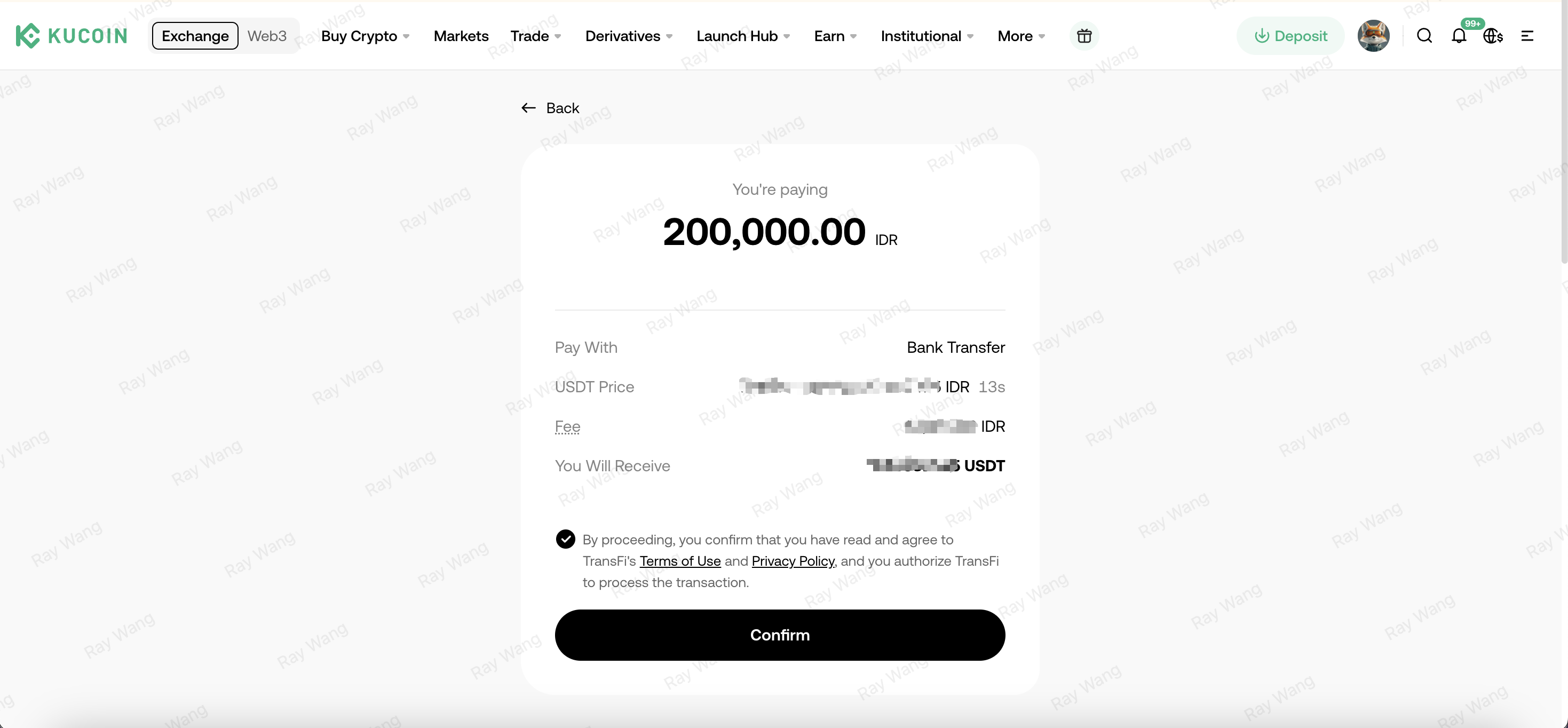
5. Confirm the order
Check the IDR amount you need to pay and the estimated amount of cryptocurrency you will receive. After confirming that the information is correct, click “Confirm”. The system will redirect you to the payment page.
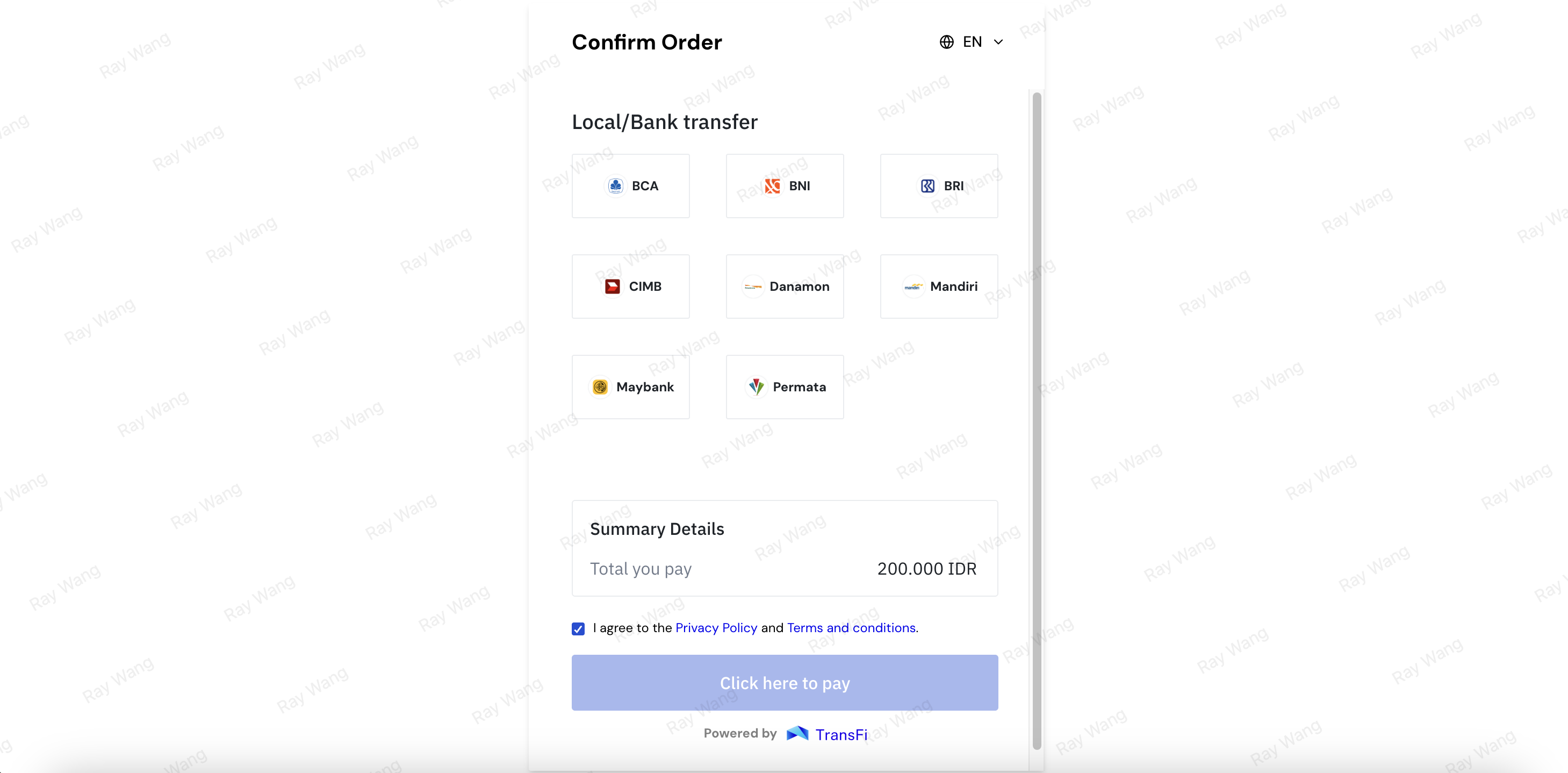
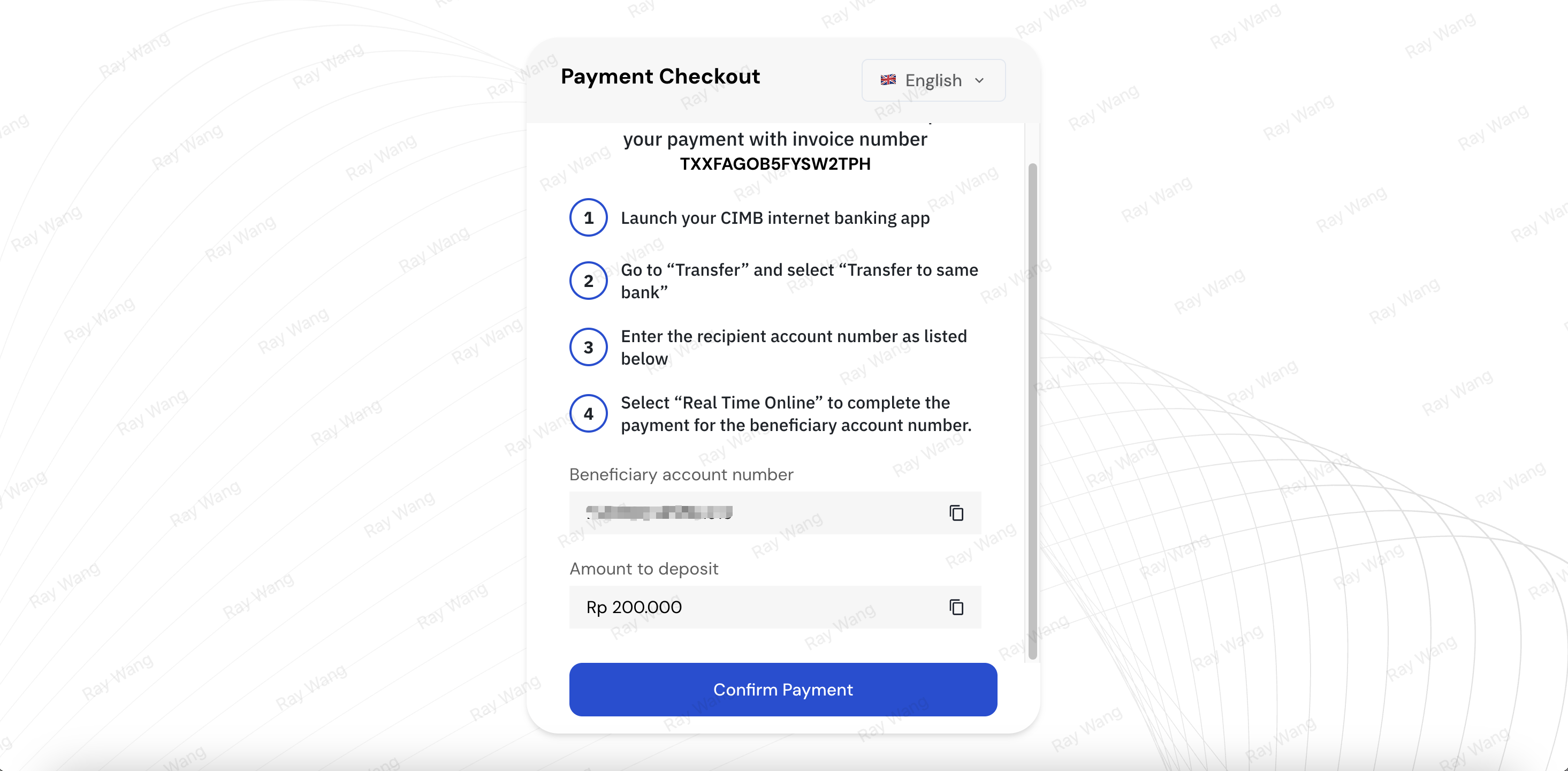
6. Complete the payment
Complete the payment according to the selected payment method:
-
Bank Transfer: Use online banking or mobile banking to transfer the exact amount to the account displayed on the page.
-
QRIS: Use a bank or e-wallet app that supports QRIS to scan the QR code displayed on the page.
-
E-Wallets: Enter the wallet-linked information and authorize the payment in the corresponding wallet.
4. Frequently Asked Questions
1. What requirements do I need to meet to use these payment methods?
You need to:
-
Complete the identity verification required by KuCoin;
-
Use a bank account or e-wallet under your own name;
-
Ensure that the bank account or e-wallet is in normal status and has sufficient balance;
2. Why is a certain bank or e-wallet not displayed?
Available payment methods may change depending on the order amount, account status, and payment channel service status. Please refer to the options actually displayed on the order page.
3. I selected QRIS as the payment method, but I was still charged the same fee as E-Wallets.
If you use QRIS, please select QRIS directly from the KuCoin payment method list. If you select E-Wallets first and then select QRIS after entering the redirected page, the final fee will be charged based on the E-Wallets payment method fee.
4. Can I use someone else’s bank account or e-wallet to make the payment?
No. The name of the payment account holder should match the name of the user who completed identity verification. Using a third-party account to make the payment may result in order delays, failures, or refunds.
5. Why does the order still show “Processing” after I have already paid?
After payment, the payment service provider and the bank or e-wallet need to confirm the transaction. The confirmation time may vary depending on the payment method and payment institution.
Please do not make repeated payments. If the order is not updated for a long time, please keep the payment proof and contact KuCoin Customer Support.
6. What should I do if the QRIS QR code cannot be scanned?
Please confirm that the QR code is still valid and try the following:
-
Increase the screen brightness;
-
Reopen or download the QR code;
-
Use another bank or e-wallet app that supports QRIS;
-
Return to KuCoin and create a new order.
7. What should I do if I do not receive a payment prompt when using OVO?
Please confirm that the mobile number entered is the one linked to your OVO account, and check whether there is a pending payment request in the OVO App. If you still do not receive a prompt, please return to the payment page and try again.
8. What should I do if I entered the wrong amount when using bank transfer?
If the actual transfer amount is different from the payment amount displayed on the page, the order cannot be processed. Please keep the payment proof and contact KuCoin Customer Support for more help.
9. Please do not use bank transfer information saved from previous orders to make a transfer payment.
All orders must first be initiated through the KuCoin page before an order can be generated. Only bank transfer payments completed using the payment information corresponding to the order can be processed correctly. Please do not directly make a transfer using bank transfer information saved from a previous order, otherwise the crypto purchase cannot be completed.