KCUSD User Guide
KCUSD is a principal-protected Flexible Earn product that allows you to subscribe using eligible stablecoins and earn returns distributed daily with automatic compounding. This guide explains how to subscribe to KCUSD, view your returns, and redeem your assets using the KuCoin App.
Key Product Features
1:1 Subscription Ratio: Subscribe using a supported stablecoin and receive KCUSD units at a 1:1 ratio.
Same-Asset Subscription and Redemption: Under normal circumstances, the subscription and redemption assets remain the same. If you subscribe using USDT, you will receive USDT upon redemption. Holdings are recorded separately by subscription asset.
Daily Compounding: Returns are generated from KuCoin ecosystem revenue, including income related to real-world assets such as tokenized U.S. Treasury securities. Returns begin accruing on T+1, and daily KCUSD returns are automatically added to the principal balance for subsequent return calculations.
1. How to Subscribe to KCUSD
KCUSD does not charge a subscription fee. Before subscribing, please ensure that your account has a sufficient balance of supported stablecoins.
Step 1: Open the KuCoin App and go to the Earn homepage. Select KCUSD to enter the product details page. Here, you can review detailed product information and the FAQ provided at the bottom of the page.
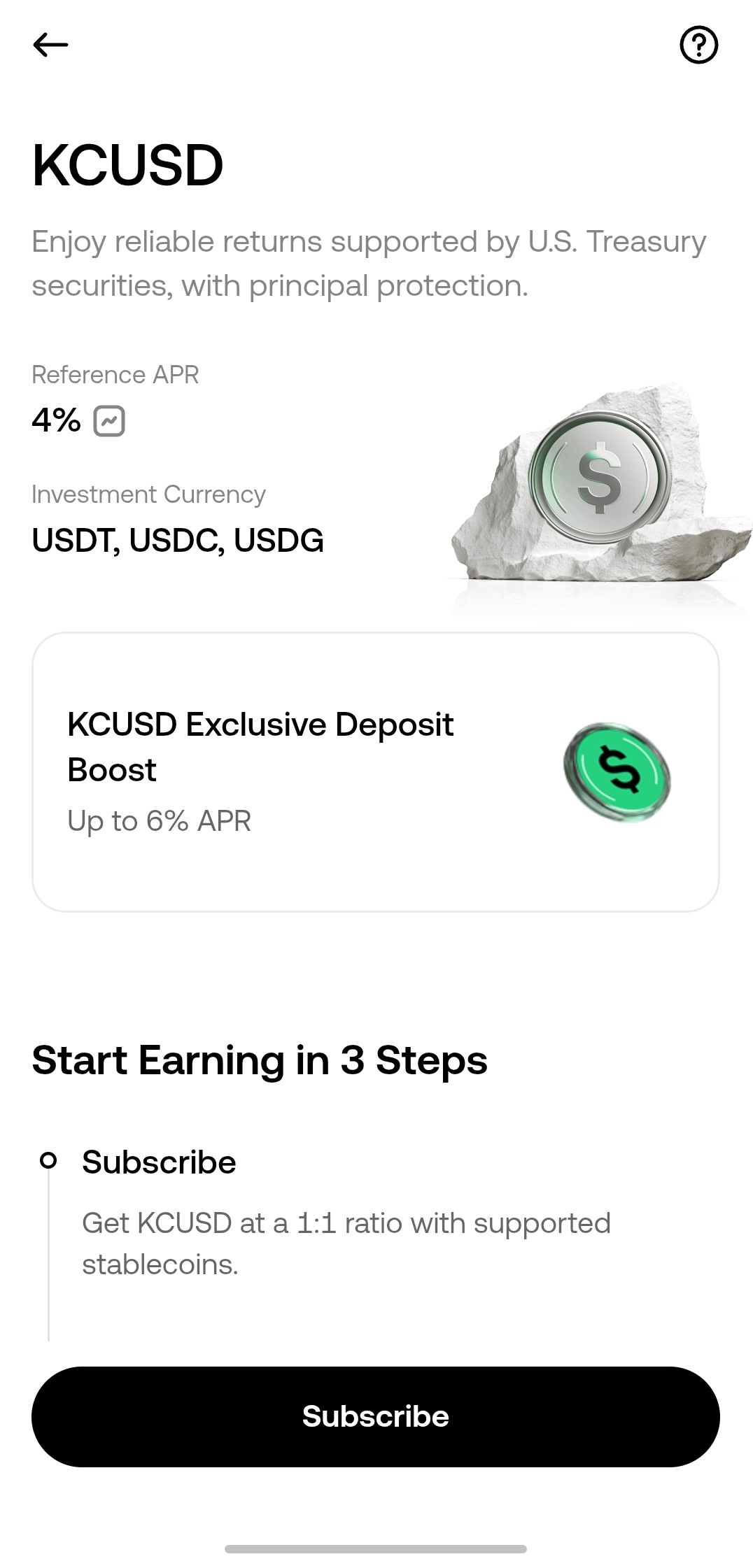
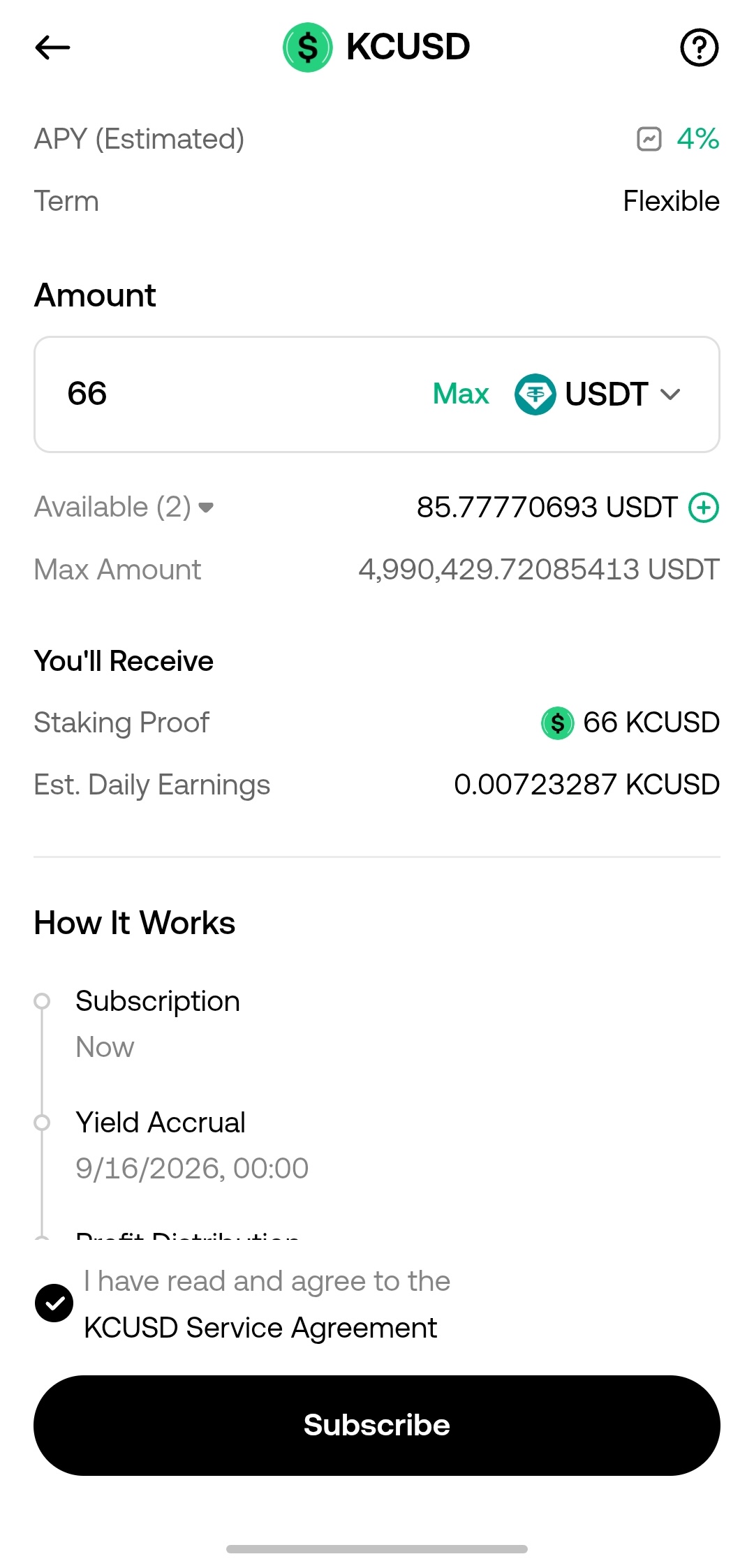
Step 2: Select Subscribe on the product details page. At the top of the subscription page, choose the stablecoin you want to use: USDT, USDC, or USDG.
Step 3: Enter the amount you wish to subscribe. Read and accept the Service Agreement, then select Confirm Subscription to complete the process.
2. How to View Your Assets and Returns
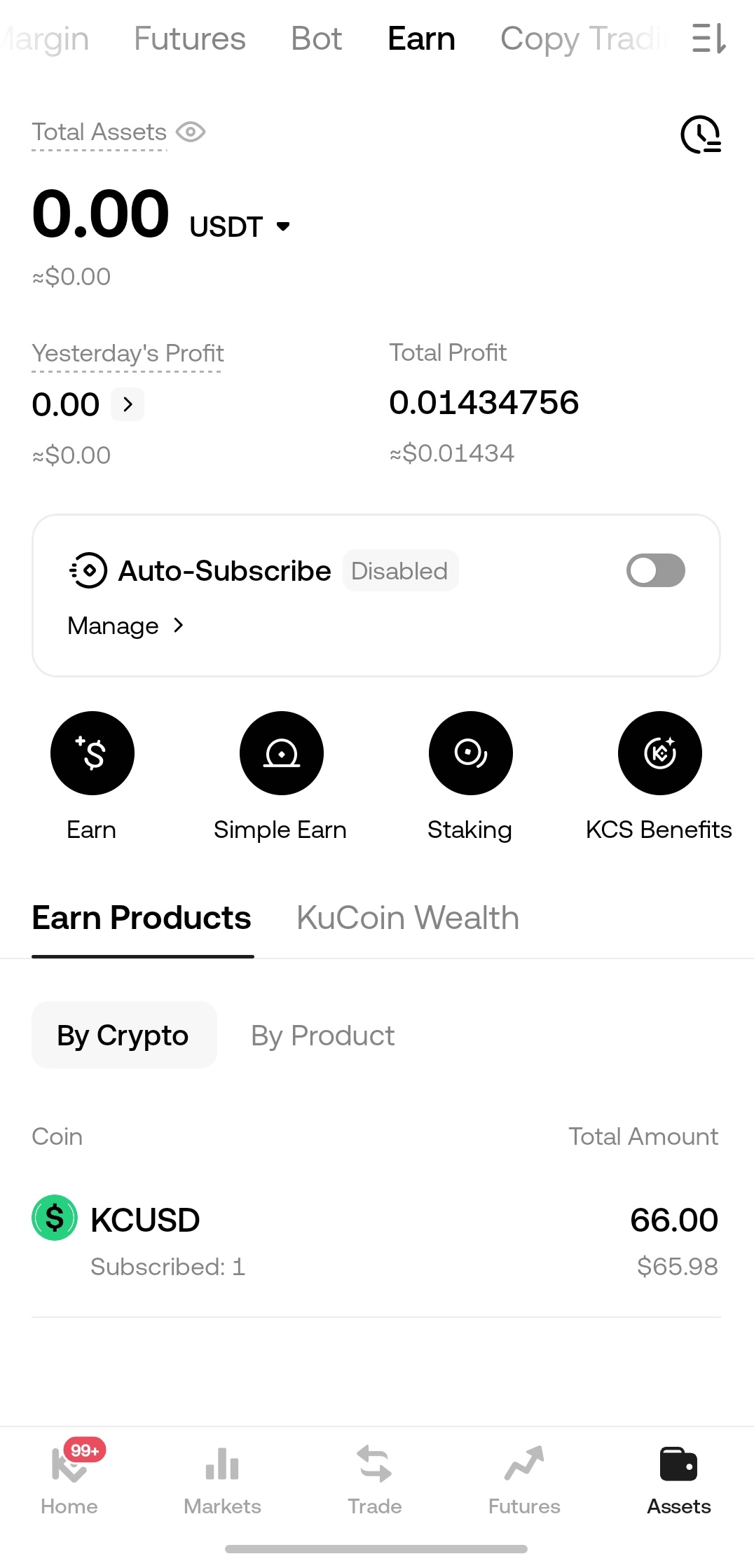
Your KCUSD subscription principal and daily returns are recorded and held in your Funding Account.
The Funding Account and Earn Account currently both provide access to KCUSD holdings, returns, subscription, and redemption functions. You may use either entry according to your preference.
Step 1: Select Assets in the bottom-right corner of the App. Swipe through the top menu and select Earn Account. Locate KCUSD and select it to open the asset details page.
Step 2: On the asset details page, you can view the amount held under each underlying subscription asset, including USDC, USDT, and USDG.
Step 3: The transaction history section displays all previous records, including subscriptions, redemptions, and daily return distributions.
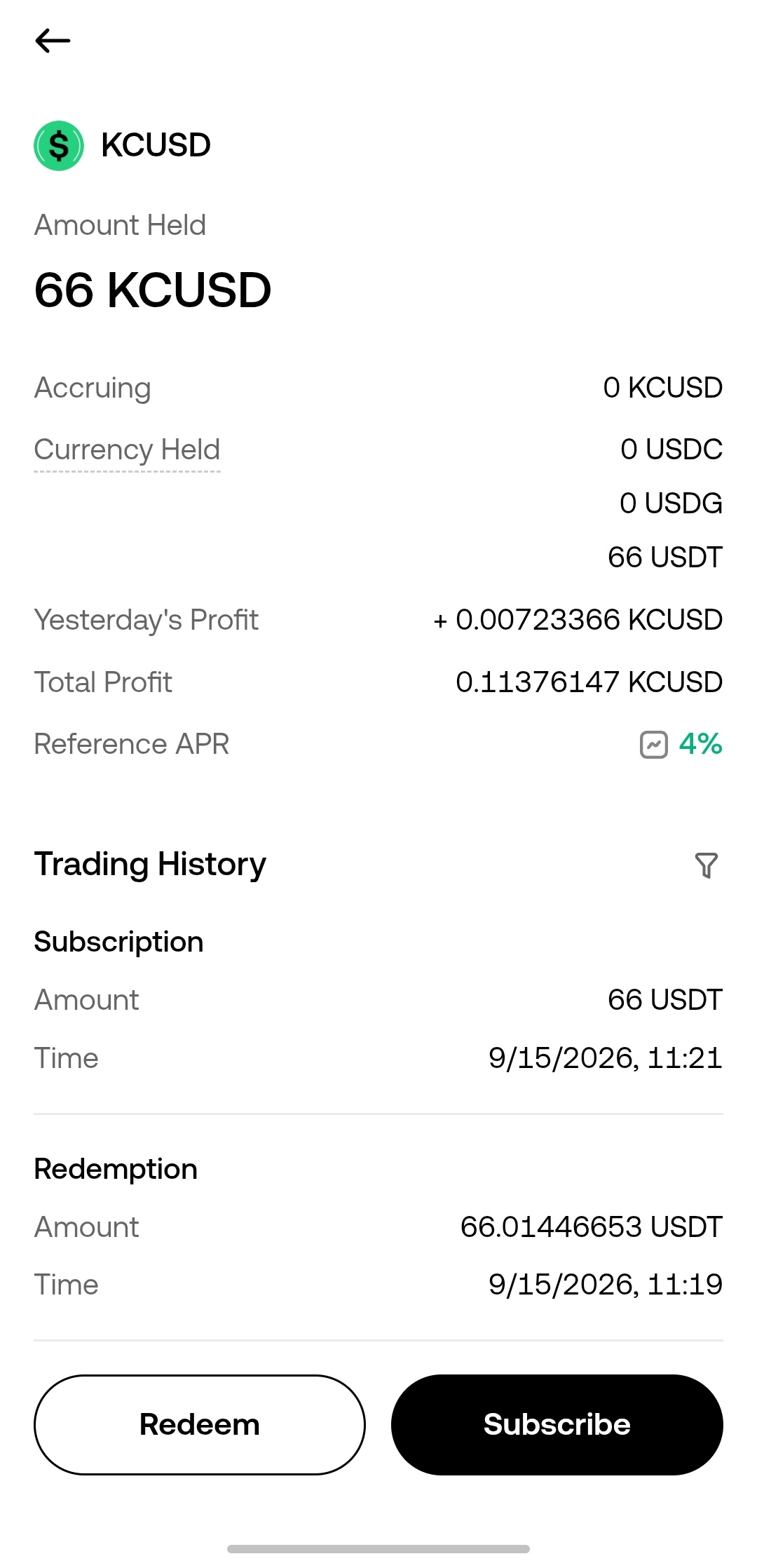
3. How to Redeem KCUSD
You can submit a redemption request 24/7. Under normal circumstances, KCUSD follows the same-asset subscription and redemption principle.
You can access the redemption page through either of the following paths:
-
Path A: Assets → Earn Account → KCUSD → Redeem
-
Path B: Earn Homepage → KCUSD Product Page → Redeem
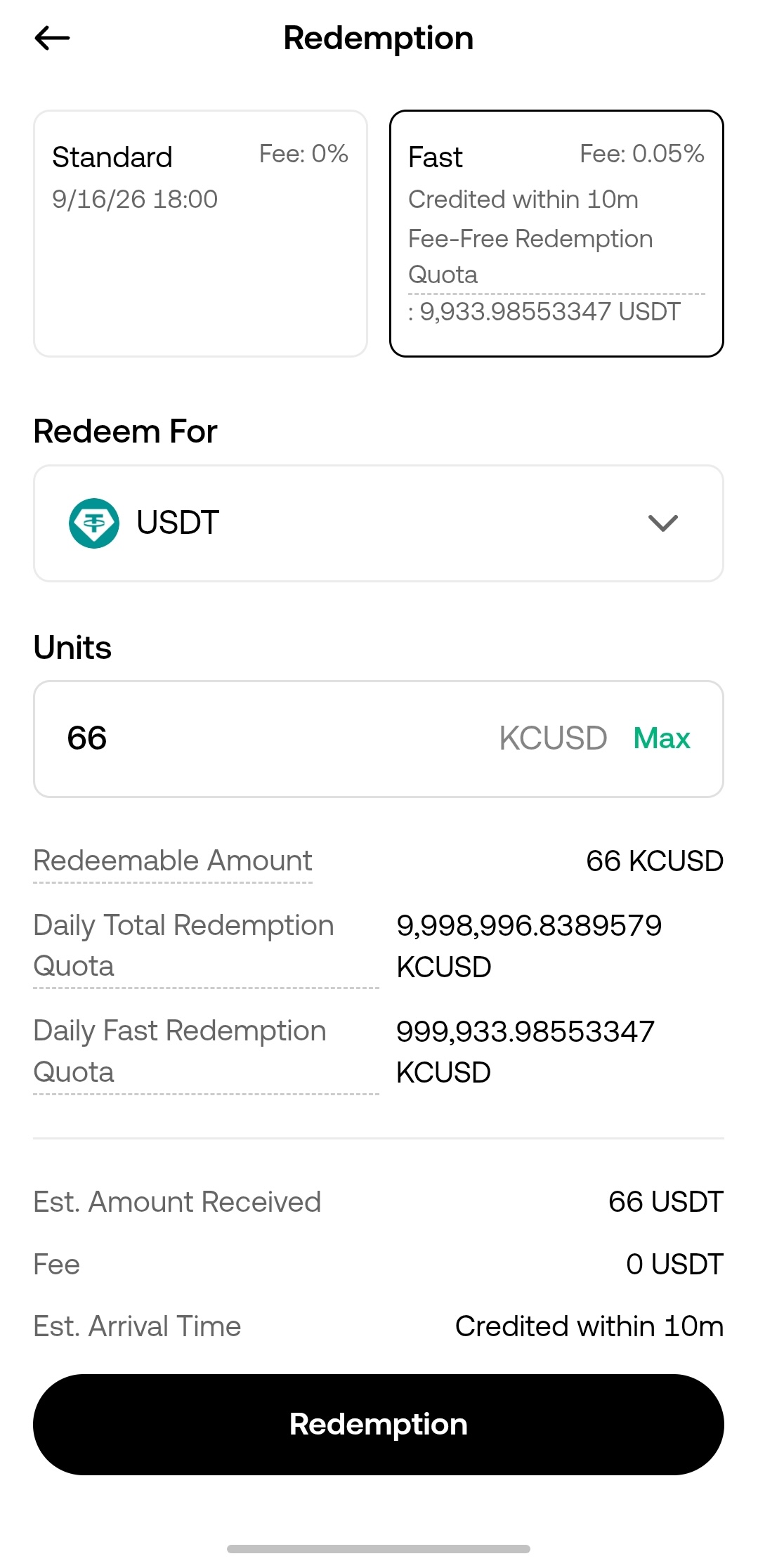
Step 1: On the redemption page, select the stablecoin you wish to redeem: USDT, USDC, or USDG.
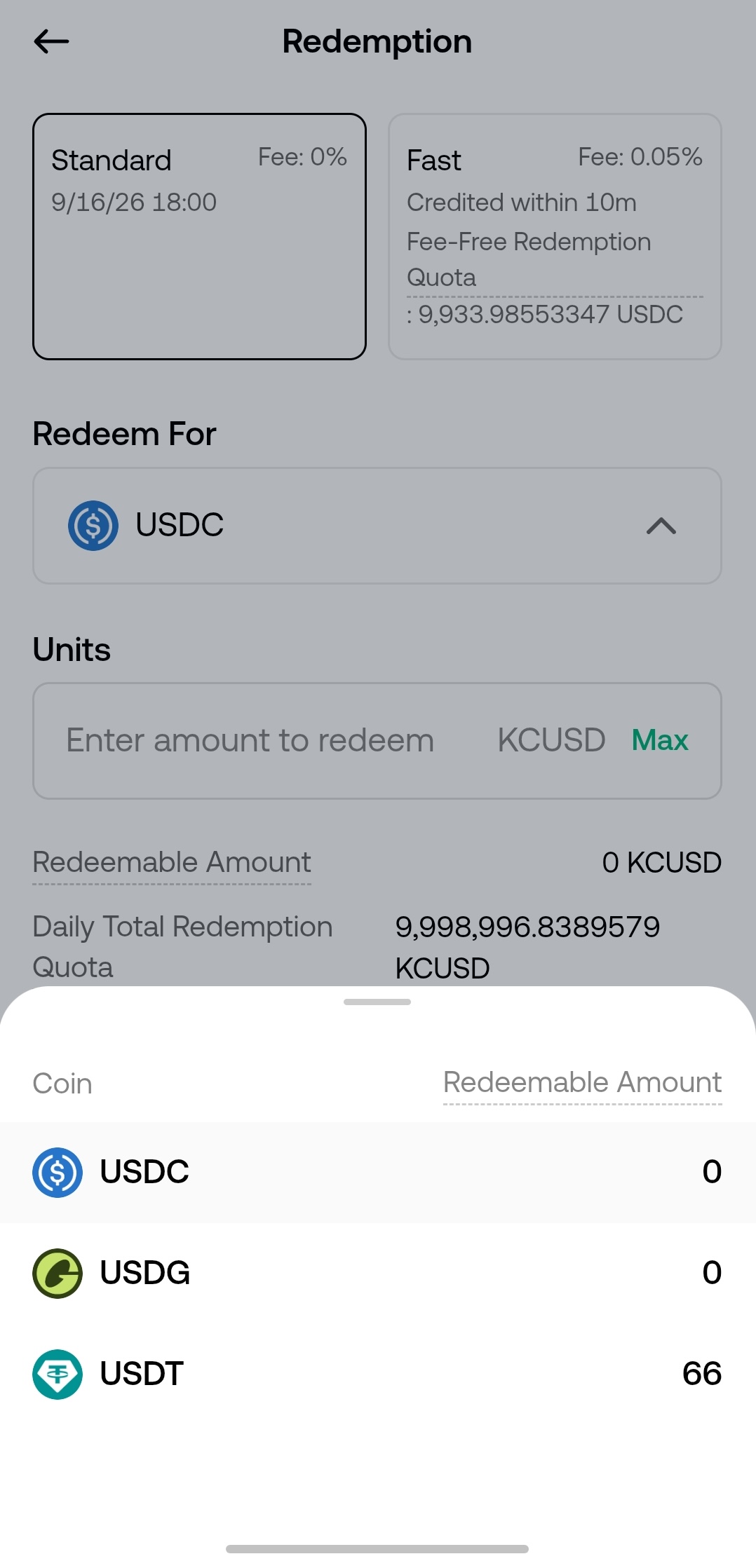
Step 2: Enter the amount you wish to redeem.
Step 3: Select a redemption method and confirm your request:
-
Fast Redemption: Funds are generally credited within 10 minutes. A daily fee-free quota is available. Any amount exceeding this quota is subject to the applicable fee displayed on the redemption page.
-
Standard Redemption: Funds will be credited within the processing period displayed on the redemption page. The applicable fee will be charged according to the rate shown on the page.