How to Switch Between Multiple KuCoin Accounts?
Last updated: 07/13/2026 06:43:00
The ‘Switch Account’ function, available from the KuCoin app and website, allows you to switch between different types of accounts after logging in with a Master Account.
1.Switch Between Master Accounts
You can switch to another Master Account that is registered on KuCoin.
2. Switch from Master Account to Sub Account
After logging in with a Master Account, you can switch to a Sub Account that is associated with the current Master Account.
3. Switch Between Sub Accounts
You can also switch between Sub Accounts that are under the same Master Account.
How to switch between accounts?
-
App Guidance
There are two ways to switch accounts.
-
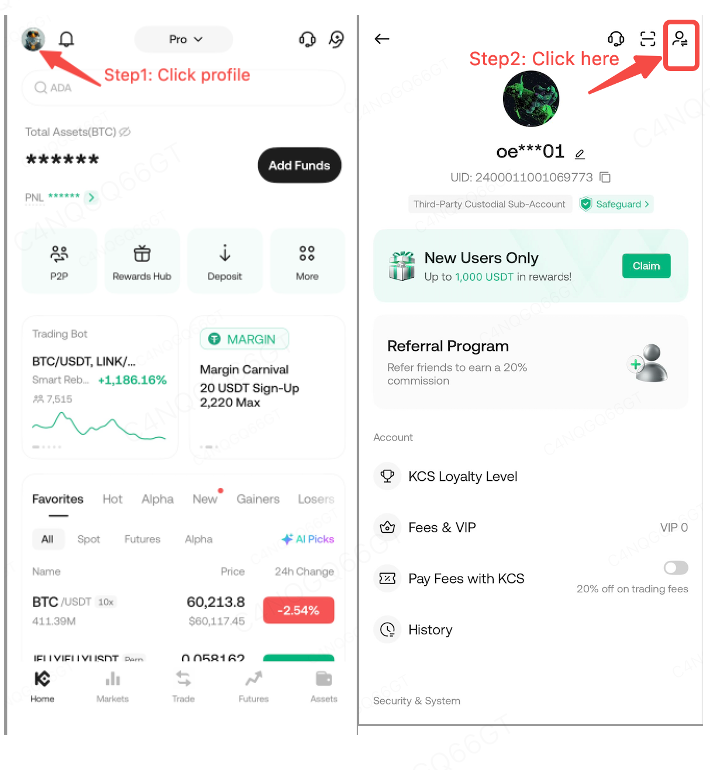
Portal 1: Log into your KuCoin app and go to [Profile] - Click the [Switch] button in the upper right corner
-
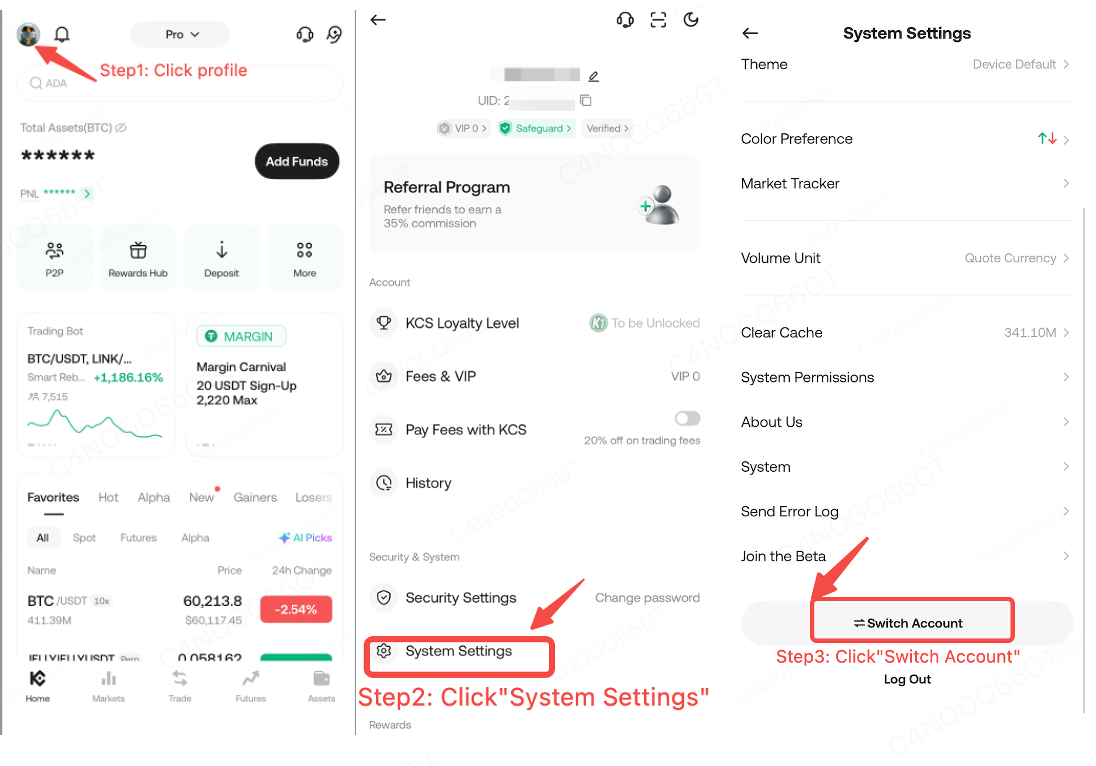
Portal 2: Log into your KuCoin app and go to [Profile] - [System Settings] - [Switch Account]
-
Web Guidance:
There is one way to switch accounts.
-
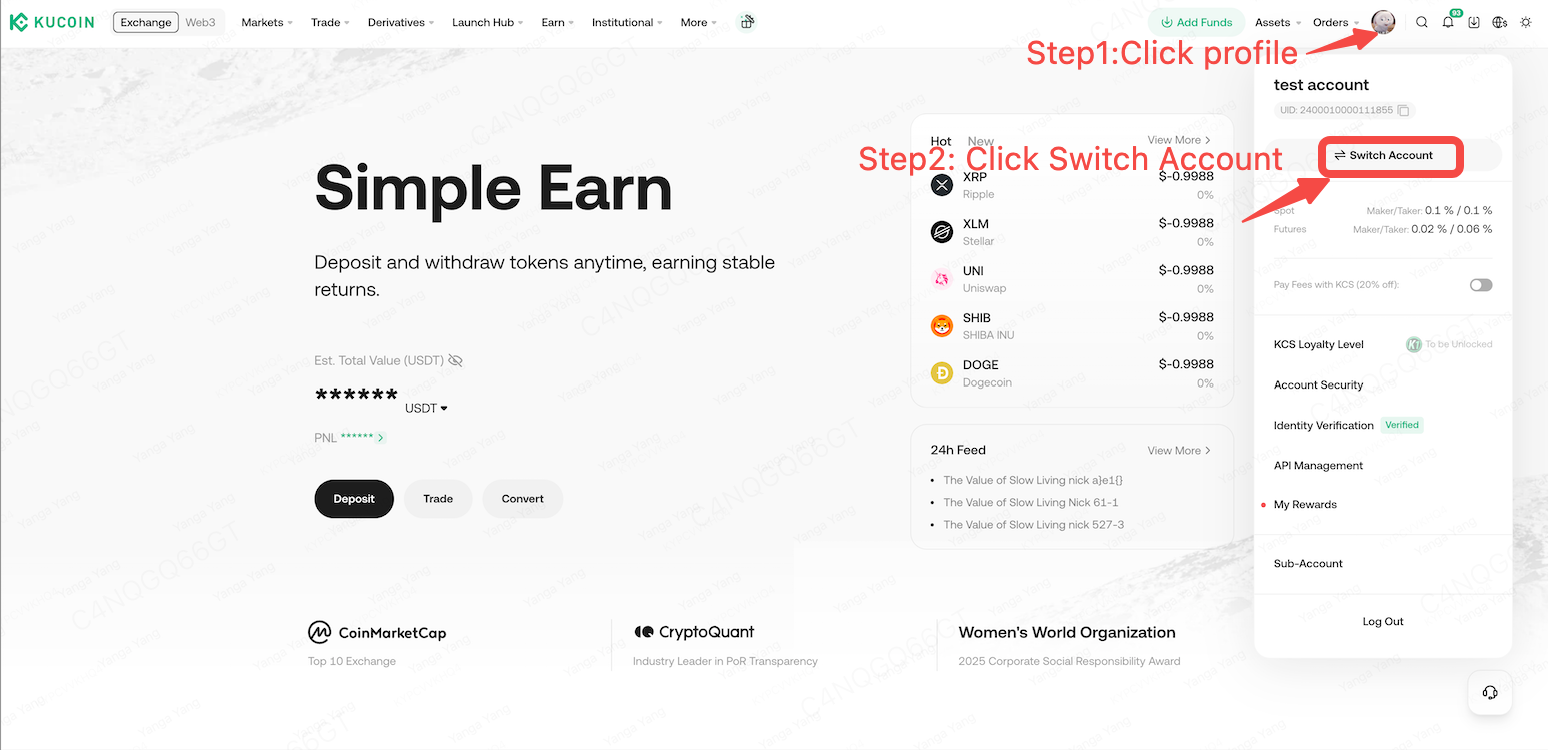
Log into your KuCoin account - click the [Profile] in the upper right corner - Click the [Switch Account] button
-
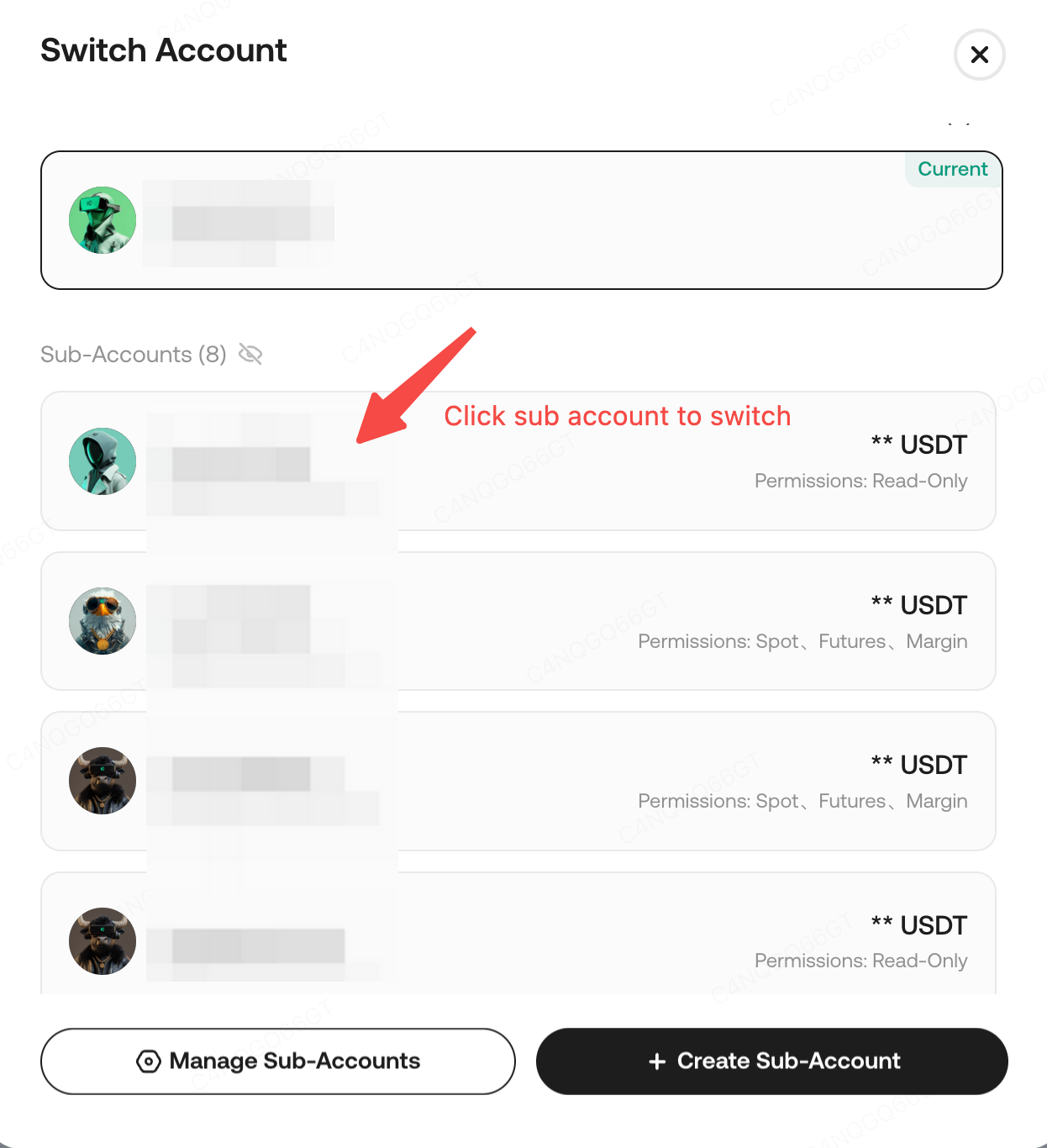
The ‘Switch Account’ page displays:
-
‘Sub Account’ section: available sub accounts to switch to under the current master account.
-
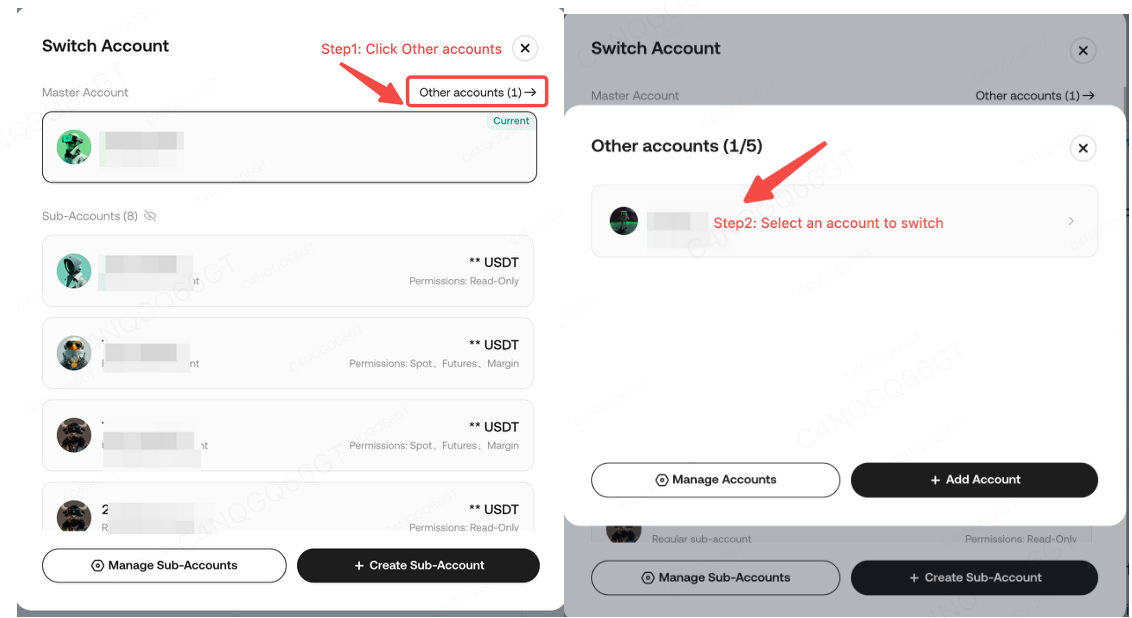
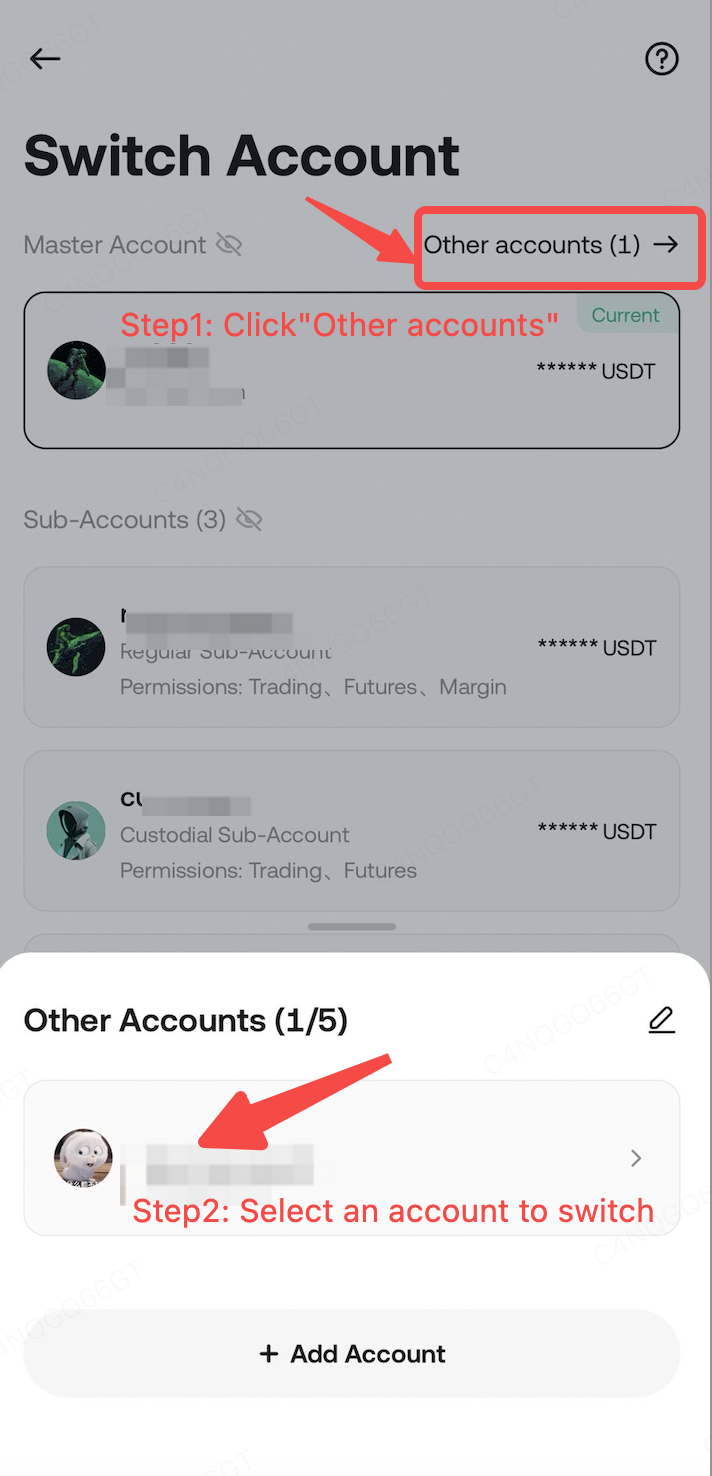
‘Master Account’ section: The page will display the current master account and you can switch between other accounts (master or sub accounts).
Click [Other accounts] and select any of the accounts listed to switch to that account.
Web
APP
How to add accounts?
Account Limitation: You can add a maximum of 5 Master Accounts, for a total of 6 master accounts (including your current login account).
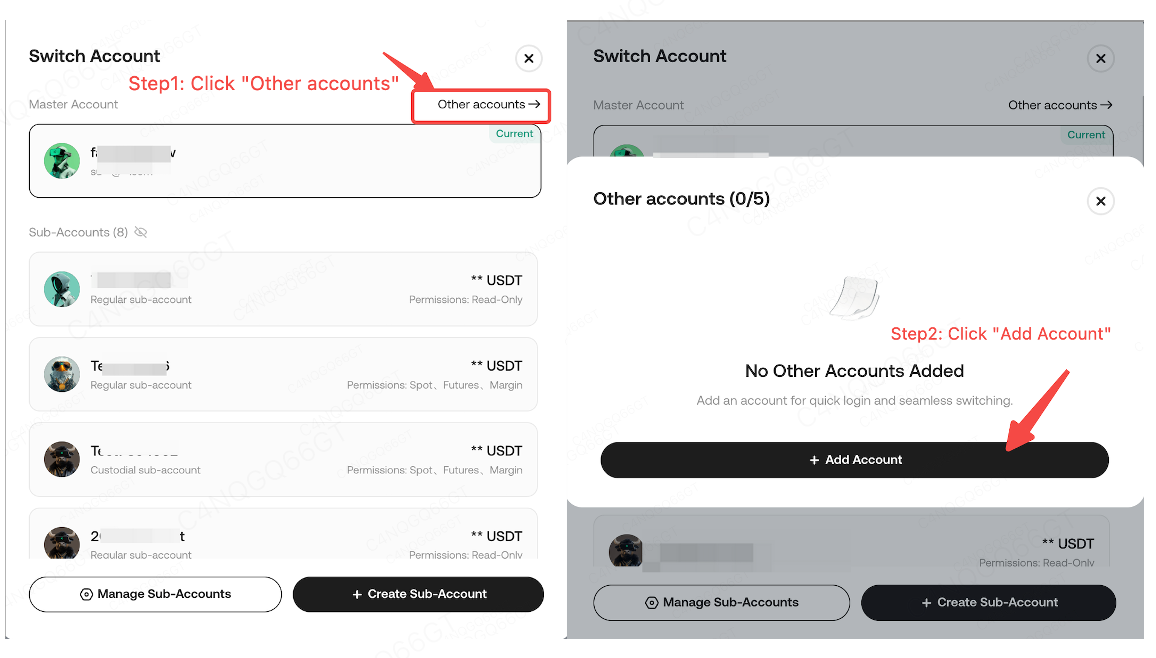
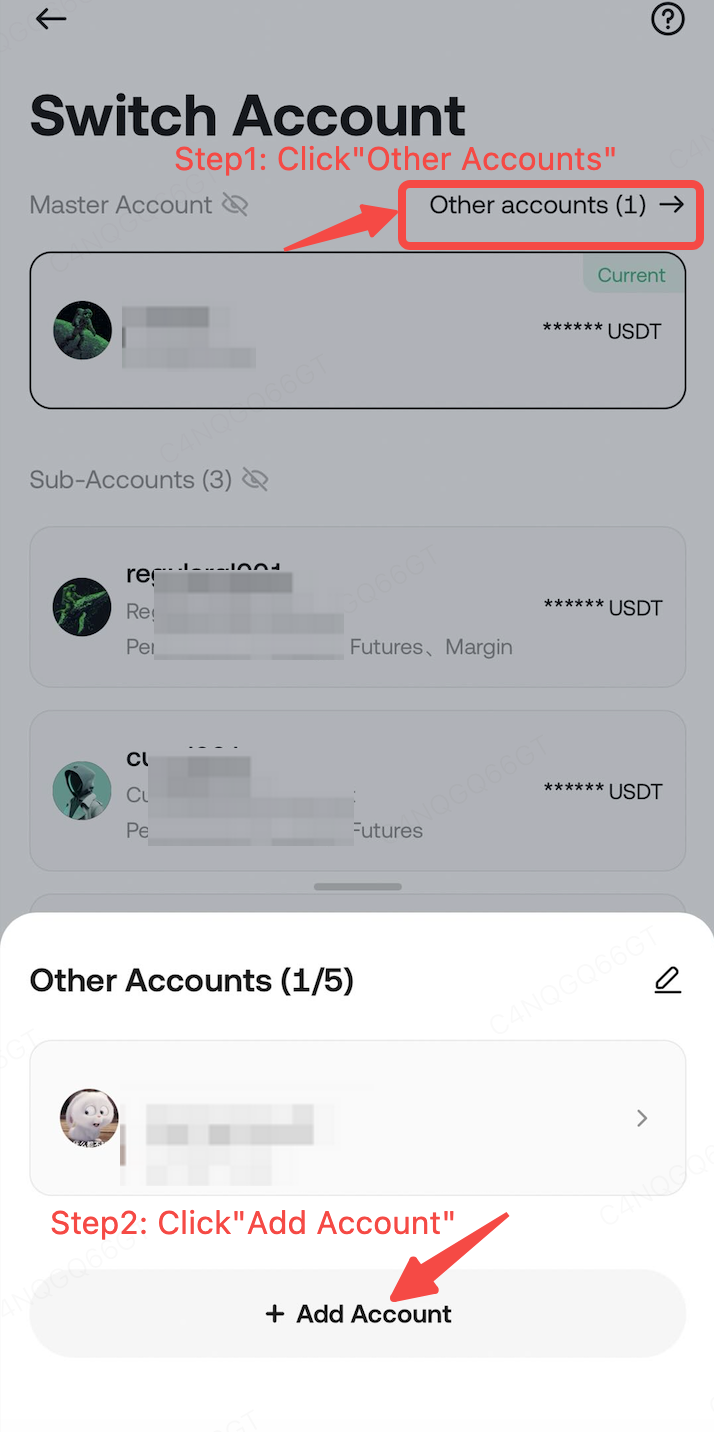
To add a new account, go to the "Switch Accounts" page, click [Other Accounts] > [Add Account], and follow the prompts to enter the login details of the other account.
Web
App
How to manage accounts?
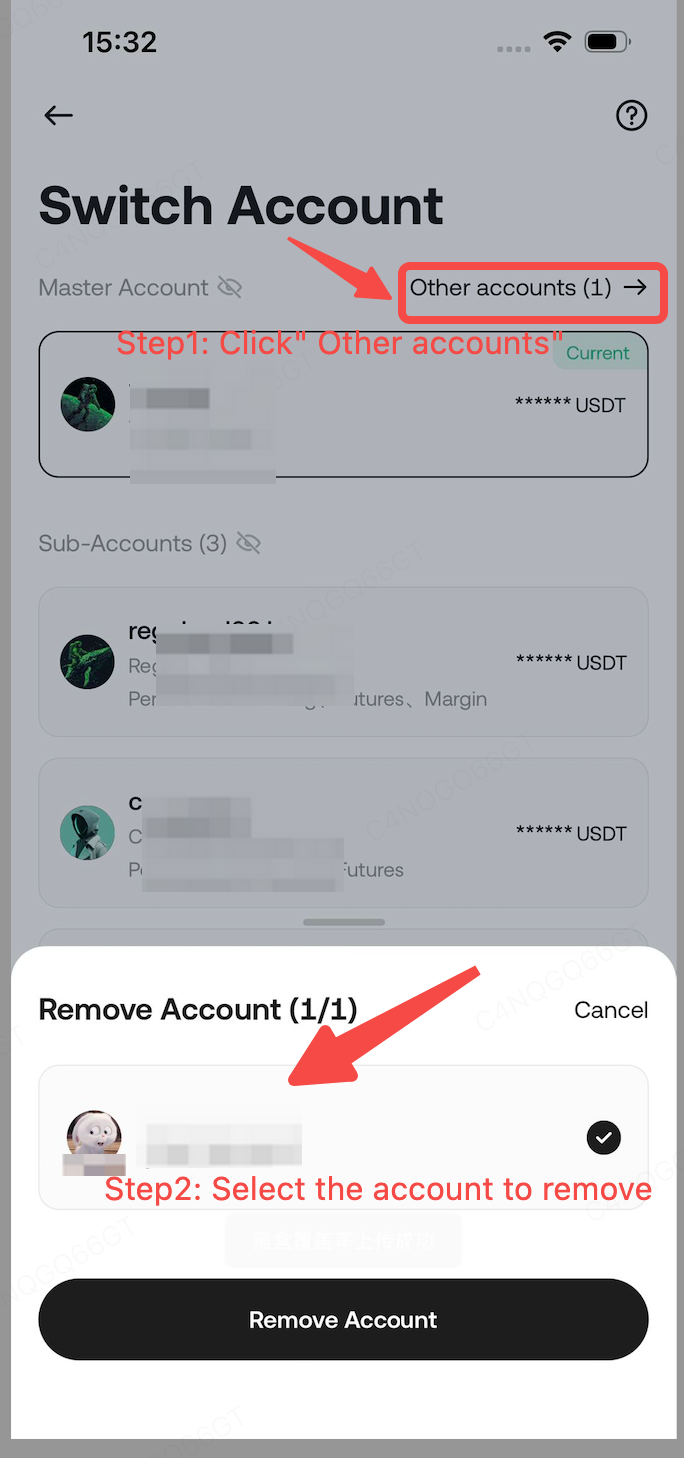
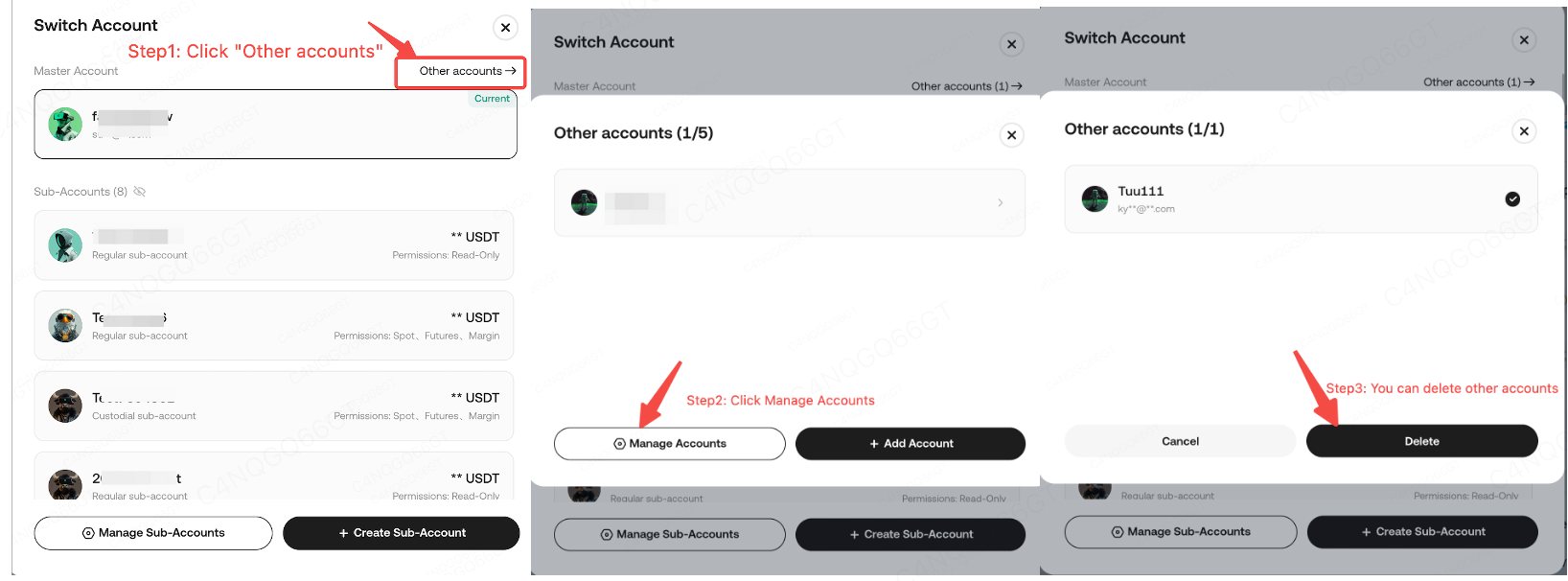
To remove accounts, go to the Switch Accounts page and click [Other accounts]--[Manage Account]--[Remove Account].
web
App