
How to Trade with Isolated Margin in Unified Account
What Is Isolated Margin Mode?
In the Unified Account, each position in Isolated Margin mode has its own independent margin. Positions do not affect each other. The maintenance margin ratio for each isolated position is calculated independently. When the risk ratio reaches the system-defined threshold, the position will trigger auto-deleveraging (ADL) or forced liquidation. The maximum loss is limited to the margin allocated to that position and will not impact other funds or positions in your Unified Account.
Advantages of Isolated Margin mode:
-
Risk Isolation:Losses from a single isolated position will not affect cross-margin positions in the Unified Account, effectively capping the maximum loss per trade.
-
Independent Management:Margin and risk for each position are calculated independently, making it easier to manage different trading strategies with precision.
-
Flexible Margin Allocation:Traders can allocate different amounts of margin based on their risk assessment for each trade. After opening a position, you can also manually add margin or adjust leverage to change the margin level.
How to Trade Using Isolated Margin Mode?
-
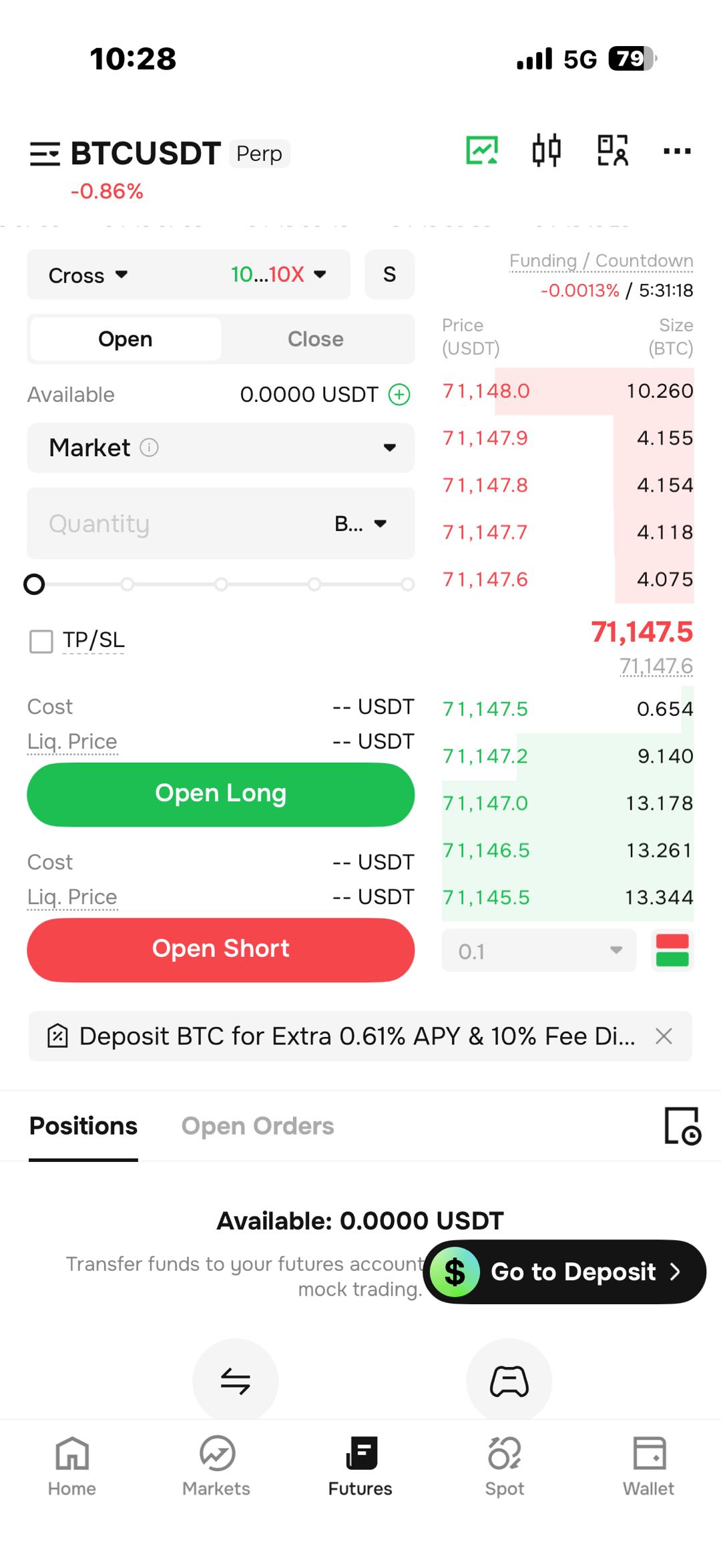
Go to the Futures trading page and select the contract you want to trade.
-
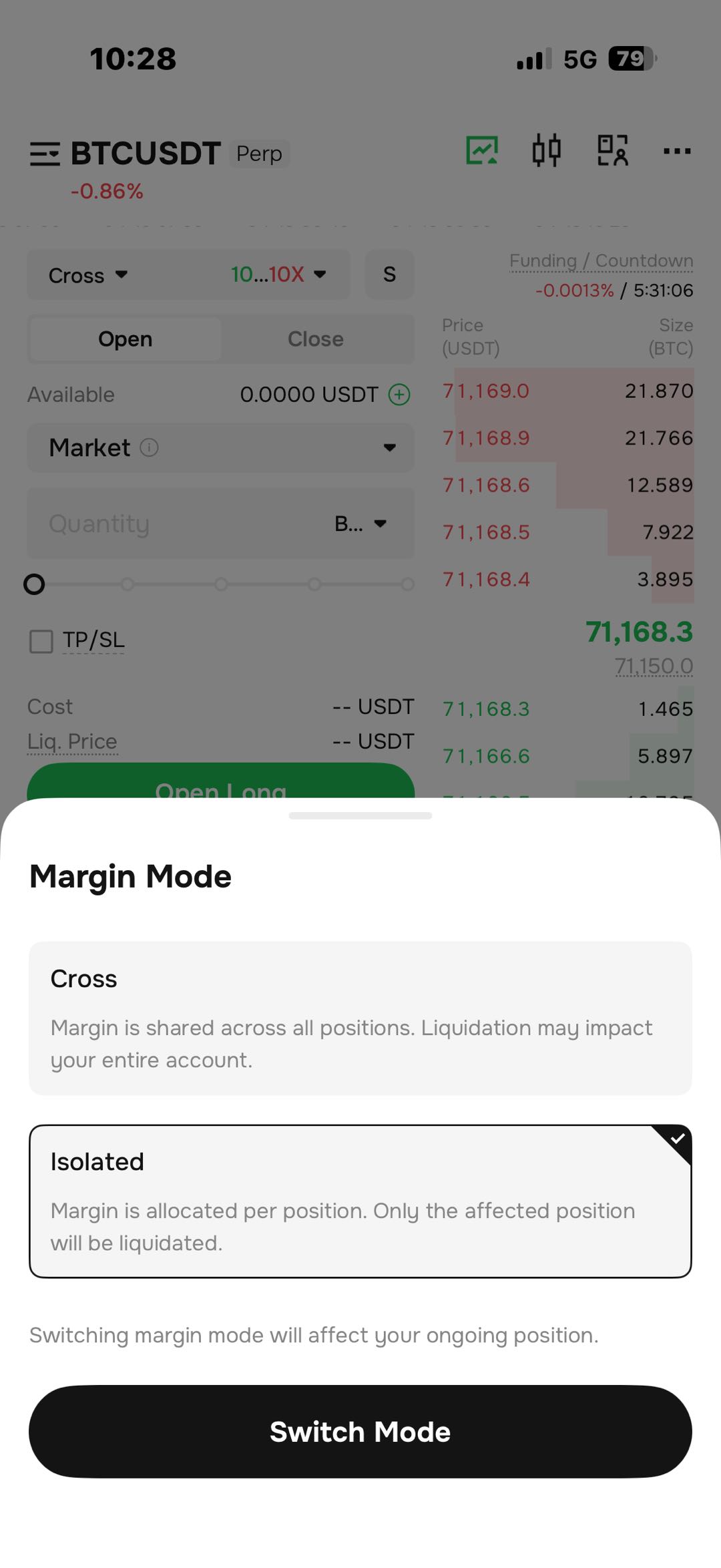
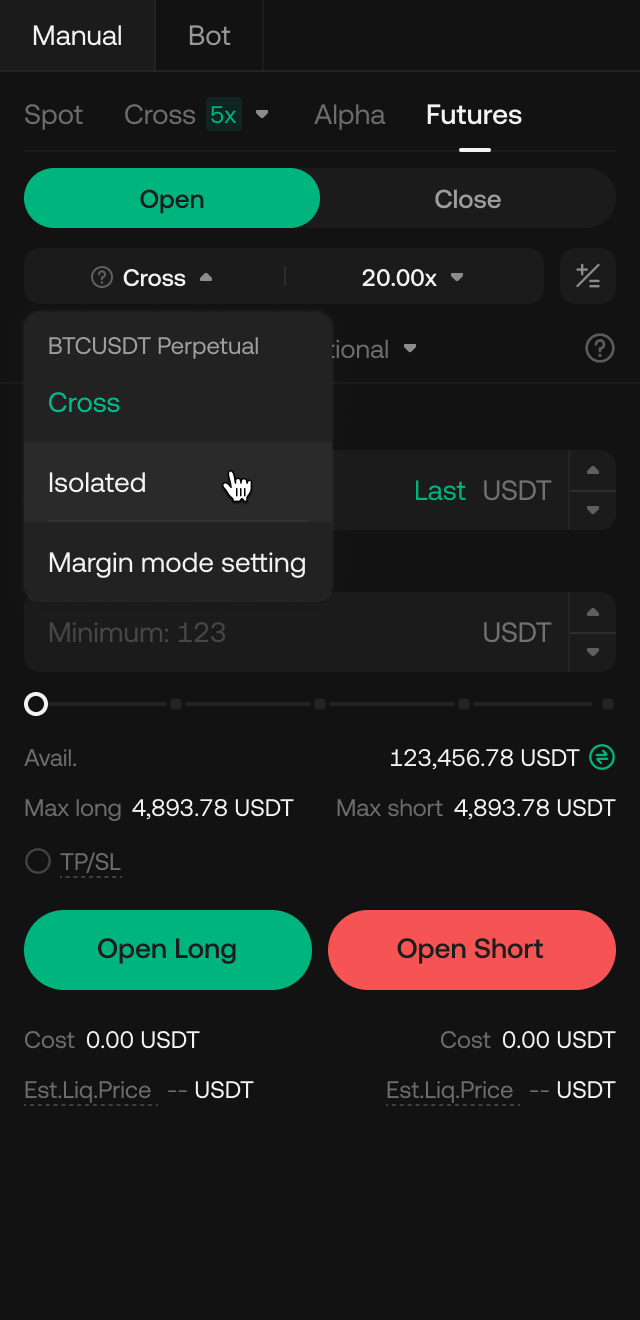
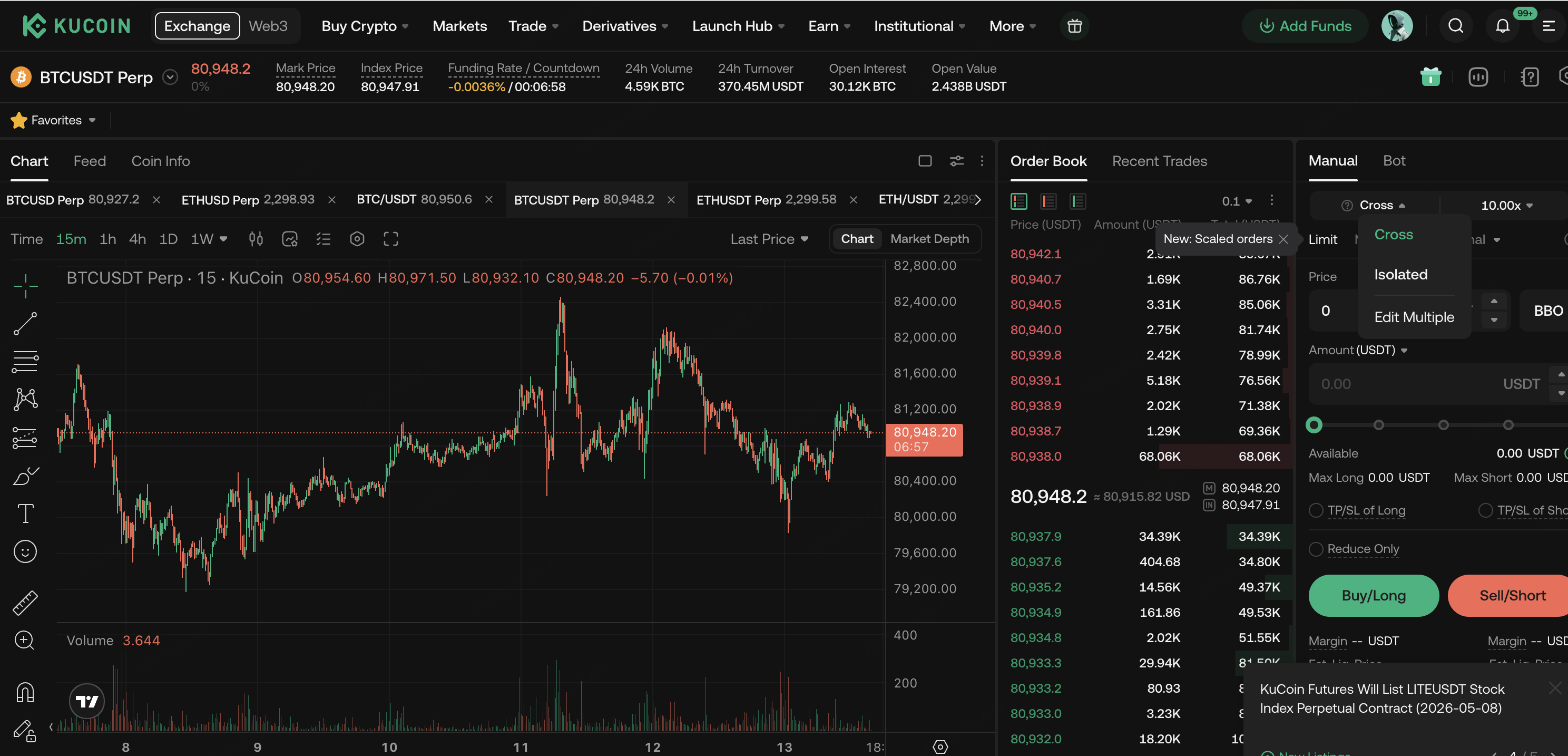
At the top of the trading interface, click the margin mode area and select Isolated.
-
Adjust the leverage, then enter the order quantity and price.
-
Review the order details, confirm, and submit.
Note:
1. Contracts with open positionsis not supportedswitch between Cross/Isolated Margin mode.If you need to switch,Please close the current position first.
2. The same trading pairis not supportedhave both cross-margin and isolated-margin positions simultaneously
 |
 |
 |
Cross Margin vs. Isolated Margin
| Comparison Dimension | Cross Margin Mode | Isolated Margin Mode |
| Margin Scope | All available margin in the cross margin account | Allocated independently per position |
| Maximum Loss | Total margin in the cross margin account | Margin allocated to that position |
| Liquidation Trigger | Triggered when account risk ratio reaches 100% | Triggered when the position’s risk ratio reaches 100% |
| PnL Linkage | Profits from one position can offset losses from others | PnL of each position is independent |
| Max Open Positions | Determined by total account margin, leverage, and price; higher leverage allows more positions | Constrained by isolated margin risk limit tiers and transferable margin from cross account |
| Suitable Scenarios | Multi-position hedging, capital efficiency prioritized | Single high-leverage speculation, precise risk control |
How to Adjust Margin for an Isolated Position?
In Isolated Margin mode, the margin for a position is not fixed after opening. You can flexibly adjust the position margin in the following ways to change the estimated liquidation price and risk exposure.
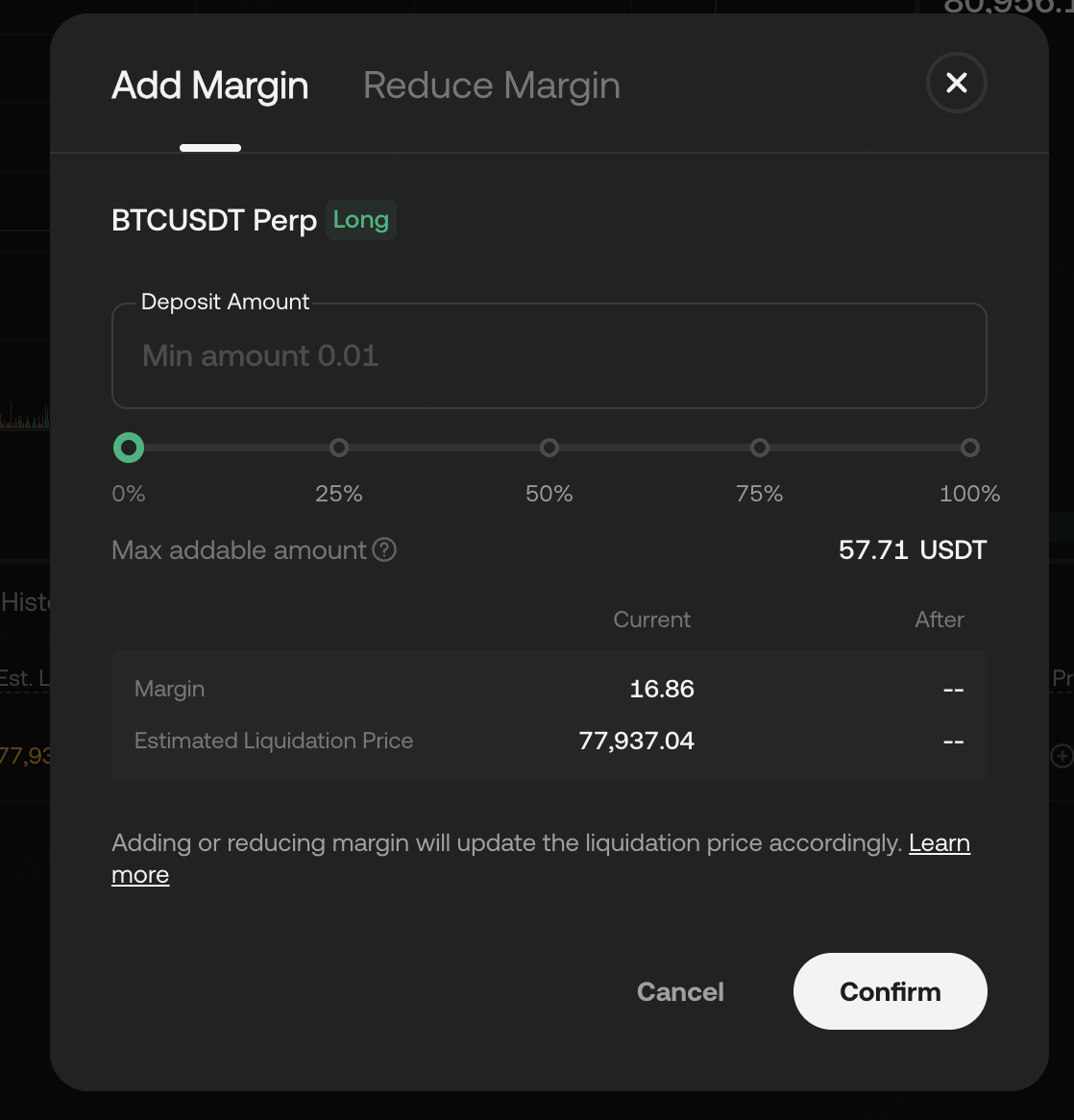
Add Margin
When market conditions are unfavorable and a position is approaching its estimated liquidation price, you can manually add margin to the isolated position to reduce liquidation risk.
-
In the Positions list, locate the isolated position you want to adjust.
-
Click the Modify button next to the margin of that position.
-
Select Add Margin.
-
Enter the amount of margin you wish to add and confirm.
After adding margin, the position margin balance increases and the liquidation price moves in a more favorable direction. The added funds are sourced from the available balance of the cross-margin account.
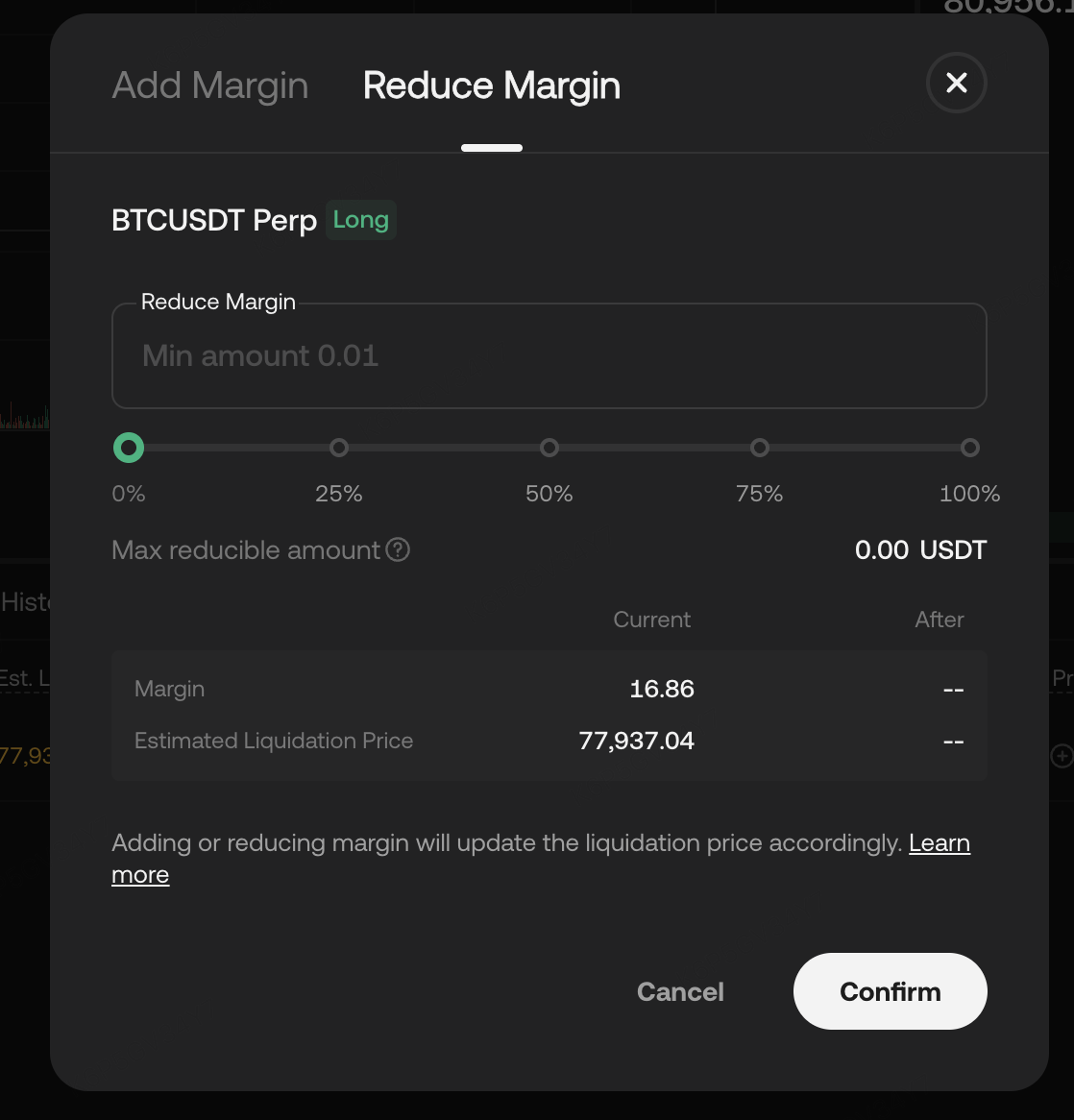
Remove Margin
When a position is sufficiently profitable or you wish to free up funds, you can also remove (withdraw) margin from the isolated position.
-
In the Positions list, locate the target isolated position.
-
Click the Modify button next to the margin of that position.
-
Select 【Remove Margin】.
-
Enter the amount of margin you wish to remove and confirm.
Remove Margin, the liquidation price will move in a less favorable direction. The system will verify whether the remaining margin still meets the maintenance margin requirement; if not, the request will be rejected. The withdrawn margin will be returned to the cross-margin account.
Note: Remove Margin directly increases the liquidation risk of the position. Please make sure to fully evaluate the current market conditions and position risk before proceeding
 |
 |
How to Adjust Leverage for an Isolated Position?
In Isolated Margin mode, you can still adjust the leverage of a position after opening it. Adjusting leverage does not change the position size or position value, but may affect the required margin amount and estimated liquidation price.
Reducing Leverage
Reducing leverage means the same position requires more margin to sustain. The system will automatically transfer additional margin from the cross-margin account into the isolated position.
Changes after reducing leverage:
Position Value: Unchanged. Position size and entry price are not affected.
Margin: May increase. Position margin = Position value / Leverage. If the current isolated margin plus unrealized PnL is insufficient to cover the new required margin after leverage adjustment, additional funds will be transferred from the cross-margin account.
Est. Liquidation Price: May become safer (further from the current mark price). If the total margin of the isolated position increases (new margin transferred in from cross-margin), it can withstand greater unrealized losses.
Impact on Cross-Margin Account: Cross-margin effective margin may decrease, and the cross-margin risk ratio may increase.
Increasing Leverage
Increasing leverage reduces the calculated required margin for the position. However, the actual margin already allocated to the isolated position will not decrease, nor will it be released back to the cross-margin account.
Changes after increasing leverage:
Position Value: Unchanged. Position size and position value are not affected.
Margin: Unchanged. The calculated required margin decreases, but the actual margin held in the position will not decrease, and the excess will not be released back to the cross-margin account.
Est. Liquidation Price: Unchanged. The actual margin of the isolated position has not changed, so it can still withstand the same amount of unrealized loss, and the liquidation price remains the same.
Impact on Cross-Margin Account: No impact. Increasing leverage does not involve any margin transfer between cross and isolated accounts. The cross-margin account balance and risk ratio are not affected.
Steps
-
In the Positions list, locate the isolated position you want to adjust.
-
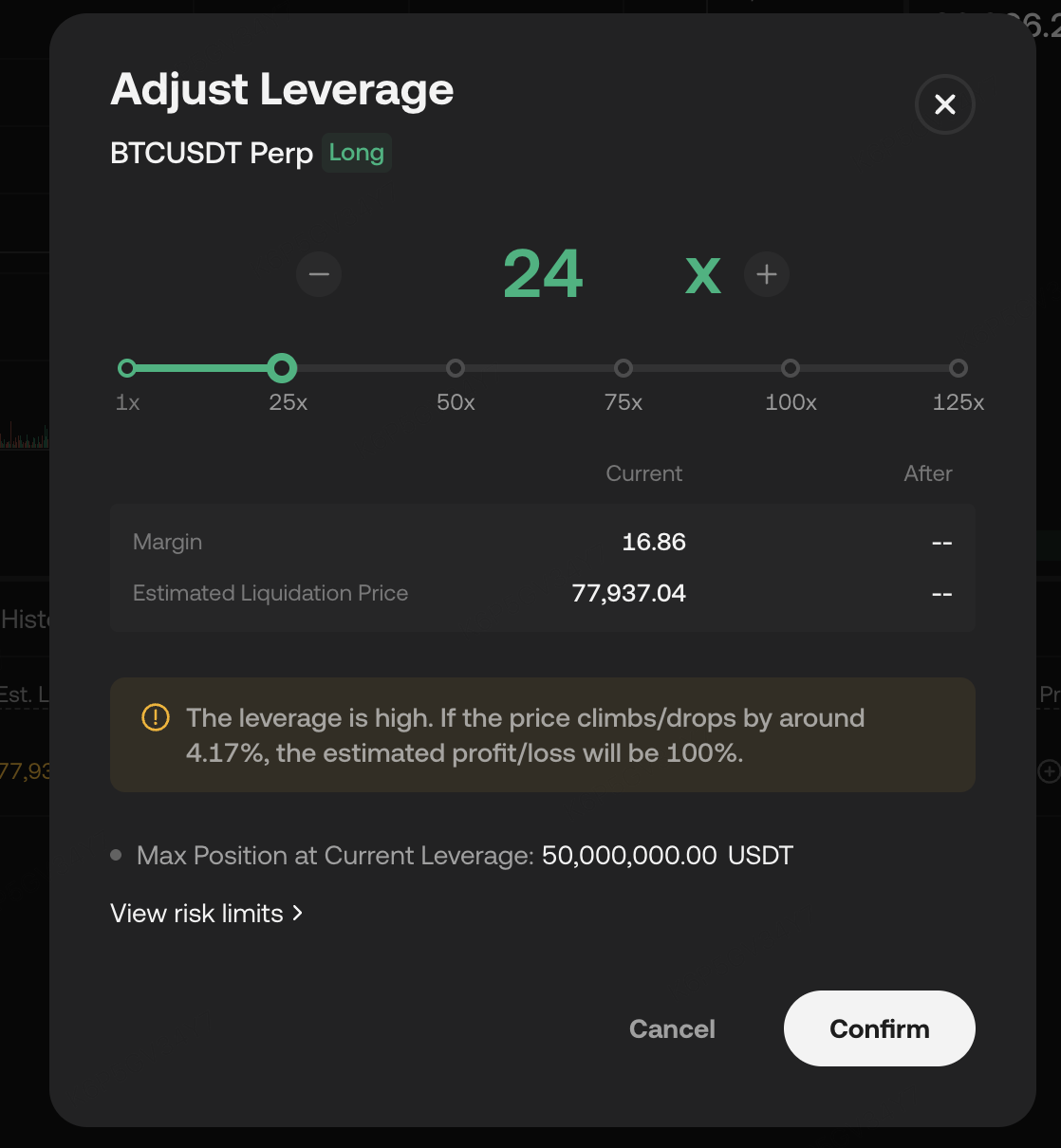
Click on the leverage area of that position(如"50.00x").
-
In the leverage adjustment popup, drag the slider or enter the target leverage directly.
-
The system will show a real-time preview of the margin changes and estimated liquidation price changes.
-
Once confirmed, click OK.
 |
 |
1. When reducing leverage, if the transferable/withdrawable balance in the cross-margin account is insufficient to cover the required margin difference, the adjustment cannot be completed.
2. Reducing leverage may cause the cross-margin risk ratio to increase. If your cross-margin account already has a high risk ratio, please proceed with caution.
FAQ
Q: Which is better for beginners, cross margin or isolated margin?
We recommend beginners start with Isolated Margin mode. The maximum loss per trade is predetermined in isolated mode, making it easier to manage capital and control risk. Once you are familiar with the Unified Account trading mechanics, you can try Cross Margin mode.
Q: If one position is liquidated in cross margin mode, will it affect other positions?
In Cross Margin mode, all positions share the same margin pool. If the account maintenance margin ratio reaches the threshold, it may trigger account-level forced liquidation, affecting all cross-margin positions in the account.
Q: Can different trading pairs use cross and isolated margin simultaneously?
Yes. Different futures trading pairs can be set to either Cross or Isolated margin mode independently. For example, you can use Cross Margin for the BTCUSDT contract while using Isolated Margin for the ETHUSDT contract at the same time.
Q: Can the same trading pair use both cross and isolated margin at the same time?
No. The same futures trading pair cannot hold both cross-margin and isolated-margin positions simultaneously. For example, if you already hold a cross-margin position on the BTCUSDT contract and want to open an isolated-margin position on BTCUSDT, you must first close the existing BTCUSDT cross-margin position and cancel all BTCUSDT open orders.
Q: Does isolated margin in the Unified Account support multi-currency collateral?
is not supported.Isolated margin futures in the Unified Account only support the settlement currency of the trading pair as margin.