
What Is KuCoin Feed and Frequently Asked Questions?
Last updated: 04/21/2026 08:14:09
KuCoin Feed Overview
What Is KuCoin Feed?
KuCoin Feed is KuCoin’s content community and social engagement platform.
Here, users can:
Share market insights and trading ideas
Explore the latest crypto news and trending topics
Join discussions about Web3 and digital assets
Follow quality creators and build their own influence
KuCoin Feed connects trading with content, making information flow more efficiently within the crypto ecosystem.
How to Access KuCoin Feed
KuCoin users can access KuCoin Feed through the KuCoin App.
1.Open the KuCoin App
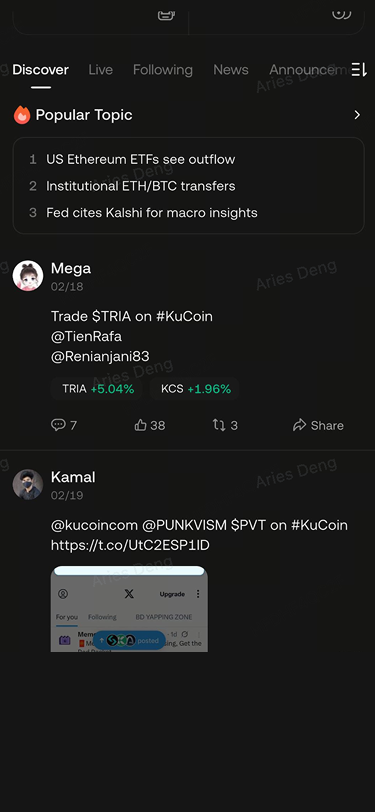
2.Go to the bottom navigation bar and tap Discover
3.Browse recommended content or tap any post to view details
Note: KuCoin Feed may not be available in certain regions.
How to Find Content or Creators
Use the search bar at the top of the page to enter:
Keywords (e.g., BTC, AI, ETF, etc.)
Creator nicknames
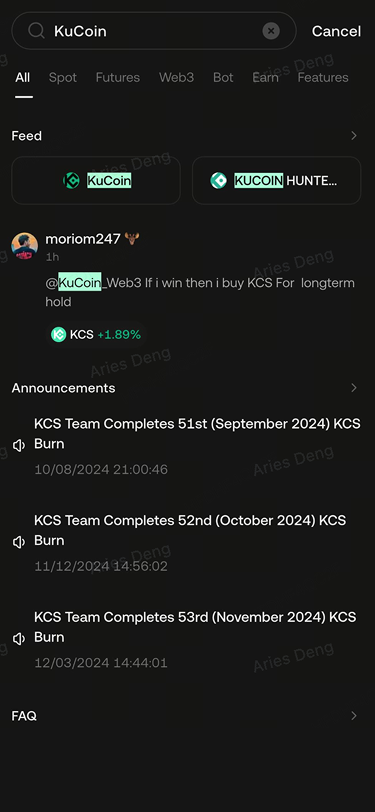
You can quickly find relevant posts, topics, or accounts.
Feed Page Structure
Discover
Based on your browsing history, follow relationships, and engagement behavior, the system recommends personalized content.
This section includes:
Trending discussions
Featured content from quality creators
Platform-recommended trending topics
Following
Displays content published only by creators you follow, helping you stay updated with what matters most to you.
Announcements
Showcases important official updates from KuCoin, including:
New listings
Campaign announcements
Product updates
System maintenance notices
News & Highlights
Aggregates crypto industry news and market updates, covering:
Digital asset regulations
Market trends
Industry developments
Major events
Live
Creators can host audio or video live streams. Users can:
Participate in real-time discussions
Ask questions and interact
Gain professional insights
Profile Settings
How to Set Up Your Profile
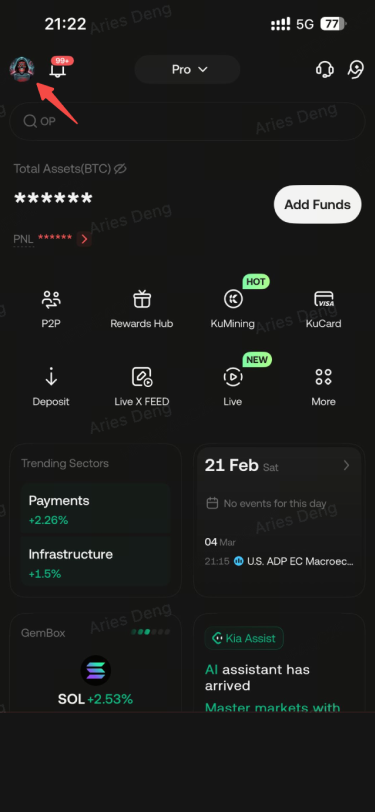
1.Enter KuCoin Feed
2.Tap Profile
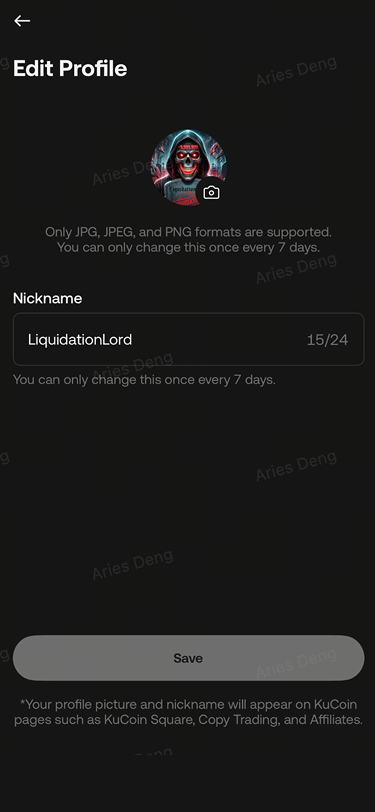
3.Tap Edit Profile
4.Set or update your Nickname, Avatar, Bio
Update Rules
1.Your username can only be changed once after creation
2.Nickname, avatar, and bio can be updated once every 7 days
Content Publishing Guide
Who Can Publish Content?
Users who have completed identity verification (KYC) and agreed to the KuCoin Feed Terms of Use can publish content.
Note: Publishing may not be available in certain regions.
What Types of Content Are Supported?
KuCoin Feed currently supports:
Posts or Articles
Suitable for quick updates or longer insights. Supports:text,emojis and Images
Videos
Upload videos to share your insights with the community.
Polls
Tap to create a poll by setting:
1.Poll title
2.Options
3.Voting duration
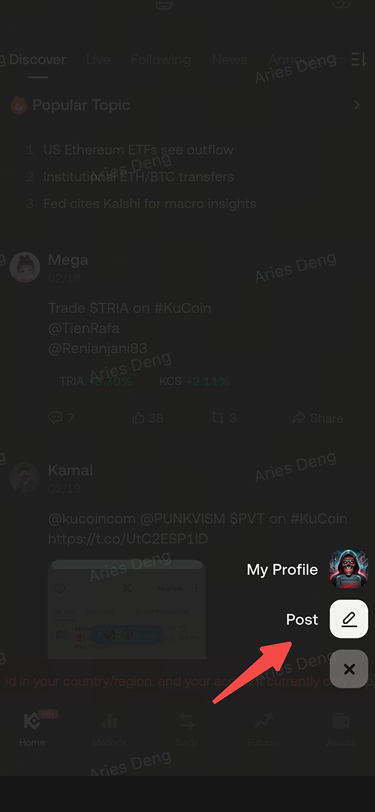
How to Publish Content
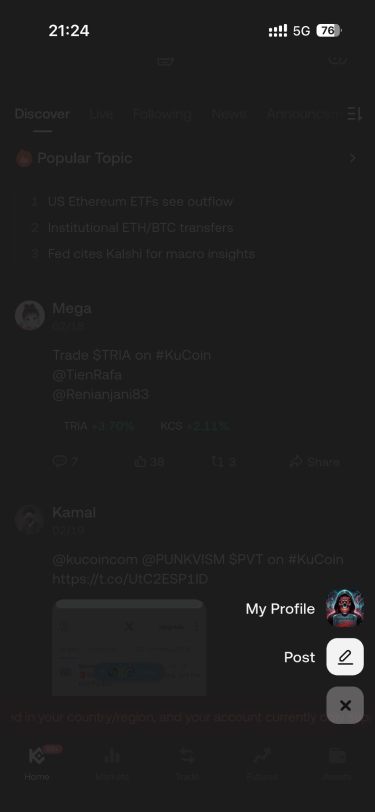
1.Open the KuCoin App and scroll down to enter KuCoin Feed
2.Tap the “+” button at the bottom right
3.Click Post
4.Edit your content and tap Publish
Linking Your X Account
What Is X Account Linking?
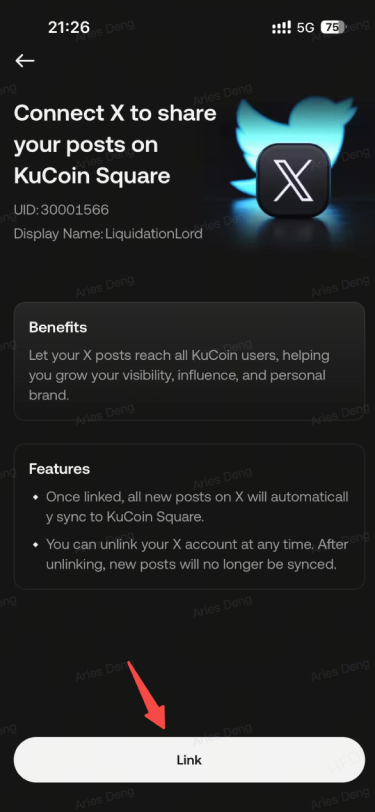
Users can link their X (formerly Twitter) account to KuCoin Feed to enable one-click synchronization of X posts to KuCoin Feed.
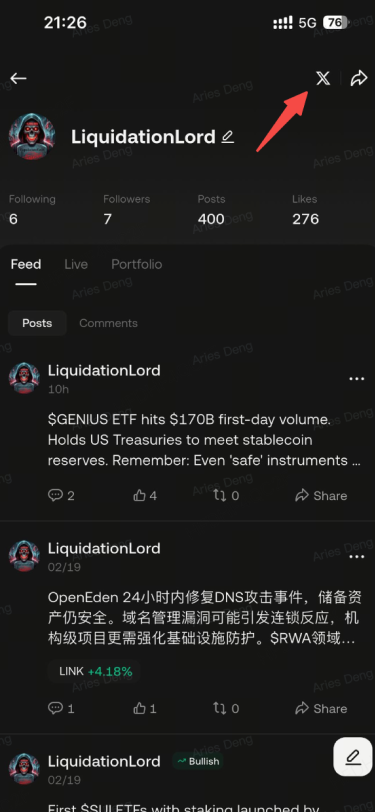
How to Link Your X Account
1.Go to Profile
2.Tap X on the above right conner
3.Select Link X Account
4.Authorize via X login
5.Confirm successful linking
Synchronization Rules
After linking, your new posts on X can be automatically synced to KuCoin Feed
1.Synced content must comply with KuCoin Feed Community Guidelines
2.Synced posts can be edited or deleted within Feed
3.If you unlink your account, future posts will no longer sync automatically
Content Creation Tools
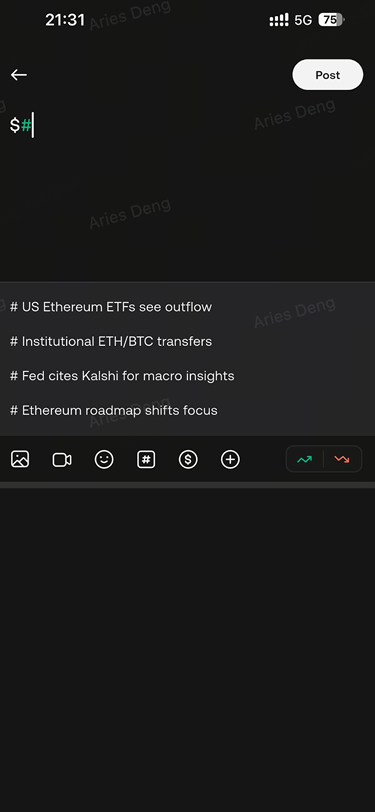
Tags
Hashtags
Use “#keywords” to join trending discussions.
Sentiment Tags
You can label posts as Bullish or Bearish
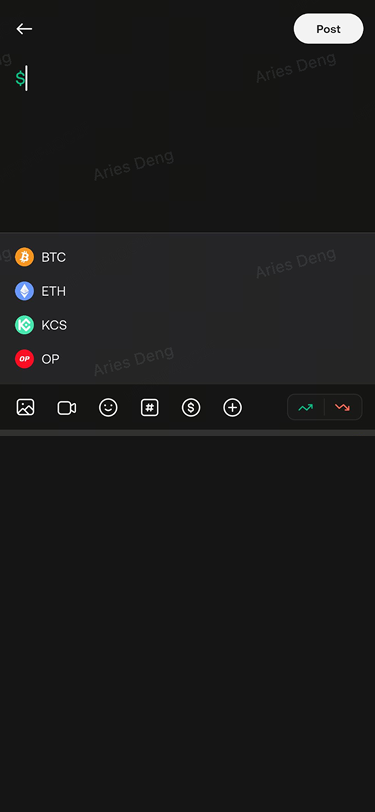
Token Mentions
Add relevant token tags to increase visibility and reach.
Trade Sharing
You can share your real trading activity in the form of a visual trading card within Feed, including:
1.Trading pair
2.Position direction (Long / Short)
3.Entry price
4.Profit and loss
By sharing trading cards, you can:
1.Express your trading insights
2.Increase content credibility
3.Build your personal trading brand
How to Share a Trade
1.Tap Publish
2.Select Future Positions or My Lead Trade
3.Choose the relevant trade record
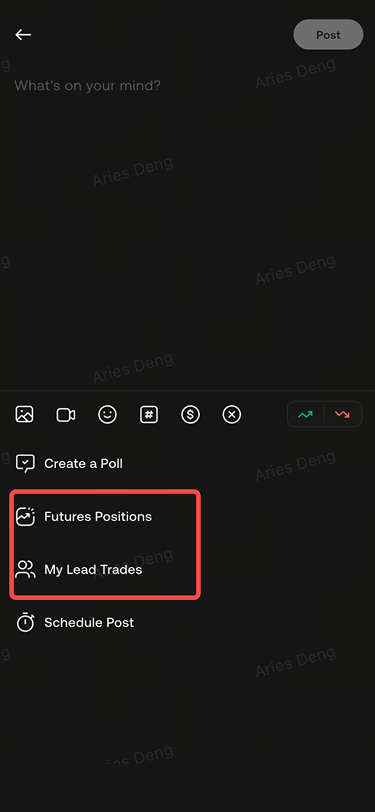
4.Generate the card
5.Add commentary and publish
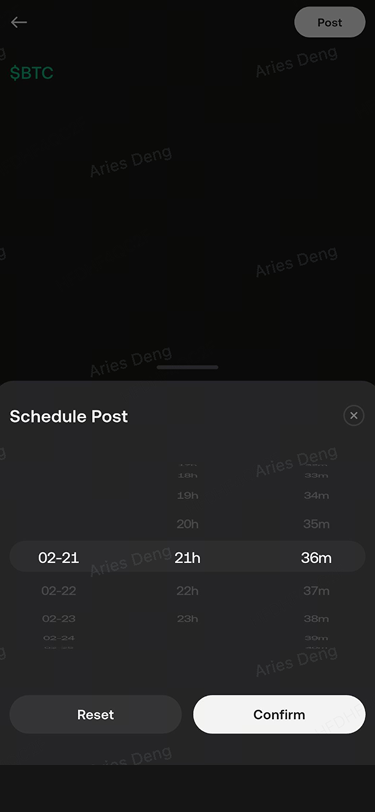
Interaction Features
1.Scheduled publishing
2.Comments
3.Likes and reposts
Post Management
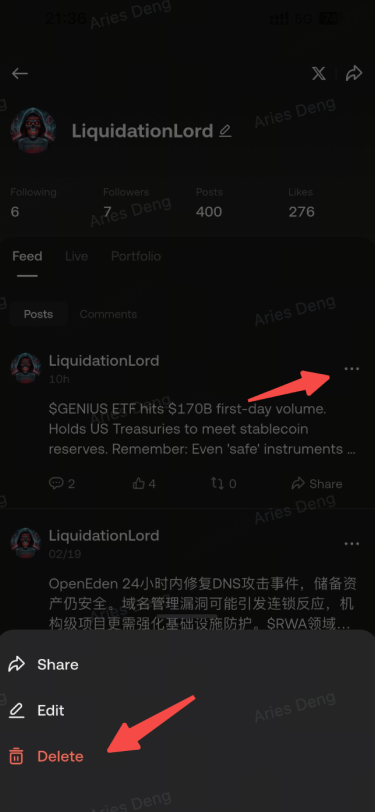
Can I Edit or Delete My Posts?
Yes. Tap the “…” button below the post to edit or delete published content.
Who Can See My Content?
Your content may appear in:
1.The Following page of your followers
2.Other users’ Discover page
3.Relevant token pages or trading page community modules
Account-Related Questions
Are There Limits on Profile Updates?
1.Nickname / Avatar / Bio: Can be updated once every 7 days
Why Is My Account Restricted?
If you violate the KuCoin Feed Terms of Use or Community Guidelines, your account may be:
1.Restricted from commenting
2.Suspended from publishing
3.Permanently banned
You can check the reason in the Notification Center and submit an appeal through customer support.
Why Was My Content Removed?
Content that violates Community Guidelines may be removed even after publication.
Removed content must not be reposted.
Why Can’t I Comment?
If you violate Community Guidelines, your commenting privileges may be temporarily or permanently restricted.
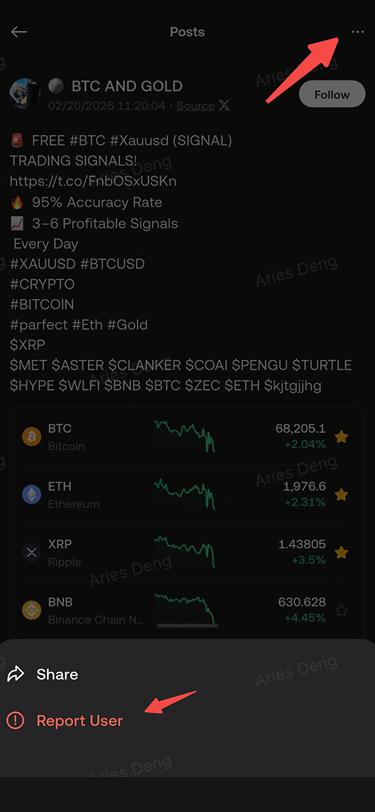
How to Report Content
1.Tap the “…” in the upper-right corner of the post
2.Select Report
3.Submit the report
Disclaimer
Content on KuCoin Feed is published by users or third parties and is provided for general informational purposes only. It does not constitute investment advice or any form of guarantee.
The views expressed are solely those of the respective authors and do not represent the official position of KuCoin.
Digital asset prices are highly volatile and involve risk. Please conduct your own research (DYOR) and make investment decisions responsibly. KuCoin is not liable for any losses incurred from reliance on community content.