KuCoin Lite Earn Guide
Last updated: 12/30/2025 01:03:00
The Earn function is a one-stop wealth management service center launched by KuCoin, designed to help users improve the utilization rate of their account assets, enabling idle assets in their account to generate continuous returns. For KuCoin Lite users, we have specifically selected low-risk wealth management options with relatively stable yields.
What earn methods does KuCoin Lite support?
Currently, KuCoin Lite includes two types:
Flexible Term: Subscribe and redeem at any time without waiting.
Fixed-Term: Subscribe at anytime, accruing interest immediately. Payouts occur within the next day.
Flexible Term earn allows you to redeem your assets at any time as needed, while fixed-term earn requires you to lock your assets for a fixed period. In return, Fixed-Term can typically receive higher yields compared to Flexible Term. Please note that if you redeem your assets from Fixed-Term earn early, you will be unable to receive any accumulated yields.
How to earn crypto on KuCoin Lite?
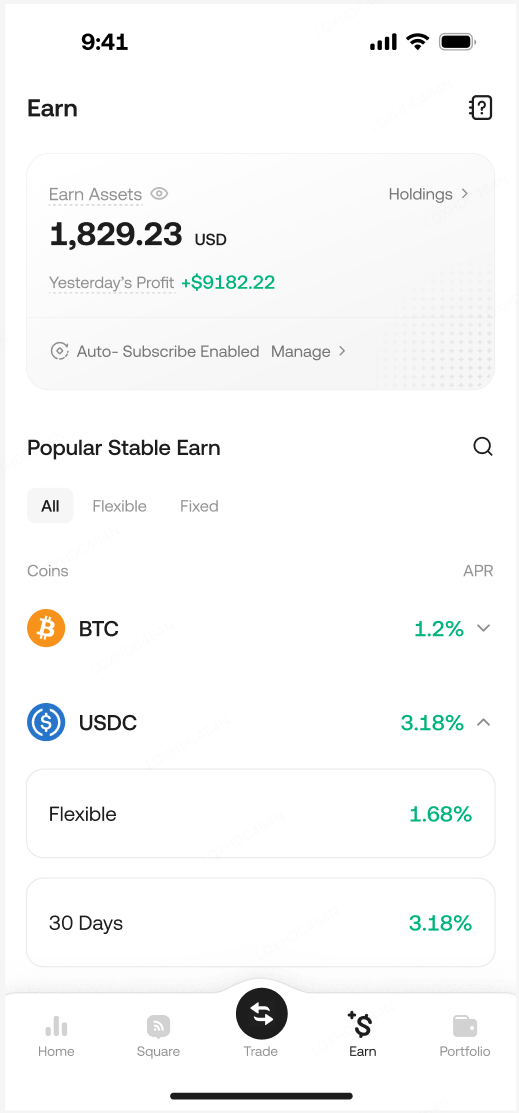
1.Log in to your KuCoin account on the app. Ensure you are in KuCoin Lite mode. Tap Earn on the bottom.
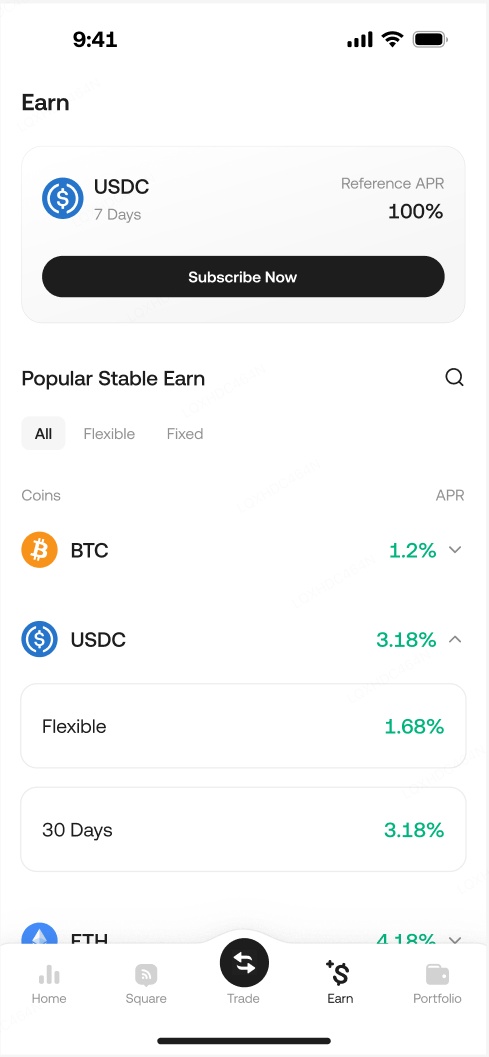
2.Browse your desired products on the list.
You can choose the appropriate Earn type based on your own situation. Different crypto and investment periods will affect the returns from earn order, so please carefully assess your asset utilization before making a selection. If you choose a flexible one, you can redeem your asset at any time, whereas for the fixed-term type, redeeming early will result in the forfeiture of some returns.
Please note, KuCoin Lite mode will only display Low Risk products. For High Yield, dual investment products, you can switch to Pro version and visit Earn page.
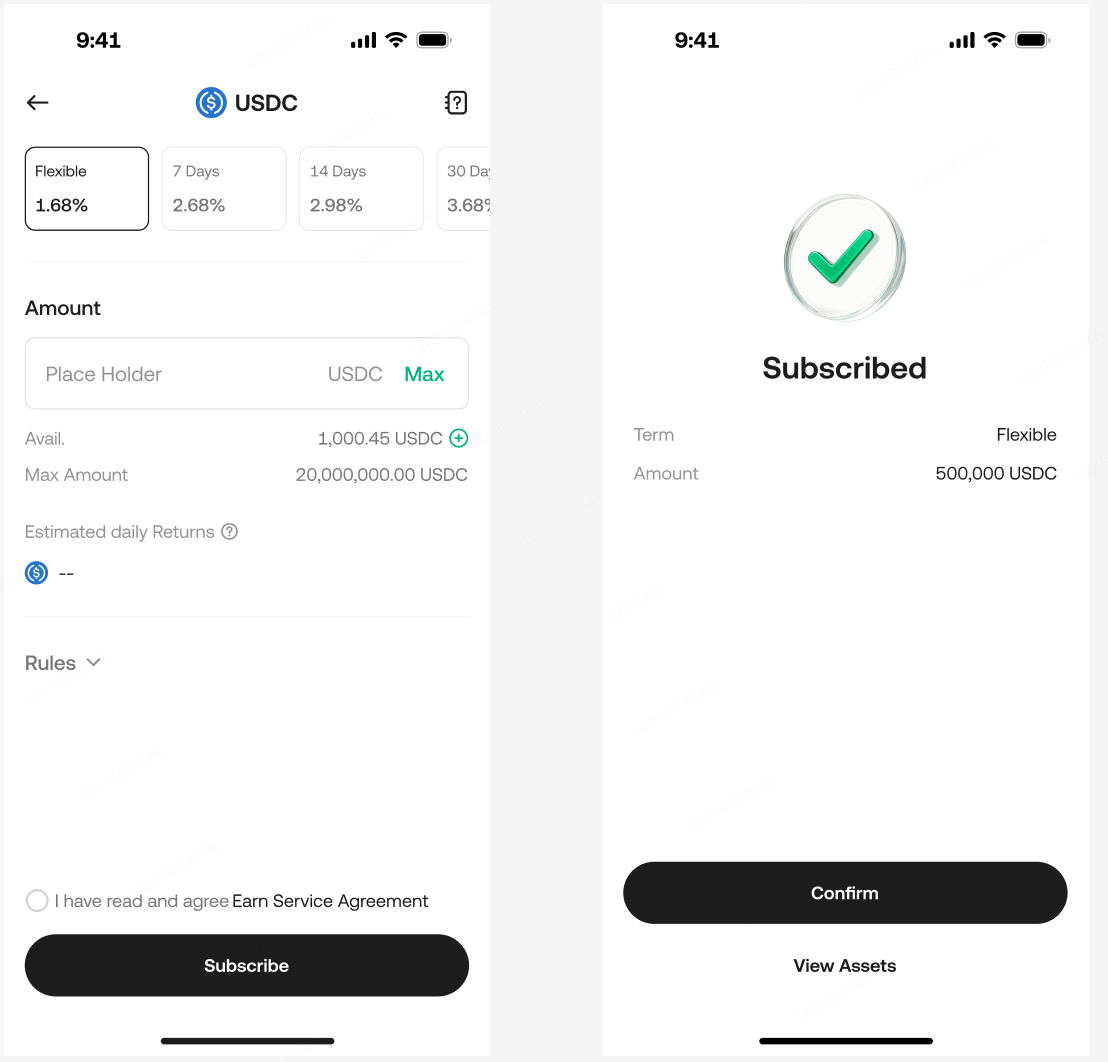
3.Tap on the desired product, enter the purchase amount you want to deposit, then tap [Subscribe]. And then you will see the success page.
4.After successfully subscribing to an Earn order, you can see the total assets generating yields on the Earn homepage. If you wish to view all your Earn orders, you can click "Holdings" on the right side of the top card on the page to check.