Close All and Repay Debt in Margin Trading
Last updated: 12/09/2025 02:51:01
I. Close All Function Overview
The Close All function is a service designed to facilitate user trading operations. It allows the system to automatically execute market trades, repay liabilities, and convert the remaining position assets into a target token.
Overview of the Close All function:
-
Trigger Scenario: When the liabilities in a Margin account are not zero, meaning the user holds borrowed assets.
-
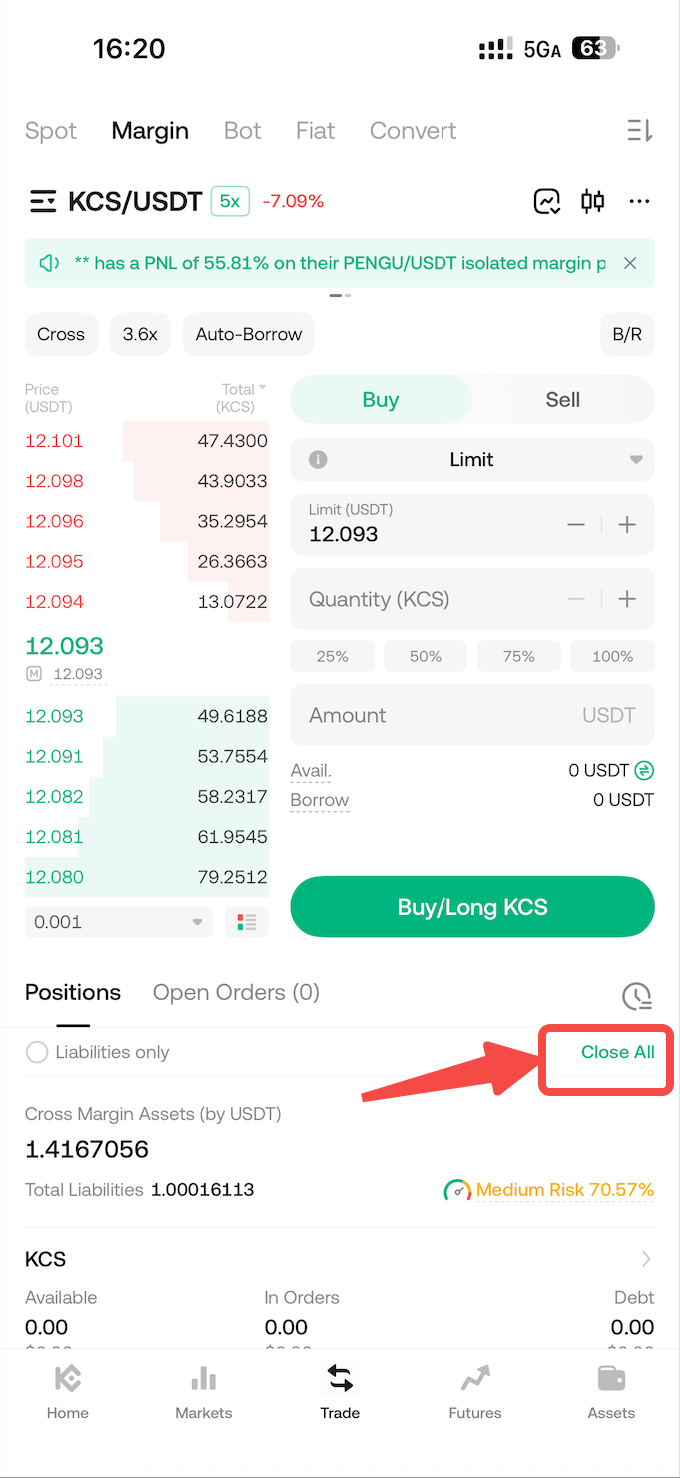
UI Location: In the App, it is displayed on the right side of the Asset Management section on the Margin Trading page. On the Web, it is displayed on the right side of the Position Management section on the Margin Trading page, shown as the [Close All] button.
-
Service Scope: Supports Margin accounts with a Liability Ratio ≤ 90%, including both Cross Margin and Isolated Margin modes. When the liability ratio is too high, the user's position carries significant risk, and the user may find it difficult to execute orders quickly and in real-time. If the user's position size is excessively large, the system may be unable to execute the function to prevent prolonged trading time which could expose the user's assets to market volatility risks.
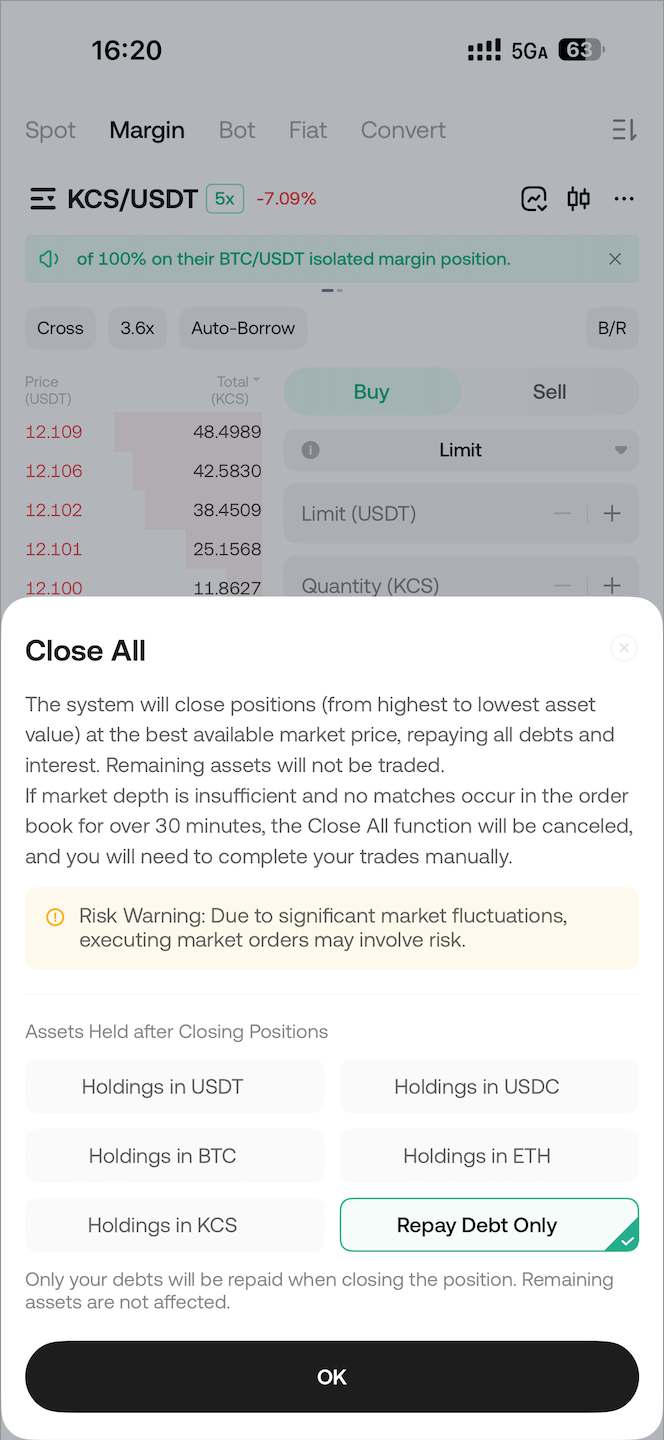
- Service Options: 1) Repay liabilities only; 2) Repay liabilities and convert remaining assets into a specified token. Due to high price volatility of non-mainstream tokens, currently only a limited number of tokens are supported (e.g., USDT, USDC, BTC, ETH, KCS, etc.). "Repay liabilities only" means using the user's position assets to trade and repay the debt; the remaining assets will not be converted and will remain in their original token.
-
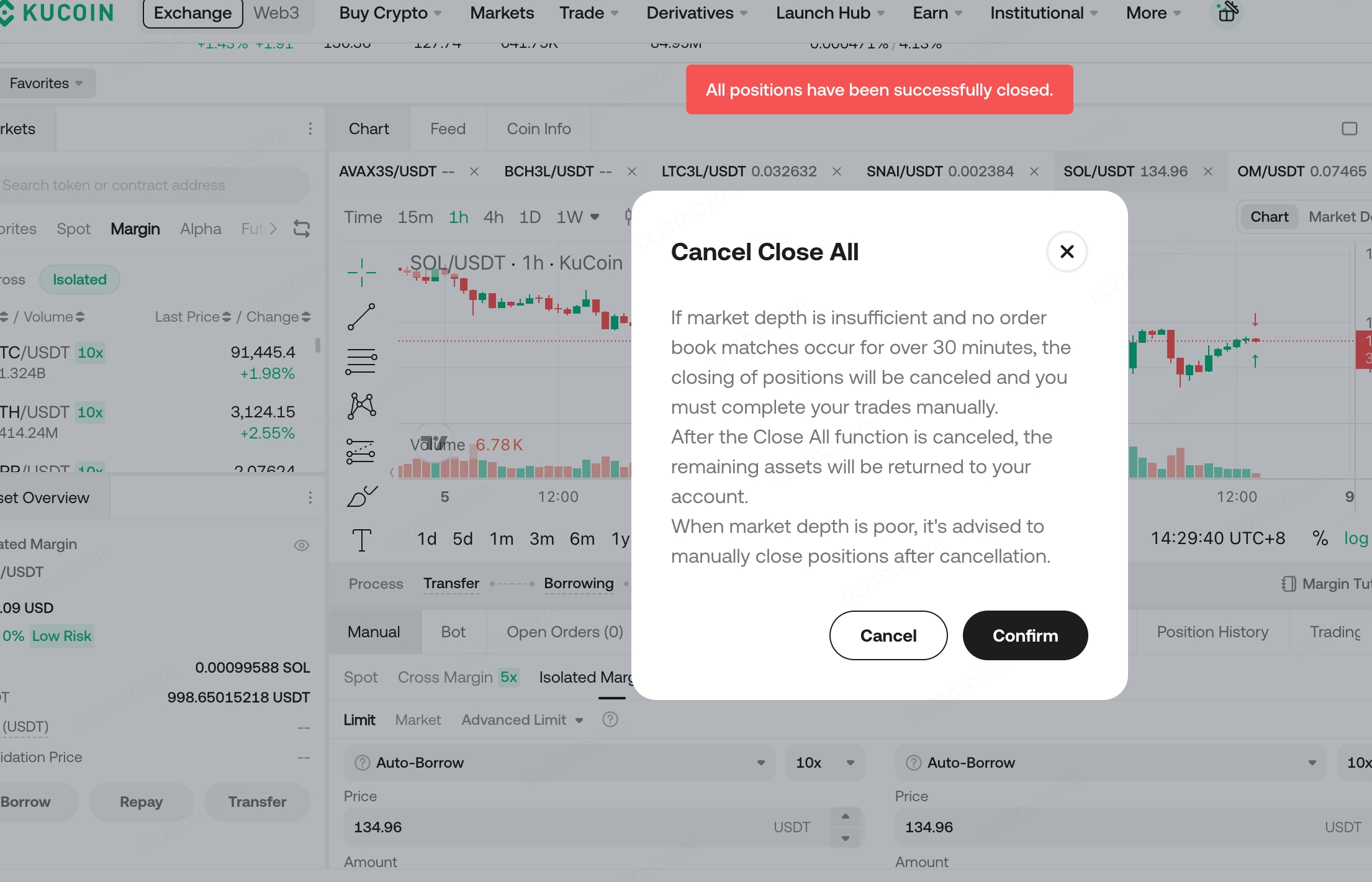
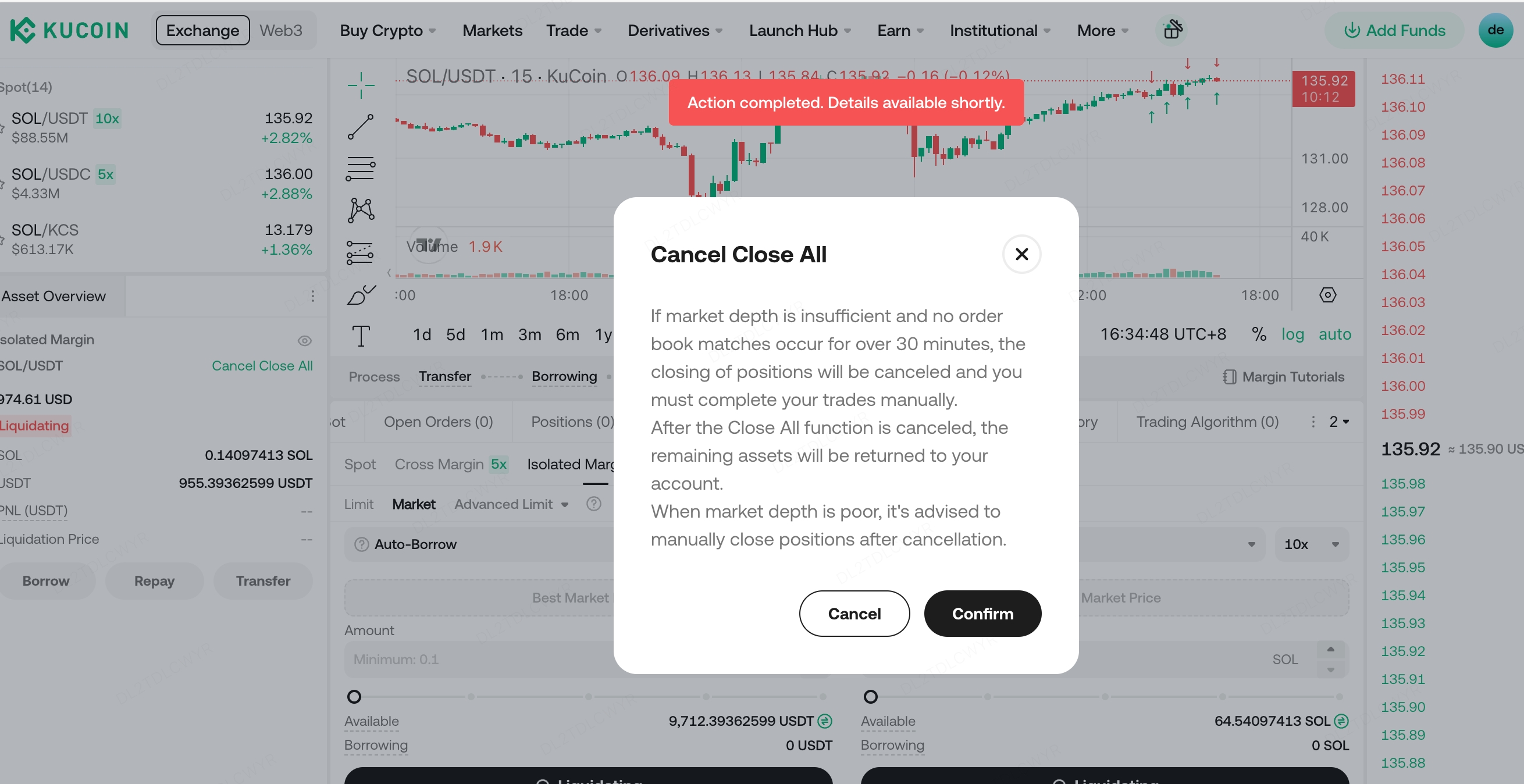
Manual & Automatic Cancellation: During the Close All process, manual cancellation is supported by clicking [Cancel Close All]. If the market order execution takes too long (exceeding 30 minutes), the system will automatically cancel the operation and notify the user via email, in-site messages, and Push notifications. If the position assets are relatively small, the system operation is usually completed quickly.
-
Trading Logic: Based on the user's held assets and liabilities, the system converts the corresponding token assets into the target token. During the trading process, it references the order book price of the token within a certain floating range, splits large orders into smaller buy/sell orders, and places them as IOC (Immediate-or-Cancel) orders. By continuously executing market trades, the Close All process is achieved. If the market order book spread deviates excessively, the Close All may fail to execute effectively. The system will automatically cancel the operation after a timeout, requiring the user to assess the situation and perform subsequent actions.
II. App Operation Instructions
-
[Close All] Button The button is typically located on the right side of the Asset Management section on the Margin Trading page.
-
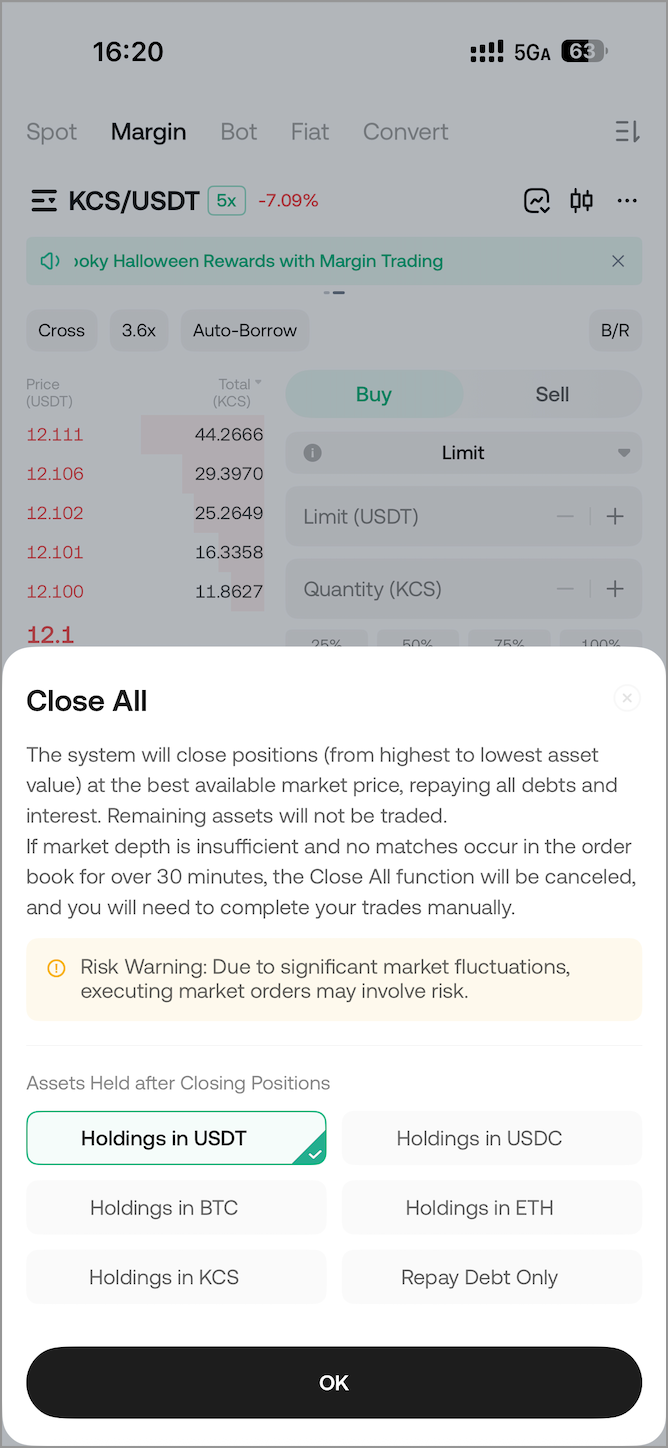
Tap [Close All] Select the processing type: Repay liabilities only, or Repay liabilities and hold only a specific token asset.
-
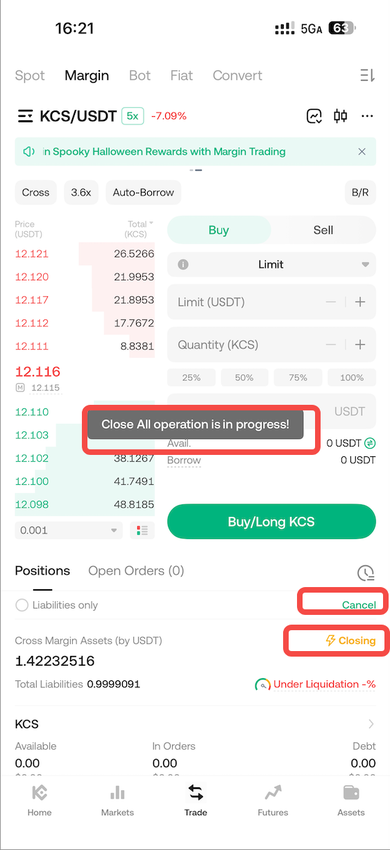
Tap [Confirm] The Close All operation begins. You can cancel the operation while it is in progress.
-
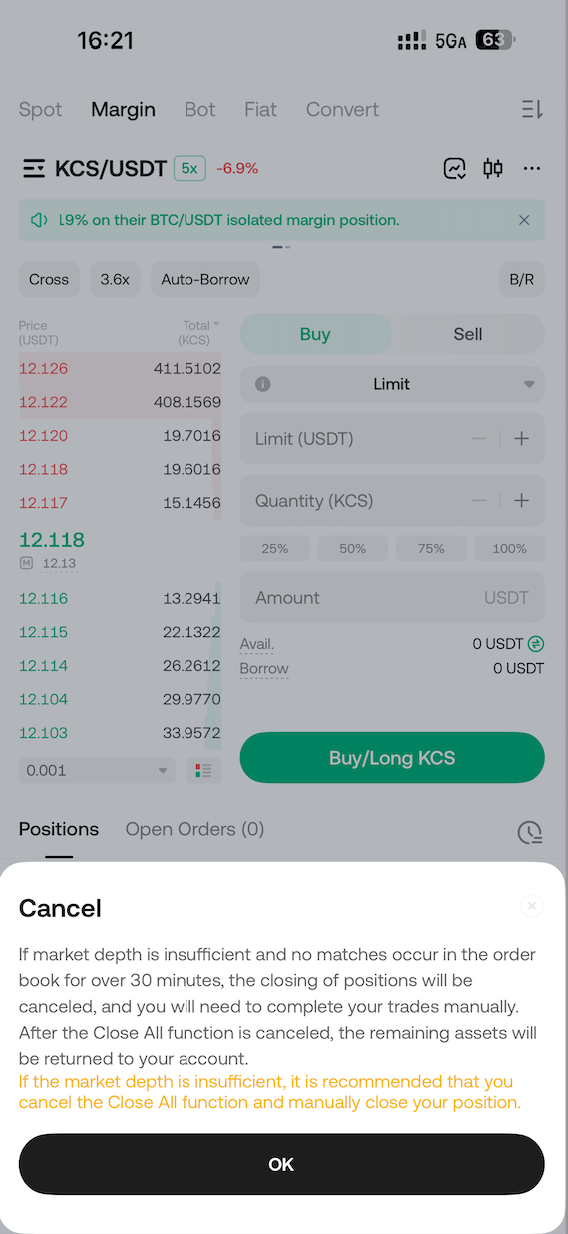
Tap [Cancel] This initiates the cancellation of the Close All operation.
-
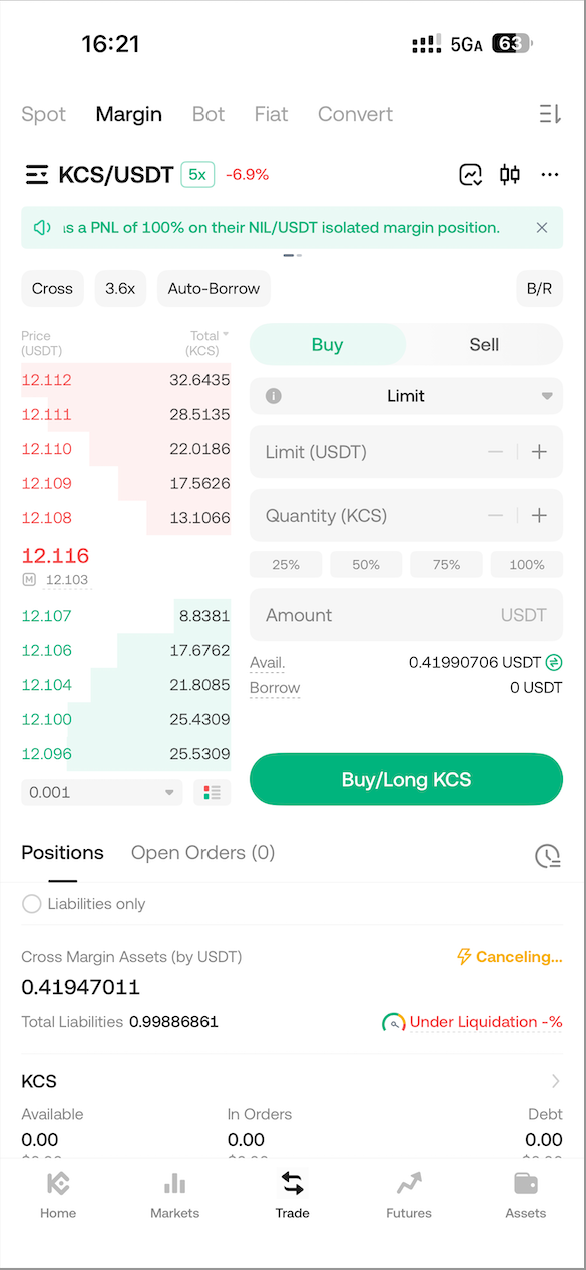
Cancellation in Progress After the cancellation is complete, cancelling the Close All revokes the position exit request, keeping your original holdings intact. Note: Sometimes the system executes the Close All very quickly, and you might not have time to cancel it.
III. Web Operation Instructions
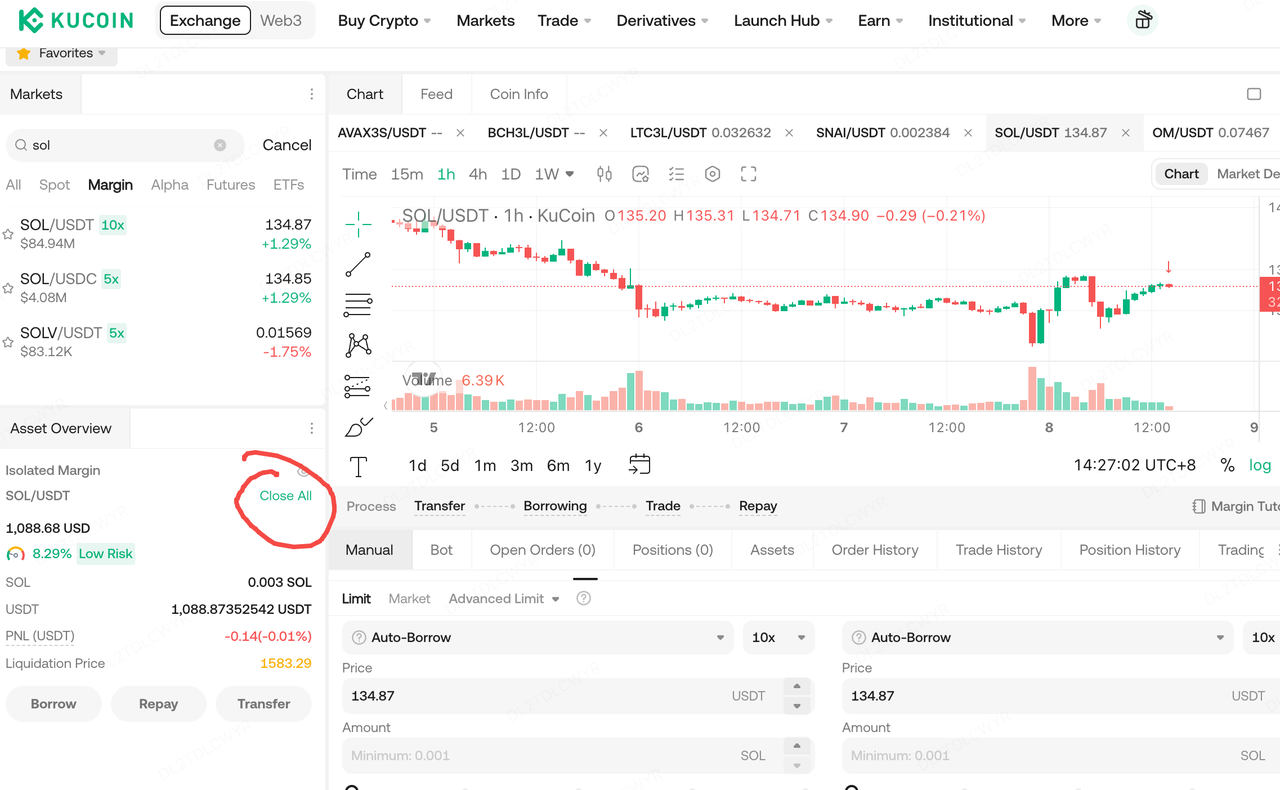
- [Close All] Button The button is typically located on the right side of the Position Management section on the Margin Trading page.
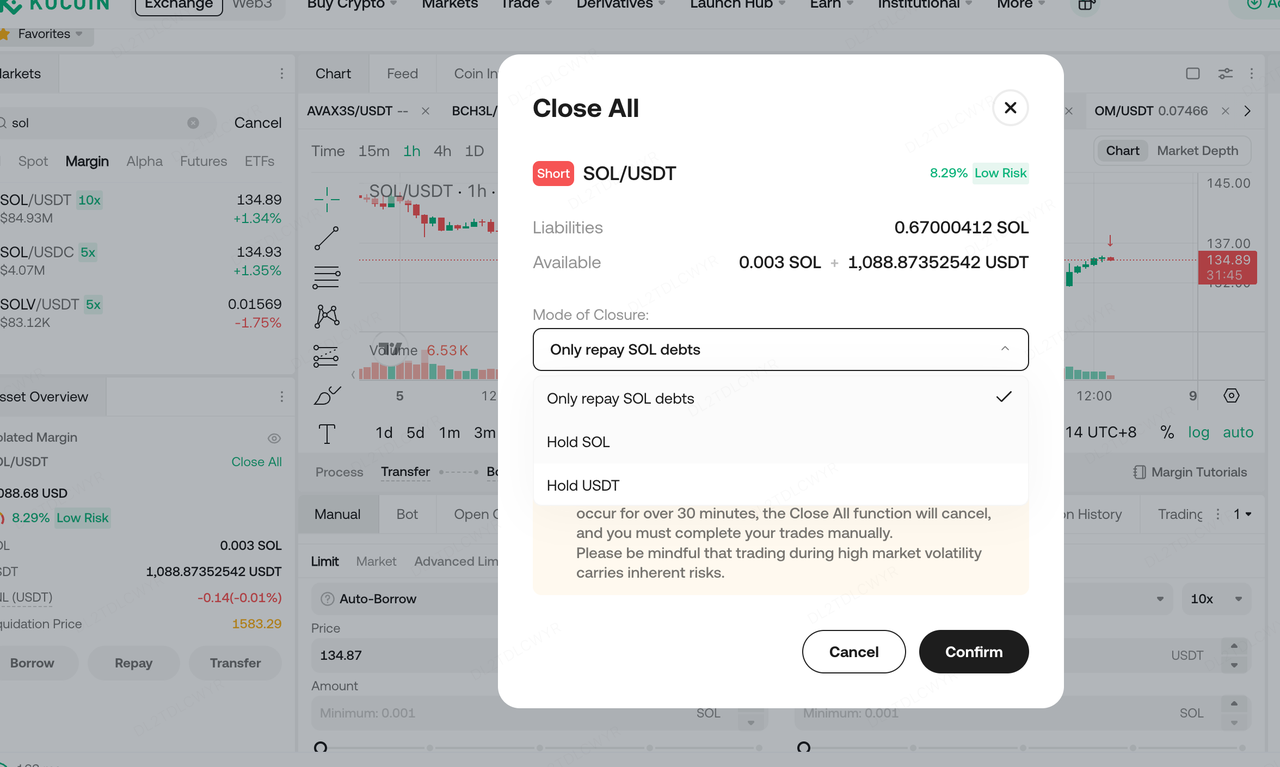
- Click [Close All] Select the processing type: Repay liabilities only, or Repay liabilities and hold only a specific token asset.
- Click [Confirm] The Close All operation begins. You can cancel the operation while it is in progress.
- Click [Confirm] This initiates the cancellation of the Close All operation.
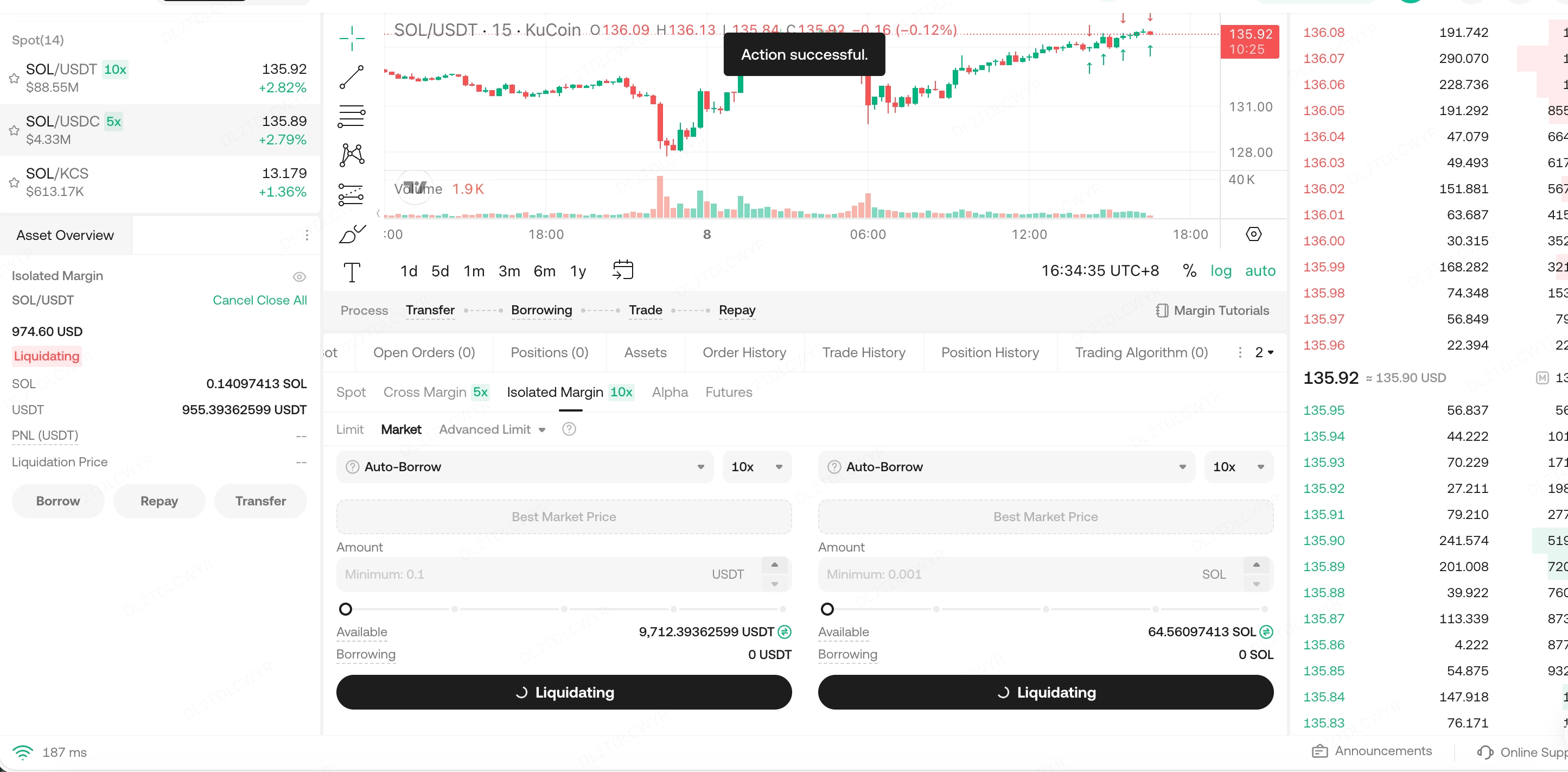
- Cancellation in Progress After the cancellation is complete, cancelling the Close All revokes the position exit request, keeping your original holdings intact.