
How to Sell Cryptocurrency on KuCoin Lite Version
Last updated: 02/11/2026 02:19:02
If you want to sell cryptocurrency for cash on the KuCoin Lite Version and withdraw it directly to your card, you can follow the steps below.
1.Visit Sell crypto page
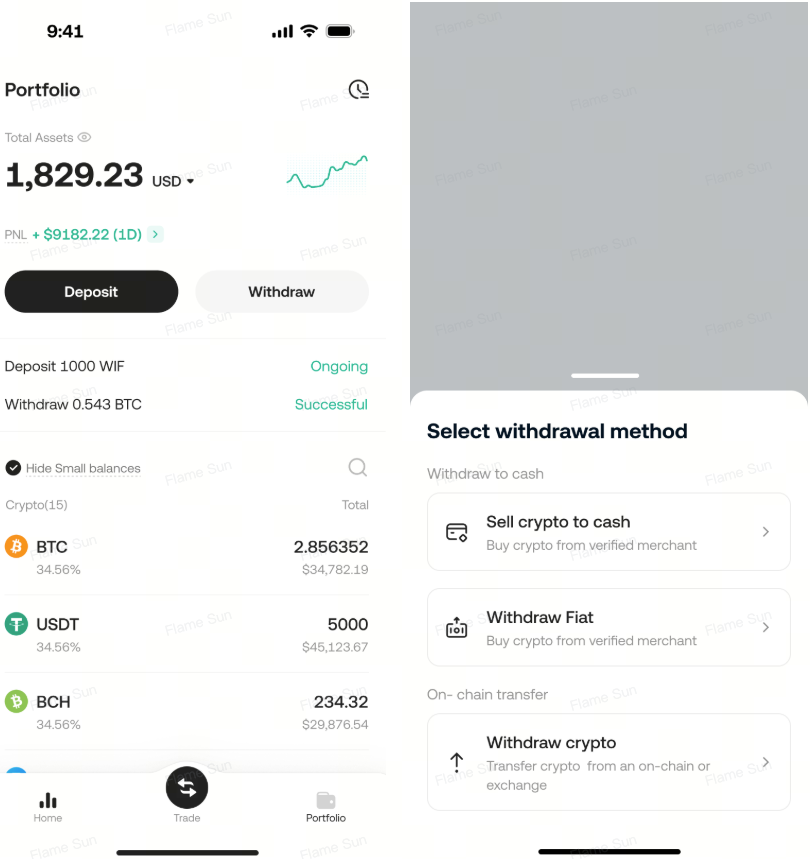
1.1 Log in to your KuCoin account and go to the Assets page. Tap "Withdraw" on the Assets page, then select "Sell Crypto" from the menu.
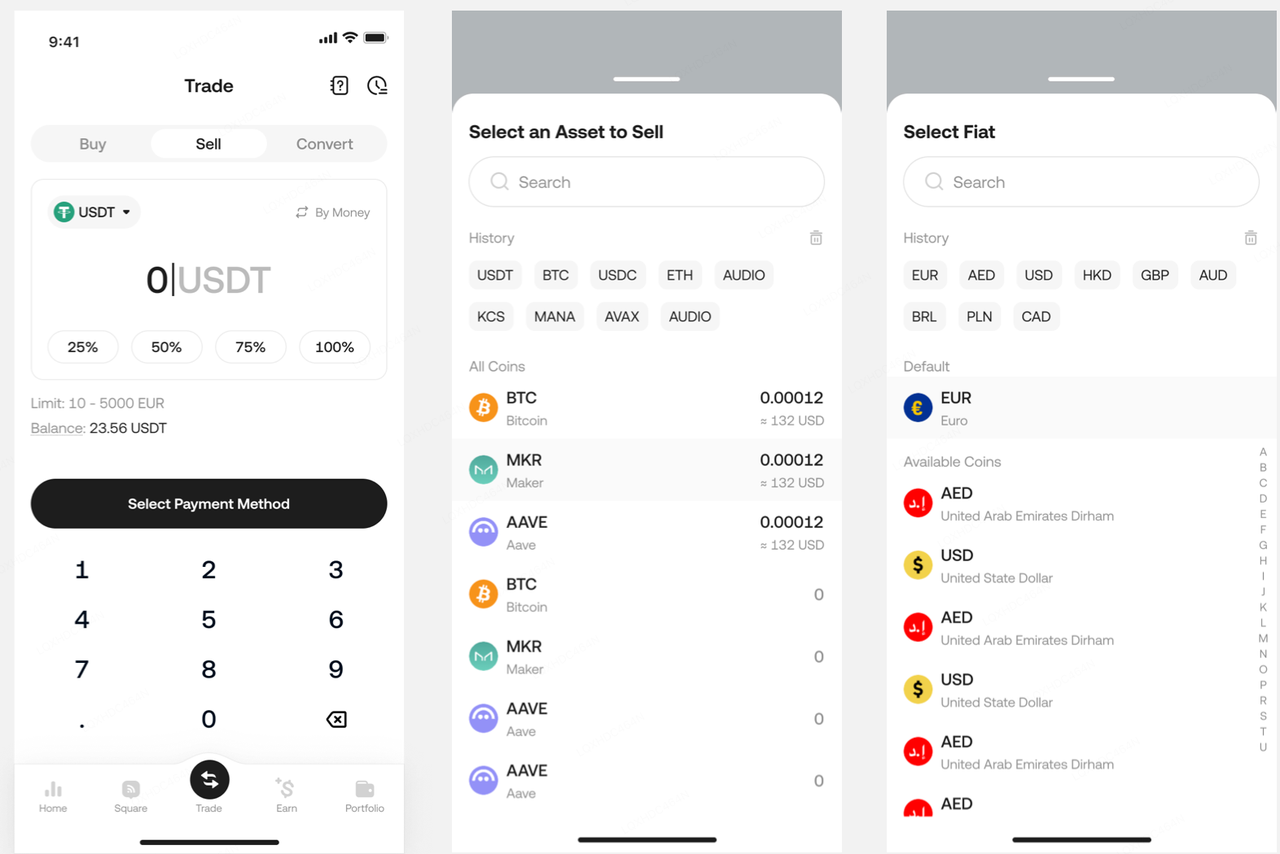
1.2 You can change the crypto you wish to sell or change the currency you want to receive, and then enter the amount on the new page.
1.3 Select your desired payment method, then you will be directed to the order confirmation page. Please review the sell order details and read the terms carefully before tapping the confirm button.
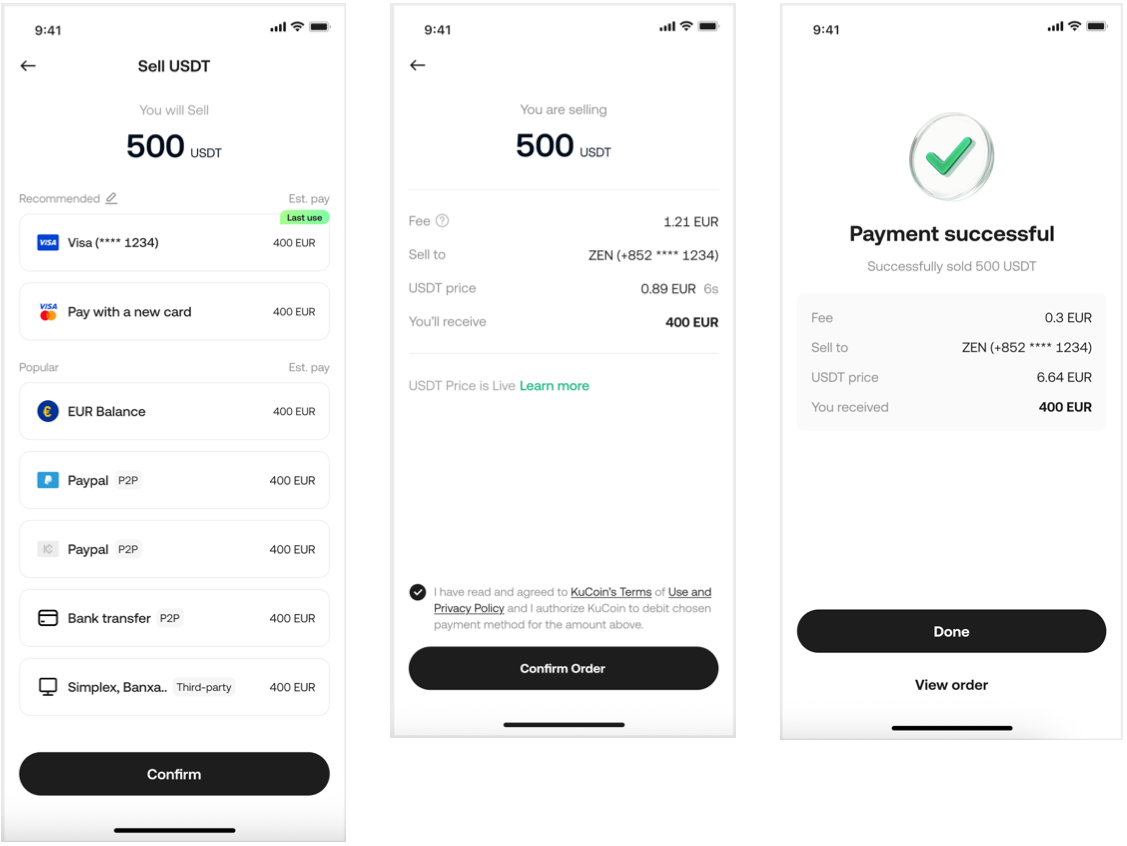
Currently Supported Cryptocurrency: USDT
Currently Supported Fiat Currencies: USD, EUR, AED, AUD, ILS, PLN, SEK, CHF
2.Important Notes:
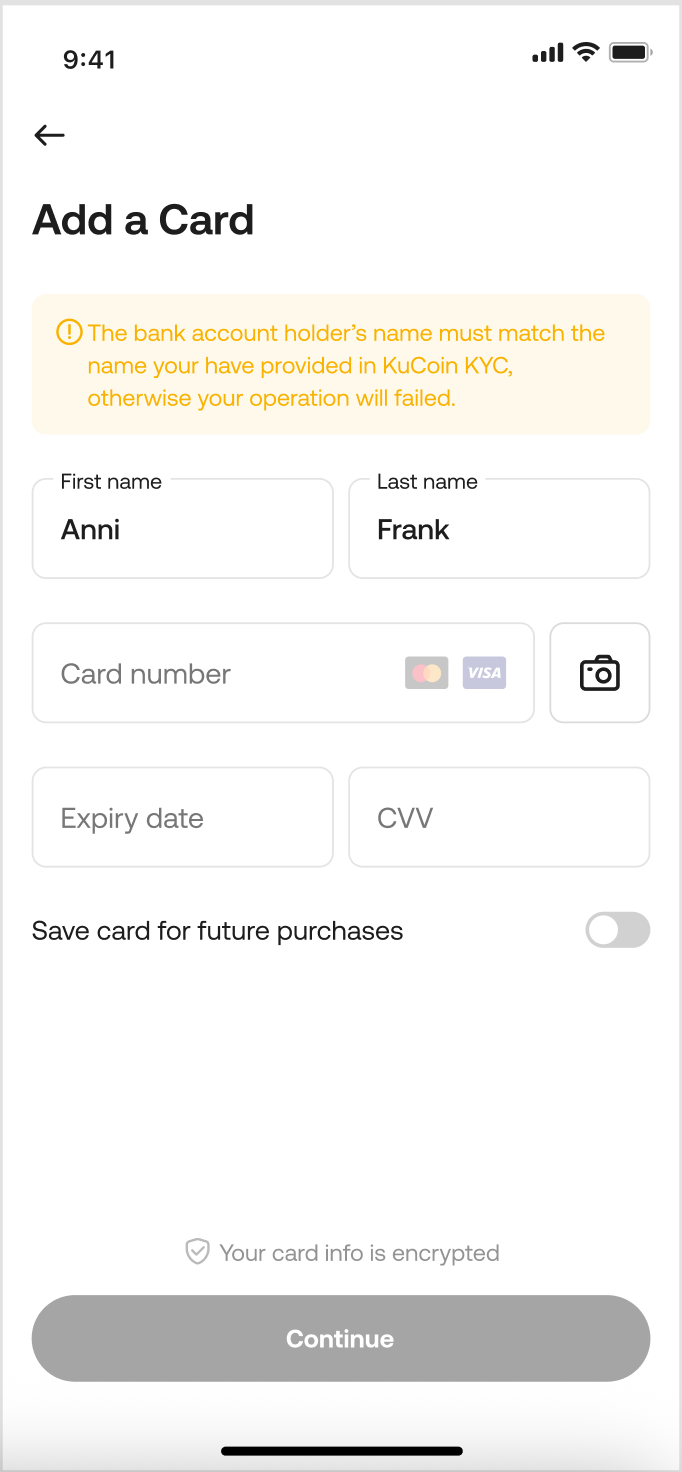
2.1 If you want to sell cryptocurrency to your bank account, please select a linked card on the payment method page. If you haven't linked a card yet, please add a new one. Your order will be processed promptly.
2.2 The quoted price may expire if the process takes too long. In this case, you will be redirected to a new quote page. Please review the updated quote and confirm the transaction again to proceed.
2.3 To view your order details, go to the Assets page, tap the history icon in the top right corner, and select "Sell Crypto History" from the menu.