
How to buy Crypto via Kucoin Lite
Last updated: 02/11/2026 02:19:02
In the KuCoin Lite Version, users can purchase cryptocurrency on trade page. This is the most user-friendly way for those new to crypto. You simply need to set the cryptocurrency you want to buy and the fiat currency you wish to use. The system will then automatically display all available payment methods, such as card payments, local payment channels, fiat balance, "P2P Trading," and third-party services. After selecting your preferred payment method, just follow the on-screen instructions to complete your purchase.
Let's walk through the general steps for buying cryptocurrency.
Content
Step 1: Visit the "Trade" Page
Tap the "Trade" button at the bottom of the Lite Version interface. You can directly visit the "Buy" page.
Alternatively, tap the "Add Funds" section at the top of the Lite Version interface. You can find the "Buy" option in the expanded deposit menu.
Both methods will lead you into the "Buy crypto" flow.
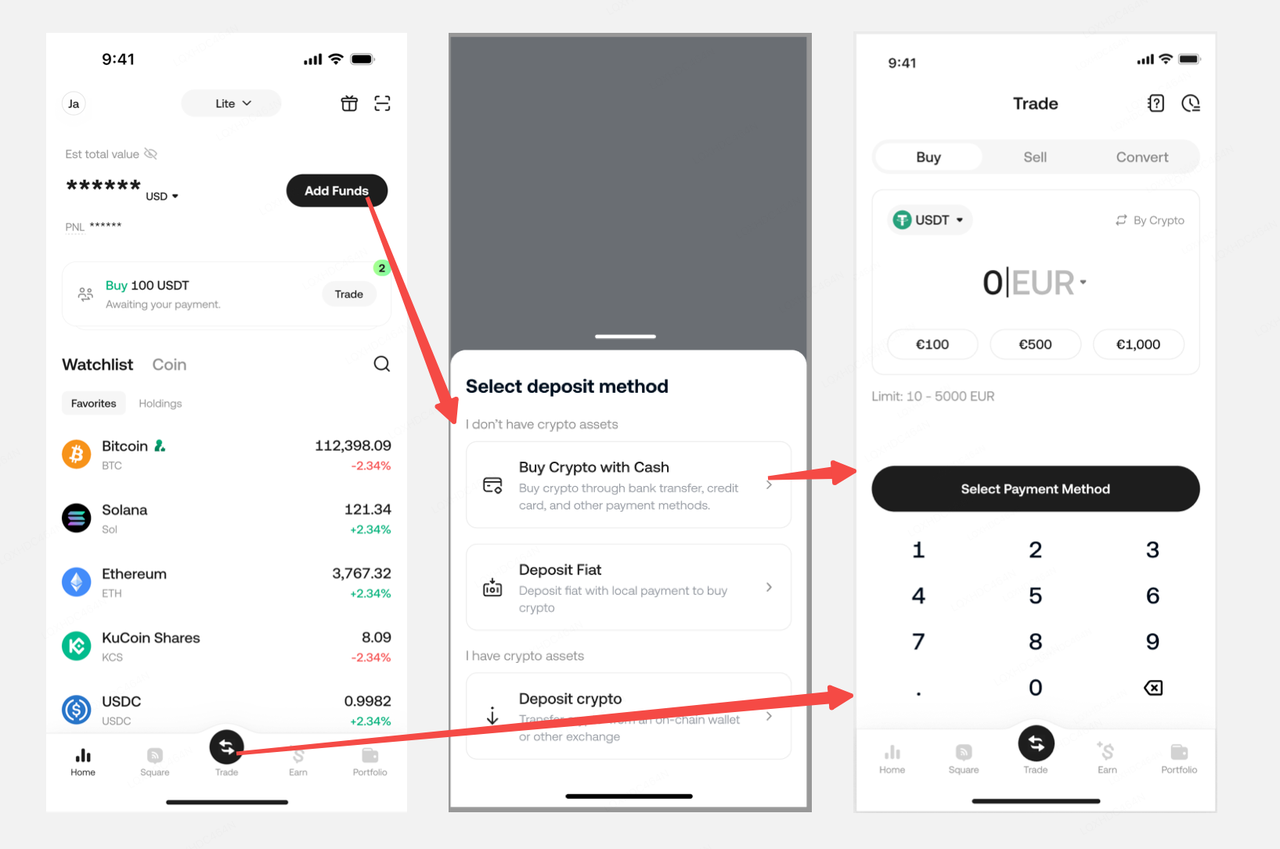
Step 2: Place Your Order by Following These Steps
2.1 Select your payment fiat currency and the cryptocurrency you want to purchase, then enter the amount.
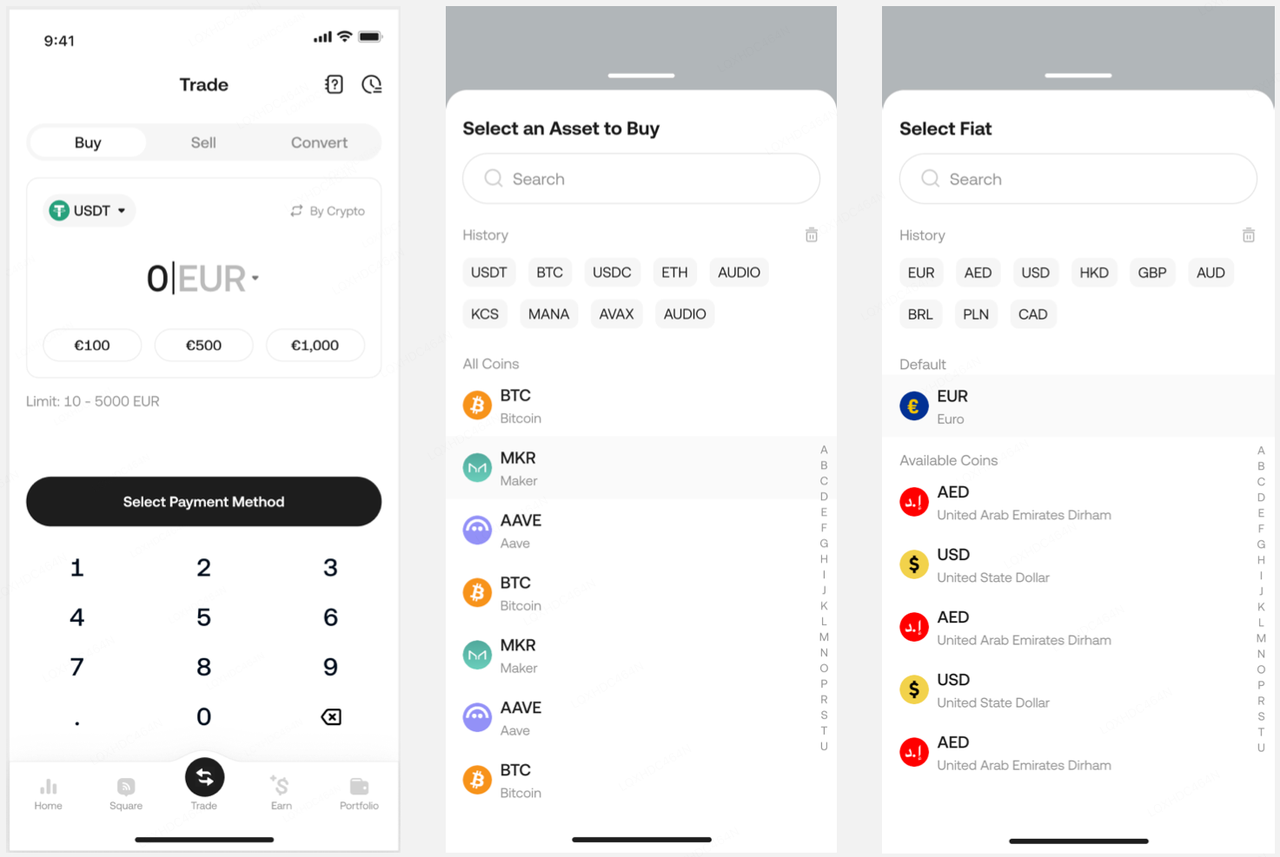
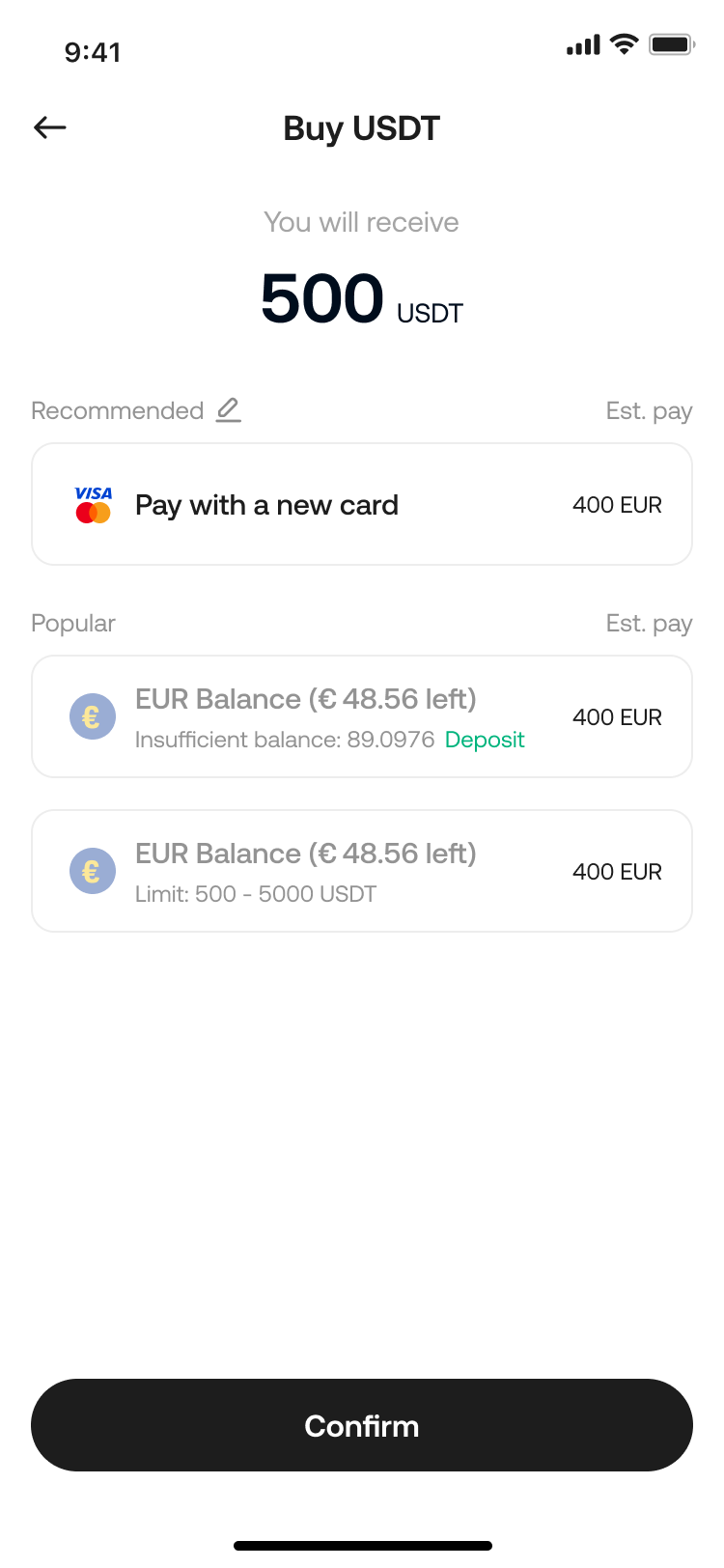
2.2 Choose one of the recommended payment methods.
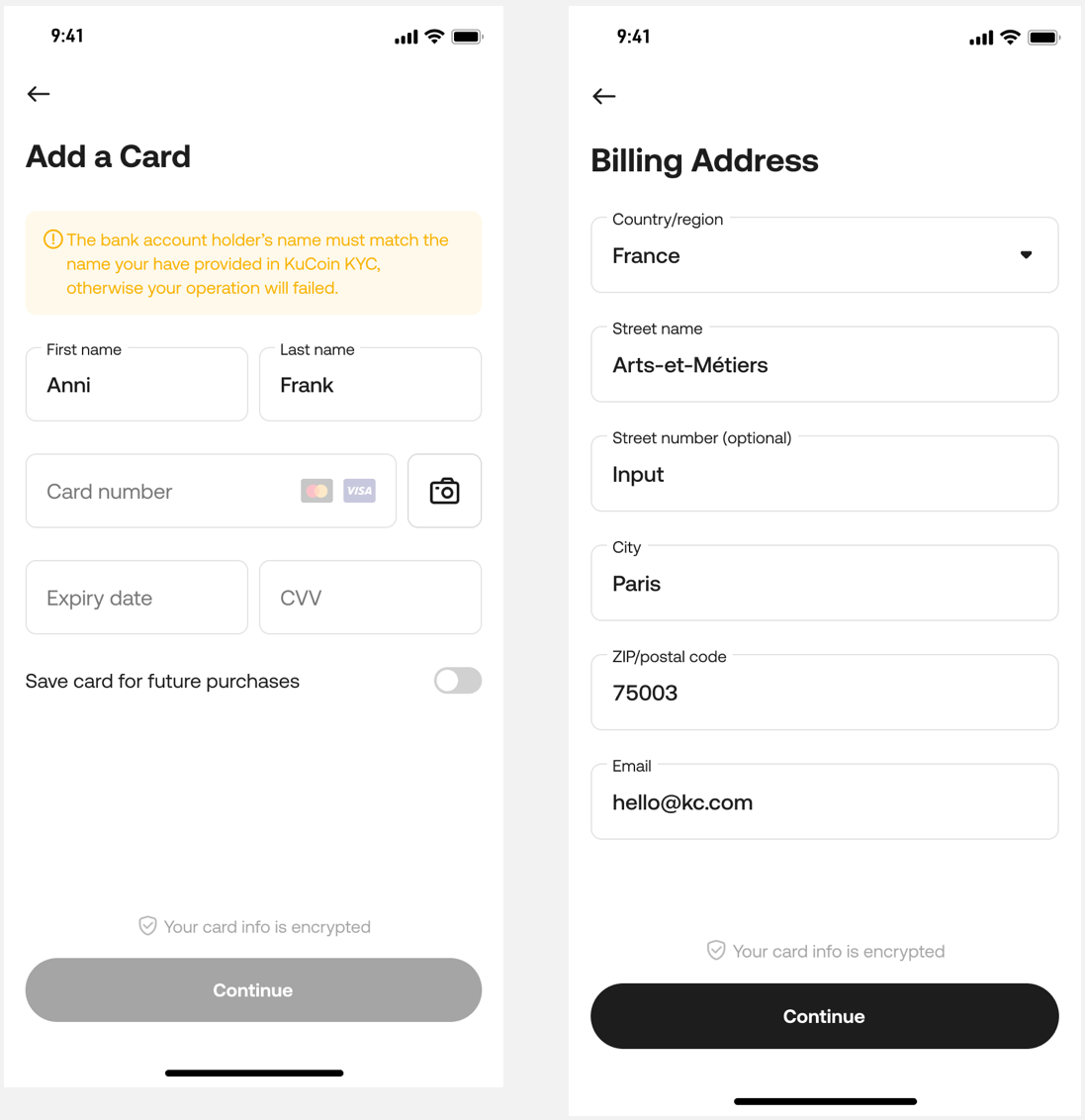
2.3 On your first purchase, you will need to complete the process of binding your payment account/card. KuCoin supports various payment channels, simply follow the on-screen instructions to complete the binding.
2.4 Preview your order and click Pay.
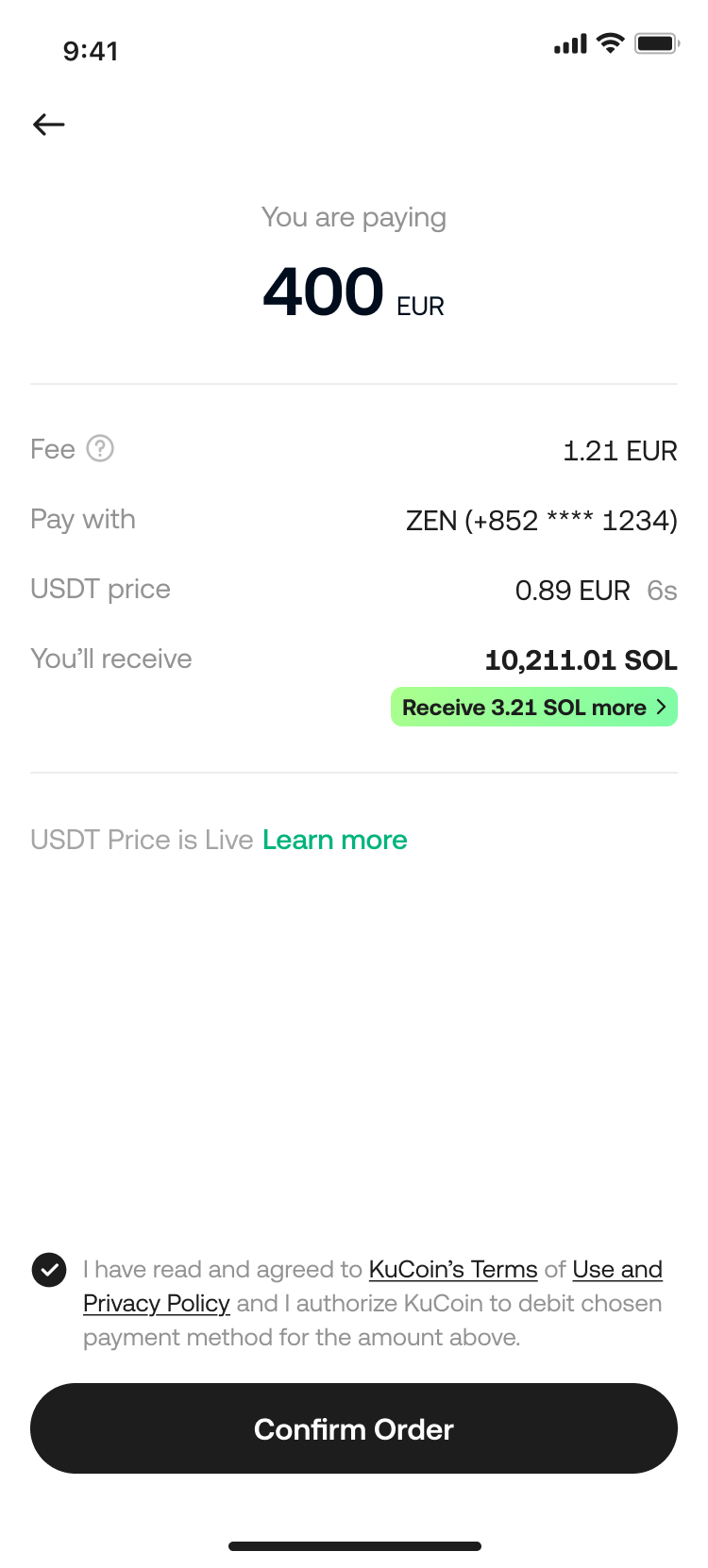
You can tap the history icon on the "Fast Trade" page to check your payment status.
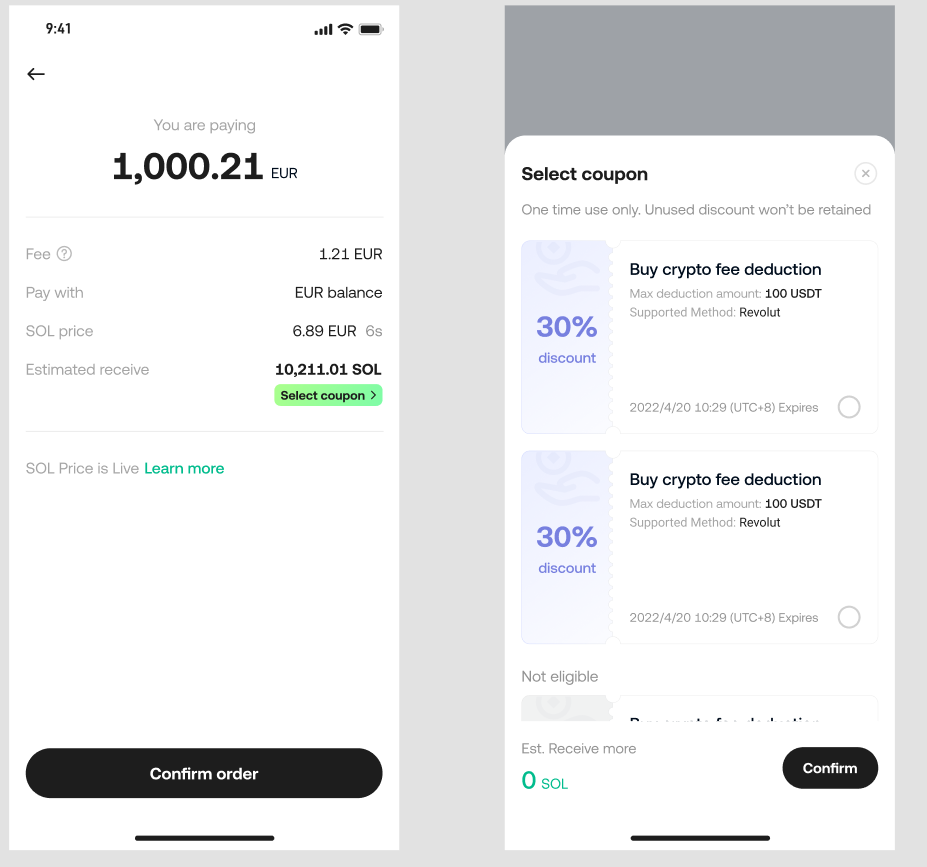
2.5 If you have coupons in your account, the Lite Version also supports applying them. You can switch or apply coupons on the order review page.
3.Frequently Asked Questions (FAQ)
1. Which crypto can I buy through "Trade"?
The cryptocurrencies available for purchase vary depending on the fiat currency. Go to the "Trade" page, select your fiat currency and cryptocurrency from the lists to see the specific options available for each fiat currency.
2. Do I need to complete Identity Verification (KYC) to buy crypto?
Yes, it requires individual Identity Verification.
To learn more about verifying your identity, please refer to our FAQ on Individual Identity Verification (KYC).
3. Where can I check the tokens I purchased after the order is complete?
On the app, go to "Portfolio" to view them directly.
4. Can I convert the tokens back to fiat currency after purchasing?
Yes, you can use the Sell feature on the Trade page or use our P2P trading platform to convert your tokens back to fiat currency.
5. How can I check my order history?
Click Orders on the top right corner of the Trade page to view your order history.