
How to Upgrade to Unified Account?
Currently, KuCoin Unified Account (UTA) is in a limited beta testing phase and is only available to selected professional and institutional users. We will gradually roll out this feature to more KuCoin users—please stay tuned.
Reminder: At this stage, you may freely switch between Unified Account Mode and Classic Account Mode without any impact on asset security.
I. Prerequisites Before Upgrading to a Unified Trading Account
Before upgrading to Unified Account, please ensure that all of the following conditions are met:
No open futures positions
No pending spot or futures orders
No outstanding liabilities or negative balances
If your account does not meet the above requirements, please complete the necessary actions before attempting to upgrade again.
To join the Unified Account whitelist, please contact: @Kucoin_API_Support
II. Upgrading to Unified Account and Instructions (Web)
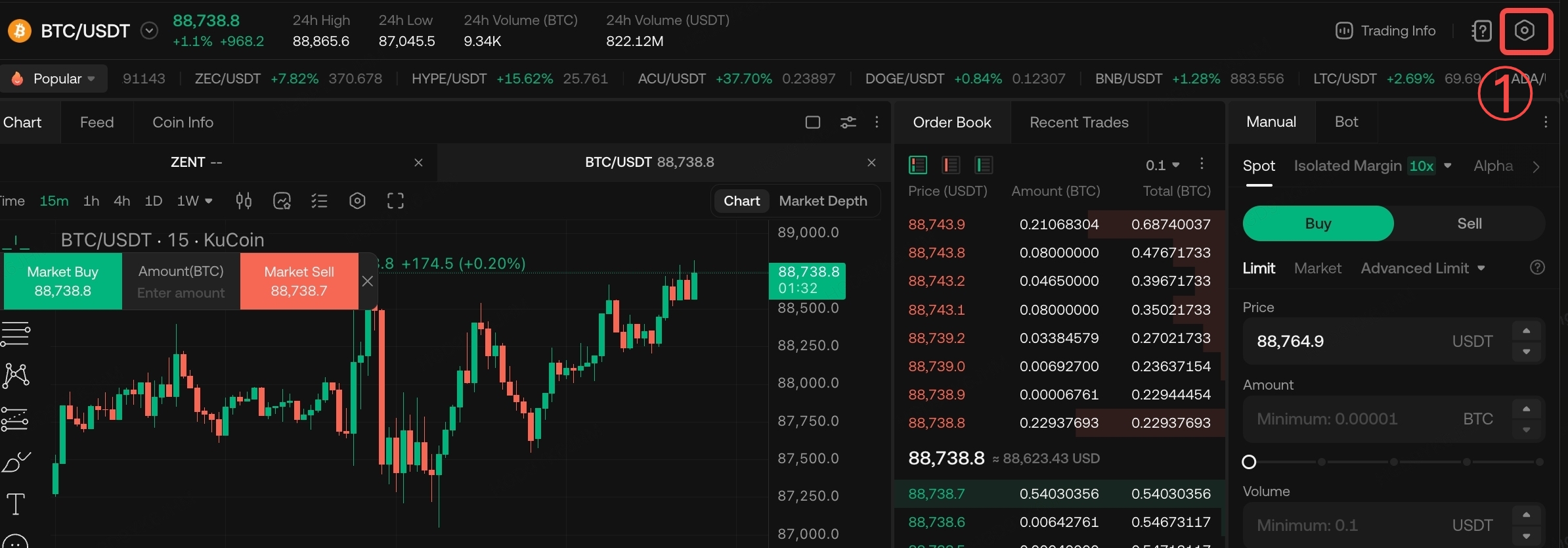
Step 1: Access the Unified Account Upgrade Entry
Go to Trading Page → Settings (top right) → Trading Account Settings → Upgrade to Unified Account
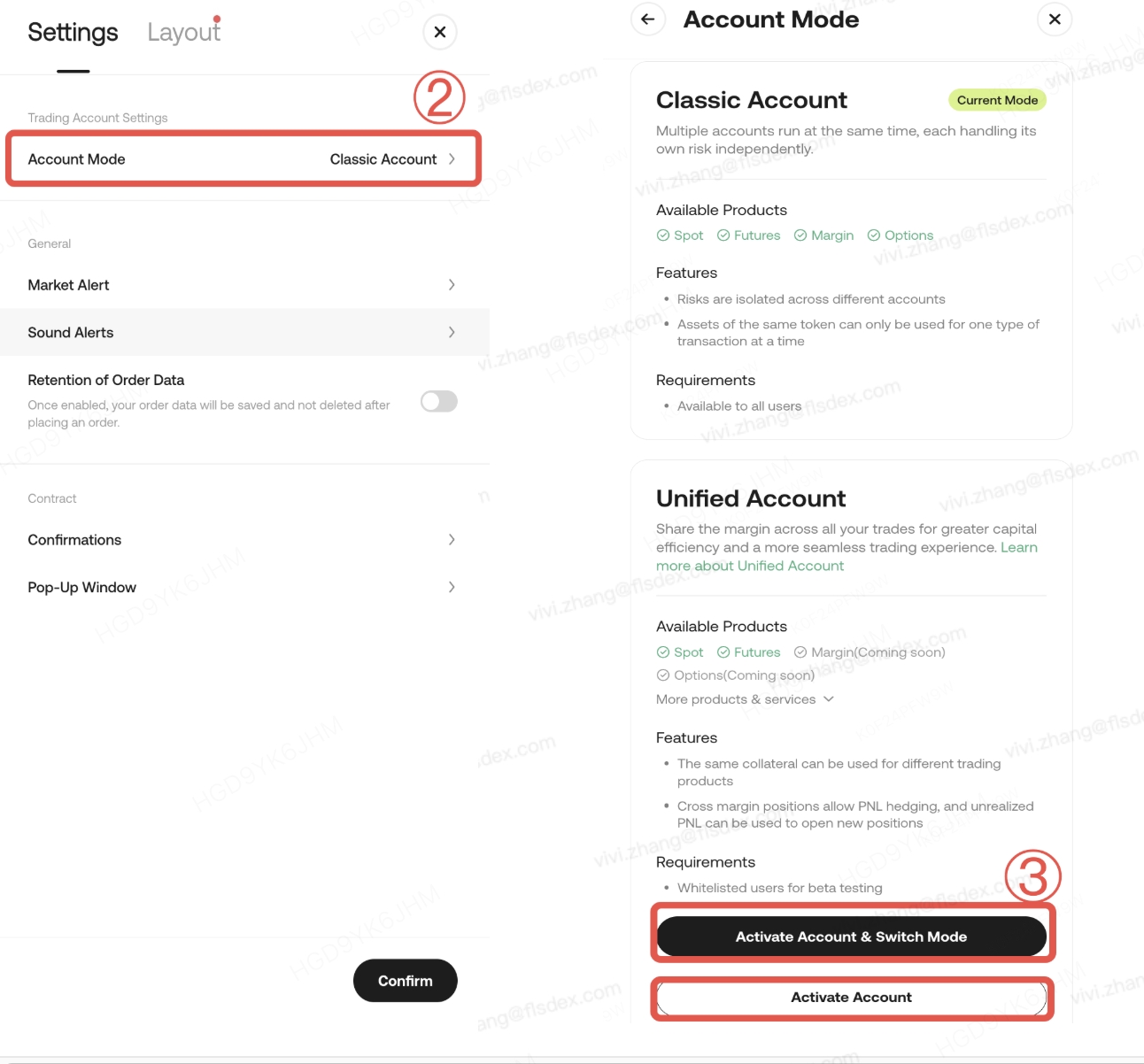
Scenario: Only Sub-Accounts Use Unified Account
If you want only sub-accounts to use the Unified Account while keeping the master account in Classic Account mode, you may select 【Activate Account】
This action means:
- The master account must complete the risk assessment and agree to the relevant agreements
- The master account itself will not be switched to Unified Account mode
- Sub-accounts can use Unified Account features normally
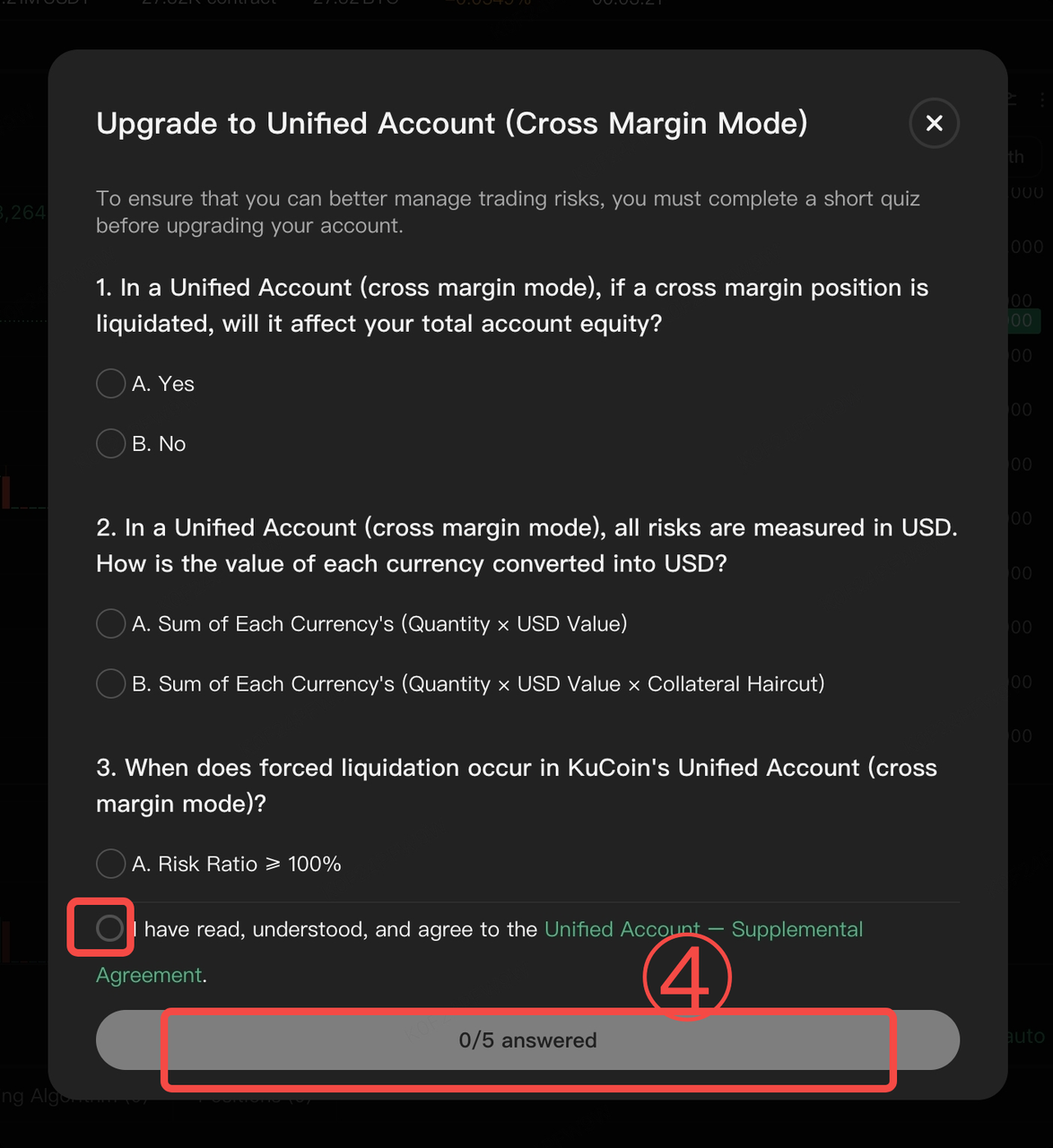
Step 2: Switch to Unified Account & Complete Risk Assessment
Follow the system prompts to complete the risk assessment questionnaire. After submission, wait for the system to confirm a successful upgrade.
Important Notes (Please read carefully)
- The upgrade process usually takes only a few seconds
- Trading and asset transfers will be temporarily unavailable during the upgrade
- The risk assessment applies only to the master account
- Sub-accounts are not required to complete the assessment
- Important: The master account’s assessment results do not restrict or affect sub-account trading permissions
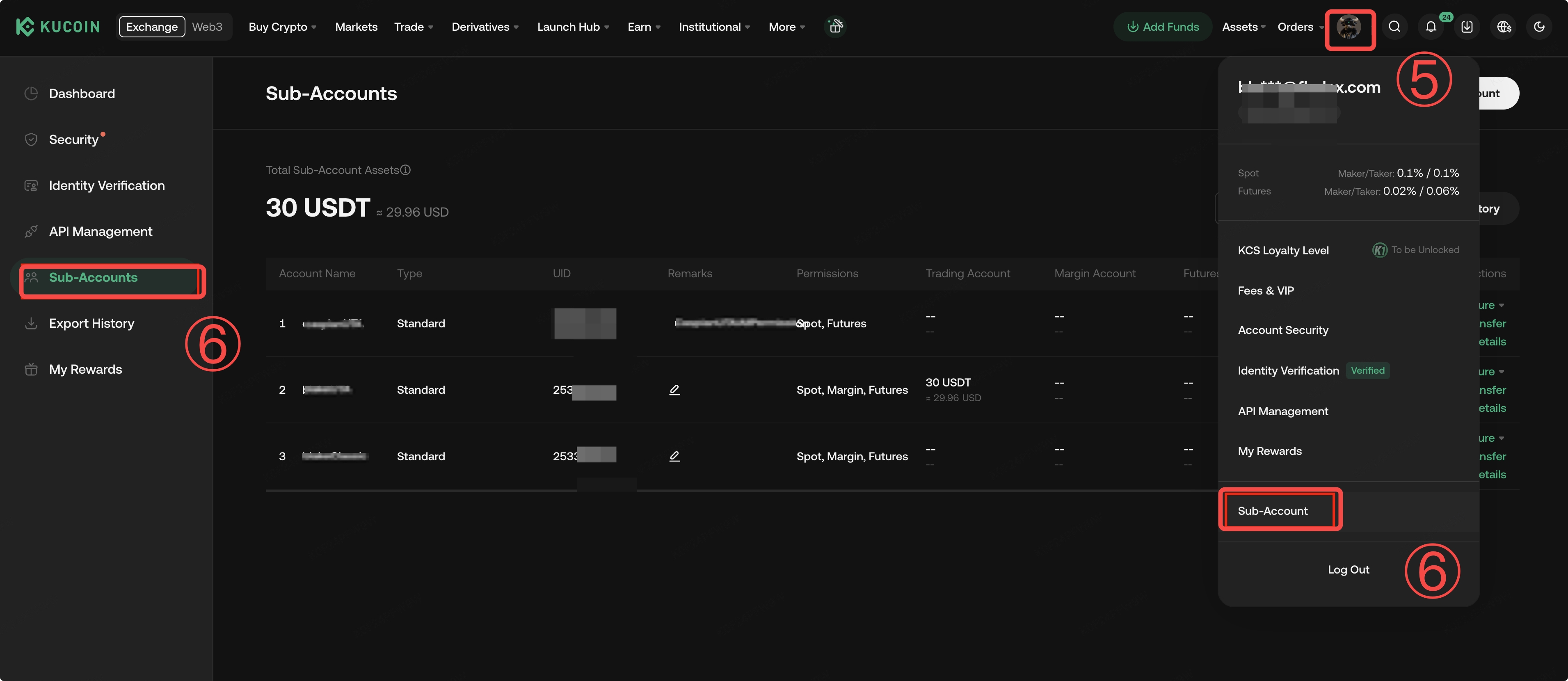
Step 3: Create Sub-Accounts (For Strategy Isolation or API Trading)
If you have not yet created sub-accounts, follow the steps below:
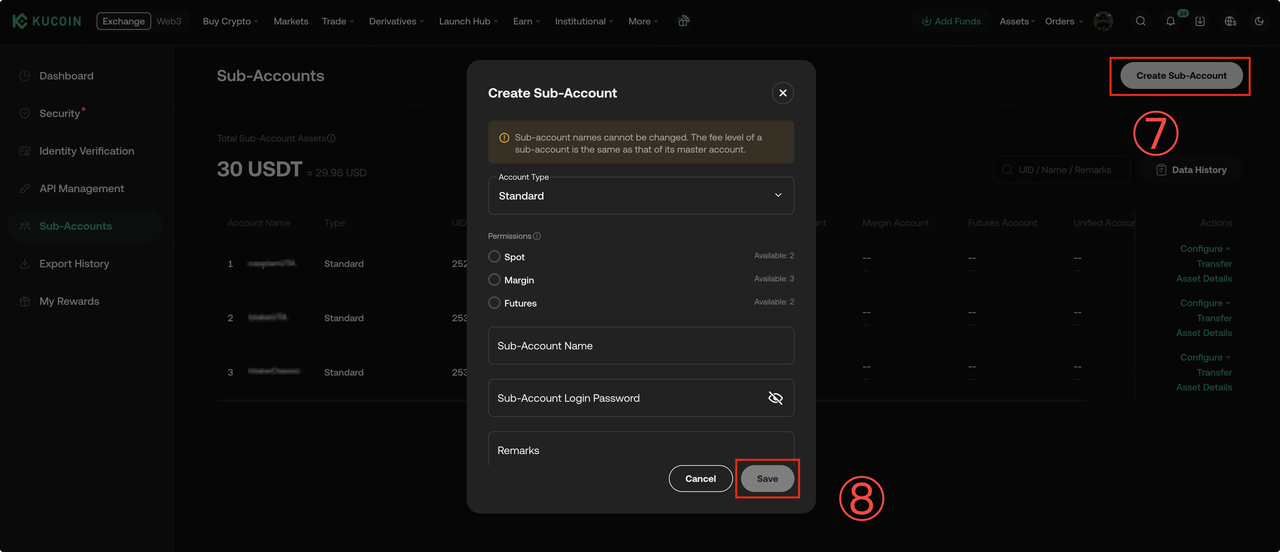
Once created, sub-accounts can be used for:
- Isolating different trading strategies
- Automated API trading
- Independent risk and position management
Step 4: Create an API Key for Sub-Accounts (If API Trading Is Required)
Follow the steps below:
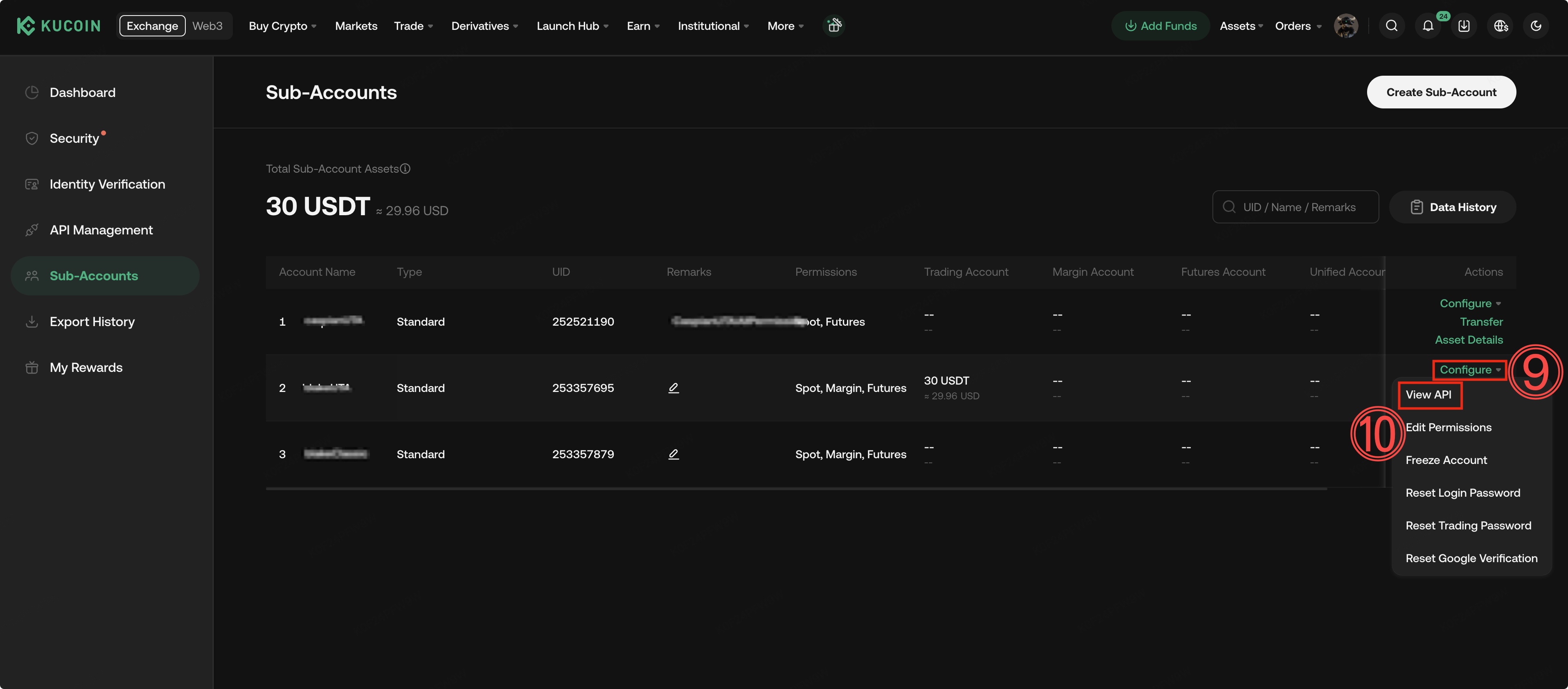
- Enter the sub-account page
- Select Configure → View API
-
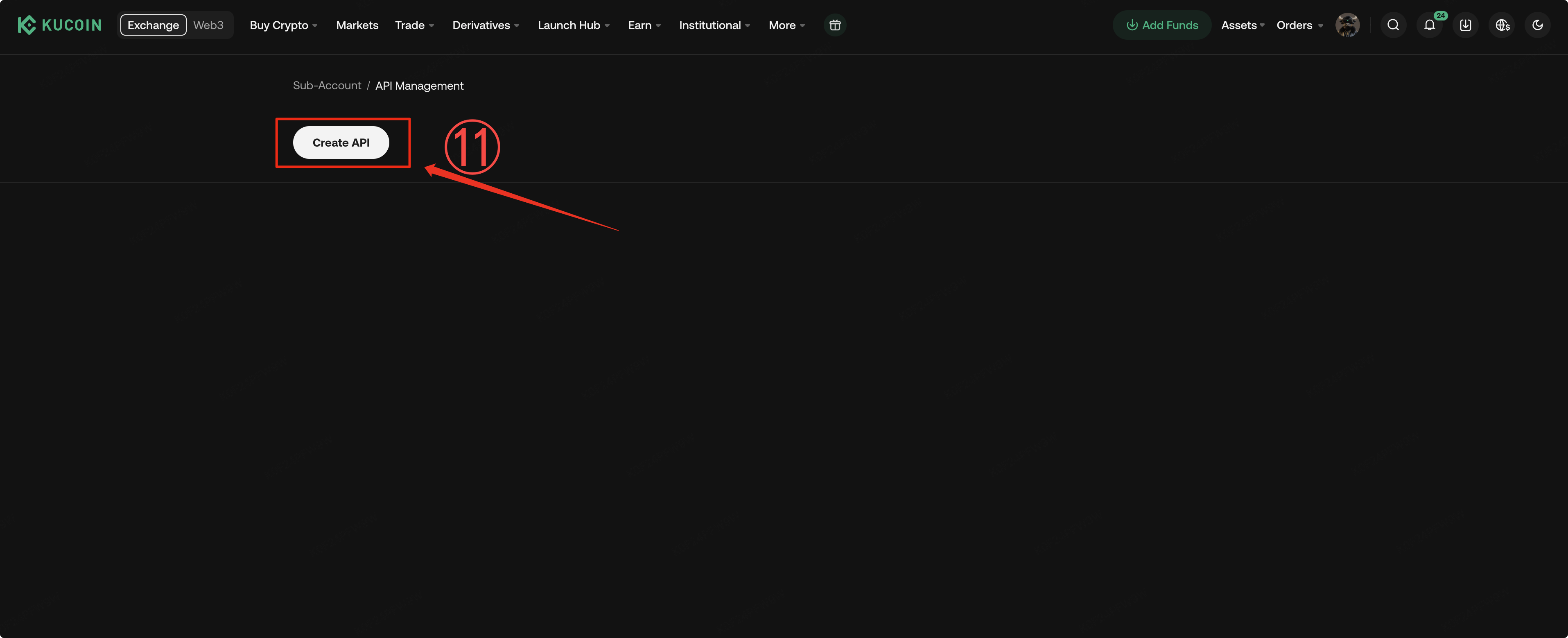
Click Create API
-
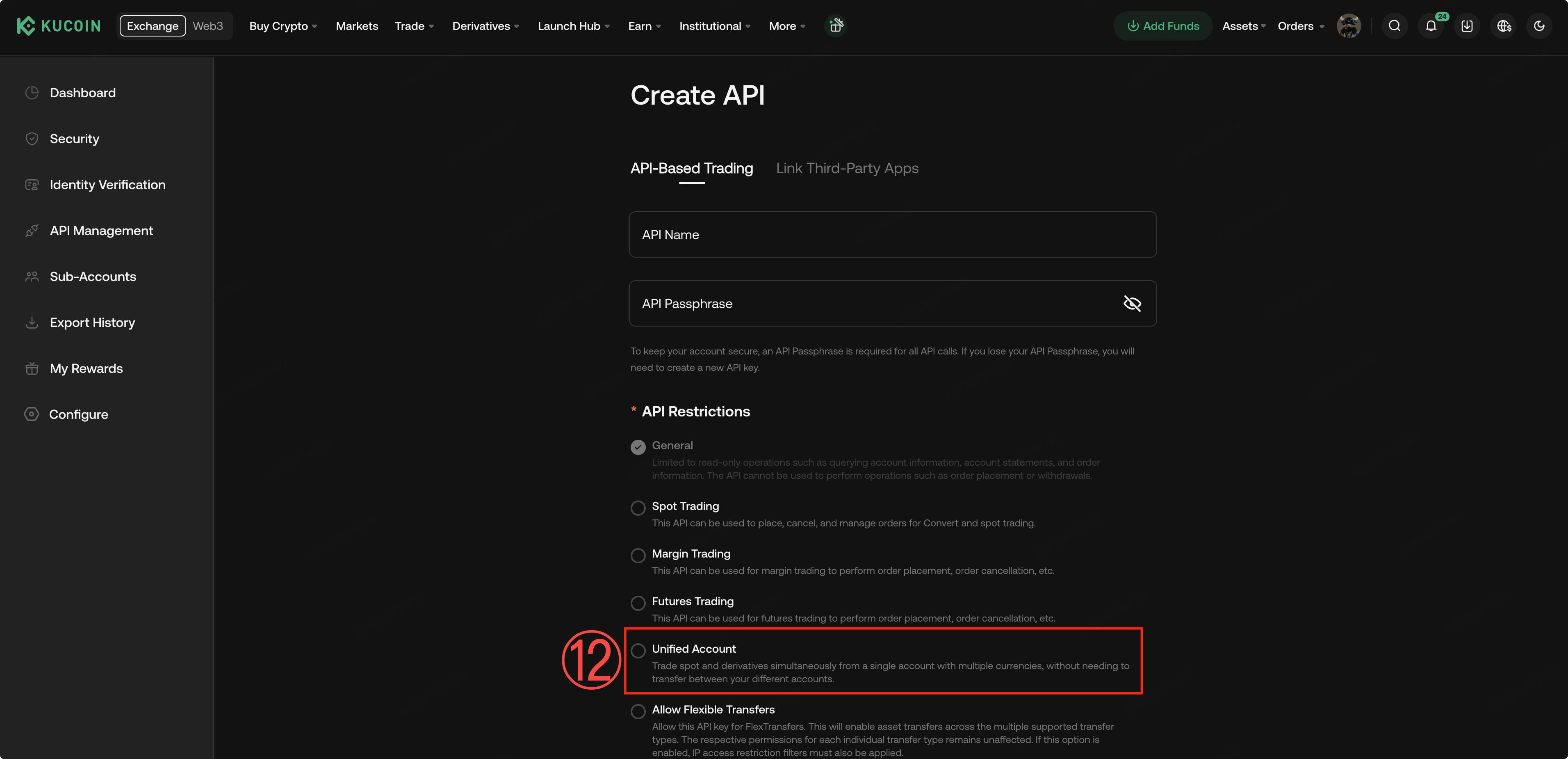
Make sure to check the Unified Account option
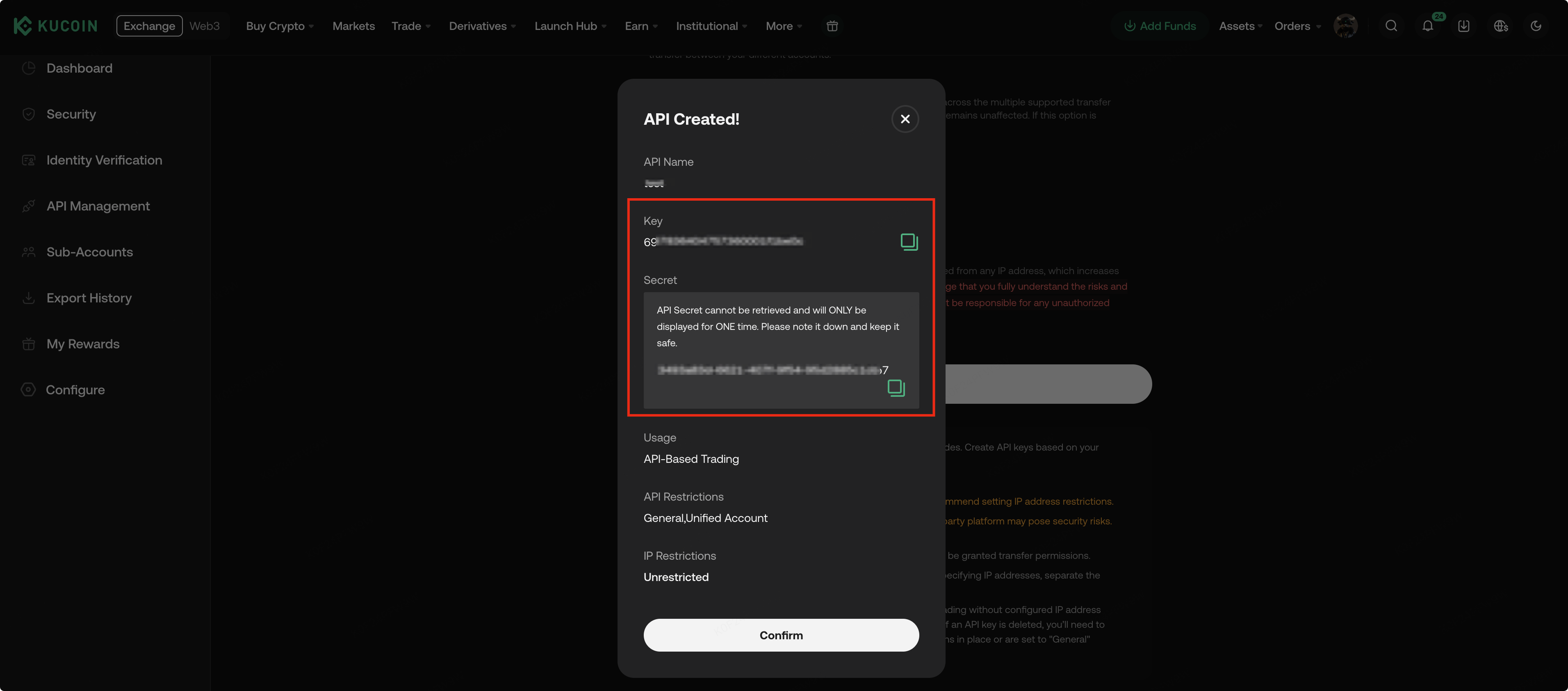
API Usage Notes:
- API keys from the master account cannot be used for sub-account trading
- Each sub-account must create its own API key
- When creating an API key, the Unified Account option must be selected
- If not selected, API trading under Unified Account will not be available
Step 5: Start Trading with Unified Account
You can start using Unified Account once any of the following conditions are met:
- The master account has completed the Unified Account upgrade
- Unified Account mode has been activated, or a sub-account has created a Unified Account API key
At this point, you can:
- Use Unified Margin for spot and futures trading
- Achieve strategy isolation and fine-grained management across multiple sub-accounts
III. Upgrading to Unified Account and Instructions (App)
Note: To use the Unified Trading Account on the KuCoin app, please update your app to version 4.4.0 or later.
Step 1: Access the Upgrade Entry
Go to Trading Page → Trading Settings → Preferences → Account Mode
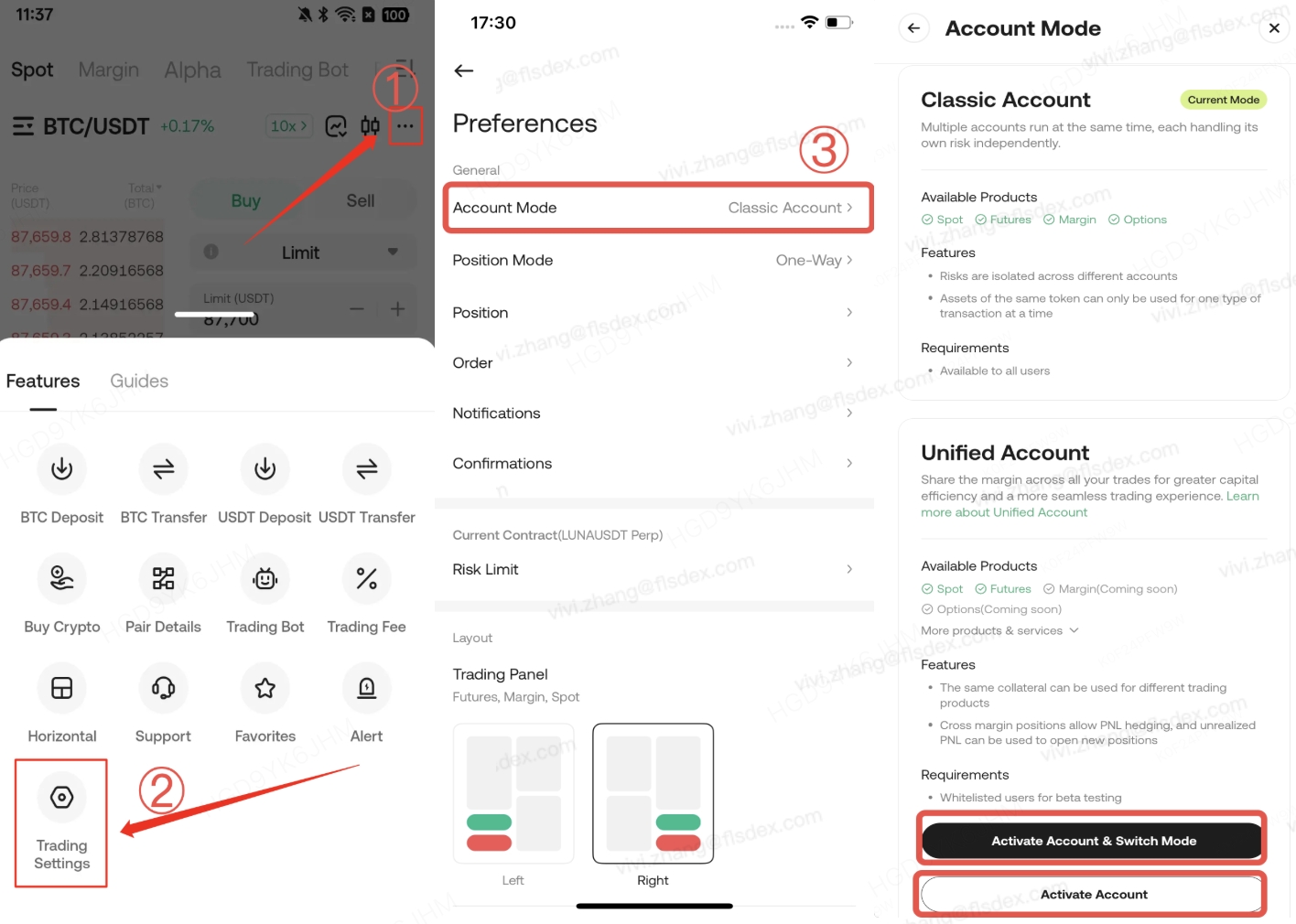
Scenario: Only Sub-Accounts Use Unified Account
If you want only sub-accounts to use the Unified Account, select Activate Account.
This action means:
- The master account completes the risk assessment and agreement confirmation
- The master account itself does not switch to Unified Account mode
- Sub-accounts can use Unified Account features normally
Step 2: Switch to Unified Account & Complete Risk Assessment
Follow the system prompts to complete the risk assessment questionnaire, submit it, and wait for the upgrade to complete.
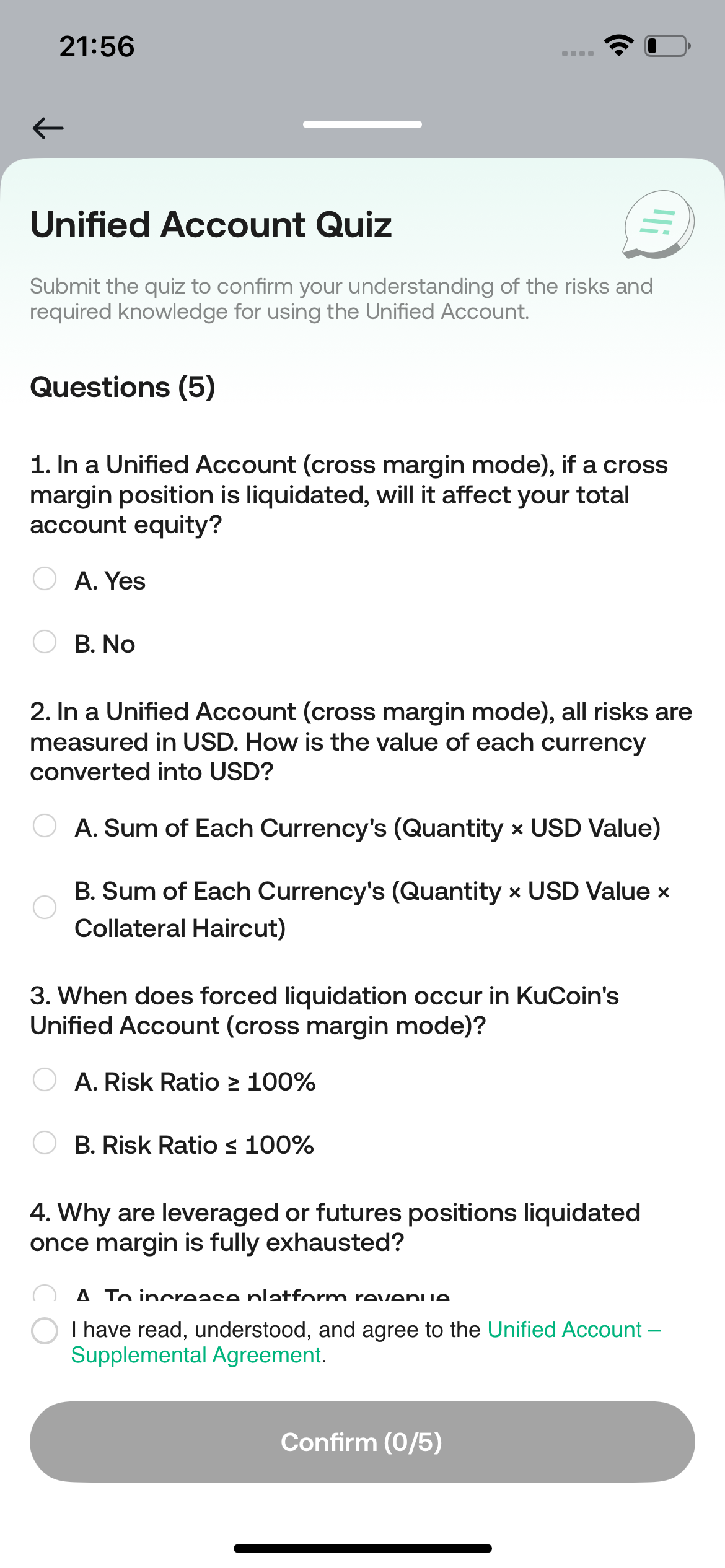
Notes
The upgrade takes only a few seconds
- Trading and asset transfers will be unavailable during the upgrade
- The risk assessment applies only to the master account
- Sub-accounts do not need to complete the assessment again
- The master account’s assessment results do not affect sub-account trading permissions
Step 3: Start Trading
Once the upgrade is complete, you can:
- Transfer assets
- Use Unified Margin for spot and futures trading
- Manage multiple trading strategies under one account structure
Reminder: The app currently does not support sub-account creation. To create sub-accounts or API keys, please visit the web version.
IV. FAQ
Q: Will the master account’s risk assessment affect sub-accounts?
A: No. The assessment is for compliance purposes only and does not restrict or affect any sub-account’s trading permissions.
Q: Can I enable Unified Account for sub-accounts only?
A: Yes. You can choose to activate Unified Account without switching the master account’s account mode.
Q: Can I use Unified Account without using APIs?
A: Yes. APIs are only required for automated or programmatic trading.
Contact us:@Kucoin_API_Support