
How to Top Up Your Mobile via KuCoin Pay? (App)
There are 4 ways:
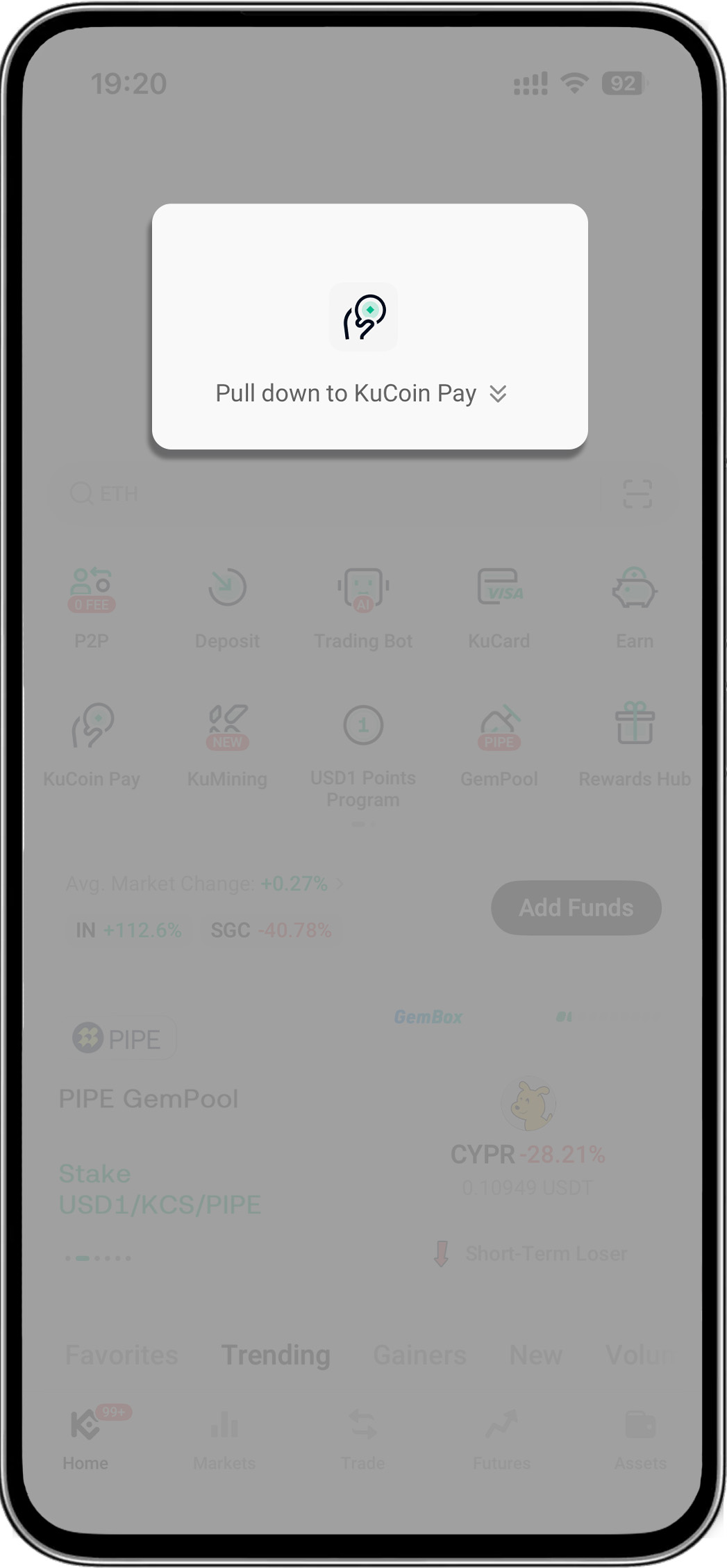
- Open your KuCoin app > Pull down on the homepage to reveal "KuCoin Pay"
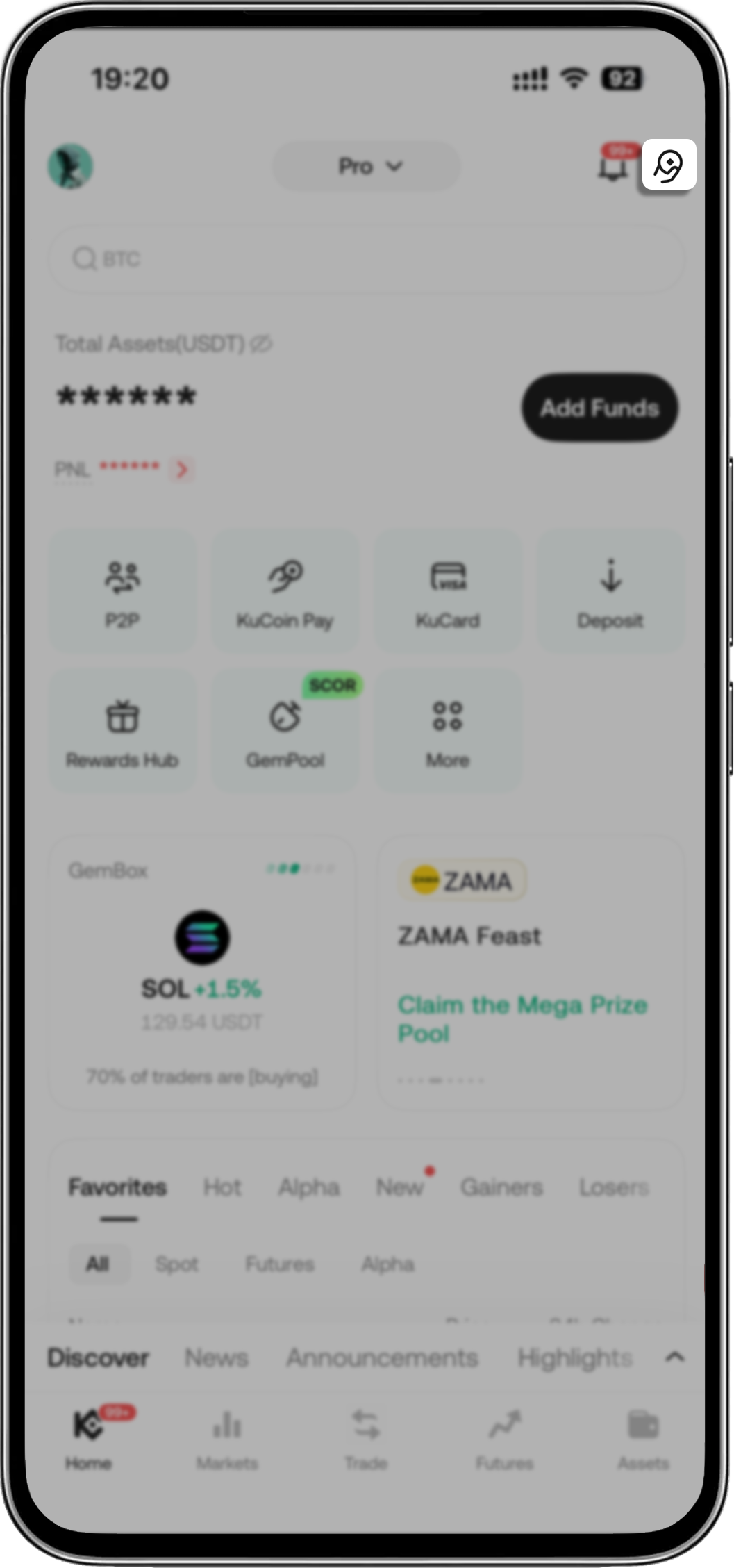
- Open your KuCoin app > Tap KuCoin Pay icon on the upper-right corner
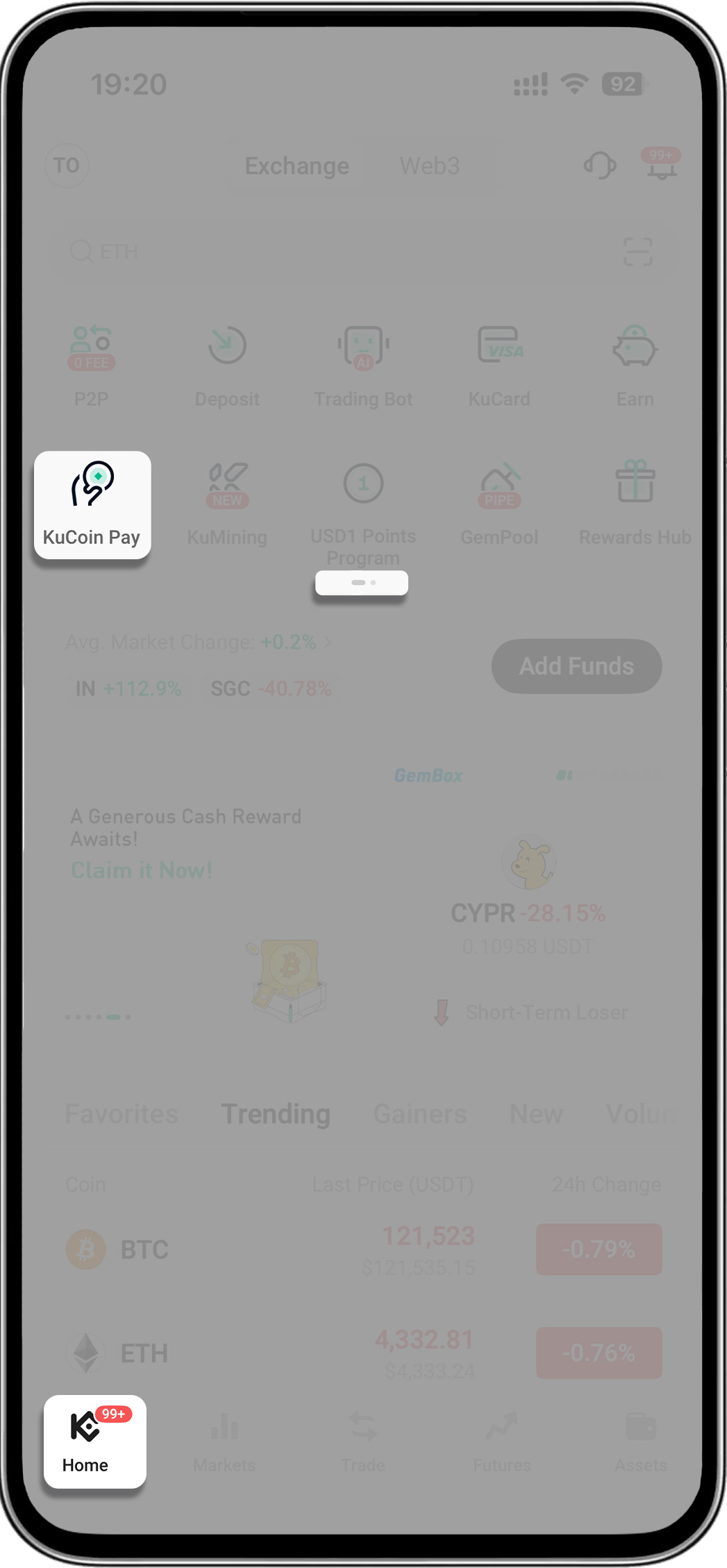
- Open your KuCoin app > Go to menu's second page > Tap "KuCoin Pay"
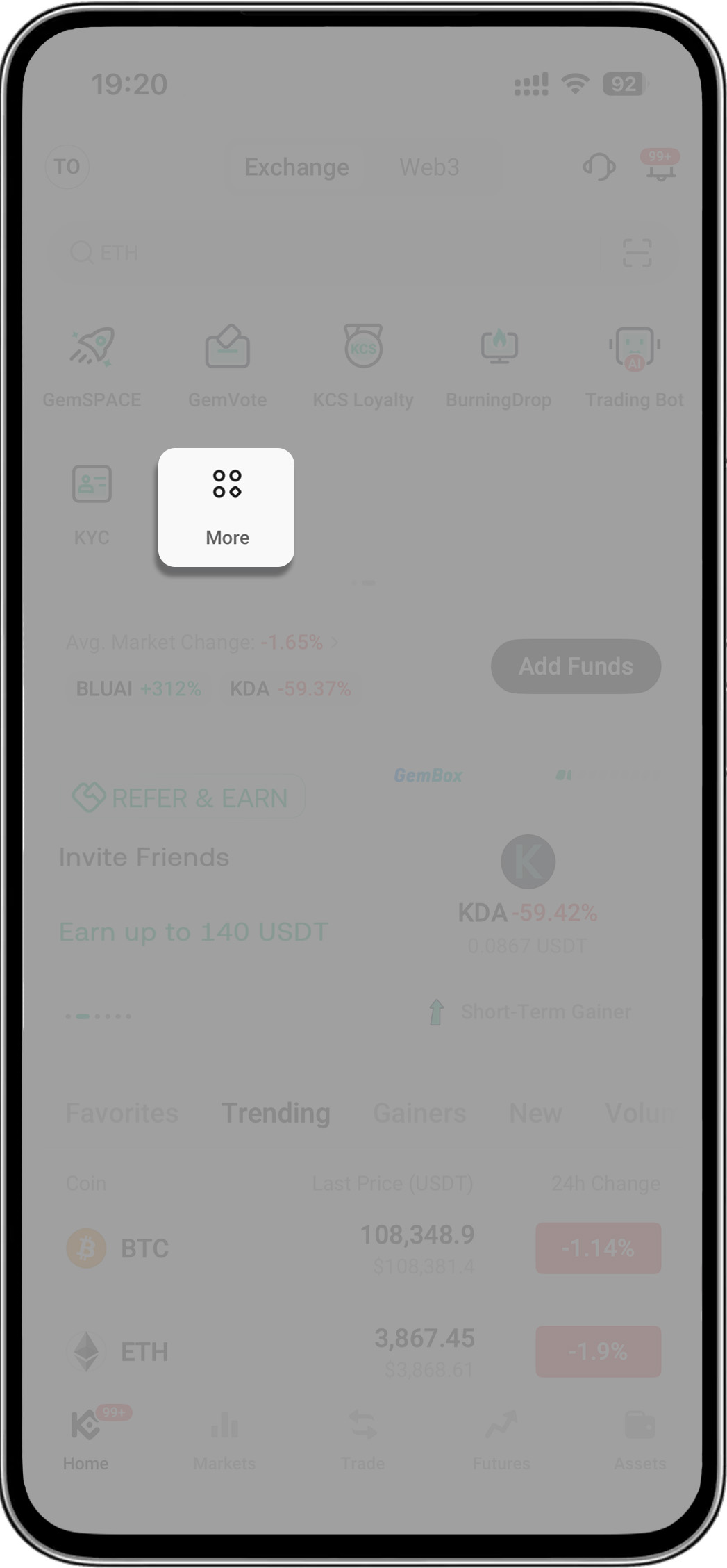
- Open your KuCoin app > Tap "More" > Find "Assets" > Select "KuCoin Pay"
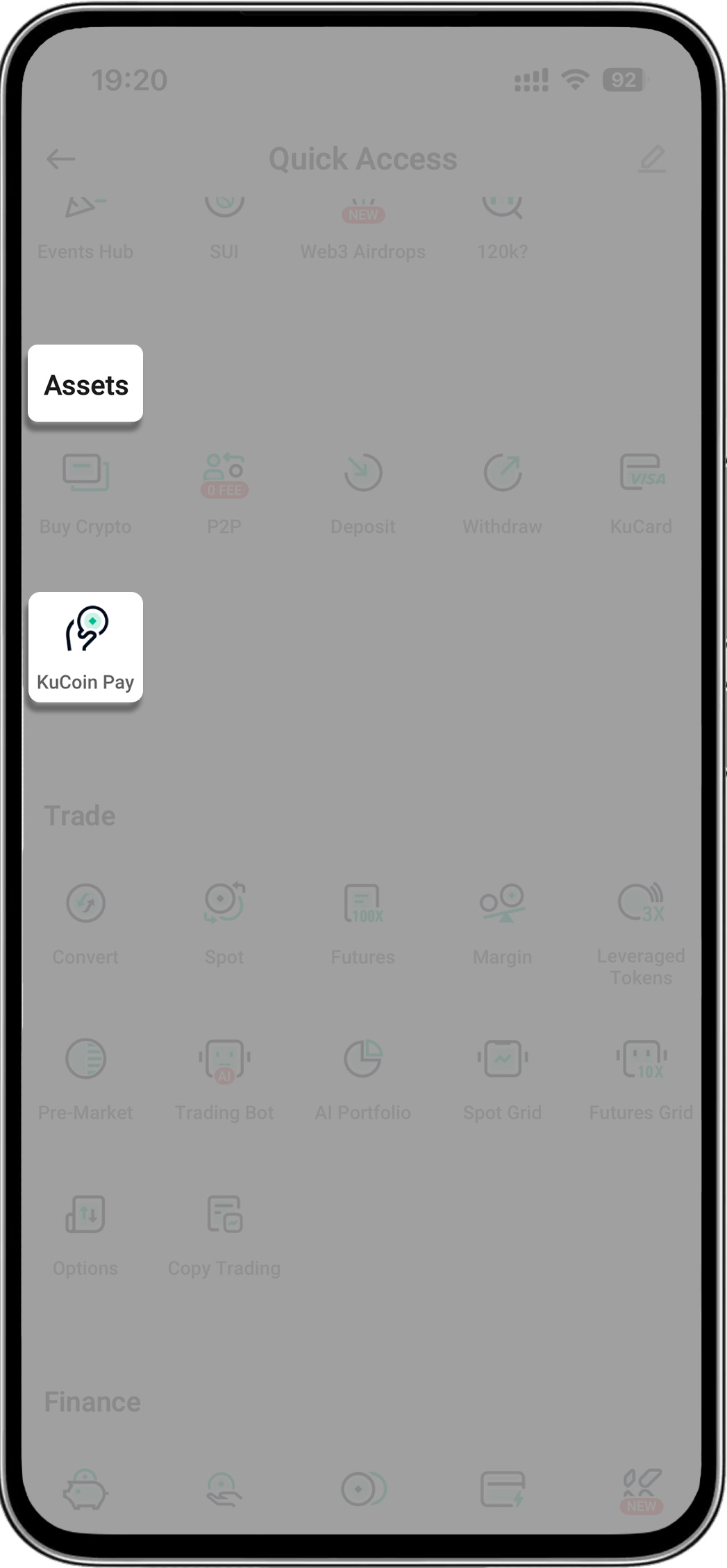
2. Top up your phone
-
Step 1: Tap “Mobile Top-up”
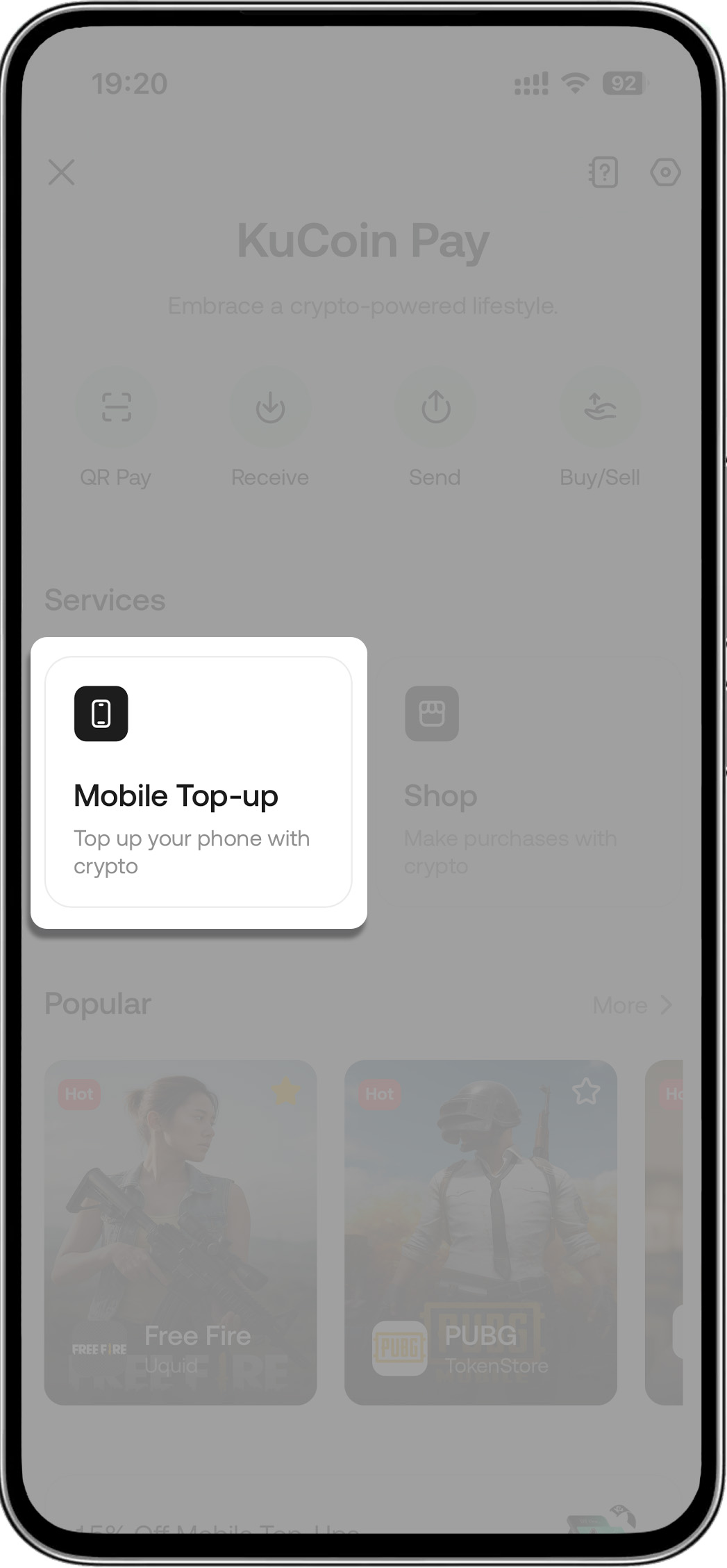
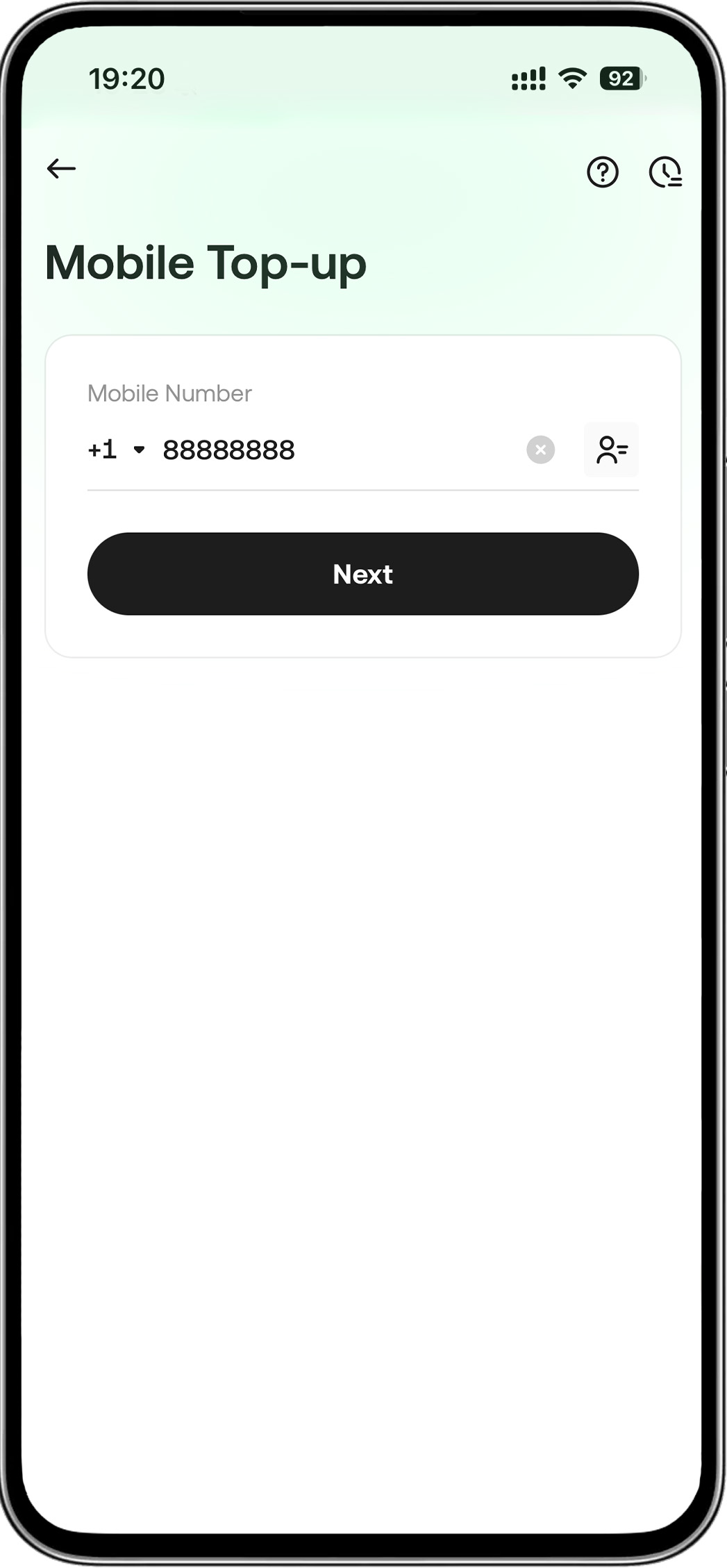
- Step 2: Enter your phone number
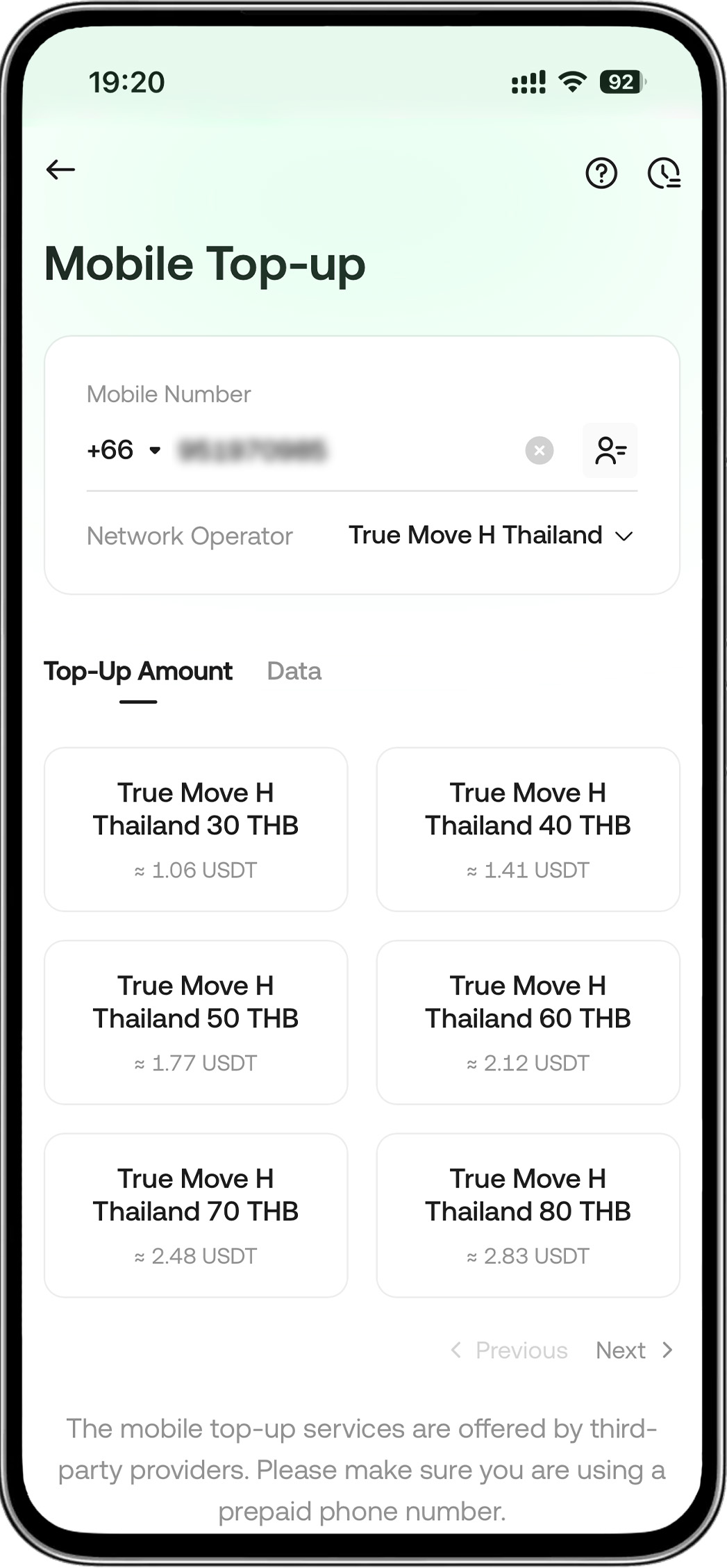
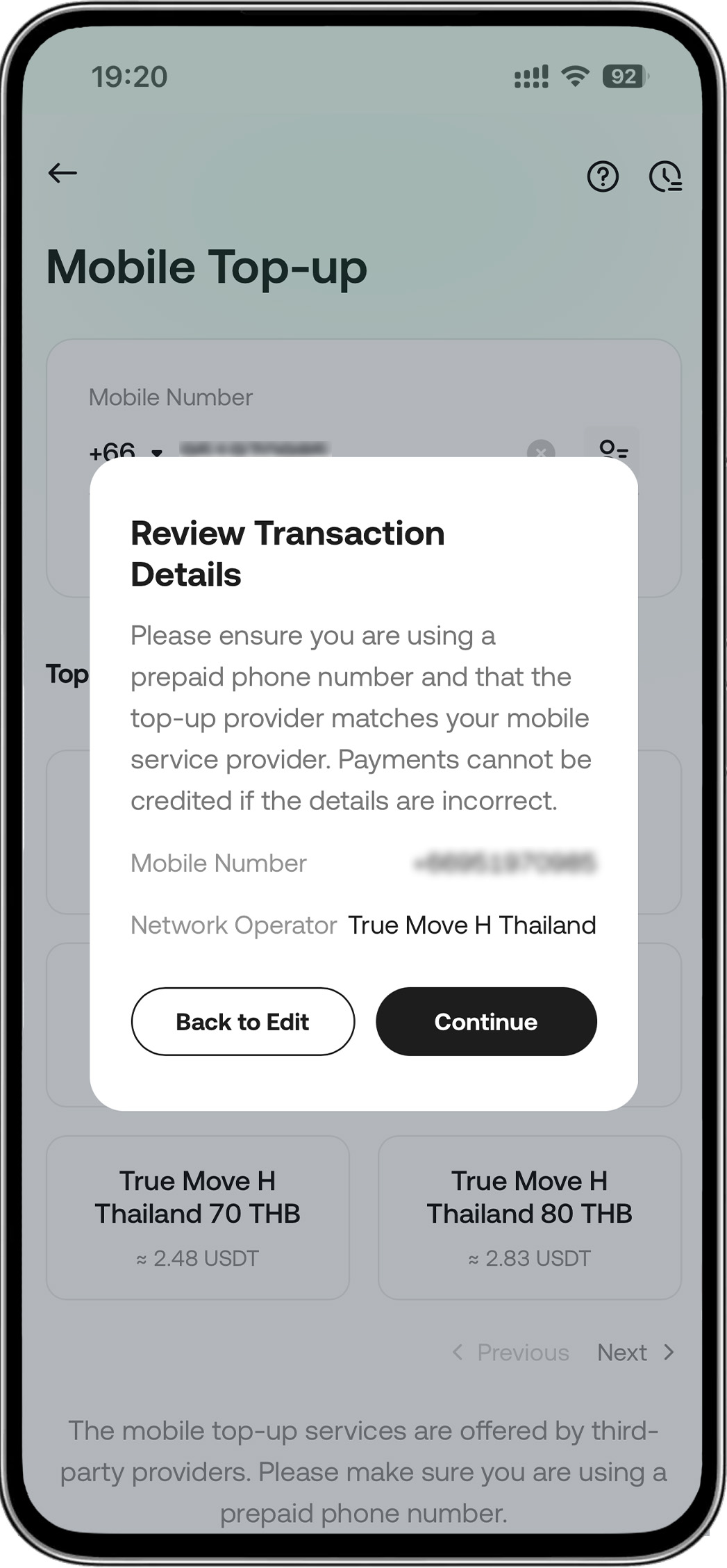
- Step 3: Choose an operator and the amount you wish to top-up
- Step 4: Continue the order
-
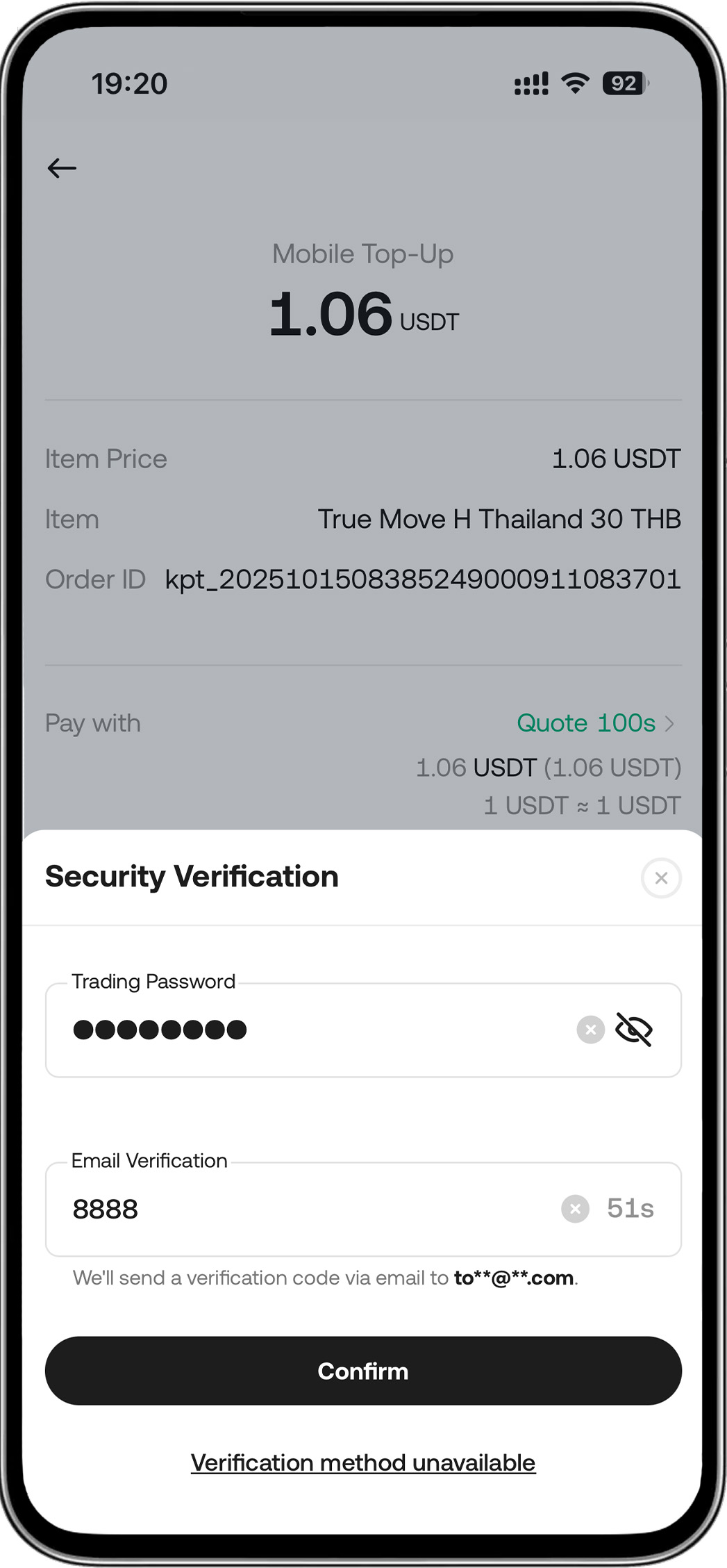
Step 5: Enter your password > Complete the payment
Other Frequently Asked Questions
1. How long does a top-up take?
2. How do I check my top-up status?
3. Why was my top-up declined?
Your transaction may be declined for a few reasons:
-
You selected the wrong mobile service provider.
-
The phone number you entered is not eligible for top-ups (e.g., it may not be a prepaid number).
4. What should I do if the top-up transaction fails?
If a transaction fails, you will be notified and a refund will be processed automatically within minutes. Please note that refunds are issued in USDT. We recommend reviewing the Terms and Conditions before any payment.
5. How does a refund work?
6. What should I do if my mobile account isn't topped up after a successful payment?
Tip: Please have the operator's reference number ready when you contact them. You can find this number in your transaction history: go to [Mobile Top-up] -> [History] and select the specific transaction.