
How to Use Buy Crypto Fee Coupons?
1. About Buy Crypto Fee Coupons
1.1 What is a Buy Crypto Fee Coupon?
Buy Crypto Fee Coupons are discount coupons provided by KuCoin that allow users to pay a lower amount to receive the same amount of cryptocurrency when purchasing crypto. These coupons are applicable to most payment methods in Fast Trade, such as Credit/Debit Cards, Apple Pay, Google Pay and buying crypto with fiat balance.
Note: To use Buy Crypto Fee Coupons in the KuCoin App, please update the App to version 4.16.0 or later.
1.2 How do I check my available Buy Crypto Fee Coupons?
-
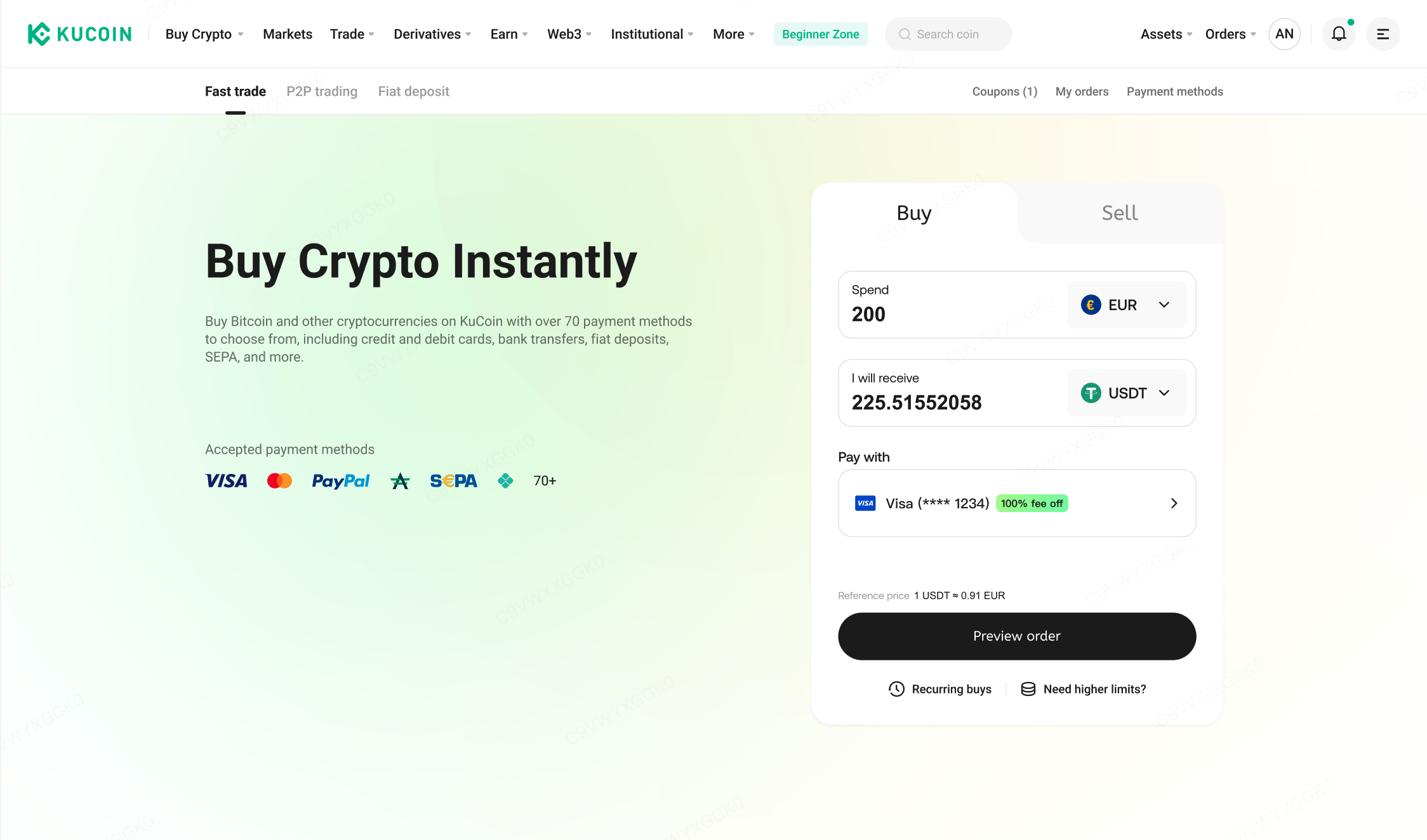
Web: Click on "Buy Crypto" from the homepage, then click the "Coupons" button at the top of the Fast Trade page.
-
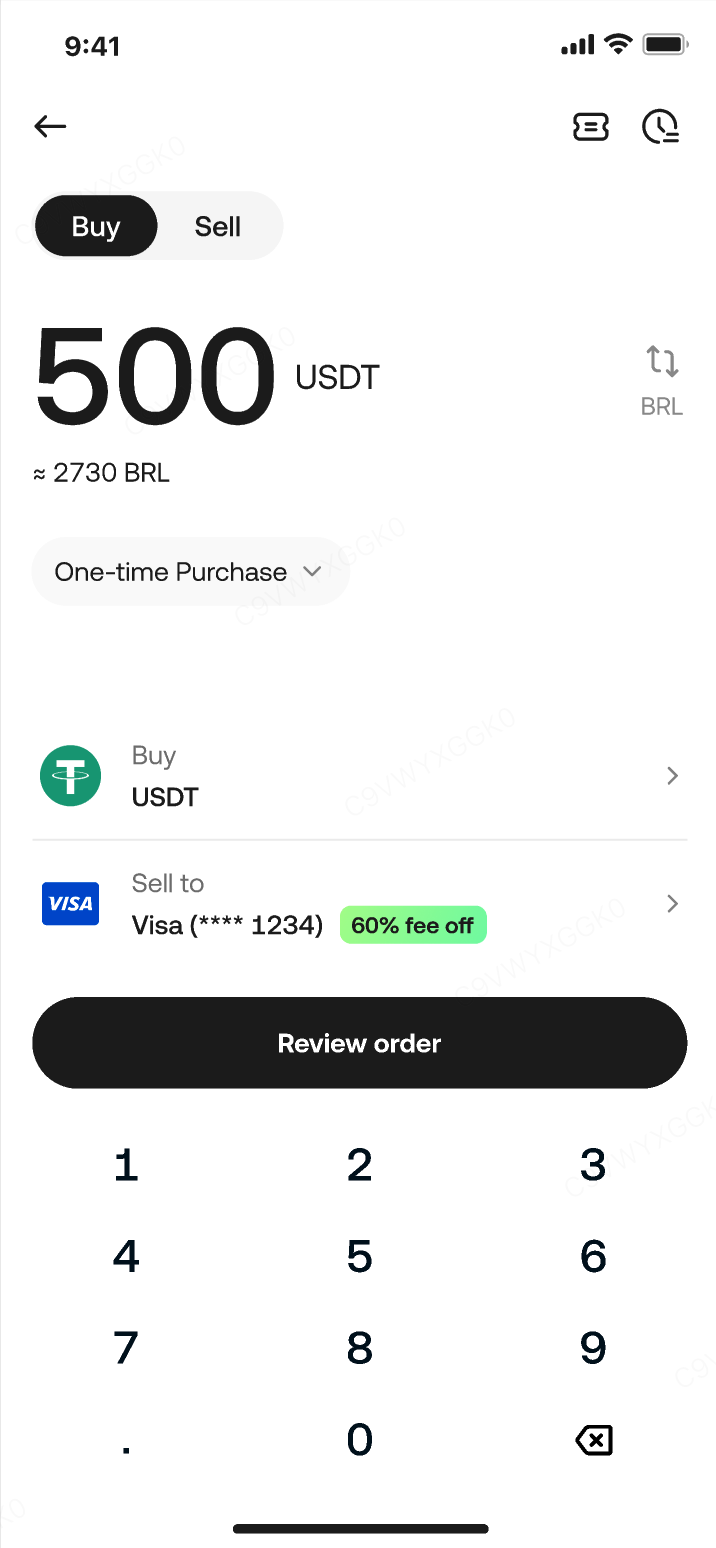
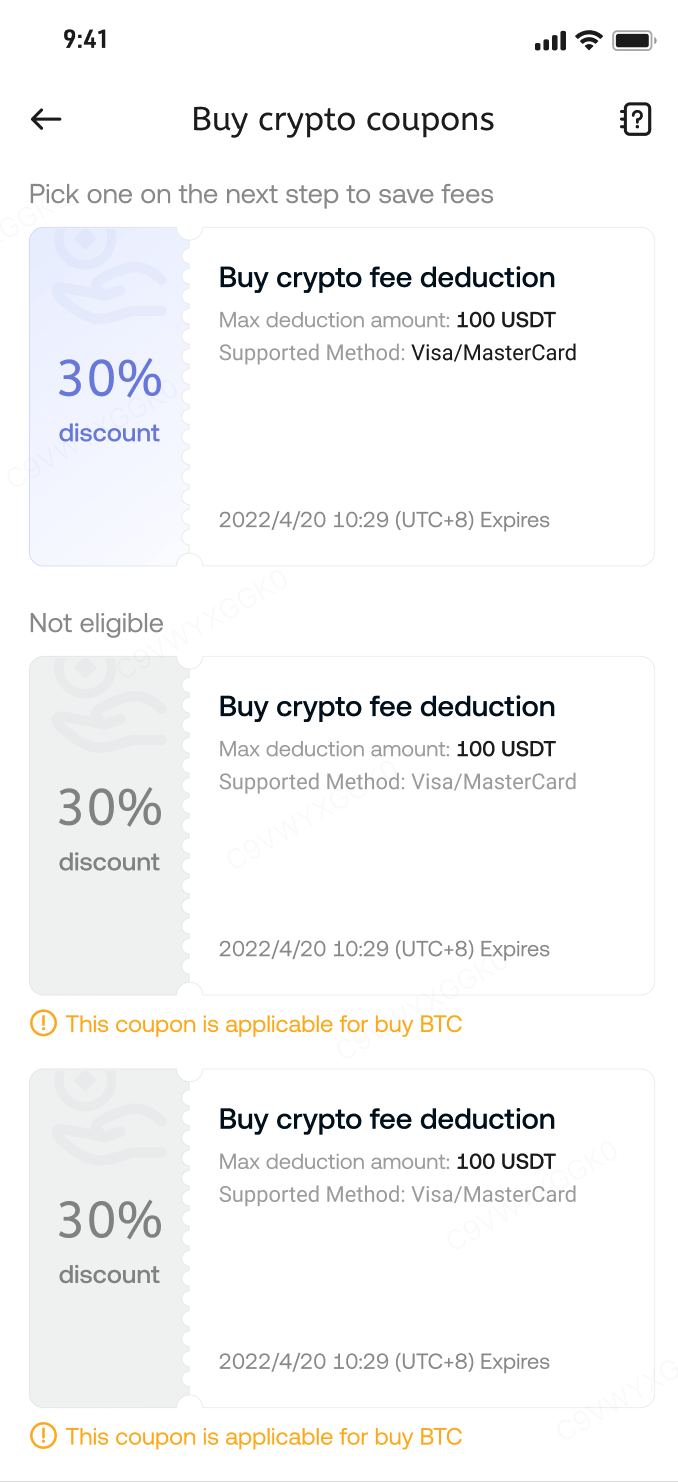
App: Tap “Add Funds” > “Buy Crypto” on the homepage, then tap the coupon icon at the top of the Fast Trade page.
2. How to Use Buy Crypto Fee Coupons?
If your account holds valid coupons within their usage period and your order meets the applicable conditions, you’ll be able to apply the coupon as guided on the page.
The following is a step-by-step example of how to use a Buy Crypto Fee Coupon (images for reference only).
1. Go to the Fast Trade page and check your available coupons.
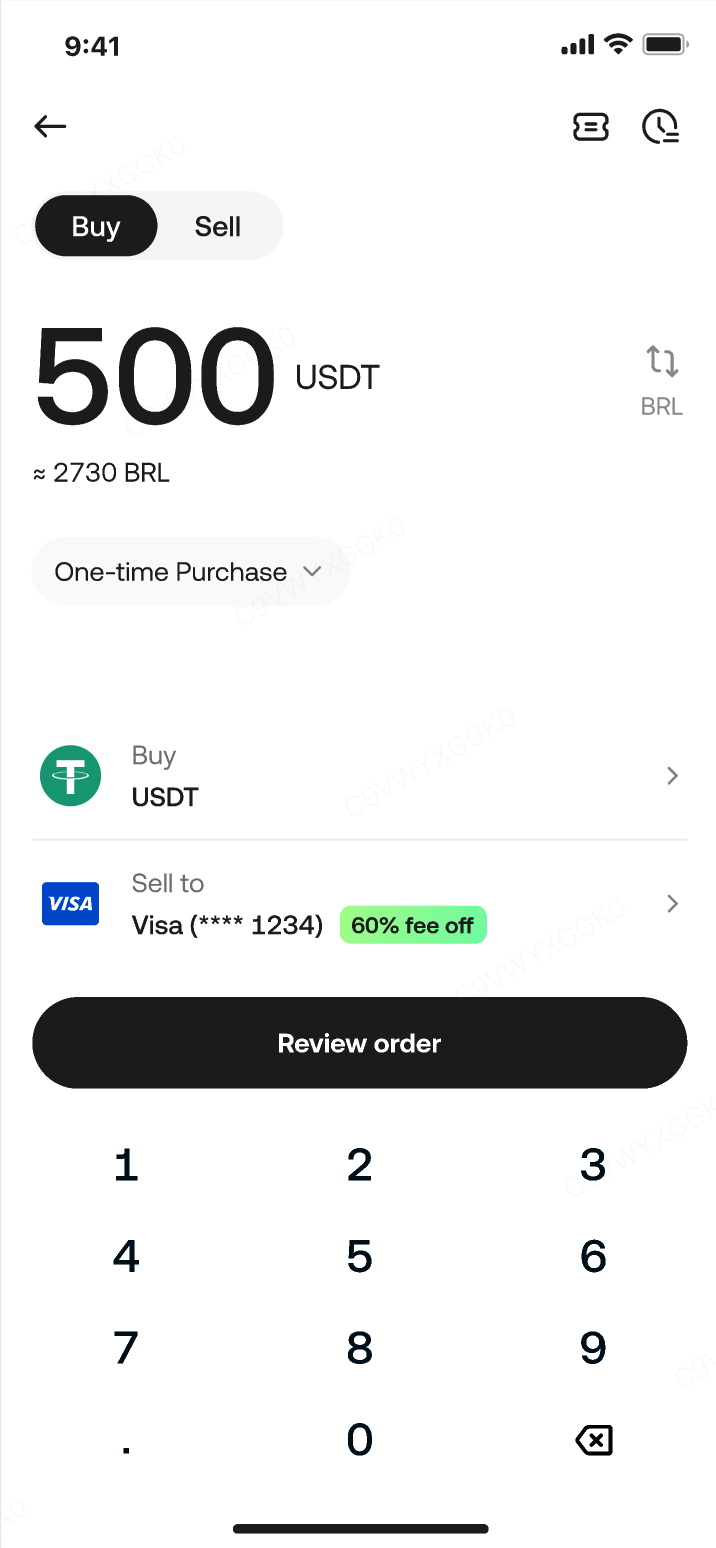
2. Enter the amount, select your fiat currency, and choose the crypto you want to buy.
- Once your purchase amount meets the coupon’s minimum requirement, the “Select Payment Method” button will display the maximum discount ratio available.
3. Choose your payment method.
- On the payment method selection page, the discount ratio applicable to each coupon will be shown. If you hold multiple coupons for the same payment method, the one with the highest discount will be selected by default.
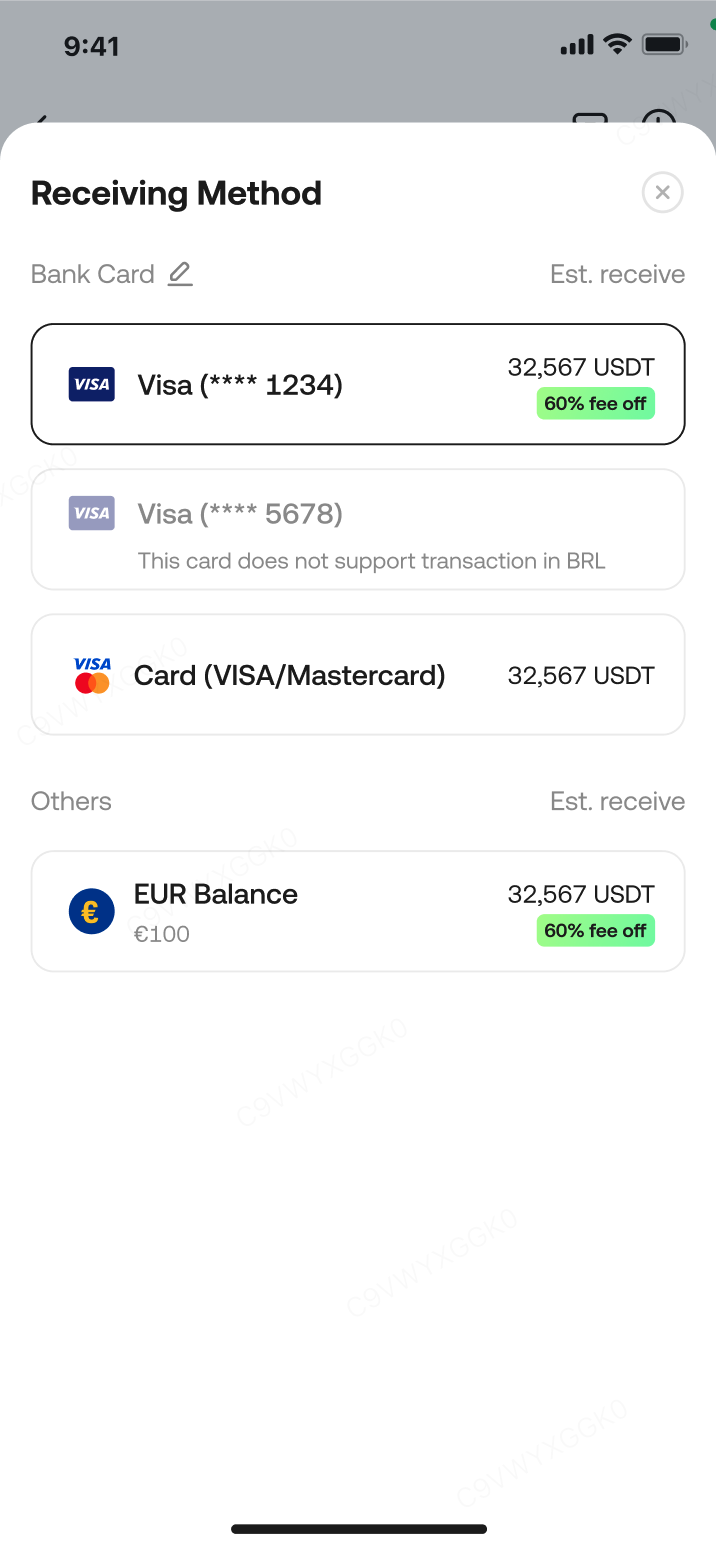
4. Select and apply your coupon
- Tap the “Select to save *** ” button to choose a coupon. Once selected, the coupon will be automatically applied to the order. You will pay a lower amount to purchase the same amount of cryptocurrency.
- If the page shows “No Coupons”, it means that you do not have any available coupons, or the current order does not meet the usage conditions of your coupons. Please verify before confirming the order.
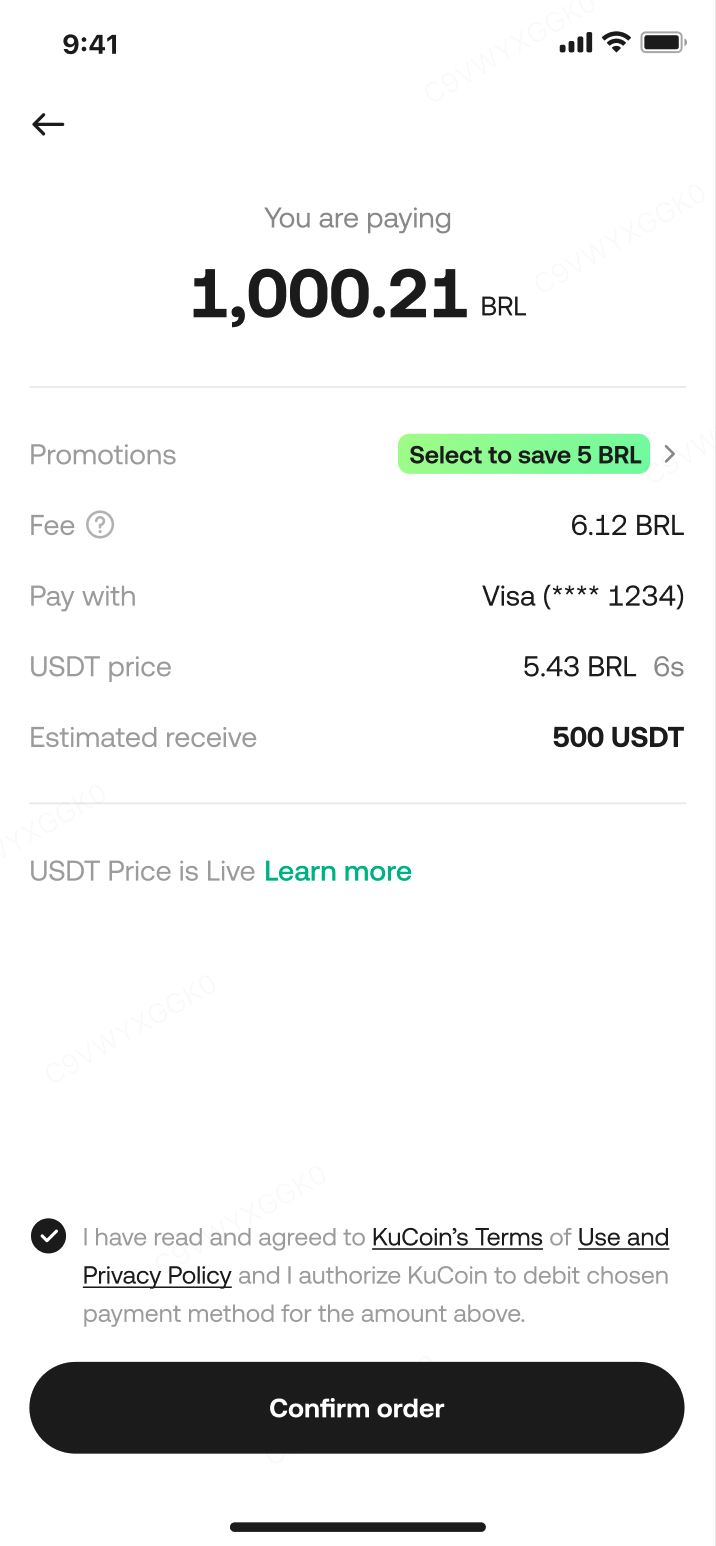
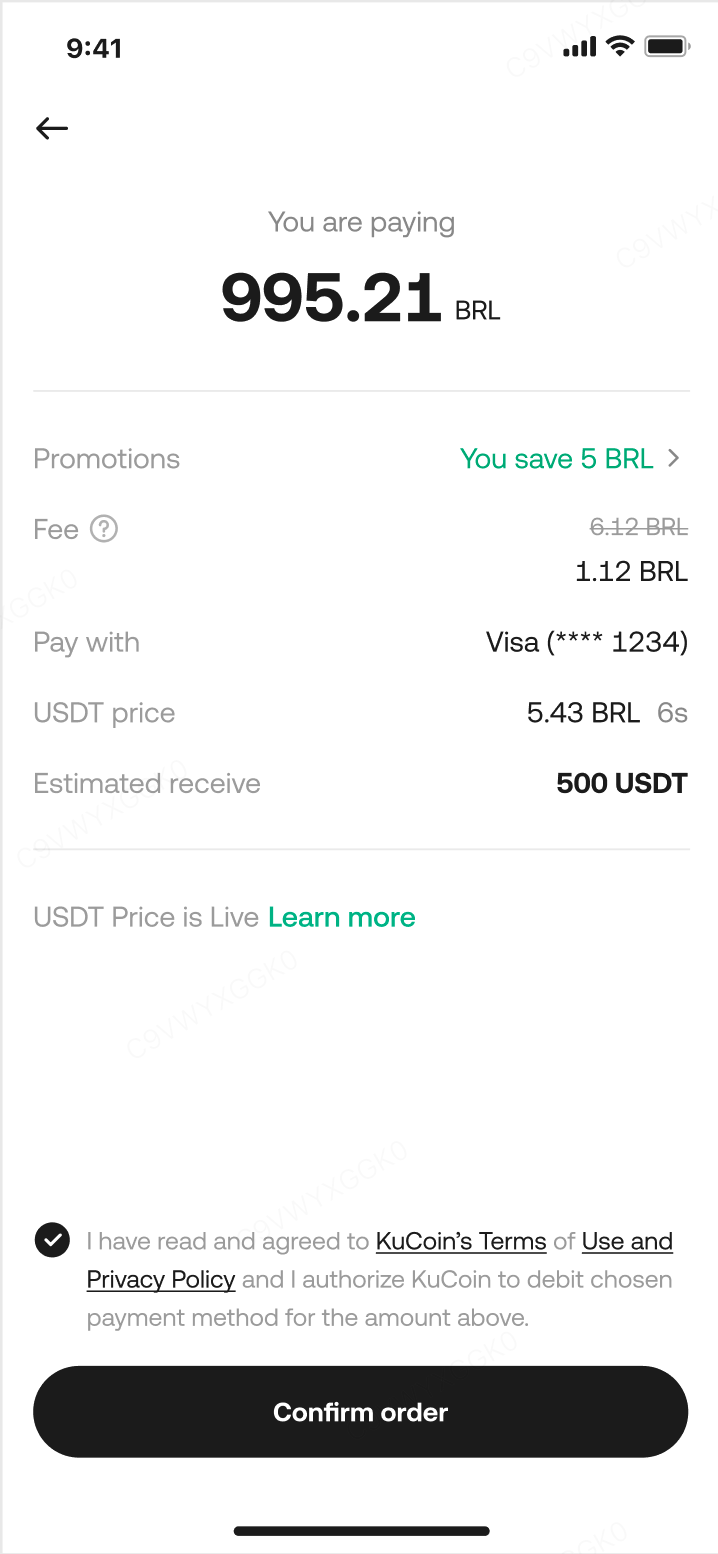
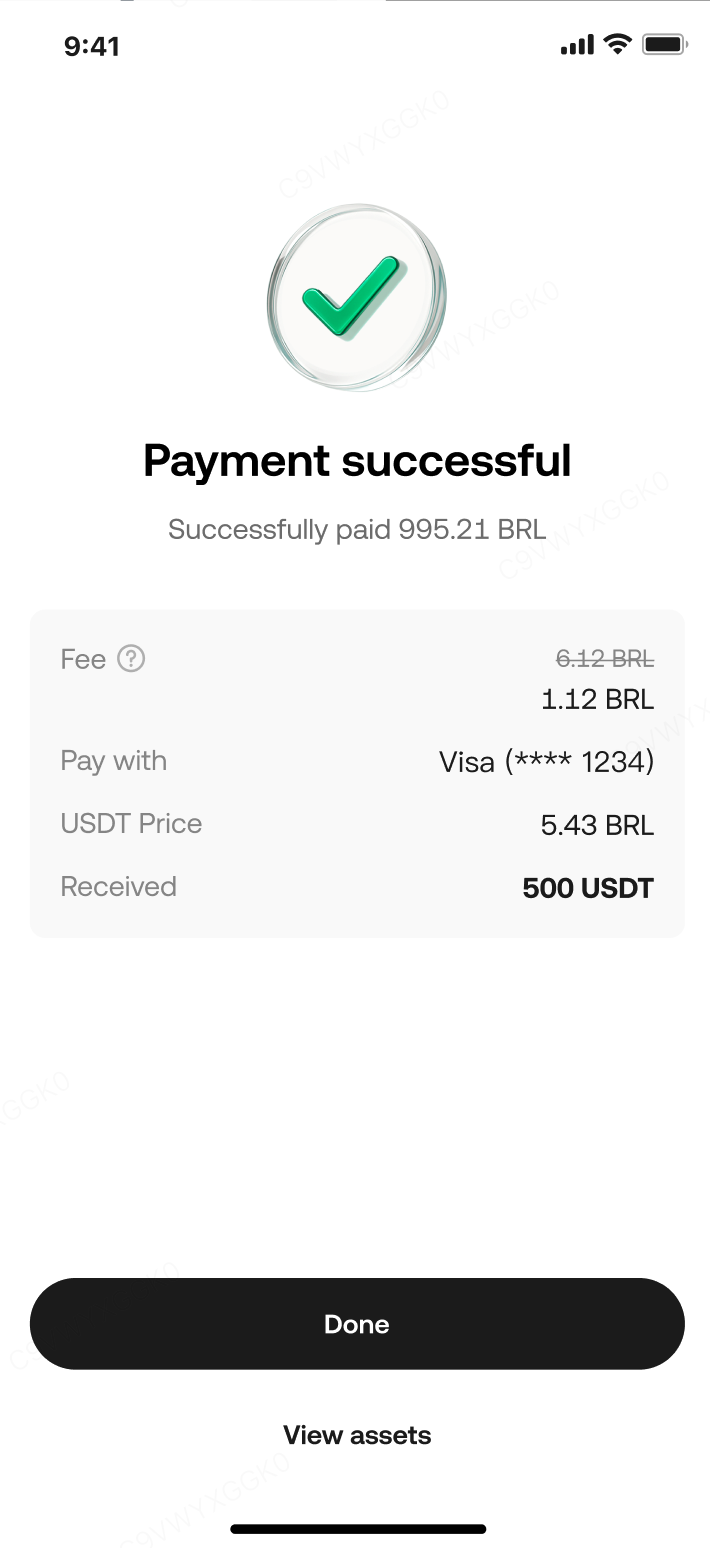
5. Confirm your order and complete the purchase.
3. Rules for Using Buy Crypto Fee Coupons
3.1 Scope of Application
Buy Crypto Fee Coupons can be applied when purchasing cryptocurrencies using Credit/Debit Cards, Apple Pay, Google Pay or fiat balance. The actual eligible payment methods will depend on the specific coupon.
3.2 Basic Coupon Information
Here’s an overview of what each Buy Crypto Fee Coupon may include. Please refer to the details shown on your specific coupon for actual values:
-
Eligible payment methods: e.g., Credit/Debit Card. Some coupons may support multiple methods, while others are restricted to one.
-
Discount ratio: e.g., 20%, which means 20% of your trading fee will be waived.
-
Maximum discount amount: e.g., 10 EUR, the upper limit of the fee that can be deducted using the coupon.
-
Minimum order amount: e.g., 100 EUR, the required minimum purchase amount to use the coupon.
-
Eligible fiat currencies: e.g., EUR, meaning the coupon applies when paying with EUR.
-
Eligible cryptocurrencies: e.g., BTC, meaning the coupon applies when buying BTC.
-
Validity period: The coupon can only be used within its validity period.
3.3 Discount Rules
Buy Crypto Fee Coupons apply a discount to the fees charged during crypto purchases. The actual discount amount is calculated based on the discount ratio, maximum discount limit, and fee structure for the selected payment method.
Example:
User A has a coupon offering 50% off, with a maximum discount of 10 EUR.
-
If the fee on an order is 10 EUR, the discount would be 10 * 50% = 5 EUR. User A will pay 5 EUR less for the order.
-
If the fee is 40 EUR, the discount is capped at 10 EUR, even though 50% would be 20 EUR. User A will pay 10 EUR less for the order.
4. Frequently Asked Questions (FAQs)
Q1: What if I have multiple Buy Crypto Fee Coupons—can I choose which one to use?
A: Yes, on the order confirmation page, you can select any eligible coupon that meets the conditions.
Q2: If I don’t reach the maximum discount limit of a coupon, can I reuse it next time?
A: No. A coupon becomes invalid after it is used once, even if the discount doesn’t reach the maximum limit.
Q3: If my order fails, will the coupon be returned to me?
A: Yes. If the crypto purchase fails, the coupon will be automatically returned and can be used again.
Q4: Can I still use an expired Buy Crypto Fee Coupon?
A: No. Coupons cannot be used after their expiration date.