
How to Buy Crypto Using Fast Trade?
1. What is Fast Trade?
Fast Trade is KuCoin’s one-click crypto purchase feature that aggregates all recommended payment options. It includes all payment methods supported by the fiat currency you choose, such as bank card payments, local payment channels, fiat balance, P2P trading, and third-party services.
Note that the payment options shown on the order page will vary depending on the crypto and fiat currency you select. Be sure to filter and choose the recommended payment method based on the fiat currency you want to use for your order.
2. How to use Fast Trade?
Follow the steps below to buy crypto with fiat currency:
Step 1: Select Buy Crypto at the top left of the navigation bar to enter the Fast Trade page.
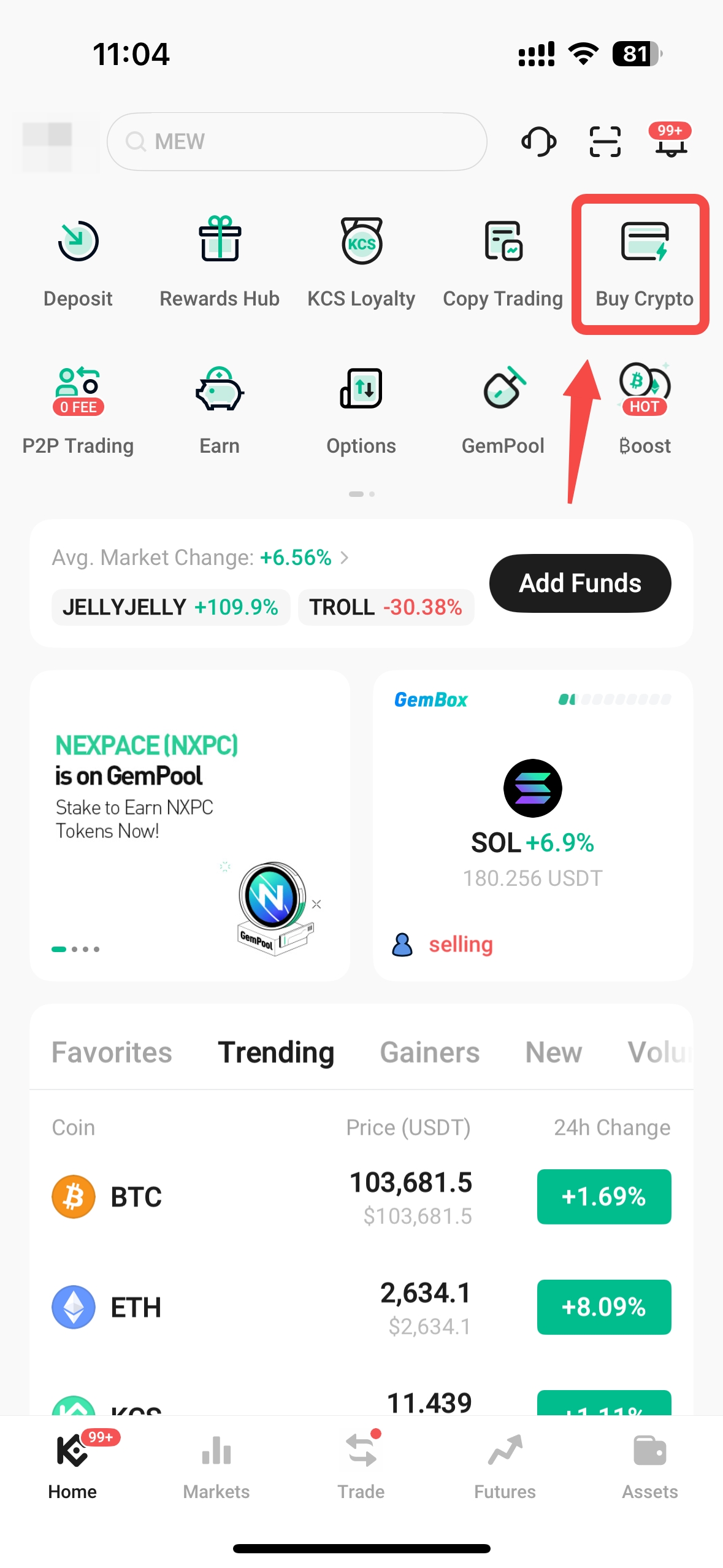
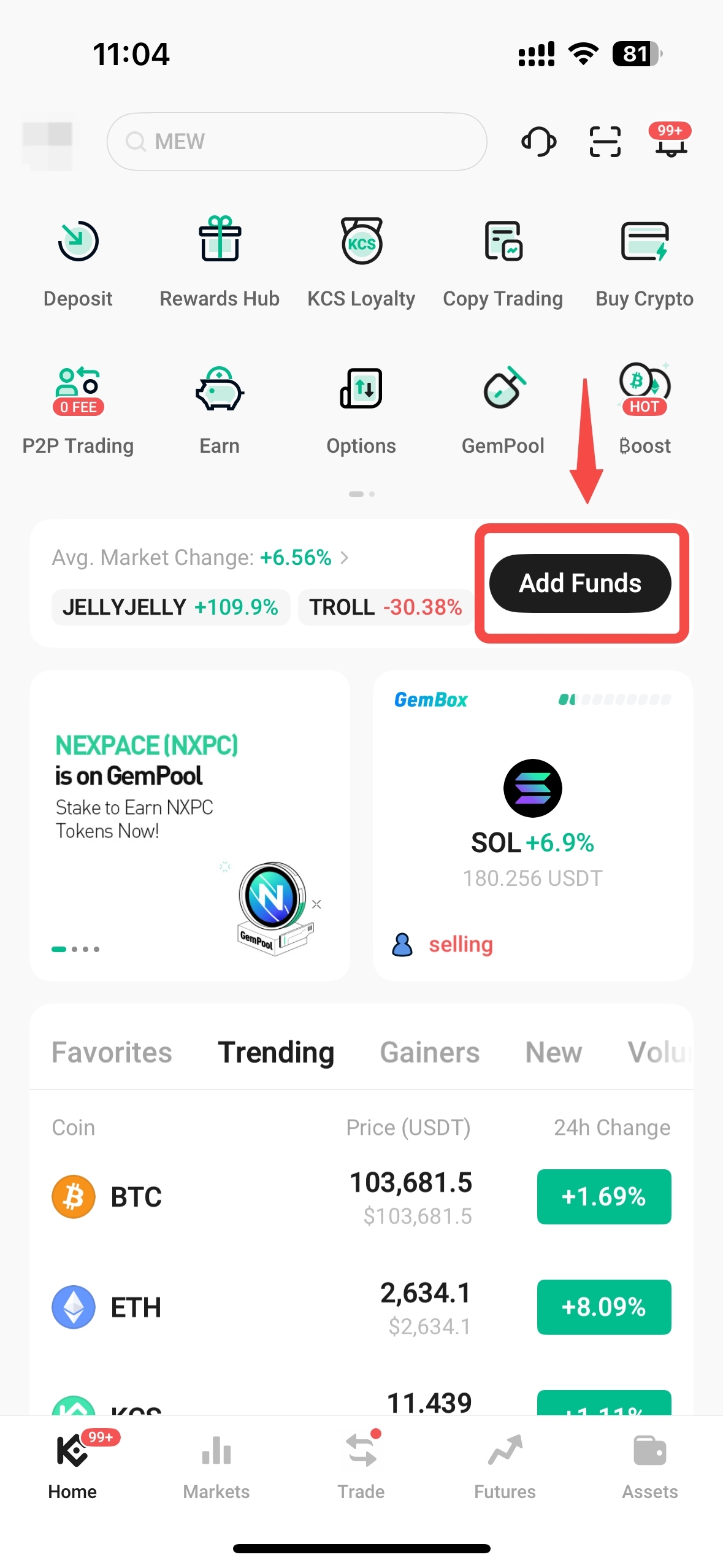
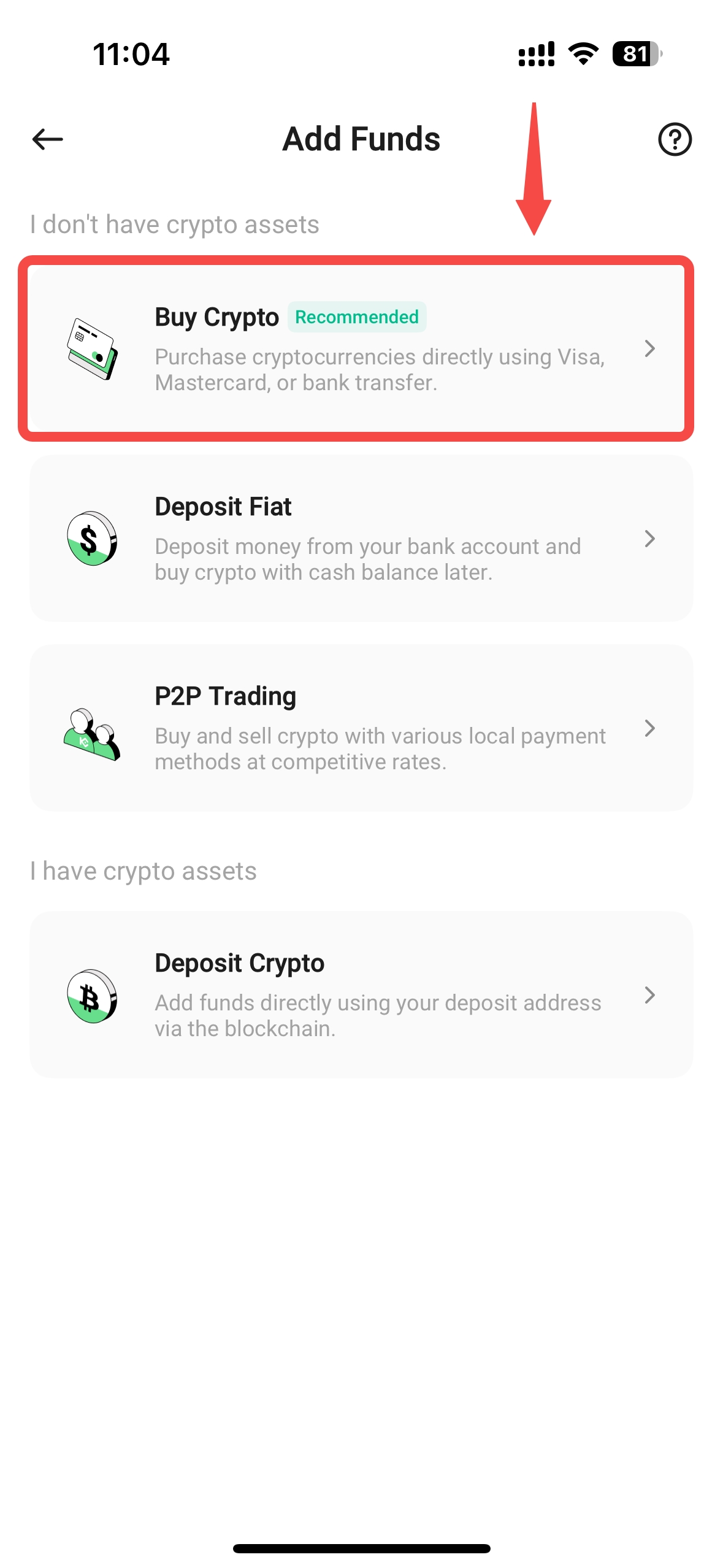
Step 2: Follow these steps to place an order:
2.1 Select the fiat currency you want to pay with and the crypto you want to receive. Enter the amount.
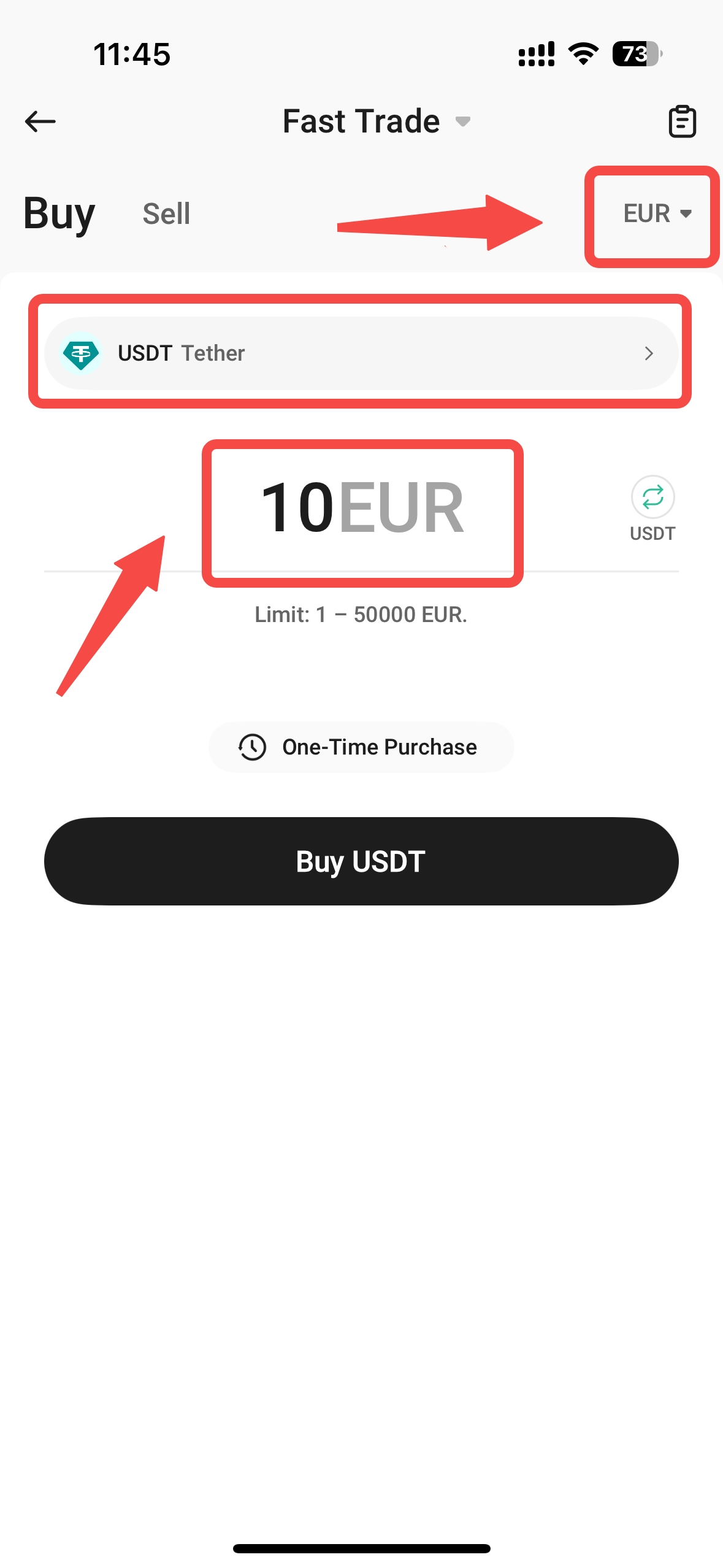
2.2 Choose one of the recommended payment methods.
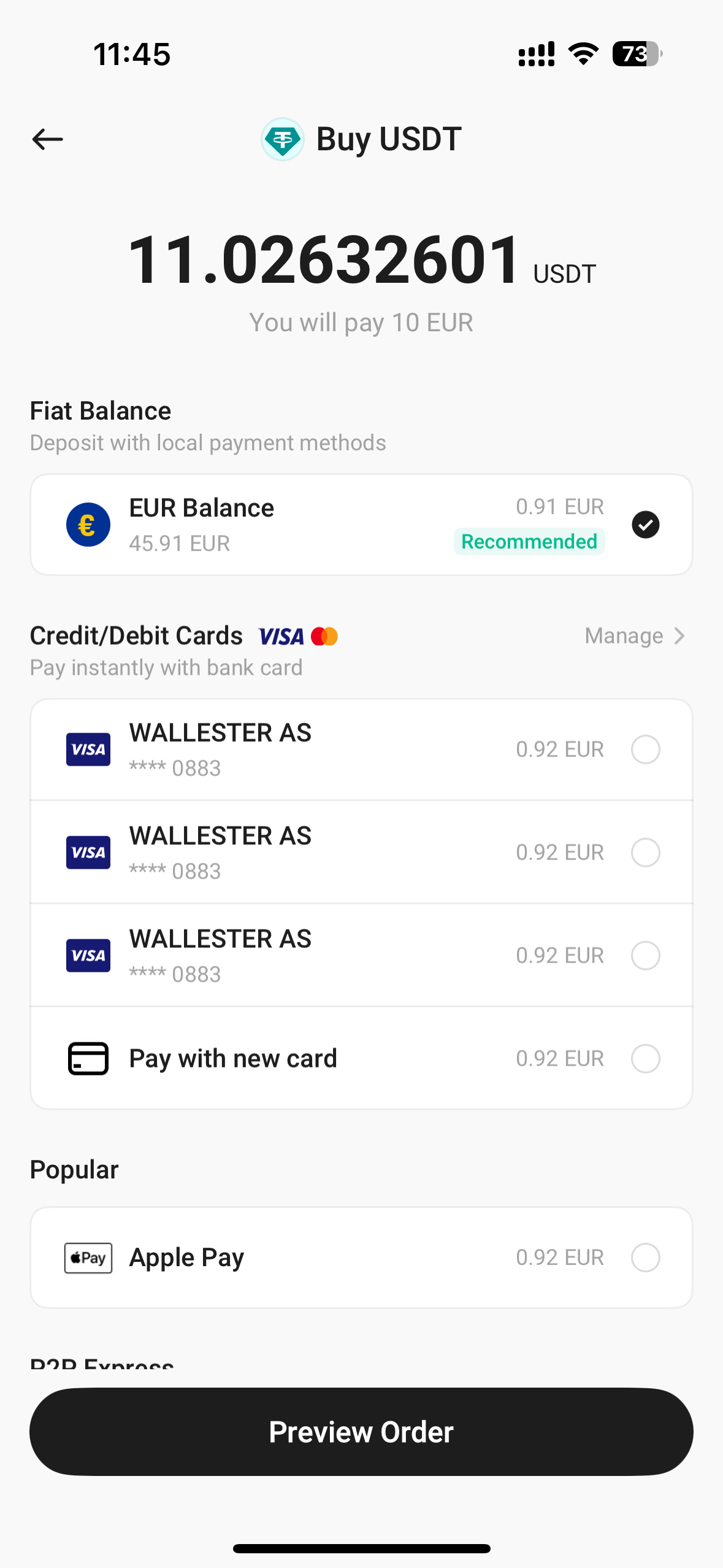
2.3 Preview your order and click Pay.
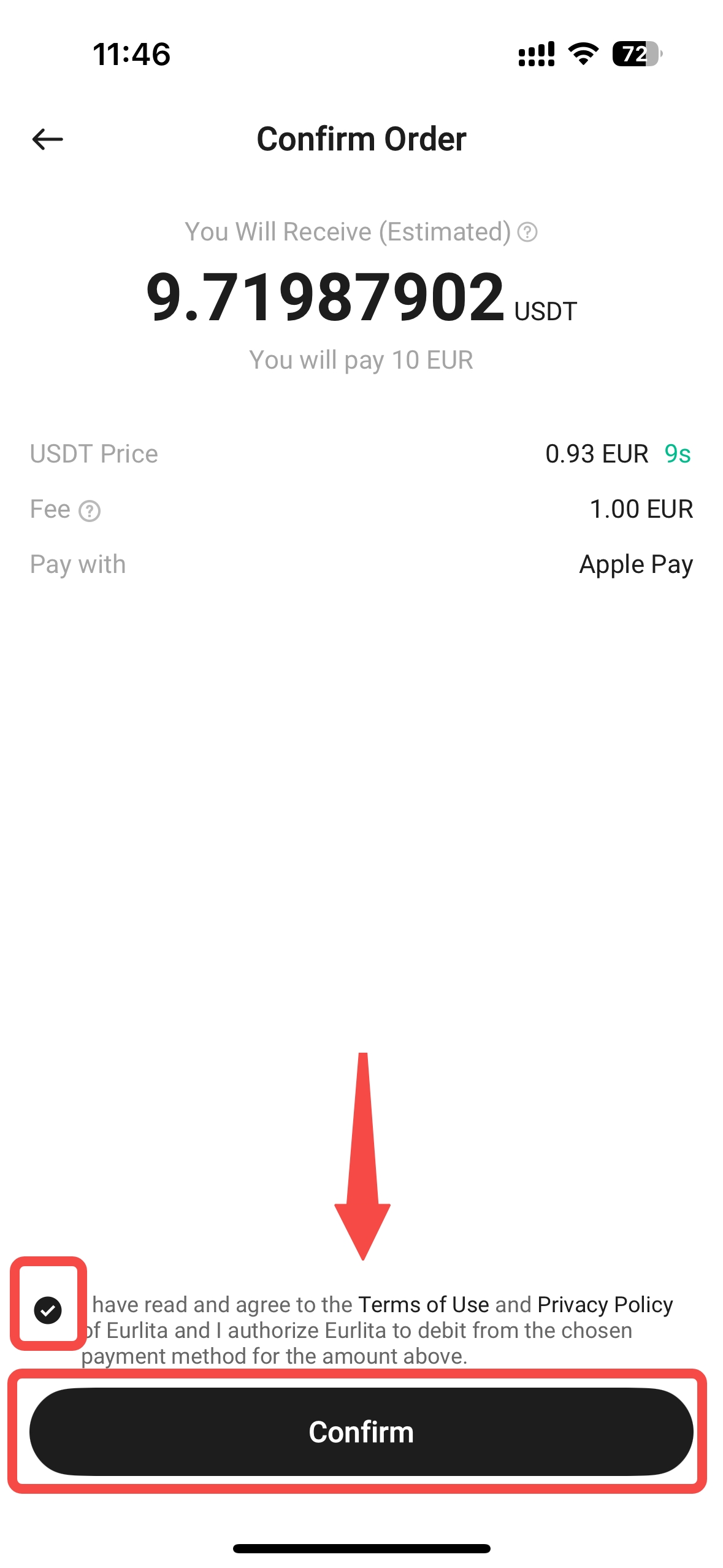
You can track your payment status by clicking the history icon on the Fast Trade page to view your records.
3. Frequently Asked Questions (FAQ)
3.1 Which fiat currencies and cryptocurrencies can I buy with Fast Trade?
Visit the Fast Trade page and select your fiat currency and cryptocurrency from the menu to see a list of supported coins and tokens with their payment methods. If a currency is supported, the available payment options will be shown for you to choose from.
3.2 Does Fast Trade require Identity Verification (KYC)?
Yes, Fast Trade requires individual Identity Verification.
To learn more about verifying your identity, please refer to our FAQ on Individual Identity Verification (KYC).
3.3 Where can I find the tokens I purchased after my order is completed?
On the website, click Assets → Funding Account to see your purchased tokens.
On the app, go to Assets → Funding Account → Fiat.
3.4 What should I do if my purchase fails and I want to get a refund?
If your order fails, the funds will not be deducted from your account.
If you experience any issues during your purchase, please submit a request through this form. To help us resolve your issue more efficiently, please provide your UID, order number, fiat currency, amount, payment proof, and any relevant screenshots.
3.5 Can I convert my tokens back to fiat after purchasing?
Yes, you can use the Sell feature on the Fast Trade page or use our P2P trading platform to convert your tokens back to fiat currency.
3.6 Can I withdraw my fiat currency?
Some fiat currencies may support withdrawals, depending on their availability. For more information, please refer to our FAQ on Fiat Withdrawals.
3.7 Where can I view my order history?
Click Orders in the top right corner of the Fast Trade page to view your order history.