
How to Buy Crypto Using the Recurring Buy?
Last updated: 11/03/2025 08:12:00
1. What is Recurring Buy?
The Recurring Buy feature lets you automate your crypto purchases using a dollar-cost averaging (DCA) strategy, gradually growing your crypto holdings over time. Simply choose which token to invest in, your desired investment amount, frequency, and investment method. Once its set up, you can easily schedule automatic crypto purchases and avoid the hassle of buying manually each time.
2. What payment methods are supported for DCA?
Currently, KuCoin’s Recurring Buy can be done using Visa/MasterCard, Apple Pay, or your account balance.
3. Using Recurring Buy to Buy Crypto (App)
i. Log in to KuCoin: Make sure you’ve completed Identity Verification (KYC).
ii. Log in to your KuCoin account: Tap Buy Crypto directly on the homepage, or go to Assets → Buy Crypto
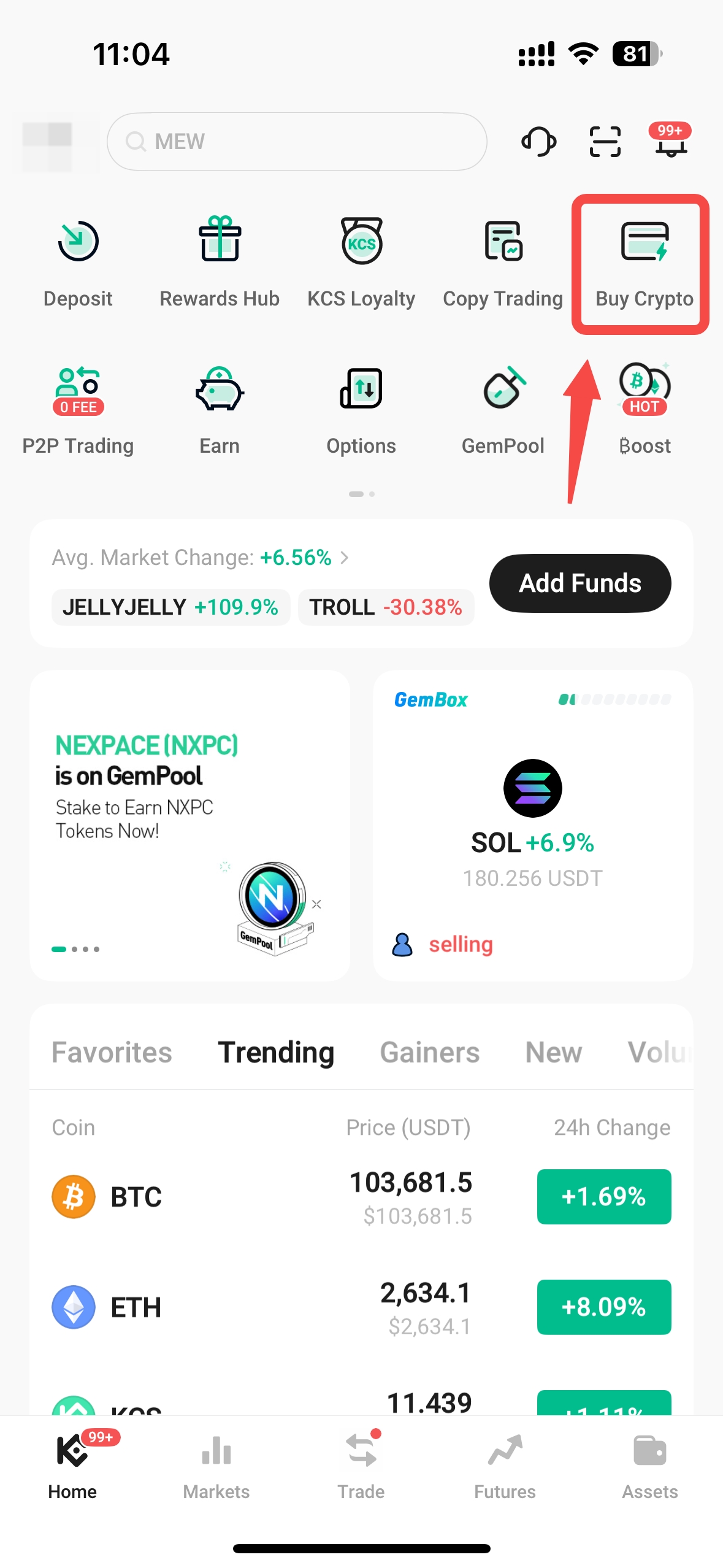
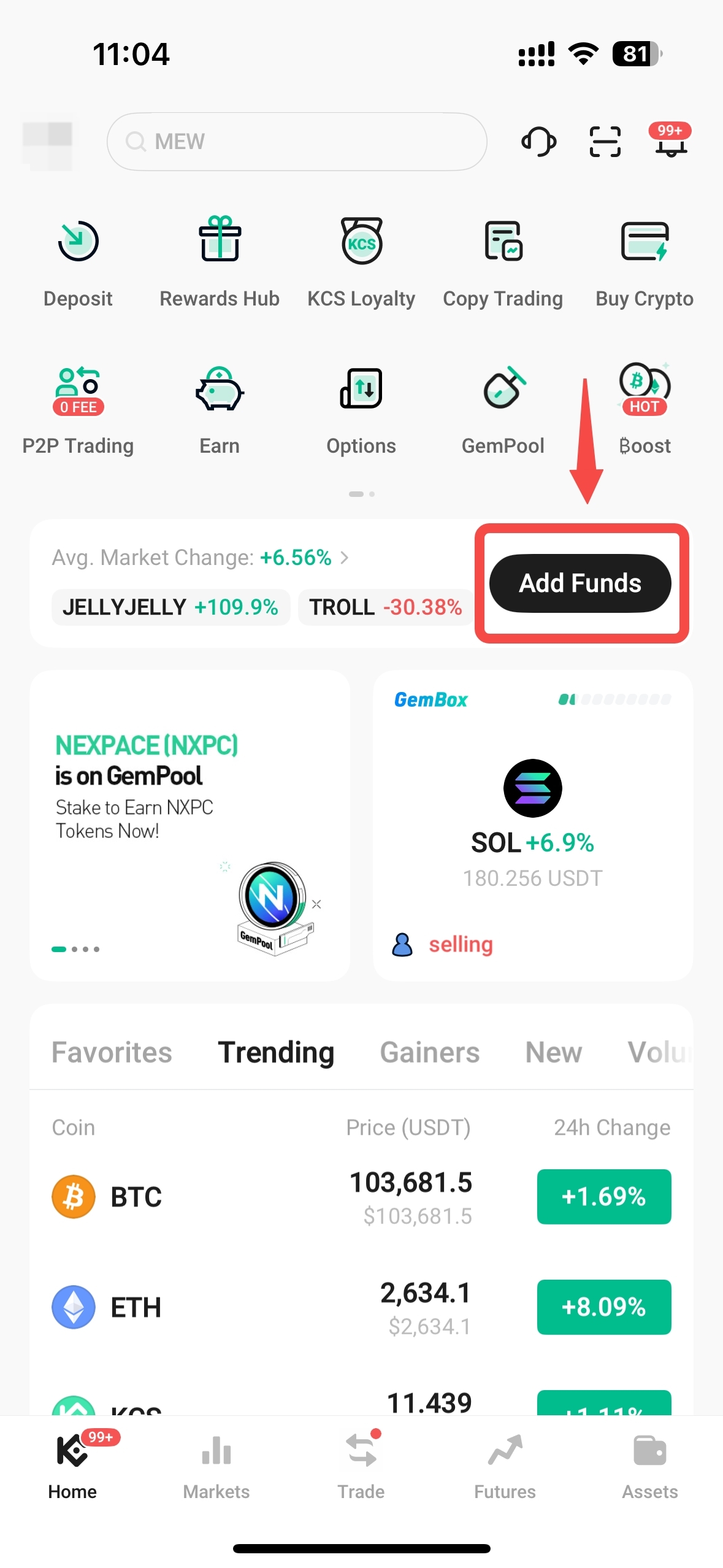
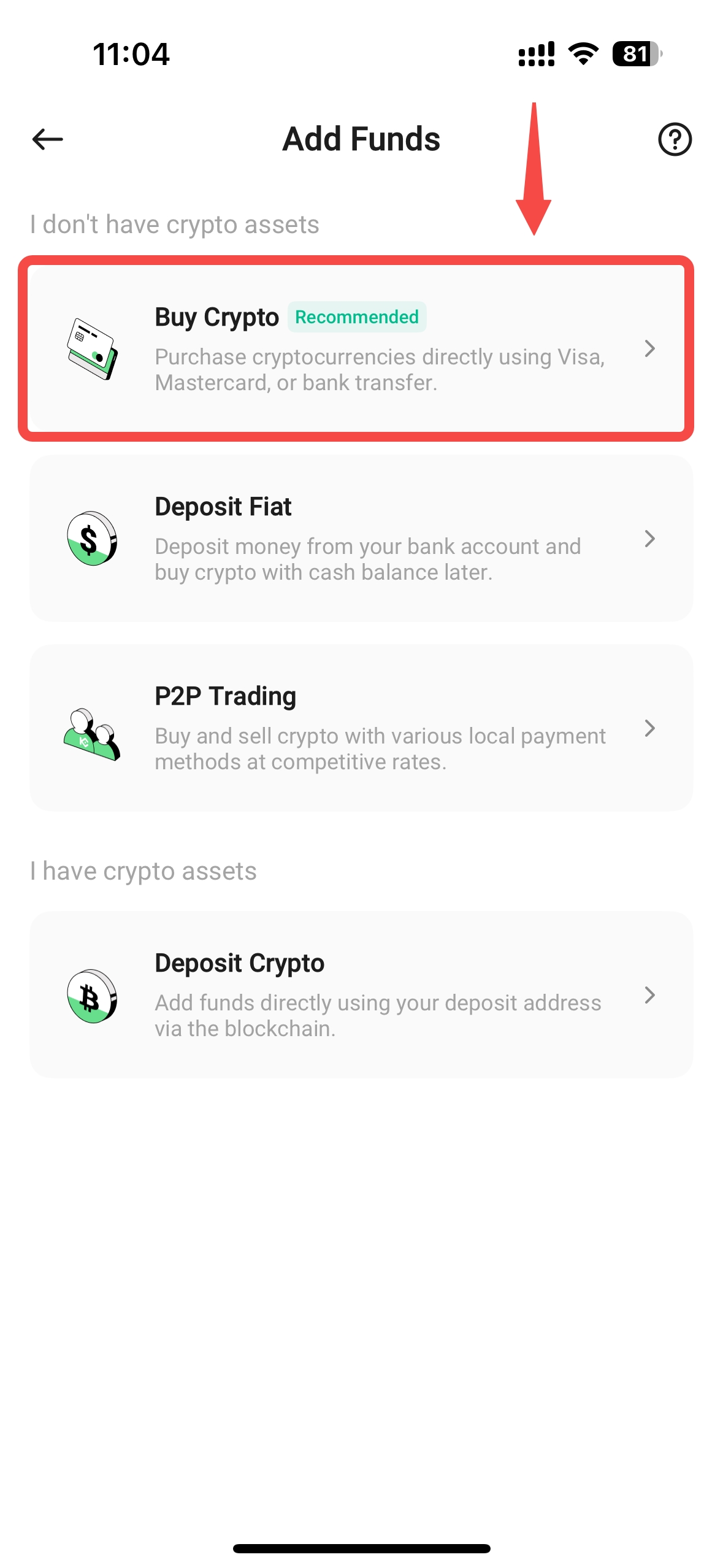
iii. Select the cryptocurrency you want and enter the amount.
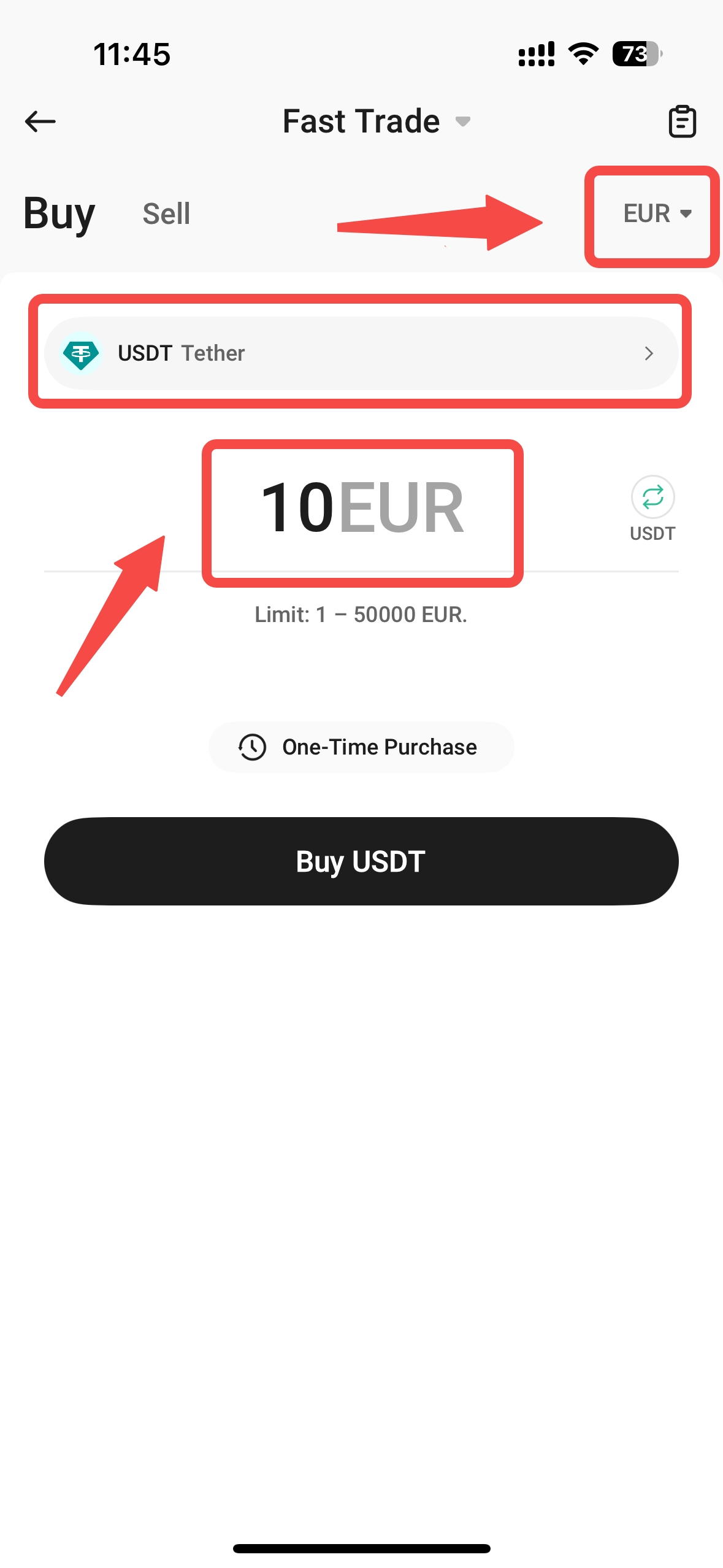
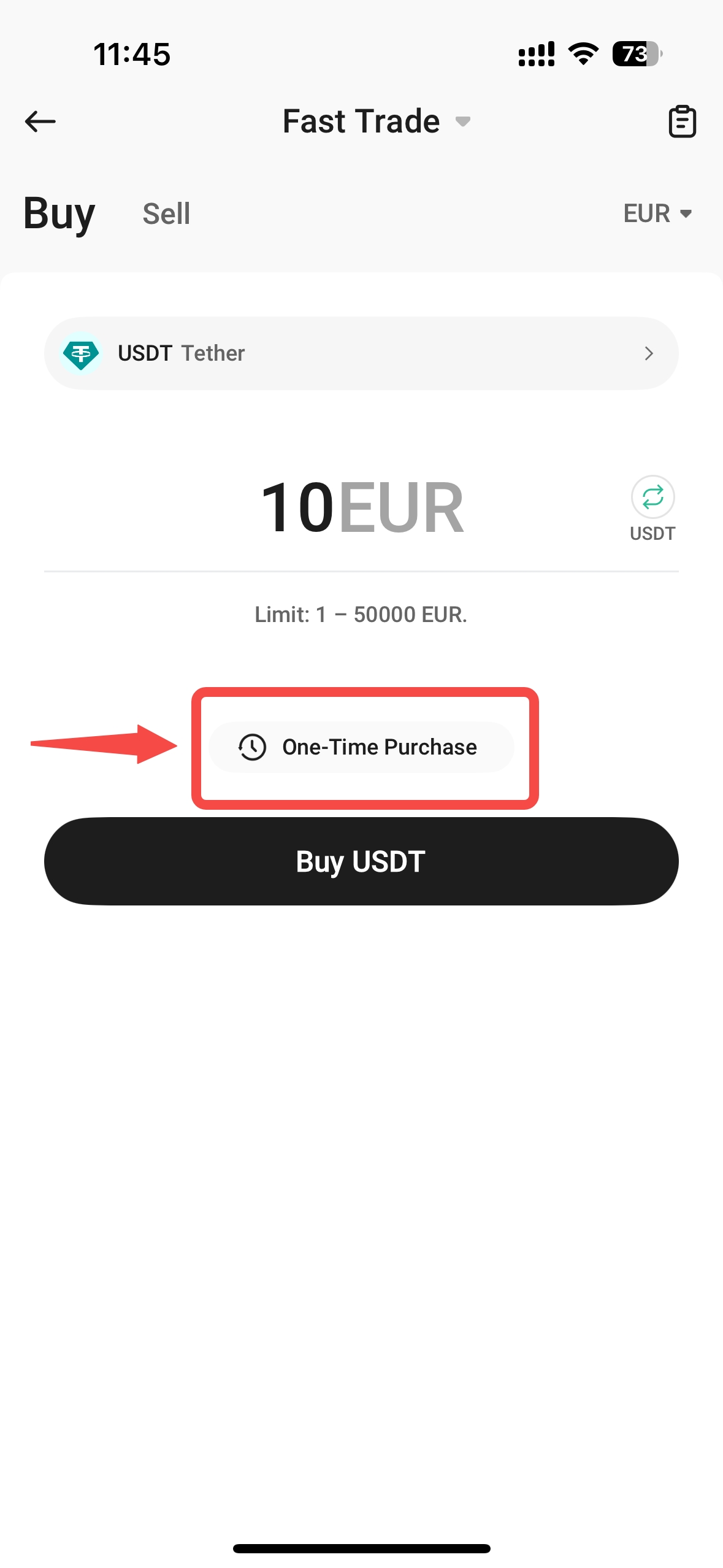
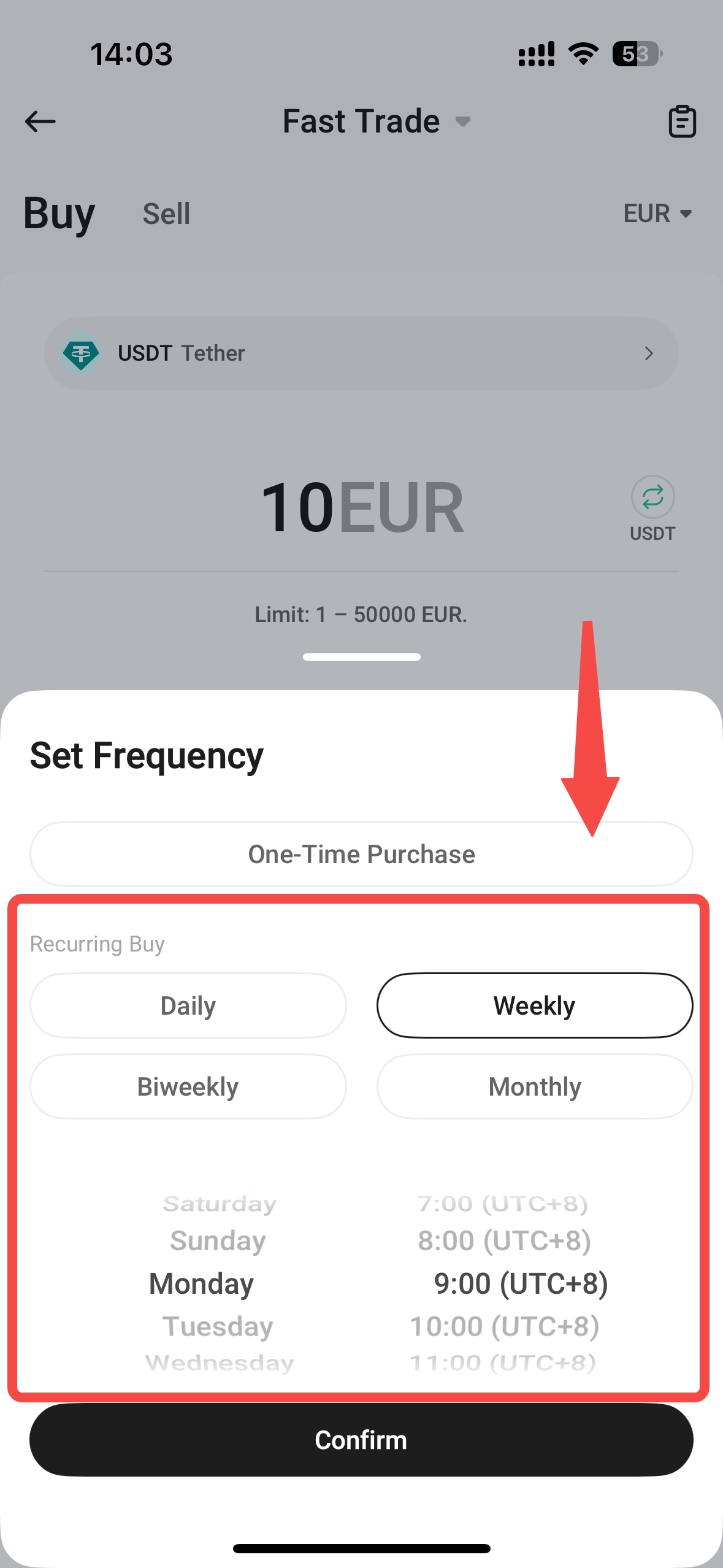
iv. Switch to Recurring Buy: Tap One-Time Purchase, then choose your buy frequency (daily, weekly, every 2 weeks, or monthly, at a specific time). Once done, select Confirm.
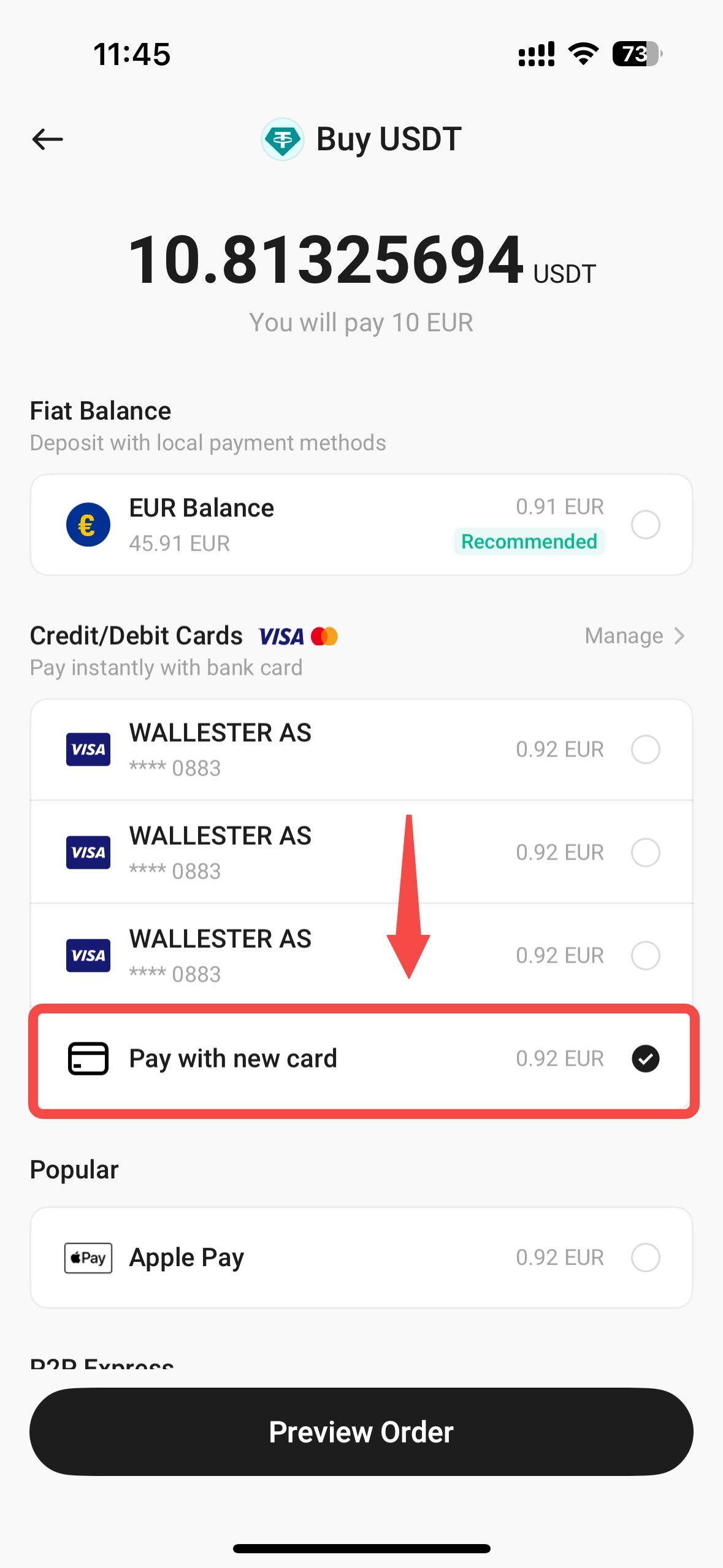
v. Payment method: If you’re paying with your bank card but no card is linked to your account, or if you wish to choose a new card, tap Pay with new card. If you’ve already linked a card, skip to step vii.
vi. You may also choose Apple Pay or fiat balance for payment.
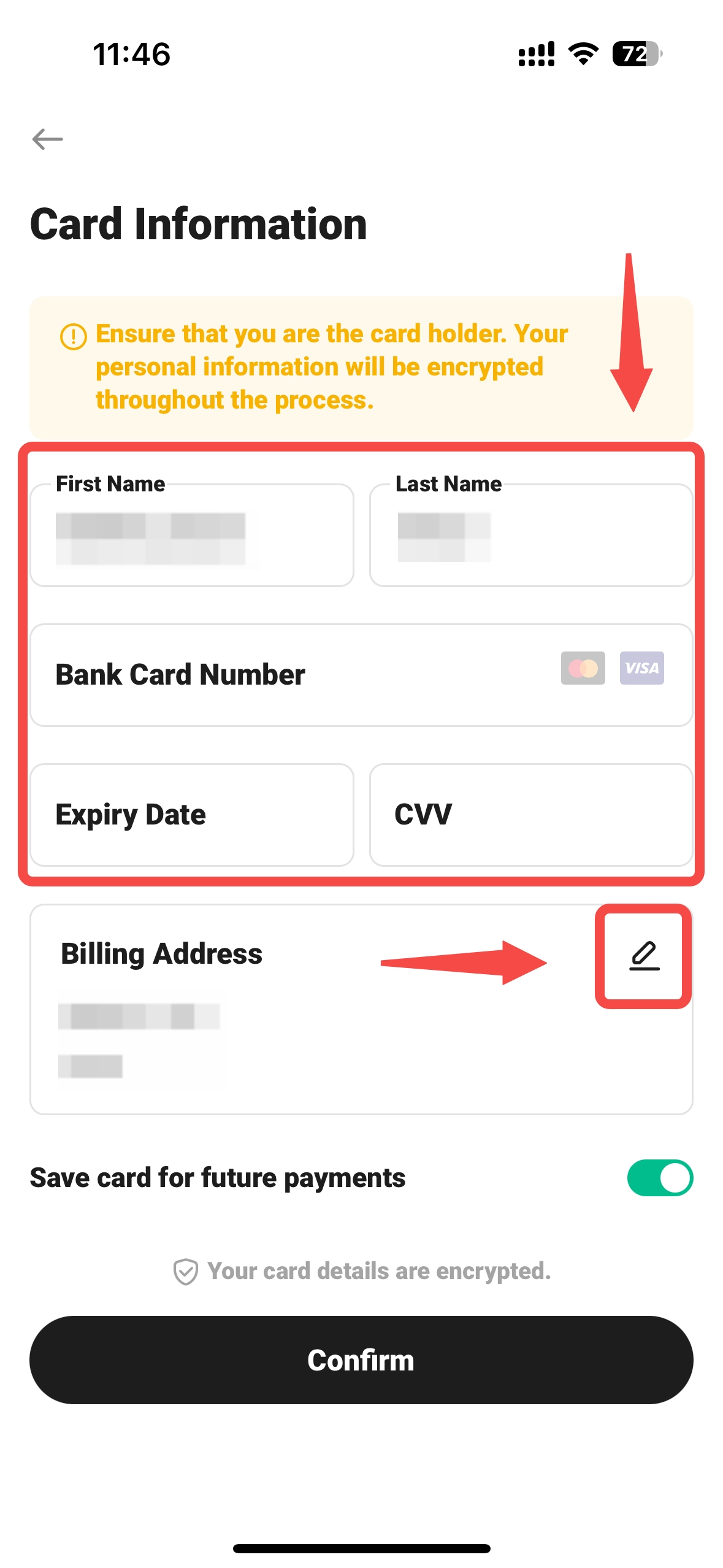
vii. Enter your card details and billing address. Review and tap Confirm.
viii. For your payment method, choose between your bank card, fiat balance, or Apple Pay. Tap Preview Order, review the details, then Confirm.
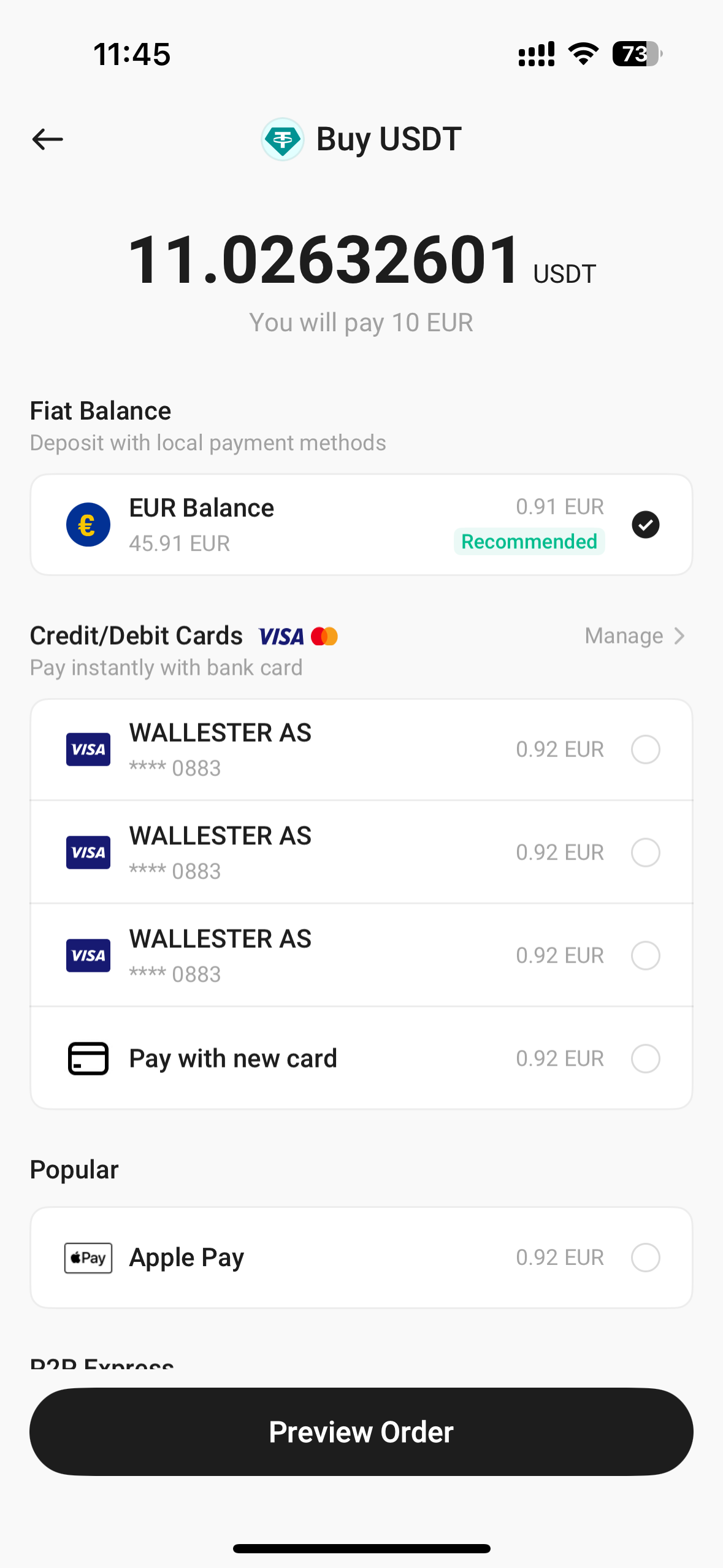
ix. Once payment is complete, select Done.
4. Using Recurring Buy to Buy Crypto (Web)
i. Log in to KuCoin: Make sure you’ve completed Identity Verification (KYC).
Look for Buy Crypto in the top-left of the navigation bar.
Hover over the Buy Crypto tab, select Buy Crypto.
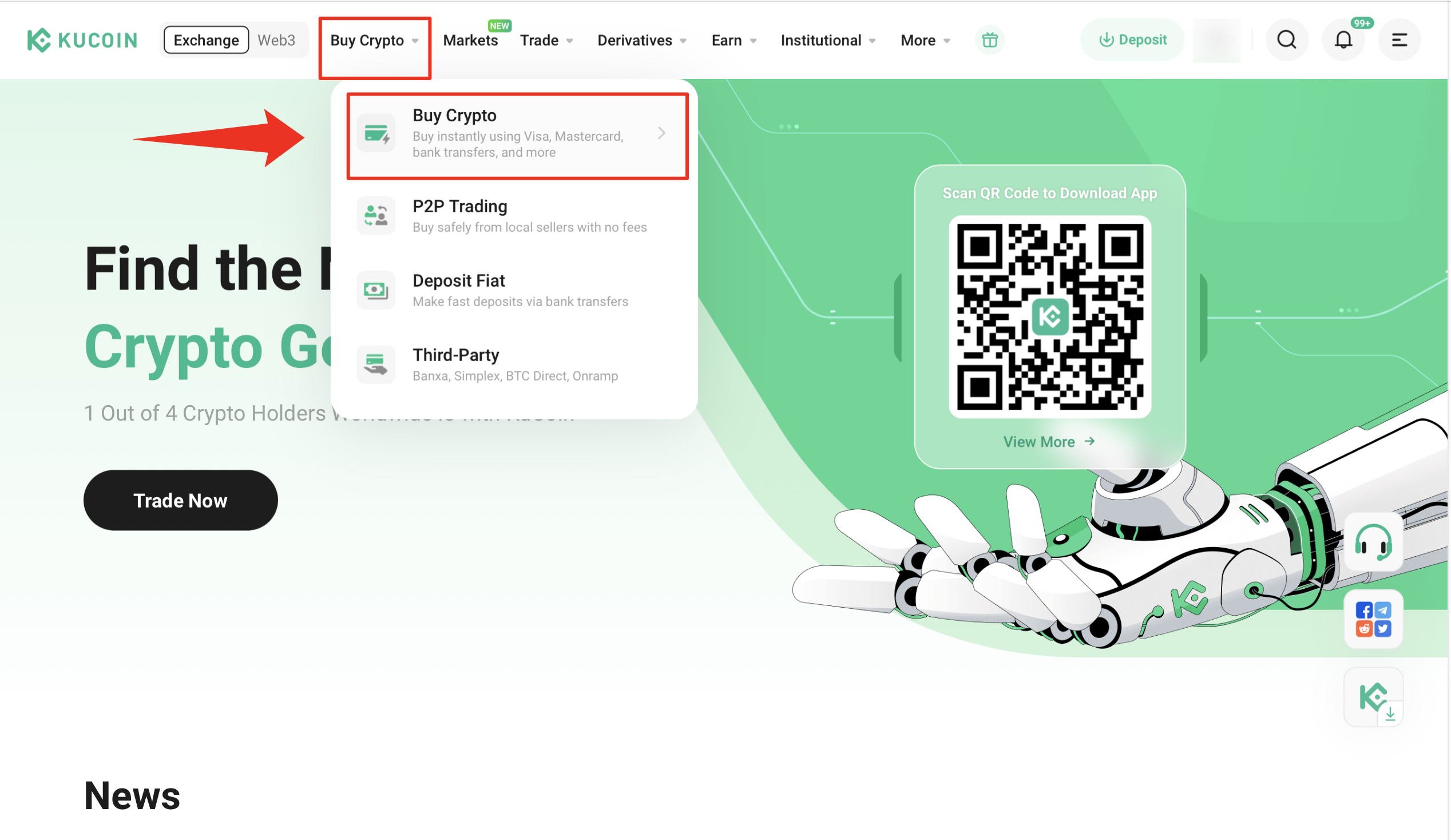
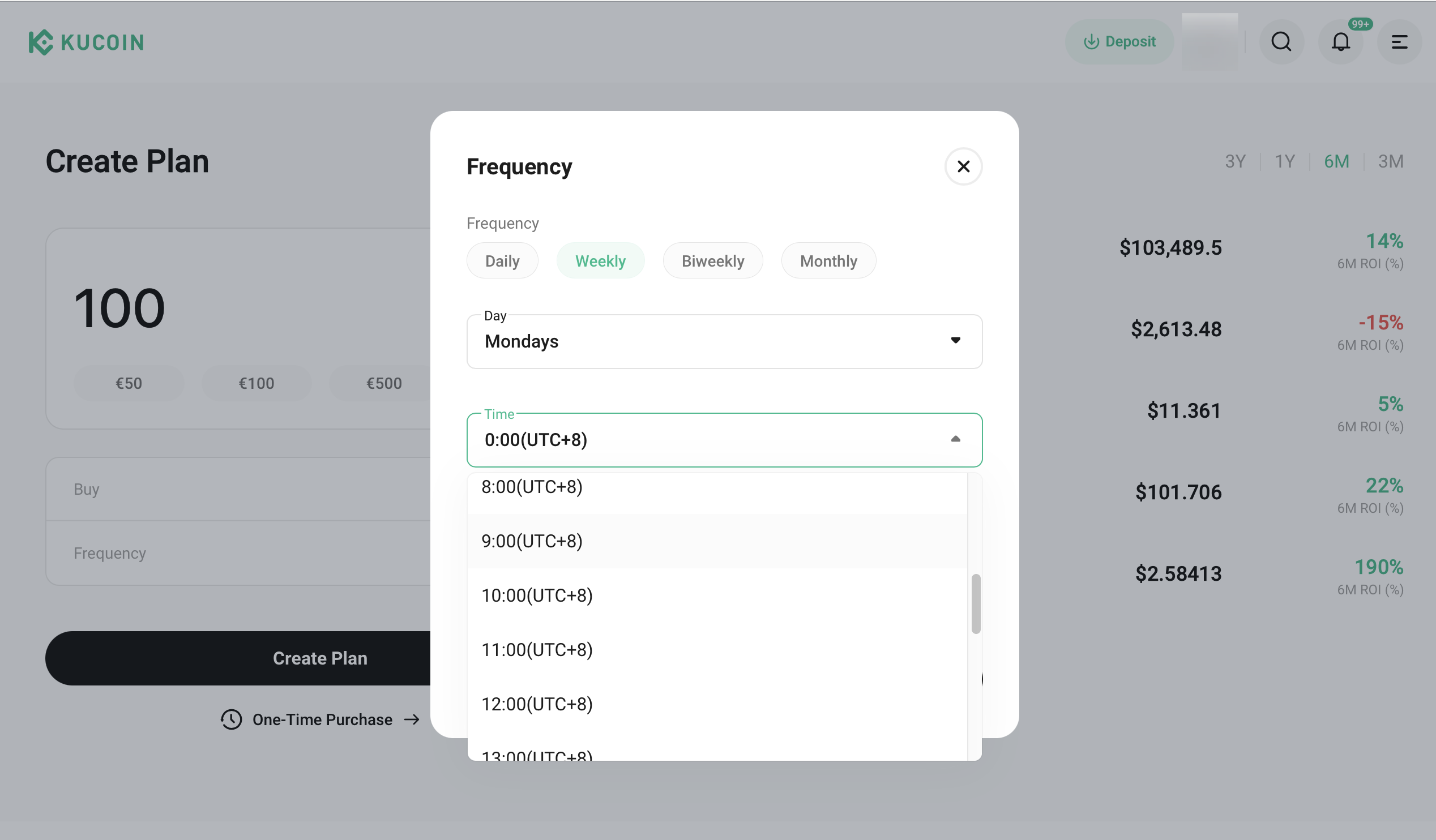
ii. Select Recurring Buy: Select Recurring Buy, then choose your buy frequency (daily, weekly, every 2 weeks, or monthly, at a specific time). Once done, select Confirm.
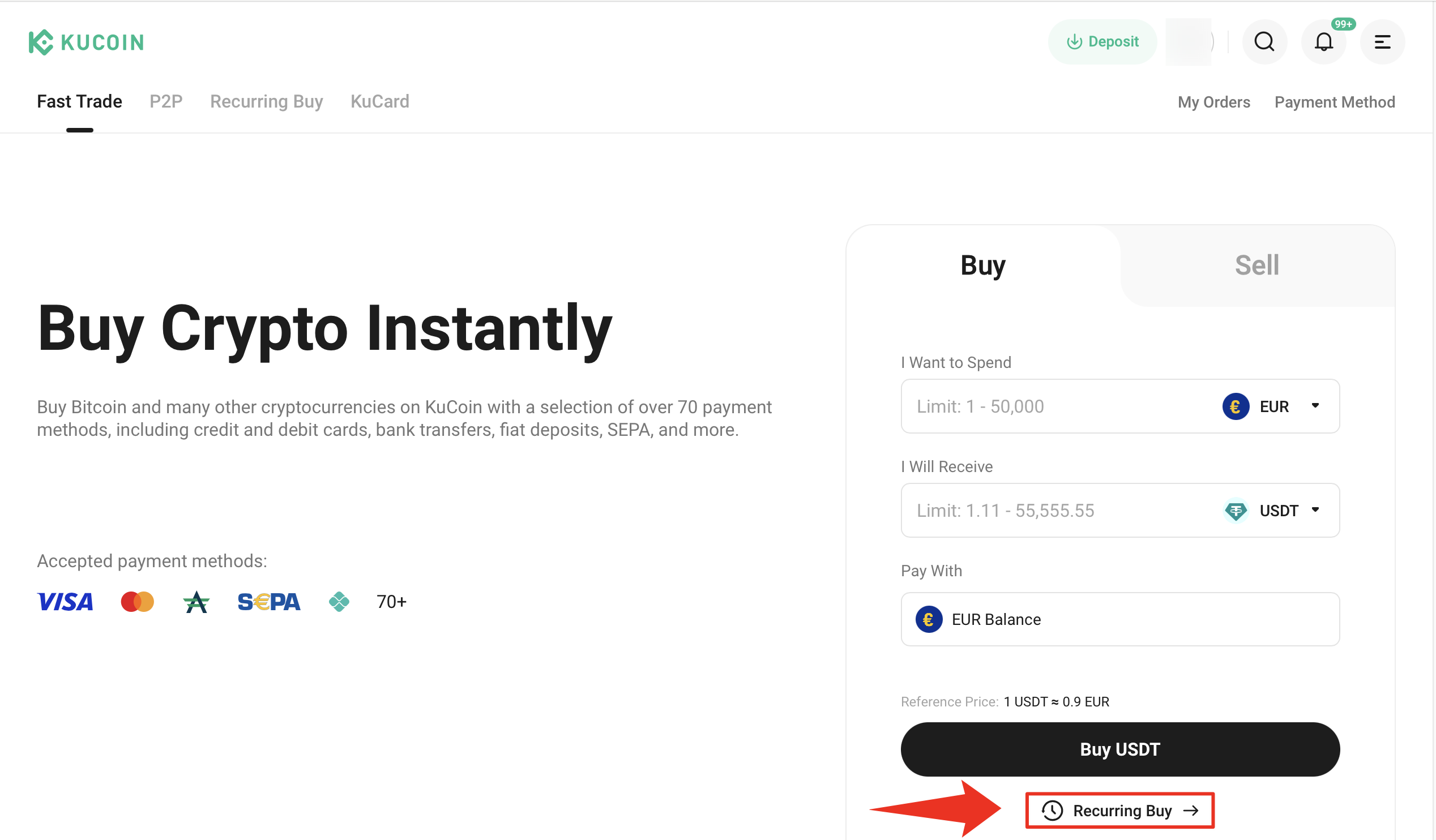
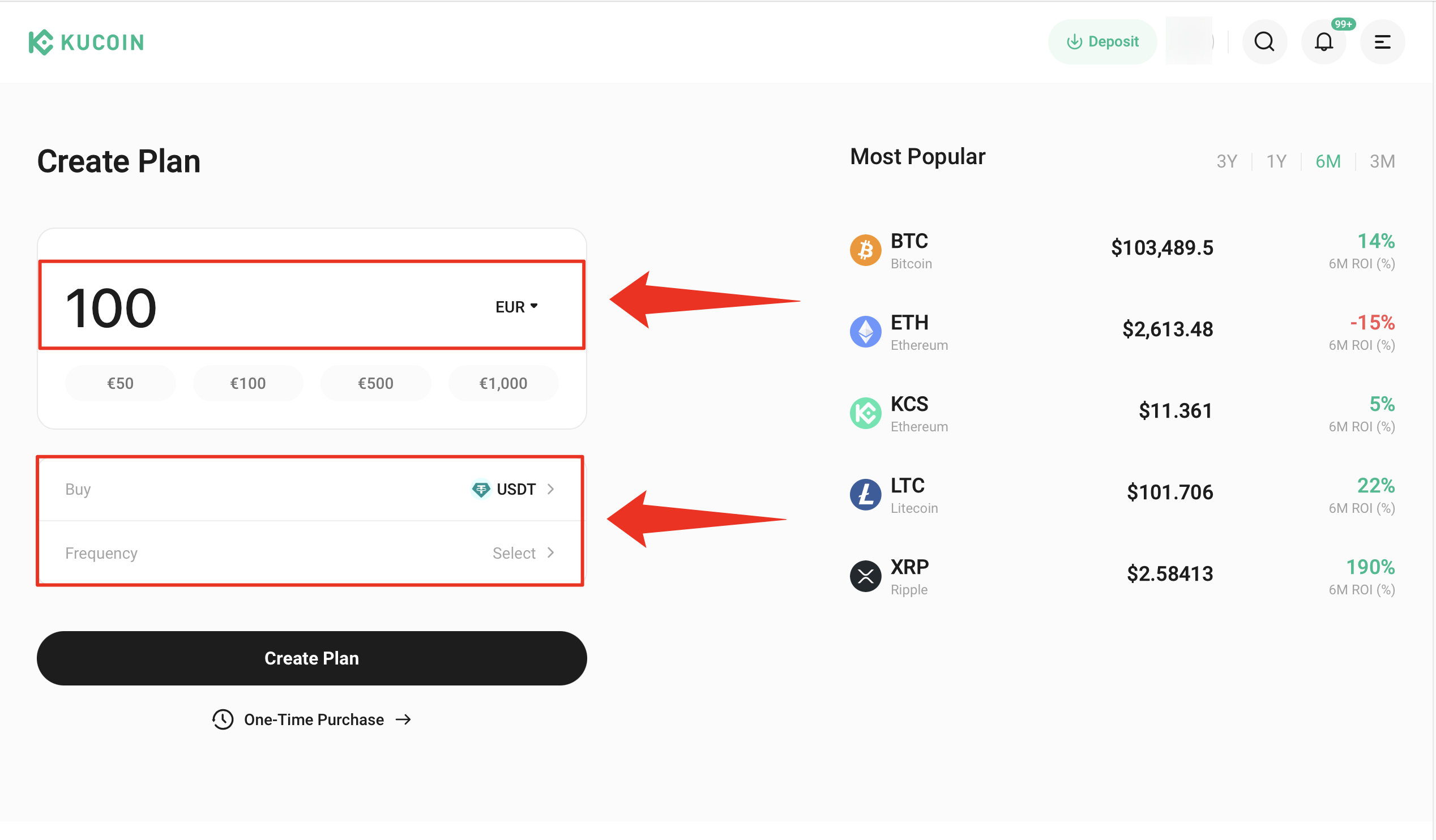
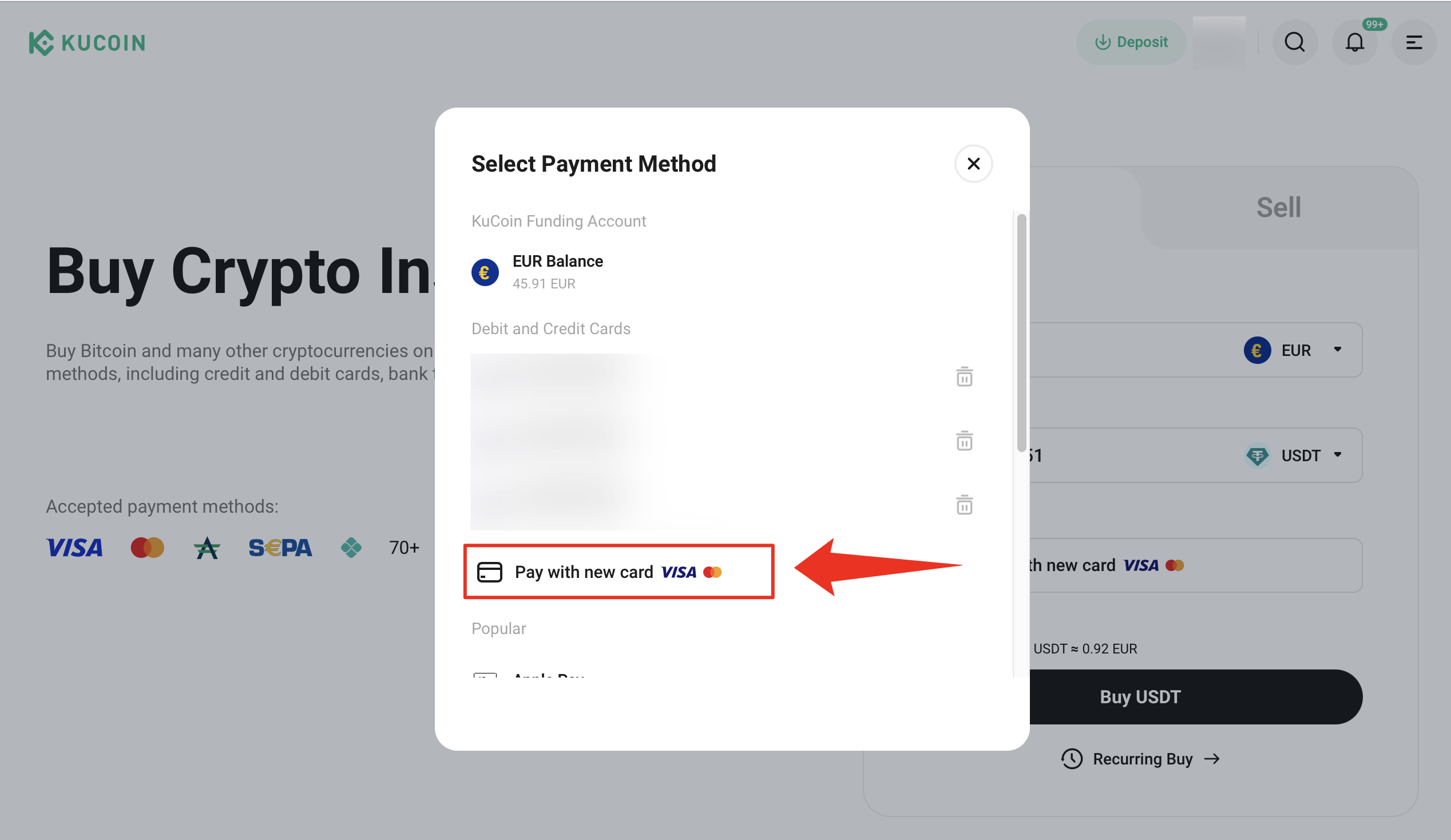
iii. Payment method: Choose a payment method. If no card is linked to your account or you want to use a new one, click Pay with new card.
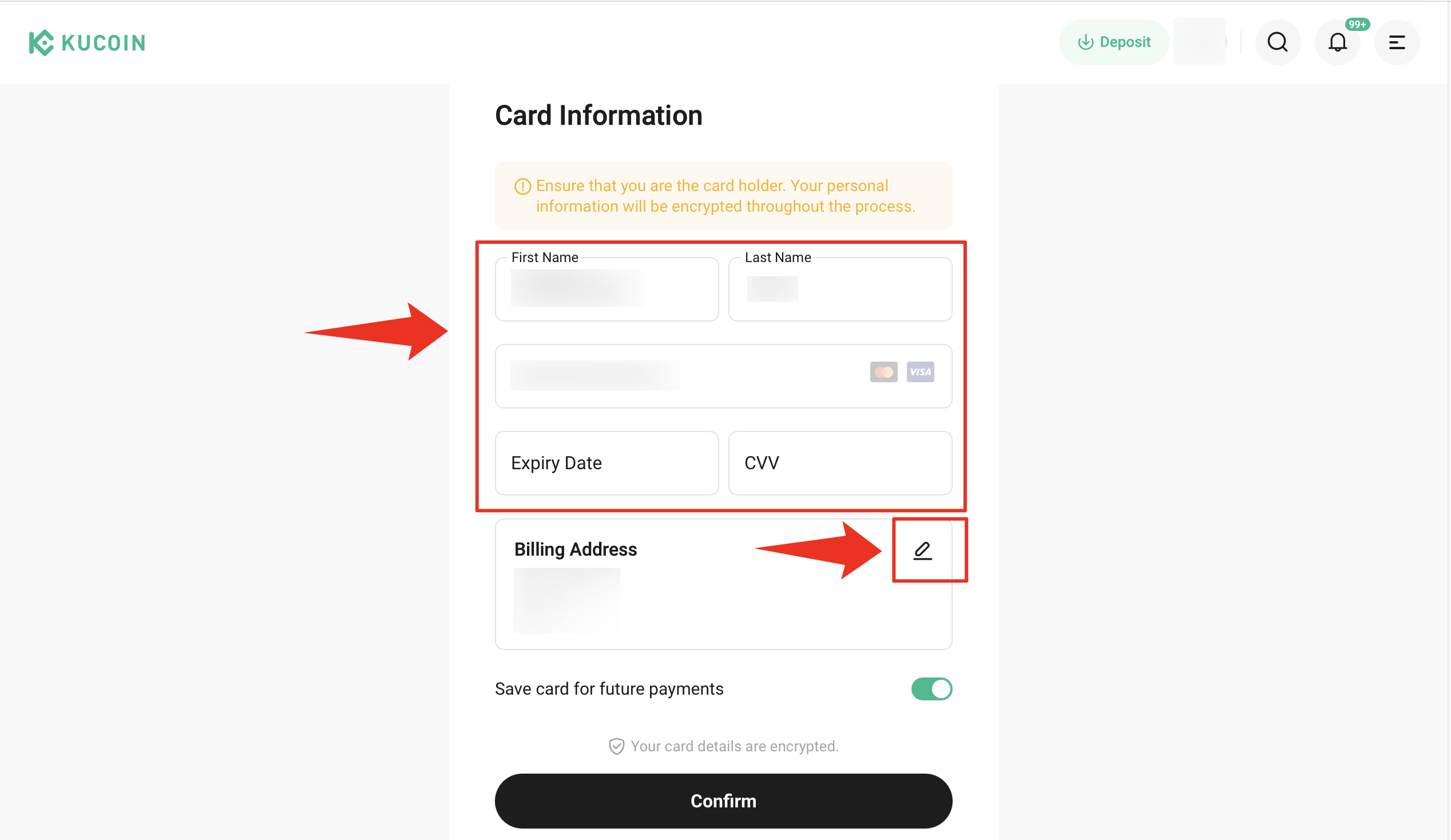
iv. Enter your card details and billing address. Review and tap Confirm.
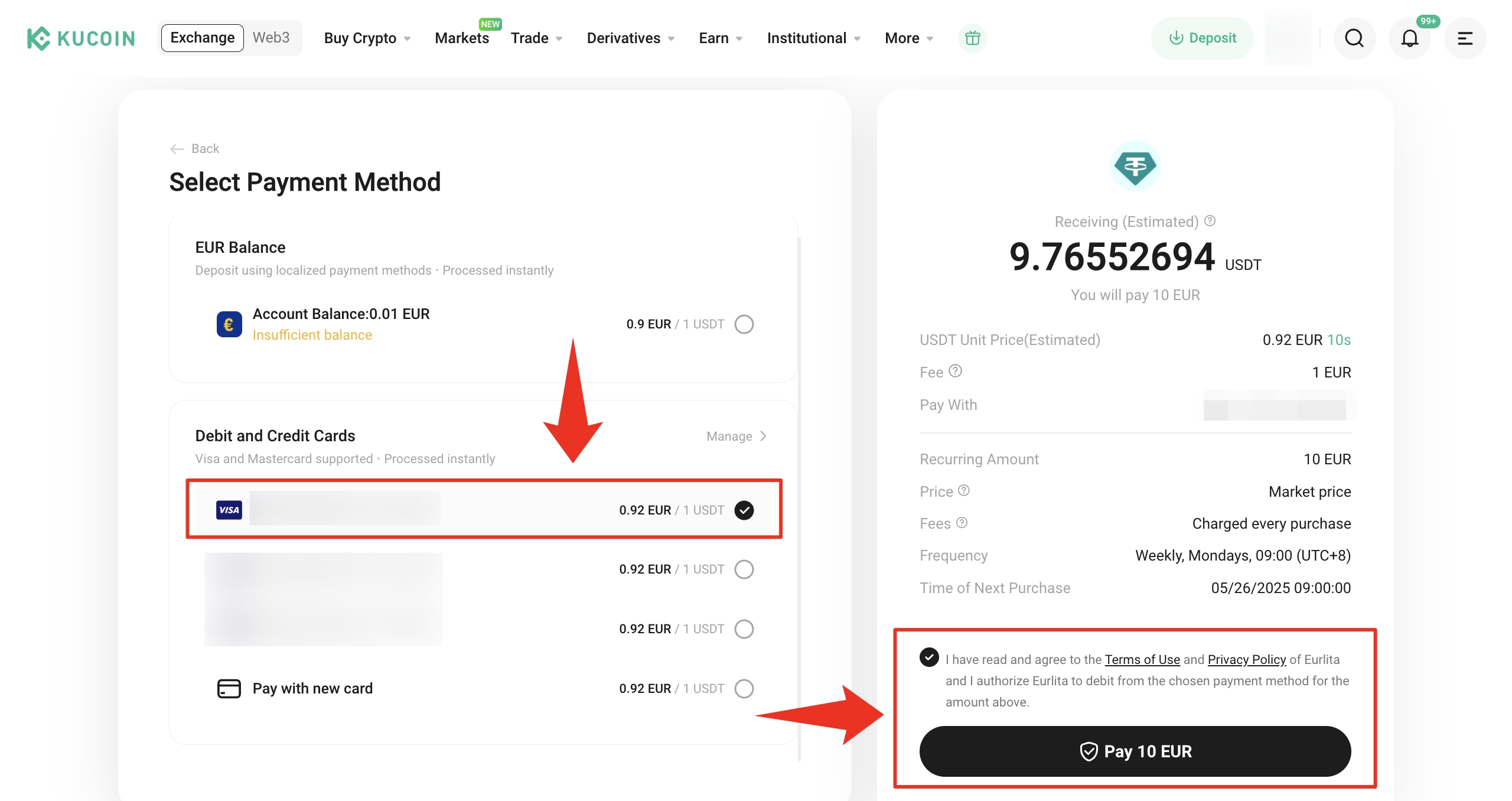
v. Select the newly added card, an existing card, or your fiat balance to proceed with the payment. Preview the order, then Pay. Once payment is complete, select Done.
5. Frequently Asked Questions (FAQ)
i. How many Recurring Buy plans can I subscribe to?
You can have one active Recurring Buy plan per trading pair.
ii. How do I view my Recurring Buy plan history?
To view your Recurring Buy plans and history, look for the order icon in the top-right of the Fast Trade page, then select Recurring Buy. Here, you can view your subscriptions, redemptions, and rebalancing history.
iii. Can I cancel or modify my Recurring Buy plans?
Yes, you can cancel or modify your plan settings at any time. Simply go to the plan details page and make the changes.
iv. If an ongoing Recurring Buy order fails to complete, will the system automatically purchase the next one?
If your balance is insufficient and a purchase fails, the system only will try again at the next scheduled buy.
v. Are there any fees for using Recurring Buy?
There are no additional fees for setting up a Recurring Buy plan. However, once the plan is triggered, the system will place the order and a KuCoin trading fee will apply.