
How to Complete Identity Verification (KYC) on the Website
As a reliable and transparent crypto platform, KuCoin has required Identity Verification for its users since November 1, 2018. This article will help you understand the Identity Verification process (also known as Know Your Customer, or KYC), how it works, and questions that you may have about the process.
In line with KYC principles, to better meet legal requirements, and with the goal of enhancing user account security, KuCoin will be introducing enhancements to its Identity Verification procedures, effective August 31, 2023, at 00:00 (UTC). As part of our commitment to curbing illicit activities, such as money laundering and terrorist financing, users will be required to submit identification documents and complete face verification to pass the Identity Verification process.
Note:
1. Starting from August 31, 2023 (UTC), new users must complete Identity Verification in order to use KuCoin's products and services.
2. For users who registered before August 31, 2023 (UTC) but have not completed standard Identity Verification before then, they will only be able to use the remaining services: selling cryptocurrencies, closing futures contracts, closing margin positions and redeeming from KuCoin Earn. During this time, they will not have access to deposit services (withdrawal services will not be affected).
As such, to ensure the normal use of your account, we strongly recommend that you complete standard Identity Verification as soon as possible. Completing Identity Verification not only enables you to fully enjoy higher-quality and stable services, but also ensures the safety of your funds and account. This prevents others from fraudulently using your identity for deceitful or illegal activities.
If you run into any problems during the verification process, feel free to contact our customer support team. Thank you for your understanding and support!
FAQs:
FAQ1: What limitations will be imposed on my account if I choose not to finish Identity Verification?
A: New users must complete the Identity Verification before using KuCoin's products and services. For users who registered before August 31, 2023 (UTC) but have not completed the identity verification by that date, they will only be able to use the remaining services: selling cryptocurrencies, closing futures contracts, closing margin positions, redeeming from KuCoin Earn, and redeeming ETFs. During this time, they will not have access to deposit services (withdrawal services will not be affected).
FAQ2: After completing Identity Verification, what benefits can I enjoy?
A: Once your identity verification is complete, you will have full access to the KuCoin products and services that are exclusive to you. This includes higher daily withdrawal limits, eligibility to participate in available events, and other related benefits.
I. Why Complete Identity Verification
Identity Verification represents KuCoin's commitment to aligning with regulations within the Cryptocurrency Industry, and to mitigate activities such as fraud, money laundering, scams, and terrorist financing. After completing Identity Verification, users can enjoy higher daily withdrawal limits on KuCoin.
Details are as follows:
|
Account Functions |
Unverified |
Individual Identity Verified |
|
|
Basic Account Functions |
Register and Login |
Available |
Available |
|
Security Settings Binding/Changing/Unbinding |
Available |
Available |
|
|
Account Freeze |
Available |
Available |
|
|
Account Delete |
Available |
Available |
|
|
Sub-account Creation |
Available |
Available |
|
|
Sub-account Trading |
Not Available |
Available |
|
|
API Creation |
Not Available |
Available |
|
|
API Edit & Delete |
Available |
Available |
|
|
Invite friends for rewards |
Available |
Available |
|
|
Affiliate program |
Available |
Available |
|
|
Bill Export |
Available |
Available |
|
|
Deposit |
Fiat deposit |
Not Available |
Available |
|
Buy crypto with Visa, Mastercard, Fiat balance |
Not Available |
Available |
|
|
P2P Purchase |
Not Available |
Available |
|
|
Buy crypto with Third party |
Not Available |
Available |
|
|
Crypto deposit |
Not Available |
Available |
|
|
Red Envelope Claiming |
Available |
Available |
|
|
Withdrawal |
Fiat withdrawal |
Not Available |
Available |
|
Sell crypto with Visa, Mastercard, Fiat balance |
Not Available |
Available |
|
|
Sell crypto via P2P |
Not Available |
Available |
|
|
Crypto withdrawal |
The 24h withdrawal limit is determined by the limit on the withdrawal page. |
Refer to the table below for the 24h withdrawal limits. |
|
|
Red Envelope sending |
The red envelope distribution limit is determined by the limit on the withdrawal page. |
Refer to the table below for the red envelope distribution limit |
|
|
Trading |
Spot trading |
Buy order is not available, Sell order is available |
Available |
|
Margin Trading |
1. Buy order: New positions cannot be established, only cryptocurrency assets in debt can be purchased, non-debt cryptocurrency assets cannot be purchased. 2. Sell order: Available 3. Borrowing disabled; repayments allowed |
Available |
|
|
Leverage tokens |
1. Buy orders are not available. 2. Sell orders are available. 3. Currency subscription disabled, redemption allowed |
Available |
|
|
Trading Bot |
1. New strategy: Creation failed. 2. Running strategy: Running normally, unaffected |
Available |
|
|
Convert |
Not Available |
Available |
|
|
Pre-Market Trading |
Not Available |
Available |
|
|
Futures Trading |
1. Opening positions or adding to positions is not allowed. 2. Reducing or closing positions is allowed. |
Available, max leverage is 125x |
|
|
KuCoin Earn |
1. Subscription/Purchase/Lending/Reinvestment orders are not available. 2. Redemption/Sell orders are available. |
Available |
|
To better protect our users’ funds, we make dynamic adjustments to the requirements and associated benefits of standard Identity Verification. These adjustments are based on platform security requirements, local compliance policies, the unique features of our various business products, and the online environment.
With all this in mind, we strongly recommend users to complete Identity Verification. In cases where users forget their platform credentials or if their account is compromised due to a data breach on the client’s end, the information provided will assist users in swiftly recovering their accounts. Users who complete Identity Verification can also participate in KuCoin's fiat-crypto services.
II. How to Pass Identity Verification
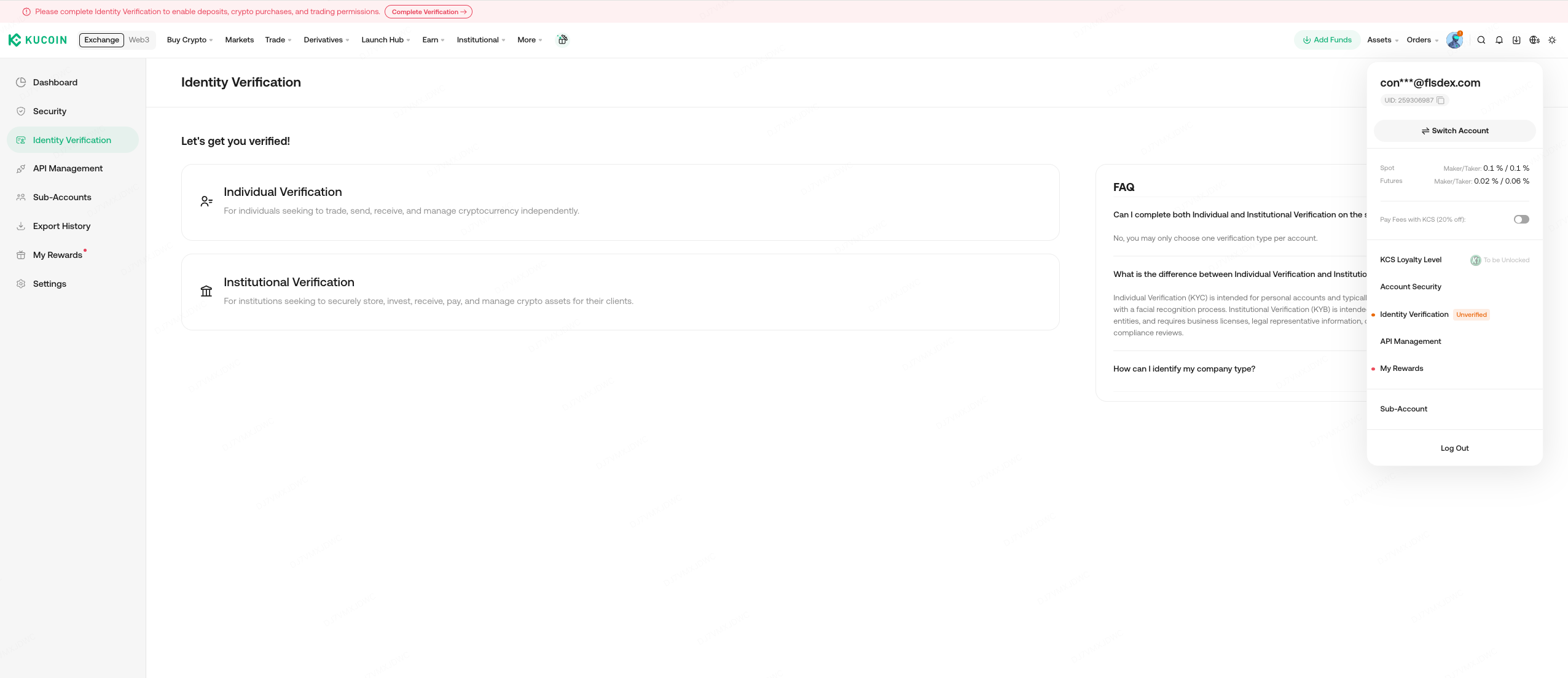
If this is your first time completing verification, please log in to your KuCoin account and go to Account Center → Identity Verification to access the verification page. If you would like to set up an individual account, please click the "Individual Verification" button.
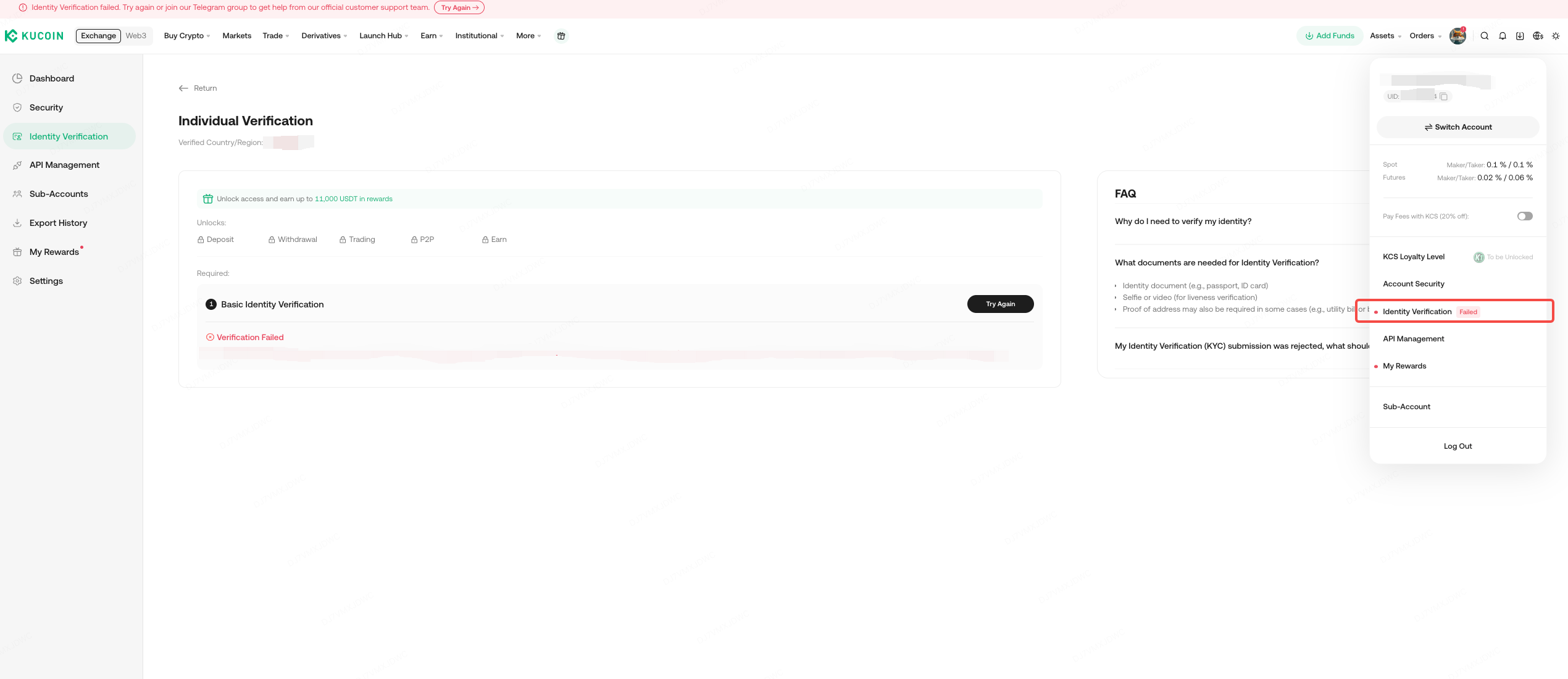
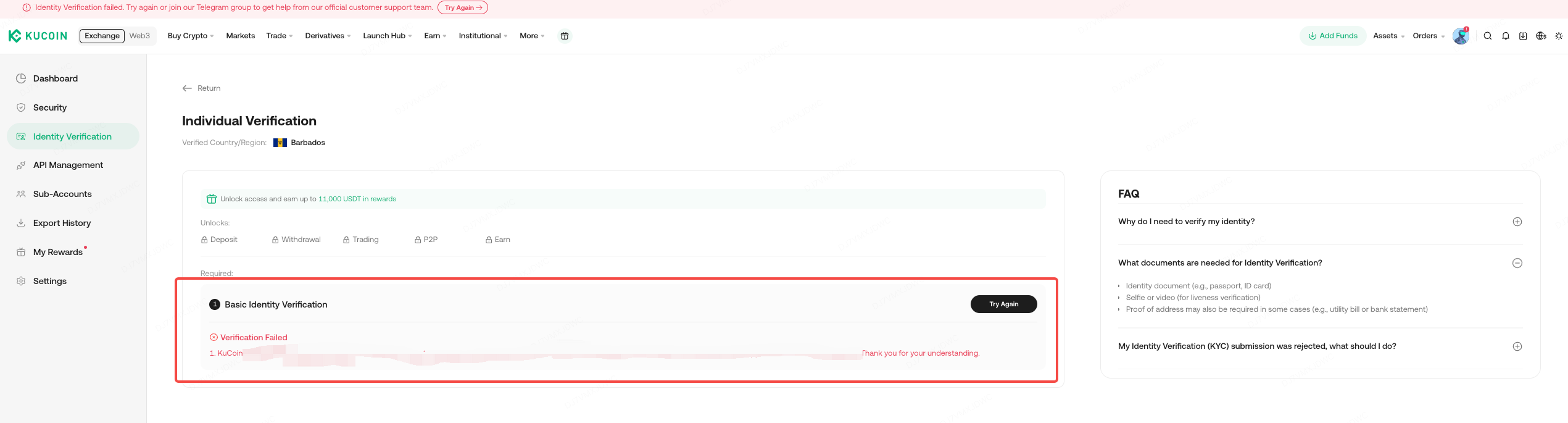
If you have already attempted individual verification but it was not successful, please go to Account Center → Identity Verification again and check the reason for the verification failure. You can click "Try Again" to re-verify.
The Individual Verification procedure involves: 1) Select Issuing Country/Region, 2)Select Your ID Type 3) Provide ID photos 4) Complete face verification, and 5)Wait for Verification Result. Users get access to more benefits by completing the verification process. Please make sure that the information you enter is true and valid. Otherwise, it will affect the result of your review. The review results will be communicated via email, so please wait for them patiently.
1. Select Country/Region
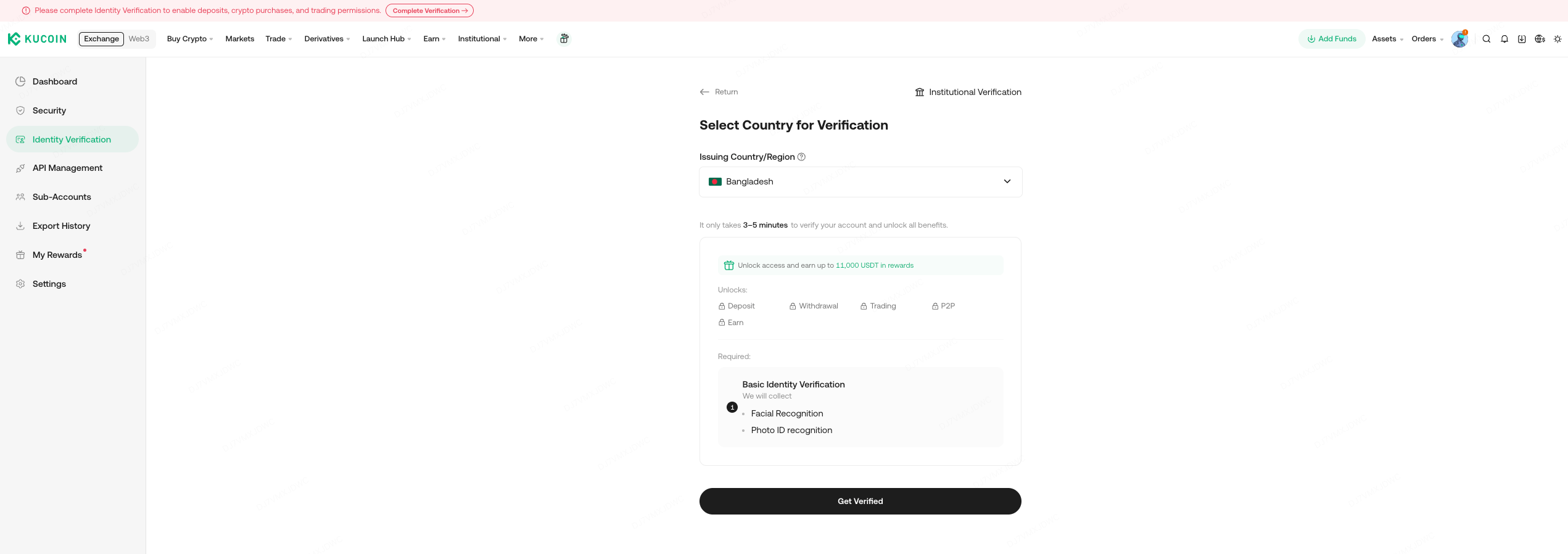
Click "Individual verification" to enter the Identity Verification page. Select your country/region before clicking Get Verified. Please make sure that the Country/Region selected is consistent with the details on your document.
2. Select Your ID Type
Select your ID type to ensure that it is consistent with the type of your document, then click "Continue".

3. Provide ID Photos
Select the device you wish to use for taking ID photos, and click"Continue" to proceed.
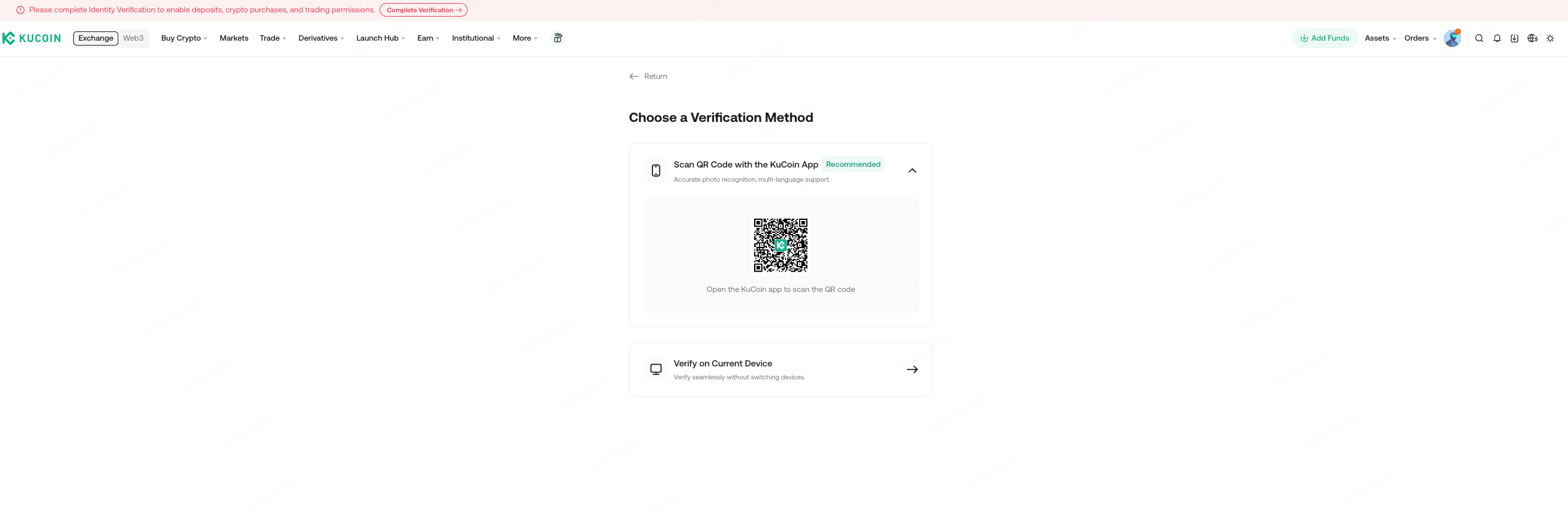
Please have your original identity document ready with good lighting(not too dark or too bright), then click “Start Verification” to begin the process.

Kindly enable camera permissions on your device, proceed with capturing photos of both the front and back of your document. Make sure that the document is fully within the frame, held straight, and that the image is clear and not blurred.
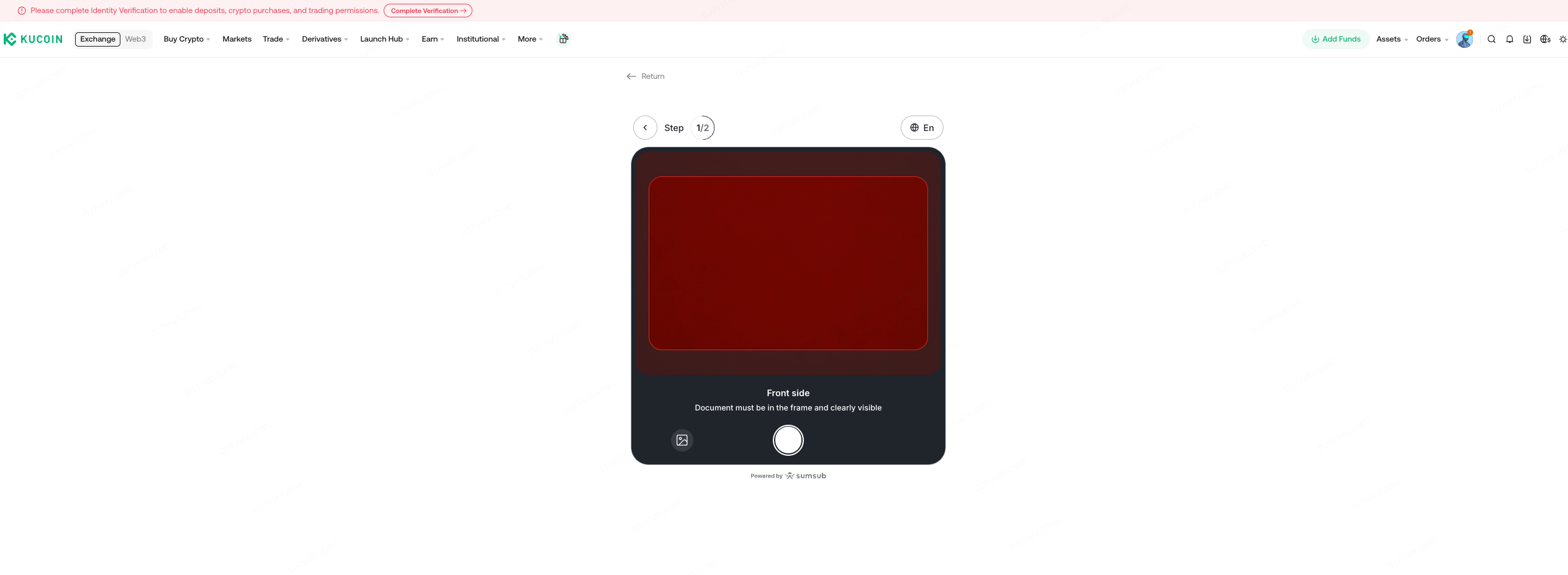
Alternatively, you may click the " " icon located at the bottom left corner of the frame within the image above to upload photos of the front and back sides of your document. Please ensure that all details in the uploaded photos are clearly visible and easy to read.

4. Complete Facial Verification
After taking photos of your documents, select the device you wish to use for facial verification and click "Continue" to proceed.
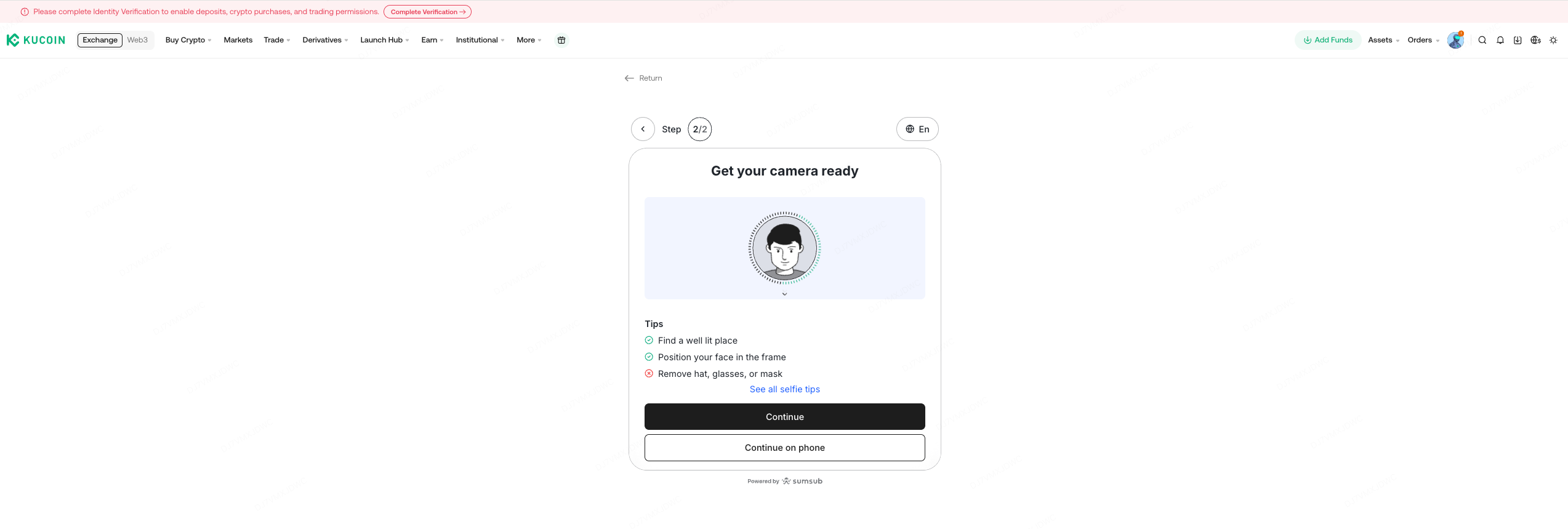
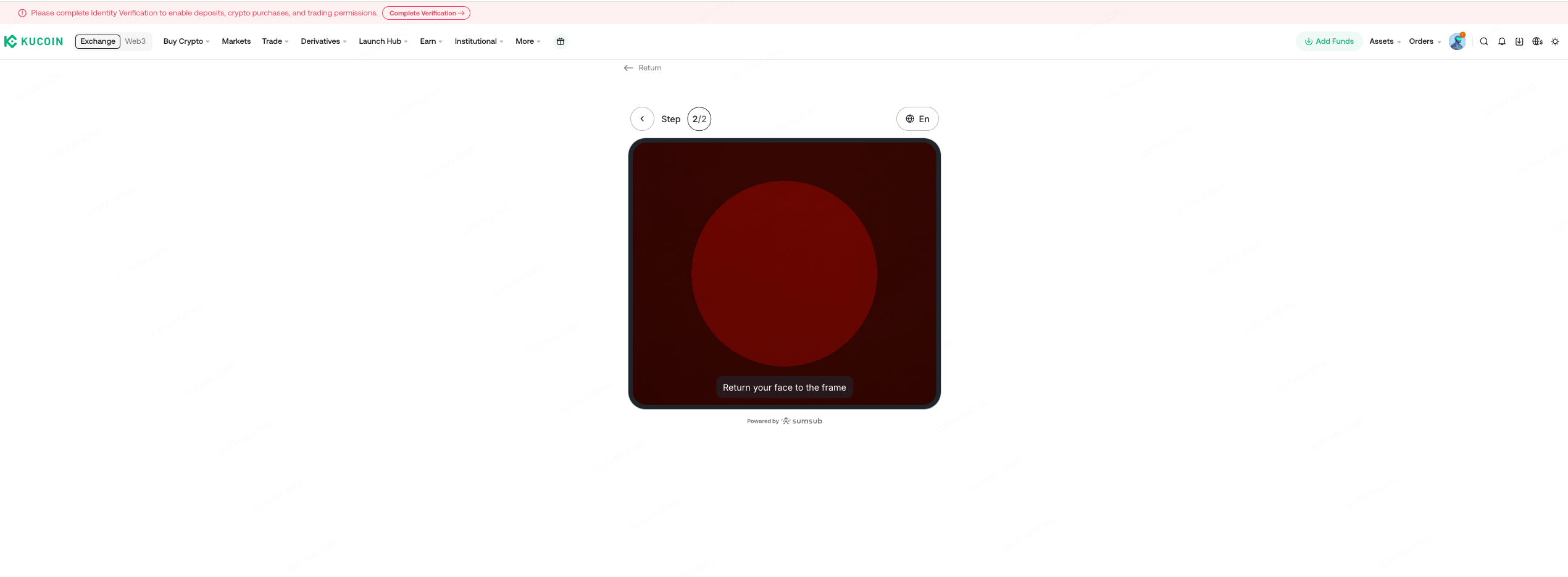
Follow the system prompts to complete the facial verification process. Position your face so it is clearly visible and fits fully within the frame. Make sure you are in a well-lit environment so your information can be accurately identified and the check can be completed.
5. Wait for Verification Result
Please wait for about one minute. A pop-up will appear asking you to confirm your details, including your first name, last name, and ID number.
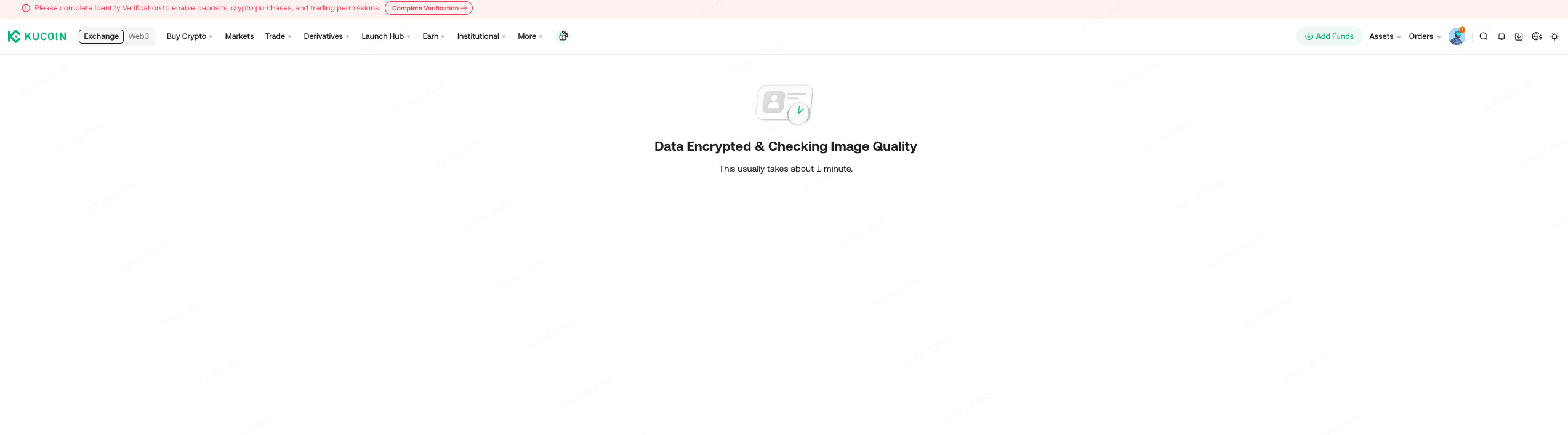
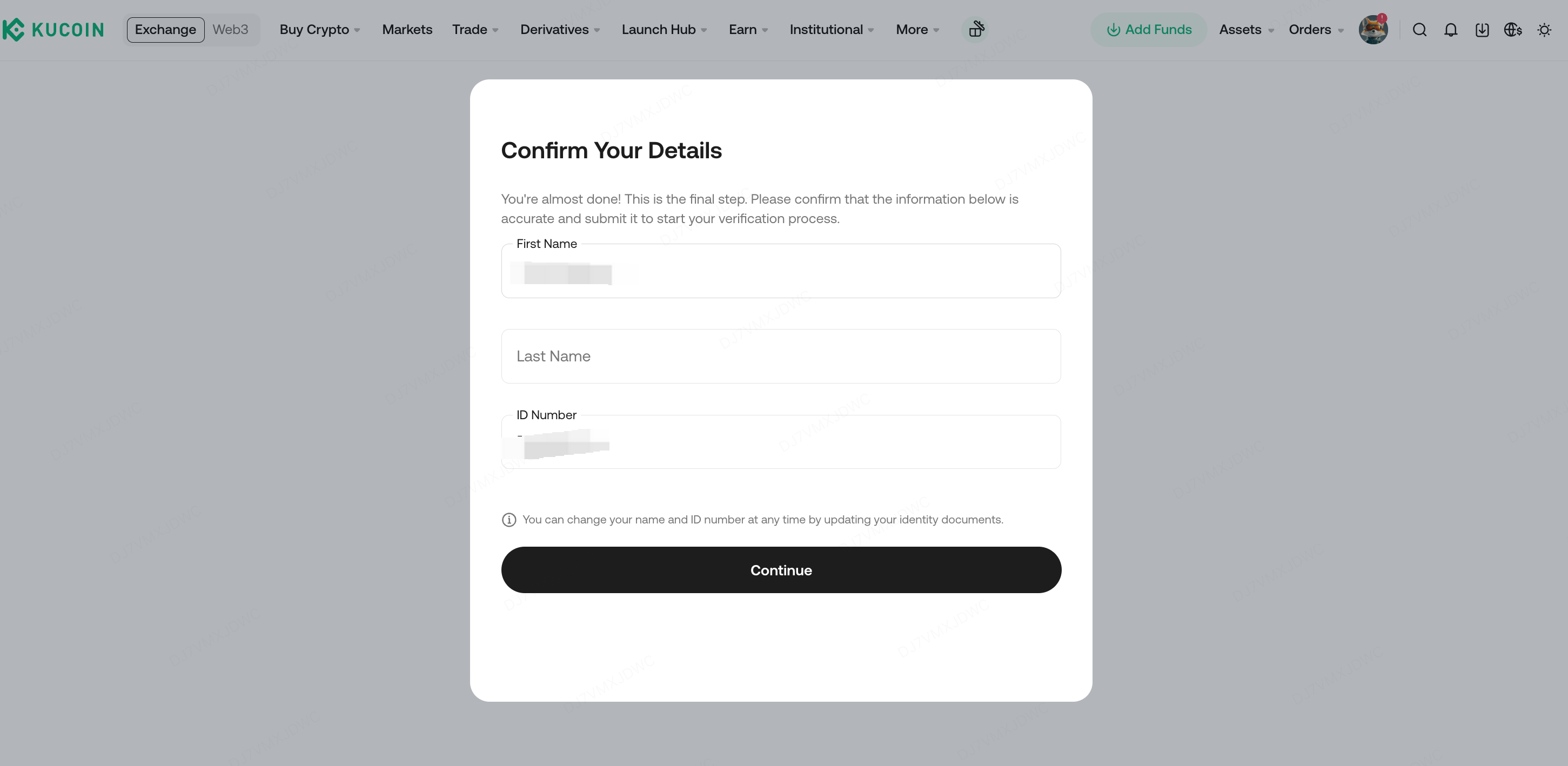
After completing the whole process, the system will automatically submit the information for review.
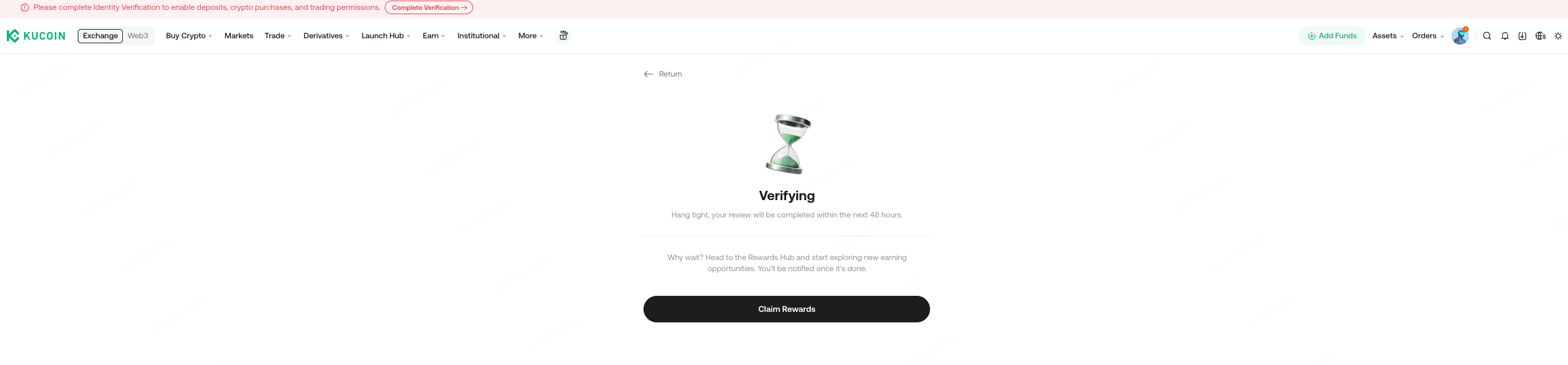
Upon successful review, the standard Identity Verification process is complete. You can view the review results on the Identity Verification page.
III. Why do I always fail to submit Identity Verification on the Website?
If you’ve completed the steps above and still encounter issues, check your internet connection. You may try again later or switch to a different network.
1. Browser and device issues
- Make sure your browser is updated to the latest version and try again.
-
You can also try using a different browser or device.
2. Image format and size requirements
- Supported image formats: JPG and PNG
- Recommended image size: less than 50 MB
Please ensure your photos meet these requirements before uploading.
3. Network problems
- Check whether you are experiencing any network issues.
- If the connection is unstable, try again later or use a different network.
If you have tried all of the above and verification still fails, please record a video of the entire process and contact our customer service team. We will review your case and assist you promptly.
IV. Why do my identity photos keep getting rejected?
If your identity document photos are not being accepted, please review these points from KuCoin:
- The same document can only be used to register one KuCoin account.
- Accepted documents typically include: ID card, driver’s license, passport, or residence permit.
- The document must clearly show your full name, exact date of birth, face image, and the issuing country.
- You must be at least 18 years old to submit KYC verification.
- The document must be original, clear, and complete, no printed, photocopied, or scanned versions.
- The document must be within its validity period. Expired documents will not be accepted.
If you receive an email or SMS message stating that your Identity Verification did not pass the review, don’t worry. Log in to your account, click on your profile picture, then go to Identity Verification to check the reasons for failure. Click Re-Verify to submit the correct information, and we’ll review your information again in no time.
We hope these instructions will help you resolve your issue. If you continue to encounter difficulties or need assistance with other issues, please do not hesitate to contact us.
We hope this article has been helpful. Please reach out to our 24/7 customer support via online chat or submit a ticket if you have any other questions.
Thank you for visiting KuCoin!