
Freezing and Unfreezing Your Account
Here you’ll learn how to freeze and unfreeze your account so you can quickly get help should you face a security threat.
Contents
Freezing Your Account
Unfreezing Your Account
Freezing Your Account
You can quickly freeze your account using three methods:
1. When performing sensitive actions, you’ll receive a confirmation email which also contains a freeze link. Click the link to immediately freeze your account. Scenarios that will prompt this confirmation email include:
- Unusual IP activity
- Login notifications
- Enabling leverage
- Changing / linking / unlinking /resetting your phone
- Changing / linking / unlinking /resetting your email
- Changing / linking / resetting your trading password
- Changing / linking / resetting your Google 2FA
- Changing your login password
- Creating or modifying APIs
- Withdrawals
- Freezing and unfreezing your account
The link should look like this: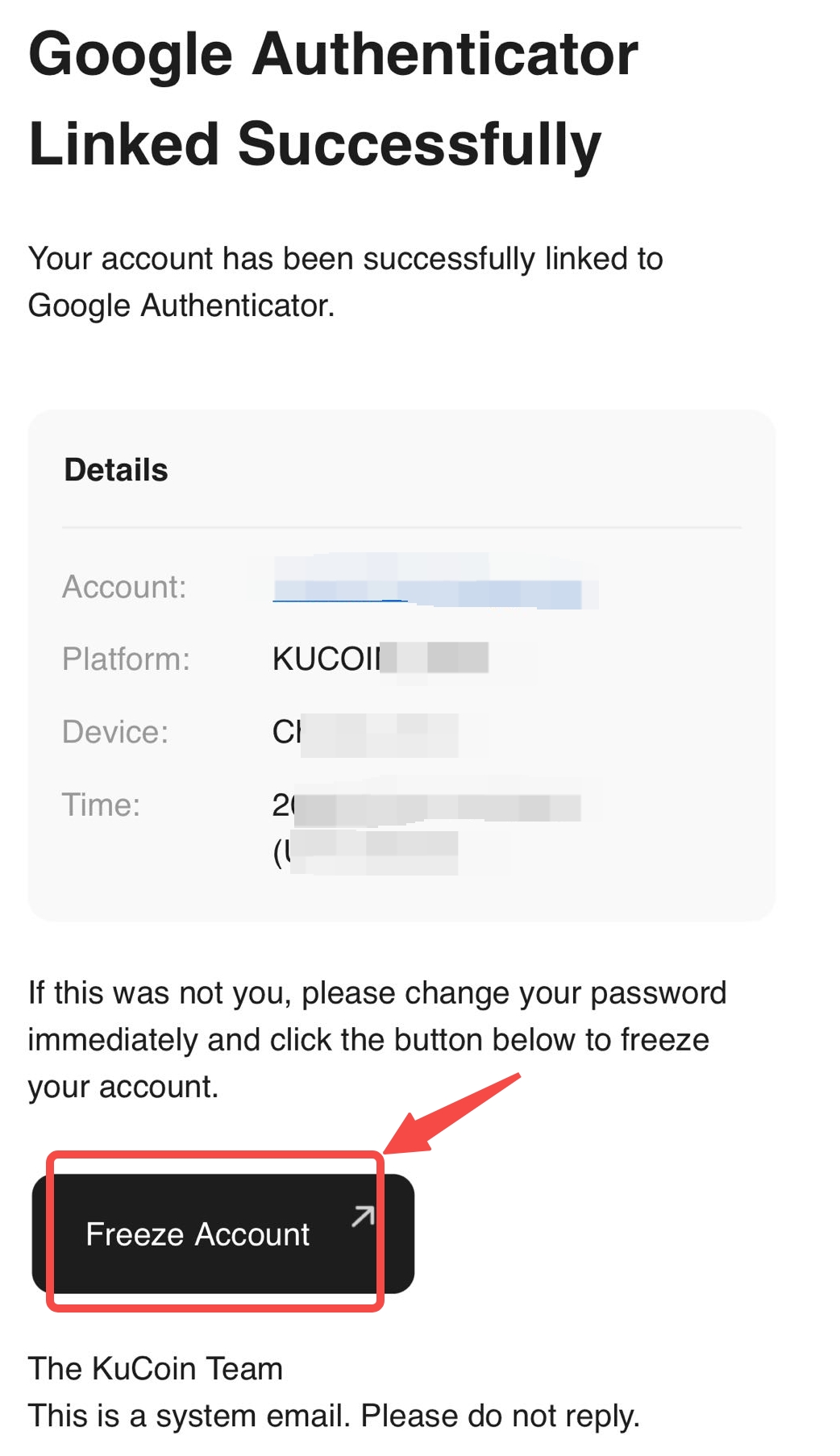
2. If you’re already logged in, an emergency freeze can be done in two ways:
i. Selecting your profile → Account Security → Freeze Account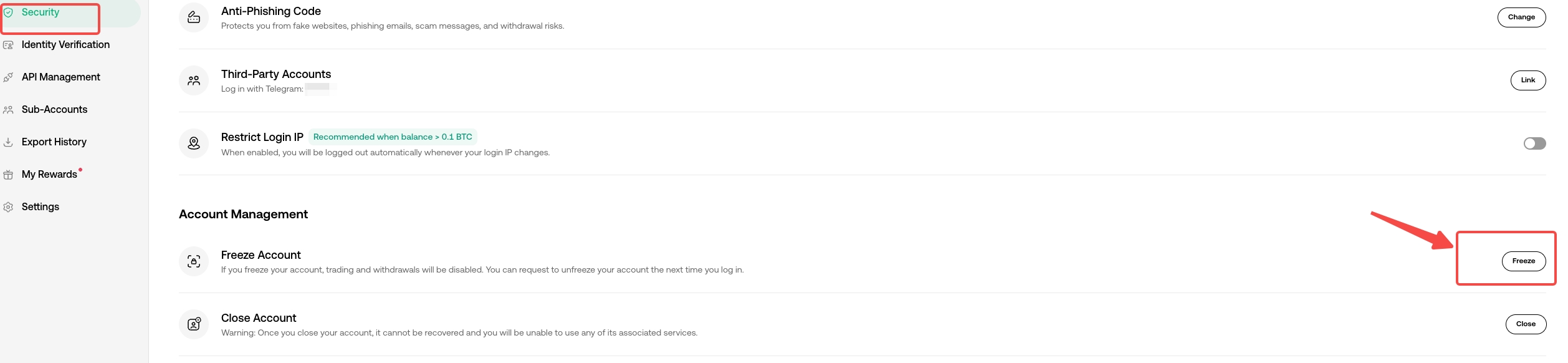
ii. Or, go to Help Center page → Freeze Account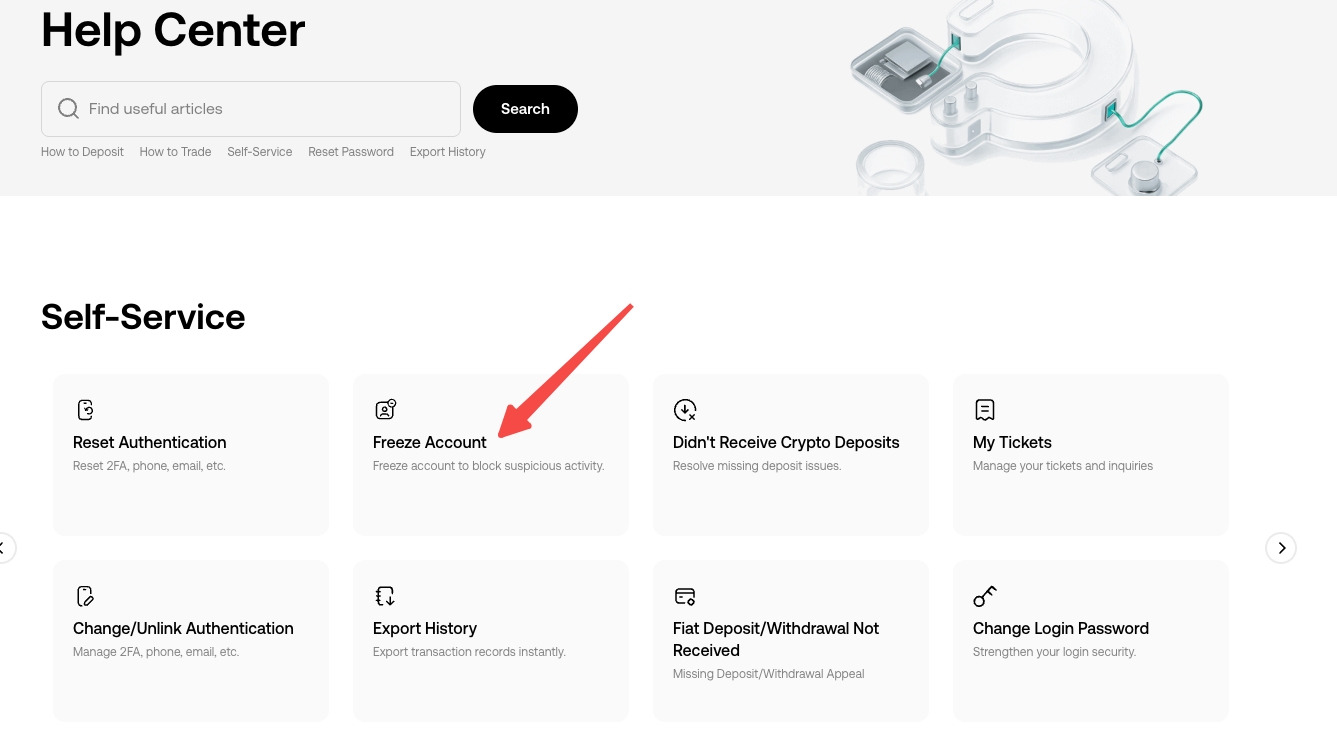
3. If you suspect your account or email is compromised and you can’t log in to your KuCoin account, contact live support immediately. Once we’ve verified your identity, your account will be promptly frozen.
Web:
Open the KuCoin official website. Under the Services section at the bottom of the homepage, select Help Center. Alternatively, click on the “Need any help?” customer support icon in the bottom right corner.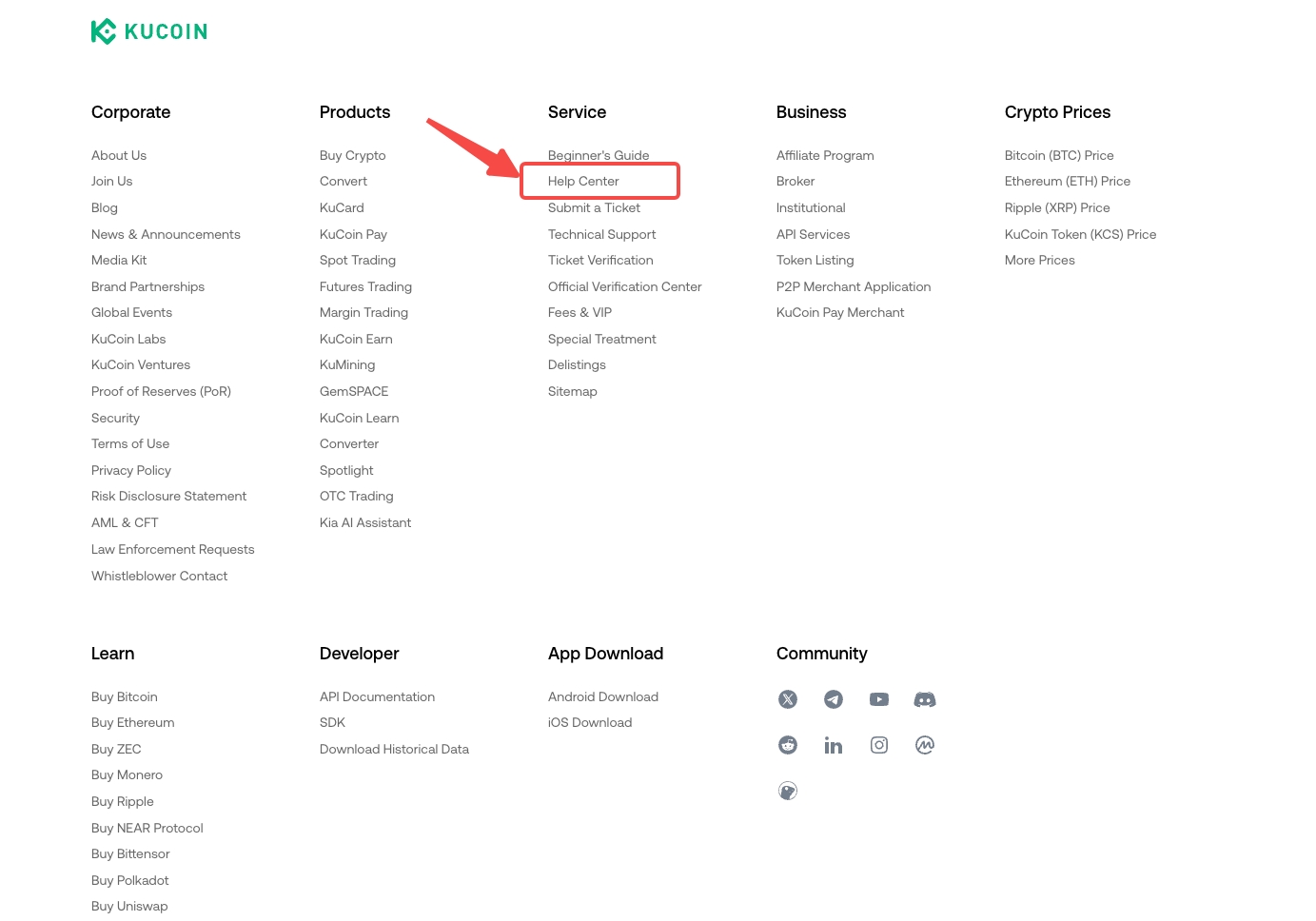
App:
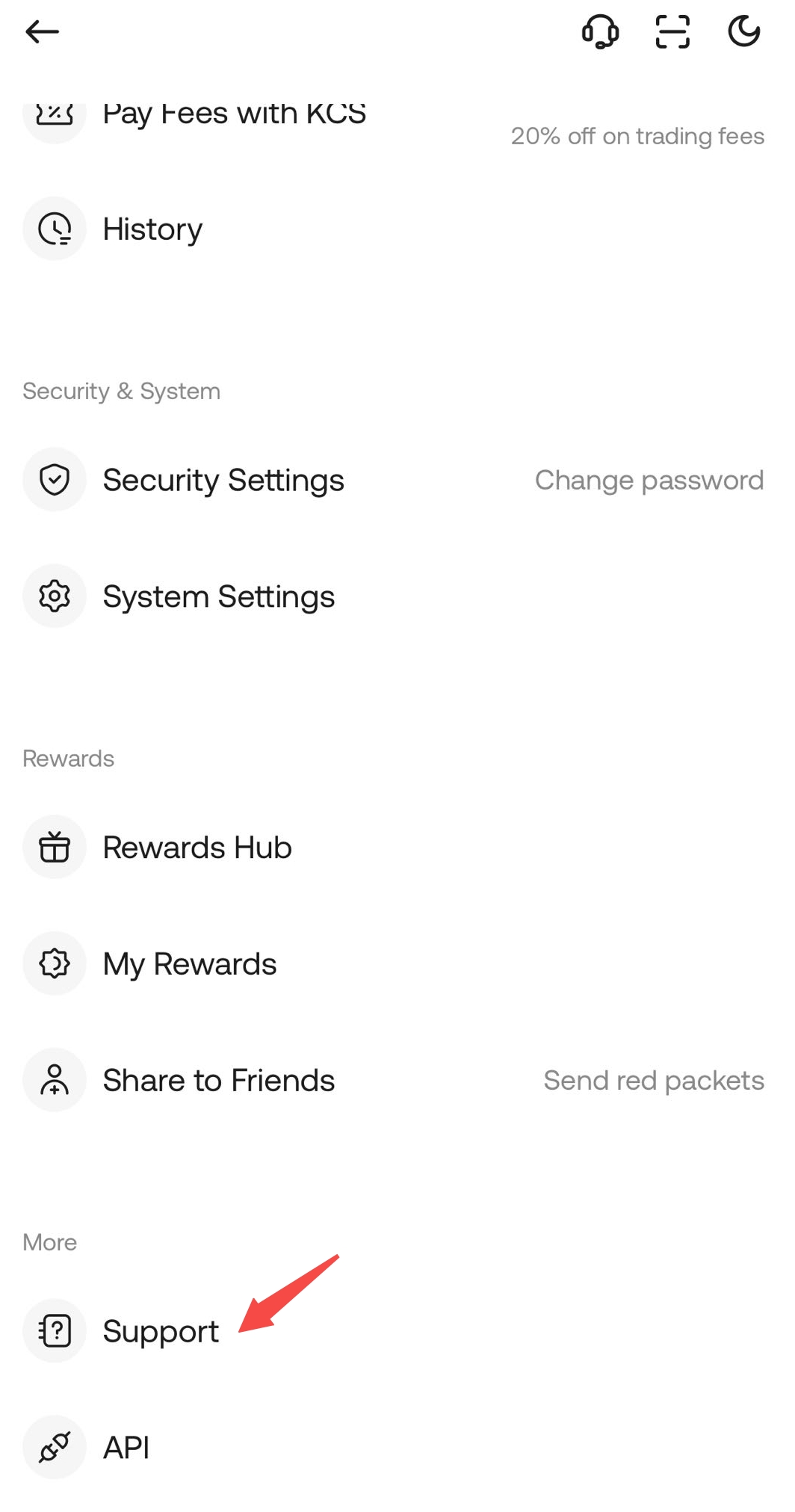
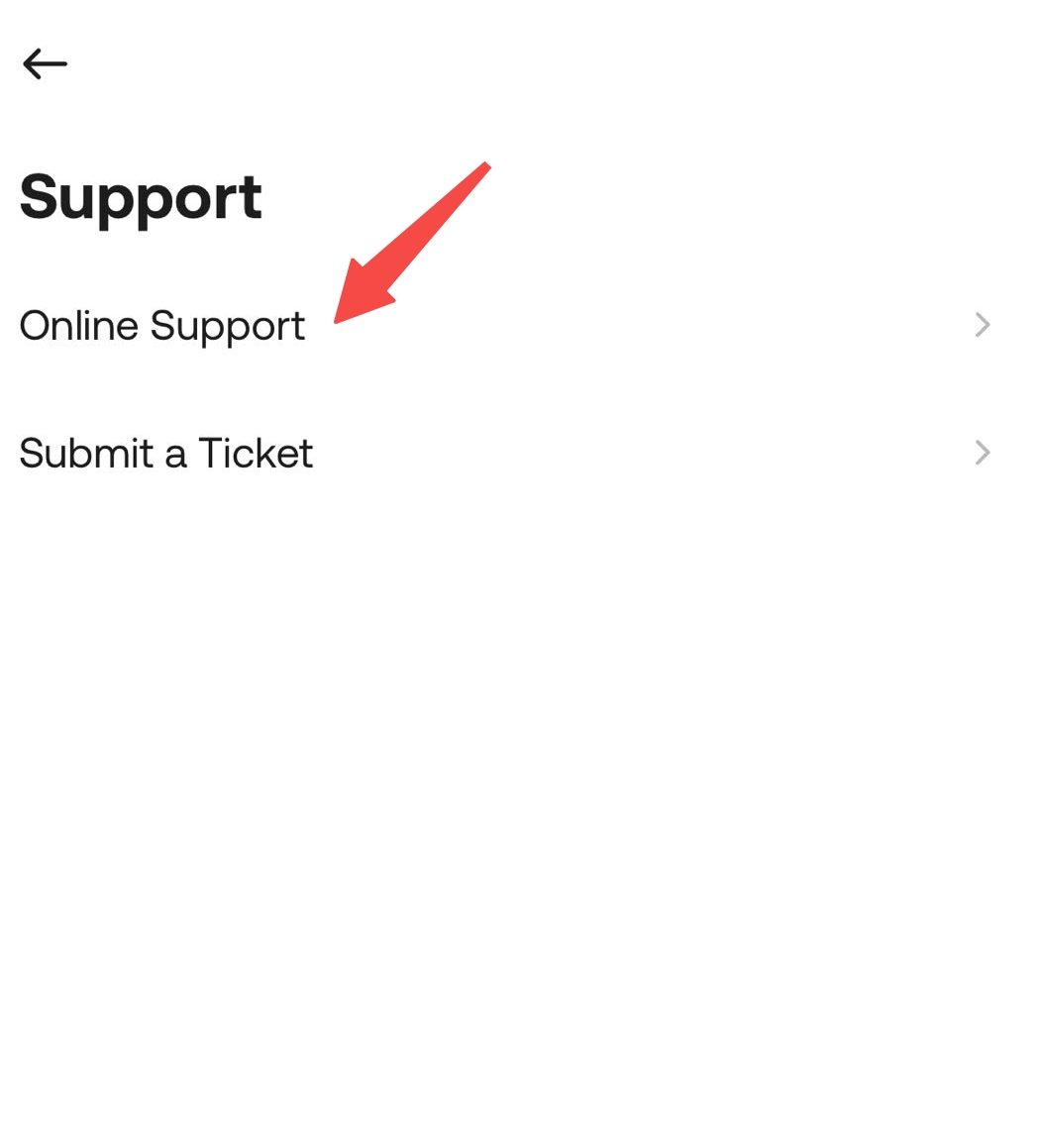
Log in to the app, open the menu by tapping your profile on top left corner, and click Support → Online Support.
Unfreezing Your Account
Once you are sure your account is secure, you can unfreeze it through a self-unfreeze or by contacting customer support for a manual unfreeze.
1. Self-Unfreeze
If you froze your account on your own, you’ll need to submit a self-unfreeze request. First, log in to your account. A pop-up should appear, click “Apply to Unfreeze“. Then, follow the remaining web prompts to complete Identity Verification and submit a self-service unfreeze request.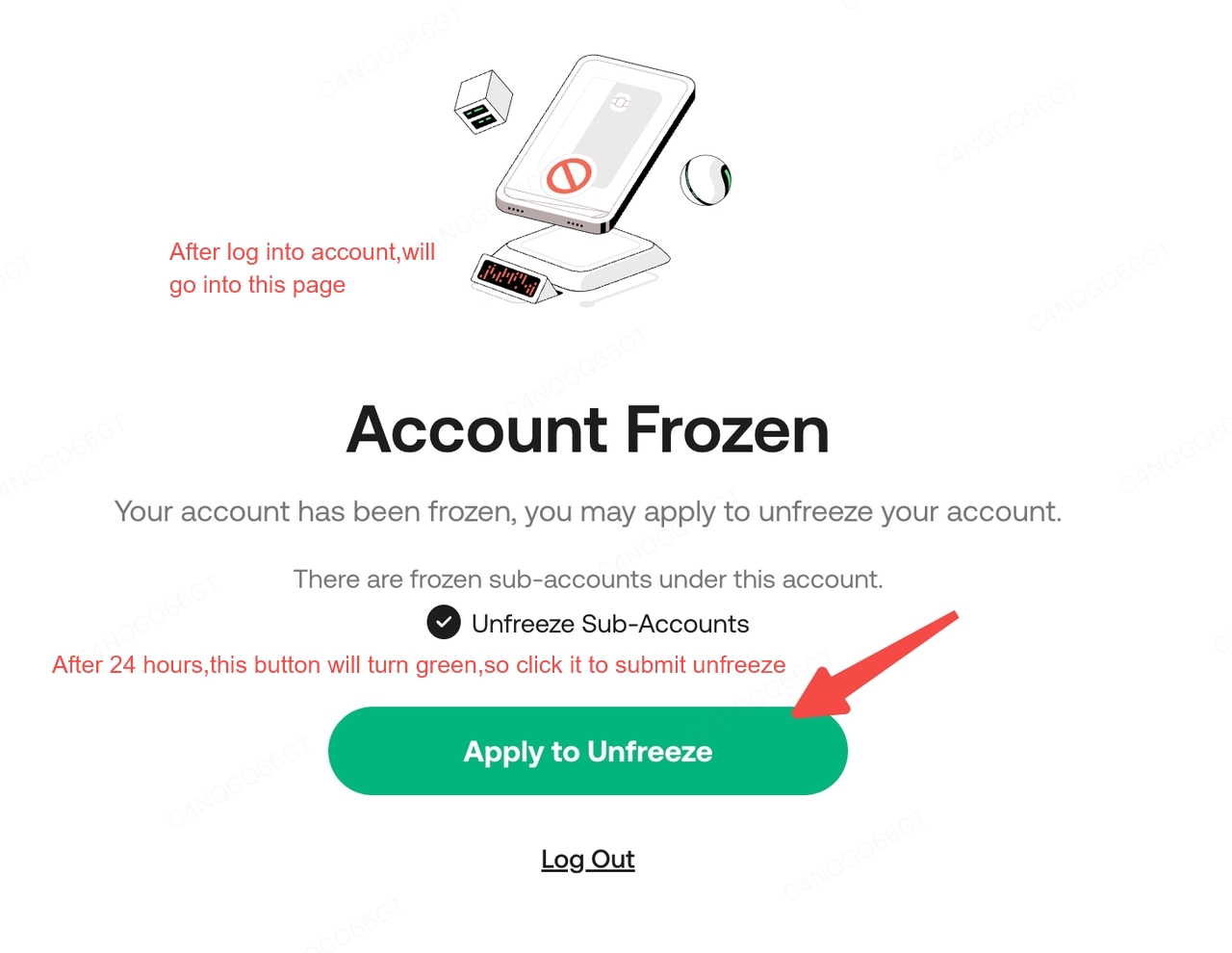
2. Manual Unfreeze
If your account was frozen for other reasons and you can't log in, withdraw, or trade, please contact online support. We'll investigate the causes and unfreeze your account as soon as possible.
We hope you found this helpful! For further assistance, please contact our 24/7 customer support via online chat or by submitting a ticket.
Happy trading on KuCoin!