
How to Deposit Crypto to KuCoin
Deposits involve transferring your existing cryptocurrencies to the KuCoin platform. Begin by withdrawing the assets from their original source, and then deposit them into your KuCoin account. Deposits made within KuCoin are labeled as “Internal Transfers”, while deposits from external blockchains are trackable in detail on the blockchain. Currently, you can perform direct deposits to your Funding Account, Trading Account, or Sub-Account. Learn about the features of each account here. For the deposit page, click here.
How to Deposit:
Important Prerequisite: Follow the instructions and complete Identity Verification (KYC). Verify now
Once done, then you can follow the guidance steps by steps to make the crypto deposit on KuCoin.
How to deposit crypto on the KuCoin website?
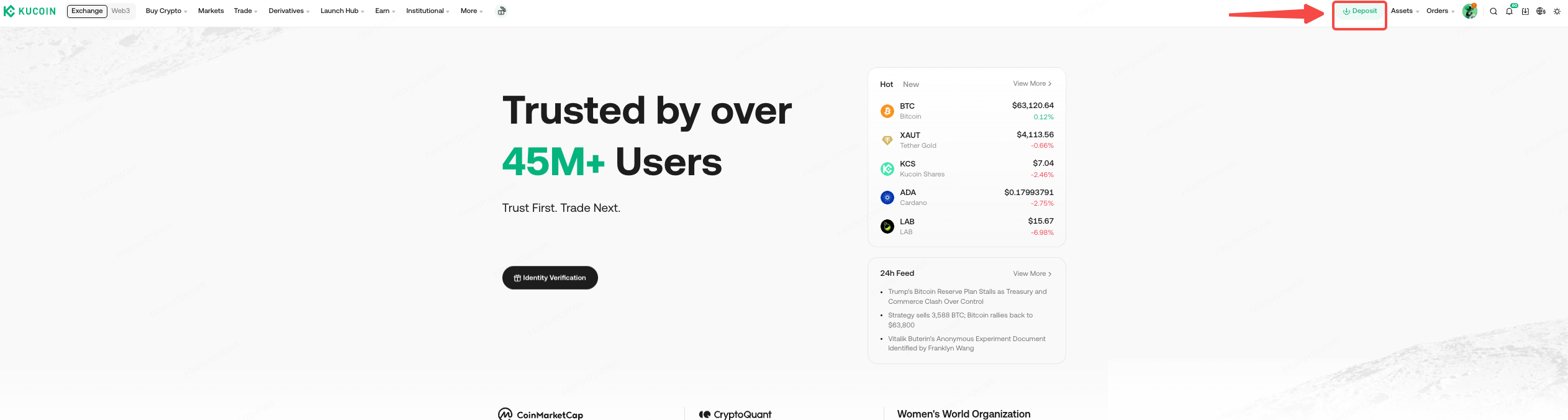
Step 1. Log in to your KuCoin account and click [Deposit].
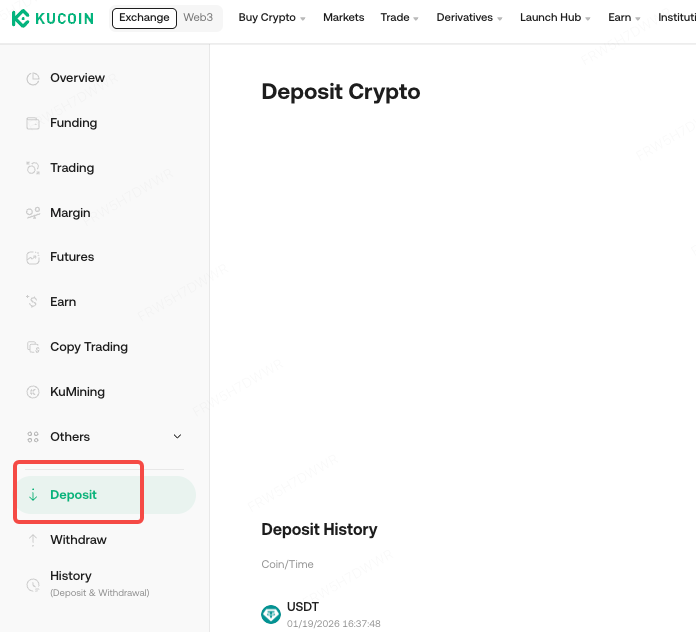
Step 2. Click [Deposit] on the side panel.
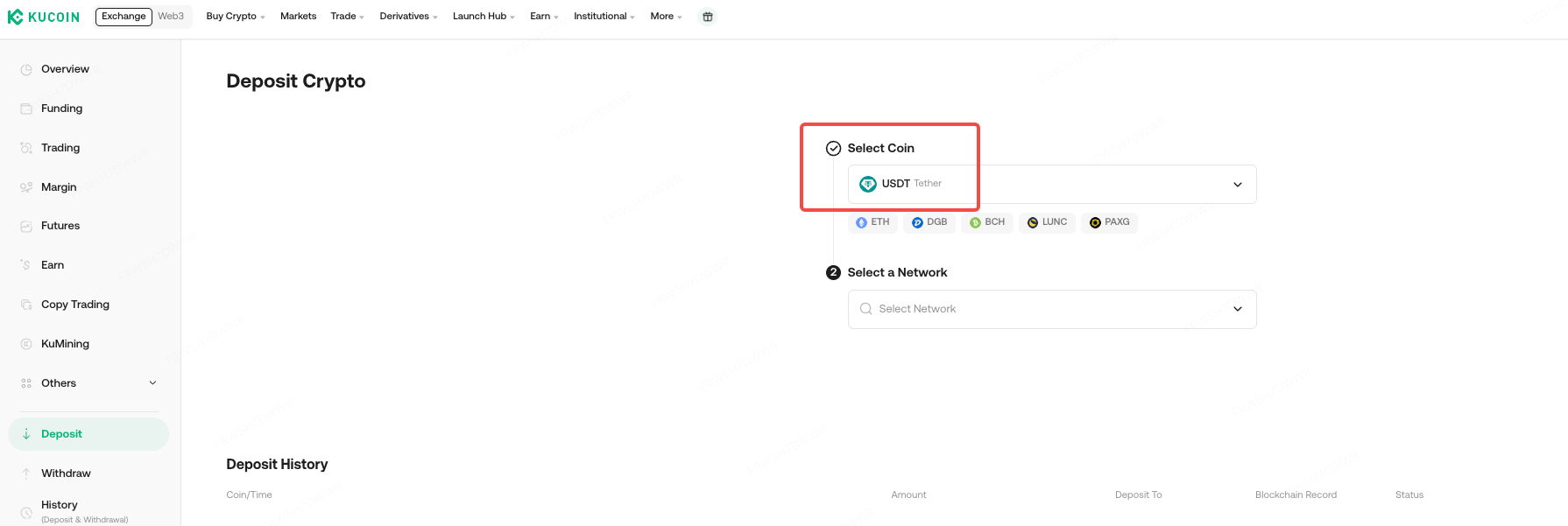
Step 3. You’ll be redirected to the Deposit Crypto page. Select the cryptocurrency you want to deposit, for example, USDT.
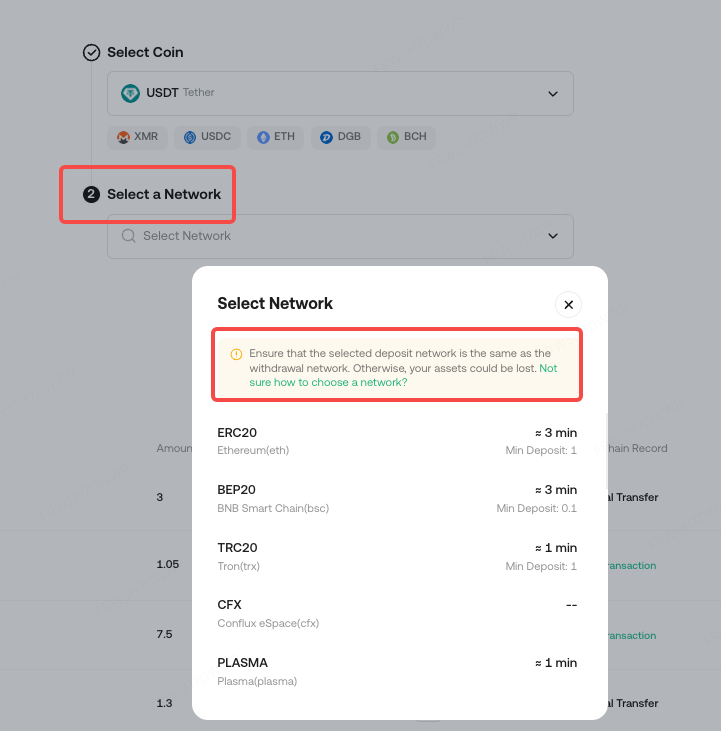
Step 4. Choose the deposit network. Please make sure that the selected network matches the network of the platform you are withdrawing funds from. If you select the wrong network, your funds might be lost and cannot be recovered.
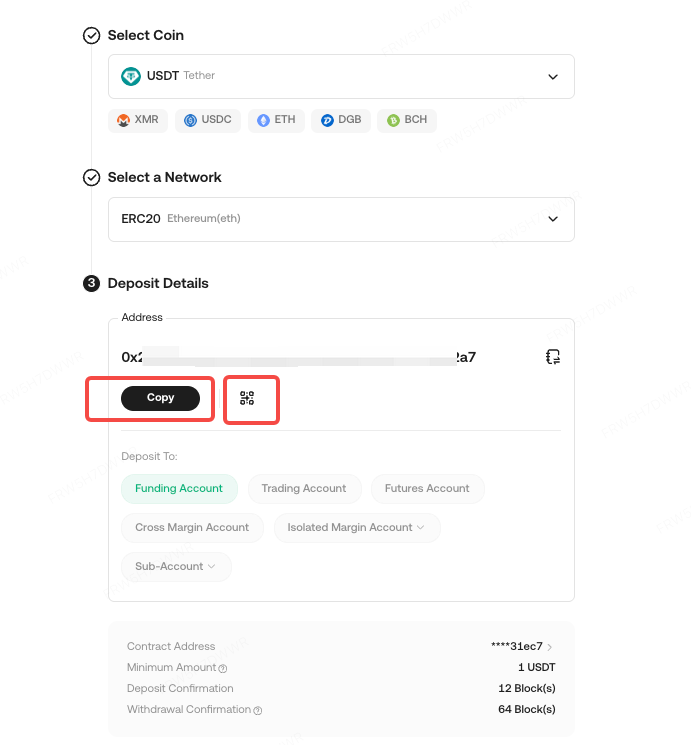
Step 5. You’ll see a QR code and the deposit address for the network you chose. Click the copy icon to copy the deposit address, then paste it to the address field on the platform you intend to withdraw crypto from. You may also right-click on the QR code to save it as image and import it to the address field on the withdrawing platform.
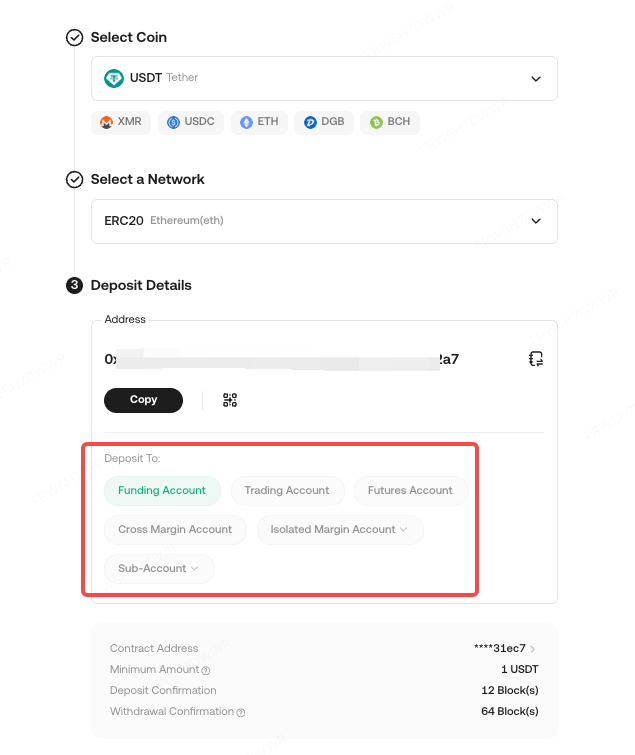
Step 6. You can also select which wallet to deposit funds to by clicking different account types.
After confirming the deposit request, your transfer will be processed. The confirmation time varies depending on the blockchain and its current network traffic.
Once confirmed, the funds will be credited to your KuCoin account shortly after.
How to deposit crypto on the KuCoin App?
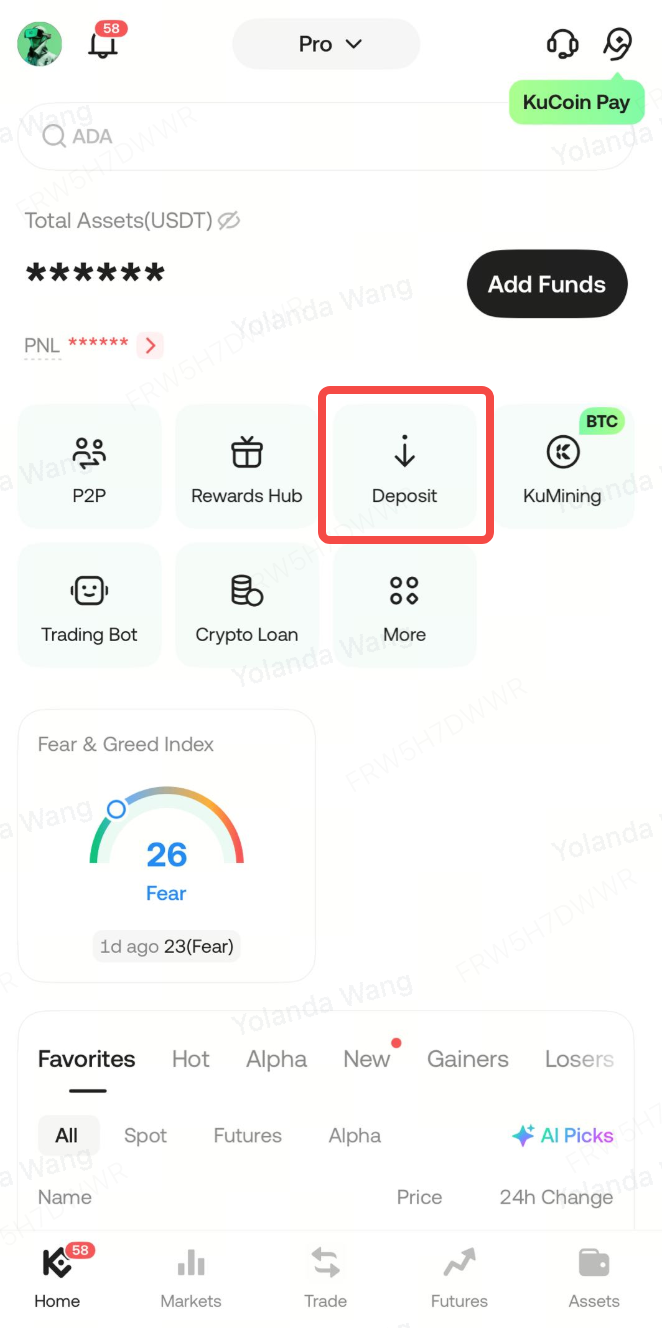
Step 1. Log in to your KuCoin app and tap [Deposit].
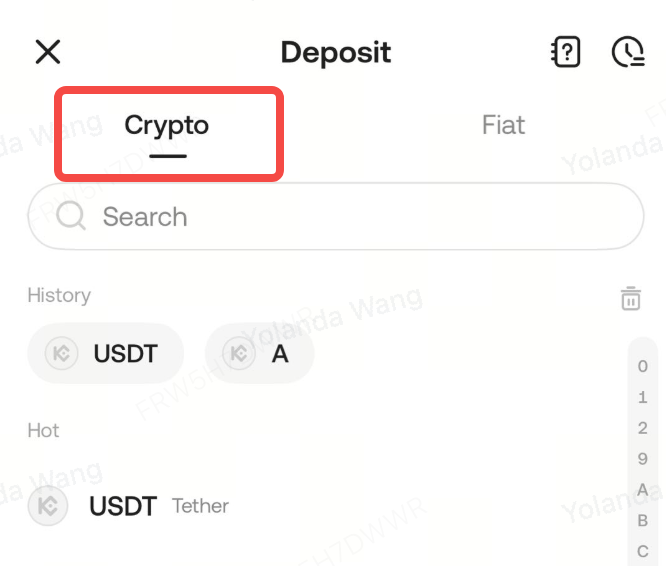
Step 2. Choose [Crypto] and Search the cryptocurrency you want to deposit, such as USDT.
Step 3. You’ll see the available networks for depositing USDT. Please make sure that the selected network matches the network of the platform you're withdrawing funds from. If you select the wrong network, your funds might be lost and cannot be recovered.
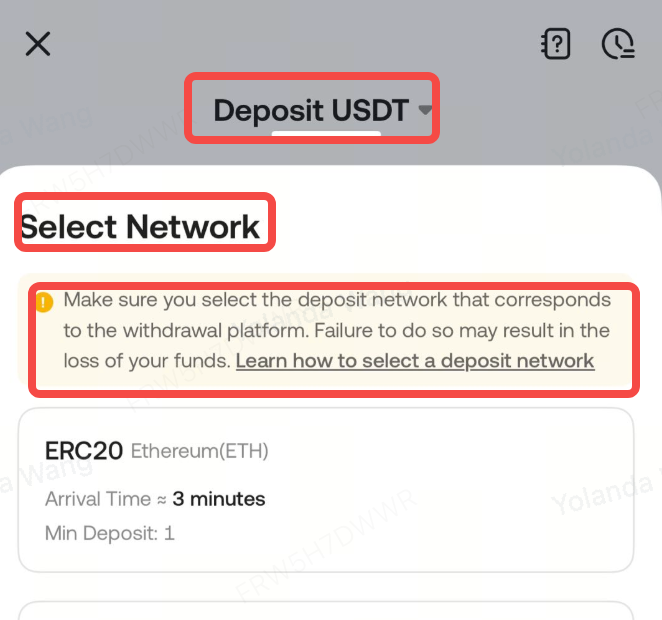
Step 4. You’ll see a QR code and the deposit address for the network you chose. Tap the copy icon to copy the deposit address, then paste it to the address field on the platform you intend to withdraw crypto from. You may also tap [Save image] or [Share Address] to import it to the withdrawing platform directly.
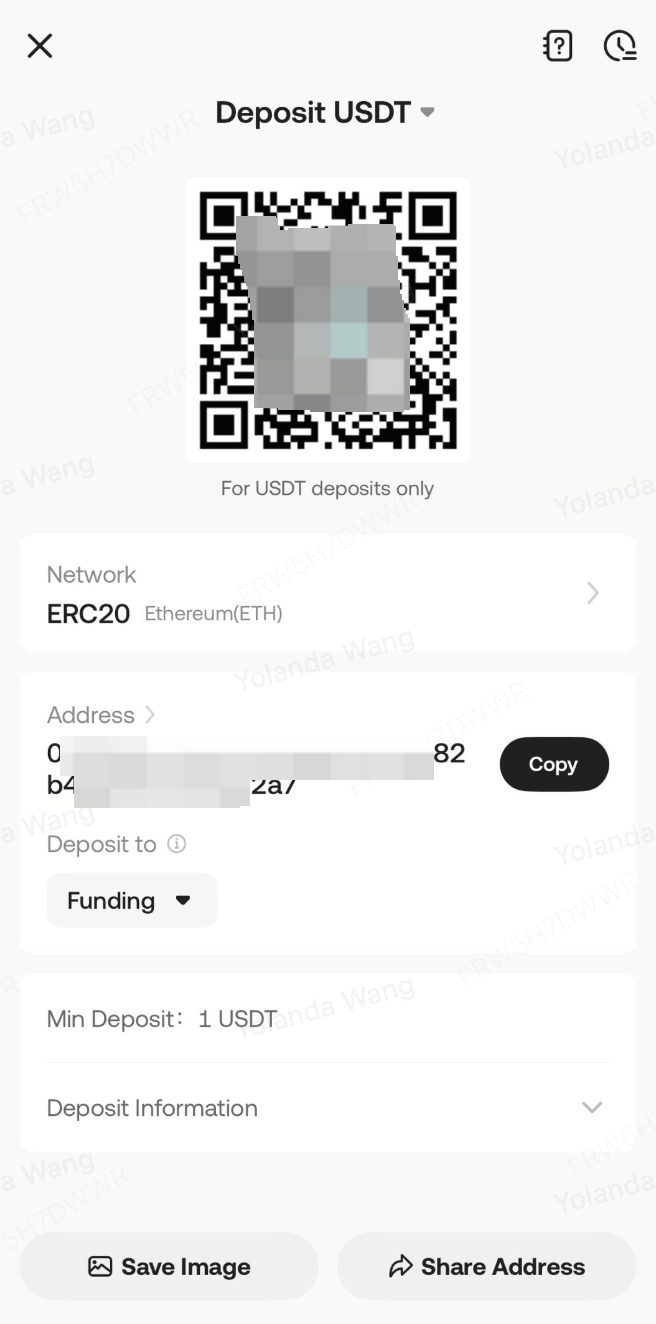
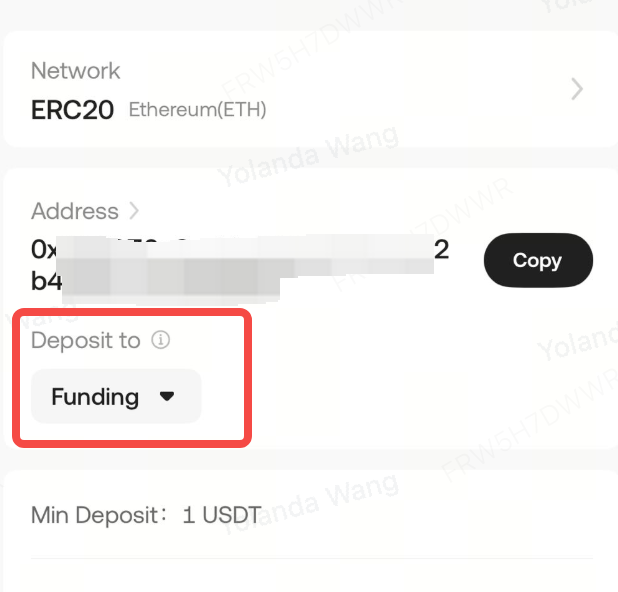
Step 5. You can also select which wallet to deposit funds to by clicking different account types.
Important
- Choose the correct deposit network. The selected network must match the withdrawal platform's network. Otherwise, your funds may be lost and unrecoverable.
- The available networks depend on the external withdrawal wallet or those supported by the platform. For example, if the external platform only supports ERC-20 networks, then you must choose the ERC-20 as your depositing blockchain.
- Do not merely pursue the lowest transaction fee network on the withdrawal platform for withdrawals. Instead, choose one compatible with the deposit platform. For instance, ERC-20 tokens can only be sent to other ERC-20 addresses, and KCC tokens can only be sent to other KCC addresses. Incompatible or mismatched networks will result in the loss of your funds.
- When withdrawing from your platform, certain networks require you to include additional information, such as a memo or tag. Make sure you include it to prevent losing your assets.

On the deposit page:
All ERC-20 cryptocurrencies have their own unique contract address. This is essentially the identity code for the type of asset. Make sure the contract address of the asset you’re depositing matches the one listed on KuCoin. Do not enter the contract address as the deposit address on the withdrawal platform. This will lead to the loss of your assets.
To avoid asset loss, please deposit more than the minimum deposit amount required by KuCoin, as displayed on the page. You should also factor in the potential withdrawal fees from other platforms, which may cause the final deposit amount to be insufficient.
To improve your deposit experience, KuCoin now supports the early credit of certain assets once the minimum block confirmation requirements are met. Once you see the assets in your account, you can immediately trade or use them on our platform. Once there are enough block confirmations for the withdrawal, the deposited assets will be recognized by the exchange for your use.
After you confirm your deposit request, the transfer is processed. Its confirmation time varies based on the current traffic on the blockchain network. Once confirmed, the funds will be credited to your personal KuCoin account. You can check the status of your deposits under “Deposit History”. You’ll receive notifications on your deposit results via platform messages and email. You can also log in to the KuCoin platform to view your deposit history for the past year.
Special Notes:
1. To ensure a smooth deposit, always check on KuCoin’s platform to see if the deposit function for the asset is active before sending any funds. Currency types and networks are periodically maintained and may undergo upgrades.
2. For any important deposit information, you’ll be alerted with on-page pop-ups or highlights.
3. KuCoin supports specific blockchains for depositing digital assets, with some currencies only supported on the ERC-20 chain, and others only on the BEP-20 or main network chain. Please only use the supported blockchains to deposit your assets. If you’re still unsure if a blockchain is supported for a specific cryptocurrency, please check with customer support to verify.
Thanks for being with us, and we wish you a smooth deposit experience on the KuCoin platform!