
How to Complete Identity Verification (KYC) via App
As a leading global exchange, KuCoin has required Identity Verification (also known as Know Your Customer, or KYC) for all users since November 1, 2018.
To complete KYC, you will be asked to take photos of valid identification documents and undergo facial verification. These measures form an important part of our commitment to preventing illicit activities, including money laundering and terrorist financing.
Notice
i. Effective August 31, 2023 at 00:00 (UTC), all new users must complete Identity Verification in order to access KuCoin’s products and services. This update reflects our ongoing efforts to comply with applicable legal and regulatory requirements and to further enhance the security of user accounts.
ii. Users who registered before August 31, 2023 (UTC) and have not completed standard Identity Verification will be restricted to the following actions only: selling cryptocurrency, closing futures contracts, closing margin positions, and redeeming from KuCoin Earn. These users will not be able to initiate new deposits or execute new trades until Identity Verification has been successfully completed. Withdrawal services will remain unaffected.
For more information on the benefits of completing Identity Verification, please refer to Part 3 of this article.
1. Completing Identity Verification (App)
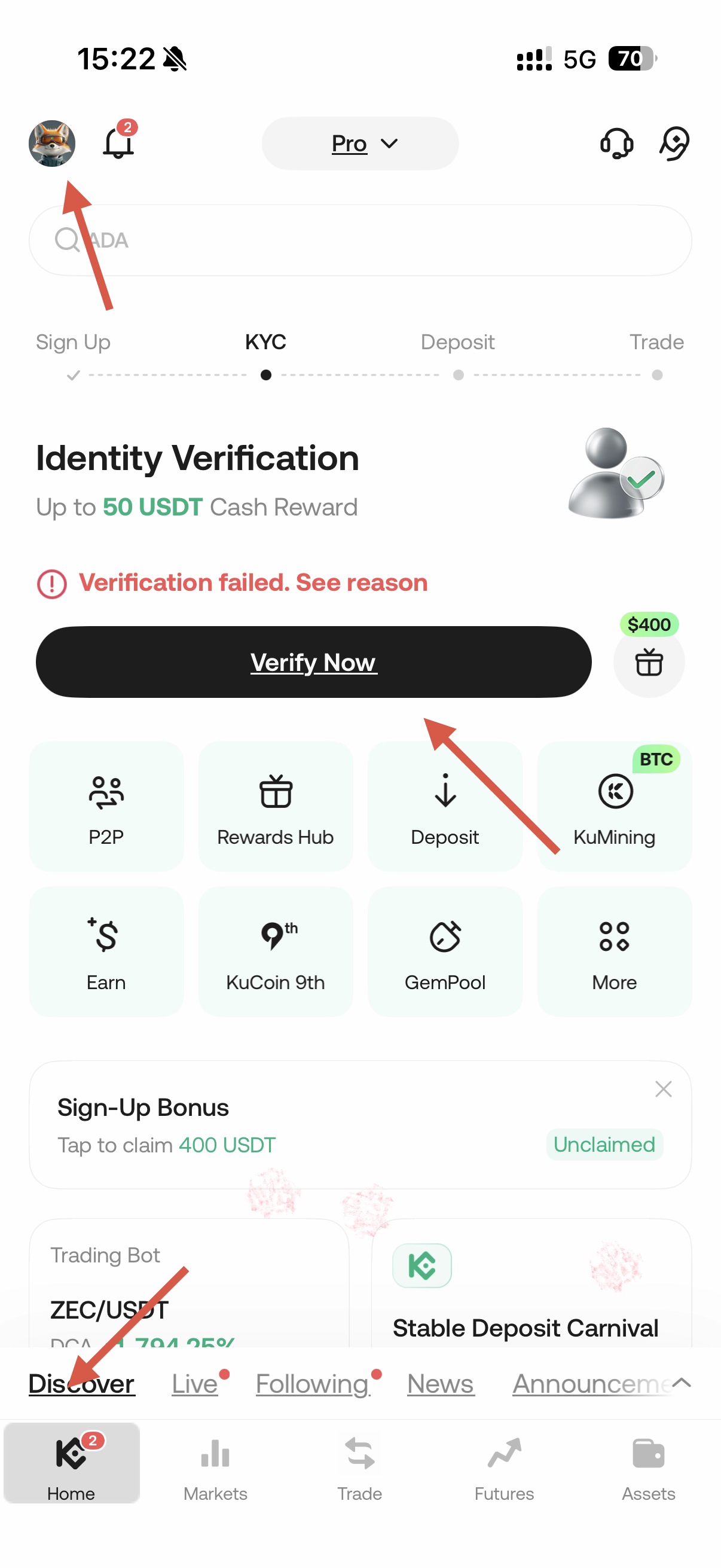
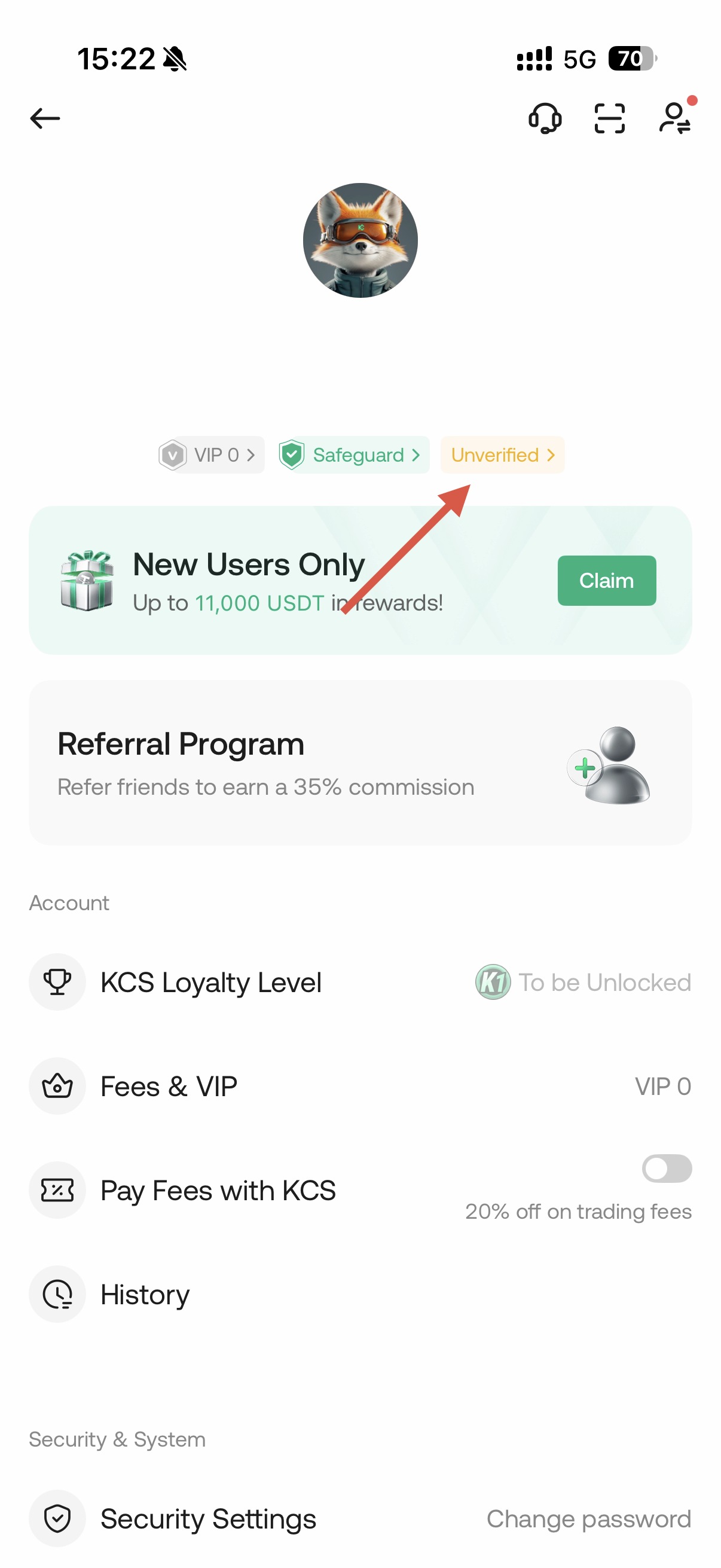
Log in to your KuCoin account via the app. From the home page, tap your profile icon and select “Unverified,” or tap “Verify Now” directly on the home page. You will be directed to the Identity Verification section. Follow the on-screen instructions to complete the verification process.
i. Select Issuing Country
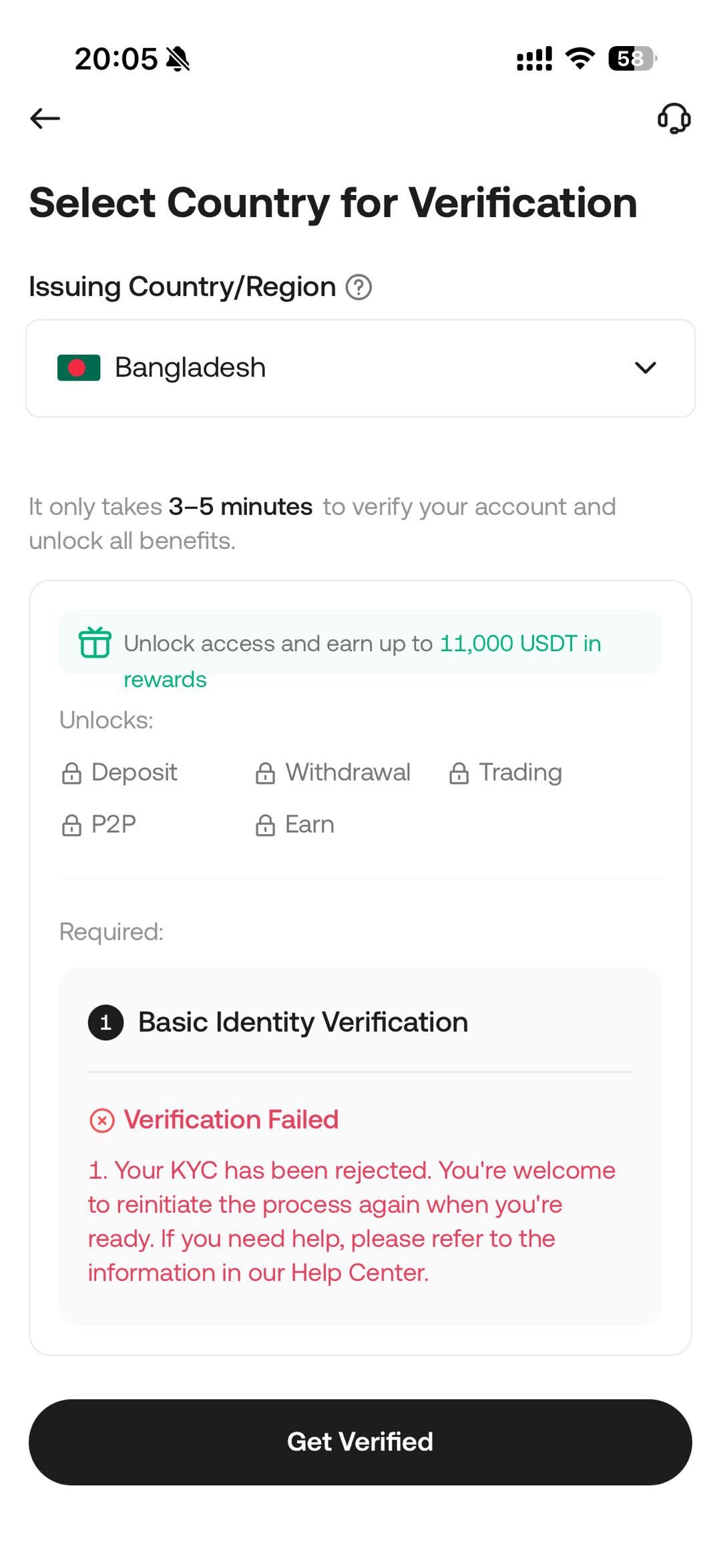
Please select the country/region where your documents were issued.
ii. Select ID type
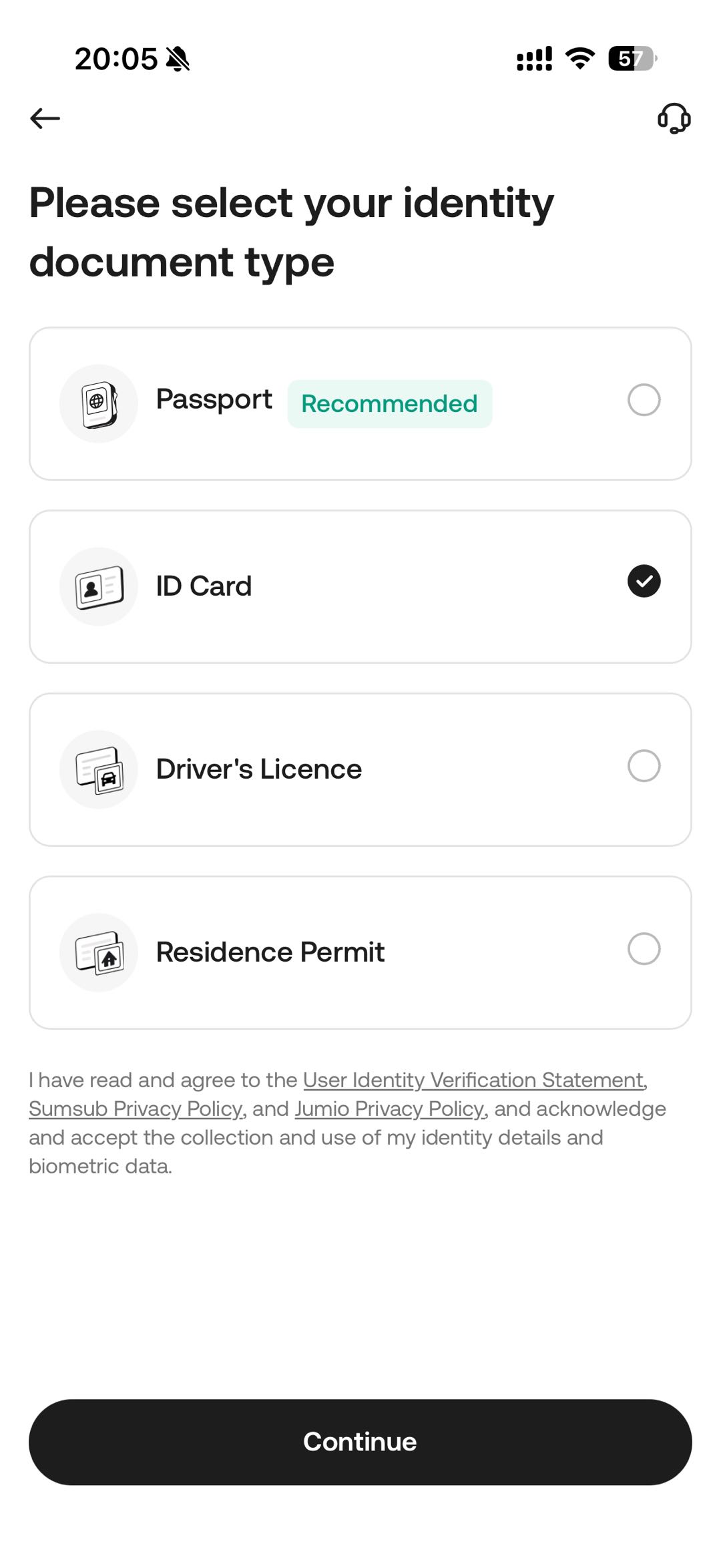
Please select the type of your identity document.
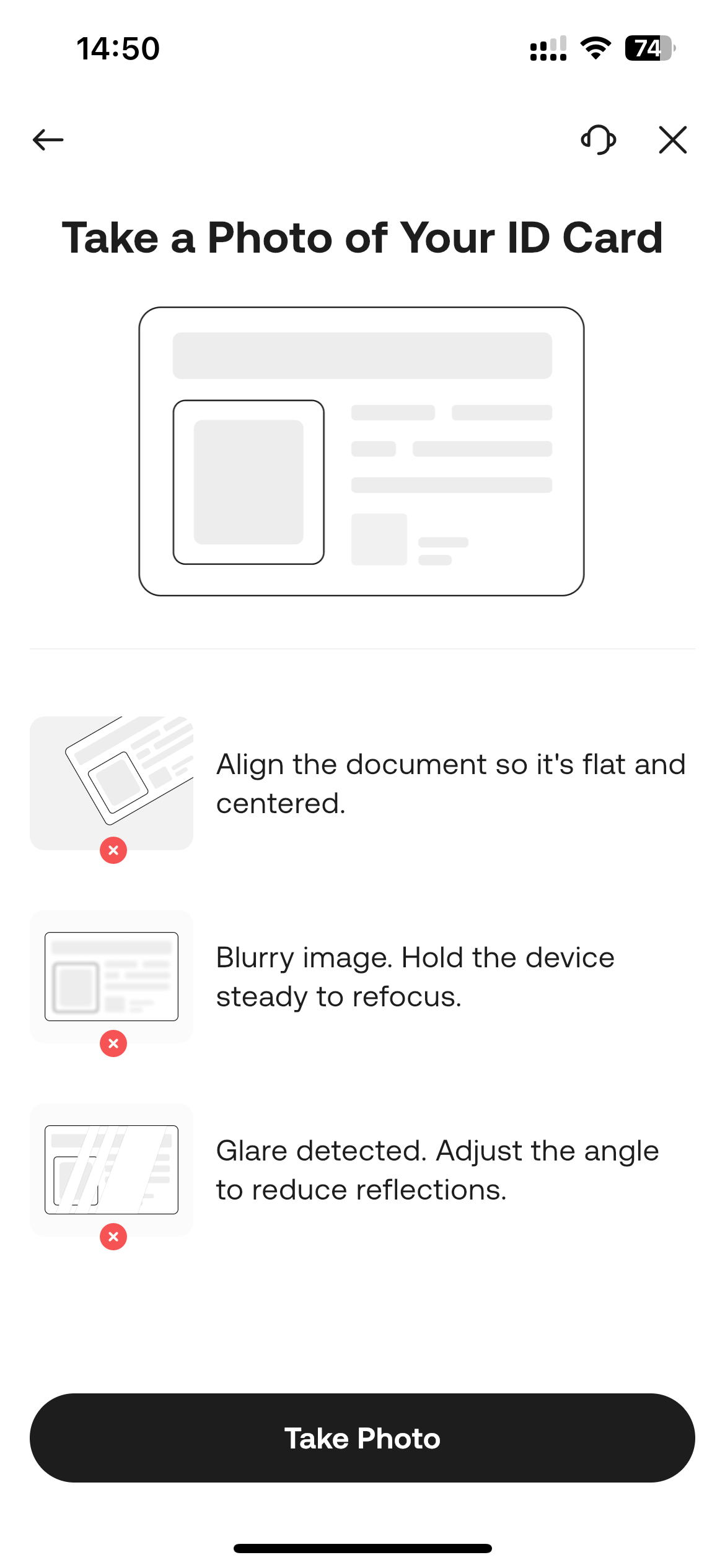
iii. Take a Photo of your ID card
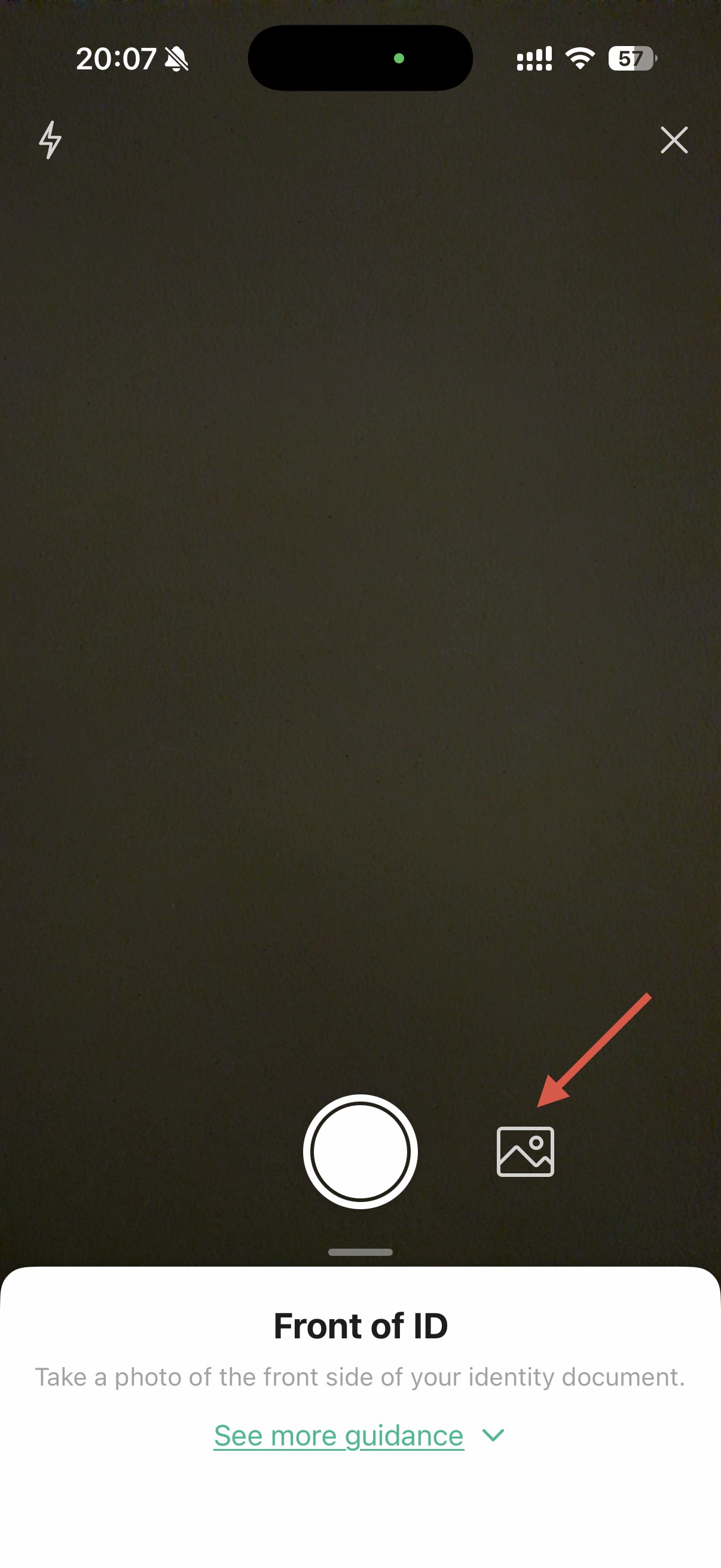
Please take photos of your identity document corresponding to the selected type of ID and ensure that camera permissions are enabled on your device beforehand. Alternatively, you may select an existing image from your photo gallery or upload the document in PDF format.
iv. Complete Face Verification
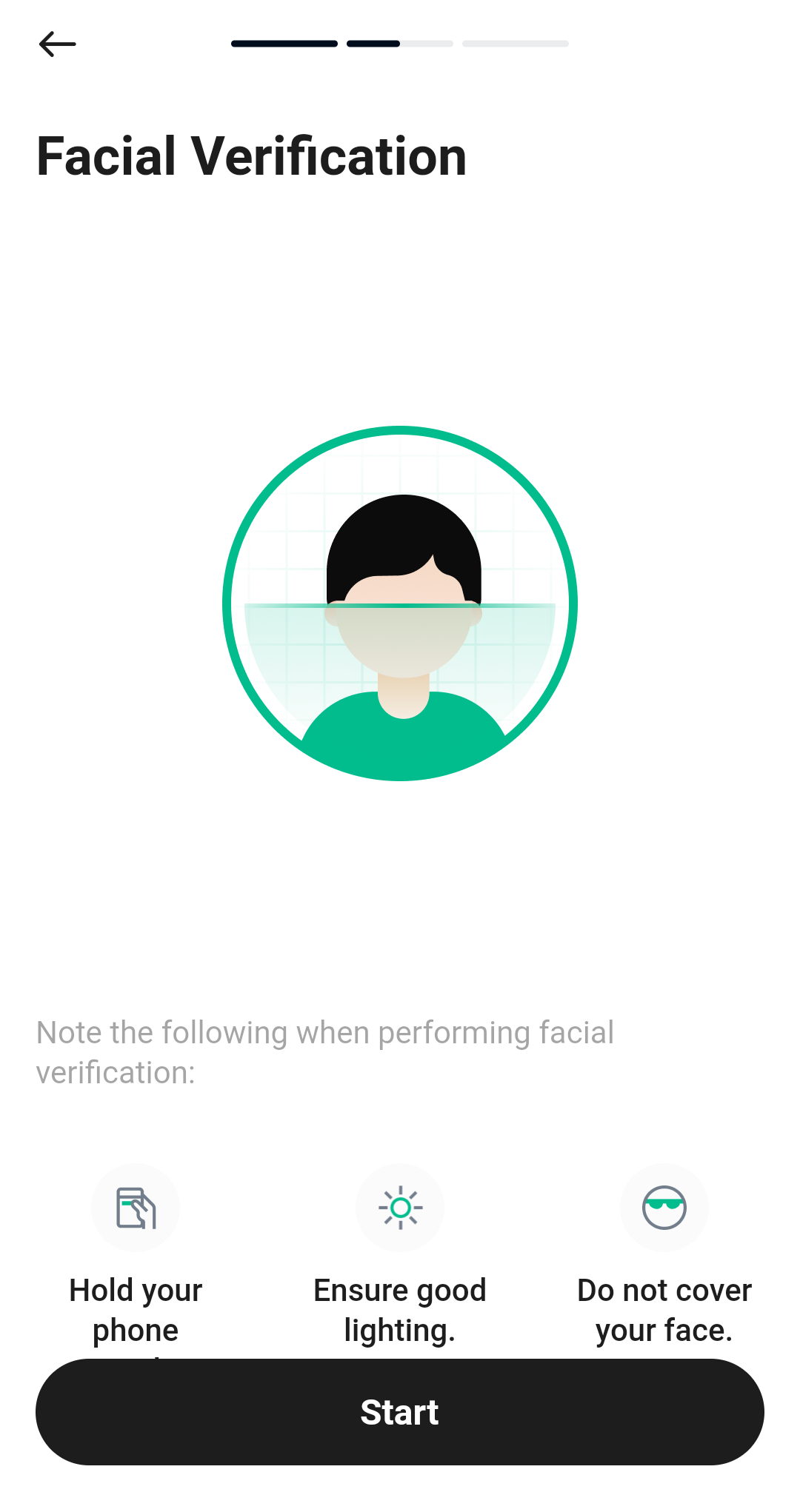
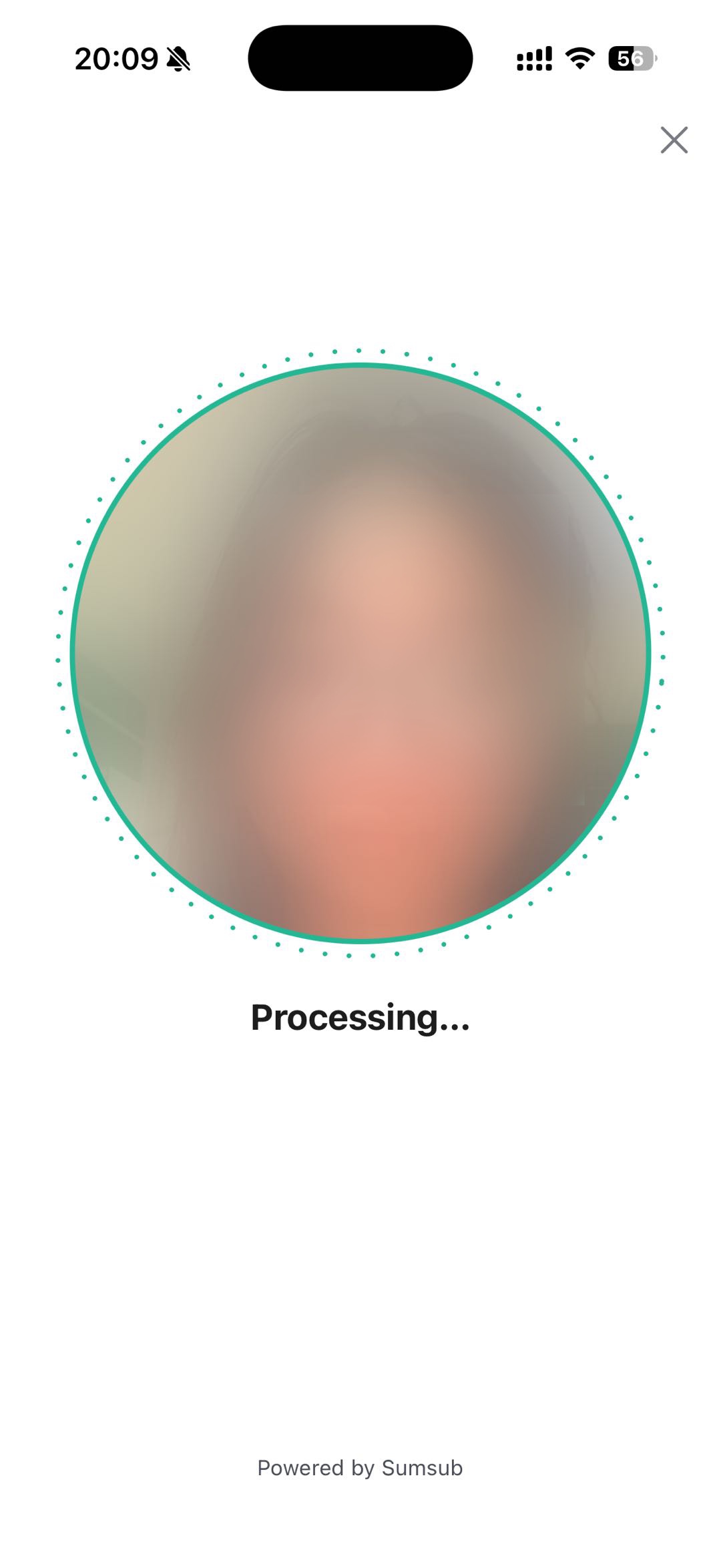
Position your face within the indicated frame and follow the on-screen prompts to complete facial verification.
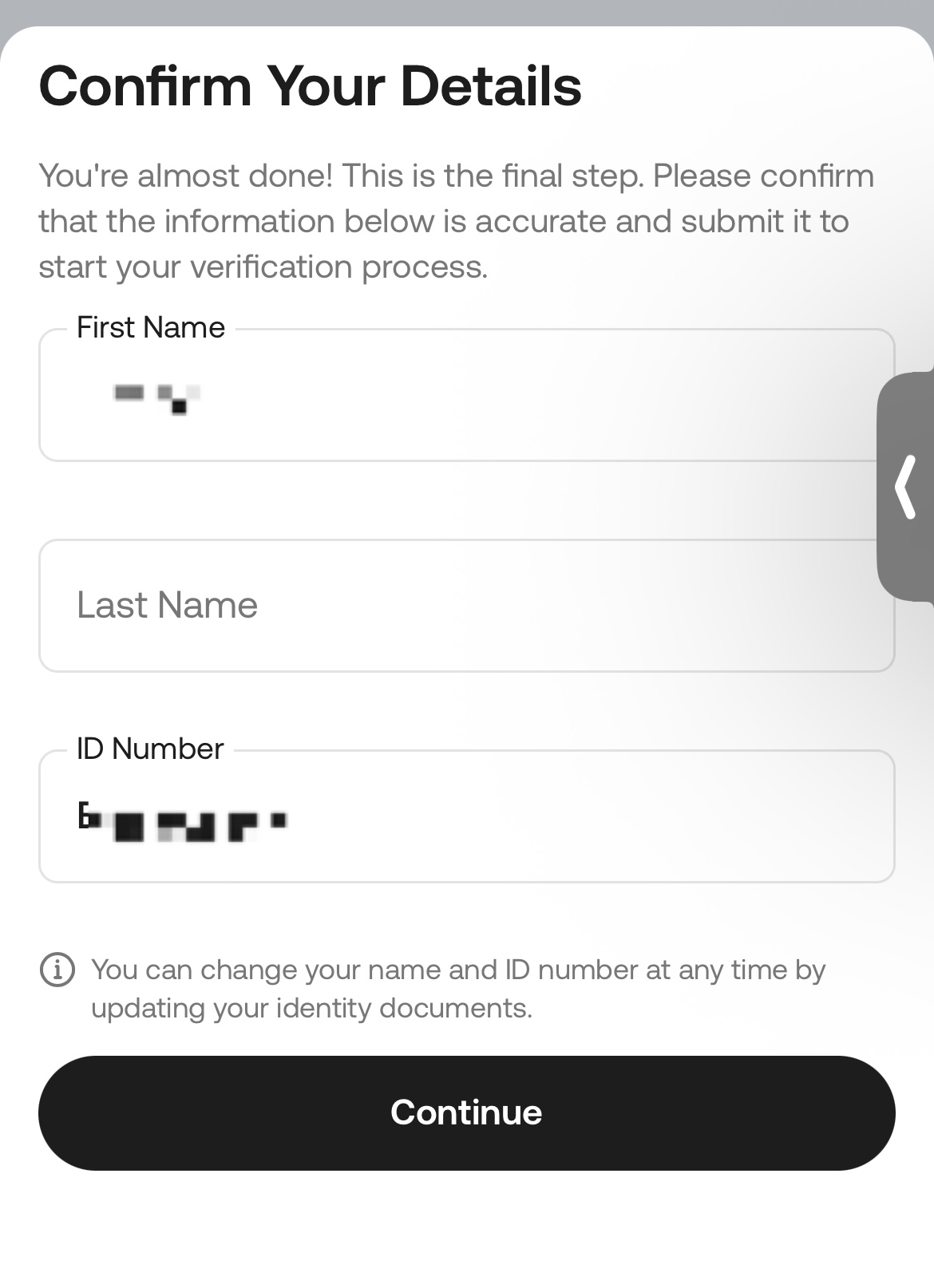
v. Confirm your Details
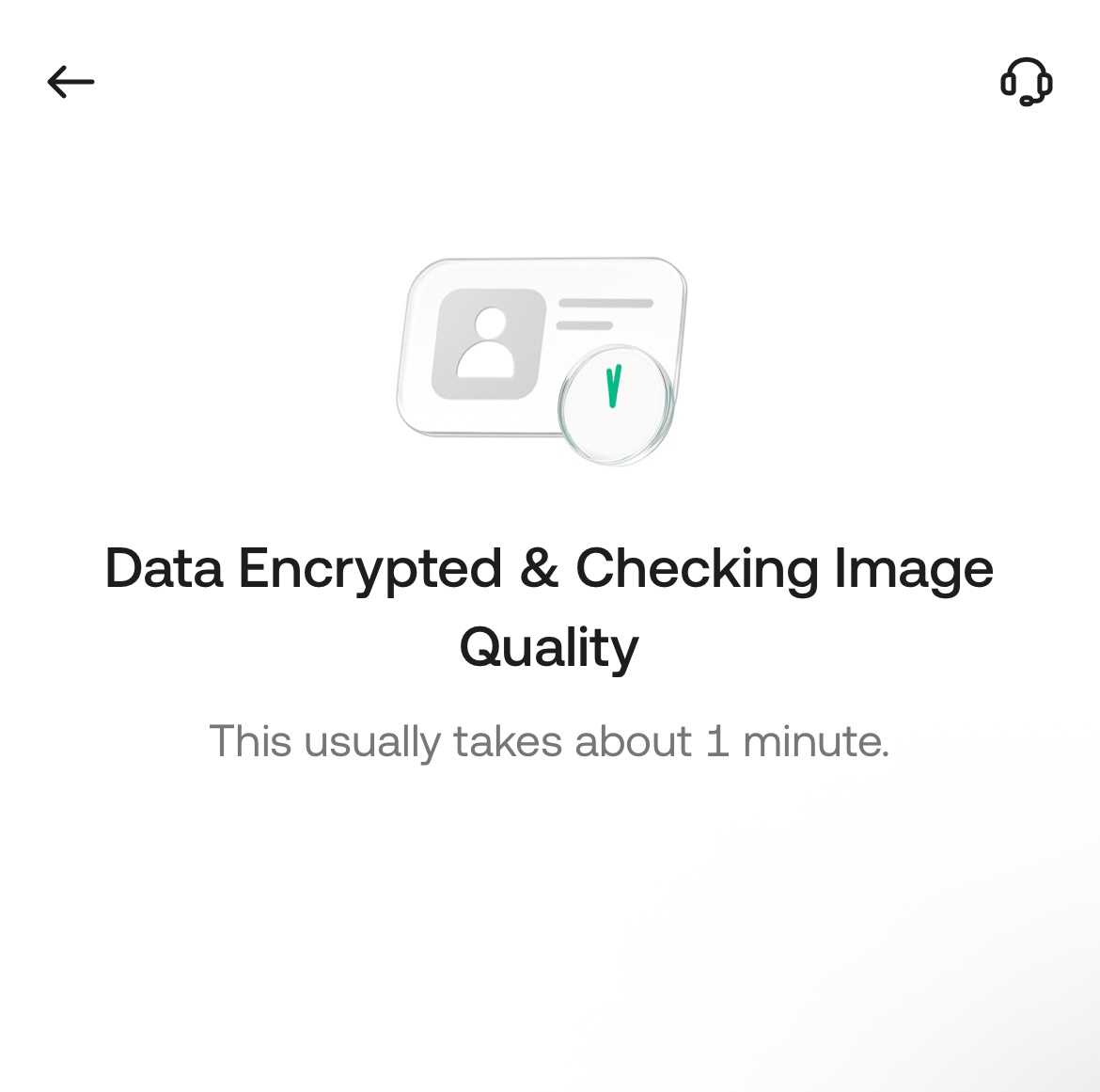
After completing the selfie, please wait approximately one minute. You will then be prompted to review and confirm your personal details, including your first name, last name, and ID number. This is the final step in completing the KYC verification process. Please ensure that all information is accurate before submitting your verification application for review.
vi. Review Result
Once your review is approved, the standard Identity Verification process will be considered complete. If the review is not successful, please review the stated reason for the failure and resubmit your application. Your review status and results can be viewed on the Identity Verification page.
2. Troubleshooting Unsuccessful Identity Verification (App)
Encountering issues during the KYC process can be frustrating. Follow these steps to resolve some of the common issues that may arise:
i. Check if Your App is Updated: Using the latest version helps to avoid common issues during verification.
ii. Check Your Device’s Connection: The quality of your network connection may sometimes affect the verification process, so try getting a stable network signal.
iii. Record the Issue: If the issue persists, take screenshots of the error message, or a screen recording of your verification attempt to help us diagnose the issue more effectively.
iv. Contact Support: Submit a ticket (From the app, tap your Profile → Settings → System) and send the relevant screenshots or recordings to our support team for further assistance. We’ll be ready to help.
2.1 List of Common Errors:
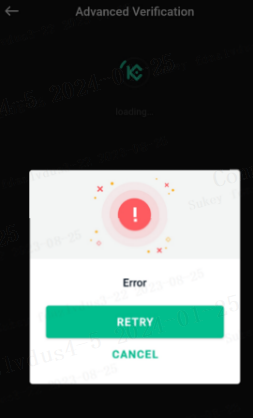
Face Scanning Error. If you receive an error message while the app scans your face, switch your network and try again.
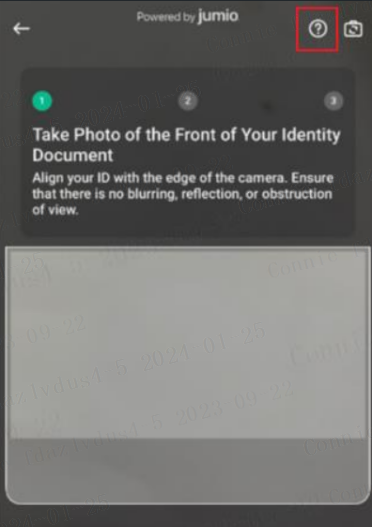
Auto-Capture Error. If the Powered by Jumio page does not respond to when you’re scanning your ID, check that the four edges of the document are properly aligned to the screen's rectangular frame. The bottom edges should be just above the darker area for auto-capture. If auto-capture doesn’t work, try manually taking a photo and uploading it by selecting the question-mark button in the upper right.
2.2 Tips for Uploading Photos
- Each document can only be used to sign up for and verify one KuCoin account.
- Supported image formats are JPG, PNG or PDF.
- Valid documents typically include your ID card, driver's license, passport and residence permit
- If difficulties persist, check for network issues, attempt the upload later or try updating your app.
2.3 Failed Verification Notification
If you receive a notification that your Identity Verification was unsuccessful:
- Log in to your account via the app.
- On the home page, tap “Verify Now” to view the reasons for the verification failure.
- Then tap “Get Verified” to address the issues by submitting the correct information. Your resubmission will be prioritized for review.
3. Benefits of Completing Identity Verification
Once verified, you’ll be able to enjoy more functions and higher daily withdrawal limits on the KuCoin platform.
| Action | Unverified Accounts | Verified Accounts | |
| Basic Account Functions | Link/change security settings | Yes | Yes |
| Freeze account | Yes | Yes | |
| Delete account | Yes | Yes | |
| Create sub-account | Yes | Yes | |
| Sub-account trading | No | Yes | |
| Create APIs | No | Yes | |
| Delete/edit APIs | Yes | Yes | |
| Export order history | Yes | Yes | |
| Deposit fiat | No | Yes | |
| Deposit | Buy crypto via Visa, Mastercard, fiat balance | No | Yes |
| Buy crypto via P2P | No | Yes | |
| Buy crypto via third-party | No | Yes | |
| Deposit crypto | No | Yes | |
| Claim Red Packets | Yes | Yes | |
| Withdraw fiat | No | Yes | |
| Withdrawal | Sell crypto via Visa, Mastercard, fiat balance | No | Yes |
| Sell crypto via P2P | No | Yes | |
| Withdraw Crypto | See 24h withdrawal limits | See 24h withdrawal limits | |
| Send Red Packets | See Red Packet distribution limits | See Red Packet distribution limits | |
Trading |
Spot trading | Can place sell orders, cannot place new buy orders | Yes |
| Margin trading |
1. Can place sell orders, cannot create new positions with buy orders 2. However, borrowed cryptocurrencies may still be purchased (for debt repayment). All other non-debt assets are unable to be purchased 3. Borrowing disabled; repayments allowed |
Yes | |
| Trading bots |
1. New bots cannot be created or used 2. Running bots are unaffected |
Yes | |
| KuCoin Convert | No | Yes | |
| Pre-Market Trading | No | Yes | |
| Futures trading |
1. Cannot open or add to new positions 2. Can reduce or close existing positions |
Yes, max leverage of 125x | |
| KuCoin Earn |
1. Cannot place subscribe, buy, lend, or auto-invest orders 2. Can place redemption or sell orders |
Yes | |
For your privacy and security, we’re constantly making improvements to the Identity Verification process. We strongly recommend getting verified as soon as possible to continue using account functions normally.
3.1 What limitations will my account face if I choose not to complete Identity Verification?
All new users are required to complete Identity Verification before they can access KuCoin’s products and services.
Users who registered before August 31, 2023 (UTC) and have not completed standard Identity Verification will be subject to certain account restrictions. Specifically, they will only be able to:
- Sell cryptocurrency
- Close futures contracts
- Close margin positions
- Redeem assets from KuCoin Earn
You will not be able to initiate new deposits or execute new trades until Identity Verification has been successfully completed. Withdrawal services will remain unaffected.
3.2 After completing Identity Verification, what benefits do I enjoy?
Once your identity verification is complete, you will have full access to the KuCoin products and services that are exclusive to you. This includes higher daily withdrawal limits, eligibility to participate in available events, and other related benefits.
Being verified also prevents others from fraudulently using your identity for deceitful or illegal activities. In case you forget your platform credentials, or if your account is compromised by a data breach on your end, the information you provide helps in recovering your account swiftly.
Most importantly, only accounts that have been verified may use KuCoin’s fiat-to-crypto services.
We hope you found this guide helpful! If you have any further questions, our support team is available 24/7 via online chat or by submitting a ticket.
Thank you for using KuCoin!