
How to Complete a P2P Express Order on KuCoin
[How to buy crypto through P2P Express Via Web]
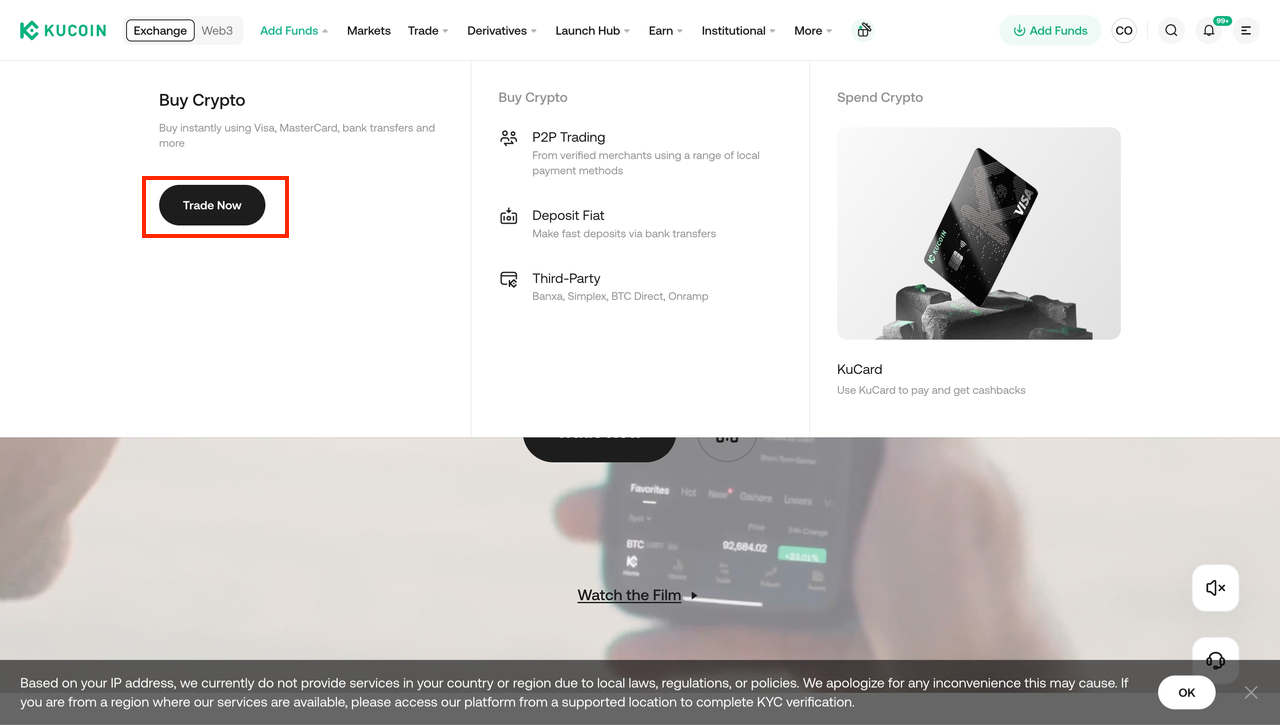
1. Go to the official KuCoin website and log in to your KYC-verified account. At the top menu bar, select “Add Funds”, then choose “Buy Crypto - Trade Now”
2. Go to Fast Trade, first select the cryptocurrency you want to buy and the fiat currency you will pay with, then choose P2P Express as your payment method (the option marked with the “P2P” tag).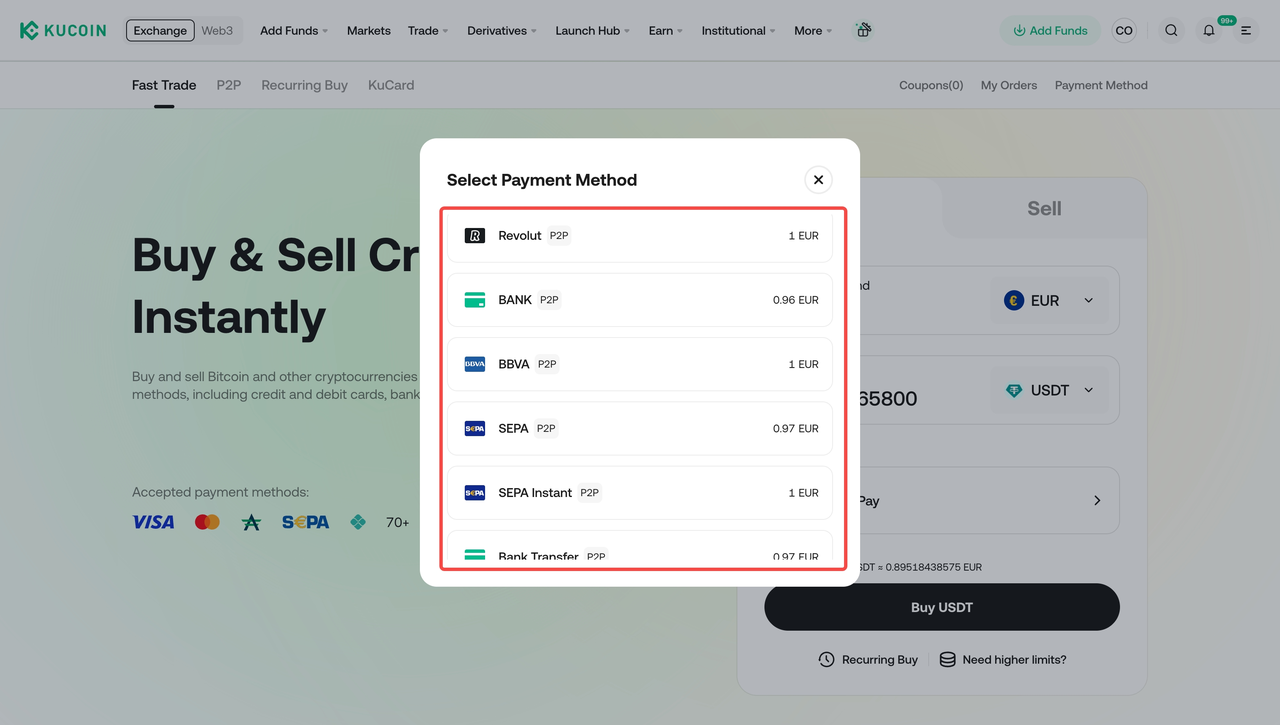
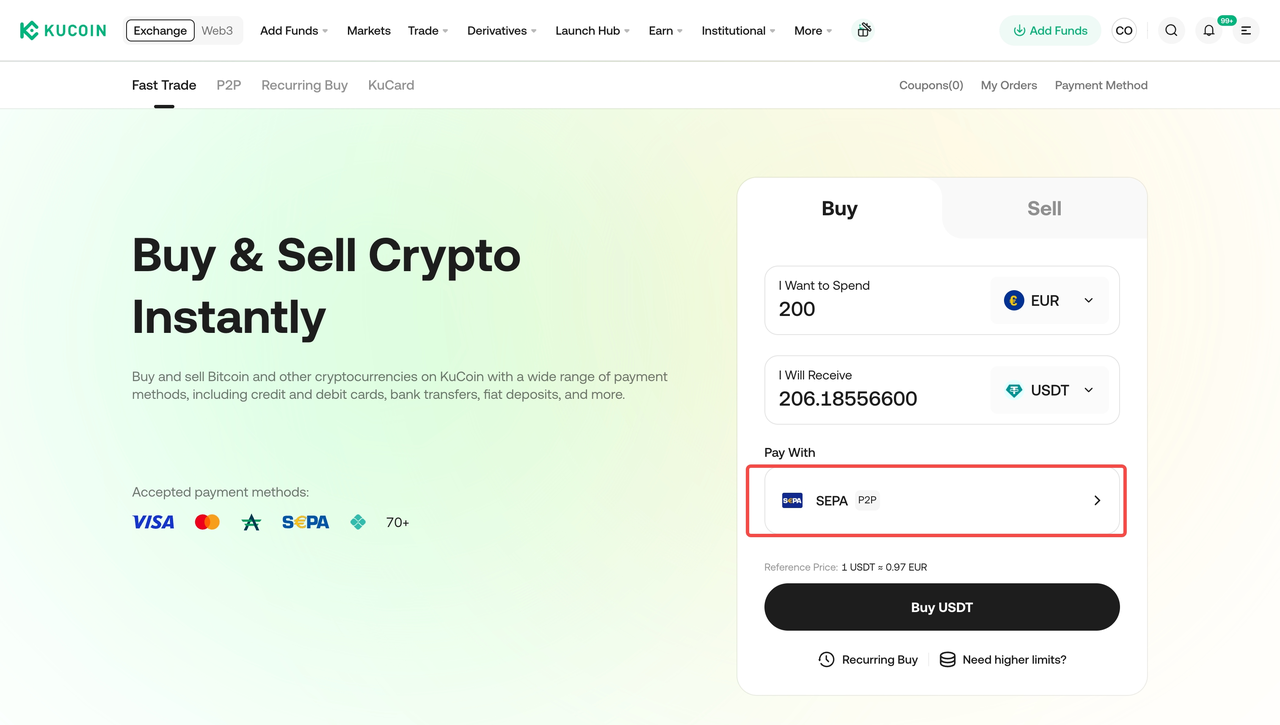
3. Place your order then click the “Continue” button to proceed.
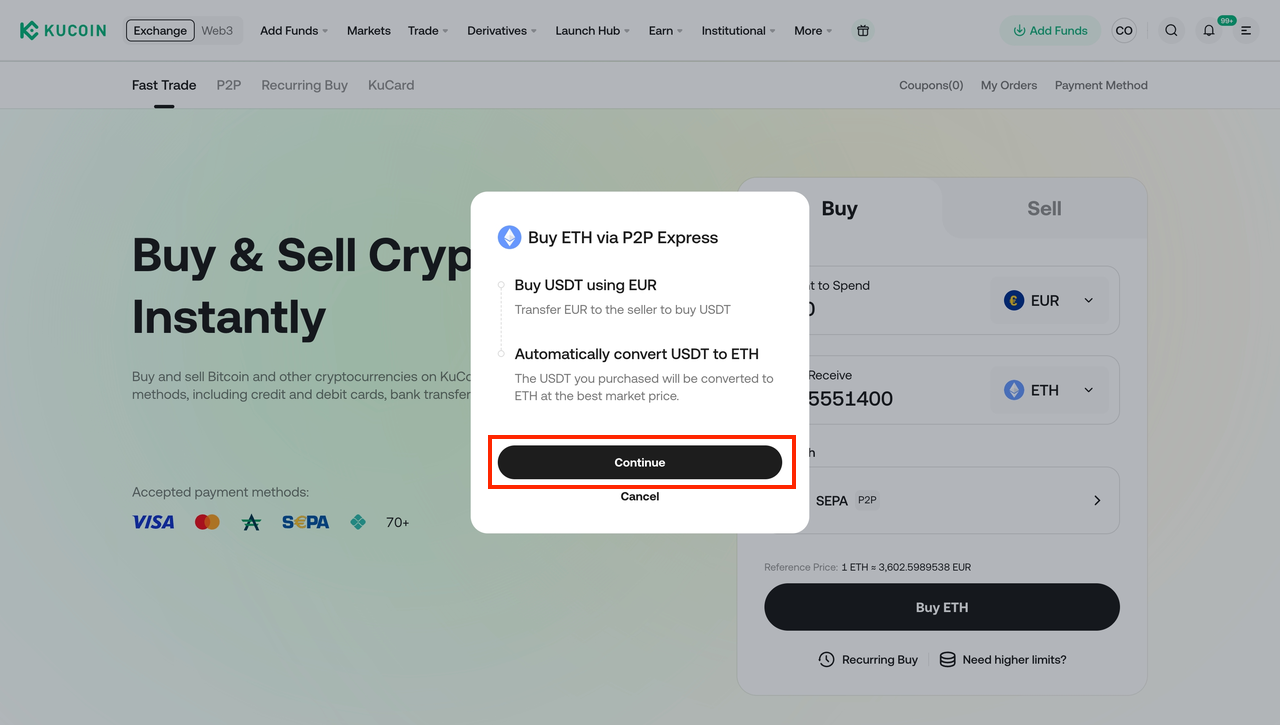
4. Place your order, review the order details carefully, and then click the “Confirm” button to proceed.
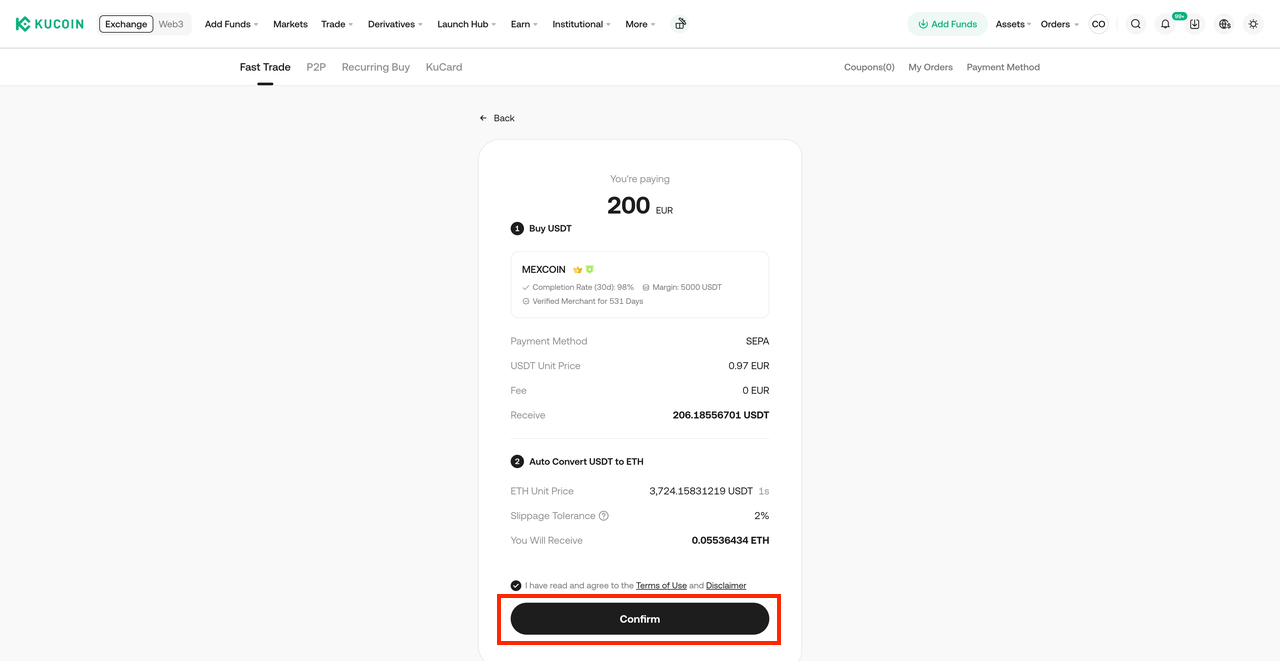
5. Your order will then be created and automatically matched with a P2P merchant. Please click the “Pay” button within the specified time and make the transfer according to the payment details provided in the order.
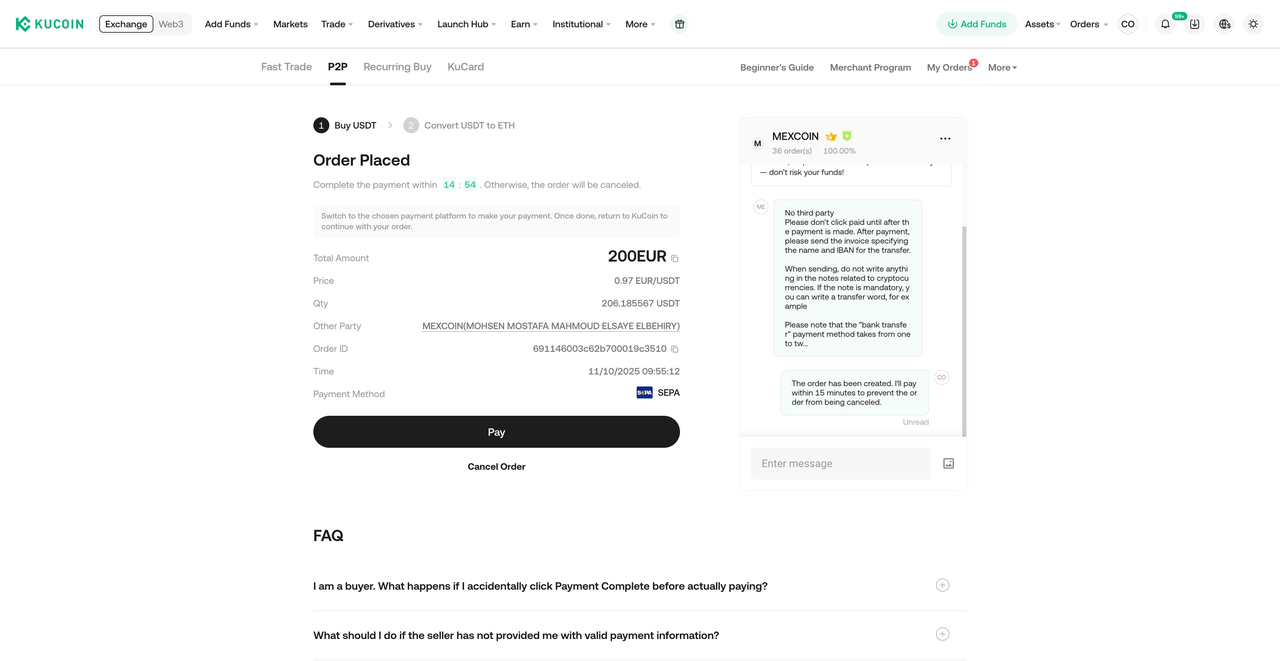
6. Once you’ve completed all the above steps, please wait for the coins to be credited to your account.
[How to buy crypto through P2P Express Via App]
There are two ways to buy crypto via P2P Express in your App.You can either follow the same instructions as described above for the Web version, or follow the steps below to complete your purchase:
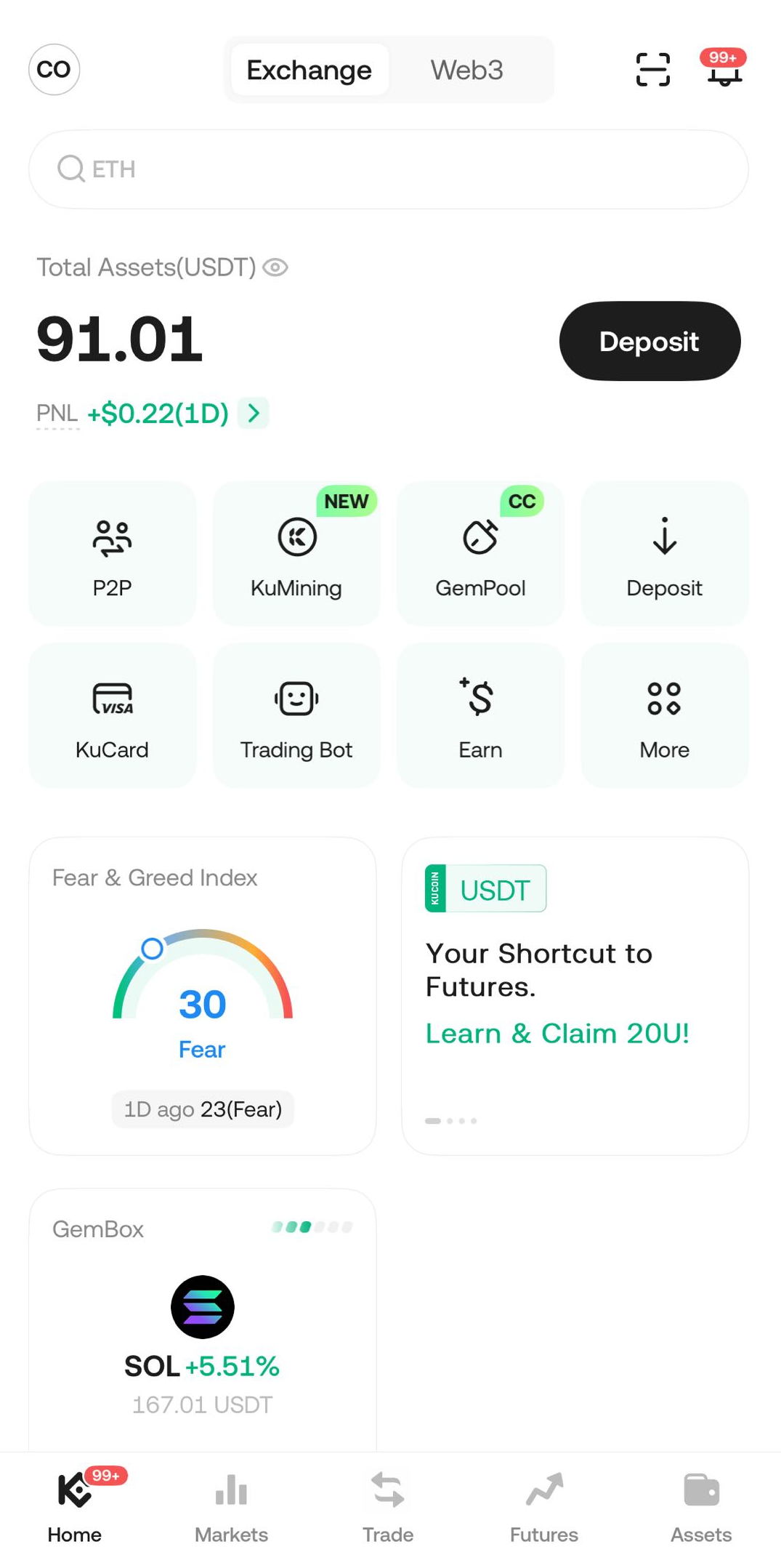
1. Log in to your KuCoin App with a verified account (KYC completed). Tap “P2P” on the homepage to enter the P2P trading section.
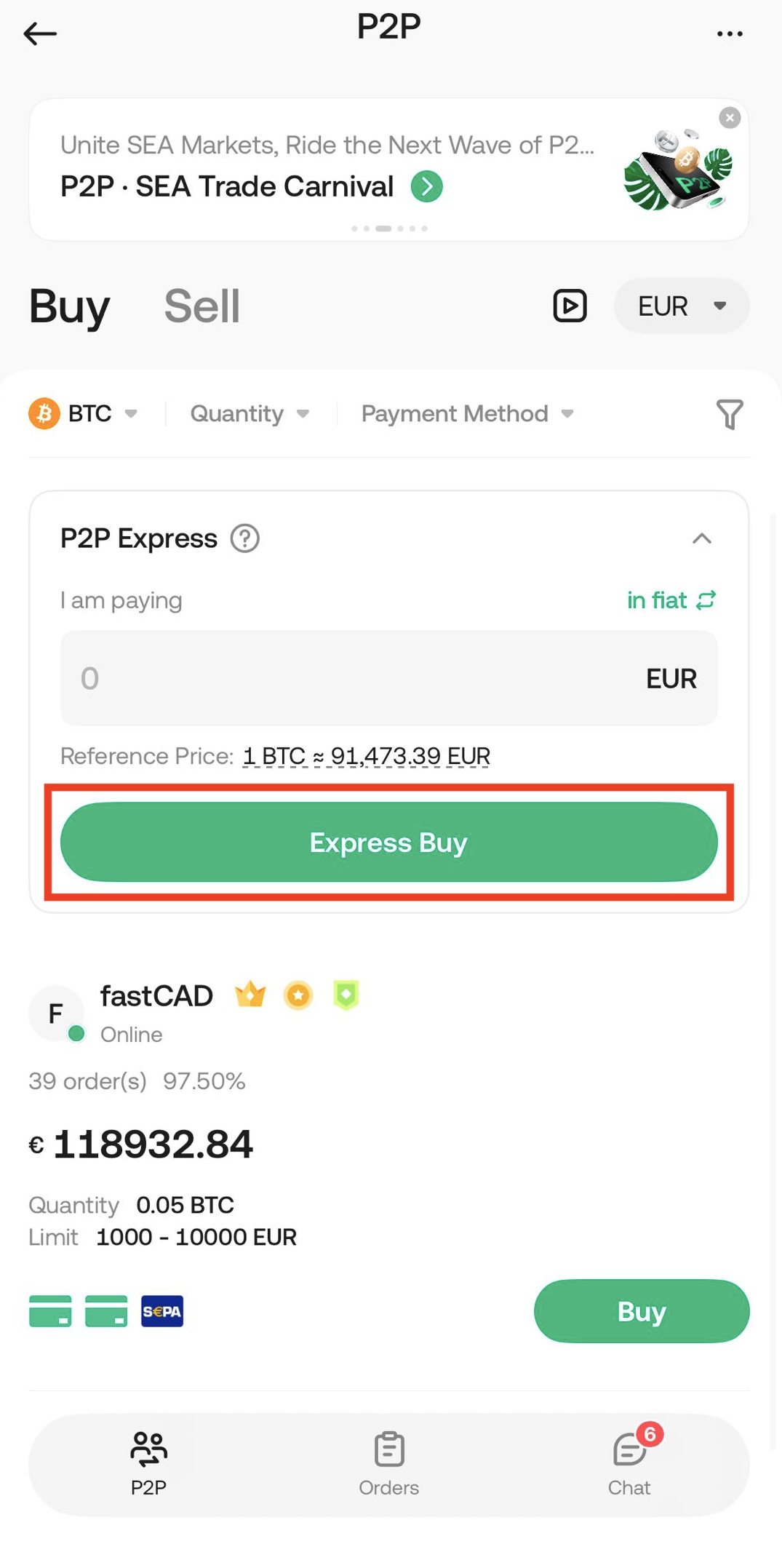
2. First select the cryptocurrency you want to buy and the fiat currency you will pay with, then click "Express Buy" button.
3. Select your preferred payment method, then tap “Preview Orders” to proceed.
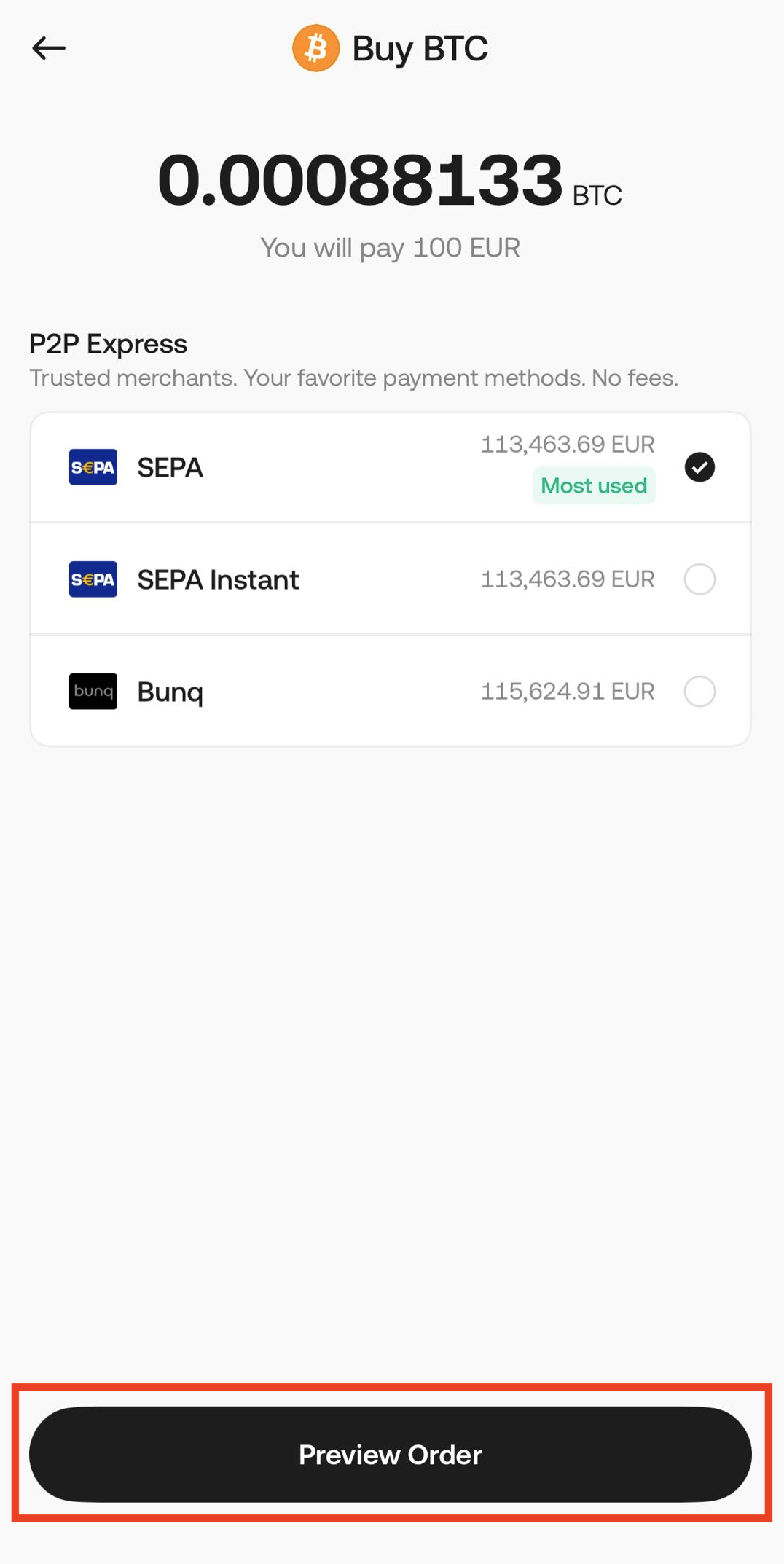
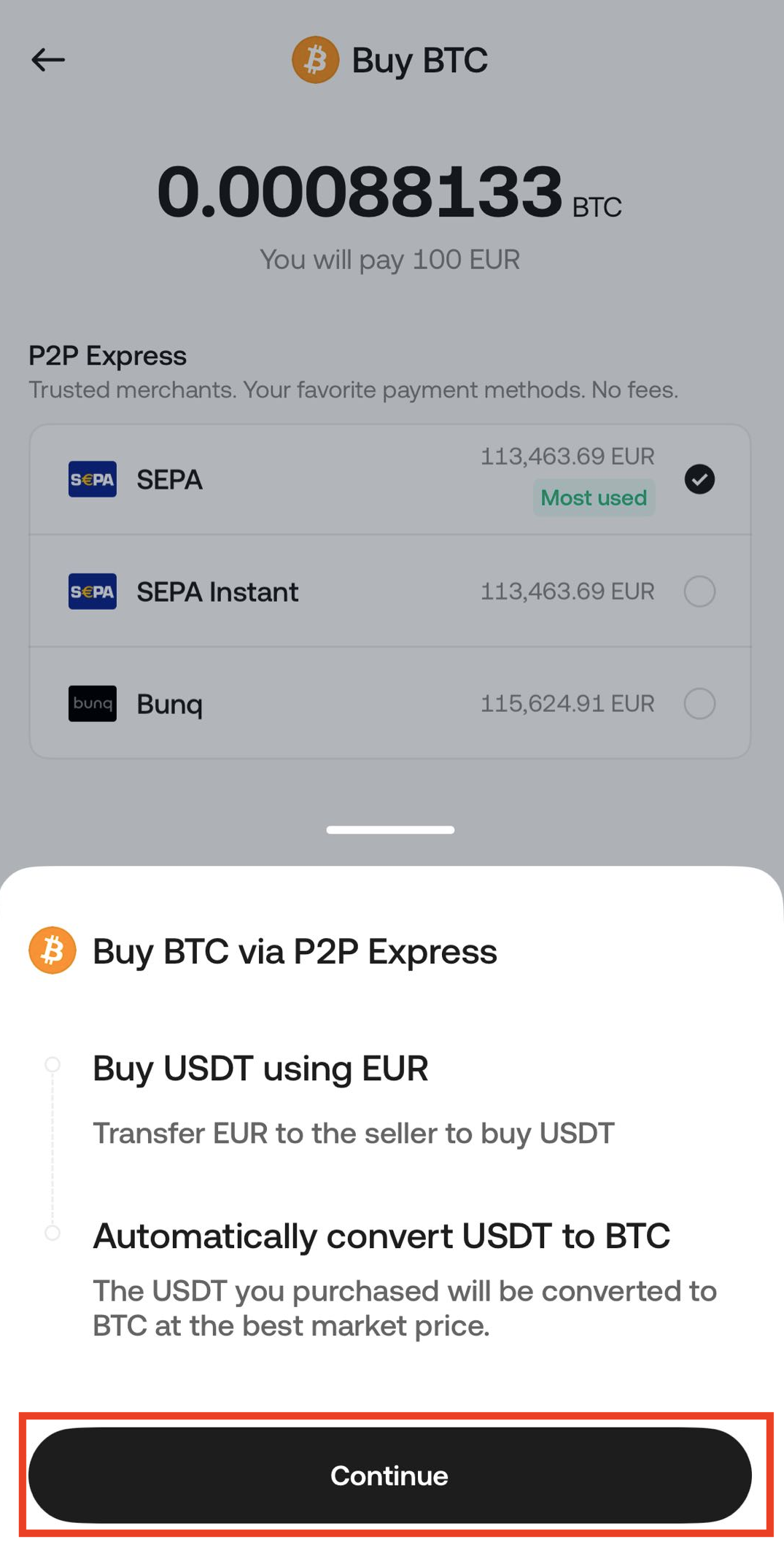
4. Review the details carefully, then tap the “Continue” button to confirm and proceed.
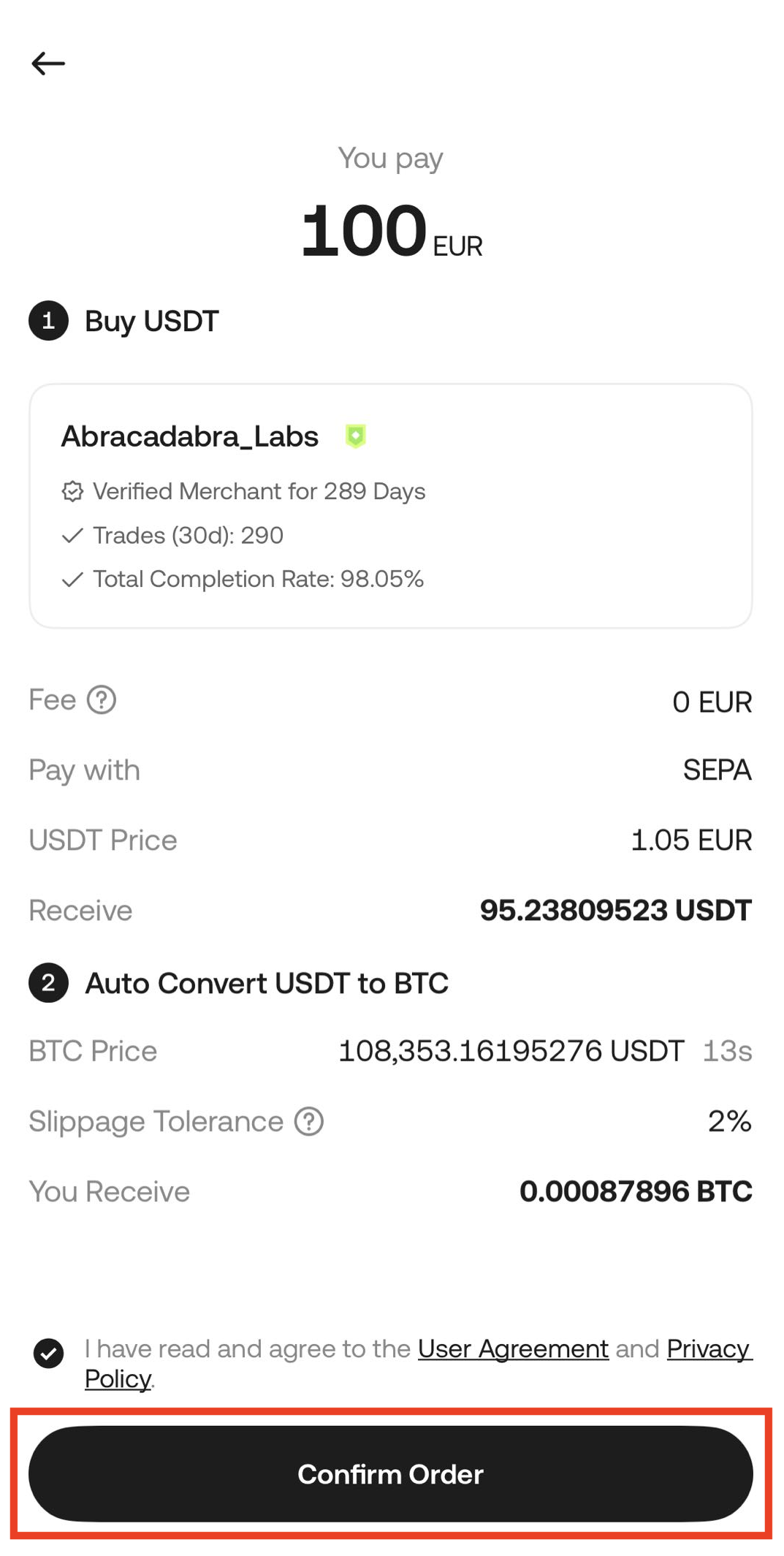
5. Review the order details, check the boxes to agree to the User Agreement and Privacy Policy, then tap the “Confirm Order” button to proceed.
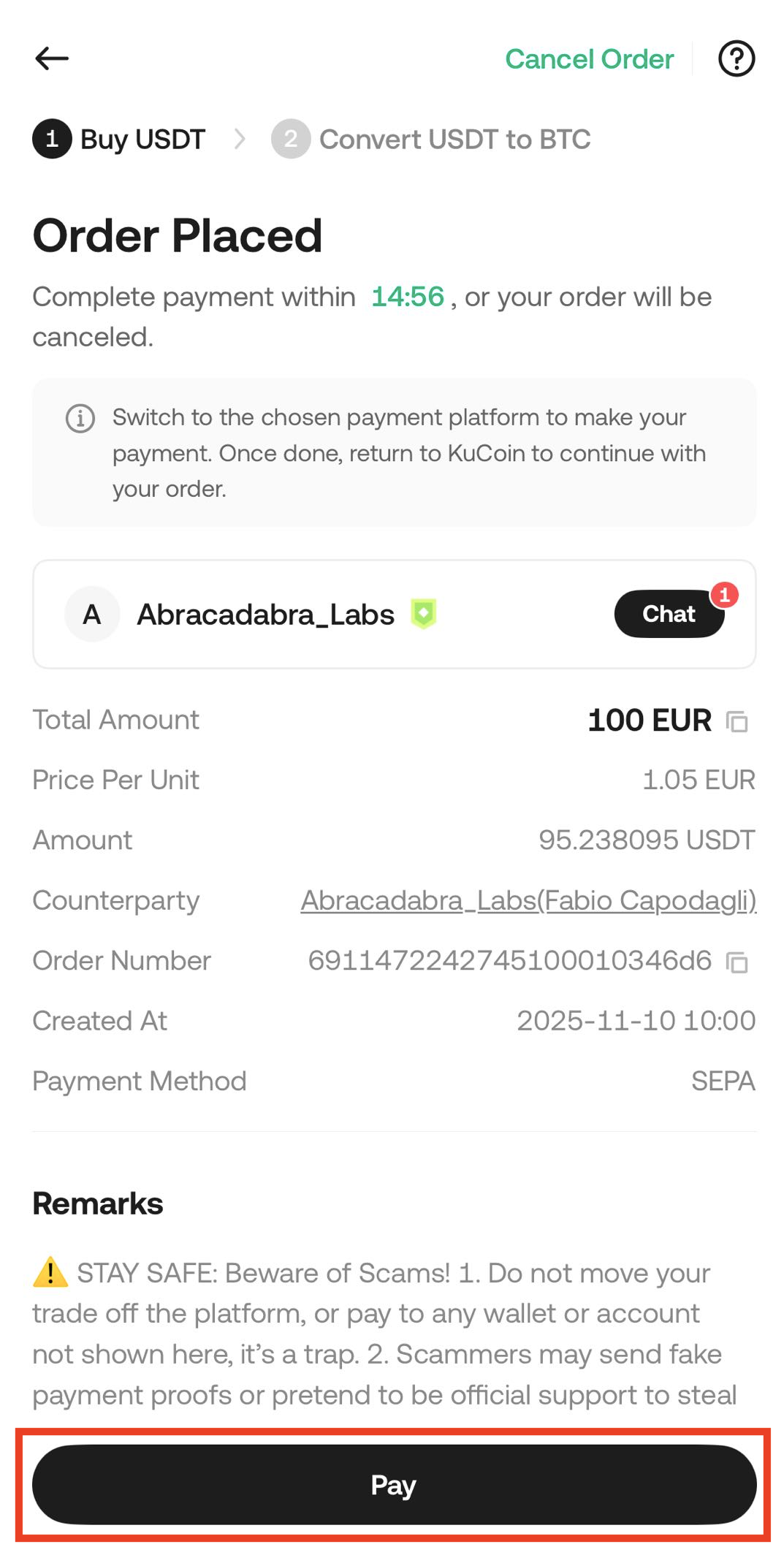
6. Your order will then be created and automatically matched with a P2P merchant. Please click the “Pay” button within the specified time and make the transfer according to the payment details provided in the order.
7. Once you’ve completed all the above steps, please wait for the funds to be credited to your account.
【Frequently Asked Questions】
1. What is the difference between P2P Express and P2P?
P2P Express is a service used when users use Quick Buy to buy cryptocurrencies for certain trading pairs. The P2P Express service includes the P2P part. It first matches the best P2P advertisement for users to buy USDT, and after the merchant pays USDT, it automatically converts it into the selected cryptocurrency. This method allows users to buy various cryptocurrencies with fiat currency easily.
2. Does P2P Express charge extra fees?
No extra fees will be charged to users. The purpose of Express is to make it more convenient and faster for users to buy cryptocurrencies.
3. Why didn't I receive the cryptocurrency I wanted, but only received USDT?
Because the timing of the merchant’s USDT release is uncertain, the cryptocurrency price may fluctuate significantly. If the price at the time of release is much higher than when the user confirmed the order, which would result in receiving fewer tokens, the system will ask the user to manually confirm whether to proceed with the conversion. If the user declines, they will only receive the USDT paid by the merchant. The user can still convert it to the desired cryptocurrency later through the Convert feature on KuCoin at any time.