
How to Calculate Profit and Loss in Prediction Markets: Examples Explained
Beginner
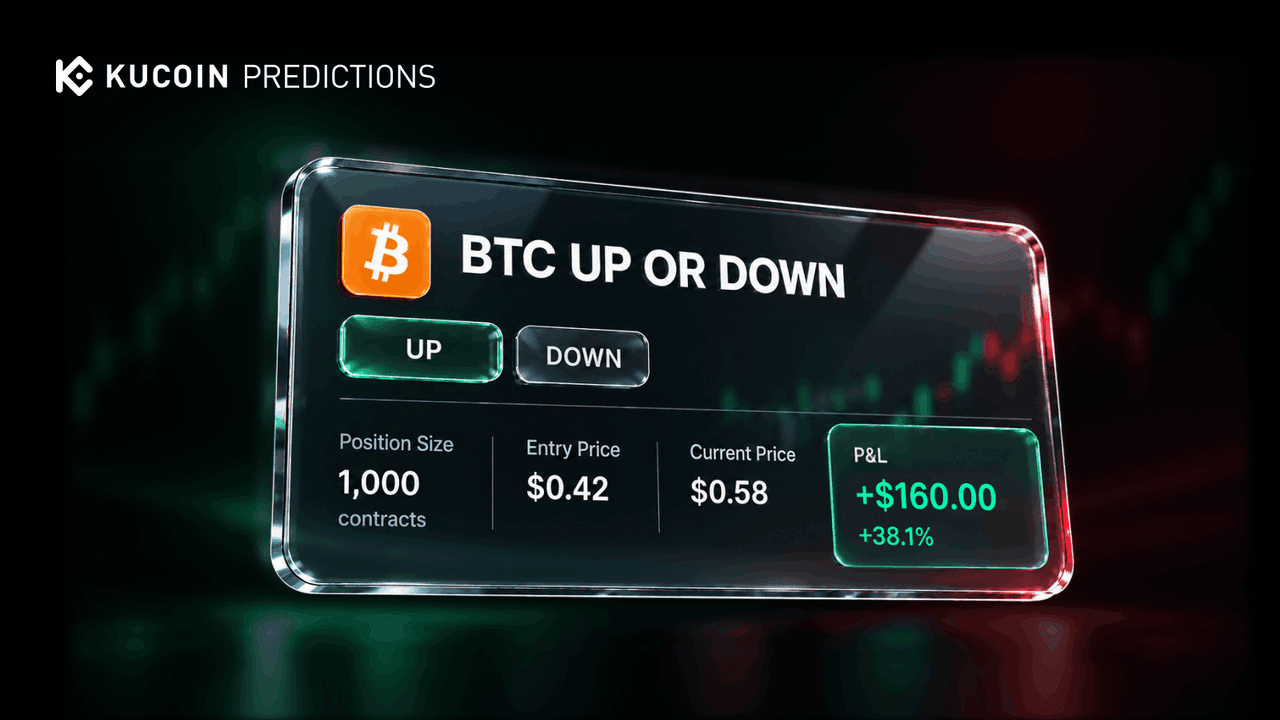
Understanding prediction market profit comes down to four numbers: how much you paid, how many shares you hold, what you receive when you exit, and what fees apply along the way. This guide walks through two worked examples — selling a position early versus holding it to settlement — and explains the difference between cost, shares, settlement amount, and net P&L, including how fees affect your final result. It's written for KuCoin Predictions users who want to do the math before they trade.
The Four Numbers Behind Every Position
Before the examples, get these concepts straight:
-
Cost: the total you paid to open the position — number of shares × execution price, plus any applicable fees;
-
Shares: the units you hold of a specific outcome (e.g., 100 Yes shares);
-
Proceeds / settlement amount: what you receive when you exit — either the sale proceeds from an early exit, or the settlement value after the market resolves;
-
Net P&L: proceeds minus cost, after fees.
In a normally resolved binary market, winning shares settle at $1 each and losing shares at $0 — which is why the maximum you can lose on a position is your cost, and the maximum gain per share is $1 minus your entry price.
Example 1: Selling Early (Exit Before Settlement)
You don't have to wait for an event to conclude. While the corresponding Polymarket market remains open and has sufficient liquidity, you can sell your position:
Scenario:
-
You buy 100 Yes shares at $0.40 → cost = $40 (ignoring fees for now);
-
News breaks, and the Yes price rises to $0.60;
-
You submit a sell order and it fills at an average of $0.60 → proceeds = $60;
-
Net P&L = $60 − 40=+40 = +20 (a 50% return on cost), before any applicable fees.
A few important mechanics behind this example:
-
Predictions currently supports market orders only, and submitted orders cannot be canceled. A sell instruction is a new market order to the corresponding Polymarket market — it does not cancel your original buy order.
-
The final execution price and proceeds depend on the prices and liquidity available when the order is filled. Applicable price protection applies, so a sell order may be fully filled, partially filled, or unfilled. Any unsold shares remain in your position.
-
KuCoin does not independently determine the execution price or guarantee that a position can be sold.
How to exit a position on KuCoin Predictions:
-
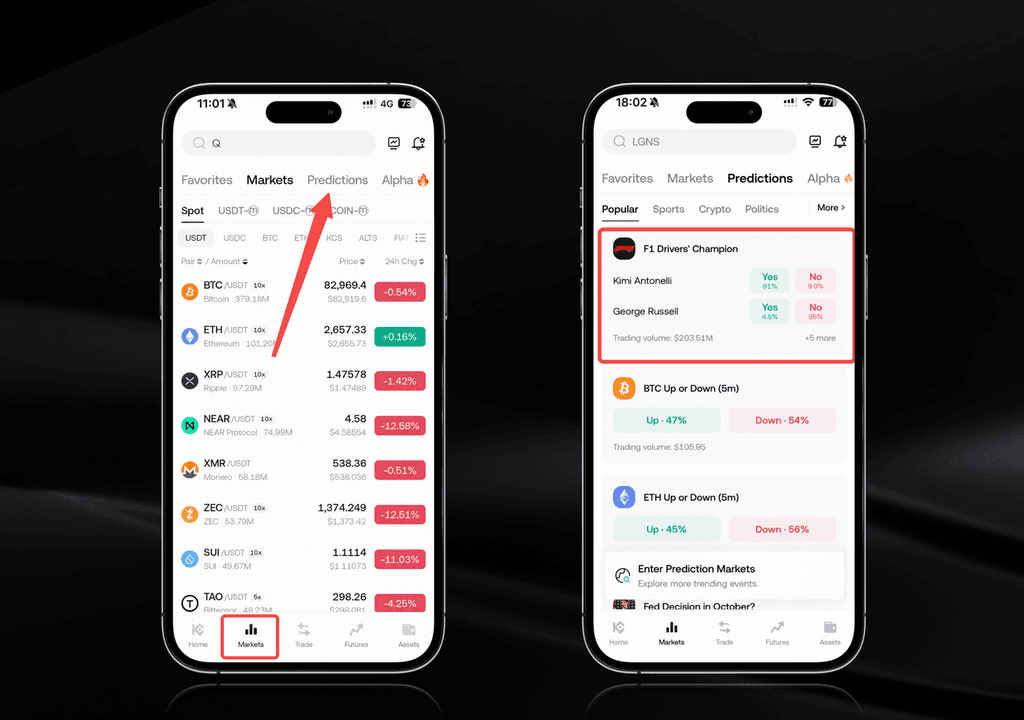
Open the KuCoin App and go to Markets > Predictions;
-
Open Predictions > Assets (or your KuCoin account's Portfolio) and select the position you want to exit;
-
Review the number of shares, estimated execution price, and estimated proceeds;
-
Tap Confirm to submit the sell order;
-
Go to Assets > History to check the result.
Example 2: Holding to Settlement
Now suppose you hold those 100 Yes shares (cost $40) until the market resolves:
If Yes wins:
-
Settlement amount = 100 shares × $1.00 = $100;
-
Net P&L = $100 − 40=+40 = +60 (before any applicable fees).
If No wins:
-
Your Yes shares settle at $0 → settlement amount = $0;
-
Net P&L = $0 − 40=−40 = −40 (you lose your full cost).
This asymmetry is the core math of prediction markets: your downside is capped at your cost, and your upside per share is $1 minus your entry price. Buying at $0.40 risks $0.40 per share to make $0.60; buying at $0.90 risks $0.90 to make $0.10.
One critical rule: the result is determined under the market's published resolution rules — not by whichever outcome had the highest price before trading closed. Polymarket determines the market result under those rules; KuCoin does not independently determine the outcome.
How Fees Affect Your Net P&L
The examples above ignore fees for clarity. In practice, applicable fees reduce your net result:
-
Fees may apply when you buy and/or sell, per the rates shown on the product page;
-
With fees included: net P&L = proceeds − cost − total applicable fees;
-
On tight trades — say, buying at $0.95 hoping to collect $1.00 — fees can meaningfully shrink, or even erase, a small expected margin.
Always check the estimated execution details and any applicable fees shown before you confirm an order, and review the completed order record for the final execution price, filled amount, and shares received.
When Does the Money Arrive? Resolution and Settlement
Resolution determines which outcome satisfies the market's published rules; settlement then applies that result to eligible positions and records any applicable proceeds. A few things to know:
-
Once the result is finalized, settlement proceeds are credited automatically to your Funding Account — even if you originally selected your Financial Account or Trading Account as the source account. No manual on-chain redemption is required.
-
A market may stop accepting orders before it is resolved, and the underlying event ending does not mean settlement is complete. Time may be required for Polymarket's result confirmation and any applicable challenge or dispute process.
-
To review the result, position, settlement status, and amount, go to Predictions > Assets.
If Settlement Stays Pending
A pending status does not by itself mean funds have been lost. If settlement hasn't completed:
-
Review the market's latest status and resolution rules;
-
Confirm the event has reached the condition specified in those rules;
-
Check the position and settlement record under Predictions > Assets;
-
Contact KuCoin Support if the status or record doesn't match — provide your UID, market name, relevant order ID, time and time zone, App version, and a screenshot with sensitive information removed.
If You Can't Sell Your Position
An early exit is not guaranteed. You may be unable to sell if:
-
The market is no longer open for trading;
-
The market has entered the resolution or settlement process;
-
Liquidity in the corresponding Polymarket market is insufficient within the applicable price-protection limits;
-
Your position or a previous order is still being processed;
-
Predictions is temporarily unavailable or under maintenance.
Before You Trade: What Determines the Result
Because settlement — not price movement — decides your final P&L when holding to resolution, review these before placing an order:
-
✅ The complete market question;
-
✅ The exact outcome definitions;
-
✅ The event period or trading deadline;
-
✅ The resolution criteria;
-
✅ The specified result source; and
-
✅ Any special conditions in the market rules.
Do not rely on a shortened market title, an unofficial report, a live score, a social media post, or an earlier market price as the final result.
Ready to put the math to work?
Open the KuCoin App, go to Markets > Predictions, review a market's full rules, and always check your completed order records before counting a profit.
Conclusion
Calculating prediction market P&L is straightforward once you separate the four numbers: cost, shares, proceeds, and net P&L after fees. Sell early and your result is the price difference; hold to settlement and it's $1 or $0 per share. Either way, remember that orders execute at available market prices, exits aren't guaranteed, and settlement follows the market's published rules — not the pre-close price.
FAQs
How is prediction market profit calculated?
Net P&L equals your proceeds minus your cost, minus any applicable fees. If you sell early, proceeds are shares × sell execution price. If you hold to settlement, winning shares settle at $1 each and losing shares at $0, so proceeds are shares × $1 if your outcome wins.
Can I sell my prediction market position early?
Yes, while the corresponding Polymarket market remains open and has sufficient liquidity. Selling is a new market order subject to price-protection limits, so it may be fully filled, partially filled, or unfilled. An early exit is not guaranteed.
What is the maximum I can lose in a prediction market?
Your maximum loss on a position is your total cost — shares purchased × entry price, plus any applicable fees. If your outcome loses at resolution, the shares settle at $0 and you lose the amount you paid.
Where do settlement proceeds go?
Once the corresponding Polymarket market's result is finalized, settlement proceeds are credited automatically to your KuCoin Funding Account — regardless of which account you used as the source. No manual on-chain redemption is required. Check Predictions > Assets for the record.
Why is my settlement still pending?
Settlement may remain pending while the result is being confirmed, reviewed, or disputed, or while required processing is completed. A pending status does not mean funds are lost. Check the market status and your record under Predictions > Assets, and contact KuCoin Support if something doesn't match.
Do fees apply to prediction market trades?
Applicable fees and trading limits are shown on the relevant product page and may differ by market. Fees reduce your net P&L on both buys and sells, so review the estimated execution details before confirming any order.
Disclaimer: The information on this page may come from third parties and does not necessarily reflect KuCoin’s views. It is provided for general reference only and should not be interpreted as financial or investment advice.
Virtual asset investments may involve risk. Please carefully assess the product risks and your own risk tolerance. For more information, please refer to our Terms of Use and Risk Disclosure.