
Your Inbox Is Becoming a Breach Point for Your Web3 Assets
Beginner
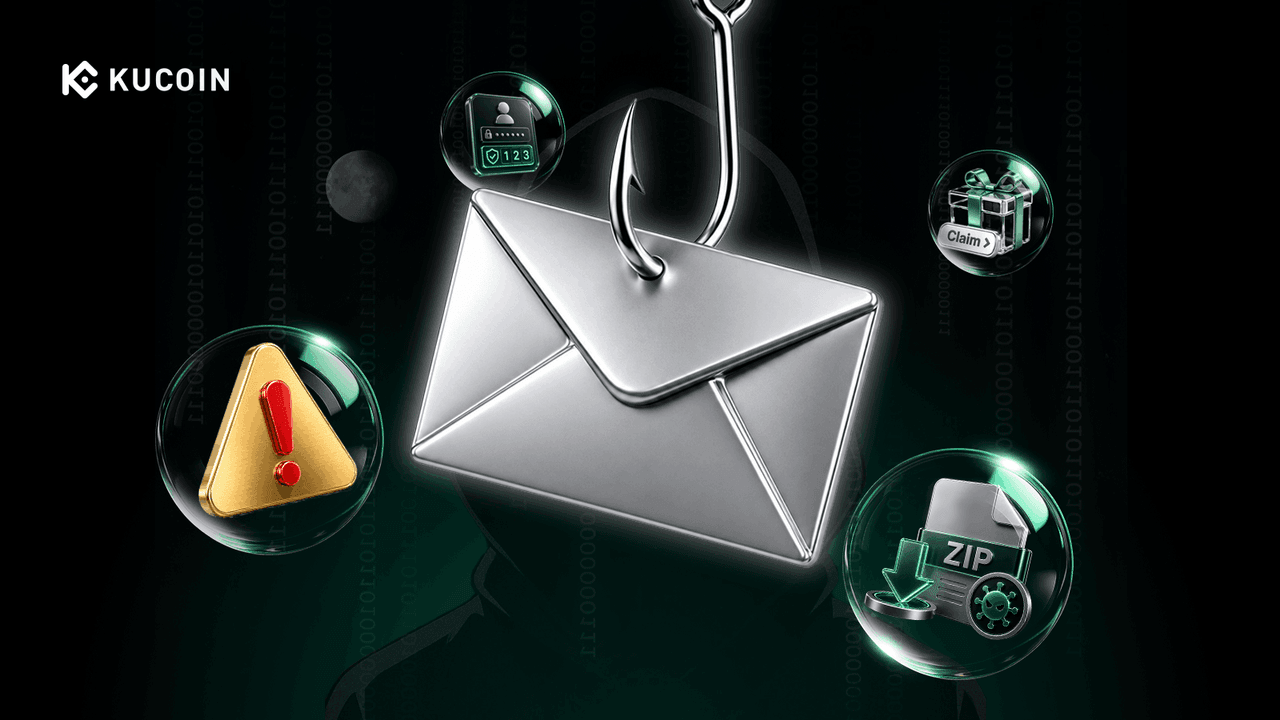
In the world of Web3, most people are already wary of "approvals" and "seed phrases." But what you may not realize is that the most dangerous attacks often don't come from on-chain contract vulnerabilities — they come from a place you open every single day: your email inbox.
This article breaks down the most common phishing email tactics in the Web3 space, using real-world cases to help you spot the trap before you click.
🎯 Why Email? The Strategic Shift in Web3 Phishing
Unlike traditional finance, Web3 is built on "decentralization" and "self-custody" — which means: once your private key or seed phrase is exposed, attackers can move your assets through transactions that are generally irreversible and difficult to freeze or recover. The goal of phishing emails is to get you to "voluntarily" hand over that key.
Moreover, emails have an advantage in "legitimacy camouflage": they can mimic official layouts, replicate brand logos, and even spoof sender names. In many cases, victims weren't careless — they simply let their guard down at a moment when "verification" seemed necessary.
📧 Four Common Types of Web3 Phishing Emails
| Scam Type | Disguised Identity | Actual Target | Key Red Flag |
| Security Alert Type | Exchange Security Team | Steal credentials and 2FA | Creates panic: "Your account will be frozen" |
| Wallet Update Type | MetaMask / Ledger / Trezor | Obtain seed phrase or private key | Requests seed phrase entry |
| Airdrop Lure Type | Project Team / Well-known Protocol | Induce malicious signature | "Connect wallet to claim rewards" |
| Identity Verification Type | KYC / Compliance Department | Steal personal info and account access | Requests ID upload + login |
🧨 Real-World Cases: From One Email to a Drained Wallet
Case 1: The Chain Reaction After the Ledger Data Breach (2020)
In 2020, Ledger suffered a customer email database breach. In the months that followed, a large number of users received emails impersonating Ledger's official team, with content roughly stating:
"Your assets are at risk. Please click here immediately to update your Ledger Live to ensure security."
The links in these emails directed users to a fake Ledger Live page that looked almost identical to the real one. Some users entered their 24-word seed phrase on that page — and within seconds, their wallets were completely drained.
Lesson: Any email or page that asks for your seed phrase is 100% a scam. Ledger will never ask you to enter your seed phrase, nor is there any "emergency update" that requires you to do so.
Case 2: Fake Exchange "Suspicious Login/Withdrawal" Emails
These emails are nearly identical to official ones in layout, logo, and color scheme. The content typically reads:
"We have detected an unusual login from [some location] / a large withdrawal is being processed. If this was not you, please click here immediately to verify and cancel."
The links in these emails point to domains such as:
-
kucoin-verify.com -
binance-secure.net -
support-kucoin.com
After clicking, users land on a fake login page that looks exactly like the official exchange login page, where they enter their credentials and 2FA codes. Attackers relay this information in real time, logging into the real exchange and completing asset transfers.
Lesson: Never use a link in an email to log in, verify your account, or cancel a withdrawal. Open the official app or manually enter the official website address instead. All account operations must be performed within the official website or app.
Case 3: Fake "Airdrop Claim" Emails
Emails claim that the user is eligible for a popular project's airdrop, complete with a "Claim Now" button. Clicking leads to a fake DApp page that requests a "wallet connection."
After connecting, the page asks the user to sign what appears to be a routine transaction.
However, the actual content of this signature could be:
-
setApprovalForAll— granting a contract permission to operate on all of your NFTs/tokens -
Permit— off-chain authorization for token transfers
Once signed, attackers can transfer assets from the wallet at any time, without further user confirmation.
Lesson: Airdrop claims do not require granting approvals to unknown contracts. Any airdrop page that asks for a "signature" should first be analyzed using simulation tools (such as Tenderly) to parse the signature content.
Case 4: Targeted Phishing — Fake "Partnership/Recruitment" Emails
These emails have clear targets: project team members, KOLs, or DeFi users holding significant assets. The content typically reads:
"We are a well-known investment institution interested in your project. Please review the partnership proposal in the attached document."
The attachment may be a Word document containing a macro virus, or a link to a fake meeting software download page. Once executed, the malware embeds itself into the device, searching for locally stored private key files, screenshots of seed phrases, or logging keystrokes.
Several high-value theft incidents in Web3 have originated from this type of social engineering phishing email.
Lesson: Do not download attachments or click links from unsolicited partnership emails. If you need to verify, contact the other party separately through the project's official channels (Twitter, Discord).
🔍 Five Checkpoints to Quickly Identify Phishing Emails
Before clicking any link or downloading any attachment in an email, complete these checks:
| Checkpoint | Safe Indicator | Danger Signal |
| Sender Domain | Exactly matches official announcements (e.g., @kucoin.com) | Similar domains (@kucoin-verify.com), subdomains embedding brand names (support.kucoin.security.com) |
| Email Tone | Calm, professional, does not create panic | "Act now," "Your account will be frozen," "Respond within 24 hours" |
| Information Requested | Informational content only, no sensitive data requests | Requests seed phrase, private key, login password, or 2FA verification code |
| Actual Link URL | The destination domain is kucoin.com or an official subdomain ending in .kucoin.com | Link points to non-official domain, or uses URL shorteners (e.g., bit.ly) to hide the true path |
| Attachments & Buttons | No unexpected attachments or download prompts; any expected files are verified independently | Suspicious extensions like .docm, .exe, .scr, or "Verify Now" buttons |
🛡️ Core Security Advice for Users
Official entities will never ask for your password, seed phrase, private key, or 2FA verification code via email.
If you receive any suspicious email, follow this process:
-
Don't click, don't enter, don't download: Do not take any action before confirming the email's authenticity.
-
Verify Independently: Open the official app or manually type the official URL to check your account status and announcements.
-
Check Email Headers: Verify whether the sending server comes from a known official domain (can be checked using
SPF,DKIM, andDMARCrecords). -
Report and Delete: Forward the phishing email to the official security team, then delete it.
🧰 Response Recommendations from a Risk Control Perspective
If you receive or discover a phishing email, you can help disrupt the threat by following these steps:
-
Preserve the original email (including full email headers, which can help trace the sender's IP and domain).
-
Extract the phishing link domain and submit abuse reports to the domain registrar or hosting provider.
-
Report to security databases: such as Google Safe Browsing, APWG, and PhishTank.
-
Issue an internal risk alert: Warn other users about similar attack methods.
💎 Conclusion: Before You Click, Ask Yourself Three Questions
In the Web3 world, asset security depends not only on whether a contract has been audited — but also on your judgment before every single "click."
The next time you open an email and see "Urgent Verification," "Airdrop Claim," or "Account Anomaly," ask yourself three questions:
-
Did I actually initiate this action?
-
Is this link's domain the official domain?
-
If this were real, what would it show on the official app?
Emails can be forged, panic can be manufactured, but habitual verification — that's always the most effective antidote to phishing attacks.
Disclaimer: The information on this page may come from third parties and does not necessarily reflect KuCoin’s views. It is provided for general reference only and should not be interpreted as financial or investment advice.
Virtual asset investments may involve risk. Please carefully assess the product risks and your own risk tolerance. For more information, please refer to our Terms of Use and Risk Disclosure.