


Hedge Mode
Three Powerful Trading Features Launched 🔥
KuCoin has officially released three cutting-edge trading tools to enhance your trading experience! These features are designed to provide greater flexibility, speed, and convenience in executing your strategies.
🎯 New Feature Highlights
✅ Hedge Mode: Hold both long and short positions in the same cryptocurrency simultaneously. Enjoy more flexible risk management for different directional positions within the same asset.
✅ One-Click Reverse: Instantly close your current position and open a reverse one. Seize fast-moving market opportunities without delay.
✅ Market Close: Exit your positions with a single click. Close trades quickly and operate with greater convenience.
💡 Benefits These tools are engineered to help you improve trading efficiency, execute strategies seamlessly, and adapt to market changes in real-time.
📢 Elevate your trading game with KuCoin’s latest innovations!
👉 Click here to view detailed feature introductions and operation guides 🤗
Hedge Mode
1. Feature Overview
The function allows you to hold independent long and short positions simultaneously under the same contract trading pair, and manage them separately.
2. Core Advantages
· Flexible Strategy: Supports parallel long and short positions, facilitating complex strategies such as hedging and arbitrage.
· Risk Hedging: Effectively reduces the risk of a single direction position in volatile markets.
· Improved Efficiency: No need to frequently switch positions, optimizing capital utilization efficiency.
3.How to Set It Up?
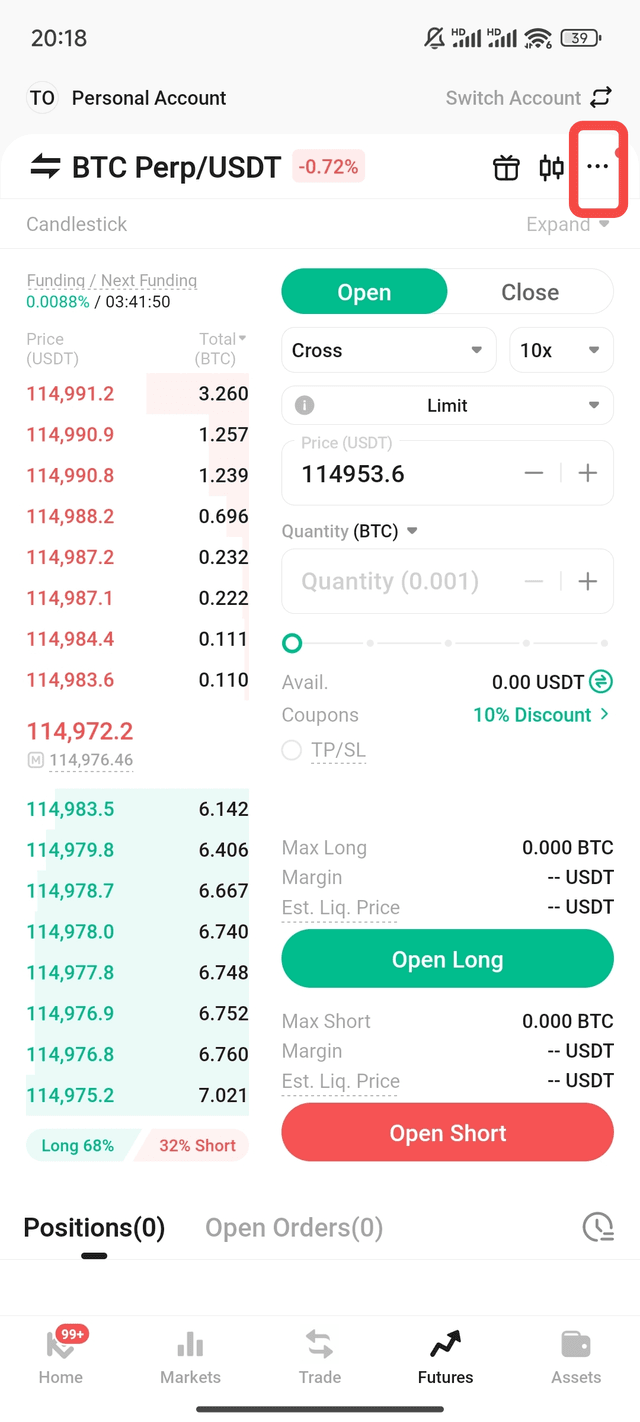
In the futures trading interface, click the ... button in the upper right corner.
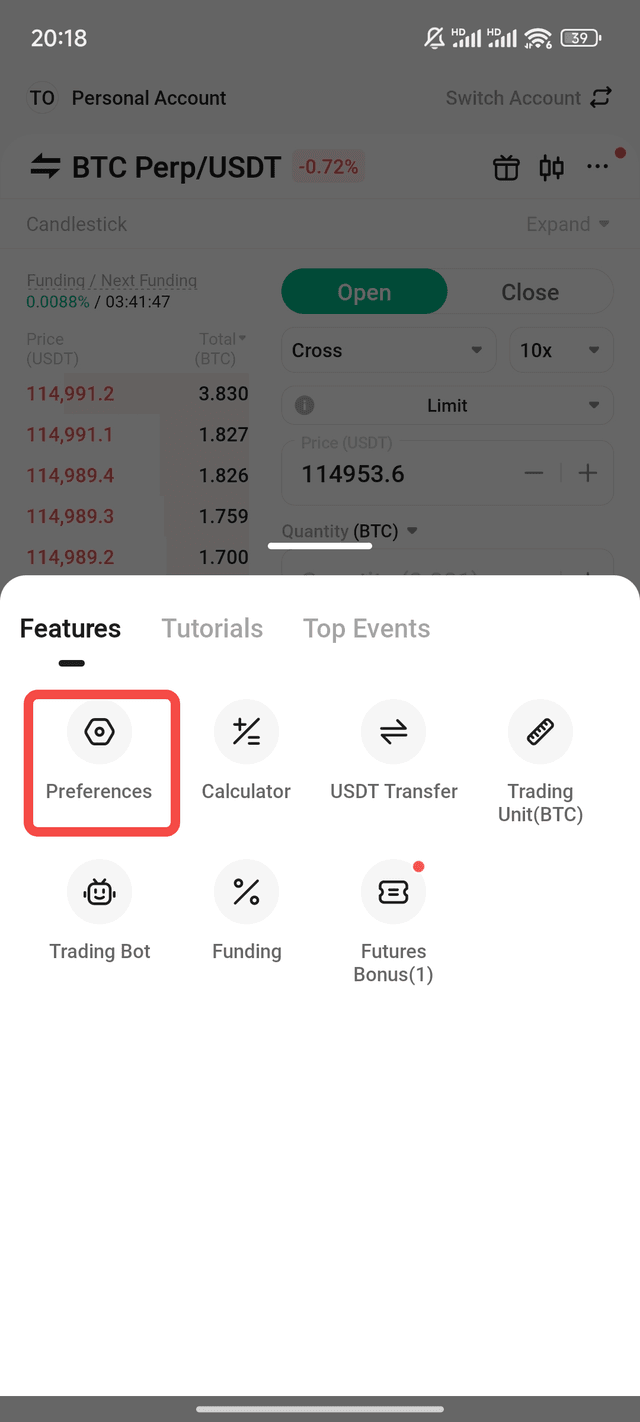
Select Preferences.
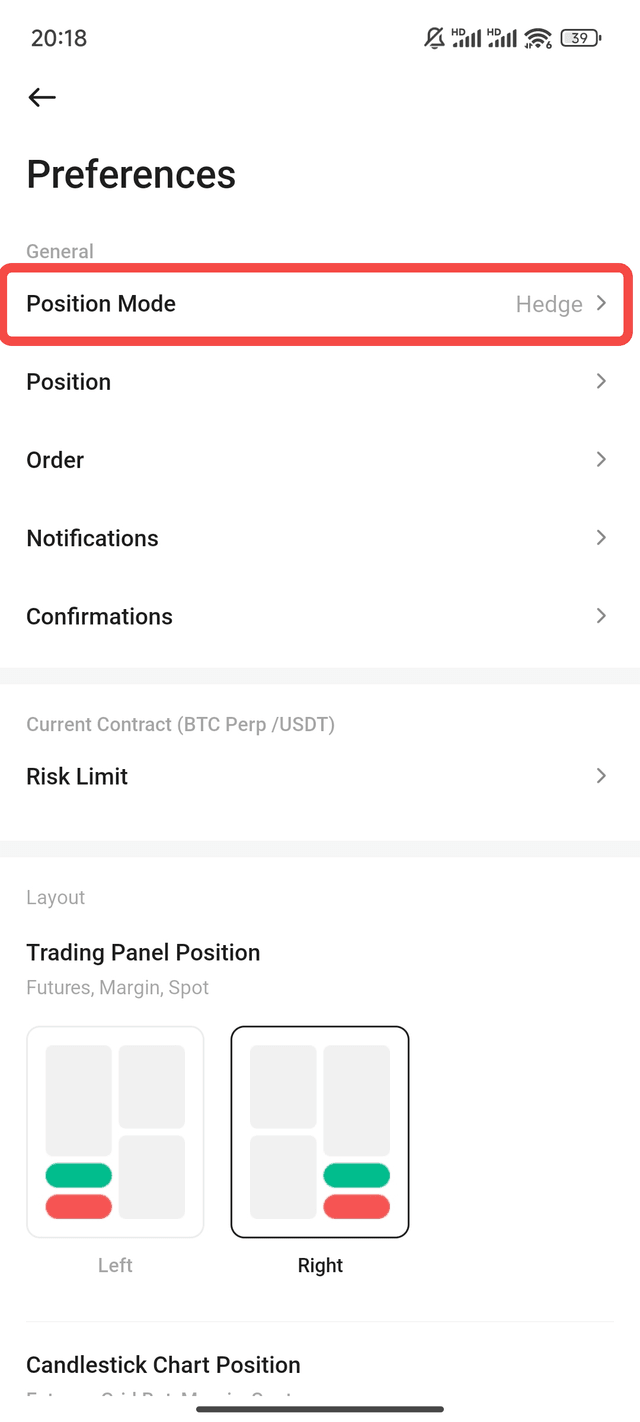
Find the Position Mode option.
Select Hedge Mode and confirm.
Note: If there are existing positions or pending orders, you must close them/cancel orders before switching modes.
Disclaimer: The information on this page may come from third parties and does not necessarily reflect the views or opinions of KuCoin. This content is for reference only and does not constitute any form of representation or warranty, nor should it be construed as financial or investment advice. KuCoin is not responsible for any errors or omissions, or for any outcomes resulting from the use of this information. Investing in virtual assets may involve risks. Please carefully assess the product risks and your risk tolerance based on your financial situation. For more information, please refer to our Terms of Use and Risk Disclosure.