
What is the Difference Between Ledger vs. Trezor?
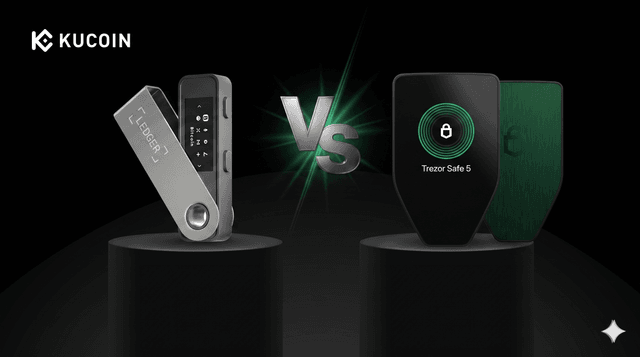
Key Takeaways
-
Security Architecture: Ledger utilizes a Secure Element (SE) chip, a bank-grade hardware component designed to resist physical tampering. Trezor traditionally relies on open-source architecture, though its newer "Safe" models now incorporate secure elements to balance transparency with physical resilience.
-
Open Source vs. Proprietary: Trezor is 100% open-source, allowing the global community to audit its code. Ledger’s software is largely open-source, but its core operating system (BOLOS) and secure chip firmware remain proprietary.
-
Ecosystem and Asset Support: Ledger supports a wider array of altcoins (5,500+) and offers a more integrated mobile experience via Bluetooth. Trezor supports 1,000+ major assets and is favored by Bitcoin purists for its "Bitcoin-only" firmware options.
-
User Experience: Ledger Live provides a polished, all-in-one interface for staking and NFT management; Trezor Suite focuses on a streamlined, privacy-centric experience with advanced features like Shamir Backup.
The cornerstone of long-term digital asset ownership is the "cold storage" of private keys. In the debate of Ledger vs. Trezor: Hardware Wallet Security Review, the focus often shifts from simple storage to how each device handles physical and digital threats. As the industry matures, both brands have set the gold standard for security, yet they operate on fundamentally different philosophies.
Choosing between a Ledger or a Trezor is more than just picking a device; it is a decision on whether you value hardware-level fortification or radical software transparency.
The 6W Framework of Cold Storage
To categorize the unique security profiles of these hardware giants, we apply the 6W principles:
-
Who: Ledger is a security-focused firm based in France; Trezor (SatoshiLabs) is the pioneer of hardware wallets, based in the Czech Republic.
-
What: Hardware Security Modules (HSM)—physical devices that keep private keys isolated from internet-connected computers or phones.
-
Where: These devices are the primary storage method for long-term HODLers across all global jurisdictions.
-
When: As permanent infrastructure, they provide 24/7 protection against remote malware, phishing, and exchange-side risks.
-
Why: To fulfill the core crypto promise of self-sovereignty: "Not your keys, not your coins."
-
How: Ledger uses dual-chip architecture (MCU + SE); Trezor uses single-chip open-source microcontrollers (with SE in newer models).
Ledger: The Bank-Grade Fortress
Ledger’s security model is built on the same logic used in government passports and high-security credit cards.
-
The Secure Element (SE) Chip
The "different" in Ledger’s approach is its reliance on a Certified Secure Element. This is a tamper-resistant chip designed to protect the device against sophisticated hardware attacks, such as "Side-Channel Attacks" that try to measure power consumption to guess your PIN. This architectural choice is frequently detailed in the KuCoin Blog as a primary defense for institutional-grade self-custody.
-
The BOLOS Operating System
Unlike other wallets that use a generic operating system, Ledger uses BOLOS (Blockchain Open Ledger Operating System). This allows Ledger to isolate different crypto apps from each other. If one app has a vulnerability, it cannot compromise the private keys of another asset on the same device.
-
Integrated Web3 Experience
Through the Ledger Live app, users can manage their portfolio with a level of ease that rivals centralized platforms. For those who frequently move funds, the KuCoin Lite Version provides a seamless bridge, allowing users to buy assets and immediately sweep them to the safety of their Ledger device.
Trezor: The Champion of Open-Source Transparency
Trezor’s philosophy is that security should never be a "black box." If the code is hidden, it cannot be fully trusted.
-
Fully Open-Source Firmware
Every line of code on a Trezor device is public. This means thousands of independent security researchers can—and do—audit the firmware for vulnerabilities. For many in the decentralized community, this transparency is the only way to ensure there are no "backdoors" hidden by the manufacturer.
-
Shamir Backup and Privacy
Trezor introduced Shamir Backup, a way to split your recovery seed into multiple parts (shares). You could keep two shares in different locations and give one to a trusted friend; you would need a set number of these shares to recover the wallet. This mitigates the risk of a single recovery sheet being stolen or destroyed. Updates on these privacy-preserving features are often shared via official announcements to keep the community informed.
-
Bitcoin-Only Focus
Trezor offers specialized "Bitcoin-only" firmware. By removing the code required for thousands of altcoins, Trezor significantly reduces the "attack surface" of the device, making it one of the most secure ways to store Bitcoin specifically.
Comparison Table: Ledger vs. Trezor
| Feature | Ledger (Nano / Stax) | Trezor (Safe / Model T) |
| Security Chip | Certified Secure Element (EAL5+) | Open MCU (SE added in Safe models) |
| Code Transparency | Proprietary OS / Open Apps | 100% Open-Source |
| Screen Type | OLED / E-Ink (Stax) | Color Touchscreen (Safe 5 / T) |
| Mobile Support | iOS & Android (Bluetooth/OTG) | Android (OTG/Browser) |
| Staking | Native in Ledger Live | Third-party / Via Wallet Connect |
| Recovery | 24-word + Optional Ledger Recover | 12/24-word + Shamir Backup |
Conclusion: The Difference Between Ledger vs. Trezor
The choice in the Ledger vs. Trezor: Hardware Wallet Security Review comes down to your priorities. If you want a device with a bank-grade chip that supports 5,000+ assets and has a polished mobile app, Ledger is the industry leader. If you believe that open-source transparency and a smaller attack surface are the keys to true security, Trezor remains the purist’s choice.
Ultimately, both devices provide a level of security far superior to keeping funds in a hot wallet. By combining the high-liquidity trading environment of KuCoin Markets with the cold-storage protection of Ledger or Trezor, you can trade with confidence, knowing your foundation is secure.
FAQs
Can a hardware wallet be hacked?
While nearly impossible to hack remotely, hardware wallets can be vulnerable if a thief has physical access and the device lacks a Secure Element. Ledger's SE chip is designed specifically to prevent this, and Trezor's newer "Safe" models have added SE chips to address this physical risk.
What happens if I lose my hardware wallet?
As long as you have your Recovery Seed (12-24 words), your funds are safe. You can simply buy a new device and enter the seed to restore your wallet. Crypto is on blockchain, not physical devices.
Do I need a separate wallet for every coin?
No. Both Ledger and Trezor allow you to manage multiple different blockchains (Bitcoin, Ethereum, Solana, etc.) on a single device simultaneously.
Can I use Ledger or Trezor with MetaMask?
Yes. You can connect both devices to MetaMask. This allows you to use the MetaMask interface to interact with DEXs while requiring a physical button press on your Ledger or Trezor to authorize any transaction.
Where can I find more security tips?
For the latest trends in hardware security and protecting your digital wealth, visit the KuCoin Blog. For security-related protocol updates, always check the official announcement page.
Join 30 million global users on the world’s leading crypto exchange by signing up for your free account now. Register Now!
Further reading


