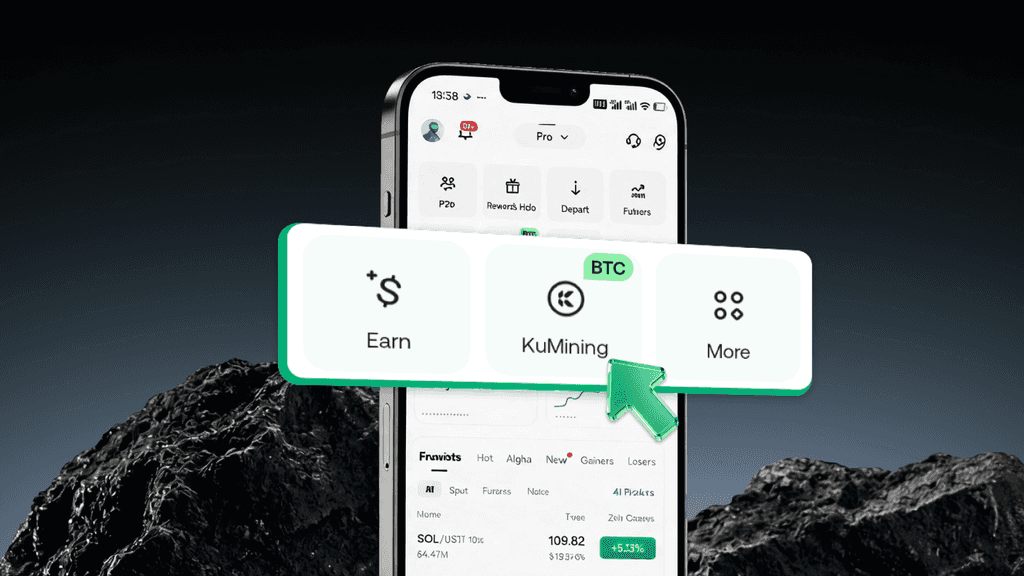
Add KuMining to Your KuCoin App Home Screen and Unlock a Free BTC Mining Trial
Add KuMining to Your KuCoin App Home Screen and Unlock a Free BTC Mining Trial
Add KuMining to Your Home Screen and Unlock a Free BTC Mining Trial
Users with neither prior mining trial participation nor any KuMining order history will automatically receive a 1 TH/s × 1 Day BTC mining trial coupon after adding KuMining to the KuCoin App Home Screen and opening a Mining Account. No manual claim is required.
Quick Path: KuCoin App Home → More → Edit → Finance → KuMining (+) → Done
Why Add KuMining to Your Home Screen?
Faster access:Configure it once and open KuMining directly from Home instead of searching through the full feature list each time.
Easier ongoing use:Quickly access the Hashrate Market and review mining orders, daily mining output, and Mining Account information.
A smoother campaign journey:After completing Learn & Earn content, campaign tasks, or educational materials, users can return to KuMining with fewer steps.
Before You Start The interface may vary slightly by app version, language, or region. Adding a shortcut only changes what appears on Home. It does not open a Mining Account, purchase hashrate, or incur any charges.
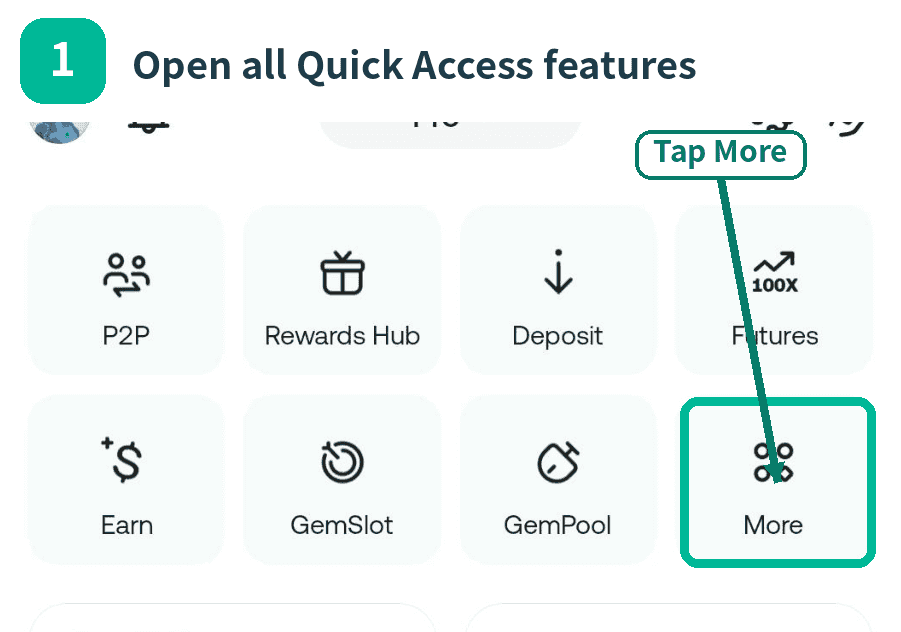
Step 1 | Tap More from Home
Action:Open the KuCoin App and tap More in the Quick Access area near the top of Home.
Note:If KuMining already appears on Home, simply tap it to enter. No additional setup is required.
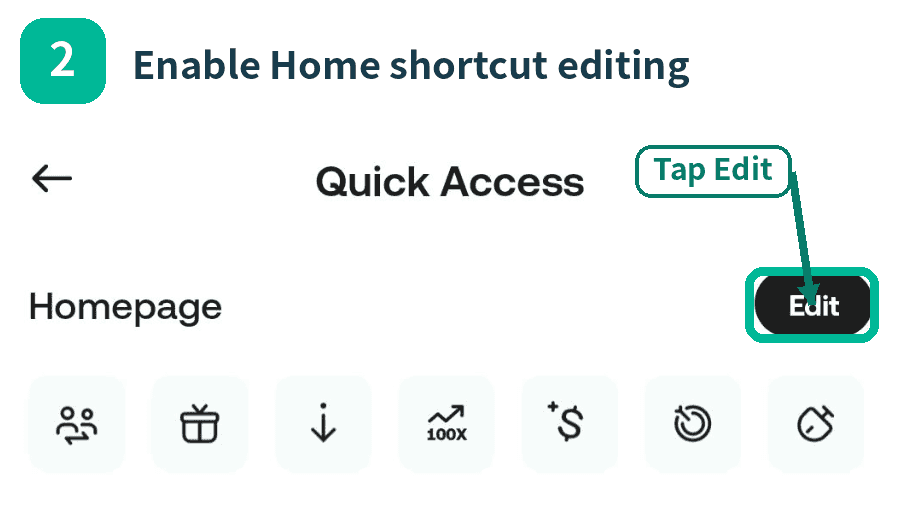
Step 2 | Enter Edit Mode
Action:On the Quick Access page, tap Edit to the right of Homepage.
Note:In edit mode, available features below show a plus icon in the top-right corner.
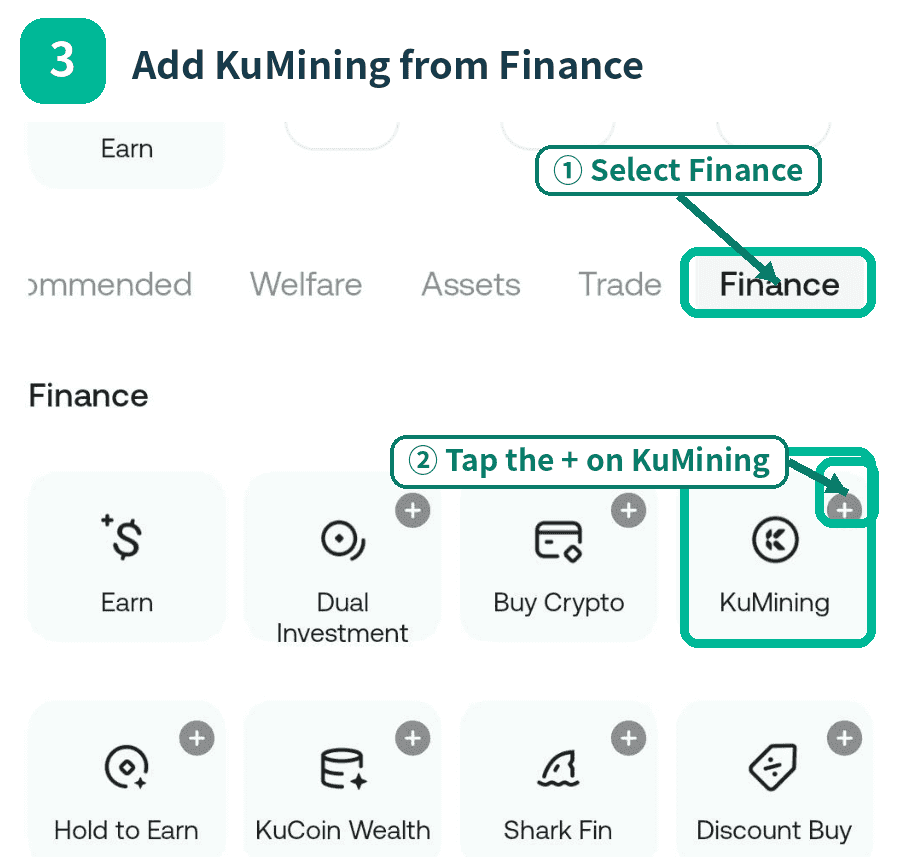
Step 3 | Add KuMining from Finance
Action:Select Finance in the category bar, locate KuMining, and tap the plus icon (+) in its top-right corner.
Note:KuMining will be added to the Homepage area above. If the full category list is not visible, swipe horizontally across the category bar.
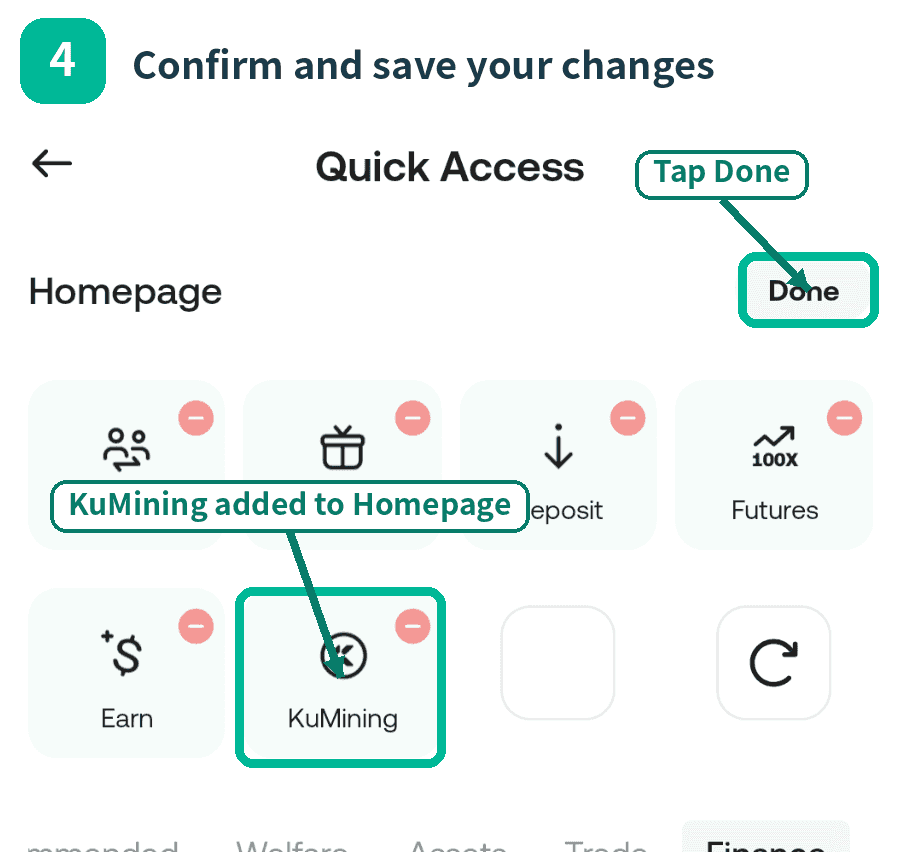
Step 4 | Confirm and Tap Done
Action:Confirm that KuMining appears in the Homepage area, then tap Done in the top-right corner to save your changes.
Note:If KuMining does not appear in Homepage, return to Finance, check its add status, and try again.
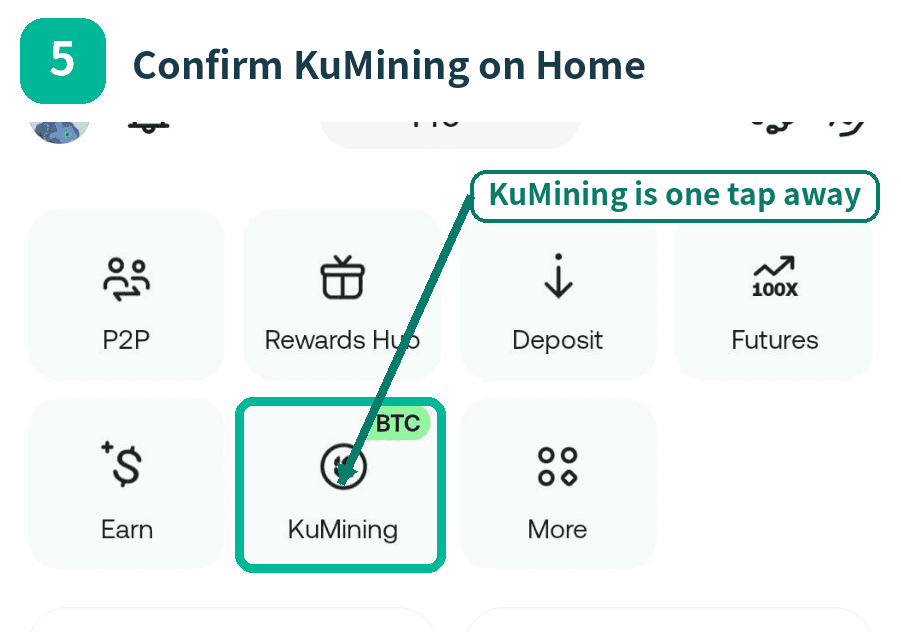
Step 5 | Confirm the Shortcut on Home
Action:Return to KuCoin App Home and confirm that KuMining appears in the Quick Access area near the top.
Note:You can now tap KuMining directly to enter the product page. To change the shortcut later, return to More → Edit.
After Setup: Open a Mining Account After eligible users tap KuMining on Home and open a Mining Account, the 1 TH/s × 1 Day BTC mining trial coupon will be credited automatically.
Frequently Asked Questions
Can I change the shortcuts again later? Yes. Return to More → Edit to add, remove, or update Home shortcuts at any time.
What if I cannot find KuMining under Finance? Check whether the category bar can be swiped horizontally and update the KuCoin App to the latest available version. Feature availability may vary by region or app version.
Does adding KuMining automatically start mining? No. Adding the shortcut does not open a Mining Account, purchase hashrate, or initiate any payment.
How can I receive the free BTC mining trial? Users who have never participated in a mining trial and have no KuMining order history will automatically receive a 1 TH/s × 1 Day BTC mining trial coupon after adding the shortcut and opening a Mining Account. No manual claim is required.