

How to Fund Your KuCard-AU: Step-by-Step Guide to Using Crypto for Purchases
2026/05/15 15:09:02

About KuCard-AU
KuCard-AU is a Mastercard debit card – it does not draw funds from an external bank account or provide credit. To use your KuCard-AU for purchases, you must first deposit crypto into your KuCoin AU account and then transfer it to Funding, Trading or Financial accounts.
Step-by-step guide to fund your KuCard-AU
-
Deposit crypto into your KuCoin AU account.
Standard currency: USDC
Supported crypto-assets (non-exhaustive list): BTC, ETH, XRP...
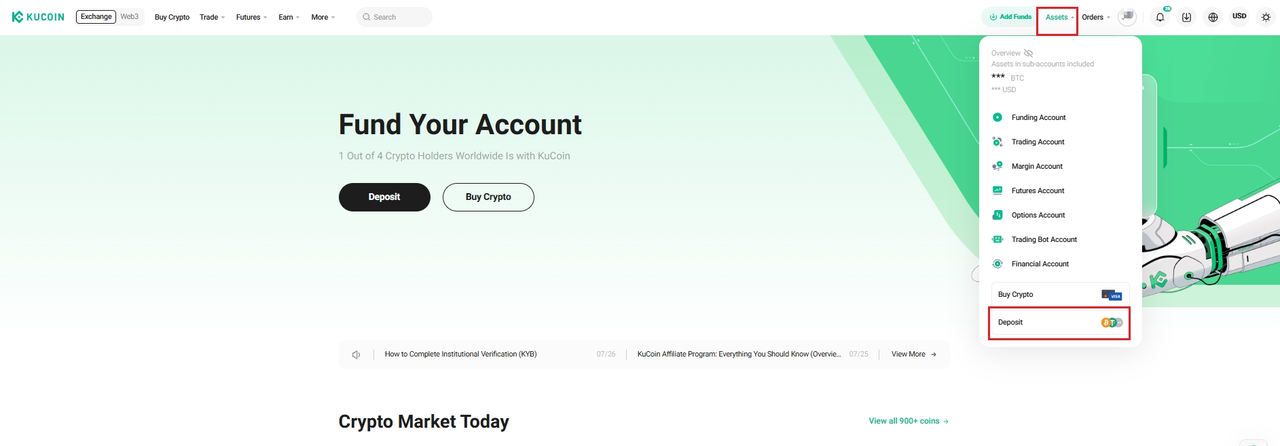
Web: From the top right navigation bar, select Assets → Deposit
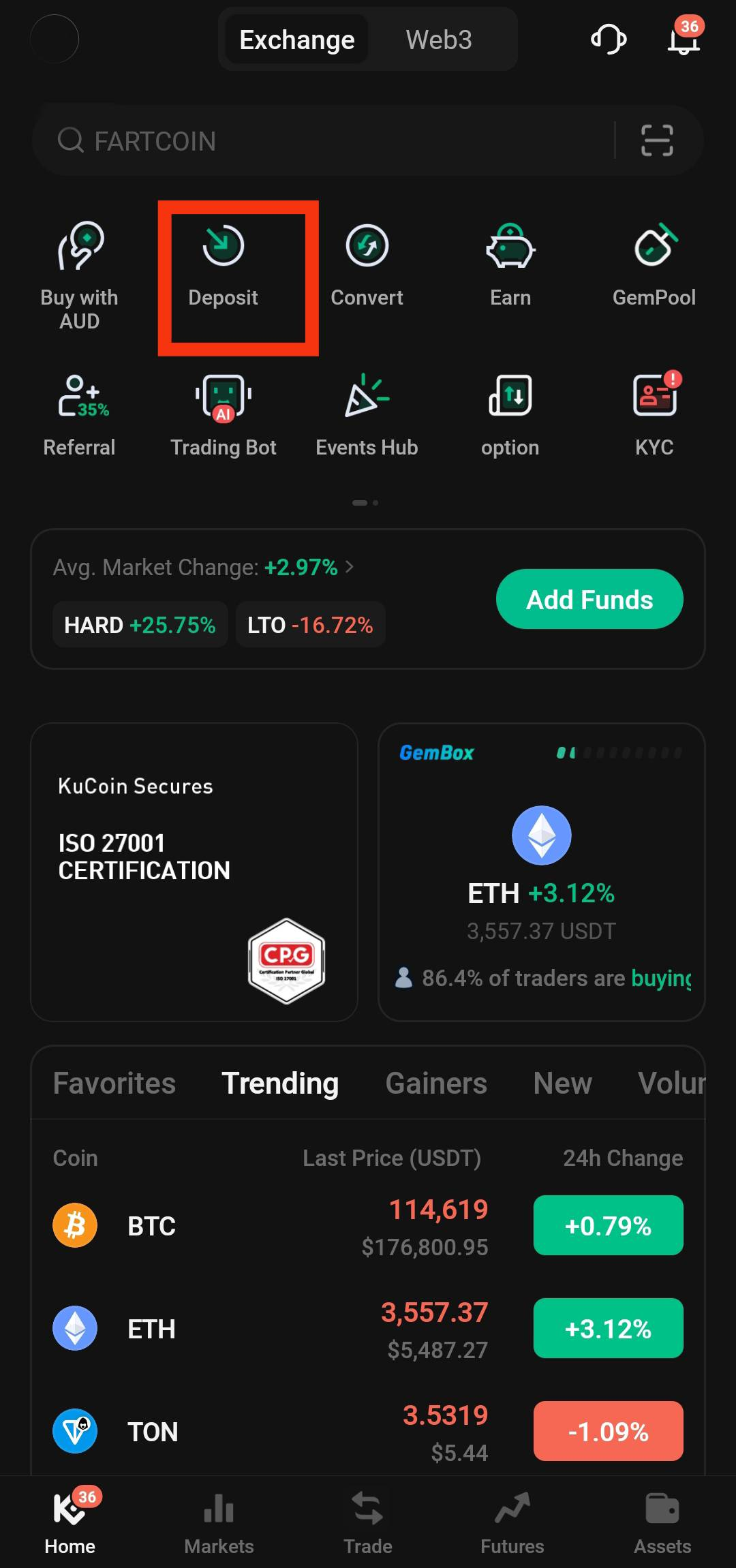
App: On the homepage, select Deposit from the grid. Or, select Assets → Deposit
-
Transfer crypto assets to eligible internal accounts. KuCard supports the following account types for spending:
-
Funding Account
-
Trading Account
-
Financial Account
USDC deductions are made from the Funding Account only.
-
Set payment priority and deduction order in your KuCard settings to ensure smooth transaction processing.
default order applies: USDC → BTC → ETH → KCS
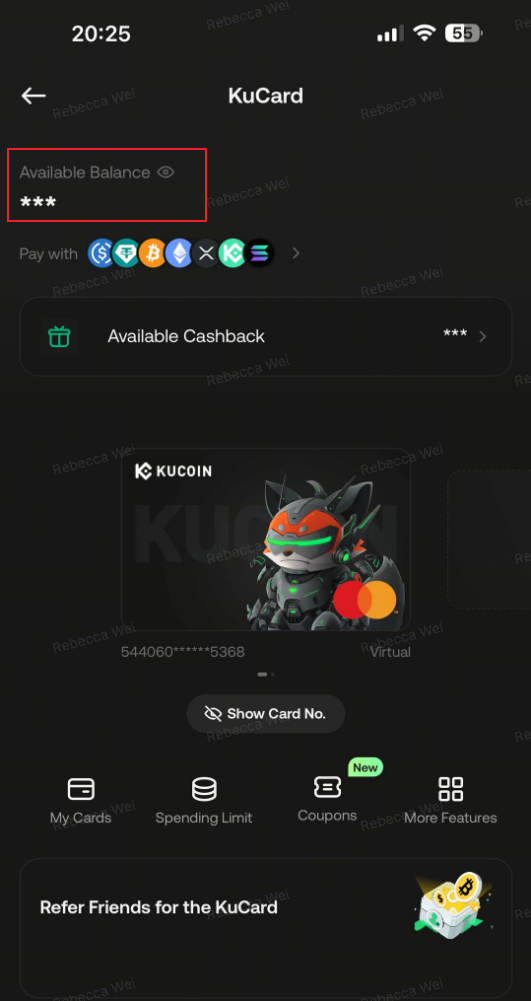
Once assets are available in the appropriate account(s), your KuCard will reflect the updated balance and can be used for purchases.
We hope this article has been helpful. If you have any other questions, please reach out to our 24/7 customer support via online chat or submit a ticket.