

Relay Malware: Fake AI Meeting App Steals Crypto Wallets from Web3 Job Applicants
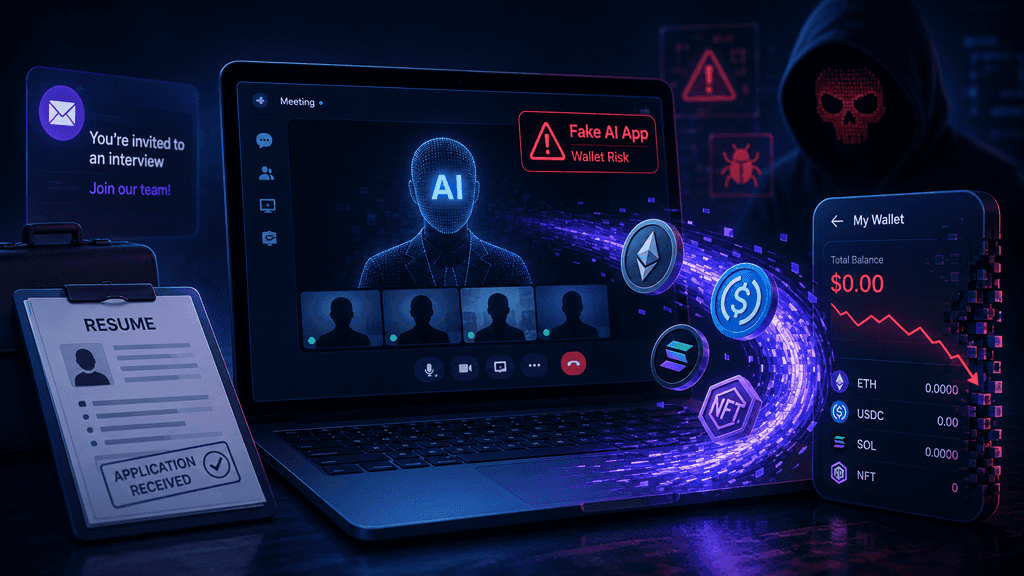
Fake AI Job Interviews Target Web3 Professionals With Crypto-Stealing Malware
Security researchers at SlowMist have identified a sophisticated information-stealing campaign that targets Web3 professionals through fake recruitment processes. Attackers impersonate recruiters, arrange interviews, and direct candidates to a website at relay.lc that promotes an AI-powered meeting platform called Relay. The platform claims features such as real-time transcription, collaborative notes, AI-generated summaries, and desktop clients for Windows and macOS.
Once candidates download and run the installers, the software deploys malware designed to extract browser credentials, cryptocurrency wallet data from dozens of extensions, macOS Keychain contents, Telegram sessions, and system information. The campaign was flagged by MistEye after community reports and subjected to detailed static analysis of the installers. This operation demonstrates how attackers combine social engineering with platform-specific technical tricks to bypass standard security warnings and harvest high-value crypto-related data from job seekers who believe they are participating in a routine hiring step.
Fake Recruiter Outreach Sets the Stage for Infection
Attackers begin by contacting Web3 professionals through professional networks or messaging platforms with offers of interviews for roles that appear legitimate. The communications reference plausible company names and job descriptions tailored to blockchain developers, security researchers, or ecosystem specialists. After an initial exchange, the recruiter directs the candidate to relay.lc for the next stage of the process, presenting the site as a necessary tool for the video interview. The website displays polished marketing language describing Relay as an advanced AI collaboration platform, complete with download links for both major desktop operating systems. This approach exploits the expectation that remote hiring often involves specialized meeting software, reducing the chance that candidates will scrutinize the domain or installer.
Community reports of suspicious behavior prompted MistEye to classify the site as high-risk and initiate a full technical review of the distributed files. The absence of any genuine meeting functionality inside the packages confirms the entire presentation serves only as a delivery vehicle for the subsequent payload. Researchers emphasize that social engineering succeeds precisely because the request to install software feels ordinary within the context of a remote technical interview. Victims who proceed therefore grant the malware an initial foothold under the assumption they are simply preparing for a conversation with a potential employer.
Relay Website Design Mimics Legitimate Collaboration Tools
The public pages on relay.lc carefully replicate the visual and textual style of established productivity applications. Descriptions highlight real-time transcription, shared note-taking, automatic action-item generation, and seamless desktop clients, creating an impression of a modern AI-enhanced meeting service. Download buttons for Windows and macOS appear prominently, reinforcing the idea that installation is a standard prerequisite for participation. No obvious red flags such as poor grammar or incomplete branding appear on the surface pages, which helps the site pass casual inspection. Once the files are obtained, however, examination reveals that neither installer contains a functional meeting application.
The Windows package is an NSIS self-extracting executable built around an Electron framework that merely displays a progress interface, while the macOS disk image hides its executable in a directory that Finder conceals by default. Static analysis of the code shows no legitimate collaboration features, only routines for data collection and network transmission. This discrepancy between the marketing presentation and the actual binary content is central to the campaign’s effectiveness. Job applicants who have already invested time in the recruitment process are more likely to complete the installation steps without deeper verification. The design therefore leverages both visual legitimacy and psychological commitment to increase the infection rate among targeted professionals.
macOS Installation Path Removes Quarantine Protections
On macOS the downloaded disk image contains a short shell script labeled Installer.file, a shortcut to Terminal, and a hidden directory named .back that holds the actual 5.2 MB executable. Users are instructed to open Terminal, drag the script into the window, and press Enter. The script copies the hidden binary to a temporary location, strips its extended attributes with the xattr command, grants execute permissions, and launches it silently in the background using nohup. Removal of the quarantine attribute disables the standard macOS warning that normally appears when a user first opens a file downloaded from the internet. No system vulnerability is required; the user themselves executes the commands that neutralize the protection.
Once running, the payload presents an AppleScript dialog styled as an “Application Error” that claims compatibility problems with the current macOS version and requests the system password. The entered password is captured and paired with a copy of the login Keychain database for later transmission. Because the login Keychain is typically unlocked by the same password, the combination effectively supplies both the encrypted data and the means to decrypt it. Additional collection routines target browser stores, wallet extensions, Telegram session files, and Apple Notes content that may contain recovery phrases or keys. The process is designed to complete its exfiltration within a single execution rather than establishing long-term reboot persistence.
Windows Path Relies on Simulated Progress and Elevated Privileges
The Windows installer presents a branded “Updating” progress bar that advances according to a randomized timer rather than any actual download or verification activity. Status messages such as “Loading core components” and “Verifying local files” cycle mechanically while the bar climbs toward 80 percent. When that threshold is reached, the code issues a PowerShell command that requests administrator privileges and launches a hidden 116 MB unsigned binary named updater.exe. The elevated process first attempts to establish persistence by copying itself to a hidden location under the user’s AppData directory and creating entries in the Registry Run key, the RunOnce key, and the Startup folder, all labeled to resemble Windows Update components.
After securing persistence, the malware scans running Chrome and Brave processes for parameters associated with unlocked wallet extensions and prepares the extracted values for transmission together with a machine identifier. The same payload contains modules for harvesting browser credentials, cookies, Telegram data, and system information. Because the progress interface never reflects genuine activity, the user has no visual indication that the installation has diverged from a normal software update. The combination of social pressure from the ongoing interview and the familiar appearance of an update screen encourages completion of the elevation prompt. Once administrator rights are granted, the malware gains the ability both to persist across reboots and to access protected process memory.
Wallet Extension Targeting Covers Major Cryptocurrency Clients
The malware embeds an extensive mapping table of browser extension identifiers that is referenced hundreds of times in the code. The list includes 286 distinct IDs corresponding to popular cryptocurrency wallets such as MetaMask, Phantom, and Trust Wallet, along with password managers including 1Password, LastPass, Proton Pass, and Dashlane. On both operating systems the collection logic extracts saved passwords, cookies, session tokens, and autofill data from Chrome, Brave, Edge, and Arc. For wallet-specific extensions the code looks for unlocked states or stored recovery material that can be used to drain funds. On Windows the process-memory scan focuses on Chrome and Brave instances that may hold active wallet sessions.
The breadth of the targeting means a single successful infection can compromise multiple wallets and credential stores simultaneously. Professionals who keep browser-based wallets for convenience or who store related notes in system applications face elevated exposure. The design prioritizes rapid, comprehensive collection rather than selective theft, maximizing the value of each compromised machine. Security teams note that the inclusion of password-manager extensions expands the potential damage beyond pure crypto assets to broader account takeovers.
Keychain and Telegram Session Theft Amplifies Damage
Beyond browser data the macOS variant specifically reads the login Keychain database and pairs it with the password obtained through the fake dialog. Successful transmission of both items allows remote decryption of stored credentials. Telegram Desktop session files located in the tdata directory are also targeted; possession of these files can enable restoration of an active session on an attacker-controlled device. Apple Notes content is harvested by traversing accounts and folders and saving note bodies as HTML files, creating risk if users have recorded seed phrases or API keys there.
System identifiers such as hardware UUID, IP address, and country are collected to fingerprint the victim machine. On Windows the persistence mechanisms ensure the collection routines can continue after the initial interview window closes. The combination of credential, session, and note data creates multiple pathways for further compromise, including impersonation of the victim in professional chats or secondary attacks against contacts. Researchers stress that the multi-vector approach is typical of modern info-stealers optimized for high-value Web3 targets.
Absence of Long-Term macOS Persistence Limits Some Risks
Static analysis of the macOS sample found no evidence of LaunchAgents, LaunchDaemons, or other reboot-surviving mechanisms. The nohup launch allows the process to continue after Terminal is closed, yet a system restart terminates it. This design choice suggests the operators prioritize rapid data exfiltration during the live interview window over sustained presence. The Windows counterpart, by contrast, invests effort in three separate persistence methods. The difference may reflect platform-specific constraints or a calculated trade-off between stealth and reliability.
For victims who reboot promptly after noticing anomalies, the macOS infection may be limited to the data collected in the first session. Nevertheless, the initial harvest of Keychain, browser, and Telegram material can still produce irreversible losses if wallets are drained before remediation. The lack of persistence does not reduce the immediate threat to funds held in hot wallets or browser extensions. Operators appear to accept the shorter operational window in exchange for a simpler and less detectable payload on Apple systems.
Community Reports Triggered the MistEye Investigation
MistEye, SlowMist’s Web3 threat-intelligence platform, received community notifications about suspicious interview software before the full analysis began. The system flagged relay.lc as high-risk, prompting the security team to acquire and reverse-engineer both installers without executing them or contacting the remote infrastructure. Source-level review of the scripts, Electron interface, and embedded binaries confirmed the absence of legitimate meeting functionality and the presence of extensive collection routines.
The resulting technical report details exact file structures, decoded strings, dialog text, and persistence paths, providing defenders with concrete indicators. Publication of the findings on July 29, 2026, enabled rapid dissemination across security channels. The episode illustrates the value of community reporting combined with specialized monitoring focused on Web3 threats. Early detection limited the window during which the campaign could operate unchallenged. Ongoing monitoring continues for related domains or variant payloads that may appear under new branding.
Broader Pattern of Interview-Based Crypto Theft Campaigns
Campaigns that exploit the job-seeking process have appeared repeatedly in the Web3 sector, often using fake meeting applications or document-signing tools to deliver info-stealers. Earlier variants employed names such as Meeten, GrassCall, or generic conferencing brands and relied on similar social-engineering premises. The Relay operation refines the approach by incorporating AI-themed branding and platform-specific installation theater. The consistent focus on browser wallets and session data reflects the high concentration of liquid assets among professionals who maintain active development or trading environments.
Security researchers observe that the economic incentive remains strong because a single successful drain can yield substantial returns relative to the cost of crafting the lure. Defensive awareness has improved, yet the continuous introduction of new domains and polished interfaces keeps the technique viable. Organizations that hire remotely are advised to standardize on verified meeting platforms and to prohibit installation of candidate-supplied software. Individual applicants benefit from treating any request to download interview tools as a high-risk signal requiring independent verification.
Practical Defenses Against Software-Installation Lures
Candidates can reduce exposure by confirming recruiter identities through official company channels rather than relying on unsolicited messages. Meeting links should originate only from recognized domains associated with the purported employer. Any request to install desktop software before an interview warrants immediate skepticism and independent research of the application and its publisher. System passwords should never be entered into dialogs that appear during an installation process. Hardware wallets and cold-storage practices limit the impact of browser-based theft.
Regular reviews of browser extensions and the removal of unused wallet clients further shrink the attack surface. When an interview must proceed, candidates can propose alternative verified platforms and decline any installer that cannot be validated. These steps do not eliminate all risk but raise the operational cost for attackers who depend on rapid, unexamined compliance. Security teams within Web3 firms can incorporate similar guidance into candidate communication templates. Continuous education remains essential because the social-engineering component evolves alongside the technical payloads.
Market Context for Heightened Recruitment Activity
Demand for specialized blockchain talent continues to support active remote hiring across development, security, and ecosystem roles. The presence of genuine high-paying positions creates a fertile environment for impersonation. Attackers exploit the volume of outreach that legitimate recruiters also generate, blending into the background noise of professional networking. Salary ranges and remote-first structures that characterize many Web3 openings further normalize the use of specialized interview tools. The Relay campaign capitalizes on this environment by presenting a plausible technical requirement at the precise moment when candidates are motivated to demonstrate flexibility.
As institutional participation in digital assets expands, the pool of professionals holding both corporate credentials and personal crypto assets grows, increasing the potential payoff per successful infection. Security considerations have therefore become an integral part of the hiring process itself rather than an afterthought. Firms that publicize clear verification procedures for interviews help candidates distinguish authentic processes from malicious ones. The interplay between legitimate opportunity and opportunistic crime shapes the current risk landscape for job seekers in the sector.
Indicators and Detection Opportunities for Defenders
Static analysis yields several concrete indicators that can be incorporated into defensive tooling. The presence of a .back directory containing an unsigned executable inside a purported meeting disk image is anomalous. On Windows the combination of an Electron progress interface that advances randomly and a subsequent unsigned updater.exe requesting elevation is distinctive. Network destinations referenced in the decoded strings, together with the specific extension-ID table, provide additional detection signatures. Behavioral monitoring that flags the removal of quarantine attributes followed by Keychain access or the creation of disguised Startup-folder entries can surface infections in progress.
Endpoint detection rules that watch for PowerShell commands launching hidden binaries under the guise of update processes add another layer. Sharing of these indicators across industry groups accelerates collective defense. Organizations that process large numbers of remote technical interviews may benefit from network-level blocking of newly registered domains associated with meeting-tool branding. Quick dissemination of the SlowMist findings has already begun to populate threat-intelligence feeds used by security platforms. Continued reverse-engineering of any observed variants will refine the indicator set over time.
|
KuCoin is celebrating its 9th anniversary with a special platform campaign filled with exclusive rewards, trading activities, and limited-time offers. Don’t miss the chance to participate and enjoy the benefits as the exchange marks nine years of growth and innovation. Visit the official campaign page now:
|

Conclusion
The Relay campaign reinforces the necessity of treating every software download request during recruitment as a potential attack vector. Professionals who maintain active development environments or hold significant assets in browser wallets face elevated personal risk. Adoption of hardware wallets for primary holdings, strict separation of interview devices from asset-management systems, and routine audits of browser extensions form practical baseline controls. Firms can reduce collective exposure by publishing verified interview procedures and by training recruiters to avoid any requirement for candidate-side software installation.
The technical sophistication of platform-specific lures indicates that attackers will continue to invest in polished social-engineering packages as long as the economic returns remain attractive. Ongoing collaboration between security researchers, community reporting channels, and hiring organizations is required to keep detection ahead of new variants. Awareness of the specific techniques documented in the MistEye analysis equips both individuals and teams to interrupt the infection chain at the earliest stage. The incident ultimately highlights that in the Web3 sector the boundary between professional opportunity and targeted theft has become increasingly thin, demanding corresponding vigilance from every participant in the hiring process.
FAQs
How does the Relay malware initially reach Web3 job seekers?
Attackers impersonate recruiters and contact professionals with interview invitations. After establishing contact they direct the candidate to the relay.lc website, presenting it as the required platform for the video meeting. The polished description of AI transcription and collaboration features makes the request appear routine, leading many victims to download and execute the installers without further verification.
What specific data does the malware attempt to collect?
The payload targets saved browser passwords, cookies, and autofill data from Chrome, Brave, Edge, and Arc, along with 286 cryptocurrency wallet and password-manager extension identifiers. On macOS it also captures the login Keychain database paired with a user-supplied password, Telegram session files, Apple Notes content, and system identifiers. On Windows it adds process-memory scanning for unlocked wallet parameters and establishes persistence mechanisms.
Why does the macOS installation instruct users to drag a file into Terminal?
The Terminal step executes a short script that copies a hidden executable, removes its quarantine attribute, and launches it silently. Removing the quarantine flag disables the standard macOS warning that would otherwise appear when opening an internet-downloaded file, allowing the malware to run without the usual user confirmation dialog.
How does the Windows version create the illusion of a legitimate update?
An Electron-based interface displays a progress bar that advances according to a randomized timer unrelated to any actual download or installation activity. Status messages cycle automatically until the bar reaches 80 percent, at which point a PowerShell command requests administrator privileges and launches a hidden secondary binary.
Can the stolen Keychain data be used immediately by attackers?
Yes. The malware pairs the password into the fake dialog with a copy of the login Keychain database. Because the Keychain is typically unlocked by the same password, remote operators receive both the encrypted credential store and the key needed to decrypt it, enabling access to stored passwords and other secrets.
What persistence methods does the Windows malware employ?
After elevation, the payload copies itself to a hidden location under AppData and creates startup entries in the Registry Run key, the RunOnce key, and the Startup folder. The entries are named to resemble legitimate Windows Update components, allowing the malware to restart after a system reboot.
Disclaimer: This content is for informational purposes only and does not constitute investment advice. Cryptocurrency investments carry risk. Please do your own research (DYOR).