

Set up an Anti-Phishing Code to Protect Your Account Security
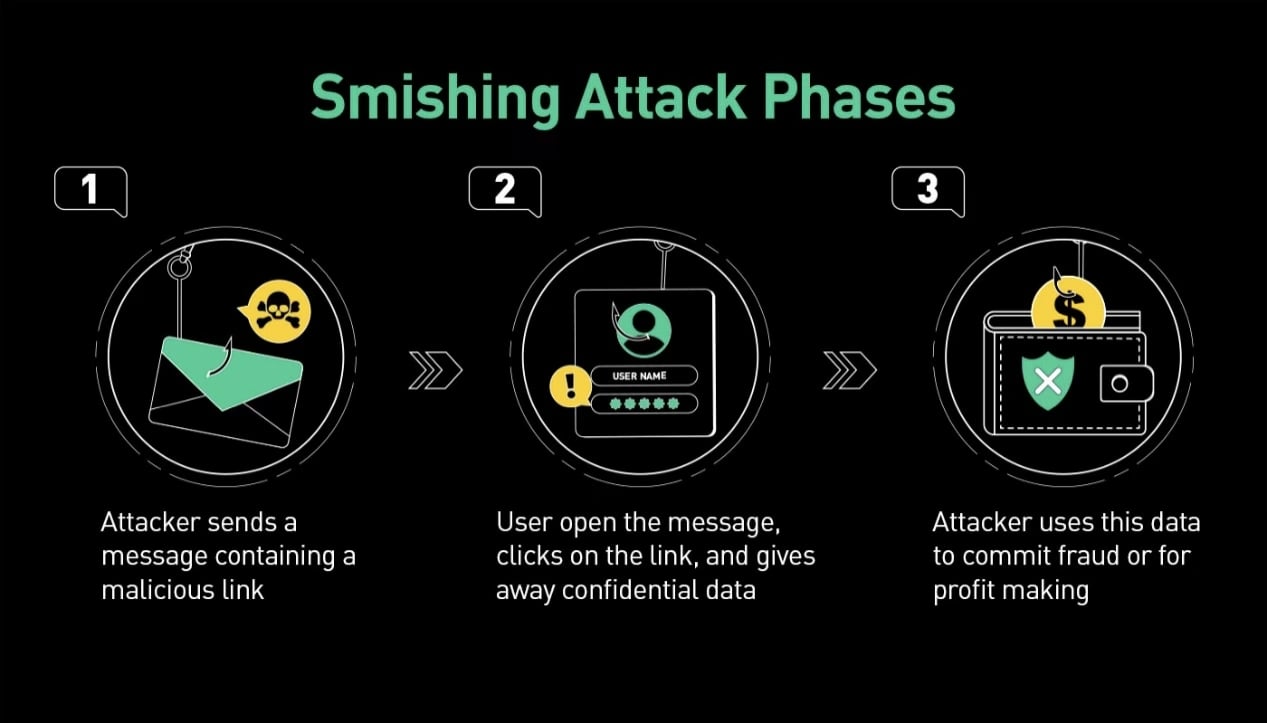
We have detected that phishing emails and messages pretending to be from KuCoin are still frequent, and phishing activities continue. Therefore, we strongly recommend users to enable the Anti-Phishing Code feature to enhance account security (please update to the latest version of the KuCoin app or log in via the web to set it up).
What is the Anti-Phishing Code?
The Anti-Phishing Code is a security feature provided by KuCoin to help users identify phishing emails and phishing SMS messages. Once enabled, all official emails and SMS (including SMS verification codes) will contain the Anti-Phishing Code. Phishing emails or phishing SMS will not contain the Anti-Phishing Code, so users can easily verify whether the received email or message is from KuCoin.
If the email or SMS you received shows an incorrect Anti-Phishing Code or lacks the code, please contact KuCoin customer service immediately. The Anti-Phishing Code is highly sensitive personal information and should never be shared with anyone, including KuCoin customer service.
How to Set Up the Anti-Phishing Code?
Go to Profile icon->Security(Account Security)->Security Code(Anti-Phishing Code) to set up an 8-digit numeric Anti-Phishing Code.
Please note that if you have previously set an Anti-Phishing Code, but it is not in the 8-digit numeric format, you will need to reset it to an 8-digit number to ensure the code appears in your SMS. The Anti-Phishing Code in SMS will only display as a pure numeric code. Please set a number string that you can recognize, and try to keep it distinct from other passwords.
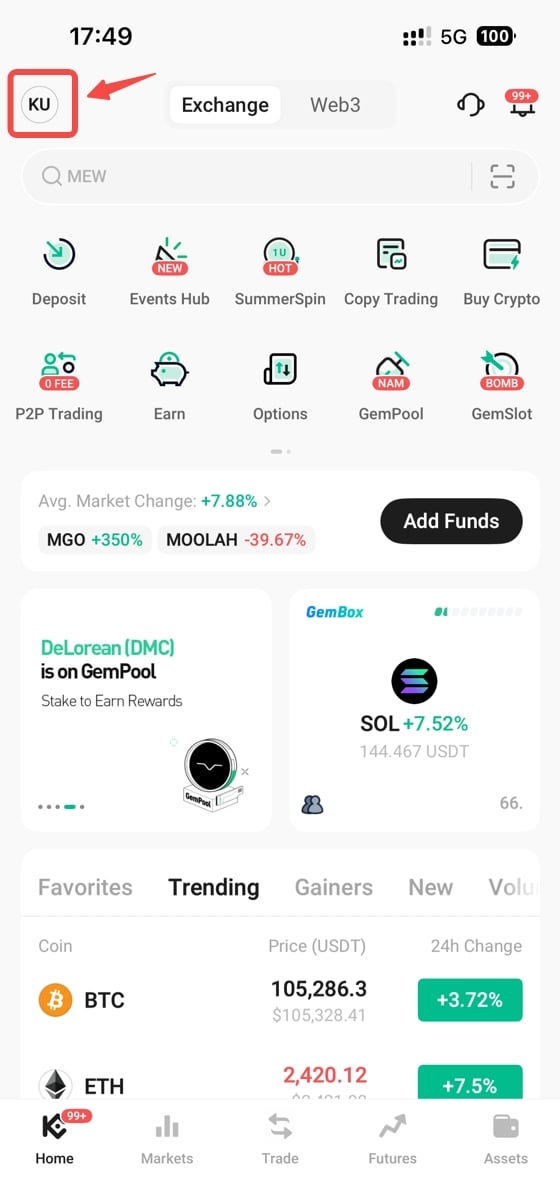
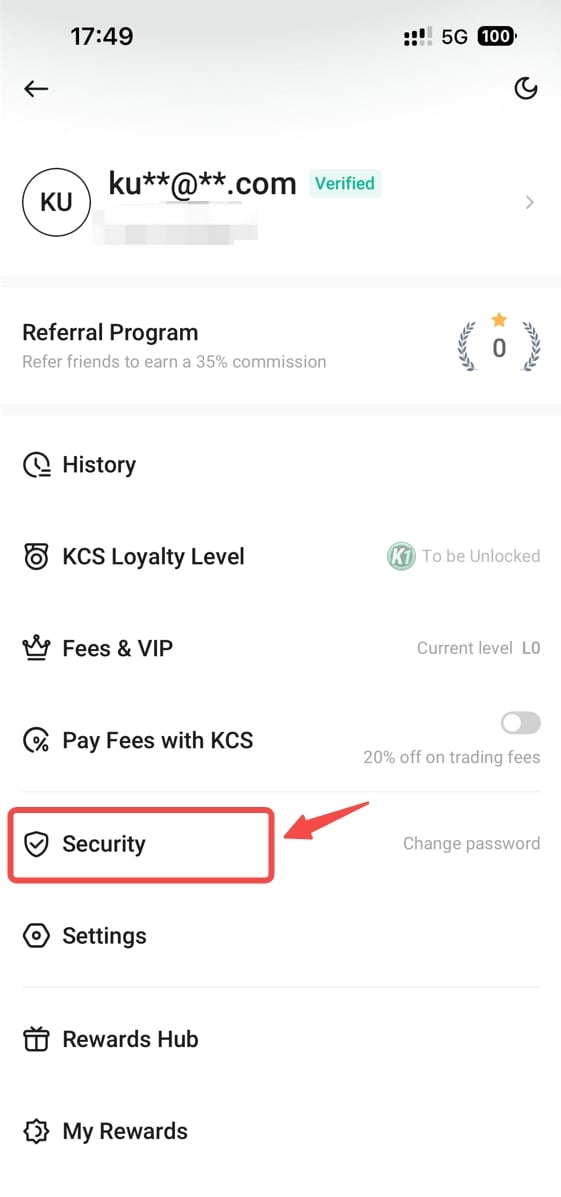
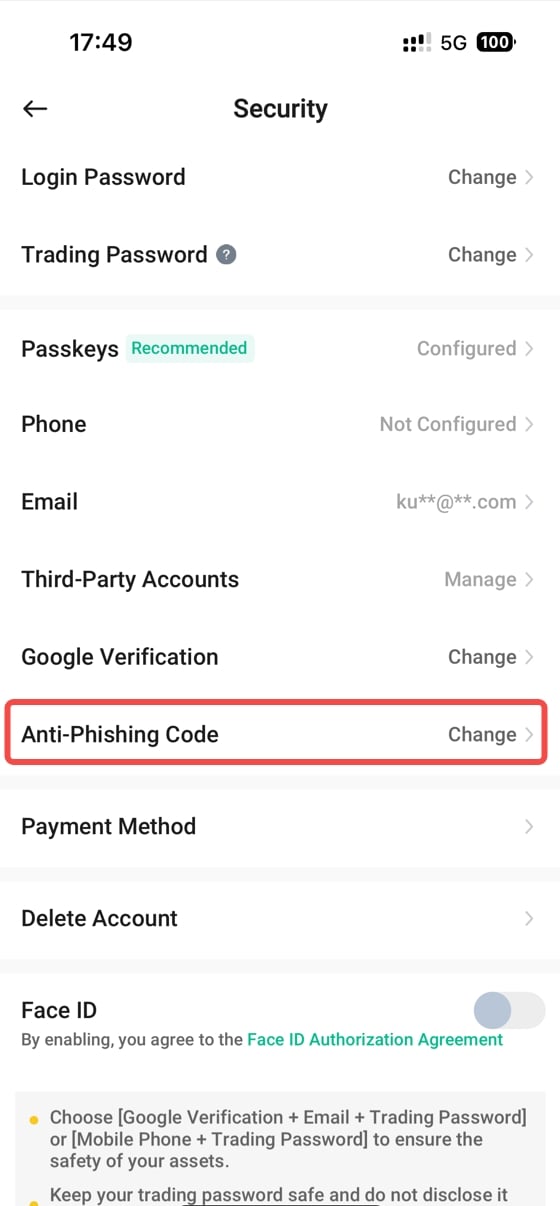
Steps to Set Up Anti-Phishing Code on the App
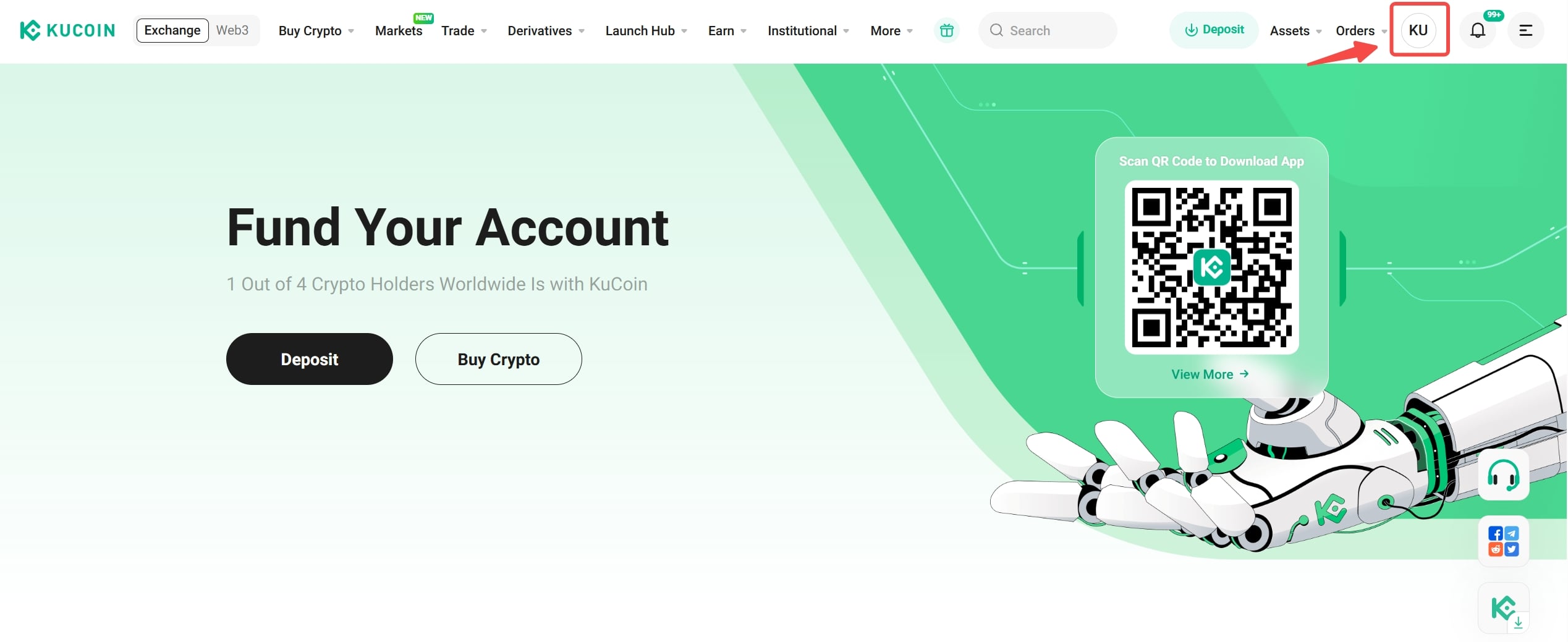
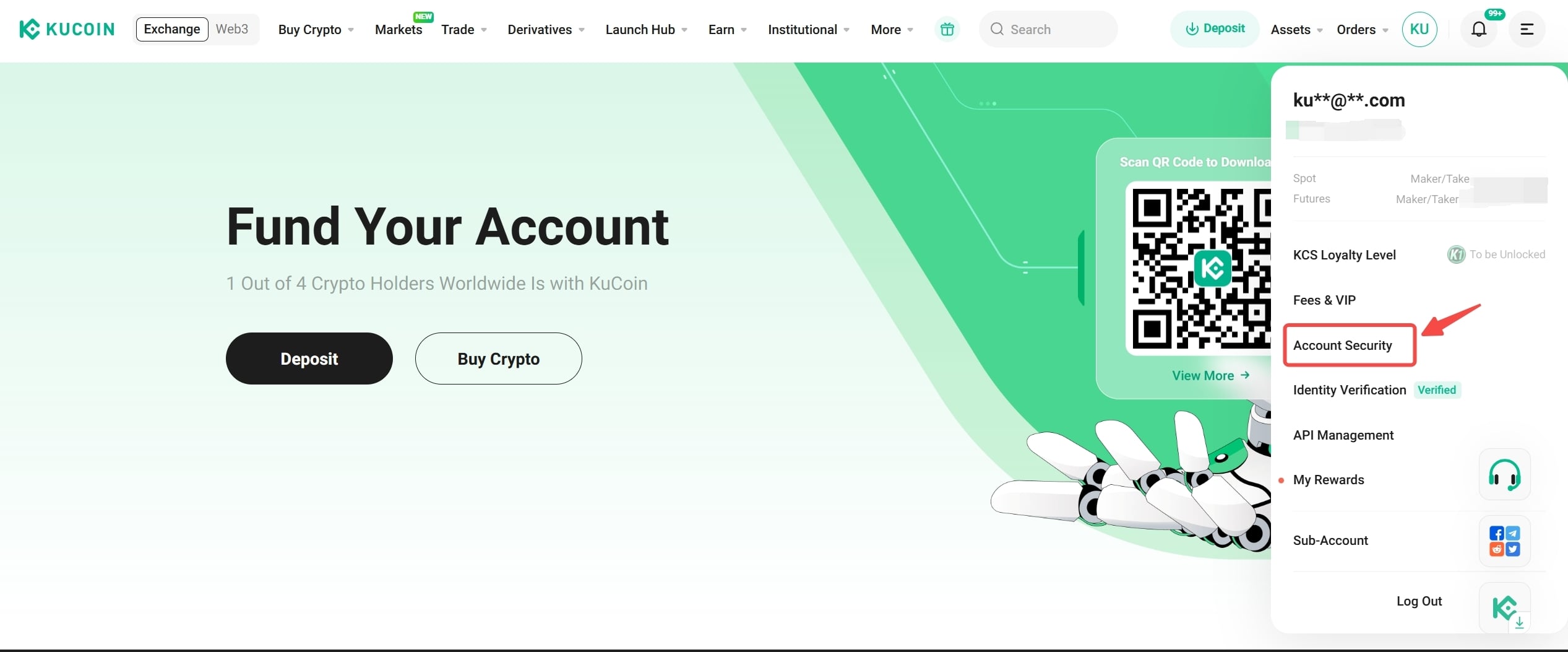
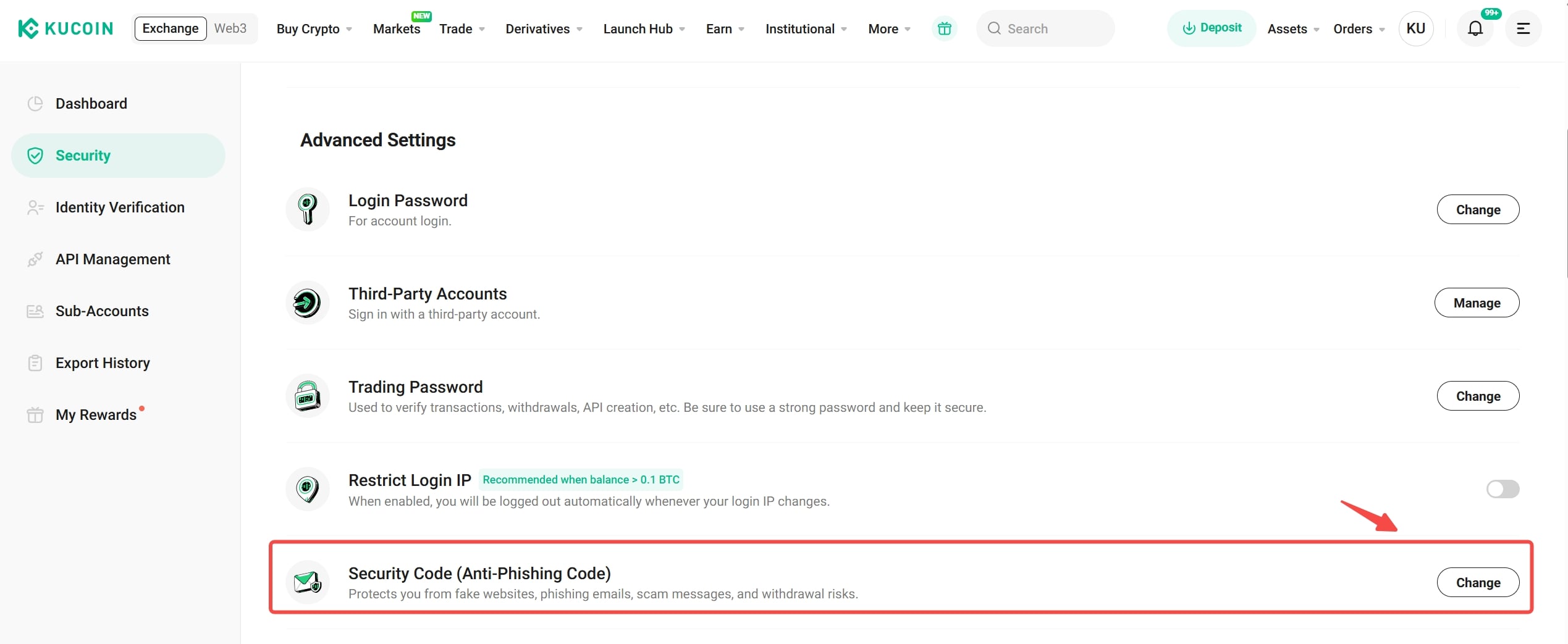
Steps to Set Up Anti-Phishing Code on the Web
How to Protect Against Phishing Websites or Phishing Calls
-
Phishing groups typically claim that you have an ongoing withdrawal operation or that your account has modified security settings, leading users to request fraudulent phishing websites or dial fake customer service numbers. Always verify through Official Channels whether the domain is the real official website. We also solemnly declare that KuCoin’s official SMS will never ask users to call any phone number (if you receive a message asking you to call, it is a phishing SMS/email).
-
Follow the suggestions in this article and set up the Anti-Phishing Code, so that when you receive important operation messages, you can easily verify if they are from KuCoin.
-
Be aware that even if you receive an SMS that appears to be from KuCoin, it may still be a forged message sent by hackers through malicious software. Do not click links or dial phone numbers without caution. You can refer to the "What is SMS Phishing and How to Protect Yourself" guide for further identification methods.
Frequently Asked Questions
-
Will the email Anti-Phishing Code I set previously automatically work for SMS?
If you have previously set an email Anti-Phishing Code but it is not in the 8-digit format, the code will still be effective in emails but will not work for SMS. Only after you reset the Anti-Phishing Code to an 8-digit numeric format will it work in both emails and SMS.
If you previously set an 8-digit numeric Anti-Phishing Code, the code will automatically work in both emails and SMS.
-
I received an official SMS that ends with [Safe Word: Not set]. Does this mean the Anti-Phishing Code was not set correctly?
Please first check if the SMS contains any suspicious links or numbers. We remind you that KuCoin’s official SMS will never ask you to contact any phone number.
If you receive an official SMS that ends with [Safe Word: Not set], it means your Anti-Phishing Code is not set or it is not in the 8-digit numeric format, and thus cannot appear in the SMS. You can follow the steps above to reset your Anti-Phishing Code to an 8-digit numeric format. Once set, your official SMS will end with [Safe Word: Your 8-digit Anti-Phishing Code].