

How to Prevent Phishing SMS Scams?
Recently, criminals have been impersonating KuCoin's official communication through SMS to send fraudulent messages, attempting to lure users into clicking malicious links or calling fake customer service numbers for phishing scams. To protect your assets, please remain vigilant.
Fraud Characteristics Identification:
Forgery Techniques: Fraudsters disguise their messages to show KuCoin's official name.
Common Phrases: They use deceptive content, such as account issues, reward claims, or security verification, to trick users.
Dangerous Behavior : The SMS contains suspicious links or asks you to call a specific phone number.
Real Phishing SMS Examples (Scam Samples):
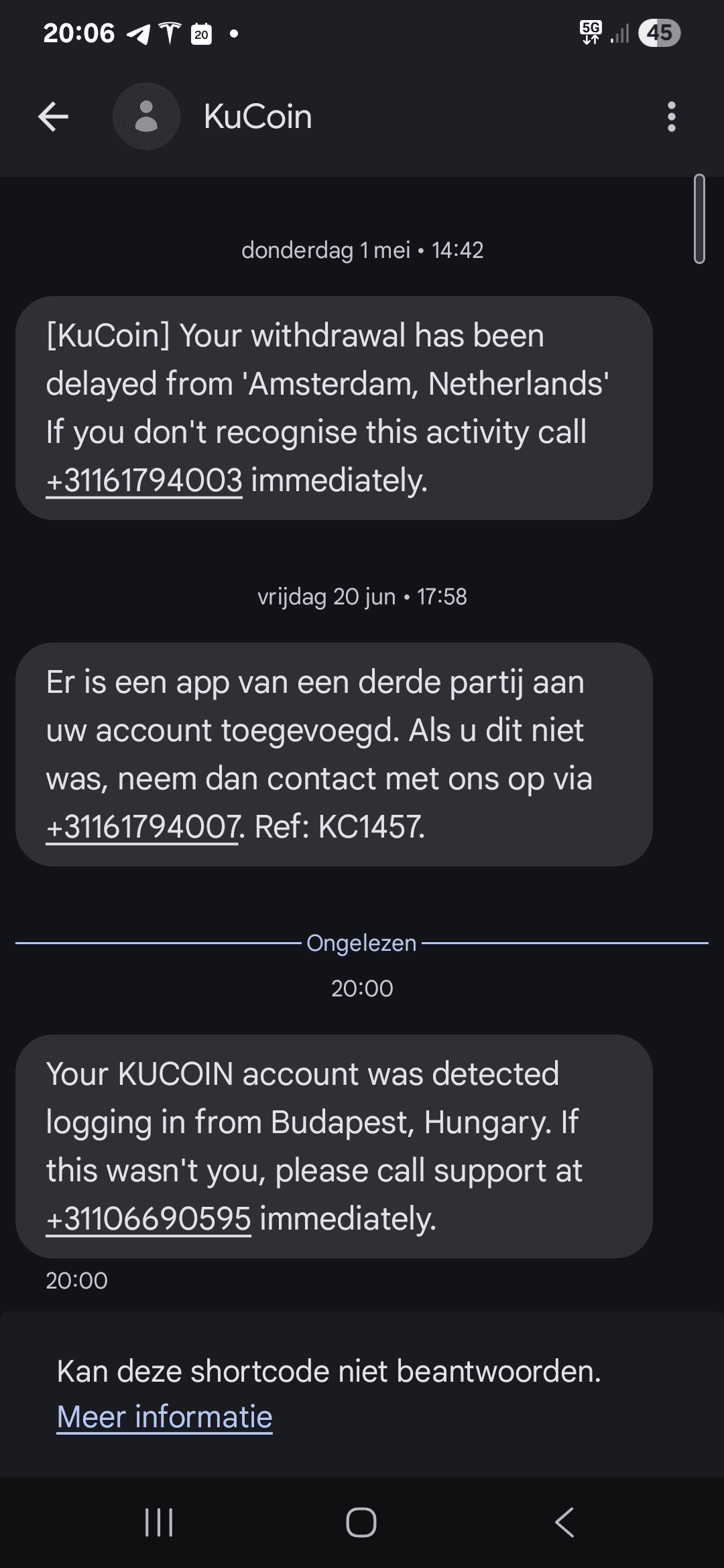
Be cautious of phishing SMS scam 1 (All messages in the image are phishing SMS)
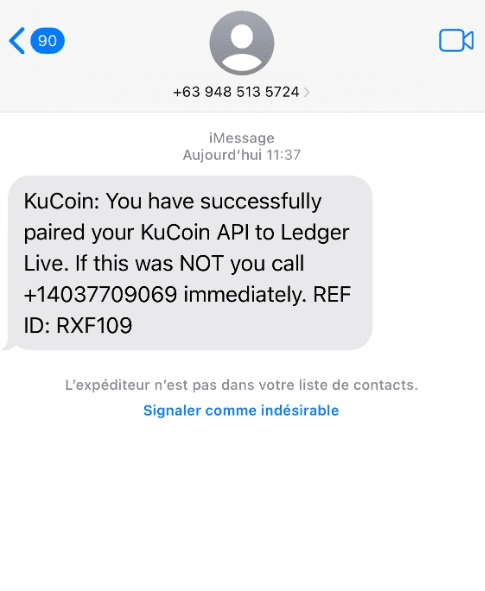
Be cautious of phishing SMS scam 2 (All messages in the image are phishing SMS)
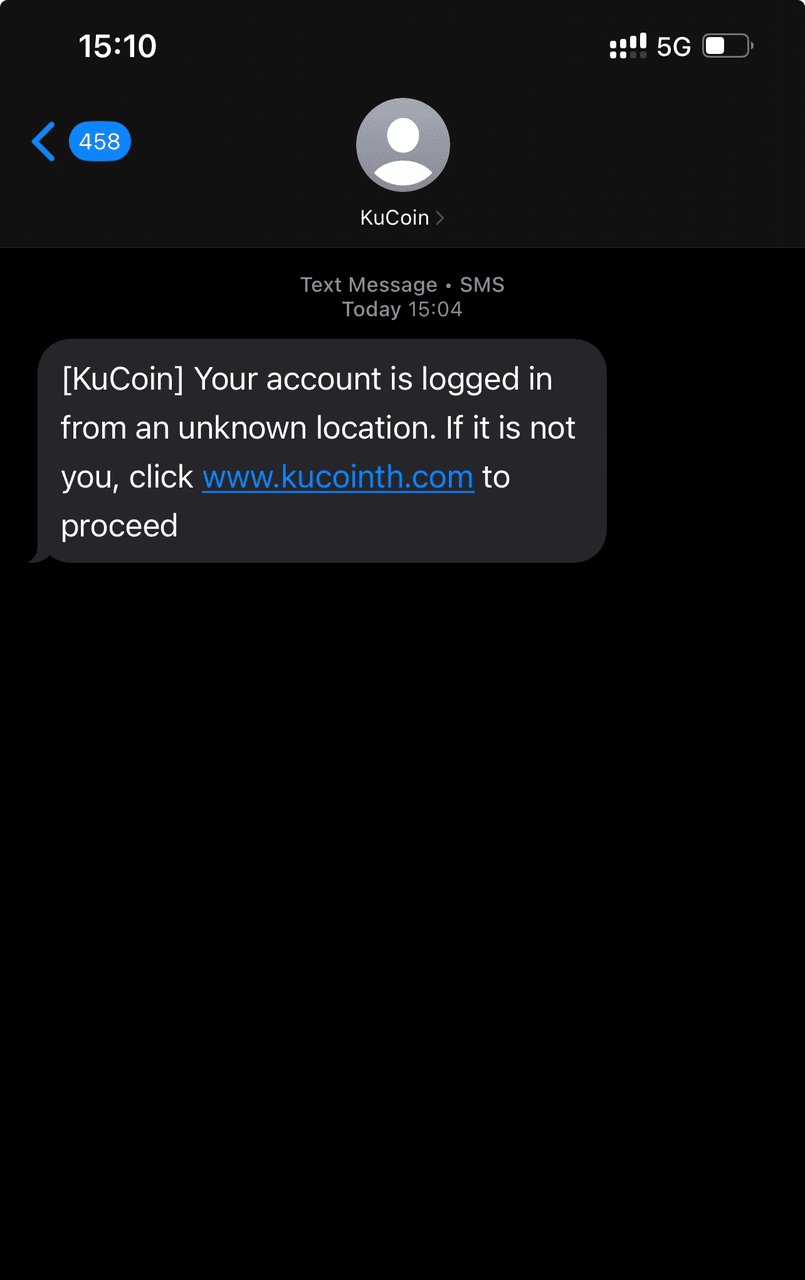
Be cautious of phishing SMS scam 3 (All messages in the image are phishing SMS)
Risk Alert:
These types of SMS messages use technical means to disguise themselves as official notifications and create a sense of urgency to manipulate users into taking action. Clicking unknown links or calling numbers may lead to personal information leakage or asset loss.
Security Protection Measures:
Official Verification: All operations should be performed only through KuCoin's official website (https://www.kucoin.com/) or the official KuCoin app.
Information Protection: Never disclose sensitive information such as passwords, verification codes, or private keys to anyone.
Risk Avoidance: Do not click on links or dial phone numbers provided in SMS messages.
Security Settings: Enable two-factor authentication (e.g., Google 2FA) and passkeys, and regularly check login records to enhance account security.
Friendly Reminder:
KuCoin will never ask you via SMS to:
Click links to perform account operations
Call a phone number for information verification
Immediately address a so-called "account issue"
If you receive suspicious messages, please verify them immediately through official customer service channels. You can contact platform customer support via the following methods: On the web, go to the Help Center and click "Contact Us" at the bottom. For iOS, click the customer service icon in the top right corner of the app. For Android, go to "Personal Center" > "Help Center" > "Online Customer Service."
Staying vigilant is the most effective defense for protecting your assets. If you notice suspicious SMS, emails, or websites, please report them through the official customer service channels. We will do our best to ensure your account security.