

How to Buy Crypto with Apple Pay on KuCoin
In the fast-paced cryptocurrency market, "how to buy Bitcoin with Apple Pay" has become a top priority for investors seeking both efficiency and security. As a leading global digital asset exchange, KuCoin has seamlessly integrated the Apple payment ecosystem, allowing users to convert fiat to crypto in seconds with just a double-click of a side button.
This article provides a deep dive into the complete process, technical advantages, and expert tips for using Apple Pay on the KuCoin platform.
-
Why Choose Apple Pay to Buy Cryptocurrency?
Compared to traditional bank wire transfers or manually entering credit card details, purchasing Bitcoin via Apple Pay offers irreplaceable advantages:
-
Instant Settlement: Unlike bank transfers that can take 3-5 business days, Apple Pay enables "instant buy" functionality, helping you enter the market precisely when volatility creates opportunity.
-
Financial-Grade Security (Tokenization): Apple Pay utilizes advanced "Tokenization" technology. During the transaction, your actual bank card details are never shared with KuCoin or any third party. Instead, it uses a unique Device Account Number (Token), significantly reducing the risk of data breaches.
-
Biometric Authentication: Every transaction must be authorized via FaceID, TouchID, or a device passcode. This adds a robust layer of biometric protection to your financial security.
-
Preparation Before You Buy
Before logging into the KuCoin Official Website to start trading, ensure you have completed the following:
-
Set Up Apple Wallet: Open the "Wallet" app on your iPhone or iPad and link a valid VISA or MasterCard.
-
Pro Tip: Prioritize using a Debit Card, as some credit card issuers may decline transactions categorized under cryptocurrency.
-
-
Complete KuCoin KYC Verification: Visit the KuCoin Identity Verification Center to complete your real-name authentication. Verified users not only enjoy higher transaction limits but can also recover their accounts more quickly via identity records if access is lost.
-
Environment Check: Ensure your iOS is up to date. Web users must use the Safari browser to activate the Apple Pay payment component.
-
Step-by-Step: Buying Crypto with Apple Pay on KuCoin
Method A: Mobile App Process
If you are using the KuCoin Mobile App, follow these steps:
-
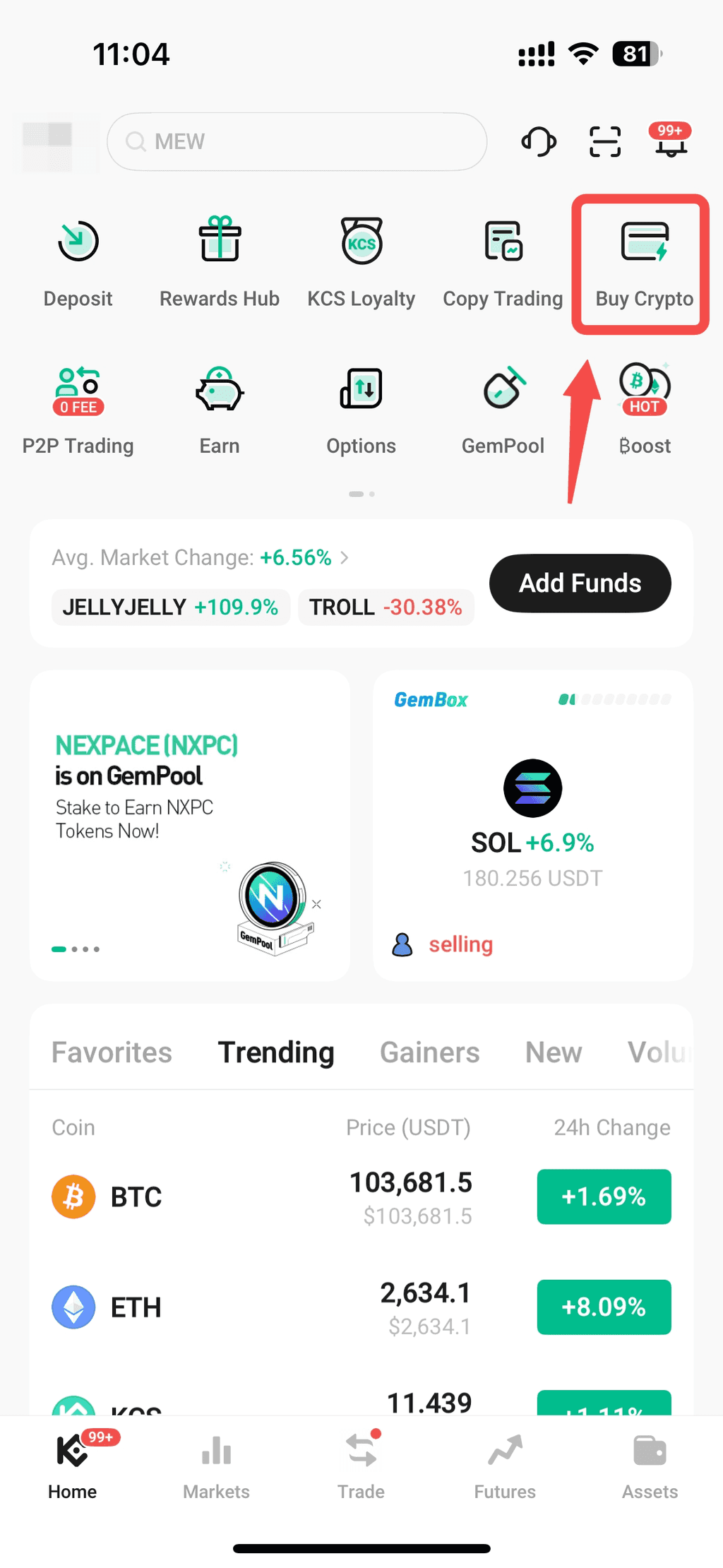
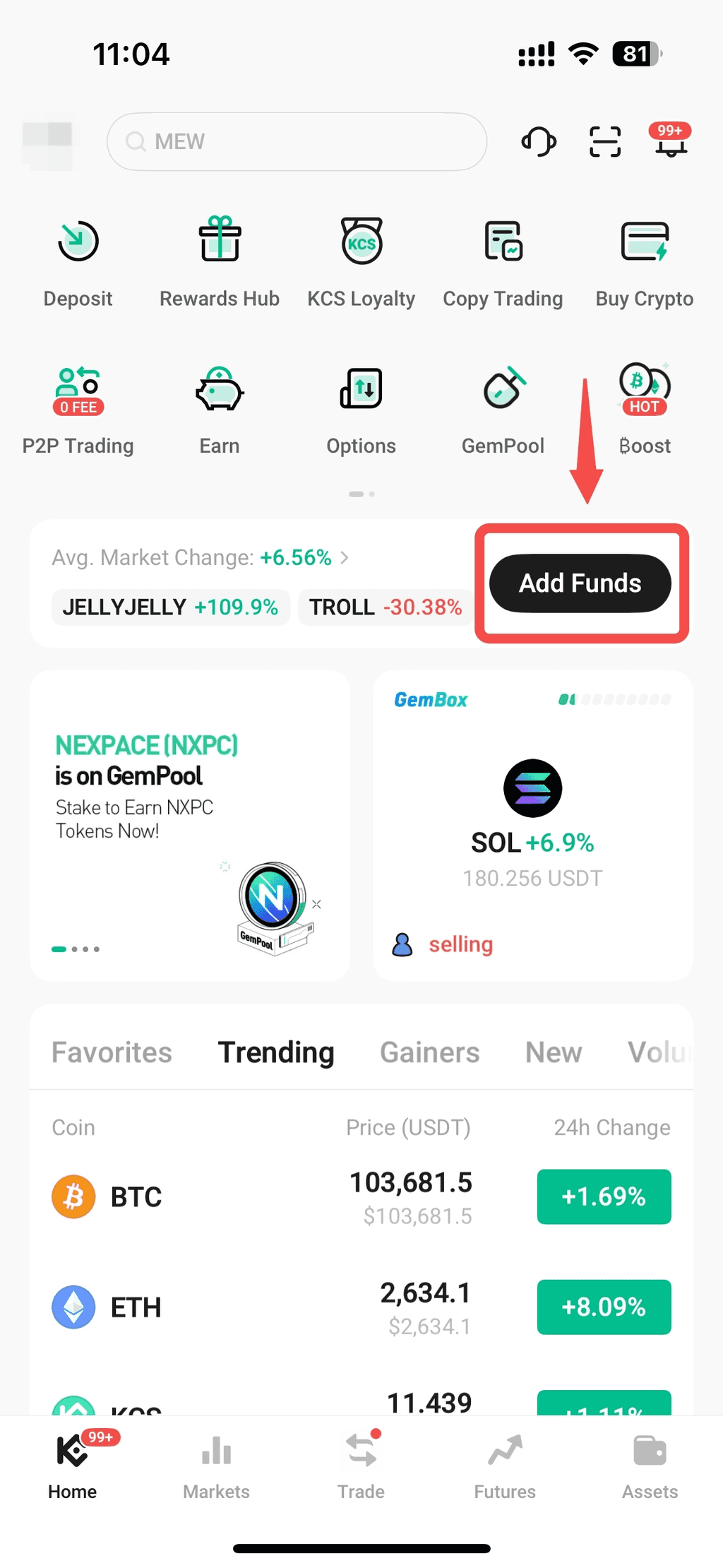
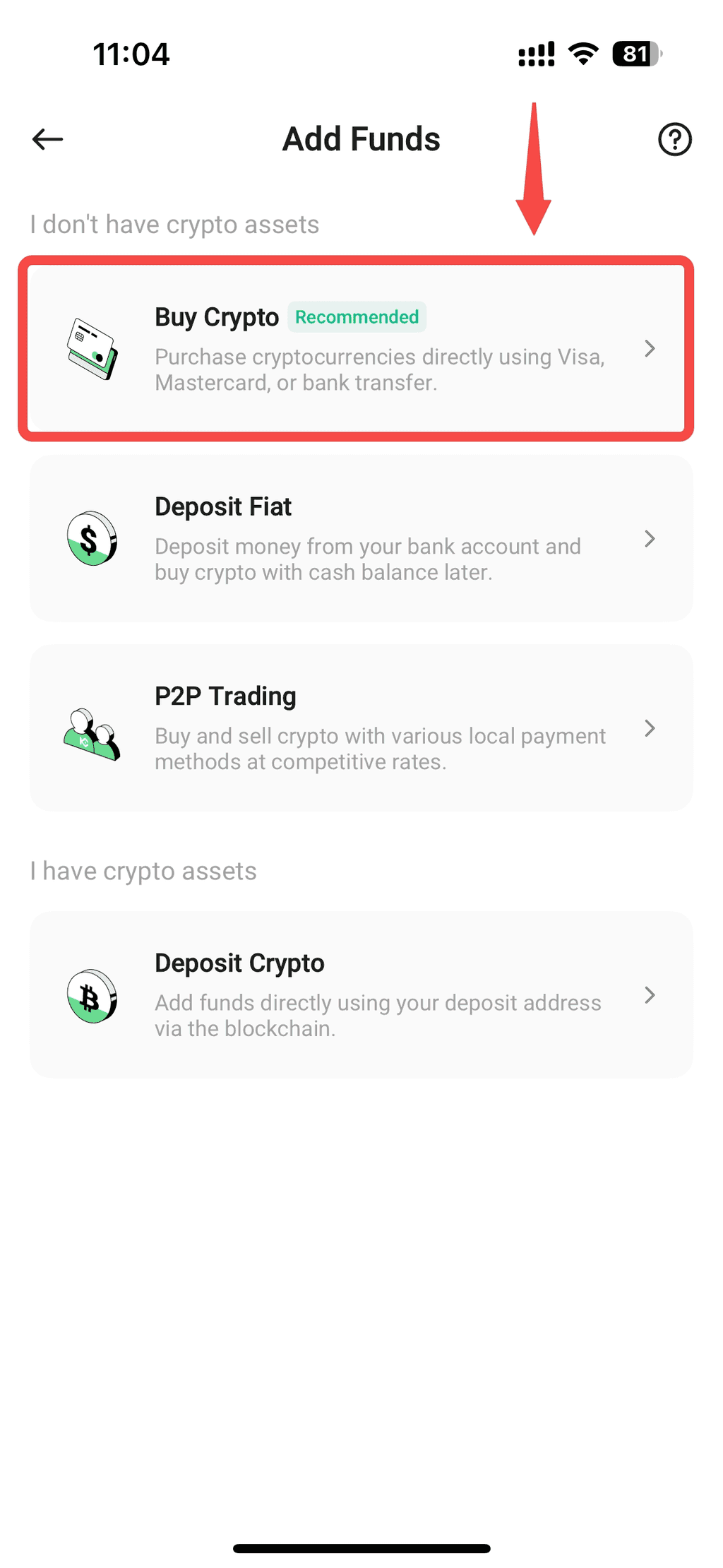
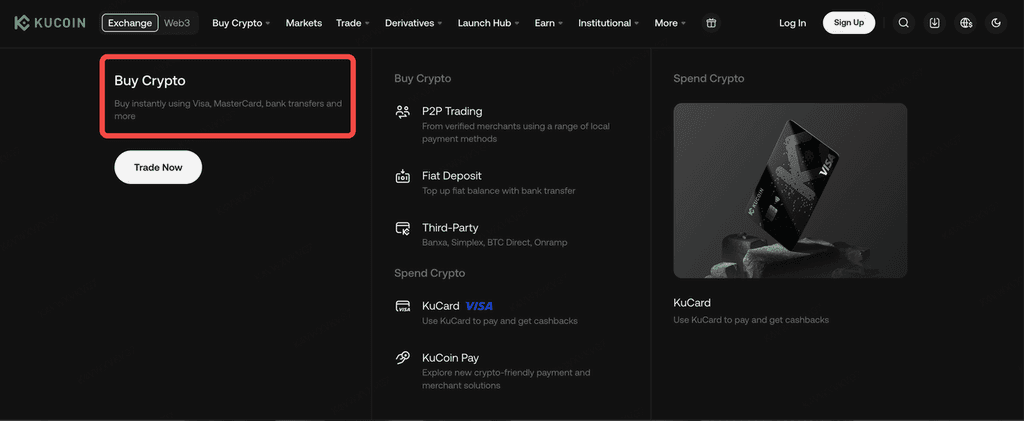
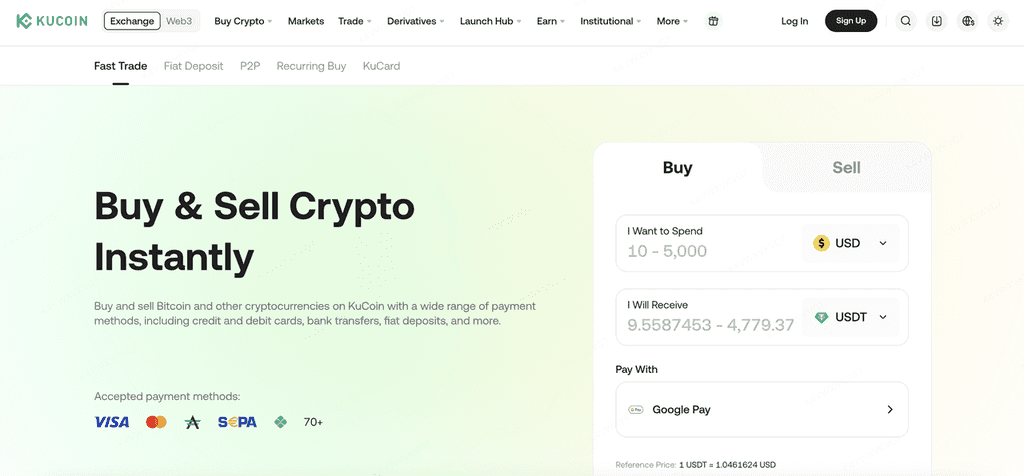
Access the Entry Point: Tap "Buy Crypto" on the homepage and select "Fast Trade."
-
Configure Parameters: Select the fiat currency you want to pay with (e.g., USD) and the crypto you want to buy (e.g., BTC or USDT).
-
Select Payment Method: In the payment options dropdown, select Apple Pay.
-
Review the Order: Confirm the estimated amount of crypto you will receive and tap "Confirm."
-
Authorize Payment: Follow the device prompts to double-click the side button and complete verification via FaceID/TouchID.
Method B: Web Process
-
Login: Visit the KuCoin website and navigate to "Buy Crypto" -> Fast Trade.
-
Setup: Enter the amount and select Apple Pay as your method.
-
Payment: Click "Buy" and complete the biometric verification in the Safari browser pop-up window.
-
Key Features and Limits
Understanding the details of your payment method helps you manage your funds more effectively:
-
Transaction Limits: * Minimum: Usually as low as $1 per transaction.
-
Weekly Limit: The 7-day cumulative limit is typically around $10,000, though high-level verified users may qualify for higher deposit tiers.
-
-
Fee Structure: Apple Pay itself generally does not charge additional fees for debit card transactions. However, please note that the crypto platform charges a transaction commission, and your bank may apply cross-border fees.
-
One-Way Transactions: Currently, Apple Pay primarily supports "Buy" operations. If you need to Withdraw, you must first sell your crypto and then transfer the fiat to your bank card or account via the KuCoin Withdrawal Page.
-
Frequently Asked Questions (FAQ)
Q: How long does it take for the coins to arrive?
A: Typically within 10 minutes, and no later than 24 hours. You can monitor progress in your Order History.
Q: Which countries support this feature?
A: Apple Pay for crypto is supported in over 60 countries/regions, including the USA, UK, Germany, Singapore, and Hong Kong.
Q: What if my transaction fails?
A: Ensure the card in your Apple Wallet supports international payments. If you encounter a technical error, tap "Retry" or contact KuCoin 7/24 Live Support.
Conclusion
In the world where the Las Vegas Sphere showcases the power of digital vision, using the most advanced tools to manage your finances is essential. The KuCoin and Apple Pay integration lowers the barrier for newcomers while utilizing dual-encryption technology to secure every transaction.
Ready to start your crypto journey? Register for a KuCoin account today and experience the speed of instant crypto purchases!
Want to learn more about asset security? Read our in-depth article: How to Protect Your KuCoin Account with 2FA.