
Freezing and Unfreezing Your Account
Here you’ll learn how to freeze and unfreeze your account so you can quickly get help should you face a security threat.
Contents
1. Freeze Your KuCoin EU Account
2. Unfreeze Your KuCoin EU Account
1. Freeze Your KuCoin EU Account
You can freeze your account in three ways.
Method 1: Use the freeze link in security emails
When you perform sensitive actions, you receive a confirmation email that includes a freeze link. Click this link to freeze your account immediately.
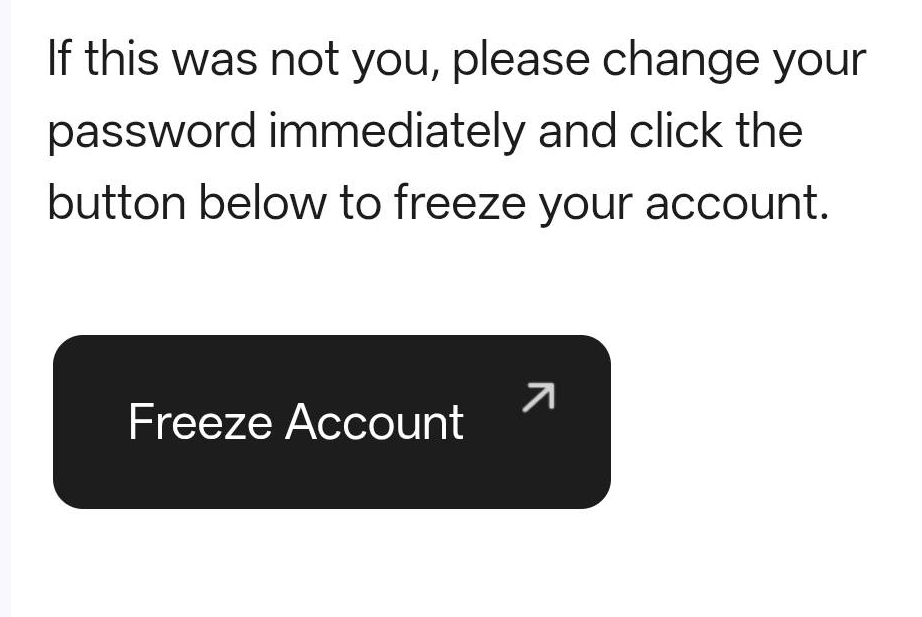
Sensitive actions that trigger a confirmation email include:
- Unusual internet protocol activity
- Login notifications
- Changing or unlinking your phone
- Changing or unlinking your email
- Changing or resetting your trading password
- Changing your login password
- Withdrawals
- Freezing and unfreezing your account
Method 2: Use emergency freeze while logged in
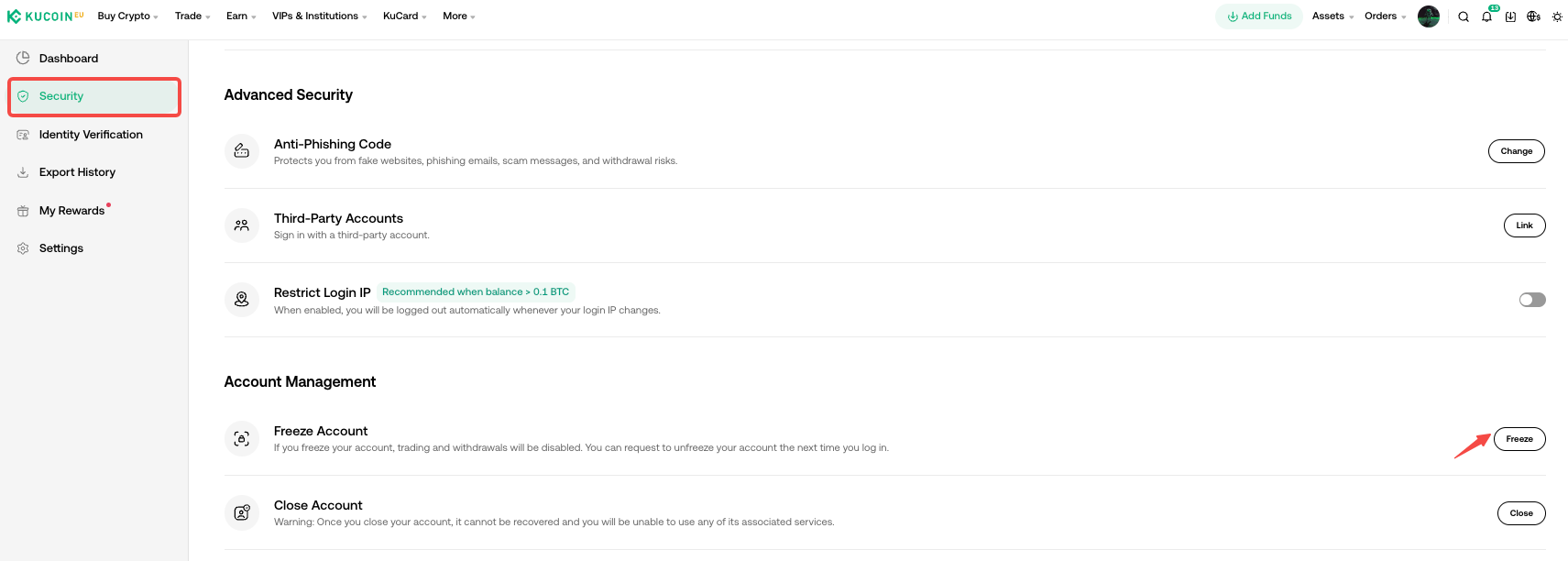
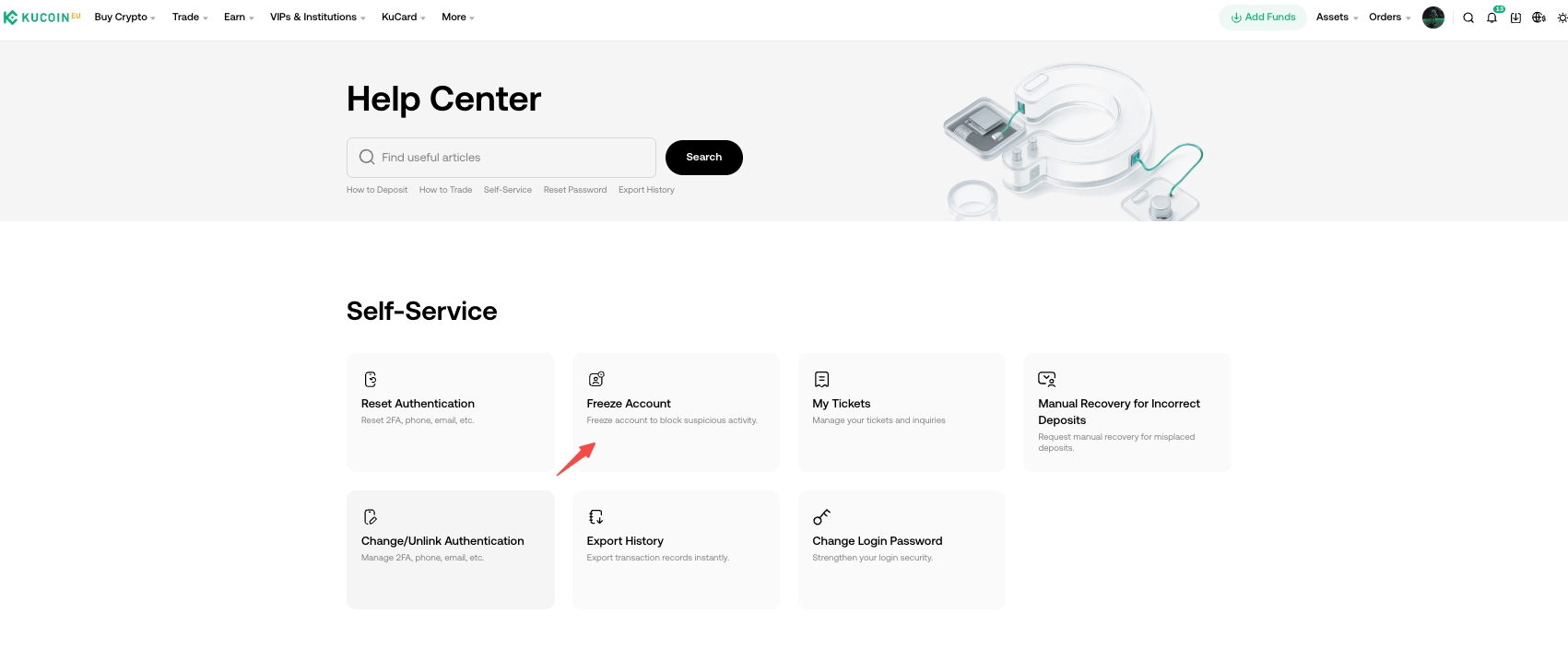
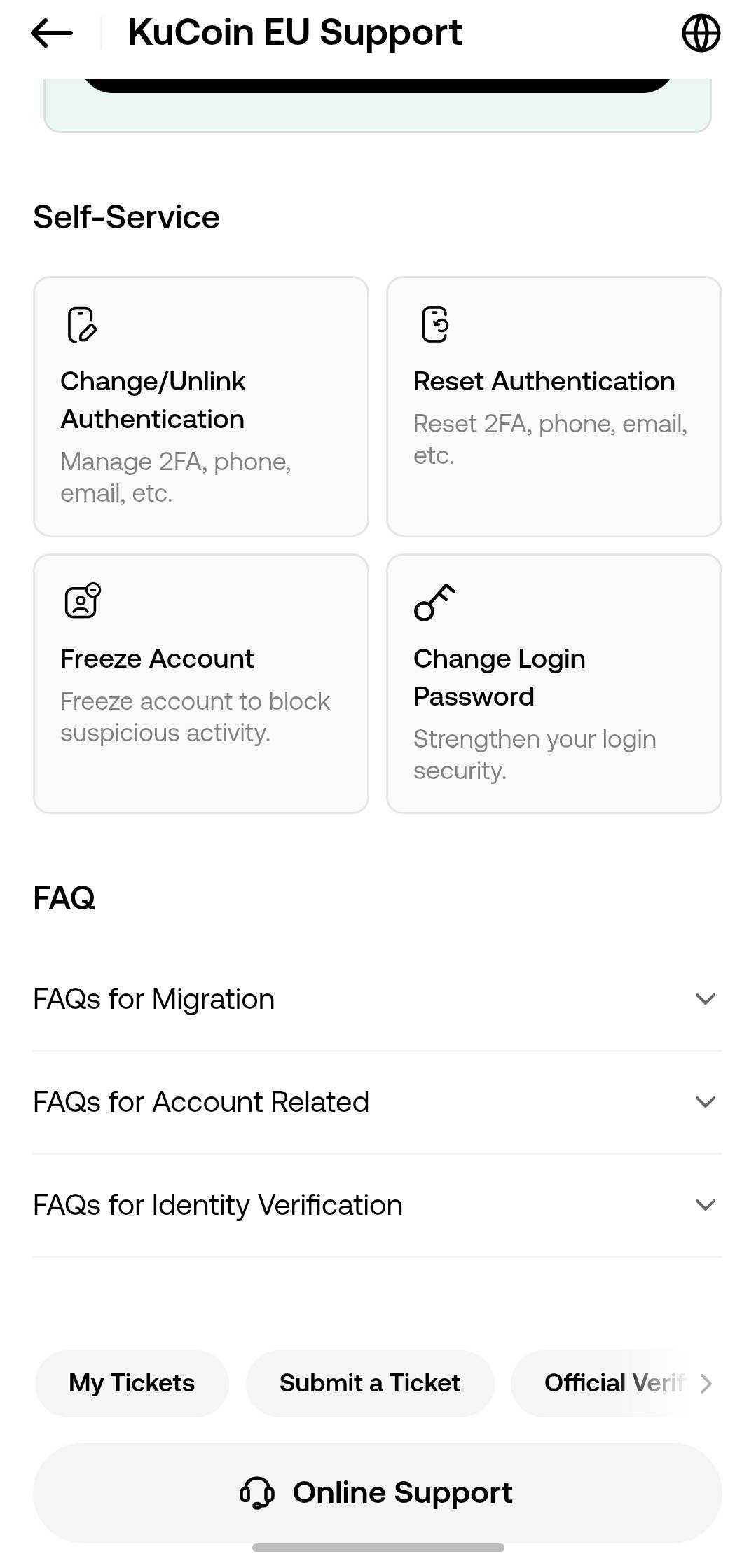
If you can log in, freeze your account from the security settings or from the help center.
- On the KuCoin EU website, click Security > Freeze Account
ii. Or, go to Help Center > Freeze Account
Method 3: Contact support when you cannot log in
If you think your account or email is compromised and you cannot log in, contact live support immediately. After your identity is verified, your account is frozen.
Contact Support via the KuCoin EU website
- Open the KuCoin EU website
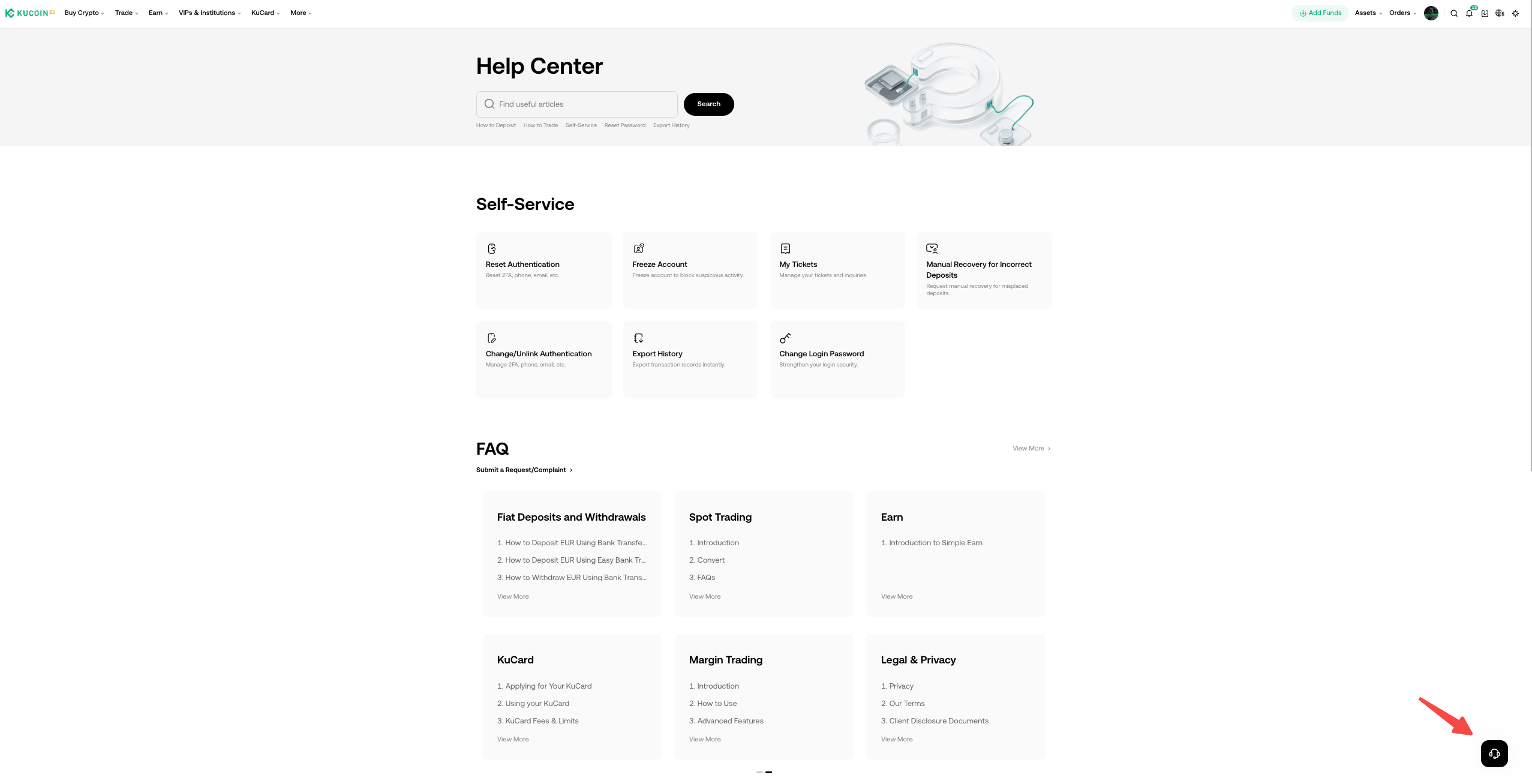
- At the bottom of the homepage, in the Services section, click Help Center
- Or click the Need any help? customer support icon in the bottom right corner
- Explain that you need to freeze your account and follow the instructions from support
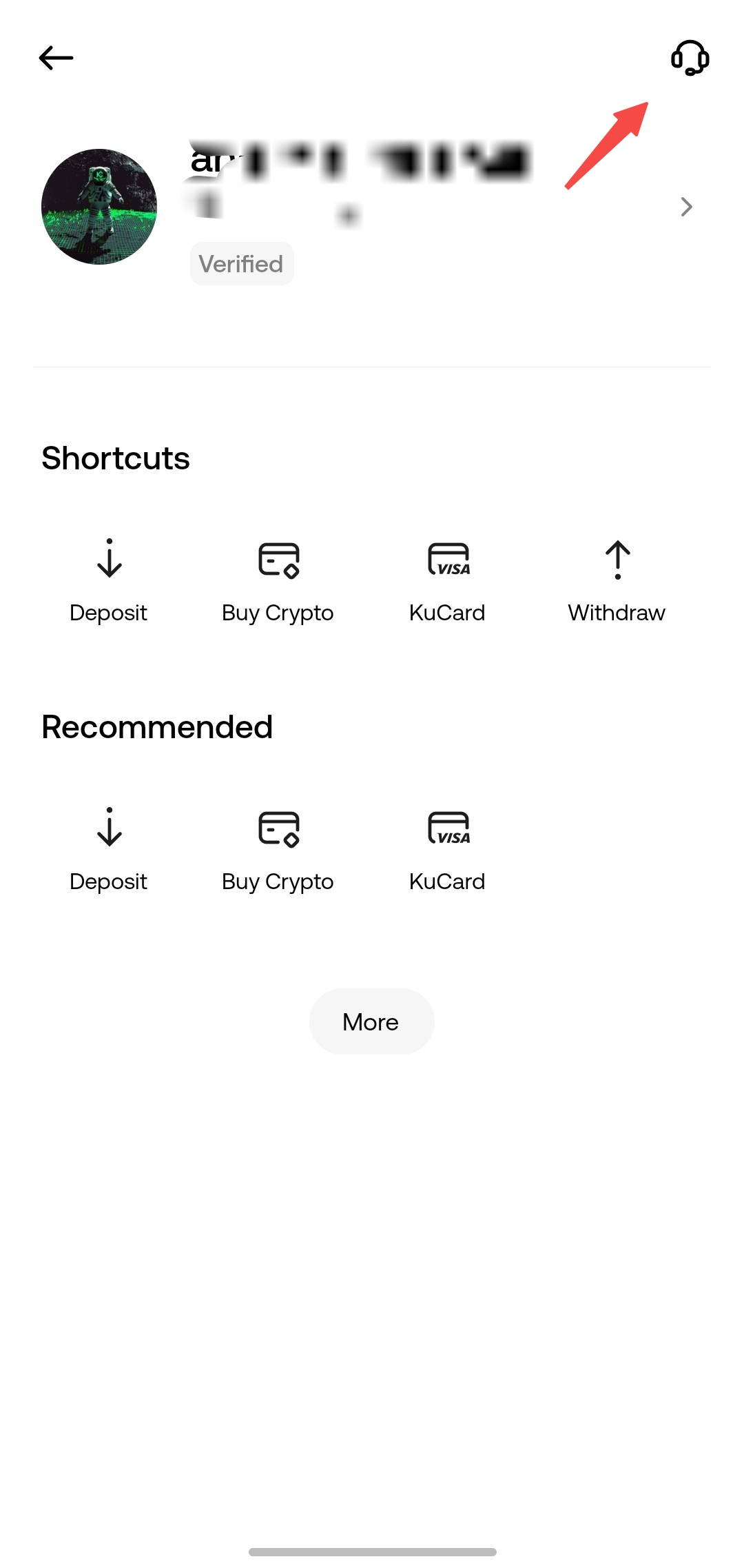
Contact Support via the KuCoin EU app
- Open the KuCoin EU app
- Tap your profile in the top left corner to open the menu
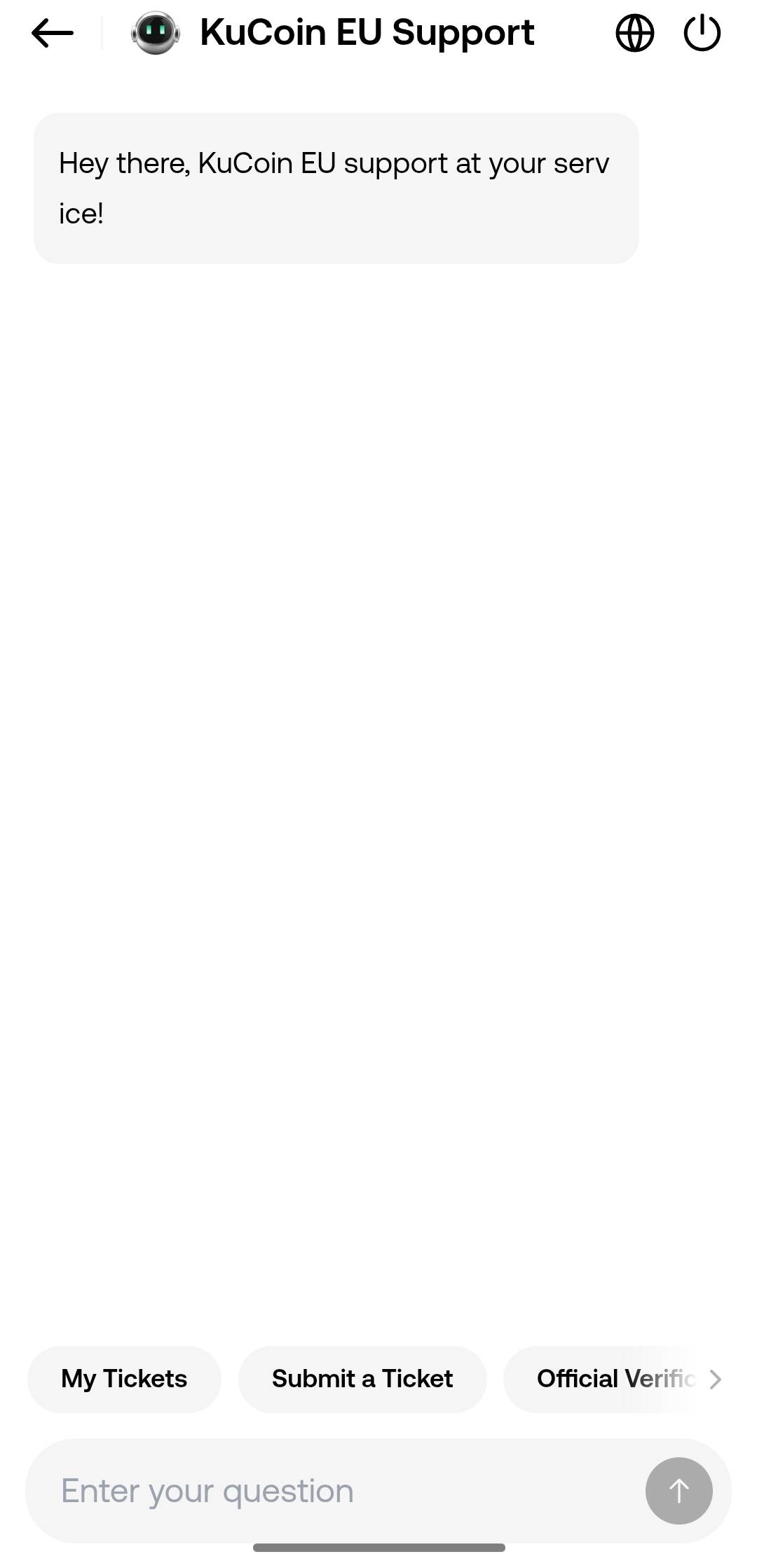
- Tap Support > Online Support
- Tell support you need to freeze your account and follow their guidance
2. Unfreeze Your KuCoin EU Account
When you confirm that your KuCoin EU account is secure, you can unfreeze it by self-service or with manual assistance.
Method 1: Unfreeze your KuCoin EU account via self-service
Use self-service if you froze your account yourself and you can still access the login page.
- Go to the KuCoin EU website or open the KuCoin EU app
- Log in to your KuCoin EU account
- When the pop-up appears, complete the security verification
- Enter your trading password
- Enter the verification code you receive by email or short message
- Follow the web prompts to complete identity verification
- Submit the application and wait for the notification

Method 2: Manual unfreeze
If your KuCoin EU account is frozen for other reasons and you cannot log in, withdraw, or trade, request a manual unfreeze.
- Contact online support through the KuCoin EU website or the KuCoin EU app
- Provide the required information so support can investigate the cause
- After the investigation, customer support unfreezes your KuCoin EU account if it is safe to do so
If you have any other questions, please reach out to our 24/7 customer support via online chat or submit a ticket.