

KuCoin Lite VS KuCoin Pro: An In-Depth Analysis of Cryptocurrency Investment Modes
2025/12/04 18:27:02
For newcomers stepping into the world of crypto and professionals seeking maximum trading efficiency, choosing the right interface is crucial. KuCoin offers two distinct operating modes: the KuCoin Lite Version and the KuCoin Pro Version. This article will provide an in-depth comparison of the two modes, focusing on user experience, core functionalities, asset management, and security settings, to help you seamlessly start your crypto investment journey.
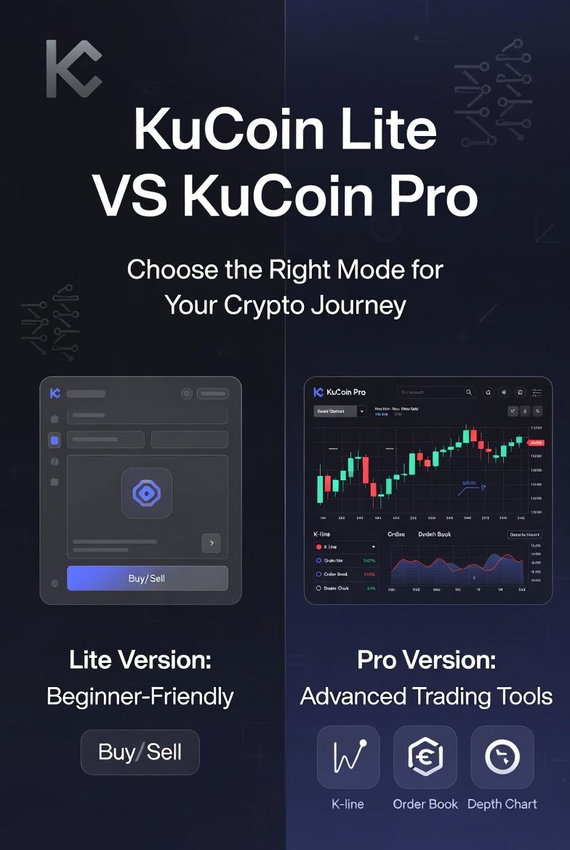
I. Mode Positioning and User Experience: The Minimalism of the Lite Version
The design philosophies behind KuCoin Lite and Pro are fundamentally different, which is immediately reflected in their user interfaces and interaction logic.
-
KuCoin Lite Version: Crypto app for Beginners
-
Core Positioning: "Beginner-Friendly, Simplified Operations." The KuCoin Lite Version is designed to lower the barrier to entry into the crypto market, allowing users to focus on the essential operations of buying, selling, and holding.
-
Interface Features:
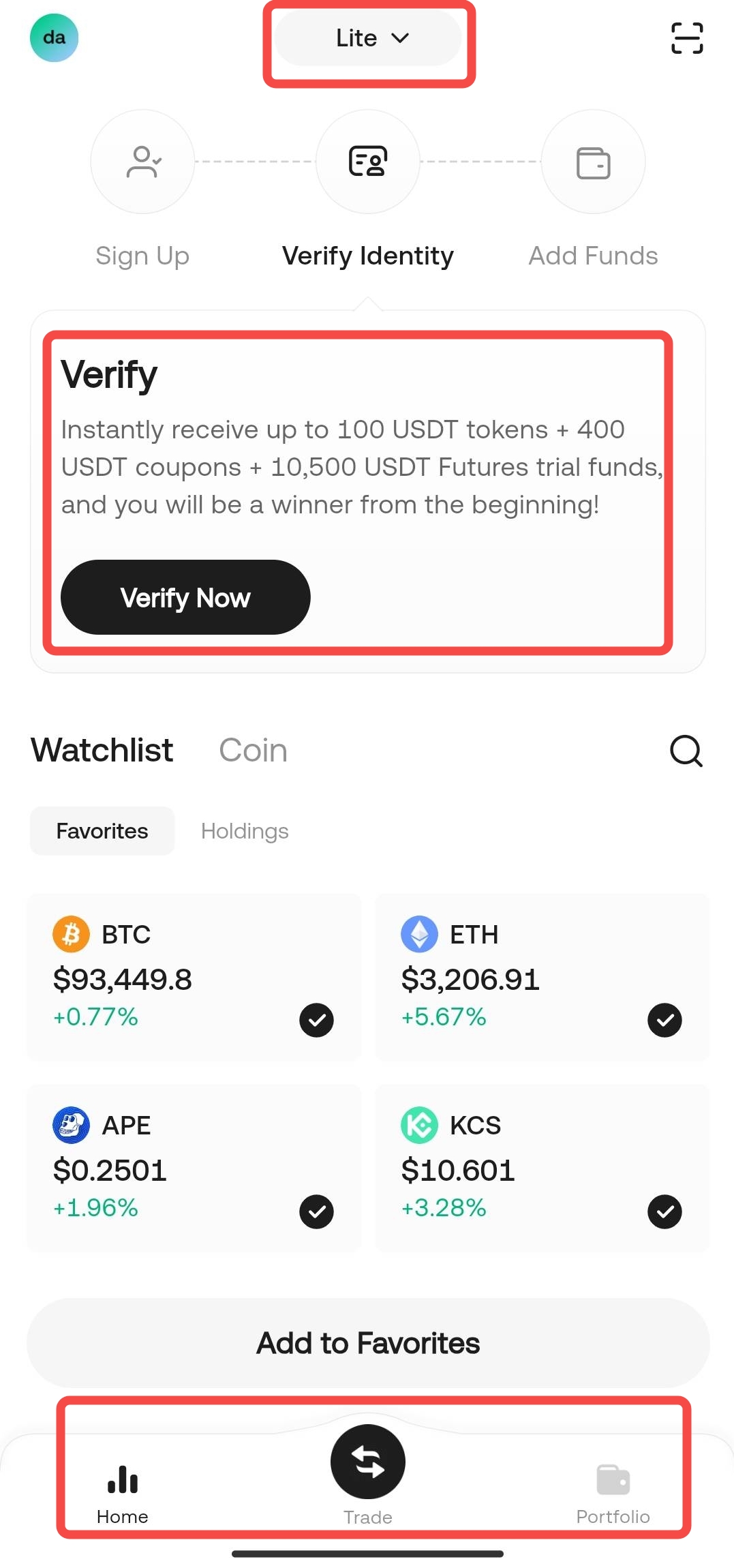
-
Dashboard: A clean Watchlist dominates the view, showing only selected popular coins and user holdings.
-
Core Flow: The process is streamlined to "Register → Buy Crypto → Hold," with all operations revolving around "One-Click Buy/Sell" and "Flash Exchange."
-
-
Target Users: Crypto beginners, investors who primarily want to hold and HODL, and users seeking a minimalist trading experience.
-
KuCoin Pro Version: The Professional Trading Terminal
-
Core Positioning: "Comprehensive Functionality, Professional Tools." This mode caters to advanced traders, offering a full financial product line and sophisticated analytical tools.
-
Interface Features:
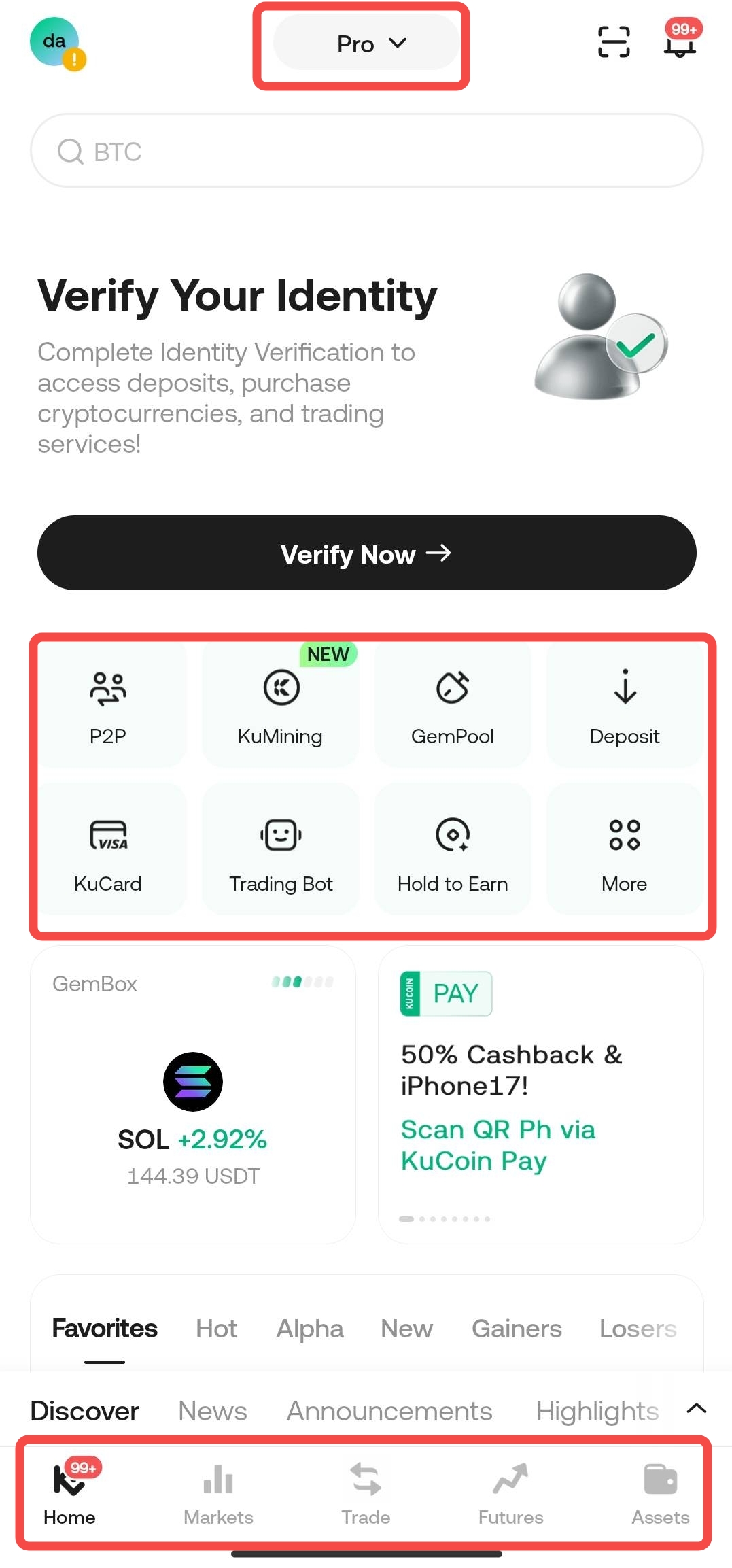
-
Rich Entry Points: The top quick-function bar provides one-stop access to advanced services like P2P, KuMining, Trading Bot, and Futures.
-
Depth of Information: The bottom navigation bar includes dedicated tabs like Markets and Futures, essential for in-depth market analysis and high-risk trading.
-
-
Target Users: Active traders with some trading experience, quantitative enthusiasts, and users requiring complex financial instruments like Leverage and Futures.
II. Core Functionality Comparison: The Balance of Depth vs. Breadth
The KuCoin Lite Version intentionally limits the number of features to ensure security and convenience for new users, while the Pro Version strives to offer comprehensive service depth.
| Feature Module | KuCoin Lite Version | KuCoin Pro Version |
| Transaction Types | Supports Buy Crypto, Sell Crypto, and Flash Exchange. | Supports Spot Trading, Futures Trading, Margin Trading, and more. |
| Transaction Fees | Flash Exchange is fee-free; Buy/Sell crypto fees may differ from Pro. | Uses a tiered trading fee schedule and supports KCS deduction for fees. |
| Product Ecosystem | Does not display advanced products like Trading Bots, Lending, etc. | Offers access to all ecosystem products including KuMining, GemPool, Trading Bot, and KuCard. |
| Identity Verification (KYC) | Mandatory Step (highlighted in red boxes on lite.jpg and pro.jpg) for account security and unlocking deposit/withdrawal functions. | Mandatory Step; Advanced KYC unlocks higher deposit and withdrawal limits. |
| Keywords Added | KuCoin Lite Flash Exchange, KuCoin Lite Buy Sell Crypto Tutorial, KuCoin Lite Asset Management. | KuCoin Pro Spot Trading, KuCoin Pro Futures, KuCoin Pro Trading Bot. |
III. In-Depth Look at Asset Management and Account Relationship
Whether you use the KuCoin Lite Version or the KuCoin Pro Version, your assets are stored under the same Unified Account.
-
Asset Sharing and Isolation Mechanism
-
Asset Ownership is Shared: Lite and Pro assets are shared. Users can switch between modes without needing internal transfers.
-
Account View Isolation (Crucial): This is key to understanding asset display in the Lite Version.
-
Lite View: To simplify the experience, the KuCoin Lite Version currently only displays assets located in the "Funding Account."
-
Pro View: The Pro Version fully displays all accounts (e.g., Funding Account, Trading Account, Futures Account, etc.).
-
-
Impact on Operations: If you transfer funds from the Pro Version to an "Futures Account" or "Trading Account," these assets will not be displayed on the KuCoin Lite Version's asset page, although they remain securely under your ownership.
-
The Core Value of Identity Verification (KYC)
Both images emphasize the "Verify Your Identity" red prompt box. Completing Identity Verification (KYC) is the critical first step to starting trading and securing your assets.
-
Unlocking Functions: Verification is a prerequisite for unlocking the full range of deposit, purchase, and trading services.
-
Security Assurance: It ensures account security, complies with regulatory requirements, and provides identity confirmation in case of security issues.
-
Lite Version Rewards: The KuCoin Lite interface often features generous New User Rewards (like USDT tokens, coupons) accompanying the verification process, incentivizing quick completion.
IV. Security: The Constant Foundation Across Modes
Security is identical and shared across both modes.
-
Shared Security Settings: Whether using KuCoin Lite or KuCoin Pro, all security settings (including login password, trading password, anti-phishing code, and Google 2FA (Two-Factor Authentication)) apply to the same account.
-
Google 2FA Activation Process: It is highly recommended that all users (especially first-time KuCoin Lite users) complete the Google 2FA binding. This process is completed within the "Account Security Settings" page, with key steps including:
-
Downloading the Google Authenticator App.
-
Obtaining and recording offline (on paper) the "Security Key."
-
Binding the generated dynamic code on KuCoin.
-
-
Keywords Added: KuCoin Lite Security, KuCoin 2FA Binding, KuCoin Lite Account Protection.
Conclusion: How to Choose Your KuCoin Mode?
| Investor Type | Recommended Mode | Core Rationale |
| Beginner/HODLer | KuCoin Lite Version | Minimalist interface, simple and safe operation flow, without the distraction of complex trading tools. |
| Advanced Trader | KuCoin Pro Version | Full functionality, supports advanced trading like Futures and Margin, and allows for in-depth market analysis. |
If you are a KuCoin Lite Version newcomer, you can easily switch via the toggle at the top of the App to experience it. Once you are familiar with the buy/sell process, you can switch to the Pro Version at any time to explore the wider world of trading!
Frequently Asked Questions (FAQ) - User Perspective
-
If I transferred my funds to the "Futures Account" in the KuCoin Pro Version, will I still see this money in the Lite Version?
Answer: No. Although the assets are shared between the Lite and Pro Versions, to simplify the user experience, the Lite Version currently only displays assets located in the "Funding Account." You will need to switch back to the Pro Version to view funds held in the "Futures Account" or "Trading Account."
-
I am a crypto beginner and only plan to hold long-term (HODL). Should I choose the Lite Version or the Pro Version?
Answer: We recommend choosing the KuCoin Lite Version. The Lite Version is designed specifically for beginners, offering a minimalist interface and a simple, safe operational flow, free from the distraction of complex trading tools, allowing you to focus on core operations like buying and holding (HODL).
-
Does the Lite Version support Spot Trading or Futures Trading? I want to try some more complex trading methods.
Answer: The Lite Version does not support Spot Trading or Futures Trading. Its original design intent is simplicity and low risk. When you want to try more complex trading tools, you can conveniently switch to the Pro Version via the menu at the top of the App.
-
Are the transaction fees the same in the Lite Version as in the Pro Version?
Answer: Not necessarily identical. The Lite Version supports "Flash Exchange," which is fee-free. As for "Buy/Sell Crypto" fees, they may differ from the tiered fee schedule used in the Pro Version.
-
I am an existing user and am already familiar with the Pro Version. Can I still switch to and use the Lite Version?
Answer: Yes, you can. There are no barriers to using the Lite Version; both new and existing users can use it. If you occasionally need a simpler interface for basic operations, you can easily switch to the Lite Version via the menu at the top of the App's homepage.