
How to Use the Auto-repay Function
The Auto-Repay function on KuCoin EU allows proceeds from executed margin trades to be automatically applied toward outstanding liabilities. This feature helps streamline the repayment process but does not eliminate the risks associated with borrowing and leveraged trading. The information below is for educational purposes only and does not constitute investment advice, recommendations, or suitability guidance under MiCAR or MiFID.
Below is a step-by-step guide to setting up and using the Auto-Repay function in a KuCoin EU margin trading account:
Important Risk Disclosure
Margin trading involves borrowing digital assets and using leverage, which exposes users to significant financial risk. This includes:
- Losses exceeding the initial collateral
- Forced liquidation if system thresholds are reached
- Market volatility that may rapidly increase liabilities
- Accrued interest increasing total repayment obligations
The Auto-Repay function assists with repayment operations but does not reduce underlying risks. Users should ensure they understand margin mechanics, interest, and debt ratios before enabling the feature.
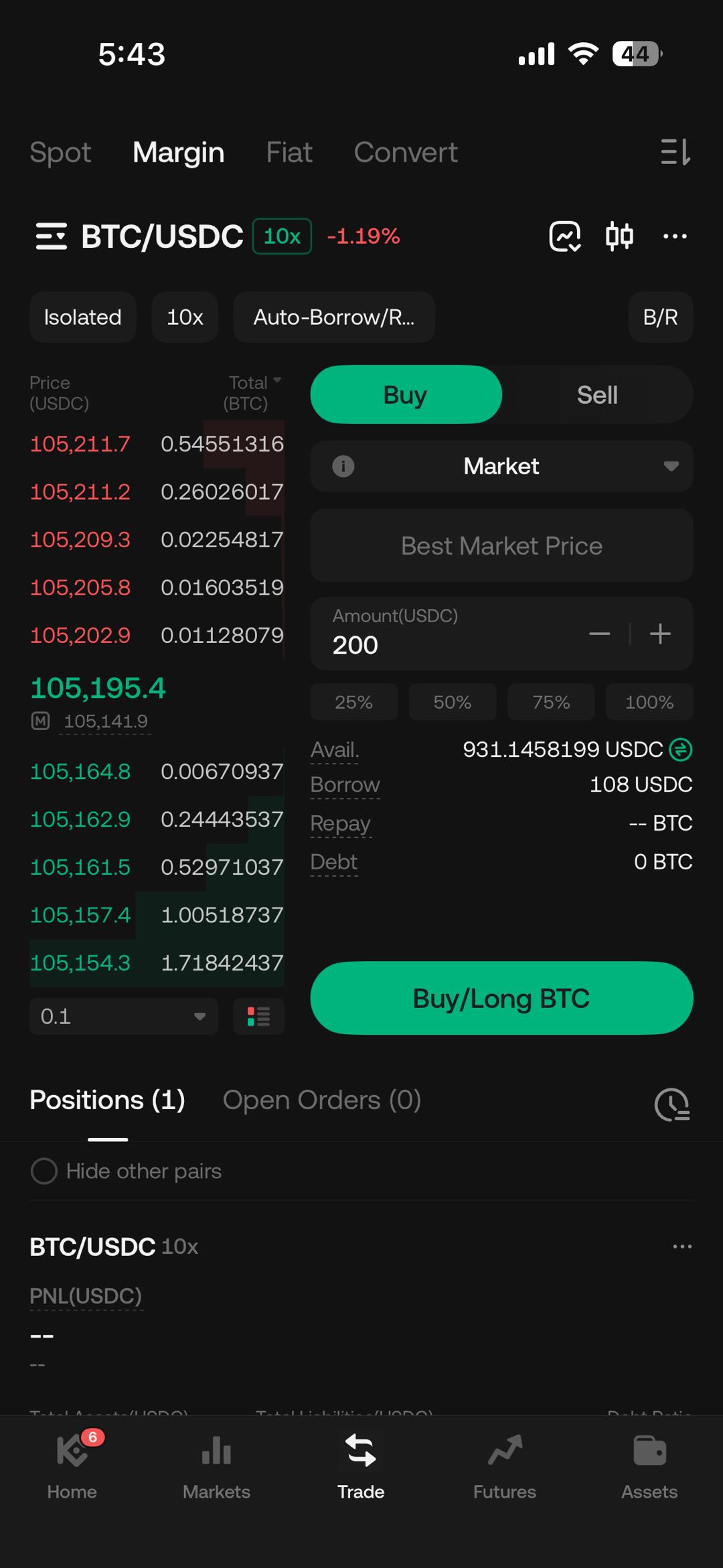
Step 1: Select a Margin Mode
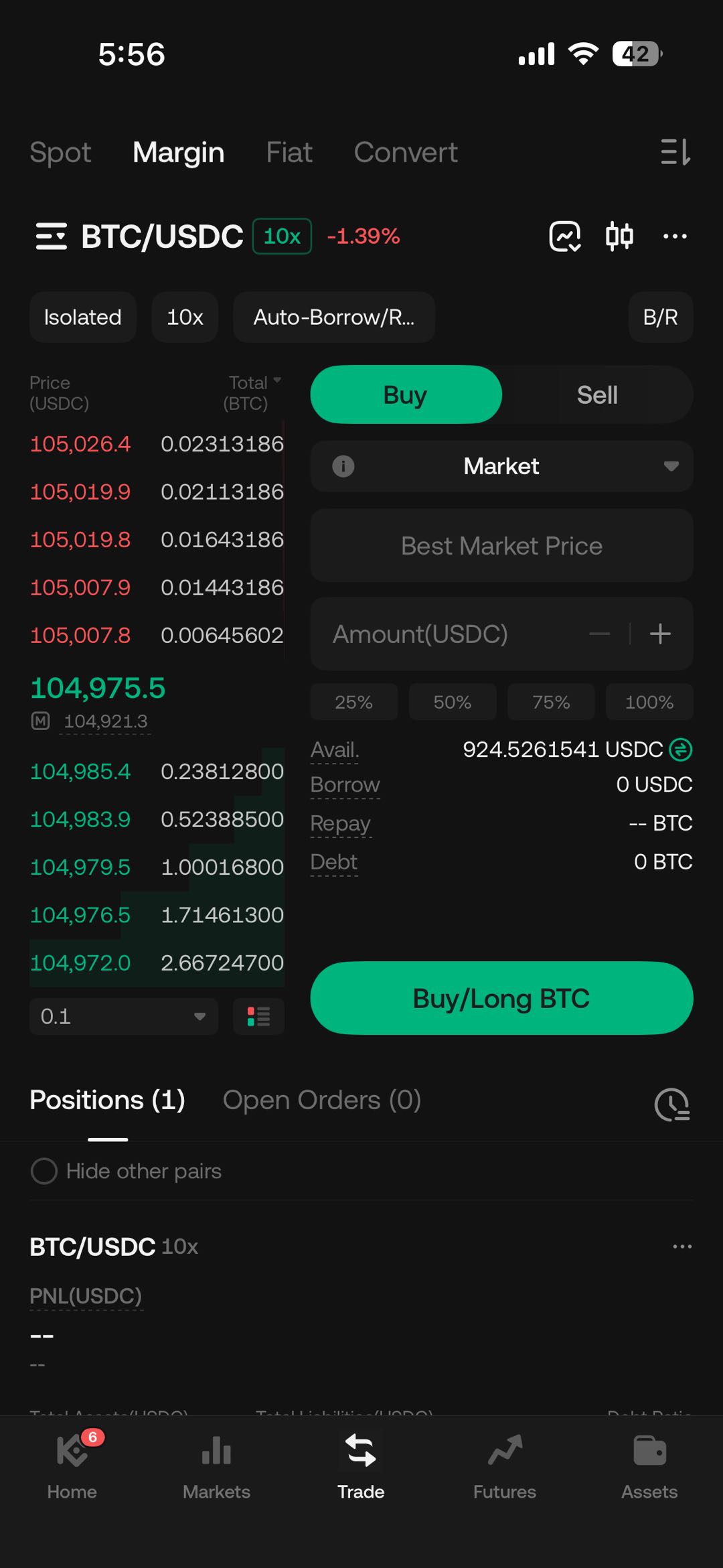
To illustrate, we will use the cross margin mode in this example. Assume the account currently holds 93.146 USDC, and the user intends to borrow additional USDC to initiate a long position on BTC.
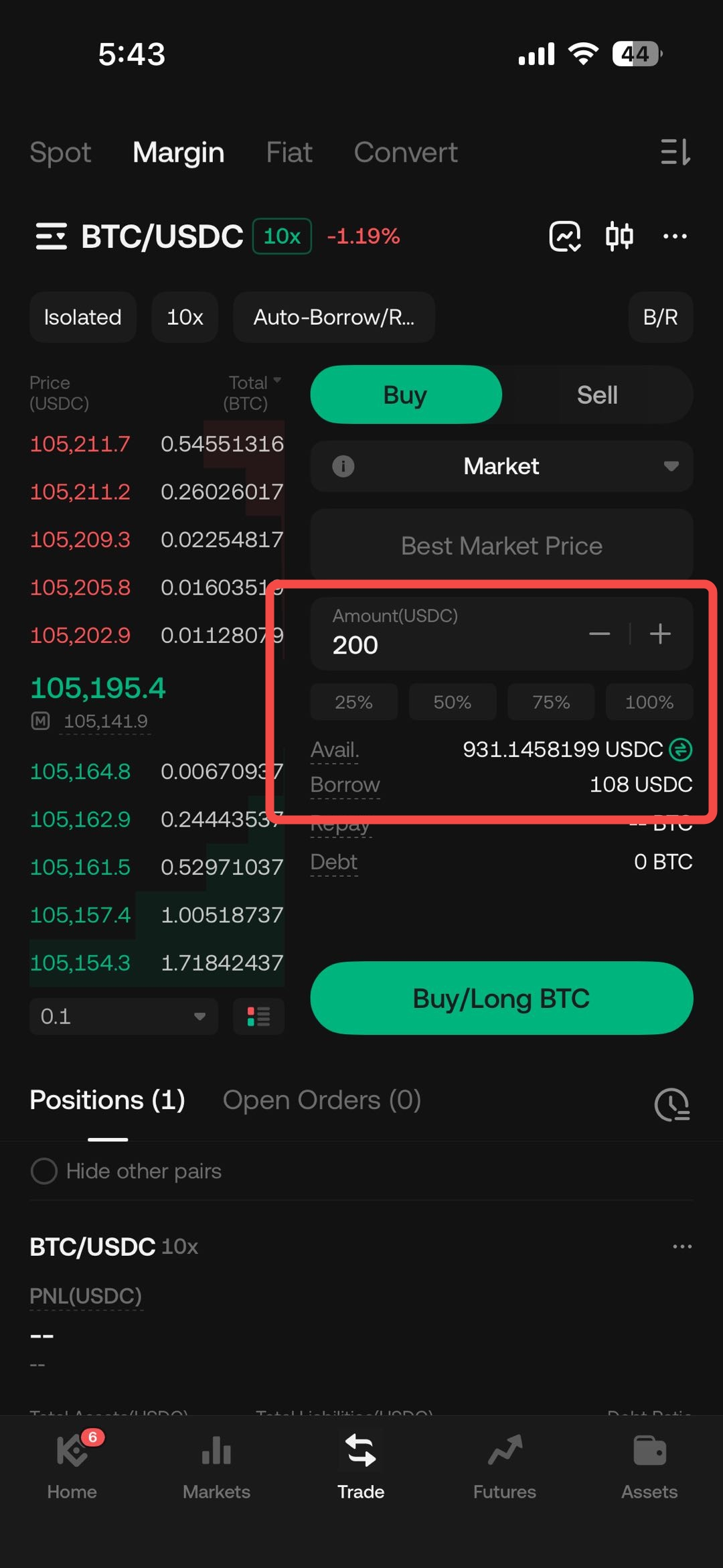
Step 2: Borrow Assets to Open a Position
Under the BTC-USDC cross margin pair, the user borrows 108 USDC to go long (buy) on BTC at the current market price.
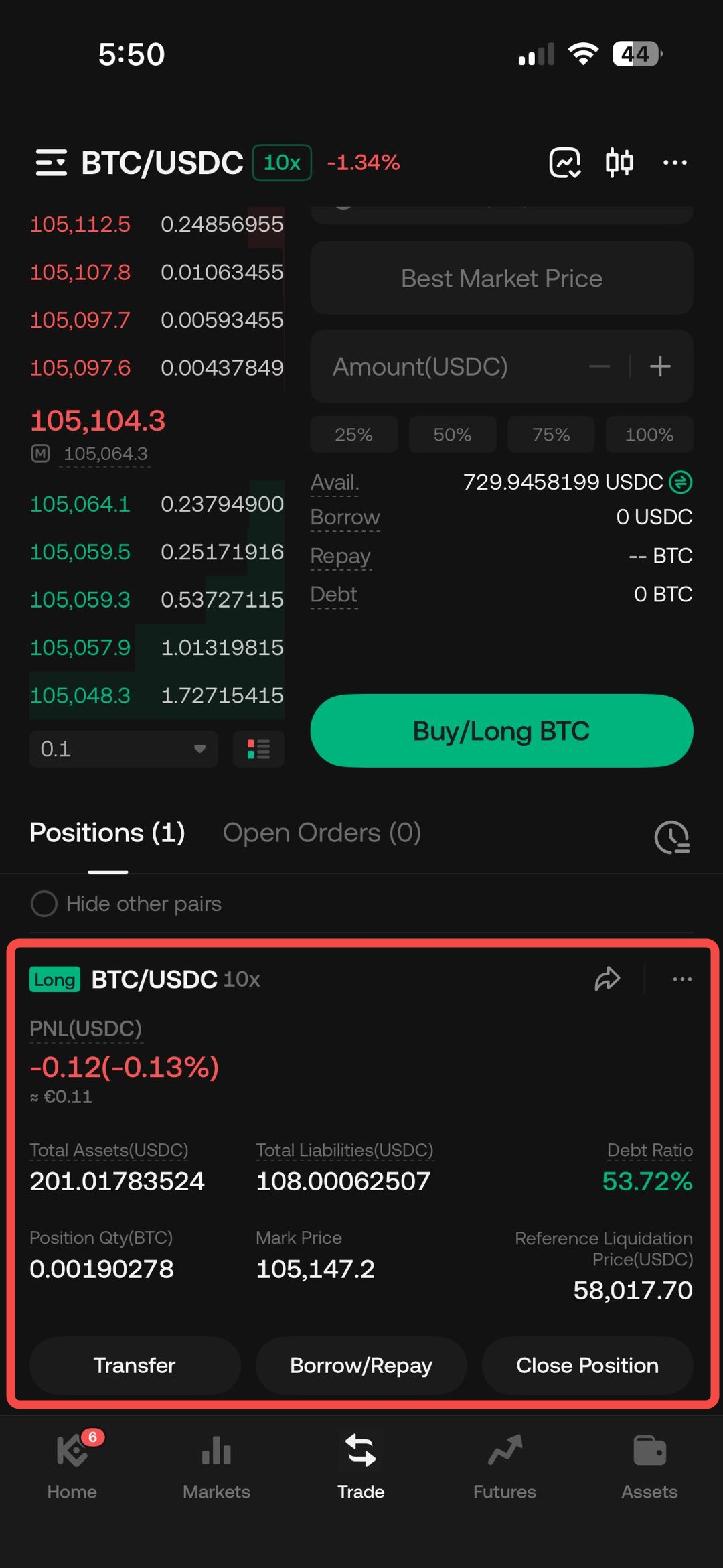
Step 3: Monitor Liability via the Auto-Repay Tab
After opening a margin position, users can view their outstanding liabilities—including borrowed amounts and accumulated interest—in the Auto-Repay section. This section provides visibility into which trades currently have active liabilities.
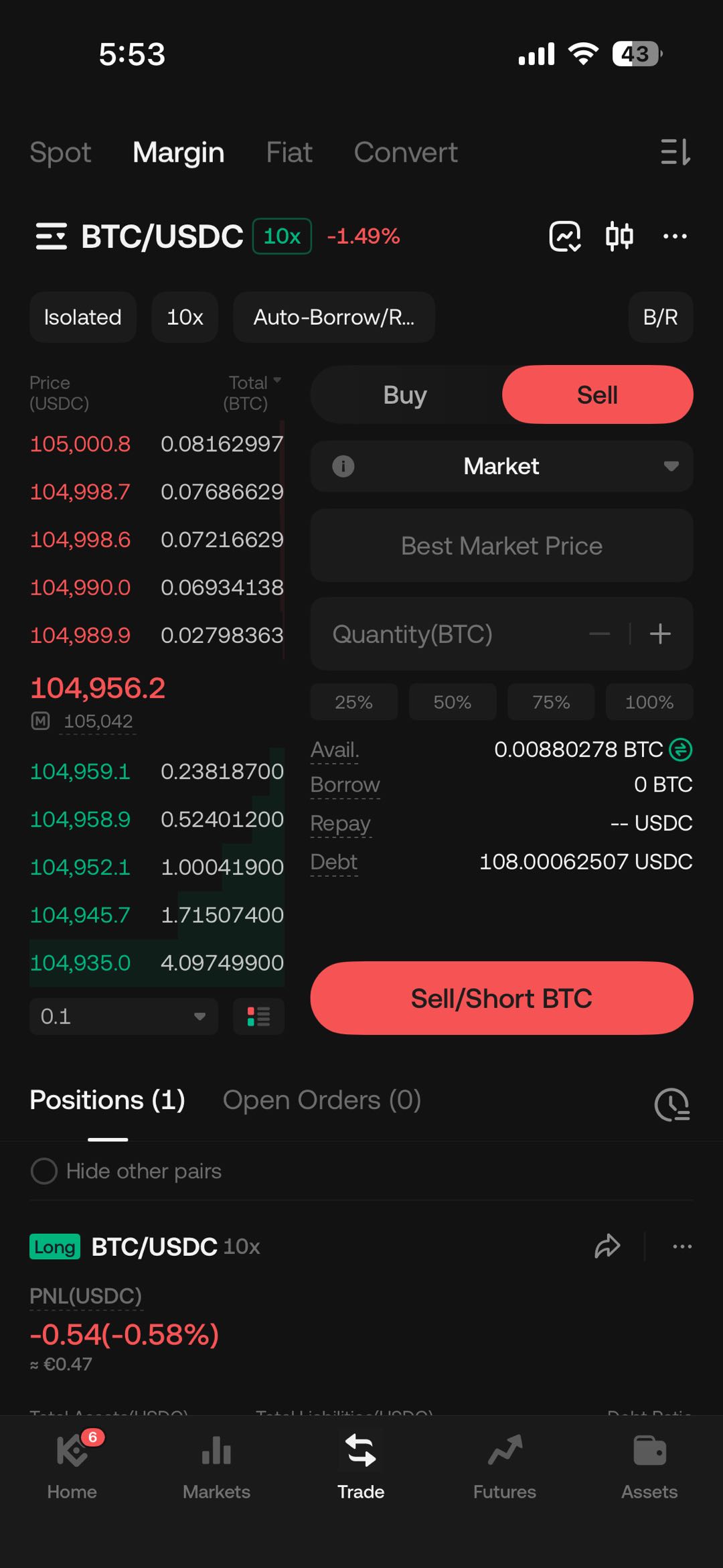
Step 4: Use Auto-Repay to Manage Liabilities When Closing a Position
When closing a position, users may activate the Auto-Repay function so that proceeds from the trade are automatically used to settle liabilities.
- For a long position, you can sell BTC through the "Auto-Repay" tab. Order types such as market or limit orders can be selected to execute the sale.
- For a short position, you can use the same steps to buy back BTC and settle your USDC debts.
Step 5: Repay USDC Liabilities with Received Assets
Once you sell your BTC to close the position, the system will use the USDC proceeds to automatically repay your liabilities. This includes the principal borrowed and any accrued interest. The remaining USDC after repayment will be available in your account.
Key Notes on Using Auto-Repay
- Auto-Repay is intended to help simplify the process of debt repayment related to margin trading and minimize any potential margin risks.
- Always review current liabilities and the applicable interest rates before trading, as these vary based on market conditions.
- While the Auto-Repay feature automates certain processes, margin trading remains inherently risky. This product is intended for users who meet the appropriateness criteria and are capable of bearing the associated risks. It is not suitable for users without prior trading experience or for those with a low risk appetite.
We hope this article has been helpful. Please reach out to our 24/7 customer support via online chat or submit a ticket if you have any other questions.