
Using Margin Trading on the KuCoin EU App (MiCAR-Compliant Version)
This guide explains the operational steps for using margin trading within the KuCoin EU App. Margin trading allows users to borrow assets to open leveraged positions. This guide is for informational purposes only and does not constitute investment advice, a recommendation, or a suitability assessment under MiCAR or MiFID.
Margin trading involves significant risk, including losses that may exceed the initial collateral. Users should ensure they understand how margin trading works before enabling the feature.
Overview of Margin Trading Workflow
Margin trading on KuCoin EU involves the following steps:
-
Enabling Margin Trading
-
Transferring assets into the Margin Account
-
Borrowing supported tokens
-
Executing trades
-
Closing positions
-
Repaying borrowed tokens
Each step is explained below.
1. Enabling Margin Trading
-
Log in to the KuCoin EU App.
-
Navigate to Trade → Margin.
-
Select Enable and answer 6 questions correctly regarding the risks related to margin trading
Important Notes
-
Margin trading may be unavailable in certain jurisdictions due to regulatory restrictions.
-
IP addresses detected from restricted regions cannot activate margin trading.
-
Accounts designated as restricted or blacklisted cannot use margin trading.
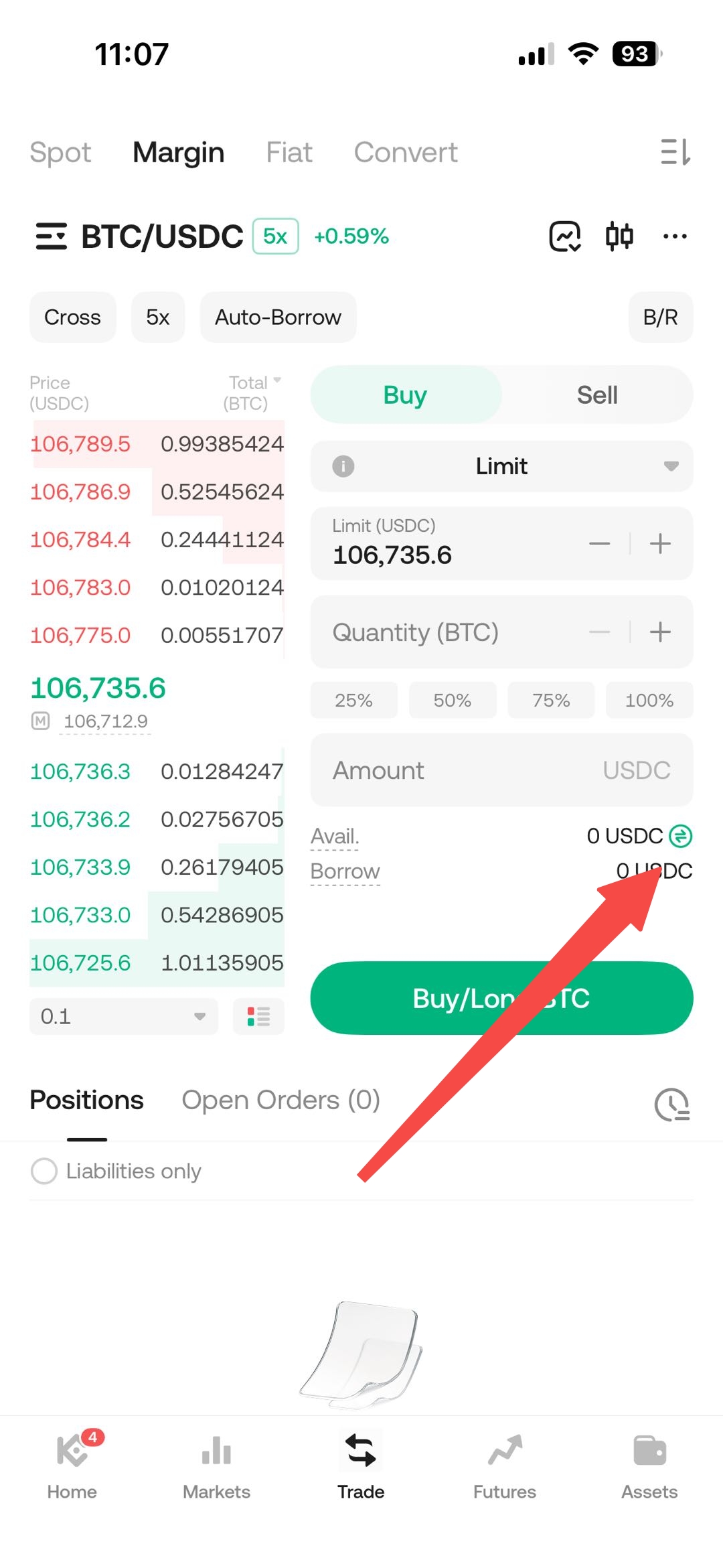
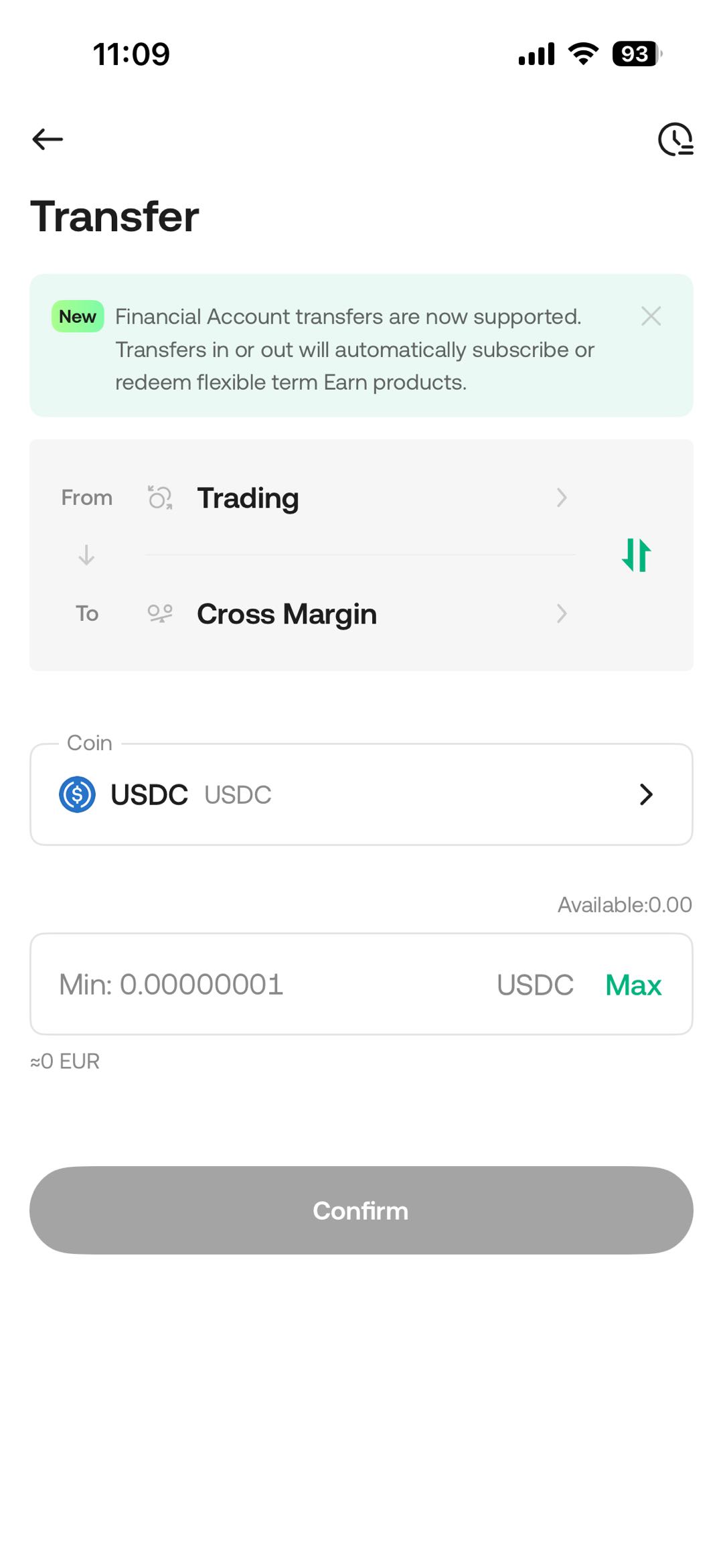
2. Transferring Assets to the Margin Account
To transfer assets:
-
Tap Transfer in the margin interface.
-
Under Transfer From, select the originating account (e.g., Funding, or Trading Account).
-
Select the supported asset you wish to transfer.
-
Enter the transfer amount.
-
Tap Confirm.
3. Borrowing Tokens
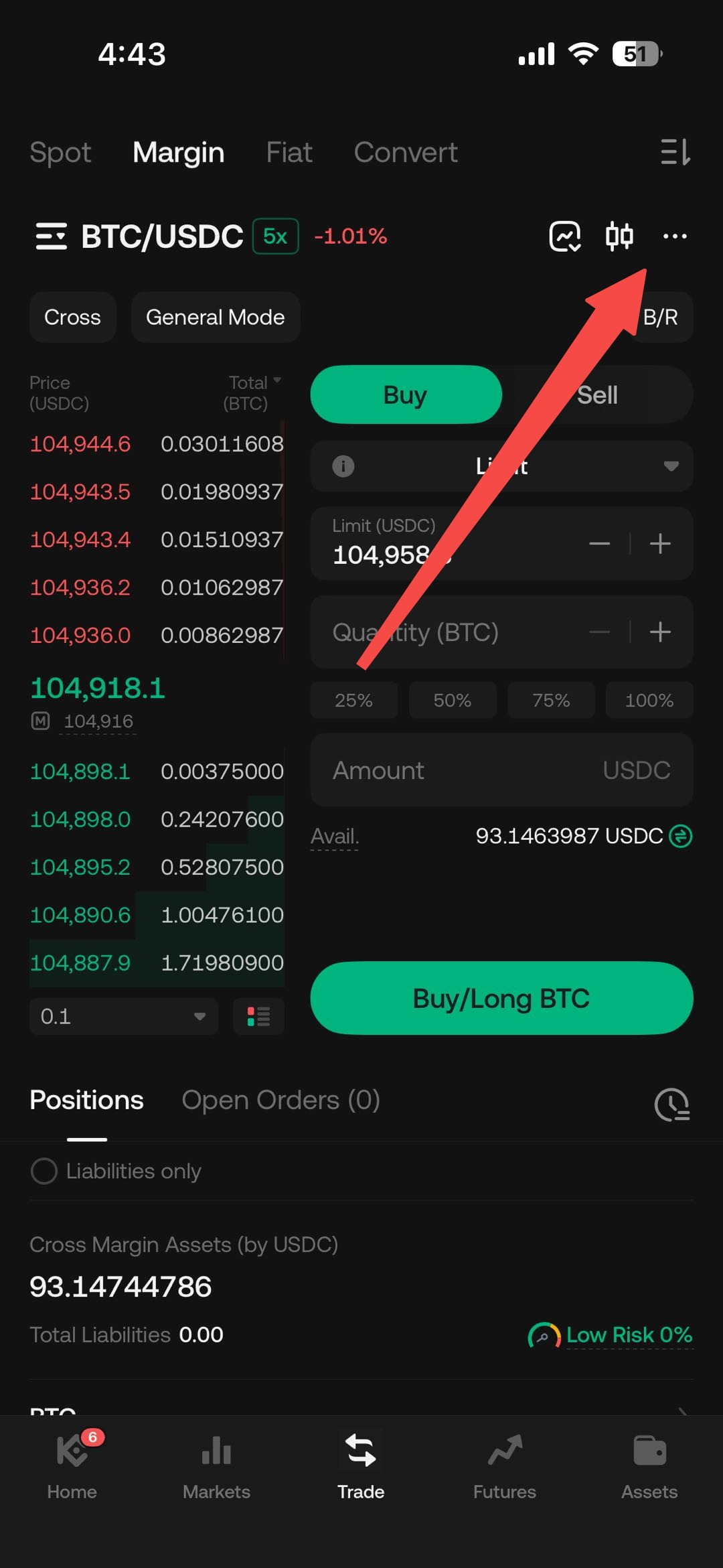
To borrow tokens:
-
Select a trading pair that supports margin trading.
-
Tap More and then Borrow.
-
Choose the token to borrow and enter the amount.
-
Tap Confirm to complete the borrowing process.
After borrowing, the system will display your debt ratio, showing the relationship between liabilities and available collateral.
Notes
-
Interest begins accruing immediately after borrowing and is calculated hourly.
-
Loans may be repaid at any time before the due date.
-
Users should monitor their debt ratio, as it may increase due to price fluctuations or accumulating interest.
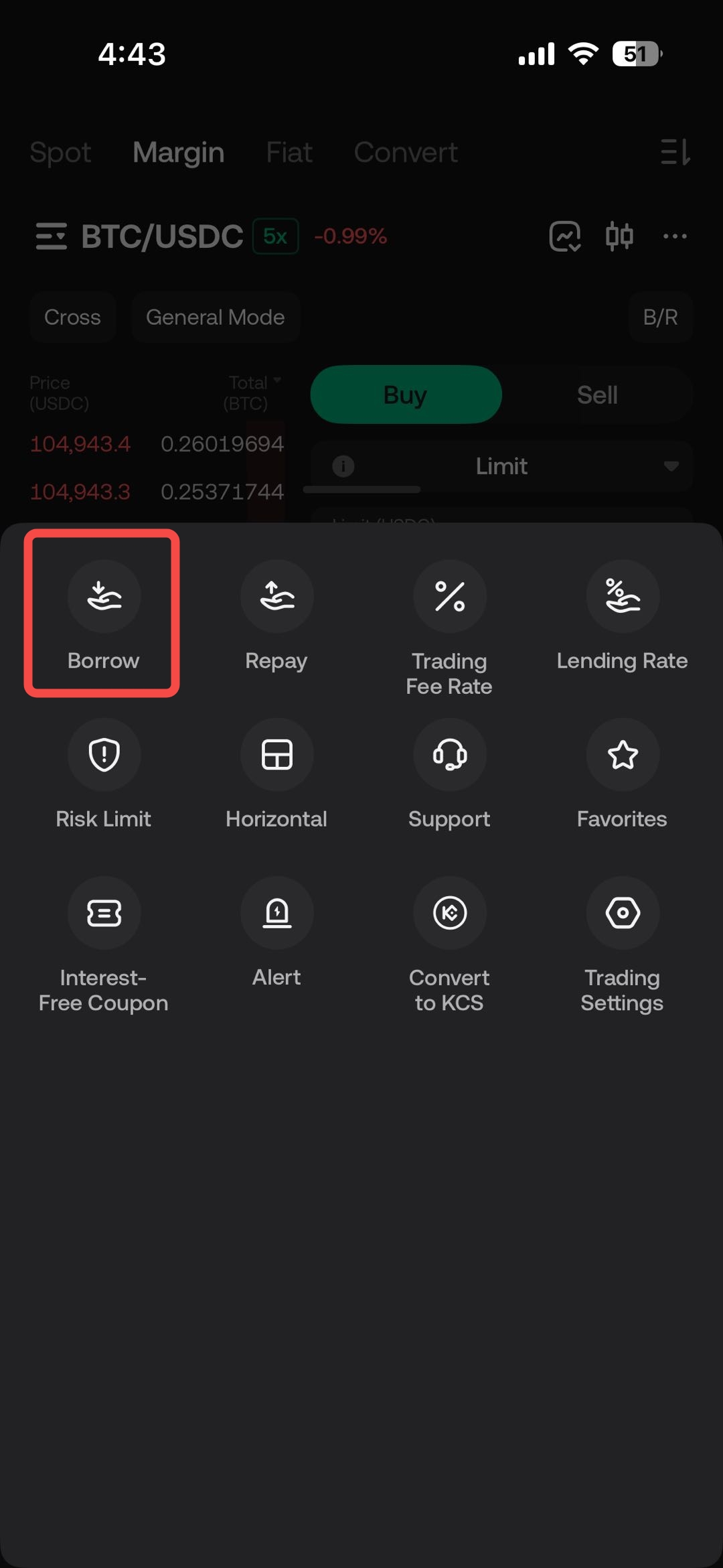
Choose the token to borrow, enter the amount, then tap Confirm. After this, you will be able to see your corresponding debt ratio.
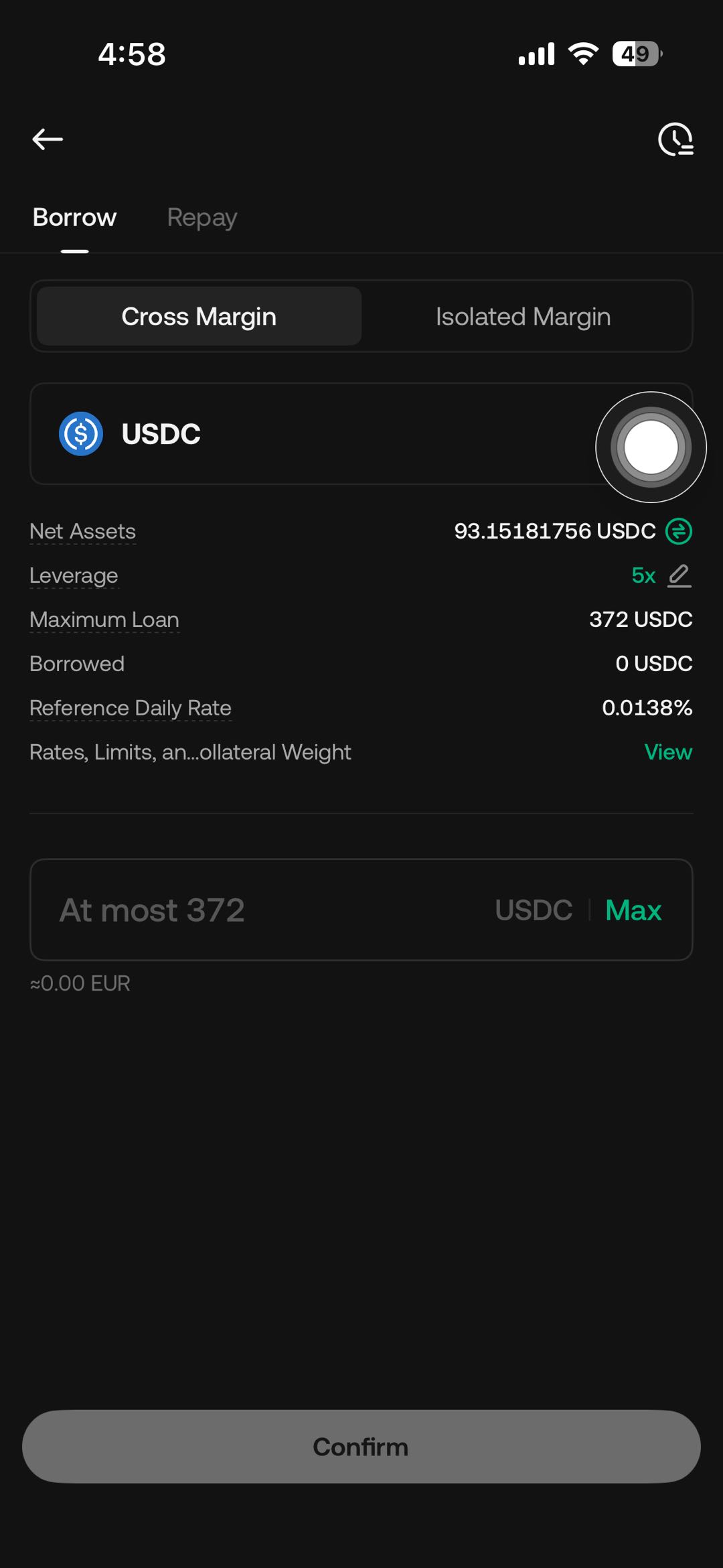
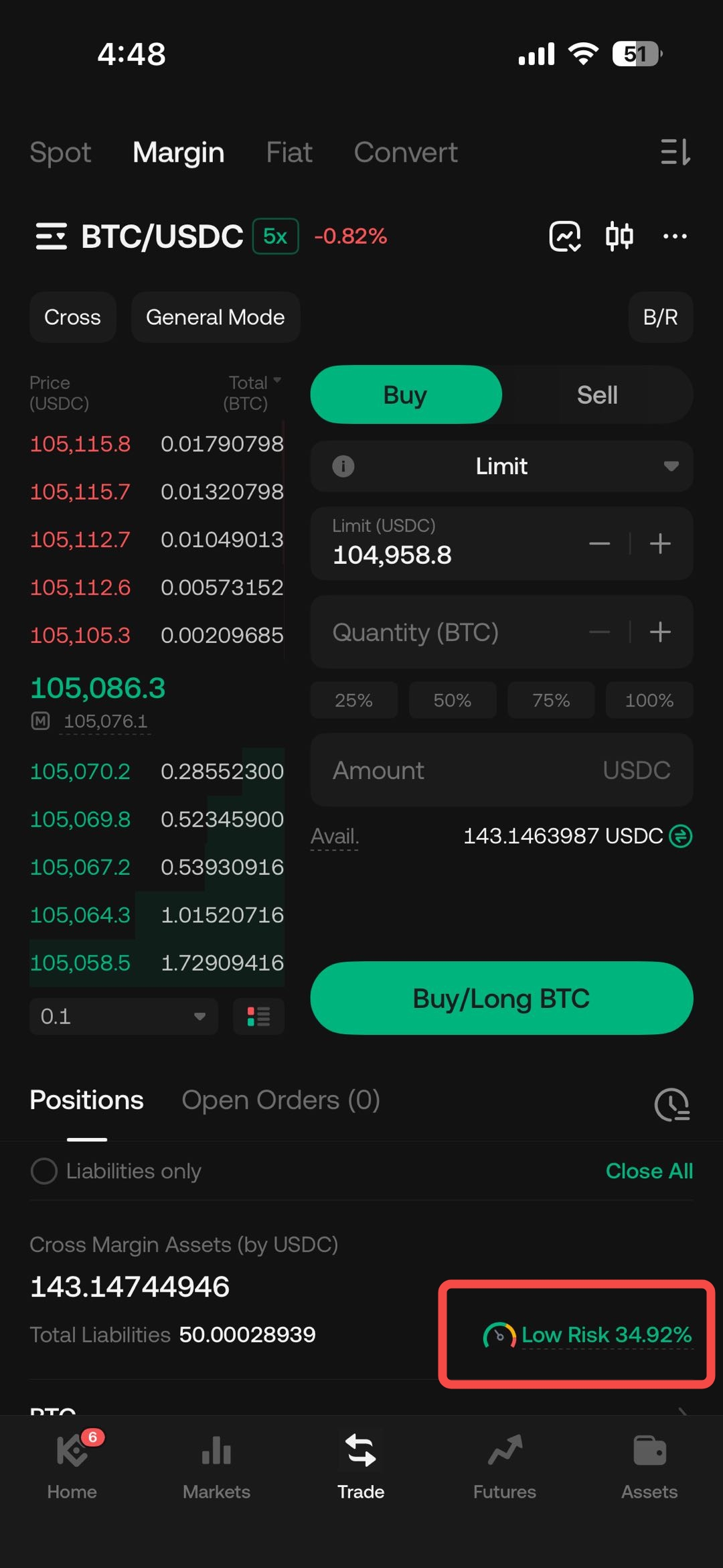
Notes:
- Interest begins accruing immediately upon borrowing and is calculated hourly.
- Repayments can be made early at any time before the due date.
- The debt ratio will be displayed after borrowing, so you can monitor the amount borrowed relative to your account’s collateral.
4. Executing Trades
To place a margin trade:
-
Select a supported margin trading pair (e.g., BTC/USDC).
-
Execute buy or sell orders depending on the direction of the position and the borrowed asset.
Auto-Borrow Option
Users may enable Auto-Borrow, allowing the system to automatically borrow the required amount when placing an order. Important: Assets may be borrowed even if the order does not execute, depending on system conditions.
5. Closing Margin Positions
To close a position, users must reverse the initial trade:
-
If borrowed USDC was used to buy BTC, closing the position requires selling BTC back into USDC.
-
If borrowed BTC was sold, closing the position requires repurchasing BTC.
Closing positions affects the outstanding liability and the debt ratio.
6. Repaying Borrowed Tokens
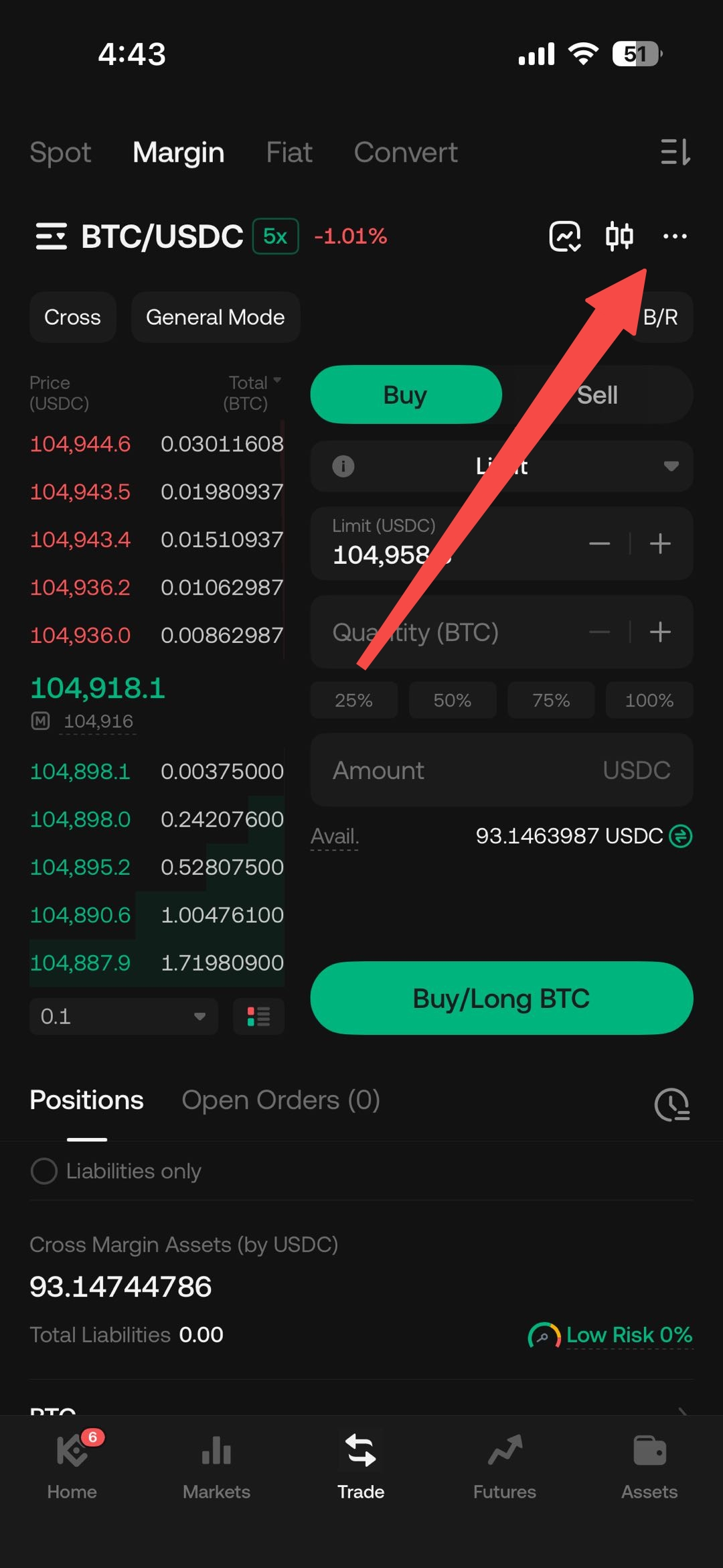
1. Select the trading pair that corresponds to the token you need to repay, then tap More.
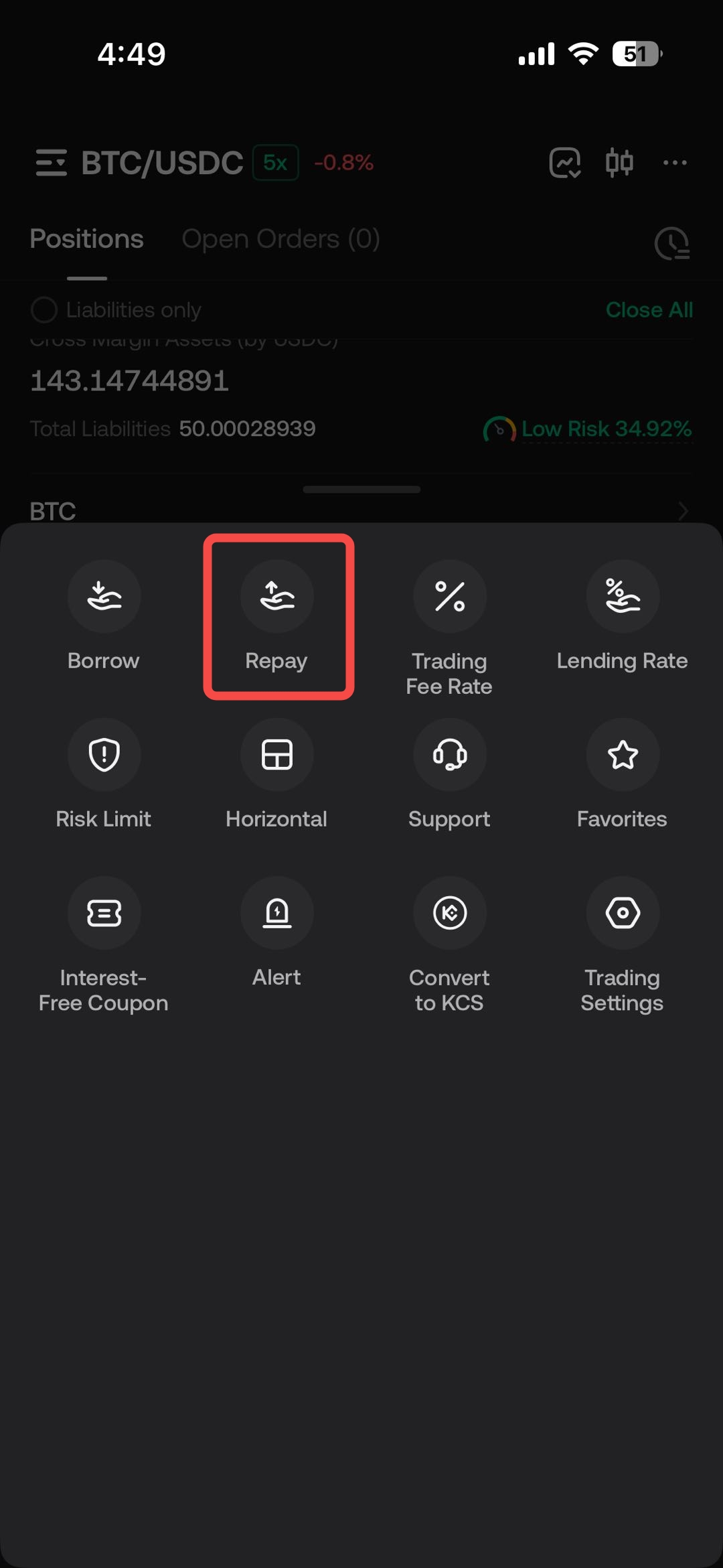
2. Tap the Repay.
3. Choose the token to repay, specify the amount, and tap Confirm Repayment. You may also tap All to fully repay your debt, returning your debt ratio to 0.
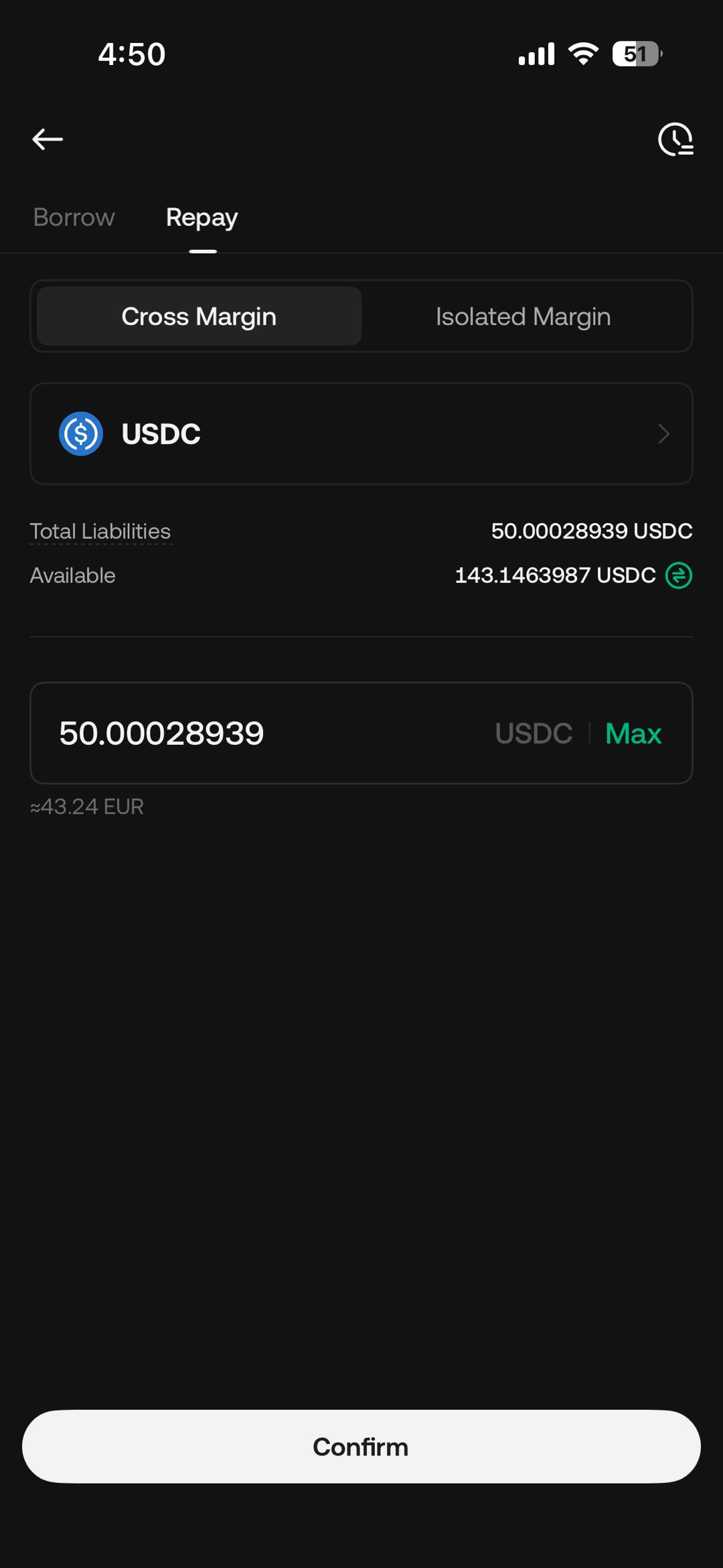
4. Alternatively, tap All to repay the entire balance and return the debt ratio to 0%.
Loans must be repaid in the same token borrowed.
Final Considerations and Risk Disclosure
-
Leverage risk: Losses may exceed the initial amount invested.
-
Market volatility: Rapid price changes can increase the debt ratio and trigger liquidation.
-
Forced liquidation: If the debt ratio reaches system-defined thresholds, positions may be liquidated automatically.
-
Interest accumulation: Borrowing costs increase over time and affect overall liabilities.
-
Execution and liquidity risk: Orders may fill only partially or at unexpected prices during rapid market movement.
Margin trading is not suitable for all users. Individuals should ensure they understand all margin-related mechanics and risks and consider independent professional advice before engaging in leveraged trading.
We hope this article has been helpful. Please reach out to our 24/7 customer support via online chat or submit a ticket if you have any other questions.