
How to Export Account History
শেষ আপডেট: 21/09/2026, 16:44:00
Here you’ll learn how to export your KuCoin EU account history for tax declaration and data query purposes.
Step 1: Log in to your account, you may
- visit the link
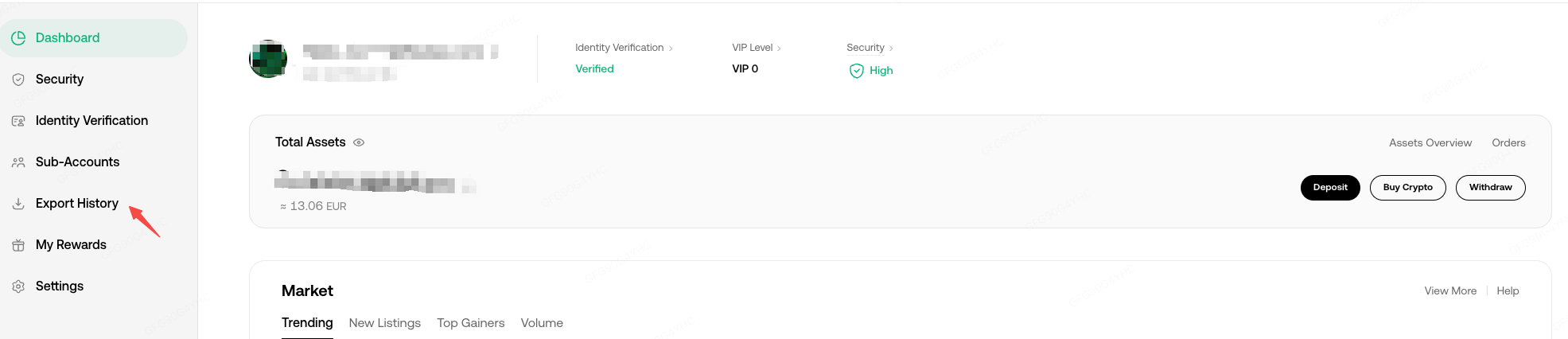
- click on Profile > Export History
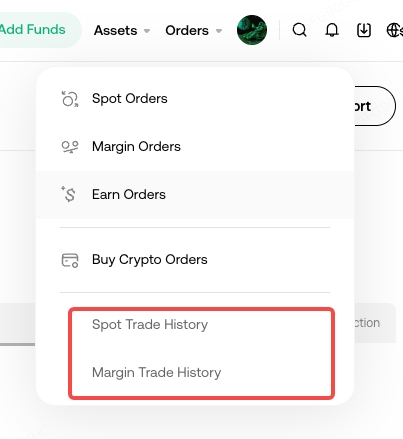
- click on Orders > Trade History
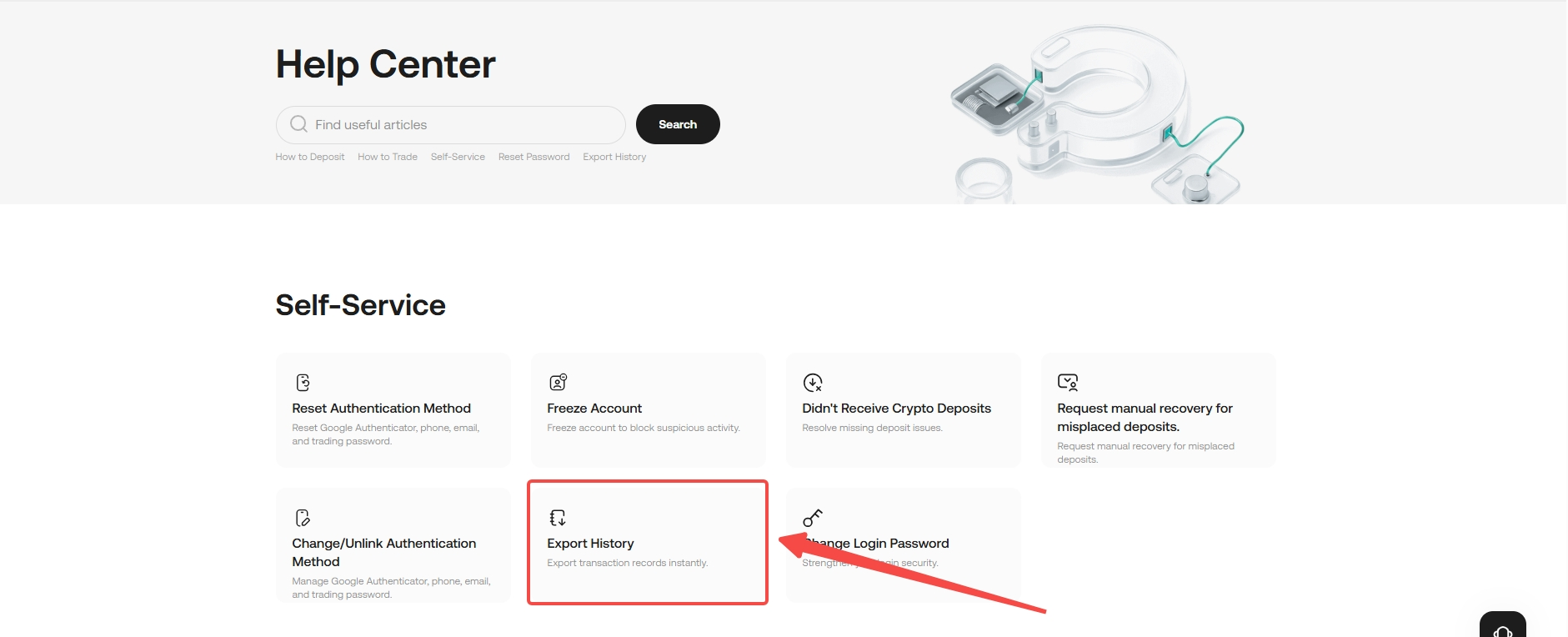
- click Export History via Help Center
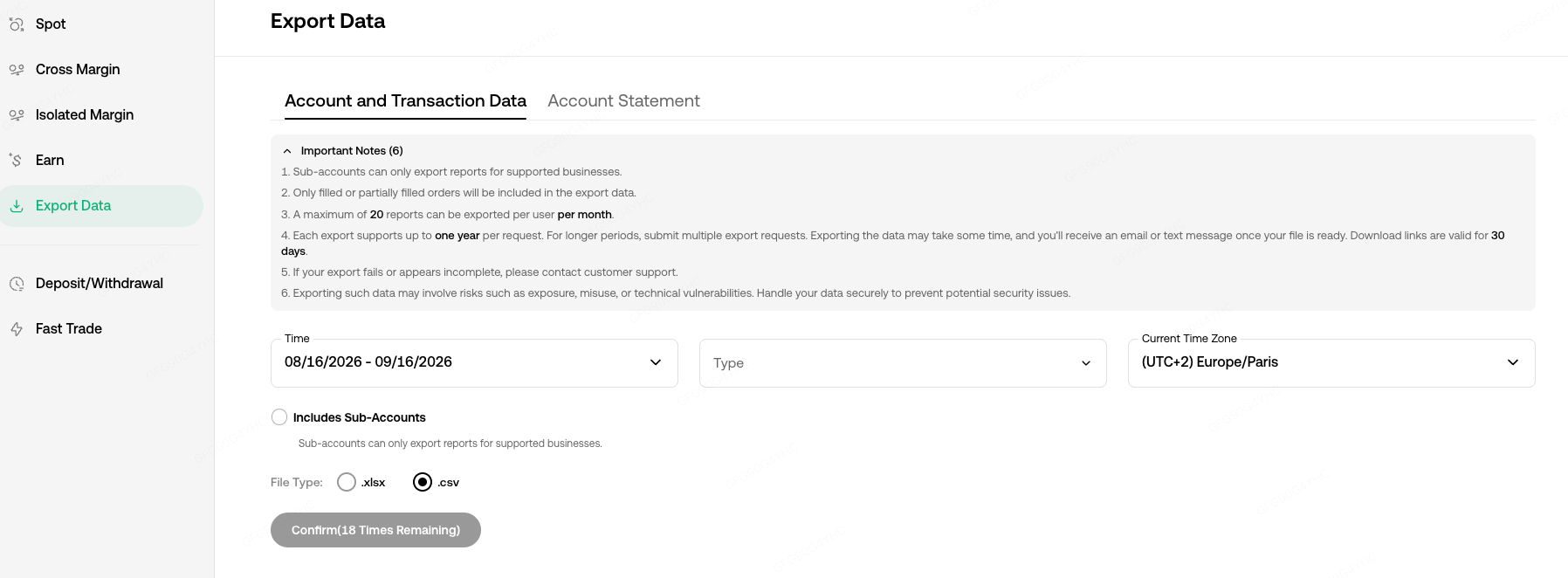
Step 2: Select the type of data and period required and click Confirm.
You may select the time zone as well as the format of the data exported.
Step 3: Once submitted, please wait for the file to be generated. Once generated, click Download

Note:
1. Sub-account is currently not supported.
2. Only filled or partially filled orders will be included in the export data.
3. A maximum of 20 reports can be exported per user per month.
4. Each export can cover a maximum period of 1 year. Exporting the data may take some time, and you will receive an email or text message once your file is ready. Download links are valid for 30 days.
5. If your attempt to export data fails or the data exported appears incomplete, please contact customer support.
6. Exporting such data may involve risks such as exposure, misuse, or technical vulnerabilities. Handle your data securely to prevent potential security issues.
We hope this article has been helpful. If you have any other questions, please reach out to our 24/7 customer support via online chat or submit a ticket.