পিক্স ব্যবহার করে বিআরএল উত্তোলন করার পদ্ধতি
1. পিক্স কী?
পিক্স হল ব্রাজিলের কেন্দ্রীয় ব্যাংক (বিসিবি) দ্বারা তৈরি এবং নিয়ন্ত্রিত একটি তাৎক্ষণিক পেমেন্ট সিস্টেম। এটি ব্যবহারকারীদের কয়েক সেকেন্ডের মধ্যে পেমেন্ট এবং ট্রান্সফার করতে সক্ষম করে, যা দক্ষতা, নিরাপত্তা এবং ২৪/৭ উপলব্ধতা প্রদান করে।
2. পিক ফি এবং সীমা
নোট: প্রকৃত ফি এবং সীমা KuCoin সিস্টেমে প্রদর্শিত সংখ্যার উপর নির্ভর করে।
|
পেমেন্ট পদ্ধতি
|
ফিয়াট মুদ্রা
|
লেনদেনের ধরন
|
ফি
|
প্রতি অর্ডারে লেনদেনের সীমা
|
|
পিক্স
|
BRL
|
জমা
|
বিনামূল্যে
|
1–200,000 ব্রাজিলিয়ান রিয়াল
|
|
উত্তোলন
|
2.6 বিআরএল
|
3–200,000 BRL
|
3. পিক্সের মাধ্যমে বিআরএল উত্তোলন করার পদ্ধতি
ধাপ ১: অফিসিয়াল ওয়েবসাইট বা মোবাইল অ্যাপে আপনার KuCoin অ্যাকাউন্টে লগ ইন করুন। নিশ্চিত করুন যে আপনার অ্যাকাউন্টে পরিচয় যাচাইকরণ (KYC) সম্পন্ন হয়েছে।
ধাপ ২: বিআরএল তুলে নেওয়ার পৃষ্ঠায় যান
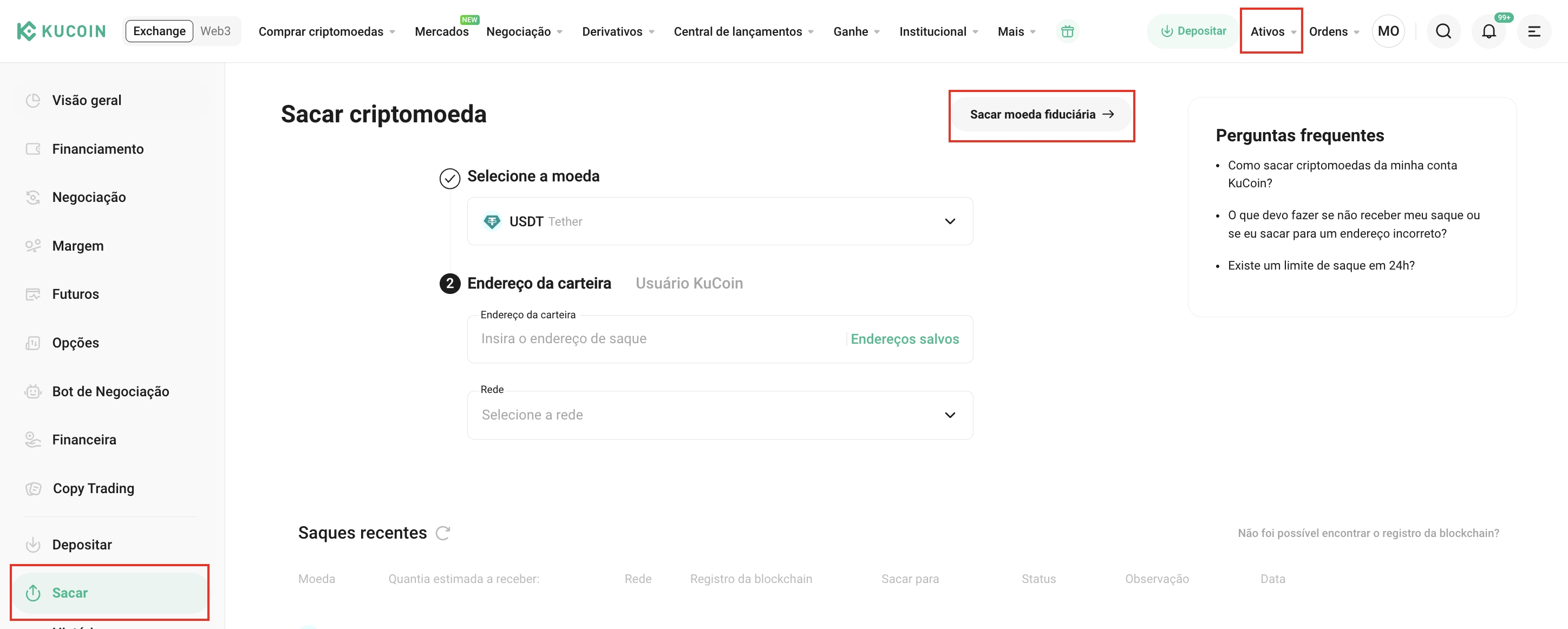
ওয়েবের জন্য:
- ডান-উপরের দিকে সম্পদ নির্বাচন করুন → উত্তোলন → ফিয়াট উত্তোলন করুন যাতে ফিয়াট উত্তোলন পৃষ্ঠায় প্রবেশ করতে পারেন।
অ্যাপের জন্য:
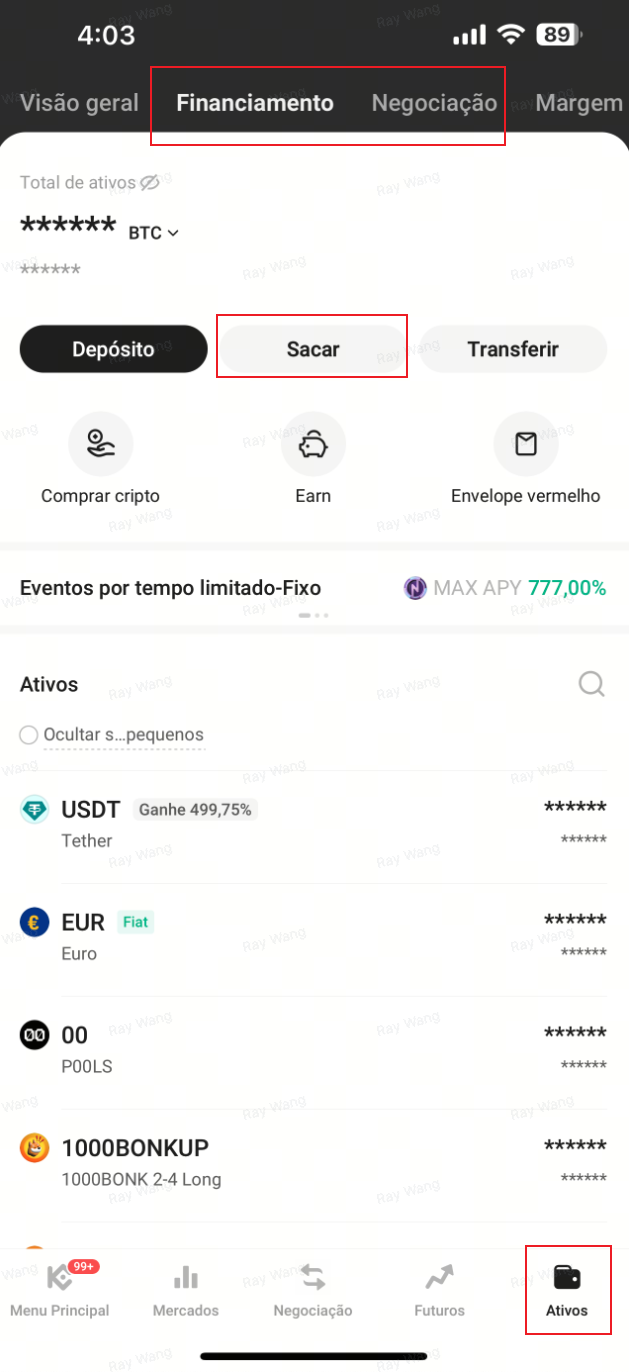
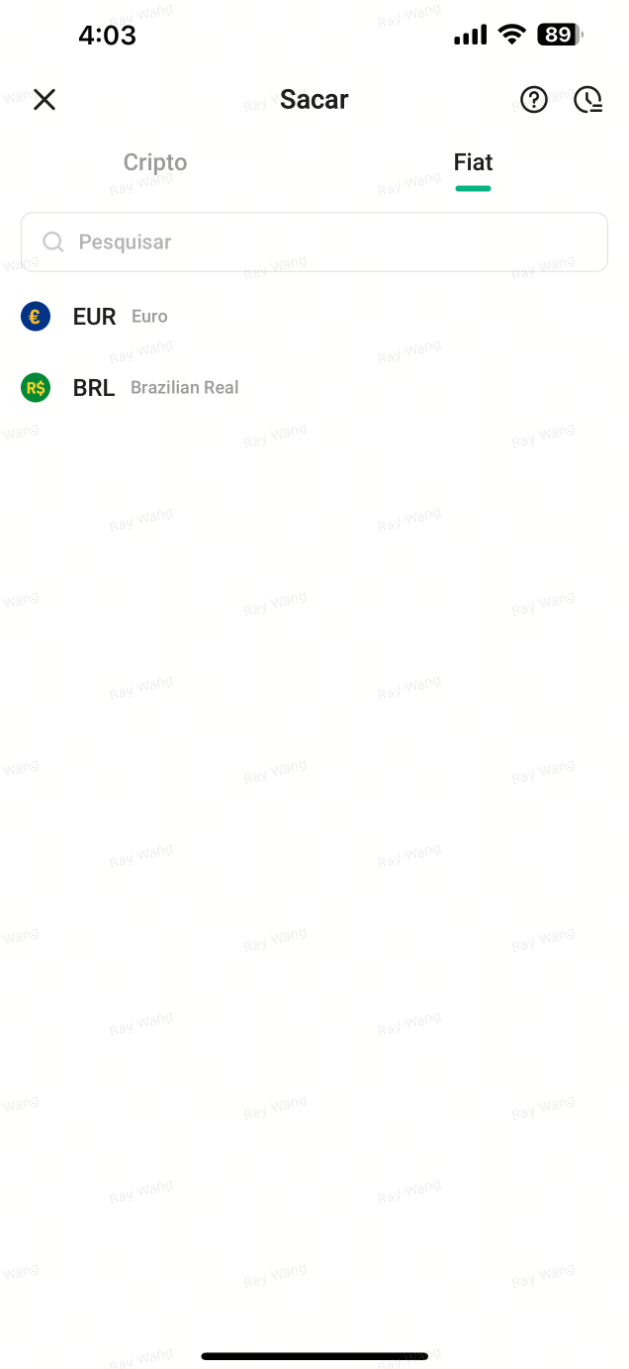
- অ্যাপের নীচের দিকে এসেট ট্যাপ করুন → ফান্ডিং অ্যাকাউন্ট বা ট্রেডিং অ্যাকাউন্ট → উত্তোলন → ফিয়াট উত্তোলন করতে ফিয়াট উত্তোলন পৃষ্ঠায় যান।
ধাপ 3: নিম্নলিখিতটি ওয়েবসাইট এবং অ্যাপ উভয়ের জন্য প্রযোজ্য
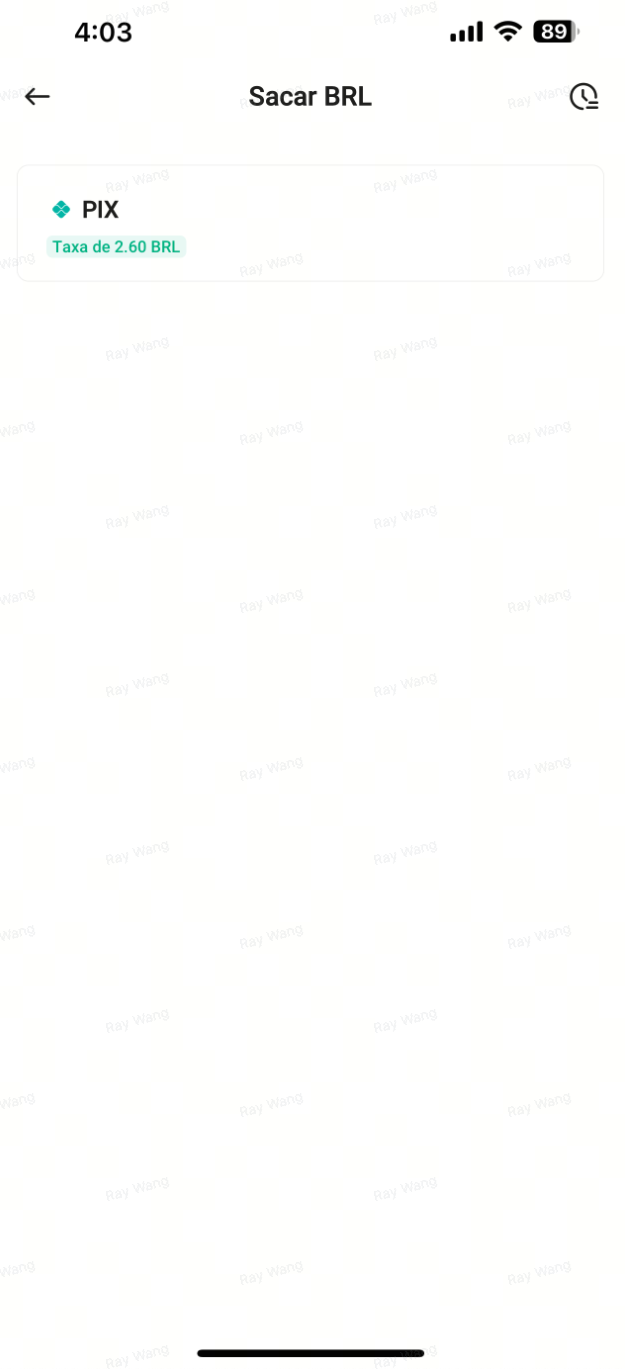
বিআরএল নির্বাচন করুন এবং উত্তোলনের পদ্ধতি হিসাবে পিক্স নির্বাচন করুন।
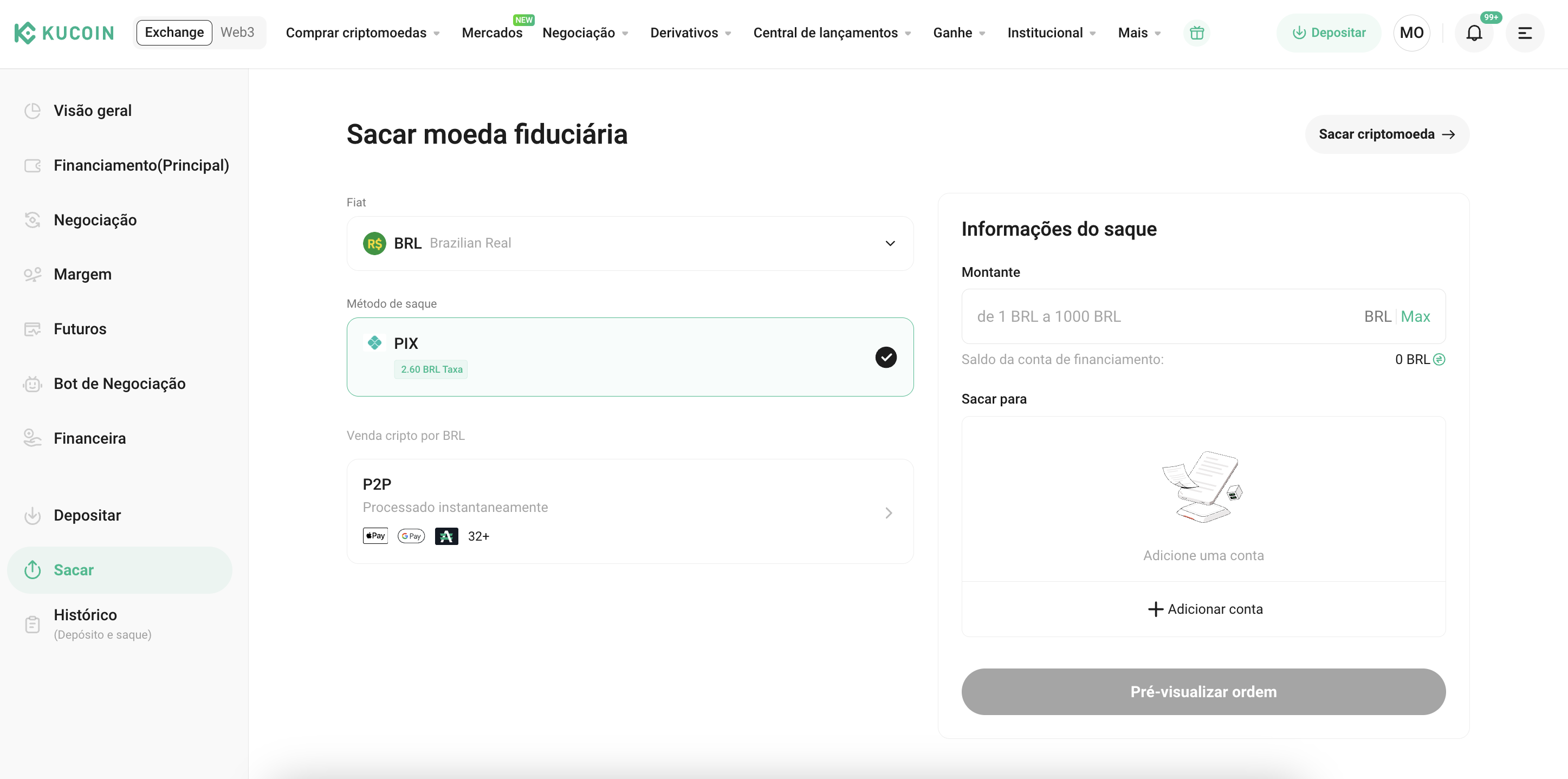
ধাপ ৪: পিক অতিরিক্ত যাচাইকরণ সম্পন্ন করুন (যদি ইতিমধ্যে যাচাইকৃত হয়ে থাকেন তবে এই ধাপ বাদ দিন)
- যদি আপনি এখনও পিক্স যাচাইকরণ সম্পন্ন করেননি, এখানে গাইডটি অনুসরণ করুন: How to Complete Additional Verification for Pix
ধাপ ৫: বিআরএল উত্তোলন পৃষ্ঠার মাধ্যমে একটি উত্তোলন অ্যাকাউন্ট যোগ করুন
- অ্যান্টি-মানি লন্ডারিং (AML) নিয়মাবলী মেনে চলতে এবং আপনার ফান্ডের নিরাপত্তা নিশ্চিত করতে, আপনাকে প্রথমে একই ব্যাংক অ্যাকাউন্ট ব্যবহার করে একটি BRL জমা দিতে হবে। জমা দেওয়ার পরে, ব্যাংক অ্যাকাউন্টটি স্বয়ংক্রিয়ভাবে আপনার KuCoin অ্যাকাউন্টের সাথে উত্তোলনের পদ্ধতি হিসেবে লিঙ্ক হয়ে যাবে, এবং আপনি উত্তোলন করতে প্রগতি করতে পারবেন।
জমা সহায়তার জন্য দেখুন: How to Deposit BRL Using Pix
ধাপ 6: উত্তোলনের পরিমাণ প্রবেশ করান এবং অনুরোধটি সম্পন্ন করুন
- বিআরএল উত্তোলনের আগে নিশ্চিত করুন যে আপনার অর্থ ফান্ডিং অ্যাকাউন্টে রয়েছে। যদি আপনার অর্থ ট্রেডিং অ্যাকাউন্টে থাকে, তাহলে এগুলিকে ফান্ডিং অ্যাকাউন্টে স্থানান্তর করতে ট্রান্সফার বোতামটি ব্যবহার করুন। উত্তোলনের বিস্তারিতগুলি নিশ্চিত করার পর, আপনার অনুরোধটি জমা দিন।