
How to Complete Institutional Verification (KYB)
Institutional Verification, a core KYB (Know Your Business) measure, is KuCoin's dedication to regulatory compliance and combating cybercrimes like fraud, money laundering, scams, and terrorist financing. As such, it is an extension of KYC (Know Your Customer) procedures. Here’s a detailed guide on how to initiate Institutional Verification (KYB) via the KuCoin platform.
1. Accessing the Institutional Verification (KYB) Page
2. Filling Out Required Information
1. Accessing the Institutional Verification (KYB) Page
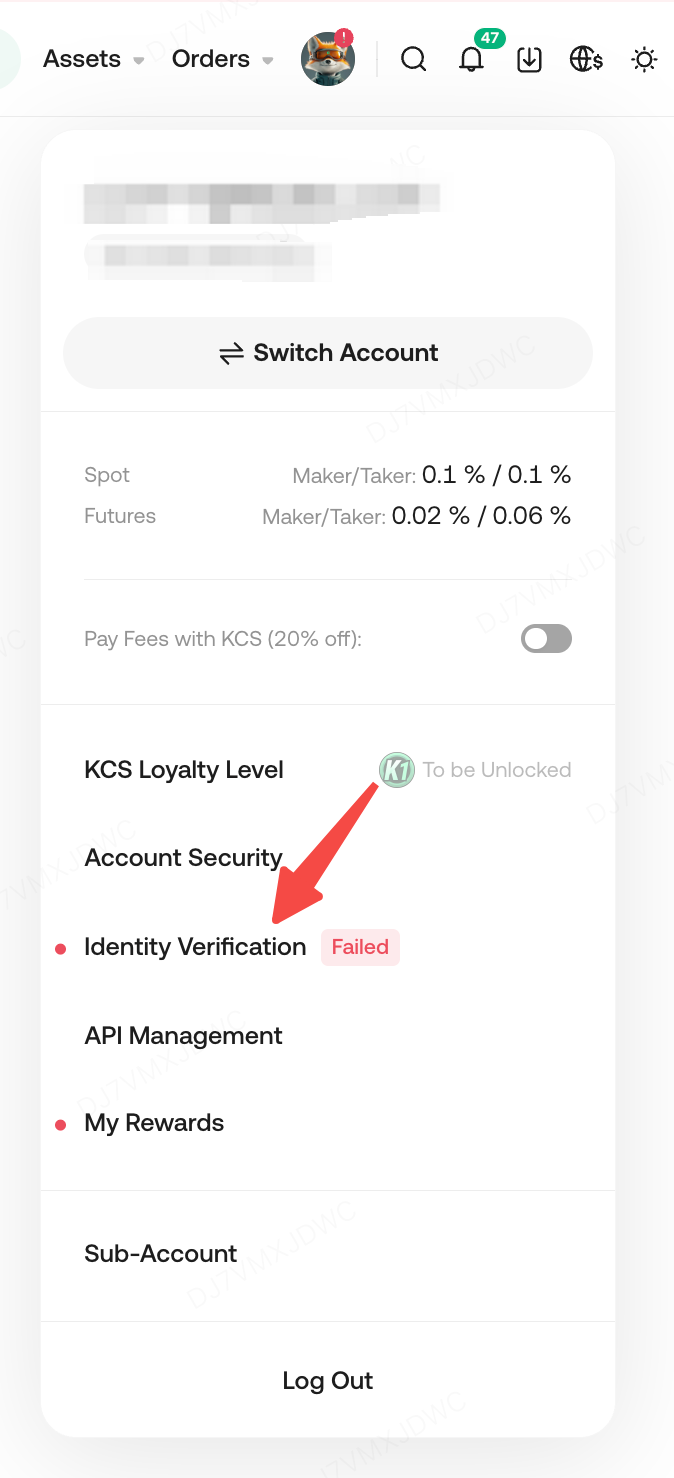
1.1 Go to KuCoin.com, log in to your KuCoin account, then click “Identity Verification” under your avatar.
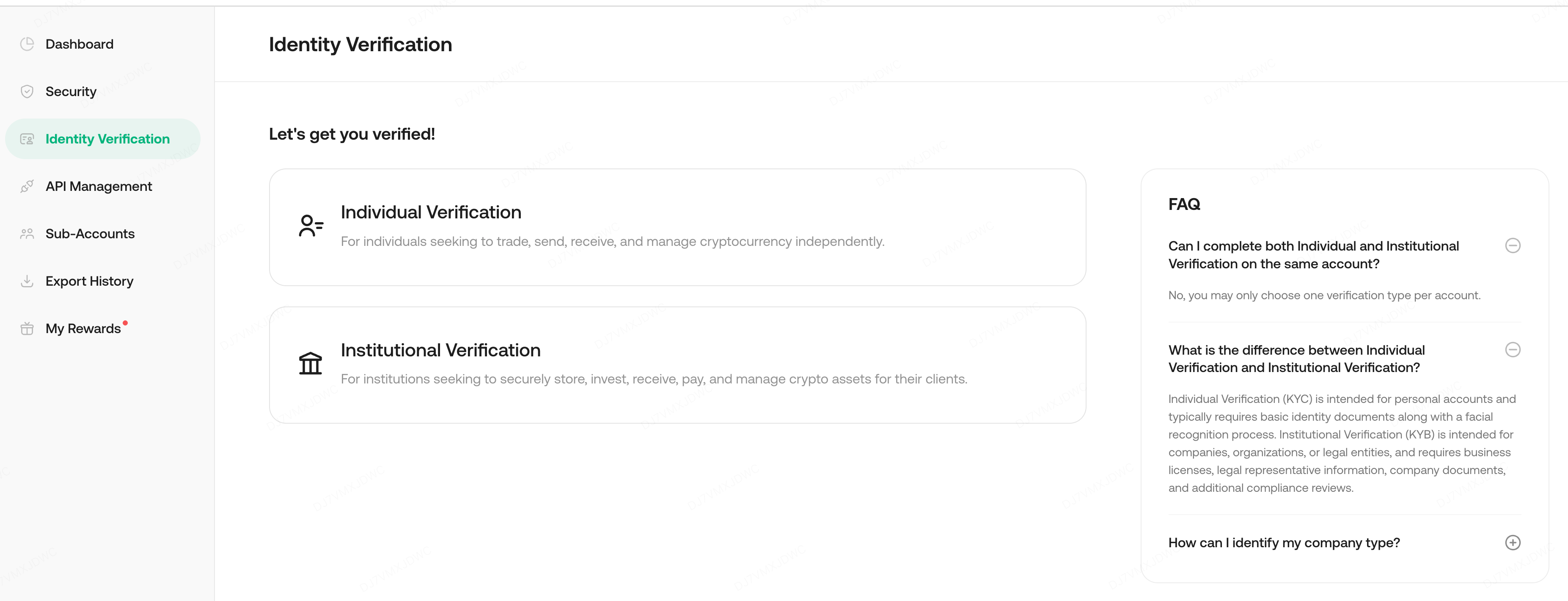
1.2 Click on "Institutional Verification"
2. Filling Out Required Information
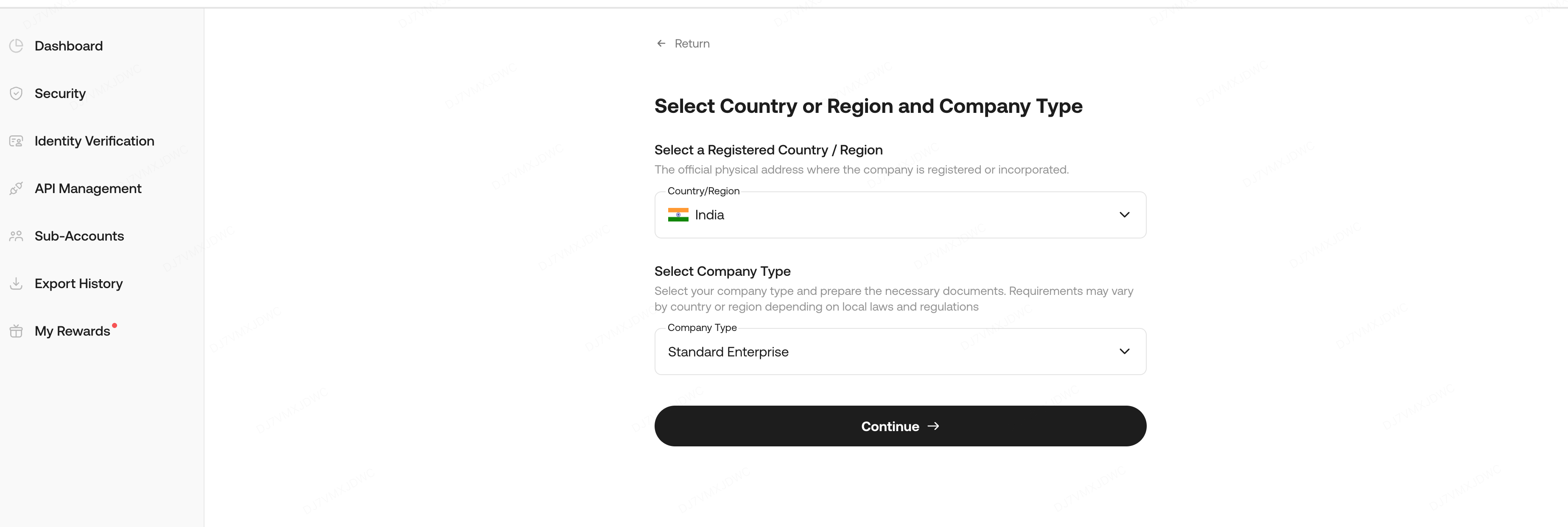
2.1 Select Country or Region and Company Type
- Identify the country or region where the company is registered or incorporated.
- Choose the appropriate company type based on the business structure and legal requirements of the selected jurisdiction.
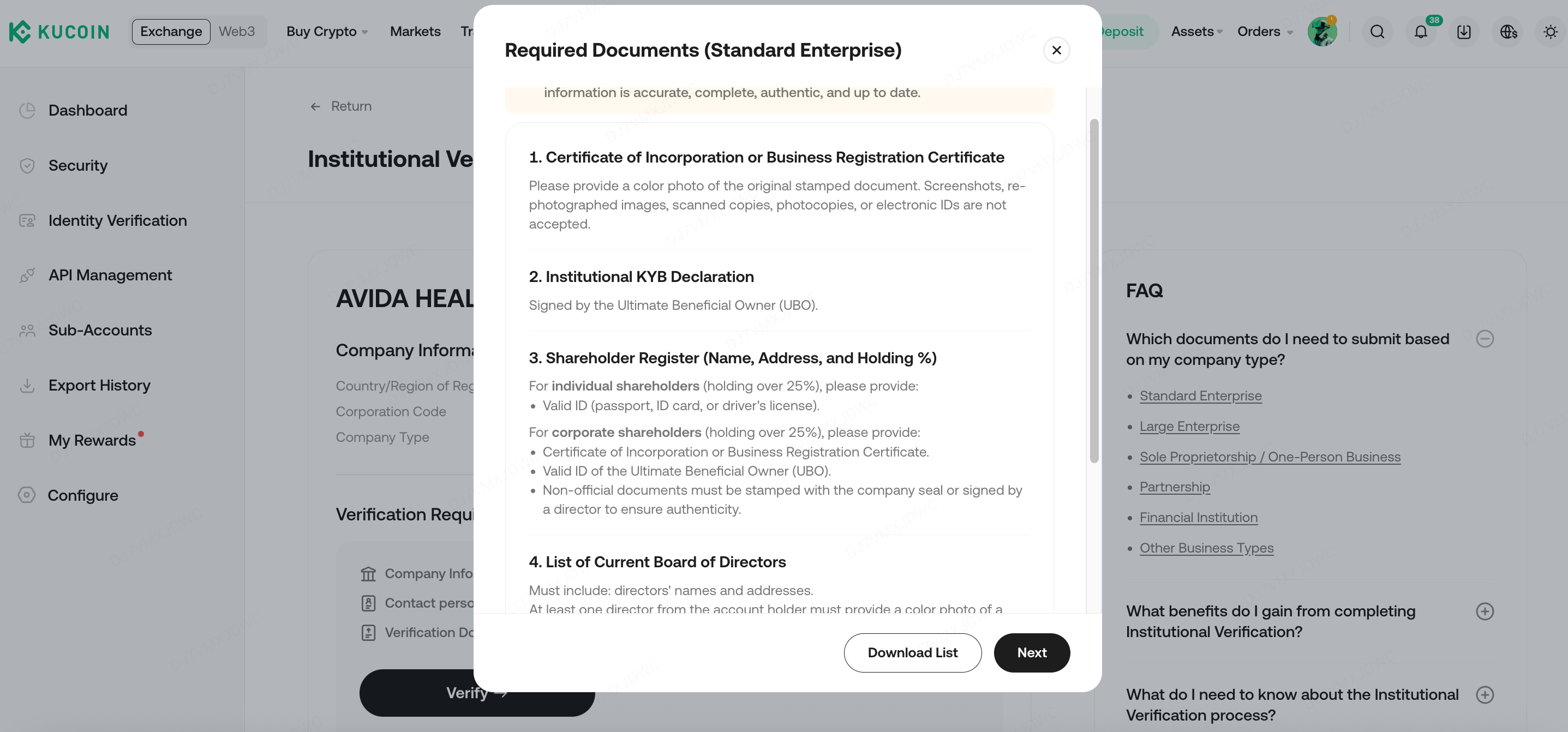
2.2 Company Information
Please follow the prompts in the pop-up window below to collect and prepare all required original documents in advance. The specific documents required will vary depending on the type of company selected, so ensure that all materials are accurate, complete, authentic, and up-to-date. You can also click "Download List" to access the full document checklist. Once your documents are ready, click "Next Step" and "Verify" to proceed to the KYB verification information page.
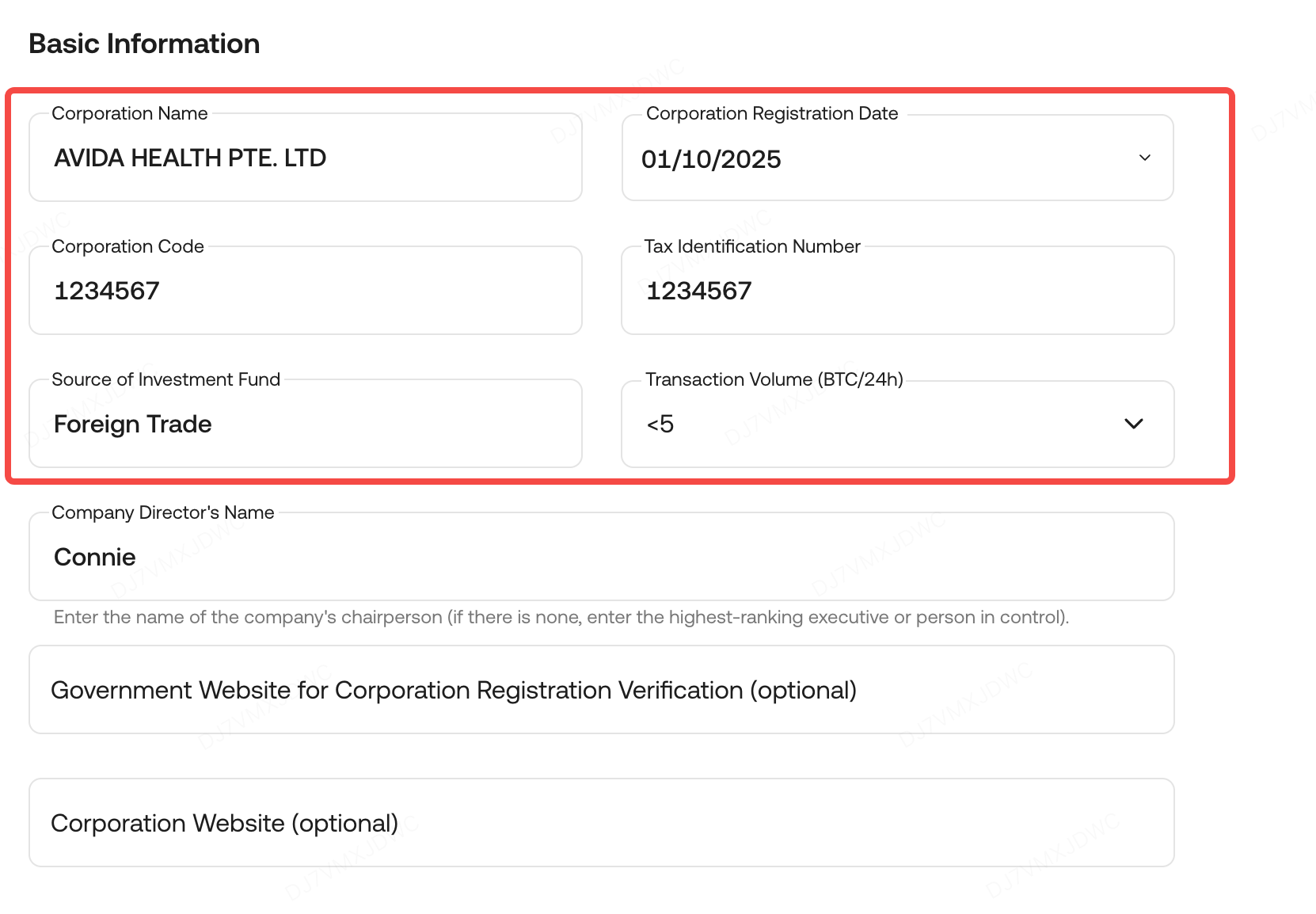
2.2.1 Basic Information
- Your corporation's name, registration date, and corporation code must exactly match the company or business registration certificate being uploaded.
- The Tax Identification Number (TIN) should come from the relevant tax authorities in the country where the company is registered.
- Provide realistic information about the Source of Investment Fund and Transaction Volume, considering your institution's size, strategy, target investors, and market conditions.
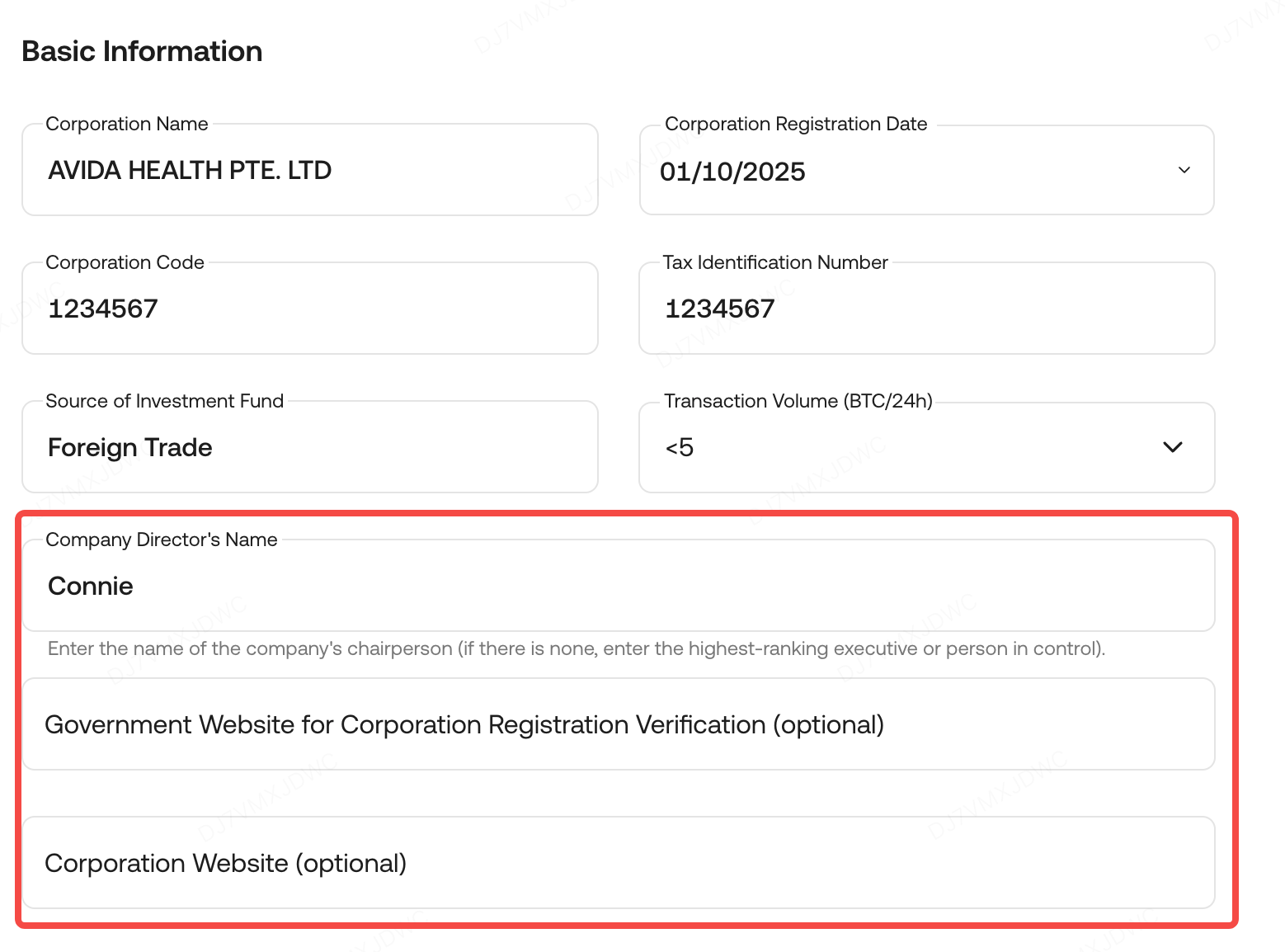
- Enter the company director's name. If there's a board, use the chairman's name; if there's a sole director, use their name.
- Websites provided should be from official and trustworthy sources. If no such website is available, leave it blank.
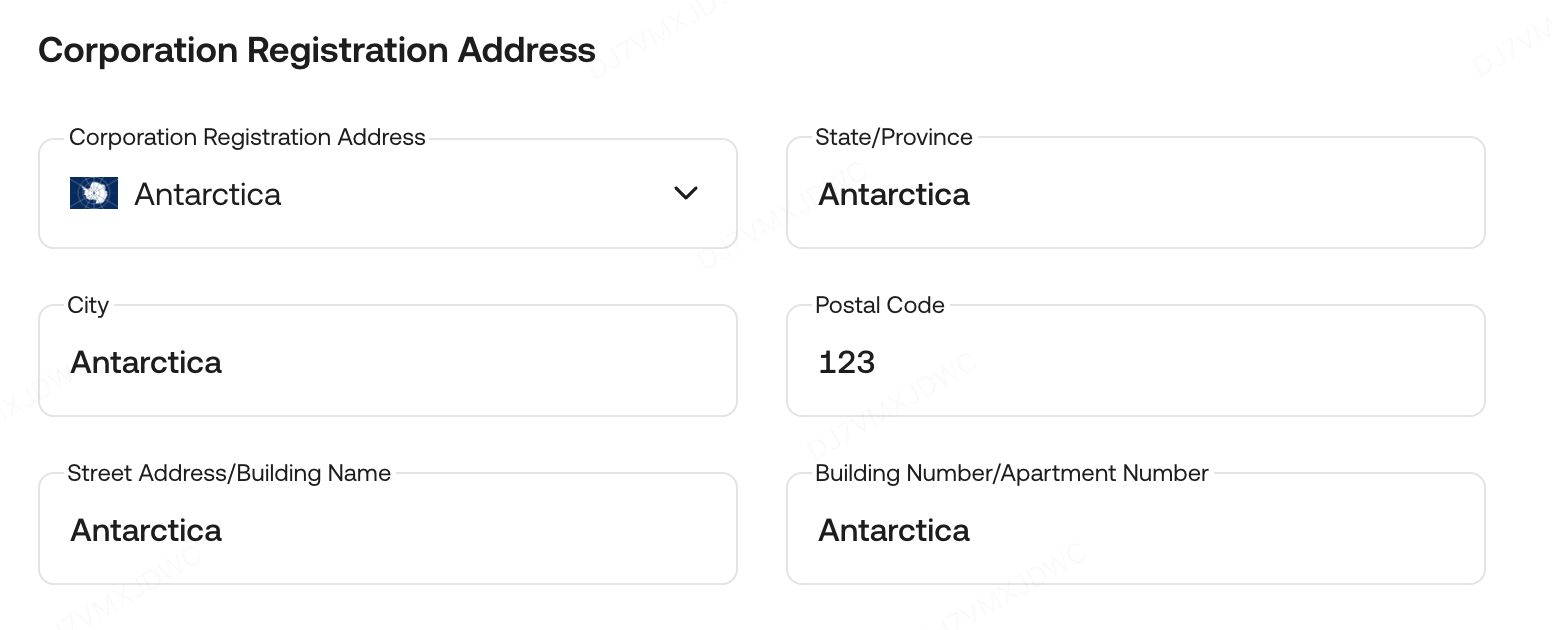
2.2.2 Company Registry
- Company Registry information must match that provided in the Company Registration Certificate.
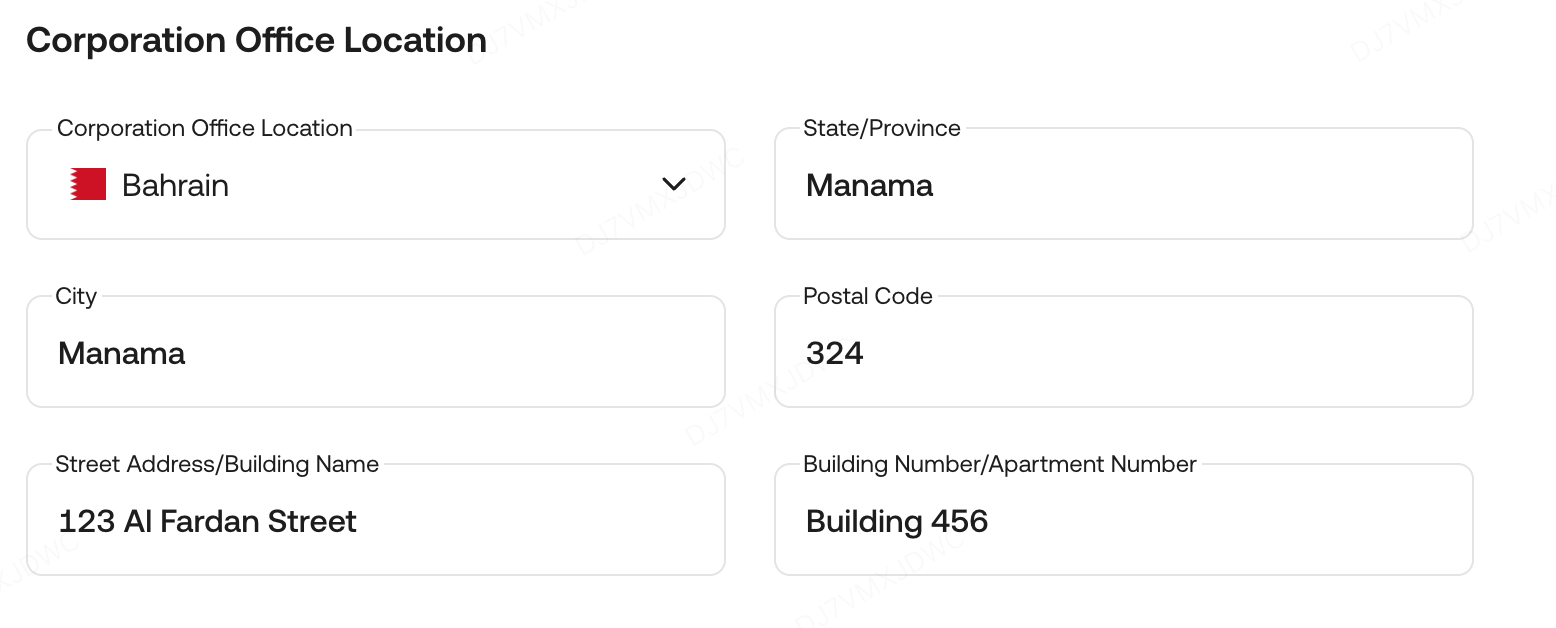
2.2.3 Corporation Office Location
- Fill in the necessary fields for your entity’s registered location and address.
2.2.4 Corporate Documents
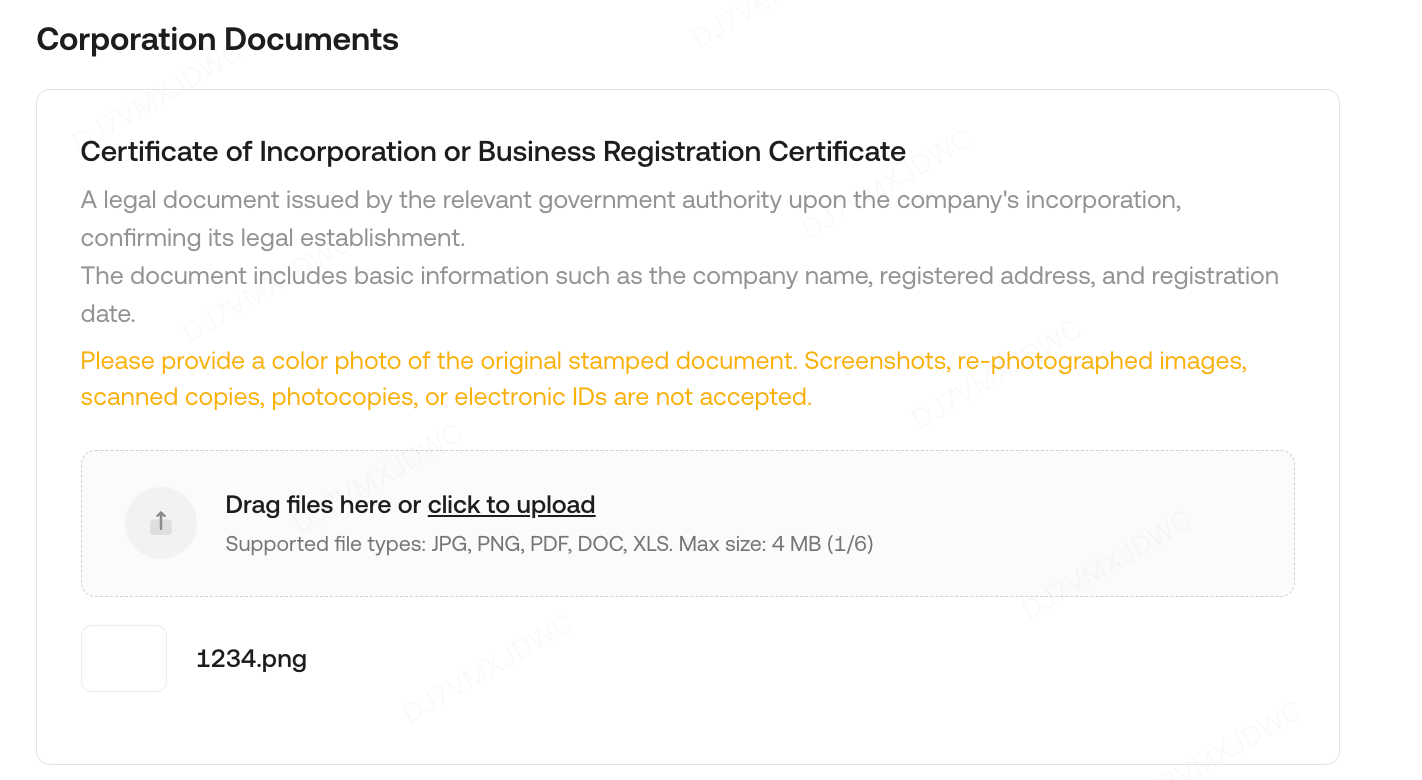
- If your company type is Standard Enterprise, Large Enterprise, Financial Institution, or Other Business Types, please upload the Certificate of Incorporation or Business Registration Certificate. Ensure the document is clear and legible.
- A photo of the original stamped document is required. Submissions such as screenshots, rescanned or rephotographed images, photocopies, or electronic IDs will not be accepted.
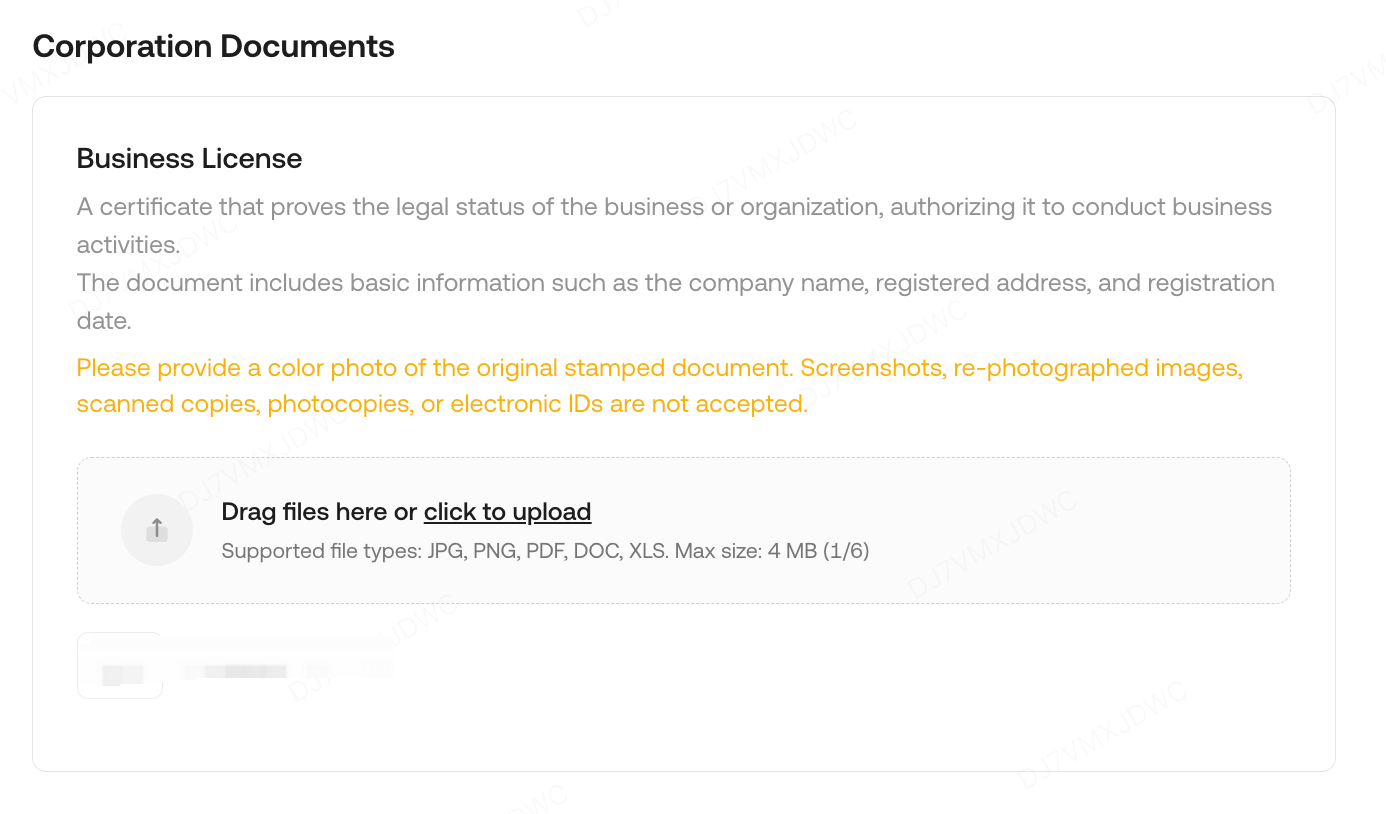
- For Sole Proprietorship/One-Person Business or Partnership company types, please upload the Business License.
- The document must also be clear and legible, with a photo of the original stamped version. Screenshots, rescanned or rephotographed images, photocopies, or electronic IDs are not acceptable.
2.3 Contact Information
Accurately provide all required contact details, then select Next.
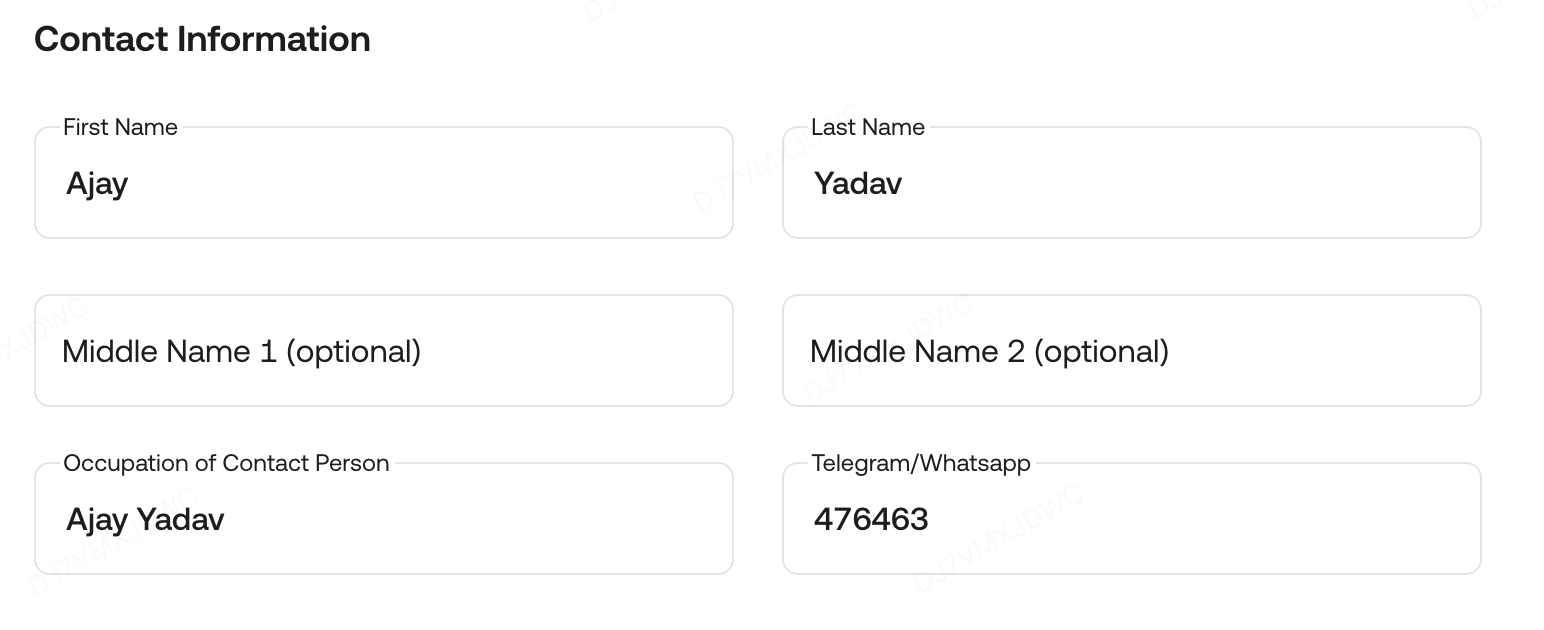
2.3.1 Contact Information
- The name you fill in must accurately match the ID of the contact person you provide.
- Fill in the contact person's role in the company and telegram/whatsapp.
2.3.2 Contact Documents
-
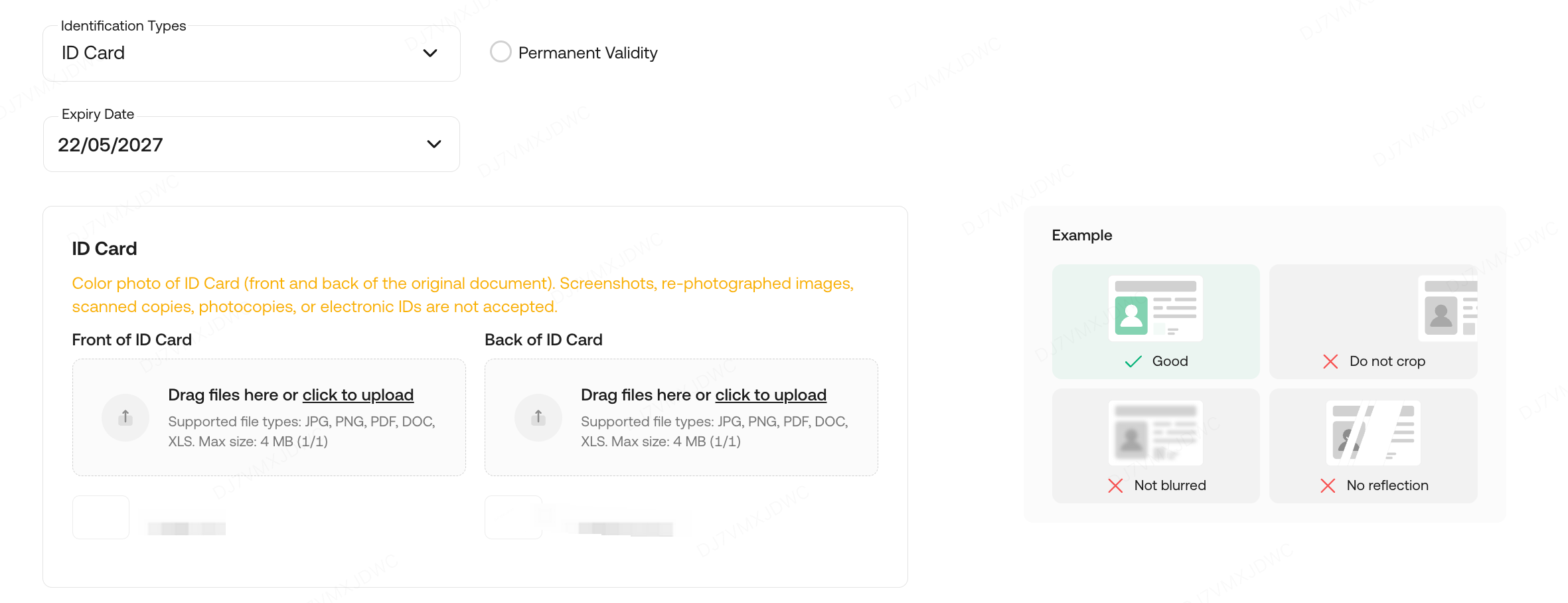
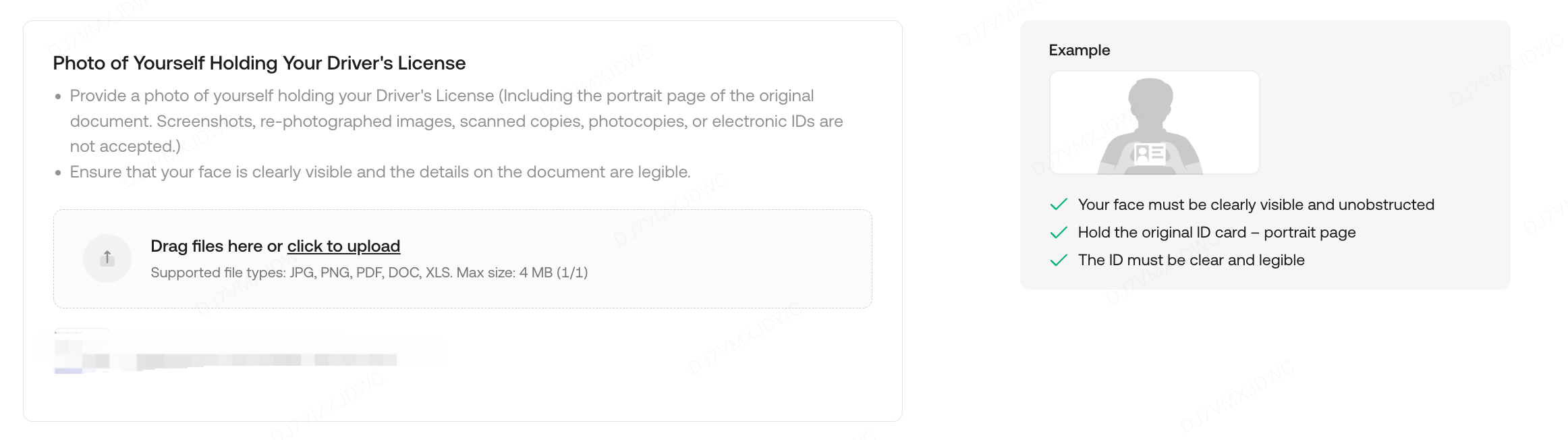
Please upload clear, legible photos of both the front and back of the original Identity document. Submissions such as screenshots, rescanned or rephotographed images, photocopies, or electronic IDs will not be accepted.
- Upload a self-portrait with you holding your original Identity document.
2.4 Supplementary Documents
Submit all requested documents and click Submit to proceed. To facilitate verification, please provide supporting documents in English whenever possible.
Steps to Submit Supporting Documents:
- Complete the documents: Fill in all required fields and apply the official seal.
- Scan the documents: Ensure the scanned files are clear and legible.
- Upload the documents: Proceed to upload the completed and scanned documents.
2.4.1 Institutional KYB Declaration
-
The document should be signed by the Ultimate Beneficial Owner (UBO) or an authorized representative of the Declarant.
- The documents should be signed or stamped with an official seal.
- Institutional KYB Declaration Template

2.4.2 Shareholder Register
a. The shareholder register should include the full name, address, and shareholding ratio of each shareholder.
- The shareholder register should be an officially issued document. If an unofficial document is submitted, it must be stamped with the company seal or signed by a director to verify its authenticity.
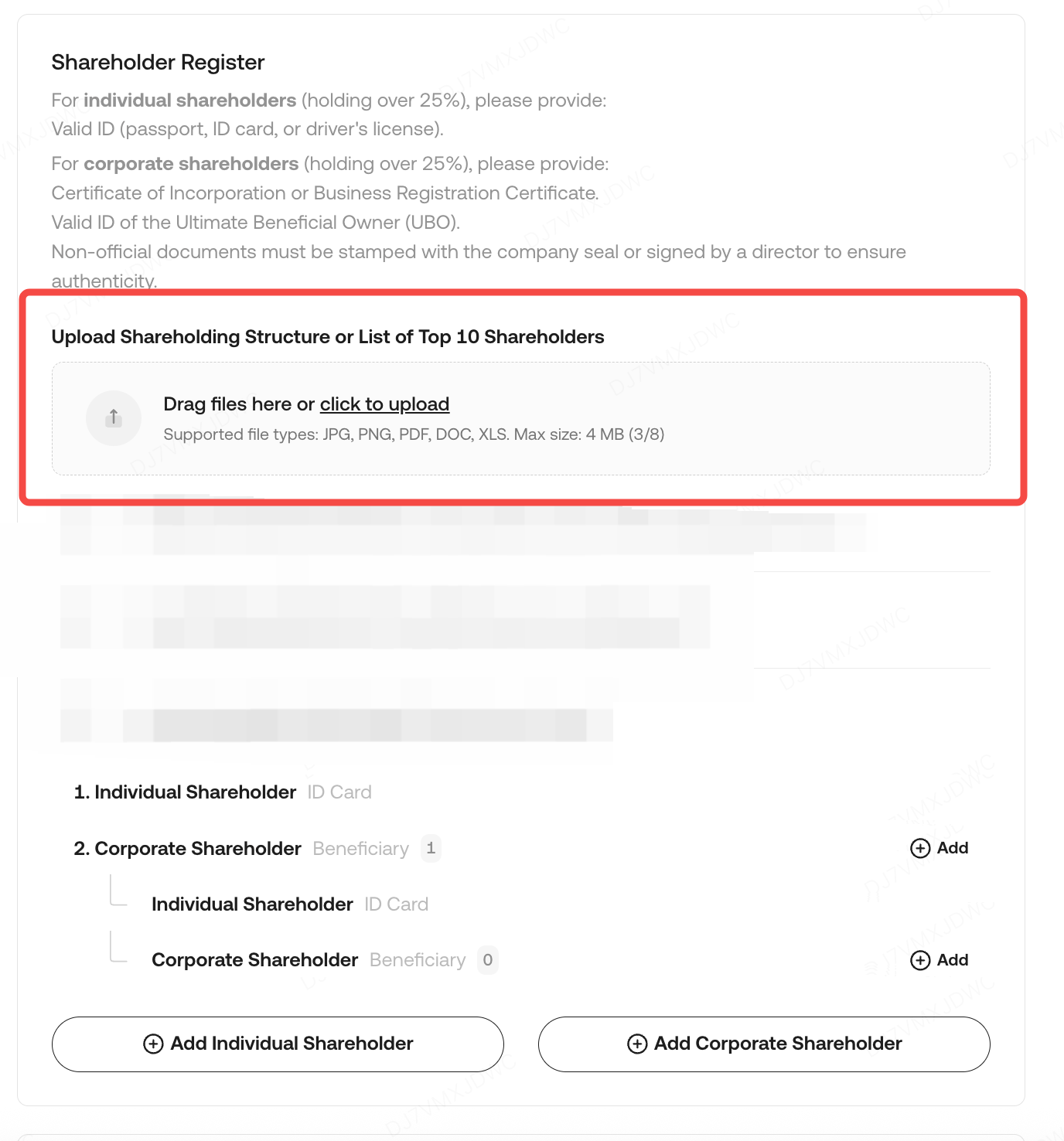
b. If a Shareholder is a Company (Holding More Than 25% of Shares):
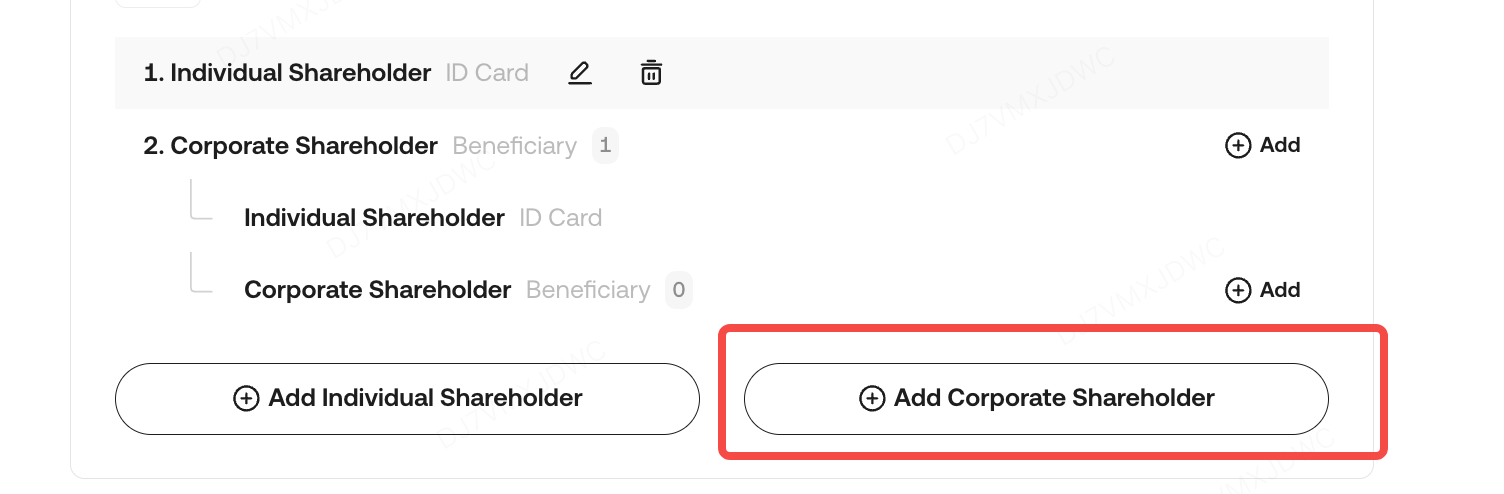
Provide the following information and documents:
-
Corporate Shareholder Details:
- Enterprise Name: Full legal name of the company.
- Shareholding Percentage: Percentage of shares held in the target company.
- Certificate of Incorporation or Business Registration Certificate: A physical, original document must be provided. Submissions such as screenshots, re-photographed images, scanned copies, photocopies, or electronic IDs will not be accepted.
- Ultimate Beneficial Ownership (UBO) Tracing:
-
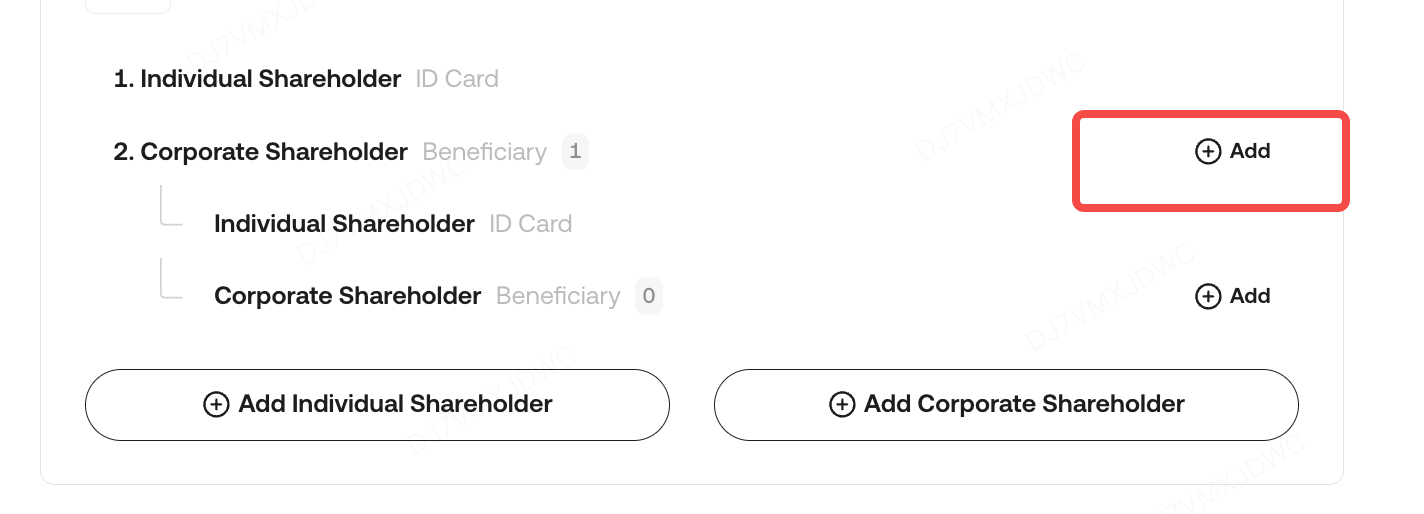
- Disclose whether the shareholders of this corporate entity are legal entities or individuals.
- If the shareholder is a legal entity (holding more than 25% of shares):
- Repeat the above requirements (enterprise name, shareholding percentage, and original certificate of incorporation/business registration).
- If the shareholder is an individual (holding more than 25% of shares):
- Provide the individual’s full name, role within the company, and shareholding percentage.
- Valid ID of the Ultimate Beneficial Owner (UBO): A physical, original document (e.g., passport, ID card, or driver’s license) must be provided. Submissions such as screenshots, re-photographed images, scanned copies, photocopies, or electronic IDs will not be accepted.
Note: Shareholder information must be traced back to at least the third-tier shareholder.
c. If a Shareholder is an Individual (Holding More Than 25% of Shares), Provide the following information and documents:
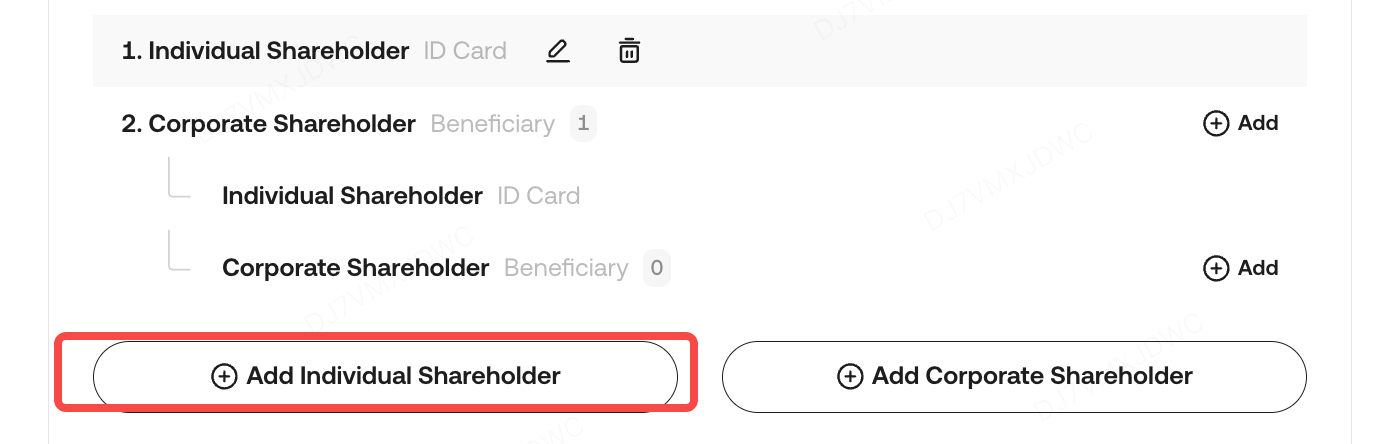
- Provide the individual’s full name, role within the company, and shareholding percentage.
- Valid ID of the Ultimate Beneficial Owner (UBO): A physical, original document (e.g., passport, ID card, or driver’s license) must be provided. Submissions such as screenshots, re-photographed images, scanned copies, photocopies, or electronic IDs will not be accepted.
2.4.4 List of Directors
- The shareholder register should be an officially issued document. If an unofficial document is submitted, it must be stamped with the company seal or signed by a director to verify its authenticity.
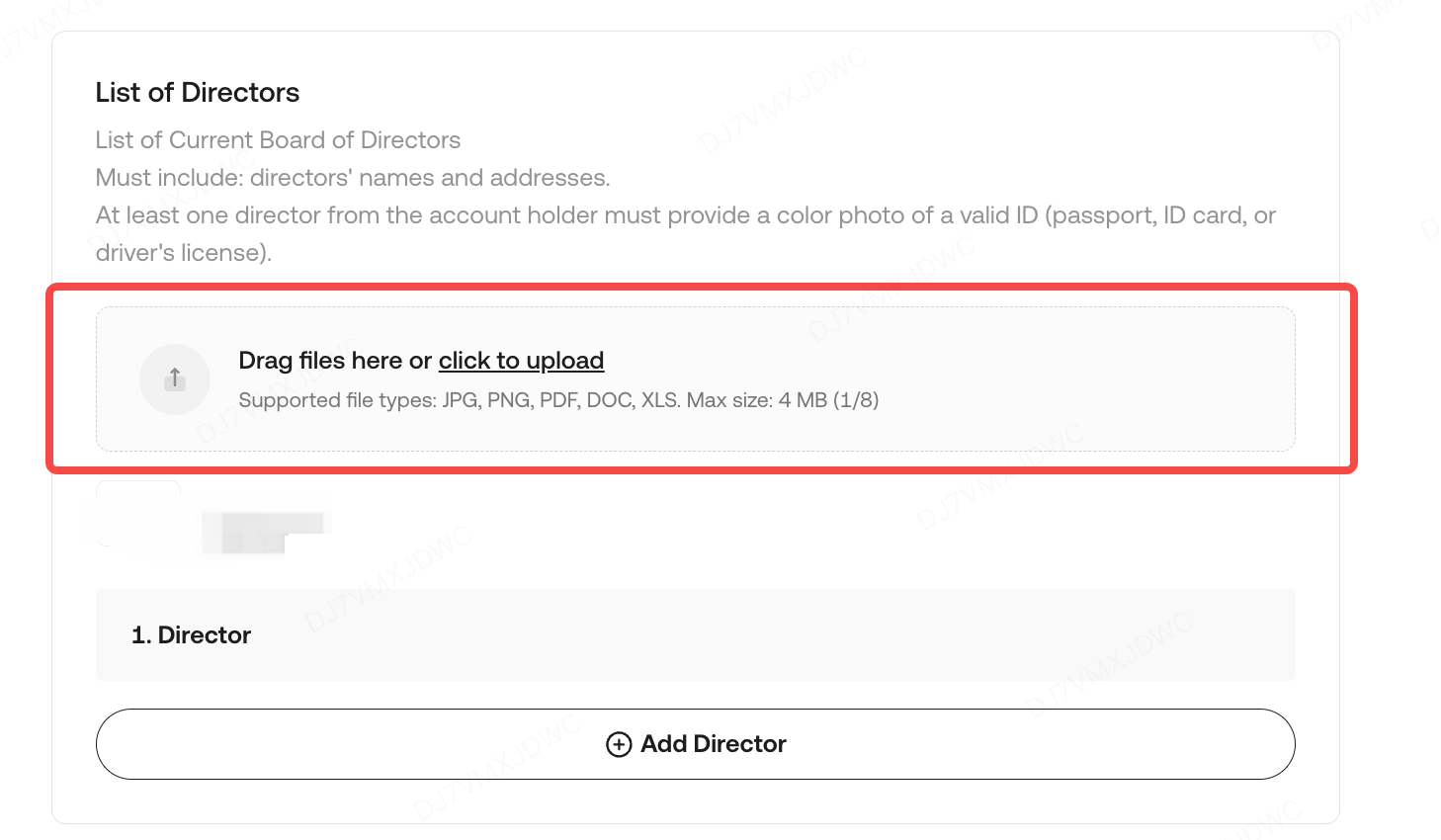
b. If the Director is a Corporate Entity:
Provide the following documents:
- Certificate of Registration: A physical, original document must be submitted.
- List of Directors: A physical, original document must be submitted. If an unofficial document is submitted, it must be stamped with the company seal or signed by a director to verify its authenticity.
- Valid ID of the Director(s): A physical, original document (e.g., passport, ID card, or driver’s license) must be provided. Submissions such as screenshots, re-photographed images, scanned copies, photocopies, or electronic IDs will not be accepted.
c. If the Director is an Individual:
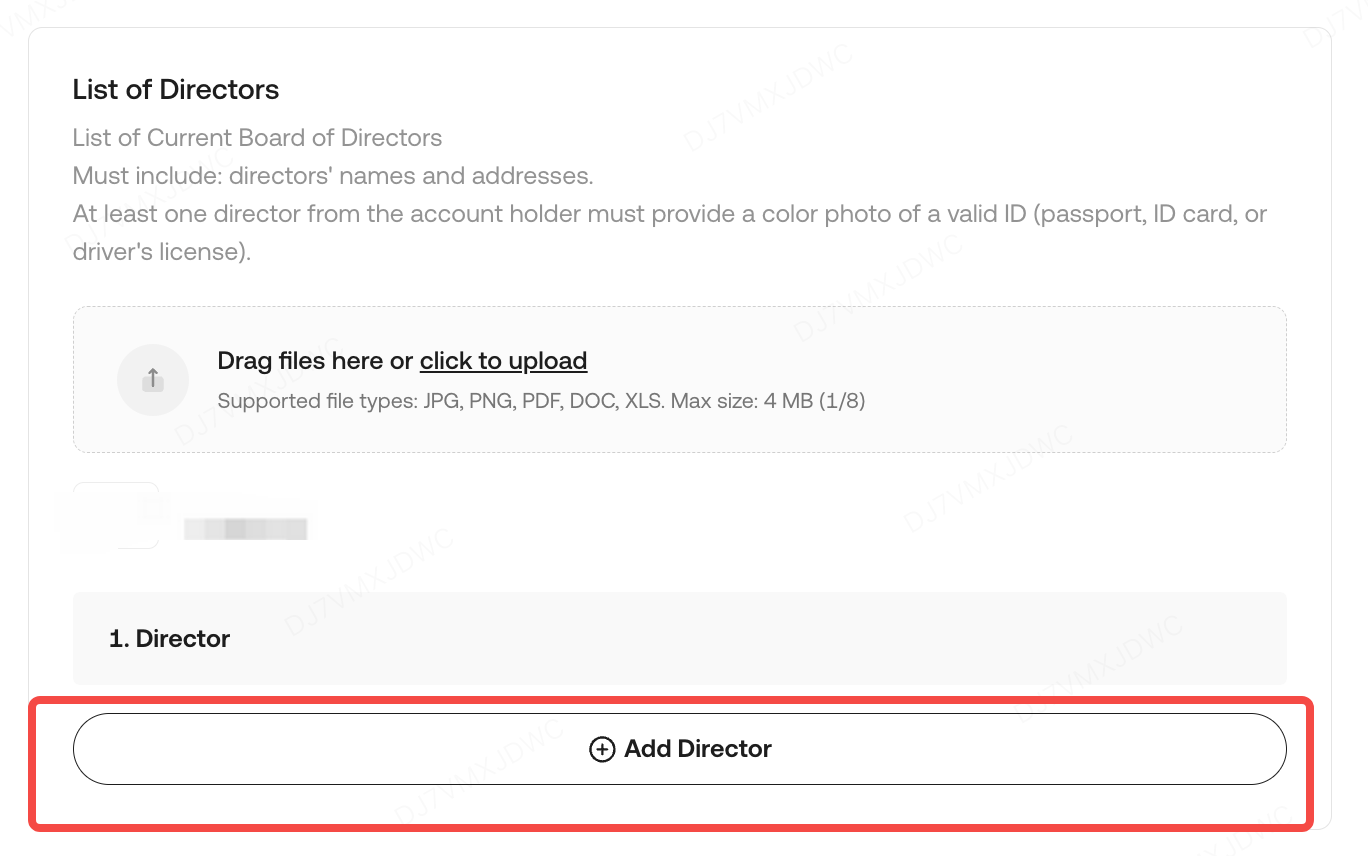
Provide the following information and documents:
- Account Holder Affiliation: Select Yes or No to confirm whether this director is an account holder.
- Full Name: Complete legal name of the director.
- Address: Full residential address of the director.
- A color photo of a valid ID (e.g., passport, ID card, or driver’s license) must be submitted. The document must be a physical, original document. Submissions such as screenshots, re-photographed images, scanned copies, photocopies, or electronic IDs will not be accepted.
- Note: At least one director from the account holder must provide a valid ID as described above.
3. Waiting for Review Results
After submission, our KYC team reviews your application, with updates via the KYC page or email (institutional_kyc@kucoin.com). During this time, your KYC status will be "In Progress".
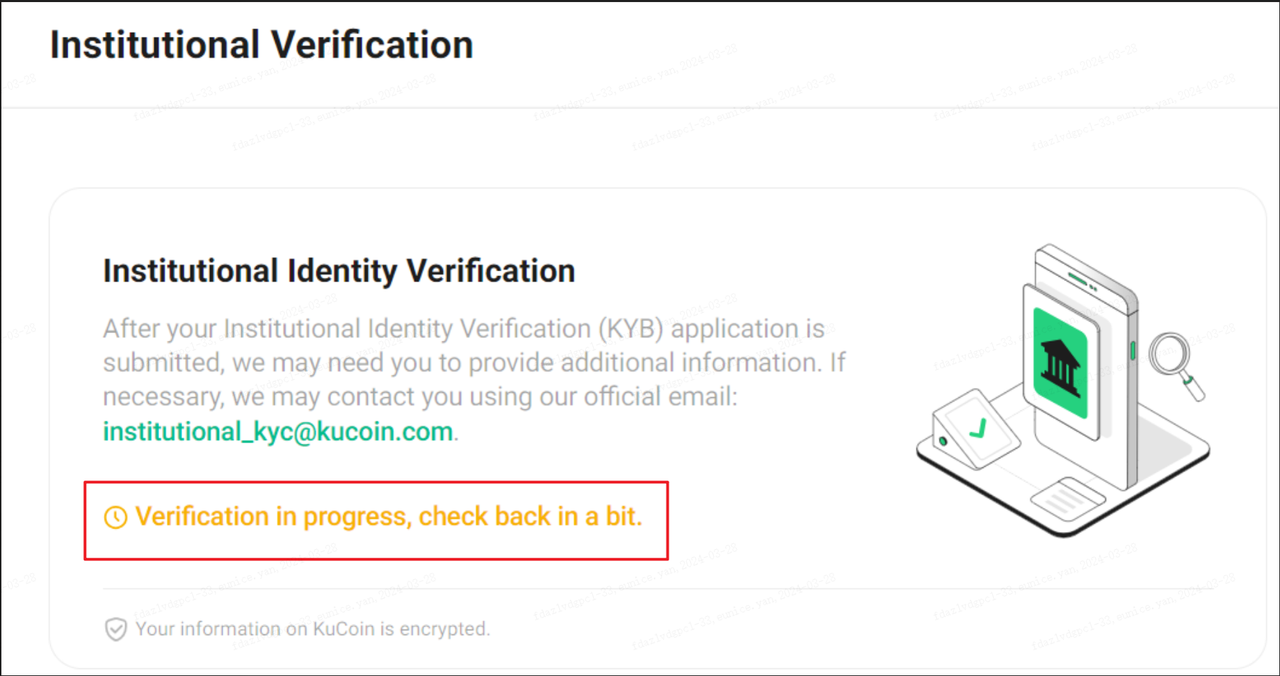
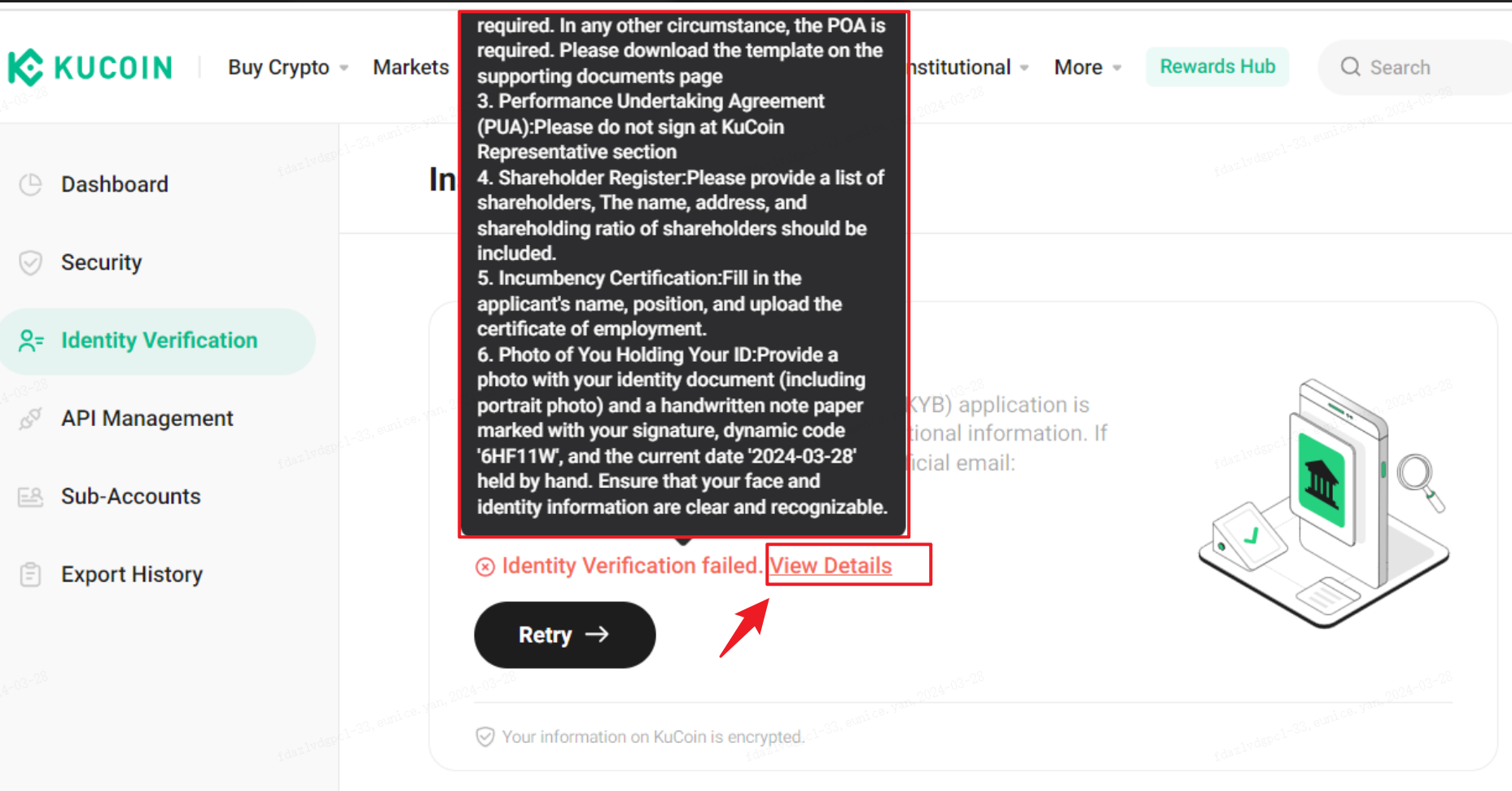
If your application is rejected, please select View Details to check what went wrong. Follow the instructions to correct any errors, then click Retry to submit again. Alternatively, reply to institutional_kyc@kucoin.com to supplement the required supporting documents.
Here are some examples of reasons why applications may be rejected.
4. FAQ
Q: What if the expiry date of the contact person's ID is incorrect?
A: The date must match the identity document exactly. Do not select “permanent validity” if an expiration date is specified.
Hope this guide is helpful. If you have any further questions, our support team is available 24/7 via online chat or by submitting a ticket.
Thank you for visiting KuCoin!