

How to Find KuCoin EU UID? (IOS)
KuCoin EU has launched a UID function to strengthen the protection of your privacy and security when using the exchange. The KuCoin EU UID consists of at least eight digits.
This article will guide you on how to find your KuCoin EU UID.
Ways to check your KuCoin EU UID.
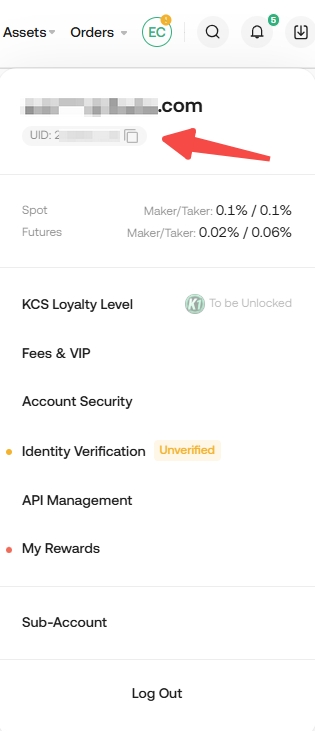
To find the UID of your KuCoin EU account, you can simply log in to your KuCoin EU account hover over your profile icon in the top right corner to view your UID. The following are two ways to check your KuCoin EU UID via website and KuCoin EU App.
1.1 Via Website:
Log in to your KuCoin EU account via https://www.kucoin.com/en-eu/ucenter/signin
1. You may hover your cursor over your profile icon, and the UID will appear. You may also click on it to visit the User Profile page.
1.2 Via the KuCoin EU App:
Step 1: Open the KuCoin EU App and make sure the app version is higher than V 3.16.0 for iOS. If not, please update the KuCoin EU App to the latest version.
Step 2: Log in to your KuCoin EU account.
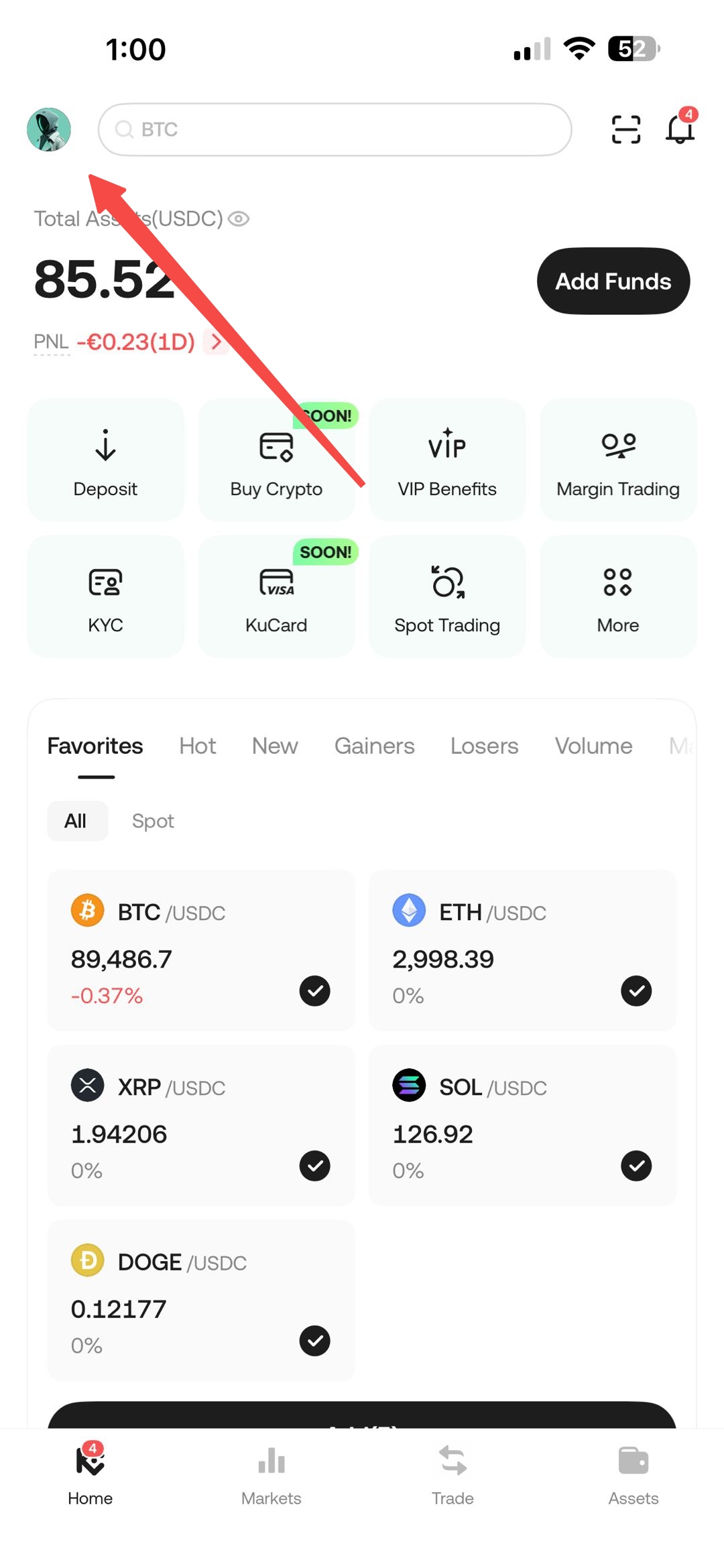
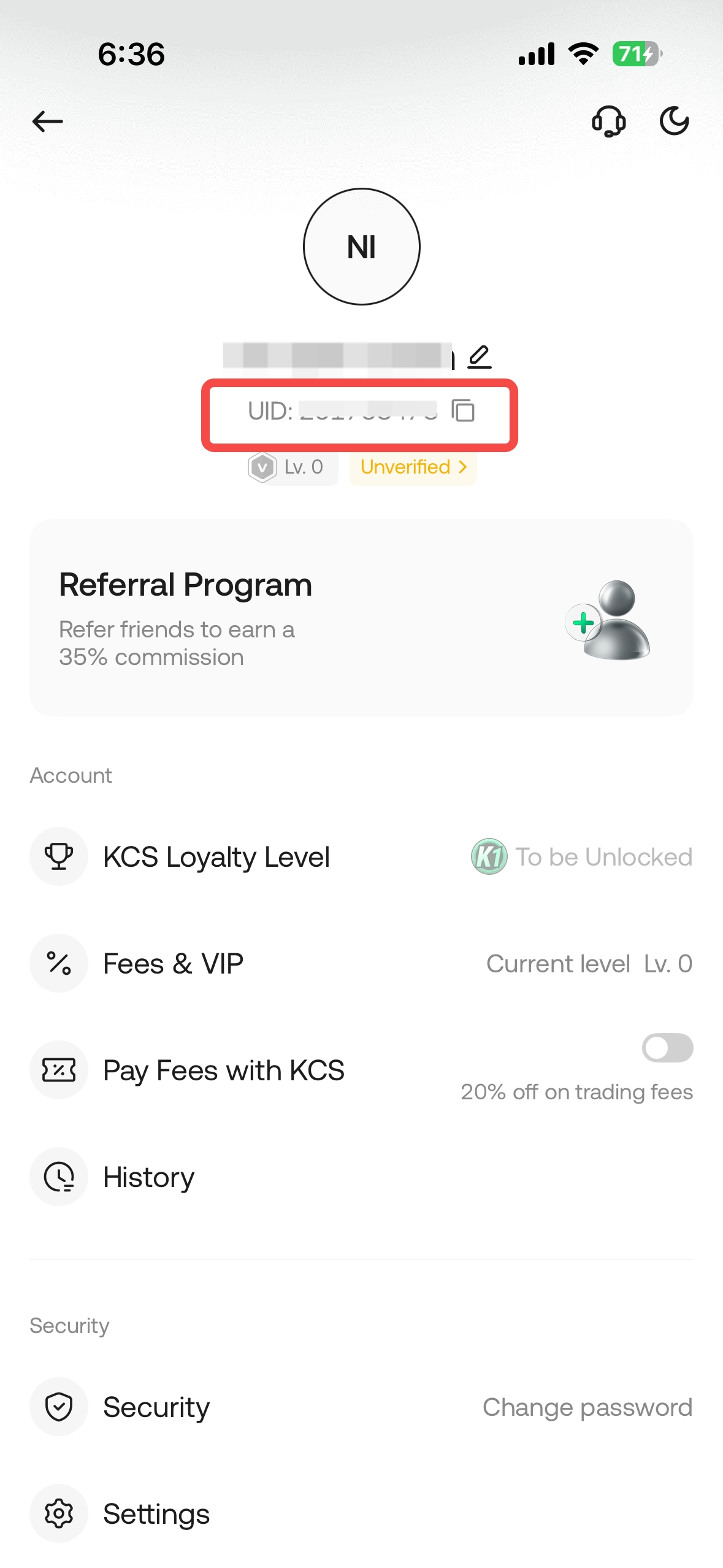
Step 3: Click on your profile icon located in the top left corner to locate your UID.
 .
. 
Note:
- Download the latest version of the KuCoin EU App
For iOS: https://www.kucoin.com/en-eu/download/ios
- To check the KuCoin EU App version: Click on your Profile icon → Settings → System and the App Version will be shown in this page.
We hope this article has been helpful. If you have any other questions, please reach out to our 24/7 customer support via online chat or submit a ticket.