
How to Do Spot Trading on KuCoin
To enjoy the benefits of KuCoin Spot Trading features, here’s a step-by-step guide on how to do spot trading on KuCoin, both on the app and the website:
Spot Trading on the KuCoin Web
Step 1: Access the Platform. Look for Trade in the top navigation bar, then select Spot Trading. This will take you directly to the trading page.
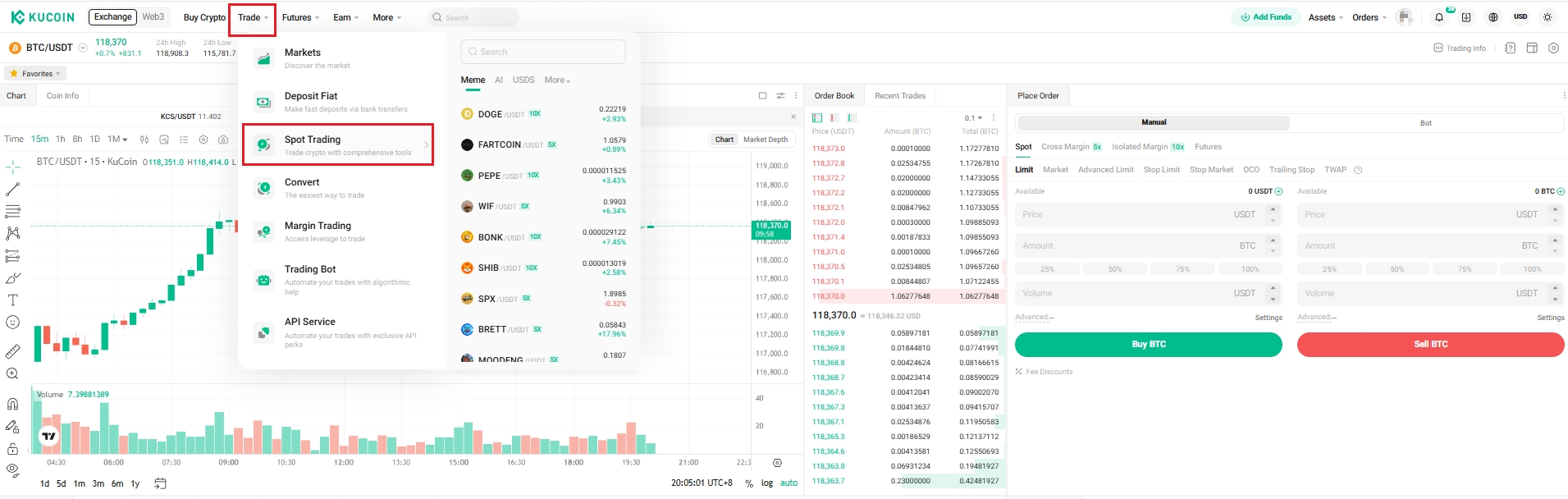
Step 2: Choose a Trading Pair
On the trading page, search for the trading pair you wish to trade with. To trade KCS for example, you would type "KCS" into the search bar.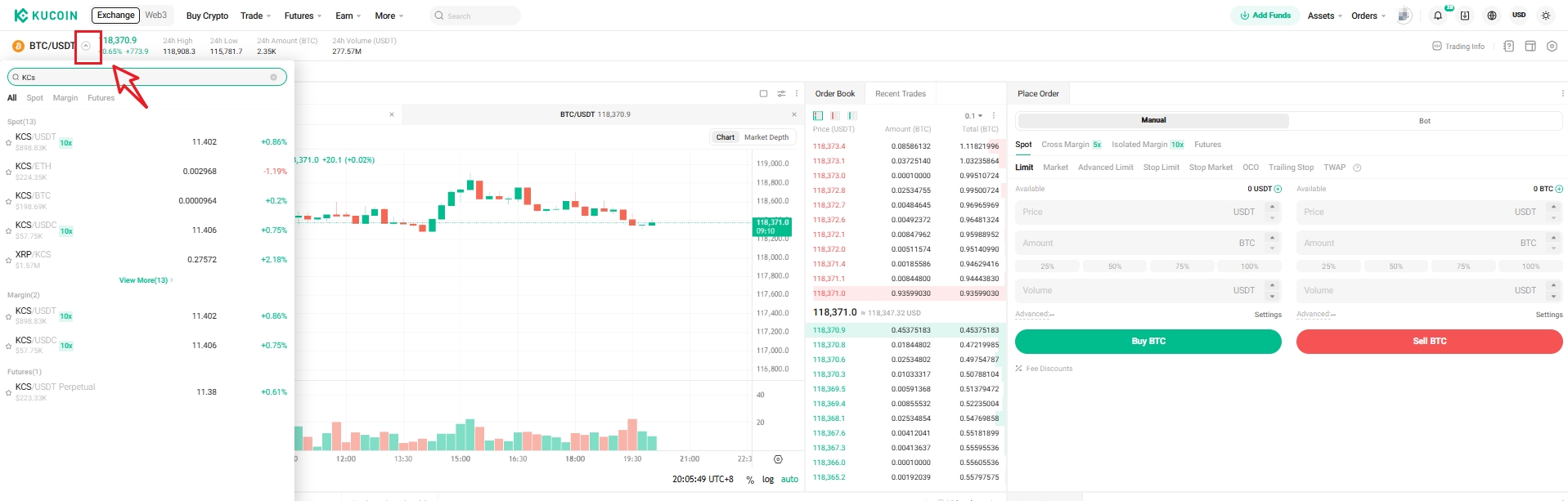
Step 3: Placing an Order
At the bottom of the trading interface, you'll find panels to buy or sell. There are different order types you can choose from. 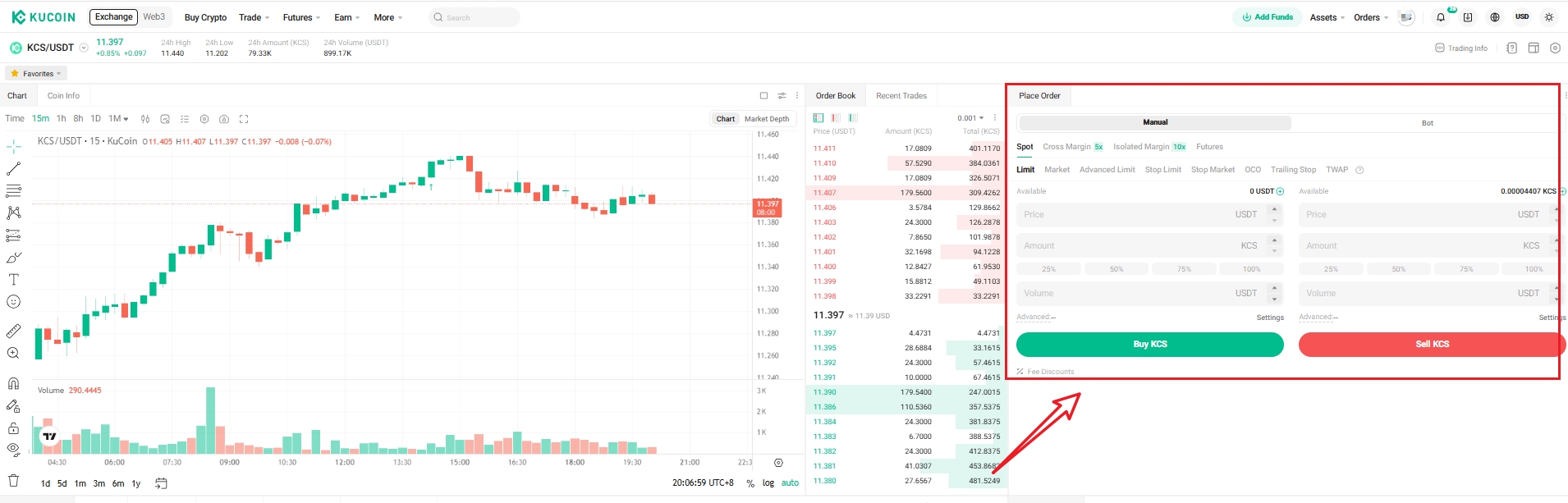
Step 4: Wait for your order to be executed.
Note: If you place a limit order and the market price does not reach the limit price you set yet, then you can also find your open orders at the Open Order page or click here to find all your order history.
Spot Trading on the KuCoin App
Step 1: Open your KuCoin App. Click Trade in the button of navigation bar directly to the spot trading page.
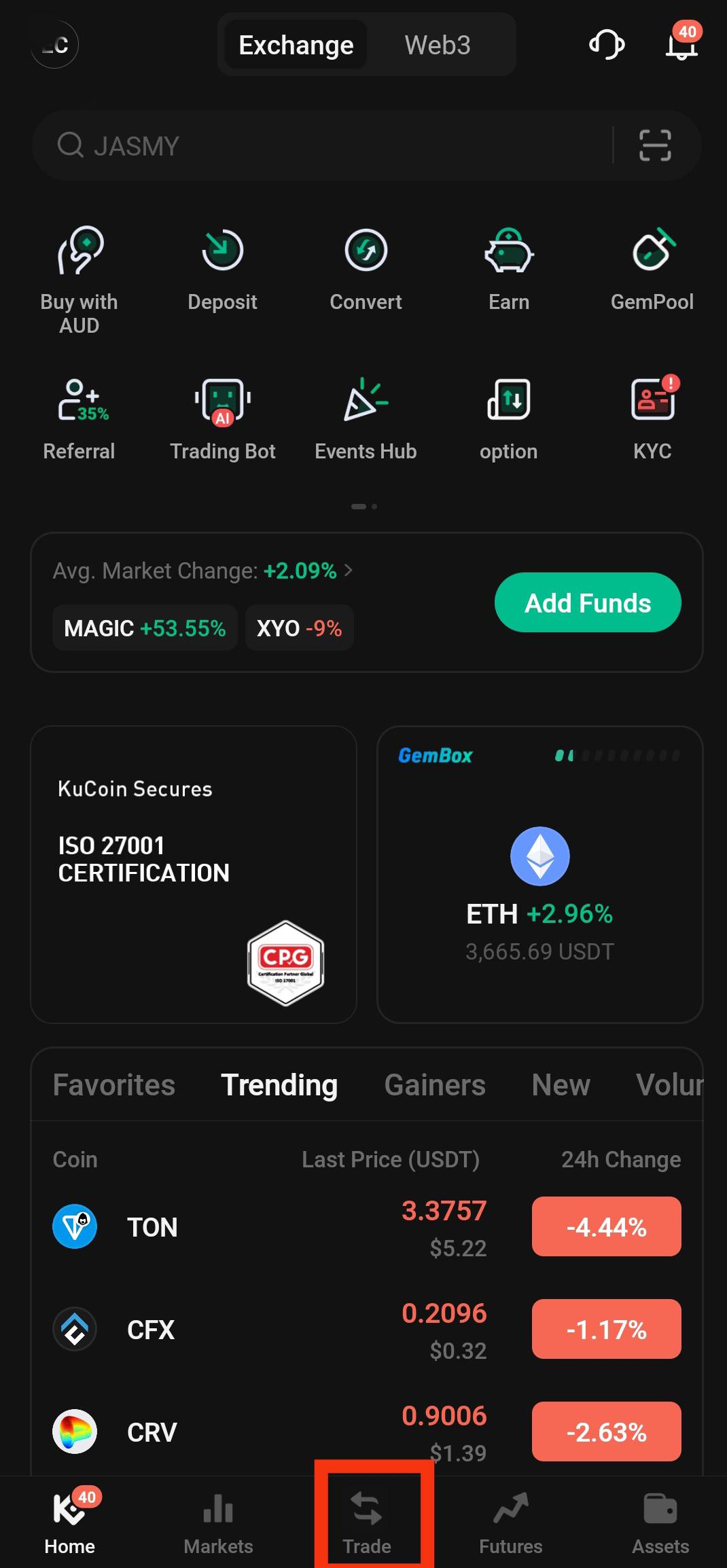
Step 2: Choose a Trading Pair
On the trading page, search for the trading pair you wish to trade with. To trade KCS for example, you would type "KCS" into the search bar.
Step 3: Placing an Order
At the bottom of the trading interface, you'll find panels to buy or sell. There are different order types you can choose from.

Step 4: Wait for your order to be executed.