
What Should I Do If I Deposited the Wrong Crypto?
A crypto address sends and receives crypto. If you deposit to the wrong address, network, or contract address, you may lose access to your funds. Use this guide to identify common mistakes and collect the information support needs.
Contents
1. Common Mistakes When Depositing the Wrong Crypto
2. What To Do When Depositing the Wrong Crypto
1. Common Mistakes When Depositing the Wrong Crypto
1.1 Deposited coins that have not been listed on KuCoin EU
Though KuCoin EU supports Bitcoin and various altcoins, there are still many coins that have not been listed yet. Coins that have not been listed yet will not be displayed on KuCoin EU when deposited.
1.2 Depositing coin A to the address of coin B
Unless both coins are issued on the same blockchain, it is very likely that the deposit will fail to go through. For instance, a Bitcoin address will not accept deposits in ETH. The same goes for most other coins.
1.3 Depositing a coin to the wrong network
Certain coins support multiple blockchain networks on KuCoin EU. Ensure the network selected matches the network of the address entered.
1.4 Depositing coins with a different contract address
Blockchain projects may upgrade the contract address of their token for certain reasons. KuCoin EU will publish an official announcement if we support the upgrade. Once the upgrade has been completed, deposits to the old contract address will not be credited to your KuCoin EU account.
1.5 Deposit coins to the contract address
Note that the contract address is not used for deposit and withdrawal. Transfers to the contract address will not be recoverable. You can always find the deposit address on the KuCoin EU deposit page.
2. What To Do When You Deposited the Wrong Crypto
Step 1. Collect the following information.
- Your KuCoin EU UID and registered email address or phone number
- The coin name and the amount you deposited
- The transaction hash (TXID)
- A screenshot of the transfer record from the withdrawal platform
Note:
- Ensure that the TXID, coin type, amount, and address are shown on the screenshot.
- If you deposited from a private wallet, provide a screenshot of your account address.
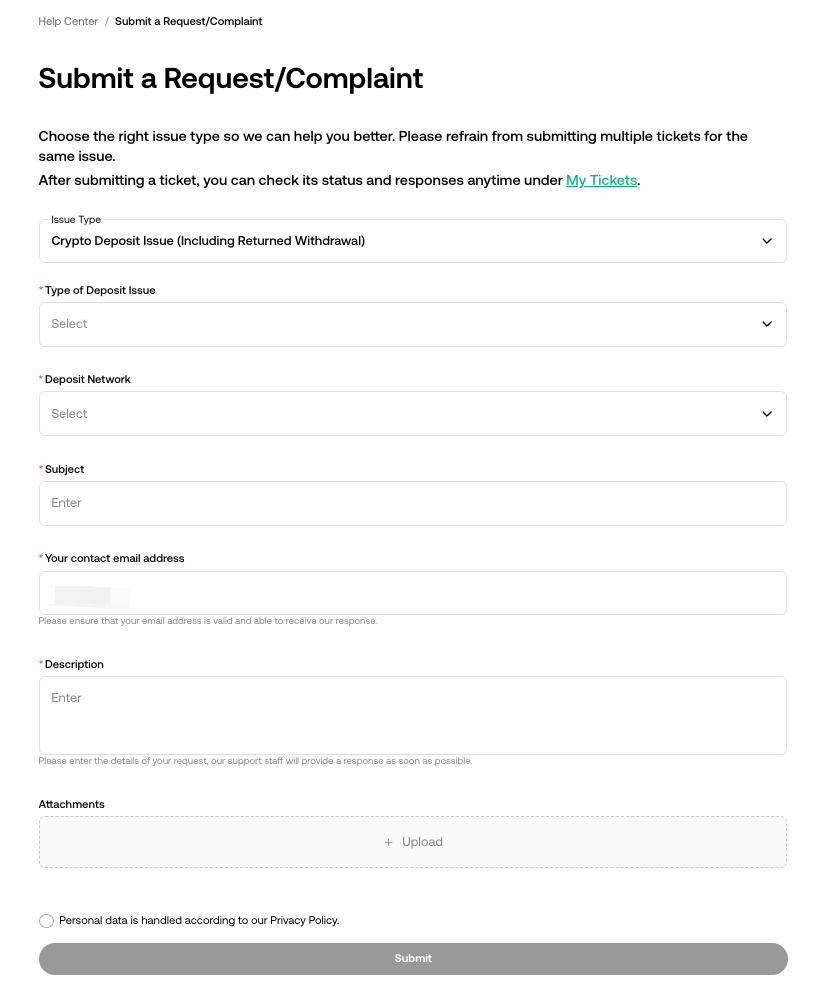
Step 2. Submit a request to support
Submit a request to support and include the information you collected.
Select the deposit issue that best matches your case. Then wait for an email update.
If you have any other questions, please reach out to our 24/7 customer support via online chat or submit a ticket.